


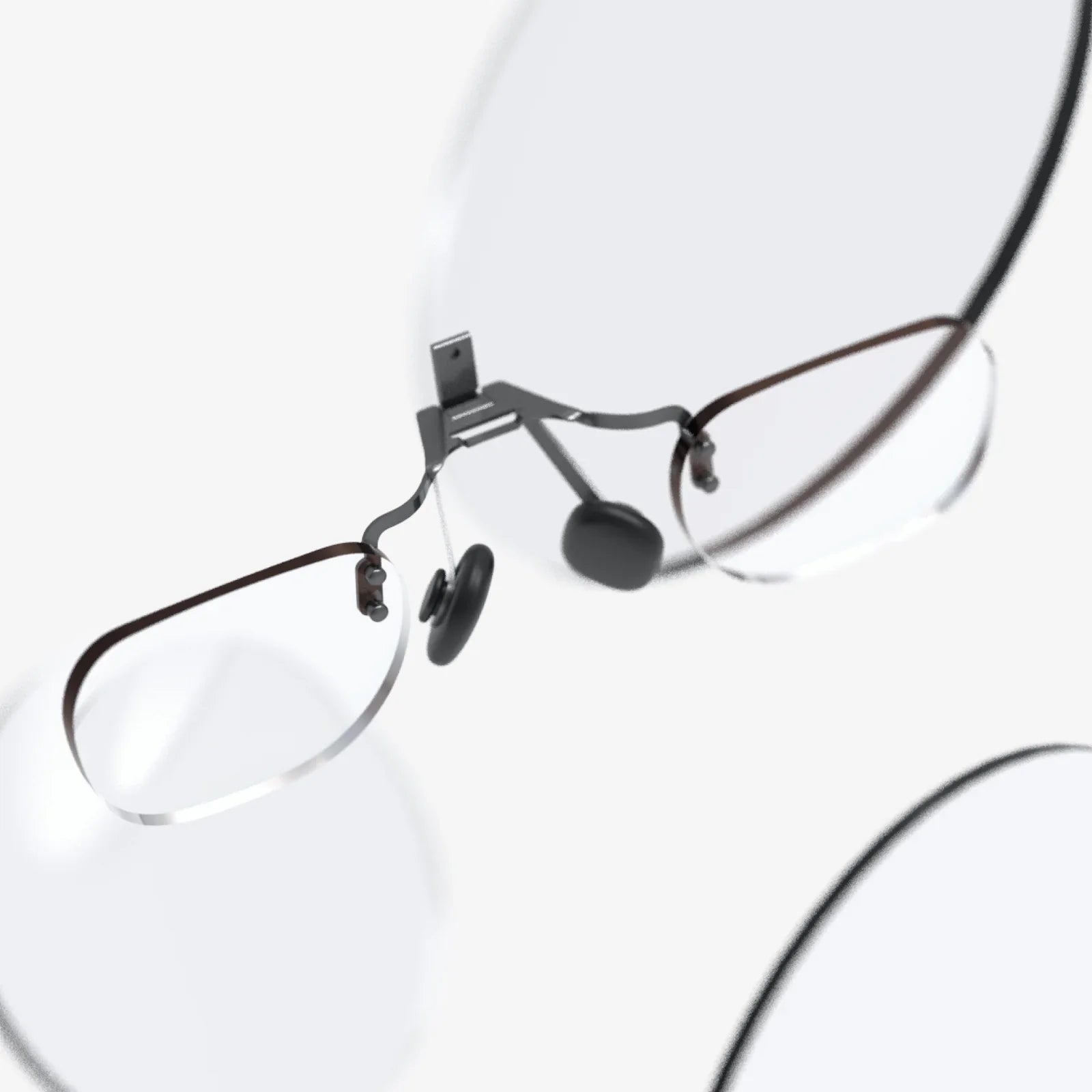
If you are searching for the best smart glasses with display, you are probably torn between excitement and confusion. The idea of wearing a tiny screen right in front of your eyes sounds futuristic, but the market is full of different designs, features, and technical terms that are hard to compare. Before you spend your money on a pair of digital eyewear that might end up in a drawer, it pays to understand exactly what matters, what is hype, and what really improves your daily life.
Smart glasses with integrated displays are no longer just prototypes for tech enthusiasts. They are becoming practical tools for productivity, navigation, fitness tracking, and hands-free communication. Some models look almost like regular eyewear, while others are clearly designed for work, sports, or fully immersive experiences. This guide breaks down the most important factors so you can confidently identify which type of smart glasses fits your lifestyle and priorities.
What Are Smart Glasses With Display?
Smart glasses with display are wearable devices that look like regular glasses but contain embedded electronics, sensors, and a small visual interface. Instead of constantly checking a phone, users see information projected into their field of view. This can range from simple notifications to complex 3D graphics, depending on the hardware and software.
Unlike audio-only glasses that just add speakers and microphones to frames, display-equipped smart glasses include some form of visual output. This might appear as a small floating window, a transparent overlay, or an entire virtual environment. The display can be monocular (one eye) or binocular (both eyes), and the content can be flat, 3D, or augmented reality overlays on the real world.
Major Types of Smart Glasses With Display
To find the best smart glasses with display for your needs, it helps to separate the main categories. Each type focuses on a different balance between style, immersion, and functionality.
1. Notification and Productivity Glasses
These smart glasses focus on delivering lightweight information without overwhelming the wearer. They typically show:
- Incoming calls and messages
- Calendar alerts and reminders
- Navigation cues like turn-by-turn arrows
- Basic fitness data such as steps or heart rate (when paired with other devices)
The display in this category is often a small, semi-transparent rectangle near the edge of your vision. It is designed to be glanceable rather than immersive. This type is ideal if you want to stay connected while keeping your phone in your pocket.
2. Augmented Reality (AR) Glasses
AR smart glasses overlay digital content onto the real world. They are more advanced than simple notification glasses and may support:
- 3D objects anchored to real surfaces
- Interactive instructions and step-by-step guides
- Real-time translation text in your field of view
- Facial, object, or environment recognition features
These glasses use cameras and sensors to map the environment and place digital elements in the correct position. They are often used in professional settings for remote assistance, training, and industrial workflows, but consumer-focused models are growing in popularity for navigation, gaming, and education.
3. Mixed Reality and Spatial Computing Glasses
Mixed reality glasses go beyond simple overlays by blending virtual content with the real world in a more precise and interactive way. They typically offer:
- Advanced spatial mapping of rooms and objects
- Hand and gesture tracking
- 3D interfaces that respond to your movement
- High-quality graphics closer to what you see in VR headsets
For most everyday users, these are still early-stage products, but they represent the direction in which smart glasses are heading. If you want to be on the cutting edge and do not mind bulkier hardware, this category is worth watching.
4. Entertainment and Media-Focused Glasses
Another important category focuses on media consumption. These smart glasses often act as personal cinema screens by projecting a large virtual display in front of you. Key uses include:
- Watching movies and TV shows from streaming apps
- Playing games on a large virtual screen
- Connecting to laptops or consoles as a portable monitor
They may block more of your peripheral vision to create a darker, more immersive environment. Some models are marketed as portable projectors for frequent travelers or people who want a big screen without a physical TV.
Essential Features to Evaluate
When comparing the best smart glasses with display, pay close attention to the following technical and practical features. These factors determine comfort, usability, and long-term satisfaction.
Display Technology and Quality
The display is the heart of any smart glasses system. Key aspects include:
- Resolution: Higher resolution means sharper text and images. For notification glasses, moderate resolution is usually enough, but media and AR glasses benefit from higher pixel density.
- Brightness: Glasses must be bright enough to be visible outdoors but not so bright that they cause eye strain. Look for devices that specify high nits values for outdoor readability.
- Field of view (FOV): A wider FOV creates a more immersive experience, especially for AR and media glasses. Narrow FOV is acceptable for simple notifications but feels limited for complex content.
- Color and contrast: Balanced color reproduction and good contrast help text stand out against real-world backgrounds.
Different display technologies are used, including micro-LED, OLED, and waveguide-based systems. Each has trade-offs in brightness, power consumption, and transparency, but for most buyers, overall clarity and comfort matter more than the specific underlying technology.
Comfort, Weight, and Design
Even the most advanced smart glasses are useless if they are uncomfortable. Consider:
- Weight distribution: Heavier components near the front can cause nose and ear fatigue. Better designs distribute weight along the temples.
- Frame style: Some models resemble everyday glasses, while others look more like goggles. Think about where you plan to wear them: office, commute, gym, or home.
- Nose pads and fit: Adjustable nose pads and temple arms help the glasses stay in place and reduce pressure points.
- Prescription support: If you need vision correction, check whether the glasses support prescription lenses or clip-in inserts.
For all-day use, prioritize lightweight frames and a design that blends in with your usual style. If you only plan to use them for specific tasks or entertainment, bulkier designs may be acceptable.
Battery Life and Charging
Battery life is one of the biggest limitations of smart glasses with display. The more powerful the display and sensors, the more energy they consume. Important considerations include:
- Typical usage time: Some glasses last only a few hours with the display active, while others can handle a full workday of intermittent use.
- Standby behavior: Look for power-saving modes that turn off the display when not in use but keep the device ready for quick activation.
- Charging method: Options include USB-C ports, magnetic connectors, or charging cases. A case that doubles as a charger can be convenient for travel.
- Fast charging: Quick top-ups during breaks can make a big difference if you rely on the glasses throughout the day.
When reading specifications, remember that real-world battery life often differs from marketing claims. Heavy use of video, AR features, or high brightness will drain the battery faster than simple notifications.
Controls and User Interface
Smart glasses need intuitive controls that work in varied environments. Common interaction methods include:
- Touch controls: Swipes and taps on the temple area for navigation and selection.
- Voice commands: Hands-free control via wake words and spoken instructions.
- Head gestures: Nods or shakes to confirm or dismiss prompts.
- Companion apps: Mobile apps that manage settings, notifications, and firmware updates.
Voice control is convenient but may be less practical in noisy or quiet public spaces. Touch controls provide privacy but can be tricky when wearing gloves or during physical activity. Ideally, the best smart glasses with display will offer multiple input methods so you can adapt to the situation.
Audio, Microphones, and Calls
While the focus is on the display, audio quality still matters. Many smart glasses include:
- Open-ear speakers: Tiny drivers in the temples that direct sound toward your ears while keeping them open to the environment.
- Bone conduction: Vibrations transmitted through the skull so you can hear audio without blocking your ears.
- Microphone arrays: Multiple mics for clearer calls and voice commands, with noise reduction features.
If you plan to take calls or listen to podcasts through your glasses, pay attention to reviews that mention audio clarity, volume, and microphone performance in windy or crowded environments.
Connectivity and Compatibility
Smart glasses rarely operate alone; they usually connect to phones, tablets, or computers. Key connectivity features include:
- Bluetooth: Standard for pairing with smartphones and enabling notifications, audio, and basic control.
- Wi-Fi: Necessary for standalone apps, cloud features, and streaming without a phone nearby.
- Wired video input: Some media-focused glasses support USB-C or other connections to act as external displays.
- Platform support: Check whether the glasses work with both major mobile operating systems, and whether all features are available on your device.
Before buying, verify that key features like notifications, navigation, and media playback are fully supported on your preferred platform, not just partially functional.
Use Cases: Matching Smart Glasses to Your Lifestyle
The best smart glasses with display for you depend heavily on how you intend to use them. Consider the following common scenarios and which features matter most in each one.
Work and Productivity
For professionals, smart glasses can provide:
- Discreet notifications during meetings
- Hands-free access to notes and checklists
- Remote collaboration with colleagues who can see what you see
- Real-time translation and transcription
In this context, prioritize:
- Comfort for all-day wear
- Subtle, office-appropriate design
- Reliable voice control and microphone quality
- Strong privacy and data security controls, especially for sensitive work
Fitness and Outdoor Activities
Smart glasses can enhance workouts and outdoor adventures by displaying:
- Real-time pace, distance, and heart rate (when paired with compatible sensors)
- Route navigation for running, cycling, or hiking
- Music controls and call management without reaching for a phone
If you plan to use them outdoors, focus on:
- High brightness and good contrast in sunlight
- Sweat resistance and durable construction
- Secure fit during movement
- Long enough battery life for your typical workout duration
Travel and Navigation
For travelers, the best smart glasses with display turn directions and information into an always-available heads-up interface. Useful features include:
- Turn-by-turn directions overlaid on your path
- Local information such as landmarks, transit stops, or restaurant details
- Offline map support when network coverage is limited
- Real-time translation of signs and menus
Travelers should emphasize:
- Compact design and robust carrying case
- Multi-day battery strategy (charging case, power-saving modes)
- Compatibility with common navigation and translation apps
Entertainment and Gaming
If your main goal is entertainment, you will want:
- High-resolution displays for crisp video
- Wide field of view for immersive experiences
- Comfortable fit for long viewing sessions
- Low latency when connected to gaming devices
Media-focused smart glasses can transform long flights, commutes, or small apartments by giving you a virtual big screen wherever you go. Just remember that more immersive designs may be less suitable for walking around, as they can obscure your surroundings.
Privacy, Safety, and Social Acceptance
Any device that includes cameras, microphones, and displays raises important questions about privacy and social norms. Before choosing the best smart glasses with display for your needs, consider how they will affect both you and the people around you.
Camera Awareness and Indicators
Many people feel uneasy when they cannot tell whether they are being recorded. Responsible smart glasses designs include:
- Visible indicators, such as lights, when recording is active
- Clear settings to disable or limit camera use
- Audible or visual alerts to remind the wearer when recording is on
If you plan to wear smart glasses in public or at work, choosing a model with transparent recording indicators can reduce misunderstandings and increase acceptance.
Data Security and Permissions
Smart glasses may collect sensitive data, including location, audio, video, and usage patterns. To protect yourself:
- Review what data is stored locally versus in the cloud
- Check whether you can easily delete recordings and logs
- Understand how third-party apps access camera and microphone feeds
- Look for regular software updates and security patches
Even if you are not dealing with confidential work, you should treat smart glasses like any other connected device and manage privacy settings carefully.
Social Comfort and Etiquette
Wearing visible technology on your face changes how people interact with you. Some may be curious, others skeptical. To maintain good social etiquette:
- Inform people when you are recording or streaming
- Avoid using cameras in sensitive areas such as restrooms, locker rooms, or private meetings
- Be mindful of the impression you create in professional environments
As smart glasses become more common, social norms will evolve, but early adopters can help by being transparent and respectful.
How to Compare Models Without Getting Overwhelmed
With so many specifications, it is easy to get lost in technical details. Here is a simple framework to compare different smart glasses and decide which is best for you.
Step 1: Define Your Primary Use Case
Start by choosing your top priority:
- Productivity and notifications
- AR and mixed reality experiences
- Fitness and outdoor navigation
- Media and entertainment
While one pair of glasses can cover multiple use cases, having a primary goal helps you avoid paying for features you will rarely use.
Step 2: Set a Realistic Budget
Prices vary widely depending on capabilities. Basic notification glasses are more affordable, while full-featured AR and mixed reality models can be significantly more expensive. Decide how much you are willing to spend, and compare what each price range offers in terms of display quality, sensors, and software support.
Step 3: Evaluate Comfort and Style
Try to see the glasses in person or read detailed descriptions about weight, materials, and fit. Ask yourself:
- Would I feel comfortable wearing these in public or at work?
- Do they match my personal style or stand out too much?
- Can they accommodate my prescription needs?
Comfort and appearance are often underestimated, yet they strongly influence whether you will actually use the glasses daily.
Step 4: Check Software Ecosystem and Updates
Smart glasses are only as useful as the software that runs on them. Look for:
- Active development and recent updates
- A healthy selection of compatible apps
- Clear documentation and support resources
- Roadmaps or commitments to future improvements
A well-supported ecosystem can extend the life of your device and add new features over time, making your investment more valuable.
Step 5: Read Real-World Experiences
Specifications cannot fully capture how smart glasses feel in everyday use. Seek out:
- Long-term user reviews focusing on comfort and reliability
- Feedback on battery life in real scenarios
- Comments on software bugs, glitches, or limitations
- Comparisons between similar models for your specific use case
Real-world experiences help you avoid surprises and identify potential deal-breakers before you buy.
Future Trends Shaping the Best Smart Glasses With Display
The smart glasses market is evolving quickly. Understanding upcoming trends can help you decide whether to buy now or wait for the next generation.
Thinner, Lighter, and More Stylish Designs
Manufacturers are working to shrink components and improve weight distribution. Future models are likely to:
- Look almost indistinguishable from regular glasses
- Offer more frame styles, colors, and sizes
- Integrate prescription lenses more seamlessly
As designs improve, social acceptance will grow, making it easier to wear smart glasses in more settings.
Improved Displays and Optics
Advances in micro-displays and waveguide optics will bring:
- Higher resolution with lower power consumption
- Wider fields of view without bulky housings
- Better brightness and contrast in varied lighting conditions
These improvements will make text easier to read, graphics more vivid, and AR overlays more believable.
More Natural Interaction Methods
Future smart glasses are expected to rely more on:
- Advanced voice recognition with greater accuracy
- Eye tracking for gaze-based selection
- Gesture recognition for intuitive control
As interaction becomes more natural, smart glasses will feel less like gadgets and more like effortless extensions of our senses.
Deeper Integration With Everyday Apps
Expect tighter integration with productivity, communication, and entertainment platforms. This may include:
- Context-aware notifications that appear only when relevant
- Automatic summarization of messages or documents in your view
- Smarter navigation that adapts to your habits and preferences
These features will make smart glasses not just a new screen but a smarter way to access information.
Practical Buying Checklist
When you are ready to narrow down your options, use this checklist to compare candidates for the best smart glasses with display:
- Primary purpose: productivity, AR, fitness, entertainment, or a mix
- Display: resolution, brightness, field of view, and readability outdoors
- Comfort: weight, fit, adjustability, and prescription support
- Battery: typical usage time, standby behavior, and charging method
- Controls: touch, voice, gestures, and companion app quality
- Audio: speaker clarity, volume, and microphone performance
- Connectivity: compatibility with your phone and other devices
- Privacy: camera indicators, data controls, and security updates
- Software: app ecosystem, update history, and planned features
- Price: value for money relative to your specific needs
Scoring each candidate across these categories can give you a clearer picture of which glasses truly stand out for your situation.
The moment you put on the right pair of smart glasses, the way you interact with digital information changes instantly. Instead of juggling screens, you get a subtle, always-available display that supports what you are doing in the real world. Whether you want to stay on top of work without staring at your phone, navigate new cities with confidence, push your workouts further, or enjoy a private cinema wherever you go, the best smart glasses with display can make those experiences feel natural and effortless. Take the time to understand your priorities, compare features carefully, and you will be ready to choose a pair that feels less like a gadget and more like an upgrade to the way you live and work every day.
Aktie:
AR Eyewear And The Future Of Everyday Augmented Reality
arkansas state university jonesboro ar address and Complete Campus Guide