


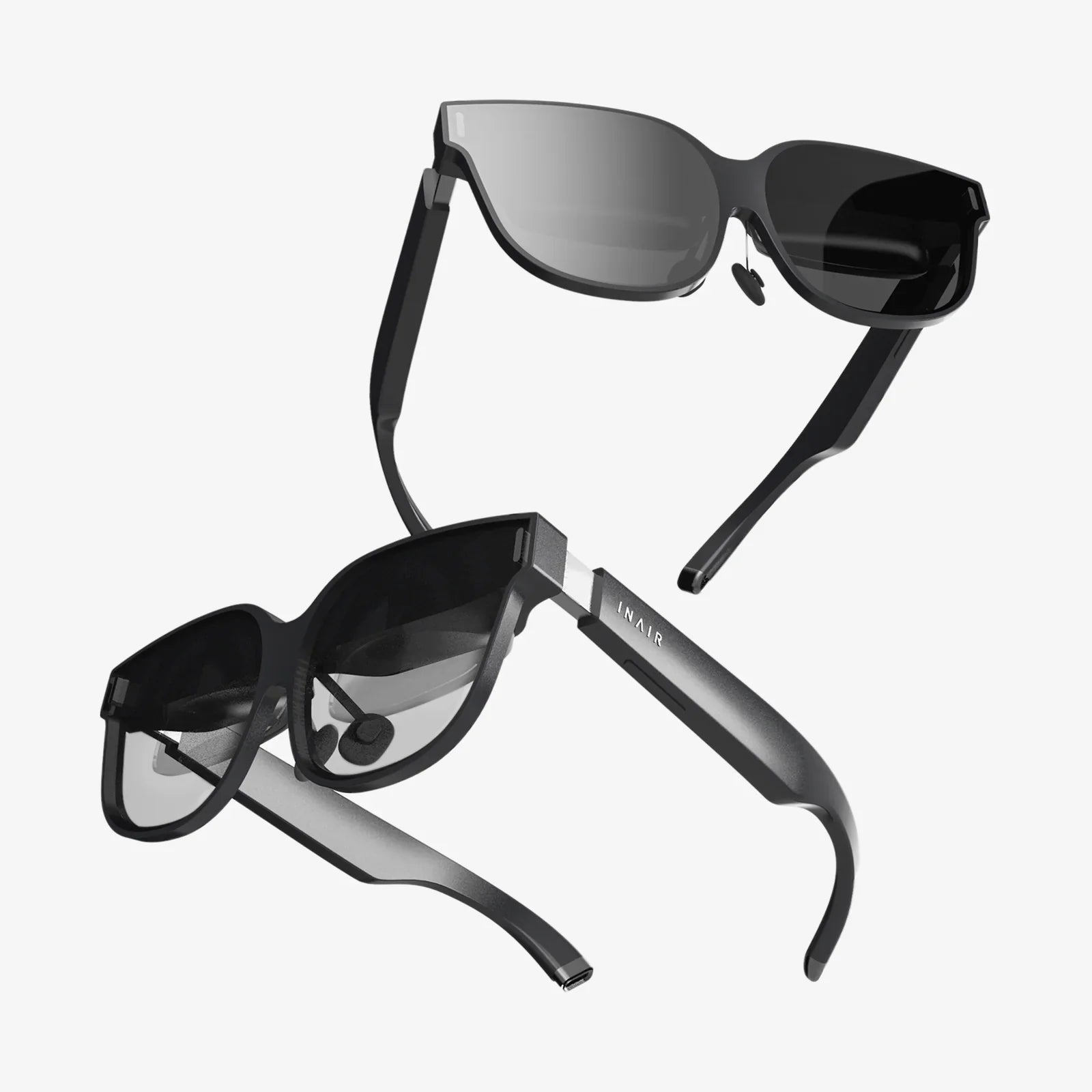
Touch control earphones have quietly changed the way people listen, work, and move through their day, and if you are still fumbling for tiny buttons or reaching for your phone just to pause a song, you are missing out on one of the simplest upgrades you can make. Whether you want effortless control during workouts, cleaner desk setups, or a more polished commuting routine, understanding how these earphones work and how to choose the right pair can save you money, frustration, and a lot of awkward taps on the wrong side.
Below is a detailed, practical guide that walks you through the most important aspects of touch control earphones, from basic concepts to advanced tips. If you are trying to decide what to buy, or you already own a pair and want to use them better, this will help you avoid common mistakes and get much more value from your next set of earbuds.
What Are Touch Control Earphones?
Touch control earphones are wireless or wired earbuds that use touch-sensitive surfaces instead of physical buttons to control playback, calls, and other functions. Instead of pressing a button, you simply tap, double-tap, long-press, or swipe on the outer surface of the earbud to perform actions.
These touch-sensitive areas are typically located on the outer shell of each earbud. They respond to electrical changes when your finger makes contact, allowing the earphones to interpret different gestures as commands.
Common Actions Managed by Touch Controls
- Play and pause music
- Answer and end calls
- Skip to the next track or go back to the previous track
- Adjust volume up and down
- Activate voice assistants on your phone
- Switch between noise cancellation and transparency modes (if supported)
- Enter pairing mode or reset the earphones
By moving these controls to the earbuds themselves, touch control earphones let you keep your phone in your pocket or bag, which is especially useful when you are running, commuting, or working with your hands.
How Touch Controls Work Inside the Earphones
Touch control earphones rely on capacitive touch technology, similar to what you find on smartphone screens. The touch panel senses the presence of your finger by detecting changes in electrical capacitance.
Core Components of Touch Control Systems
- Capacitive sensor: A conductive surface that detects your touch.
- Microcontroller or chip: Interprets signals from the sensor and translates them into commands.
- Firmware: The software logic that maps gestures (tap, double-tap, long press) to specific actions.
When you tap the earbud, the sensor detects a change, the microcontroller recognizes the pattern (for example, two quick taps), and the firmware interprets that as a command (such as “play/pause”). The earphones then send the corresponding signal to your phone or audio source over Bluetooth.
Advantages of Touch Control Earphones
Touch control earphones have become popular because they solve several everyday problems that traditional button-based earbuds create.
1. More Comfortable Interaction
Pressing a physical button on an earbud often pushes the earbud deeper into your ear canal, which can be uncomfortable or even painful over time. Touch controls avoid this because they require only a light tap or swipe, making them more comfortable for long listening sessions.
2. Cleaner, Sleeker Design
Removing physical buttons allows for smoother, more streamlined earbud designs. This not only looks modern but also reduces the number of mechanical parts that can wear out or break. A sealed surface can also help with water resistance and sweat protection.
3. Faster, Phone-Free Control
With well-implemented touch controls, you can manage almost everything without touching your phone. You can quickly pause audio to talk to someone, adjust volume on the go, or skip a track while your phone is in a bag or across the room.
4. Customization Potential
Many touch control earphones allow you to customize what each gesture does through a companion app or device settings. This means you can prioritize the functions you use most, such as assigning volume control to a long press and track skipping to double-taps.
Common Drawbacks and Limitations
Despite their benefits, touch control earphones are not perfect. Understanding the downsides will help you decide whether they fit your habits and expectations.
1. Accidental Touches
One of the most common complaints is accidental activation. Adjusting the fit of an earbud, brushing hair away, or pulling on a hat can trigger unwanted commands. This can pause your music, skip tracks, or even hang up calls unexpectedly.
2. Learning Curve for Gestures
Each model can use different gesture combinations. Some use single taps for play/pause, others for calls; some support swipes for volume, others do not. It can take time to memorize the exact pattern, especially if you switch between multiple devices.
3. Sensitivity Issues
Touch panels can be too sensitive or not sensitive enough. In cold weather, when you are wearing gloves, some earphones may not register touches at all, unless they support special glove-friendly designs. On the other hand, very sensitive panels can misinterpret slight contact as a command.
4. Limited Feedback
Physical buttons provide clear tactile feedback. With touch controls, you rely on audio cues (beeps or voice prompts) or the resulting action to know if your gesture worked. This can be confusing in noisy environments or if the indicator sounds are subtle.
Key Features to Look For in Touch Control Earphones
When choosing touch control earphones, do not focus only on the touch function itself. The overall performance and comfort matter just as much, if not more. Below are the most important features to evaluate.
1. Sound Quality and Tuning
Touch controls are useless if the earphones do not sound good. Pay attention to:
- Balance: Clear mids and highs, with bass that is present but not overwhelming.
- Detail: Ability to hear subtle instruments and vocals.
- Soundstage: A sense of space and separation between instruments.
If possible, look for models that support high-quality Bluetooth codecs, as they can deliver better audio over wireless connections when your phone supports them.
2. Comfort and Fit
Comfort is crucial for any earbuds, especially those meant for daily use. Consider:
- Multiple ear tip sizes for a proper seal
- Lightweight design that does not strain your ears
- Stability for activities like running or commuting
A good fit not only improves comfort but also enhances sound quality and passive noise isolation by blocking outside noise.
3. Touch Control Layout and Customization
The best touch control earphones offer logical, intuitive gestures and the ability to customize them. Look for:
- Separate controls on left and right earbuds
- Support for single, double, and triple taps
- Long-press or swipe gestures for volume and mode switching
- Options to reassign or disable certain gestures
Customization is especially valuable if you often trigger actions accidentally or if you prefer a specific control scheme.
4. Battery Life and Charging Case
Battery performance can vary widely. Important aspects include:
- Playtime per charge (both with and without noise cancellation)
- Total battery life with the charging case
- Charging speed and whether fast charging is supported
- Charging port type and whether wireless charging is available
Longer battery life is especially important for travel, remote work, or intensive daily use.
5. Connectivity and Stability
Reliable wireless performance is essential. Check for:
- Latest Bluetooth versions for better stability and efficiency
- Quick pairing and automatic reconnection to known devices
- Low latency modes for gaming or video watching
- Support for connecting to multiple devices if you switch between phone and laptop
6. Noise Control Features
Many touch control earphones now include advanced noise features:
- Active Noise Cancellation (ANC): Reduces ambient sounds for a more immersive experience.
- Transparency or ambient mode: Lets in outside sound so you can stay aware of your surroundings.
- Noise reduction for calls: Improves your voice clarity during phone or video calls.
Touch controls often play a key role here, allowing you to switch between these modes with a quick tap or long press.
Typical Touch Gestures and What They Do
While every model is different, many touch control earphones follow similar patterns. Understanding these common gestures will help you adapt to most pairs quickly.
Playback and Volume Control
- Single tap: Play or pause audio.
- Double tap: Skip to the next track.
- Triple tap: Go back to the previous track.
- Long press: Increase or decrease volume, depending on which earbud you press.
Call Management
- Single tap: Answer an incoming call.
- Long press: Reject a call.
- Double tap during a call: Mute or unmute your microphone, if supported.
Noise Control and Voice Assistants
- Long press: Toggle between noise cancellation, transparency, and normal modes.
- Triple tap or long press: Activate your phone’s voice assistant.
Always check the manual or settings for your specific earphones, because the exact gestures and functions can vary, and some features may be disabled by default.
How to Use Touch Control Earphones Effectively
To get the most out of touch control earphones, it helps to develop good habits and adjust the settings to match your lifestyle.
1. Memorize the Most Important Gestures
Start with the basics you use daily:
- Play/pause
- Next and previous track
- Volume up and down
- Answer and end calls
Practice these commands until they feel natural. Once you are comfortable, add more advanced gestures like switching noise modes or calling up your voice assistant.
2. Adjust the Fit Before You Start Playback
Since adjusting the earbuds while music is playing can trigger accidental touches, it is wise to:
- Insert and adjust the earbuds before starting audio.
- Use the stem or lower part of the earbud for adjustments, avoiding the touch panel area.
- Pause playback before making bigger adjustments if you tend to trigger controls by accident.
3. Customize Controls When Possible
If your earphones offer customization, use it. For example:
- Assign volume control to gestures that are easy for you.
- Disable gestures you rarely use but often trigger accidentally.
- Assign noise mode switching to a long press if you frequently move between quiet and noisy environments.
Tailoring the controls to your habits can dramatically improve your experience and reduce frustration.
4. Learn the Audio Feedback Cues
Most touch control earphones provide audio feedback for certain actions, such as a tone when you change modes or a voice prompt when pairing. Pay attention to these cues so you can quickly confirm whether your gesture worked, even if you do not see your phone screen.
5. Take Care of the Touch Surface
Oil, sweat, and dust can interfere with touch sensitivity over time. To maintain reliable performance:
- Wipe the outer surface gently with a soft, dry cloth.
- Avoid harsh chemicals that could damage the finish or sensors.
- Let the earphones dry fully after workouts before placing them back in the case.
Choosing Touch Control Earphones for Different Uses
Not everyone uses earphones the same way. Your ideal pair depends heavily on your primary activities and environment.
For Commuting and Travel
If you spend a lot of time on public transport or in noisy environments, prioritize:
- Strong active noise cancellation
- Comfortable fit for long sessions
- Easy access to transparency mode via touch controls
- Reliable battery life for extended trips
Touch gestures that quickly toggle noise modes and control playback will be especially valuable in this scenario.
For Work and Remote Meetings
When using touch control earphones for work calls or video meetings, consider:
- High-quality microphones with noise reduction
- Quick mute and unmute gestures
- Stable connectivity with laptops and phones
- Comfort for wearing several hours a day
Being able to mute your microphone with a simple tap can be a lifesaver during unexpected background noise or when you need to speak to someone nearby.
For Fitness and Outdoor Activities
For workouts, running, or outdoor use, you should look for:
- Secure fit that stays in place during movement
- Water and sweat resistance
- Touch controls that are easy to use while moving
- Ambient or transparency mode for hearing traffic and surroundings
In this context, accidental touches can be more common, so consider earphones that allow you to simplify or lock certain gestures.
Managing Common Problems With Touch Control Earphones
Even with a good pair, you may run into issues. Here are some practical ways to handle the most frequent problems.
1. Accidental Pauses, Skips, or Mode Changes
If your music keeps pausing or skipping because of accidental touches:
- Adjust how you touch the earbuds, using the lower part or stem when repositioning.
- Check settings to disable or reassign the most problematic gestures.
- Use a more deliberate, firm tap rather than quick, light taps that might be misread.
2. Touch Controls Not Responding
If touches are not registering:
- Clean the touch surface to remove sweat or debris.
- Ensure your fingers are dry.
- Restart the earphones or place them back in the case and reconnect.
- Check for firmware updates if your model supports them.
3. Confusion Over Gestures
If you keep forgetting which gesture does what:
- Focus on learning two or three core gestures first.
- Keep a small note or screenshot of the gesture map on your phone.
- Practice while your phone screen is visible so you can see the results in real time.
4. Issues With Gloves or Wet Fingers
Capacitive touch sensors may struggle with gloves or very wet fingers. If you frequently use earphones in these conditions:
- Consider models that have alternative control methods or glove-friendly touch panels.
- Use your phone’s physical buttons for volume and playback when touch controls are unreliable.
- Dry your hands when possible before attempting touch gestures.
Longevity and Care for Touch Control Earphones
Good care habits can extend the life of your earphones and keep the touch controls working smoothly.
1. Proper Storage
Always store the earphones in their case when not in use. This protects them from dust, moisture, and accidental impacts. It also helps prevent the touch sensors from being triggered in your pocket or bag, which could drain the battery.
2. Regular Cleaning
Clean both the ear tips and the outer surfaces regularly. For the touch area:
- Use a soft, lint-free cloth.
- Avoid soaking the earbuds or using abrasive materials.
Clean ear tips also help maintain sound quality and hygiene, especially if you share the earphones occasionally.
3. Avoid Extreme Conditions
Prolonged exposure to extreme heat, cold, or moisture can damage batteries and electronics. Try not to leave your earphones in hot cars, direct sunlight, or very humid environments for long periods.
The Future of Touch Control Earphones
Touch control earphones are still evolving, and new features continue to appear as technology advances. Trends you may see more of include:
- More advanced gesture recognition, including swipes and multi-finger touches.
- Improved sensitivity that distinguishes between intentional and accidental touches.
- Integration with health and fitness tracking via built-in sensors.
- Smarter noise control that adapts automatically to your surroundings.
As these features become more common, touch control earphones will likely grow even more intuitive, blending into daily life so smoothly that you hardly think about the technology at all.
Touch control earphones can be the difference between constantly reaching for your phone and enjoying a seamless, hands-free experience that fits naturally into every part of your day. By understanding how they work, what features matter most, and how to avoid common frustrations, you can pick a pair that feels almost tailored to your life. Whether you want effortless control on a crowded commute, dependable performance for work calls, or a simple way to manage music during a workout, the right touch control earphones will quietly upgrade your routine every time you press play.
Aktie:
commander thira voice actor: Behind the Voice of a Galactic Leader
Tempered Glass Computer Table Ideas for Modern, Minimalist Workspaces