


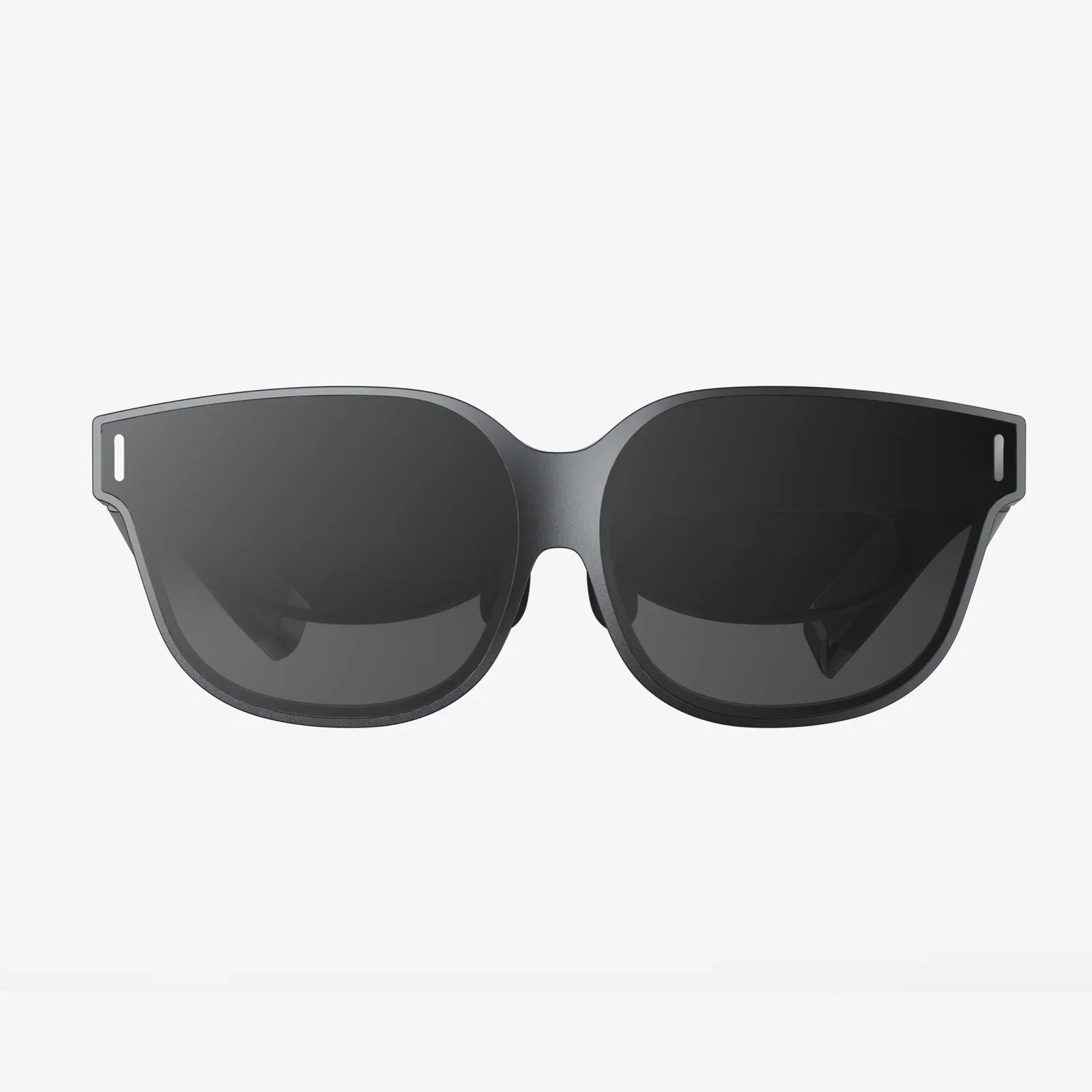
If you rely on a 9 inch device for work, travel, or entertainment, your screen is living on borrowed time without proper protection. A single drop, a tossed set of keys, or a grain of sand at the beach can turn a crystal-clear display into a web of cracks. A 9 inch tempered glass screen protector is one of the simplest, cheapest upgrades you can make, yet it can save you from repairs that cost many times more than the protector itself. Understanding how these protectors work, what to look for, and how to install them correctly will help you get the most from your device and avoid expensive mistakes.
This guide walks through everything you need to know about a 9 inch tempered glass screen protector: what tempered glass really is, how it compares to other screen protectors, which technical specs matter, how to choose the right one for your particular device, and how to apply it like a pro. Whether you are protecting a tablet, a car infotainment screen, a portable monitor, or another 9 inch display, the details below will help you make a confident, informed choice.
What is a 9 inch tempered glass screen protector?
A 9 inch tempered glass screen protector is a thin, precisely cut sheet of chemically strengthened glass designed to sit directly on top of a 9 inch display. It acts as a sacrificial layer: if something hits or scratches the screen, the protector absorbs the damage instead of your device.
Tempered glass is not ordinary glass. During manufacturing, it is heated to high temperatures and rapidly cooled, a process that hardens the surface and changes how it responds to impact. Instead of forming long, dangerous shards, tempered glass is engineered to crack into small, blunt fragments, which is safer and more predictable.
For a 9 inch device, this protector is usually laser-cut to match the screen’s dimensions, with cutouts for cameras, sensors, or buttons. The underside uses a special adhesive layer that clings to the display without leaving residue when removed, while the top surface is treated with coatings that improve clarity, smoothness, and resistance to fingerprints.
Why a 9 inch device needs tempered glass protection
A 9 inch display hits a particular sweet spot: large enough to be useful, small enough to be portable. That portability also increases risk. You are more likely to toss a 9 inch device into a bag, mount it in a car, or use it on the go. Each of those situations exposes the screen to hazards that a 9 inch tempered glass screen protector is designed to handle.
Protection from drops and impacts
Even a short fall from a table or lap can crack a bare screen, especially if it lands on an uneven surface. Tempered glass distributes impact across its surface and is more likely to crack itself instead of transmitting the full force to the display beneath. You might end up with a broken protector, but your actual screen often survives intact.
Defense against scratches
Daily use brings your 9 inch device into contact with abrasive materials: dust, sand, coins, pens, zippers, and more. Over time, small scratches accumulate and make the screen look dull or hazy. A 9 inch tempered glass screen protector provides a harder, more scratch-resistant surface that takes the abuse instead of the original display.
Maintaining resale value
Devices with pristine screens sell for more and are easier to trade in. A scratched or cracked display immediately reduces value. Using a 9 inch tempered glass screen protector from the beginning helps keep the original screen in near-perfect condition, which pays off when it is time to upgrade or resell.
Improved usability and feel
Many people underestimate how much a screen protector can change the feel of a device. Quality tempered glass often feels smoother than the original screen, with better glide for your fingers or stylus. It can also reduce glare or fingerprints, making the screen easier to see and use in different lighting conditions.
Tempered glass vs film protectors on 9 inch screens
When shopping for a 9 inch screen protector, you will typically see two main categories: tempered glass and plastic film. Understanding how they differ helps you decide which is right for your device and use case.
Durability and impact resistance
Tempered glass is significantly better at absorbing impacts. If you drop your 9 inch device, a glass protector is more likely to crack instead of the screen. Plastic films, while helpful for scratch resistance, offer minimal impact protection and can still leave your display vulnerable to cracks.
Scratch resistance
Tempered glass typically has a higher hardness rating than plastic films. For everyday hazards like keys, coins, or sand, a 9 inch tempered glass screen protector is more likely to stay clear and smooth over time. Films can scratch and scuff more easily, eventually looking cloudy or worn.
Touch and visual quality
Glass protectors feel closer to the original screen, with a smooth, rigid surface that many users prefer. Plastic films can feel slightly rubbery or soft. On a 9 inch display, where you might read, draw, or watch videos, the clarity and feel of tempered glass can make a noticeable difference in comfort and enjoyment.
Ease of installation
Tempered glass protectors are usually thicker and more rigid, which makes them easier to align and apply without bubbles. Plastic films are flexible and can stretch or trap air, leading to more challenging installations, especially on larger surfaces like a 9 inch screen.
Key features to look for in a 9 inch tempered glass screen protector
Not all protectors are created equal. When evaluating options for your 9 inch device, pay attention to the following features and specifications.
Hardness rating
Many tempered glass protectors advertise a hardness rating to indicate scratch resistance. While the exact numbers can be marketing-driven, look for a protector designed to resist everyday objects such as keys, coins, and pens. The goal is a surface that stays clear after long-term use in real-world conditions.
Glass thickness
Typical 9 inch tempered glass screen protectors range from about 0.25 mm to 0.5 mm in thickness. Thicker glass can offer slightly better impact resistance but may add more weight and a small edge you can feel. Thinner glass can be more subtle and closer to the original feel. For most users, a mid-range thickness strikes a good balance between protection and comfort.
Oleophobic coating
An oleophobic coating helps repel oils from your skin, reducing fingerprints and smudges. On a 9 inch screen, where you are likely to swipe and tap frequently, this coating keeps the display clearer and easier to clean. Over time, the coating can wear down, but a well-applied layer makes daily use much more pleasant.
Clarity and transparency
The protector should not noticeably reduce brightness or color accuracy. High-quality tempered glass is highly transparent and preserves the sharpness of text and images. On a 9 inch device used for reading, watching videos, or working with graphics, clarity matters. Look for descriptions that emphasize high transparency and minimal color shift.
Edge design
Many protectors feature slightly rounded or polished edges, sometimes described as 2.5D or similar terms. Rounded edges feel smoother when you swipe from the side and are less likely to chip. On a 9 inch screen with frequent edge gestures, this detail improves comfort and longevity.
Adhesive quality
The adhesive layer should cover the full surface of the protector, not just the edges. Full-adhesive designs provide better touch responsiveness, reduce the risk of rainbow effects, and help prevent dust from creeping under the glass. They also make removal clean and straightforward, leaving little to no residue on the original screen.
Specialized coatings and finishes
Depending on how you use your 9 inch device, you might want additional features:
- Anti-glare or matte finish to reduce reflections in bright environments
- Privacy filtering to narrow viewing angles and protect sensitive information
- Blue light reduction to soften the display for extended reading or nighttime use
Each of these options has trade-offs. Matte finishes can slightly reduce sharpness, privacy filters can dim the display, and blue light filters can shift color tone. For many users, a clear tempered glass protector without extra tinting offers the most natural experience.
Compatibility considerations for 9 inch devices
Not every 9 inch tempered glass screen protector fits every 9 inch device. The diagonal measurement may be the same, but aspect ratios, bezel shapes, and sensor placements can differ significantly. Before buying, consider the following compatibility points.
Exact dimensions and aspect ratio
Two devices can both be labeled as 9 inch yet have different width and height measurements. Check the specific dimensions of your screen and compare them to the protector’s listed size. A good protector should align closely with the active display area without covering speakers or important sensors.
Curved vs flat screens
Some 9 inch displays have slightly curved edges or raised bezels. Standard tempered glass protectors are designed for flat surfaces. If your device has a curved edge, look for a protector specifically described as compatible with that shape, or be aware that the protector may not extend fully to the edges.
Cutouts for cameras and sensors
Front cameras, ambient light sensors, and proximity sensors can be affected by a poorly designed protector. Make sure the 9 inch tempered glass screen protector you choose has precise cutouts that do not interfere with these components. Misaligned cutouts can cause issues such as inaccurate auto-brightness or hazy camera images.
Case and mount compatibility
If you use a protective case or a fixed mount (for example, in a vehicle), ensure the protector does not extend so far toward the edges that it gets pushed up or peeled off. A slightly smaller protector that leaves a tiny gap around the edges often works better with snug cases and mounting brackets.
Step-by-step installation guide for a 9 inch tempered glass screen protector
Installing a 9 inch tempered glass screen protector can be straightforward if you follow a careful process. The main goal is to avoid dust and bubbles while achieving precise alignment.
Prepare your workspace
- Choose a clean, well-lit area with minimal airflow to reduce dust.
- Wash and dry your hands to avoid transferring oils or particles.
- Lay a soft cloth or mat on the surface where you will place your device.
Clean the screen thoroughly
- Use a gentle cleaning wipe or a microfiber cloth slightly dampened with screen-safe cleaner.
- Wipe in straight lines, not circles, to remove smudges and debris.
- Dry the screen completely with a clean microfiber cloth.
- Use a dust removal sticker or tape to lift any remaining specks of dust.
Take your time with this step. Dust is the most common cause of bubbles and imperfections under tempered glass.
Test the alignment
- Before removing any protective films, place the 9 inch tempered glass screen protector over the device to check alignment.
- Note the position relative to the edges, camera, and buttons.
- If helpful, use small pieces of tape to create a hinge on one side, so you can flip the glass up and down while keeping alignment.
Apply the protector
- When you are satisfied with the alignment, flip the protector up if using the tape hinge method.
- Peel off the backing film to expose the adhesive side, taking care not to touch it.
- Slowly lower the glass onto the screen, starting from one edge or the center.
- As the glass makes contact, you should see the adhesive spreading across the screen.
If you positioned it correctly, the protector will largely adhere on its own without manual pressure.
Remove bubbles and finalize
- If small bubbles remain, gently press them toward the nearest edge using a microfiber cloth or a soft card.
- Do not use sharp or hard tools that can scratch or crack the glass.
- Inspect the entire 9 inch surface for dust spots or trapped particles.
If you notice a large dust particle trapped underneath, you may need to carefully lift the protector from one corner, use a dust removal sticker to remove the particle, and then let the glass settle back down. This should be done cautiously to avoid cracking the glass or introducing more dust.
Common installation mistakes and how to avoid them
Even with careful preparation, a few common mistakes can ruin the installation of a 9 inch tempered glass screen protector. Being aware of them in advance helps you avoid frustration and wasted protectors.
Installing in a dusty environment
Dust is the enemy of a clean installation. Avoid installing the protector near open windows, fans, or vents. Some people even run a hot shower briefly in a bathroom to reduce airborne dust, then install the protector in the slightly steamy room where particles have settled.
Rushing the cleaning step
Skipping a thorough cleaning or using a dirty cloth can leave smudges and lint on the screen. On a 9 inch display, even small imperfections can be noticeable. Take the extra few minutes to clean carefully and inspect the surface under good lighting.
Misalignment
Once the adhesive touches the screen, repositioning is limited. Dry-fitting the protector first and using a hinge method with tape can greatly improve alignment accuracy. Focus on the top edge and any cutouts; if those are aligned, the rest usually follows.
Pressing too hard or unevenly
Excessive pressure can create stress points or even crack the glass. Let the adhesive do most of the work. Gentle, even pressure from the center outward is enough to remove bubbles and secure the protector.
Maintaining and cleaning a 9 inch tempered glass screen protector
Once installed, a 9 inch tempered glass screen protector requires minimal maintenance, but a few habits can extend its life and keep your display looking pristine.
Regular cleaning
- Use a soft microfiber cloth to wipe away fingerprints and smudges.
- For stubborn marks, lightly dampen the cloth with water or a screen-safe cleaner.
- Avoid harsh chemicals that can degrade coatings or cloud the glass.
Handling chips and cracks
If the protector chips at the edges or develops cracks, it has already done its job by absorbing an impact. However, continued use with significant damage is not recommended. Cracks can spread, and small glass fragments may become loose.
When you notice substantial damage, carefully remove the protector and replace it. Always check the underlying screen to ensure there is no hidden damage to the device itself.
When to replace the protector
Consider replacing your 9 inch tempered glass screen protector when:
- Visible cracks or chips appear
- The surface becomes heavily scratched
- The oleophobic coating wears off and cleaning becomes difficult
- Adhesion weakens and the protector begins to lift at the edges
Compared to the cost of a screen repair, periodic replacement is a small investment in keeping your device in top condition.
How a 9 inch tempered glass screen protector affects touch and display performance
A common concern is whether adding an extra layer of glass will interfere with touch sensitivity or display quality. A well-designed 9 inch tempered glass screen protector should have minimal impact on both.
Touch responsiveness
Quality protectors are engineered to work with capacitive touchscreens, preserving the responsiveness you expect. Full-adhesive designs help ensure there is no air gap between the protector and the screen, which can otherwise cause touch lag or missed taps.
If you notice reduced sensitivity, check your device settings. Some devices include an option for use with screen protectors or gloves, which can improve responsiveness. Also verify that the protector is fully adhered with no bubbles or lifted edges.
Display sharpness and color
High-clarity tempered glass is nearly invisible during use. Text should remain sharp, and colors should appear unchanged. If you choose a matte or privacy variant, expect some trade-off in brightness or sharpness, but for most clear protectors the difference is negligible in everyday use.
Choosing the right 9 inch tempered glass screen protector for your needs
The best 9 inch tempered glass screen protector for you depends on how and where you use your device. Consider the following scenarios to narrow your options.
For travel and outdoor use
If you frequently use your 9 inch device on the go or outdoors, prioritize impact resistance and anti-glare properties. A protector with a slightly thicker glass and optional matte finish can make the screen easier to view in bright light and better withstand bumps in bags or backpacks.
For reading and media consumption
If you use your 9 inch screen mainly for reading, streaming, or browsing, clarity and smooth touch are key. Look for a clear, highly transparent tempered glass with a good oleophobic coating. This combination keeps text sharp and videos vibrant while minimizing smudges.
For professional or privacy-sensitive use
If your 9 inch device displays sensitive information, such as business documents or personal data, a privacy-focused tempered glass protector can be useful. These reduce the viewing angle so that people beside you cannot easily see the screen. Be aware that they can slightly dim the display and may require higher brightness settings.
For stylus or drawing use
Artists and note-takers using a stylus on a 9 inch device may prefer a glass surface that balances smoothness with a bit of resistance. Some tempered glass protectors are designed to mimic paper-like friction, while others prioritize a slick, glassy feel. Consider your drawing style and comfort preferences when choosing.
Cost vs value: is a 9 inch tempered glass screen protector worth it?
When comparing the price of a 9 inch tempered glass screen protector to the potential cost of a screen repair or replacement, the value becomes clear. A protector is typically a small, one-time purchase that can prevent a single accident from turning into a major expense.
Beyond direct savings, there is the convenience factor. A cracked screen can disrupt your work, travel, or entertainment until it is repaired. Protecting the display from the start reduces the likelihood of such interruptions. For many users, the peace of mind alone justifies the investment.
Additionally, a well-protected screen contributes to the overall lifespan of your 9 inch device. By minimizing wear and damage, you can comfortably use the device longer before feeling the need to upgrade, stretching the value of your initial purchase.
Environmental and safety aspects
Tempered glass protectors also have implications for safety and environmental impact. Because they are designed to crack into small, less dangerous pieces, they are safer to handle when damaged compared to ordinary glass. When removing a broken protector, carefully lift it off and dispose of it according to local guidelines for glass waste.
While adding another physical product to your device has an environmental footprint, it can also help extend the life of the device itself. By reducing the likelihood of screen replacement or early disposal due to damage, a 9 inch tempered glass screen protector can indirectly reduce electronic waste.
Practical tips for long-term satisfaction
To get the most from your 9 inch tempered glass screen protector over time, keep a few practical habits in mind:
- Install the protector soon after acquiring your device to prevent early scratches.
- Use a compatible case or mount that does not press excessively on the protector’s edges.
- Clean the screen regularly with a microfiber cloth to maintain clarity and smooth touch.
- Inspect the protector occasionally for chips or cracks, and replace it when damage becomes noticeable.
- Store a spare protector if you rely heavily on the device, so you can replace it immediately if it breaks.
These simple steps keep your 9 inch display looking and performing like new, even after years of daily use.
Every time you pick up your 9 inch device, you are trusting a thin sheet of glass to deliver your work, entertainment, and communication without fail. A 9 inch tempered glass screen protector quietly stands between that fragile surface and the hazards of everyday life, turning potential disasters into minor inconveniences. Instead of worrying about every bump, drop, or scratch, you can focus on using your device the way it was meant to be used. With the right protector, installed correctly and maintained with basic care, you give your screen a powerful shield and yourself the freedom to use your device with confidence.
Aktie:
Magnifying Glass for Desktop Computer: A Complete Accessibility and Productivity Guide
apple watch series 7 45mm glass screen protector ultimate buying guide