


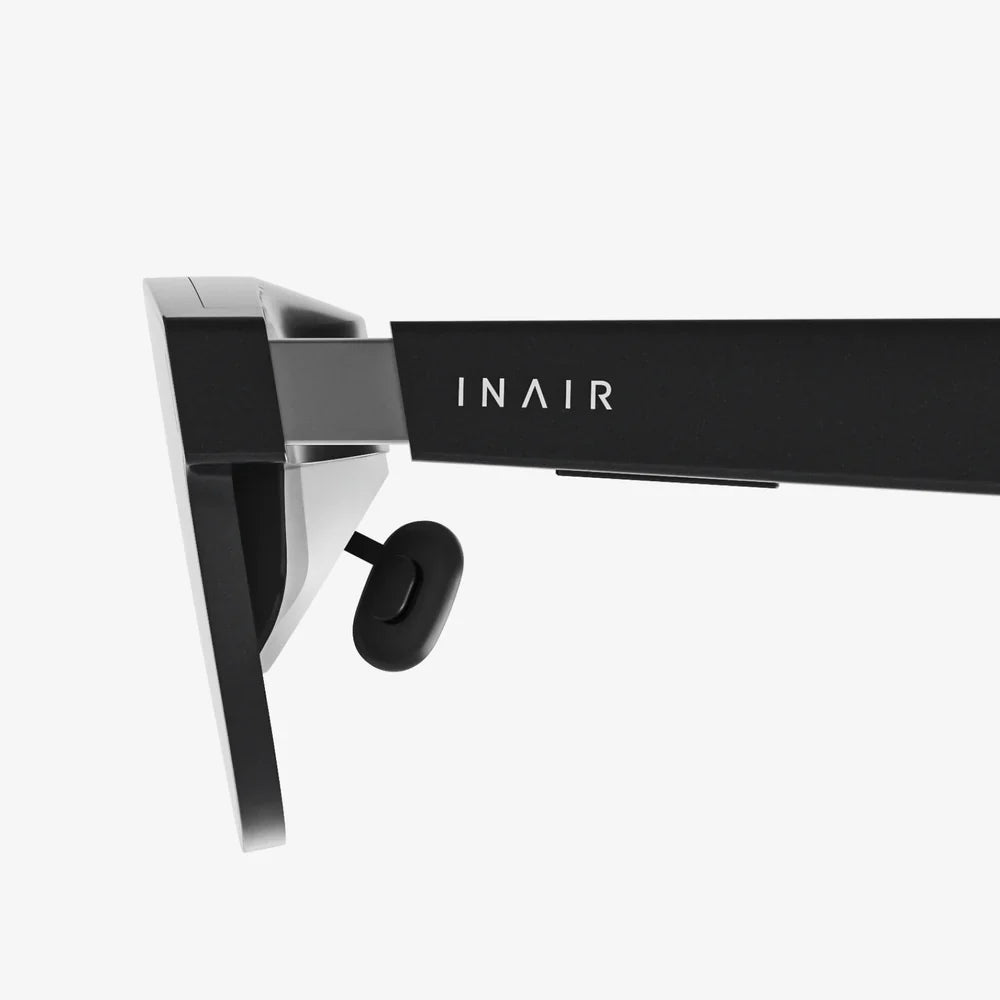
ai smart glasses with ar display are quietly becoming the most disruptive technology you are not using yet. Imagine getting real-time guidance, translations, navigation, and notifications floating in your field of view without ever pulling out a phone. These glasses are not just another gadget; they are a new way of seeing and interacting with the world, where information appears exactly when and where you need it. If you want to understand how this shift could change your daily routine, your career, and even how you learn, this guide will walk you through everything that matters before this wave hits mainstream.
What Are AI Smart Glasses With AR Display?
AI smart glasses with AR display combine three core elements: wearable hardware, augmented reality visuals, and artificial intelligence software. Together, they create a hands-free computer that overlays digital information onto your real-world view.
At a high level, these glasses typically include:
- Frames and lenses that look like regular glasses but house sensors and displays.
- Micro-displays that project images into your field of view, often near the edge so they do not block your vision.
- Cameras and sensors that see the environment, track your head movement, and sometimes track your eye position.
- Microphones and speakers for voice commands and audio feedback.
- Onboard processors and connectivity (Wi-Fi, Bluetooth, or cellular) to run AI models and connect to the internet or your phone.
The augmented reality component means the glasses do not replace your environment with a virtual one. Instead, they layer context-aware information onto the real world. AI then interprets what you see, hear, and ask, turning raw data into useful guidance, insights, and automations.
How AI and AR Work Together On Your Face
The synergy between AI and AR is what makes ai smart glasses with ar display so powerful. AR provides the visual channel for information; AI decides what to show, when to show it, and how to make it relevant.
Here is a simplified flow of what happens when you use them:
- Perception: Cameras and sensors capture your surroundings, while microphones capture your voice.
- Understanding: AI models analyze objects, text, faces, locations, and your speech to understand context and intent.
- Decision: Based on that understanding, AI decides which information or action will be most helpful at that moment.
- Display: The AR display overlays text, icons, arrows, or 3D elements onto your view, aligned with real-world objects.
- Feedback loop: Your reactions, head movements, gaze, and follow-up commands help the system adapt and improve.
This combination means that instead of scrolling through apps on a screen, you interact with the world around you, with AI quietly assisting in the background and AR providing just-in-time visuals.
Key Features That Define Modern AI Smart Glasses With AR Display
Not every device labeled as smart glasses is equally capable. When evaluating ai smart glasses with ar display, these core features matter most:
1. Display Quality and Comfort
The AR display must be bright, clear, and comfortable to view for extended periods.
- Brightness and contrast: The display needs to be visible outdoors in daylight without washing out.
- Field of view: A larger AR field of view can feel more immersive, but even a small corner display can be useful for notifications and guidance.
- Eye strain: Good optical design minimizes eye fatigue and avoids distracting double images or misalignment.
- Transparency: The AR layer should not obstruct your real-world view, especially if you are walking or driving.
2. AI Capabilities
AI is the brain of the device. The more capable the AI, the more valuable the glasses become.
- Voice assistant: Natural, conversational interaction without rigid commands.
- Computer vision: Recognition of objects, text, signs, and sometimes people (subject to privacy settings).
- Context awareness: Understanding your location, activity, and preferences to reduce unnecessary prompts.
- On-device processing: Running some AI models locally for speed and privacy, without always sending data to the cloud.
3. Interaction Methods
Hands-free interaction is central to ai smart glasses with ar display. Common input methods include:
- Voice commands for queries, navigation, and controlling apps.
- Head gestures like nodding or turning to confirm actions or scroll through options.
- Touch controls on the temple or frame for subtle swipes and taps.
- Eye tracking on higher-end models, letting you select items by simply looking at them.
4. Connectivity and Ecosystem
The usefulness of your glasses depends on how well they integrate with your digital life.
- Phone pairing for calls, messages, and notifications.
- Cloud sync for calendars, emails, documents, and task lists.
- Smart home integration to control lights, thermostats, and other devices via voice and AR overlays.
- Third-party apps that extend functionality into fitness, productivity, travel, and entertainment.
5. Battery Life and Portability
Battery life is a crucial practical factor.
- All-day comfort requires relatively lightweight frames and balanced weight distribution.
- Battery runtime should ideally cover a full workday under normal use, though heavy AR usage will shorten this.
- Charging options such as portable cases or quick-charge modes increase real-world utility.
Everyday Use Cases That Make AI Smart Glasses With AR Display Compelling
The value of these glasses becomes clear when you consider how they can streamline everyday tasks. Here are some of the most impactful scenarios.
Navigation and Travel
Navigation is one of the most intuitive use cases for ai smart glasses with ar display.
- Turn-by-turn directions appear as arrows and markers overlaid on the streets you are actually seeing.
- Transit guidance can show which platform to head to, how long until your train arrives, and where to exit.
- Points of interest such as restaurants, landmarks, and stores can be highlighted as you walk past.
- Indoor navigation in airports, malls, or hospitals can guide you to gates, shops, or departments without confusion.
Real-Time Translation and Language Support
For travelers or multilingual environments, AI-powered translation becomes transformative.
- Live subtitles can appear in your view while someone is speaking another language.
- Text translation can overlay translated words on top of signs, menus, and documents.
- Pronunciation guidance can be displayed discreetly, helping you speak local phrases with more confidence.
Workplace Productivity and Collaboration
In professional settings, ai smart glasses with ar display can increase efficiency and reduce errors.
- Hands-free checklists for technicians, healthcare workers, and field engineers, keeping instructions visible without holding a device.
- Remote assistance where an expert sees what you see and draws AR annotations you can follow in real time.
- Meeting support with floating agendas, action items, and names of participants to help you stay focused.
- Instant data access like inventory levels, equipment status, or customer information layered over real-world objects.
Education and Skill Building
Learning becomes more immersive and practical when instructions appear in context.
- Step-by-step tutorials for tasks like cooking, repairing devices, or assembling furniture, displayed directly in your view.
- Interactive simulations for science, engineering, and arts education, overlaying diagrams and models onto real objects.
- Language learning where the world becomes your vocabulary workbook, labeling objects and providing phrases as you encounter them.
Health, Fitness, and Wellness
AI smart glasses with AR display can support healthier habits without constant screen time.
- Workout guidance with form cues, rep counts, and pacing displayed while you move.
- Activity tracking overlays showing distance, speed, and heart rate while running or cycling.
- Posture and ergonomics alerts reminding you to adjust if you spend long hours at a desk.
- Mindfulness cues that gently prompt short breaks for breathing or stretching throughout the day.
Accessibility and Assistive Uses
For people with certain disabilities, ai smart glasses with ar display can be more than a convenience; they can be life-changing.
- Visual assistance where AI describes surroundings, reads text aloud, or highlights obstacles.
- Hearing support via real-time captions for conversations and media.
- Cognitive support with reminders, prompts, and contextual notes for those with memory challenges.
The Hardware Inside AI Smart Glasses With AR Display
To appreciate the capabilities and limitations of these devices, it helps to understand the core hardware components.
Displays and Optics
The AR display is usually implemented through one of several optical systems:
- Waveguide displays that route light from a tiny projector into a transparent lens.
- Micro-OLED or micro-LED projectors that provide bright, high-contrast images.
- Prism or combiner optics that reflect a small display into your line of sight.
The design must balance clarity, brightness, and size while keeping the glasses lightweight and stylish enough for everyday wear.
Sensors and Cameras
Sensors enable context awareness and precise AR alignment.
- RGB cameras capture the environment for computer vision tasks.
- Depth sensors (on some models) help map surfaces and distances for more accurate overlays.
- IMU sensors (accelerometer, gyroscope, magnetometer) track head movement and orientation.
- Ambient light sensors adjust display brightness automatically.
Audio Systems
Audio is critical for discreet feedback and voice control.
- Directional speakers or open-ear audio that let you hear alerts without blocking environmental sounds.
- Beamforming microphones that focus on your voice while reducing background noise.
- Noise suppression algorithms enabling clear voice commands even in busy environments.
Processing and Connectivity
The internal processor and connectivity options determine responsiveness and capability.
- Mobile-grade processors optimized for low-power AI workloads.
- On-device AI acceleration via dedicated neural processing units on some platforms.
- Wi-Fi and Bluetooth for connecting to phones and networks.
- Optional cellular connectivity for truly standalone operation without a phone.
Battery Design
Battery design is a constant engineering trade-off.
- Compact batteries integrated into the temples or nose bridge.
- Thermal management to keep the device comfortable against the skin.
- Power-saving modes that dim displays or limit heavy AI tasks when battery is low.
Privacy and Security Considerations
Any device that sees what you see and hears what you say raises important privacy questions. Responsible use of ai smart glasses with ar display requires awareness and control.
What Data Is Collected?
Typical data types may include:
- Visual data from cameras, potentially including people, locations, and documents.
- Audio data from microphones, including conversations and ambient sounds.
- Usage data such as commands, apps used, and features accessed.
- Location data from GPS or Wi-Fi positioning.
How To Protect Yourself and Others
Users can take steps to maintain trust and safety:
- Use visible indicators (like LEDs) when recording, and respect no-camera areas.
- Limit always-on recording and opt for event-based capture when possible.
- Review privacy settings to control what is stored locally versus in the cloud.
- Enable encryption and strong authentication to prevent unauthorized access.
Balancing Convenience and Control
The best implementations of ai smart glasses with ar display give you clear choices and transparency. Look for devices that:
- Explain what data is collected and why.
- Allow easy toggling of cameras and microphones.
- Support local processing for sensitive tasks when possible.
Benefits and Limitations of AI Smart Glasses With AR Display
Like any emerging technology, these glasses come with both strengths and trade-offs.
Key Benefits
- Hands-free operation frees you from constantly checking a phone.
- Contextual information appears exactly when and where you need it.
- Reduced screen dependency can lower distraction and improve situational awareness.
- Enhanced learning and productivity through just-in-time guidance and overlays.
- Accessibility improvements for people with visual, hearing, or cognitive challenges.
Current Limitations
- Battery life constraints under heavy AR and AI use.
- Bulk and style compared to standard eyewear, though designs are improving.
- Privacy concerns in public spaces, which require responsible behavior.
- Limited app ecosystems compared to mature smartphone platforms, though growing steadily.
- Cost that can be higher than traditional wearables due to complex hardware.
How To Choose AI Smart Glasses With AR Display
If you are considering adopting this technology, a structured approach to selection will help you avoid disappointment.
1. Define Your Primary Use Cases
Start by identifying what matters most to you:
- Navigation and travel for frequent commuters and travelers.
- Work productivity for field workers, technicians, and knowledge workers.
- Fitness and outdoor activities for runners, cyclists, and hikers.
- Accessibility support for specific visual or hearing needs.
Your priorities will determine which features are essential versus optional.
2. Evaluate Comfort and Fit
Since you wear them on your face, comfort is non-negotiable.
- Check weight and balance to ensure the glasses do not pinch or slide.
- Confirm prescription lens compatibility if you require vision correction.
- Assess nose pads and temple flexibility for long-term wear.
3. Assess Display and Audio Quality
Look for:
- Readable text in different lighting conditions.
- Minimal glare and reflection issues.
- Clear audio that is audible in noisy environments but discreet in quiet ones.
4. Check AI and App Capabilities
Confirm that the device supports:
- Natural voice interaction with robust language understanding.
- Computer vision features you care about, like text recognition or translation.
- Integration with your existing services such as calendars, email, and cloud storage.
5. Understand Battery and Durability
Investigate:
- Typical battery life under your expected usage patterns.
- Charging time and whether fast charging is supported.
- Water and dust resistance if you plan to use them outdoors frequently.
6. Review Privacy Controls
Ensure you are comfortable with:
- Data handling policies and storage locations.
- Camera and microphone indicators and physical switches if available.
- Options to disable features you do not need or want.
Preparing for a Future Shaped by AI Smart Glasses With AR Display
As ai smart glasses with ar display become more common, they are likely to reshape how we design spaces, share information, and interact socially.
Impact on Work and Industry
Many sectors will see significant changes:
- Manufacturing and maintenance will rely heavily on AR-guided workflows and remote experts.
- Healthcare professionals could access patient data and imaging without breaking focus.
- Logistics and warehousing may use AR for picking, inventory management, and routing.
- Creative industries will experiment with AR storytelling, design, and live performances.
Social Norms and Etiquette
The widespread use of ai smart glasses with ar display will also require new social norms.
- People may expect clear signals when cameras and recording are active.
- Workplaces and venues might define AR-friendly zones and restricted areas.
- Conversations about digital distraction will shift from phones to wearables, emphasizing presence and attention.
Designing AR-Ready Environments
As adoption grows, physical spaces may be designed with AR layers in mind:
- Digital signage that interacts with glasses for personalized directions or offers.
- Smart infrastructure that broadcasts information to nearby devices.
- Educational and cultural spaces enriched with AR narratives and historical overlays.
Practical Tips for Getting Started With AI Smart Glasses With AR Display
If you decide to step into this world, a few practical habits can help you get the most from your device.
Start With a Few Core Workflows
Rather than trying every feature at once, focus on two or three high-impact workflows:
- Use navigation and travel overlays during commutes.
- Enable calendar and task reminders in your field of view during work hours.
- Experiment with translation and text recognition when you encounter foreign signs or documents.
Customize Notifications Carefully
Overloading your view with notifications defeats the purpose of reducing distraction.
- Limit alerts to high-priority messages and essential apps.
- Use do not disturb modes during focused work, meetings, or social time.
- Adjust visual intensity so overlays remain subtle and non-intrusive.
Practice Responsible Use
Build trust with those around you by using the glasses transparently.
- Inform people when you are recording or using AI features that capture their image or voice.
- Respect no-camera environments like bathrooms, secure areas, and private meetings.
- Regularly review stored data and delete anything you do not need.
Monitor Comfort and Health
Pay attention to how your body responds to extended use.
- Take short breaks if you notice eye strain or headaches.
- Adjust fit and display settings for better ergonomics.
- Use night modes or dimmer settings in low light to reduce strain.
Why Now Is the Time to Pay Attention
ai smart glasses with ar display are moving from experimental prototypes to practical everyday tools. Hardware is shrinking, AI is becoming more capable and efficient, and software ecosystems are starting to mature. The result is a new class of wearable computers that can quietly augment your abilities without demanding constant attention like a phone.
Whether you are a professional looking to boost productivity, a traveler eager for seamless guidance, a learner seeking more immersive experiences, or someone who simply wants to spend less time staring down at a screen, these glasses represent a powerful shift in how digital information fits into your life. Exploring them now puts you ahead of a curve that is likely to reshape work, communication, and everyday routines over the coming years. If the idea of having an intelligent, context-aware assistant living in your line of sight sounds intriguing, ai smart glasses with ar display may be the most important technology you have yet to try.
Aktie:
Advancements in VR Transforming How We Work, Play, and Connect
Best AI Ideation Tools To Turn Rough Thoughts Into Winning Concepts