


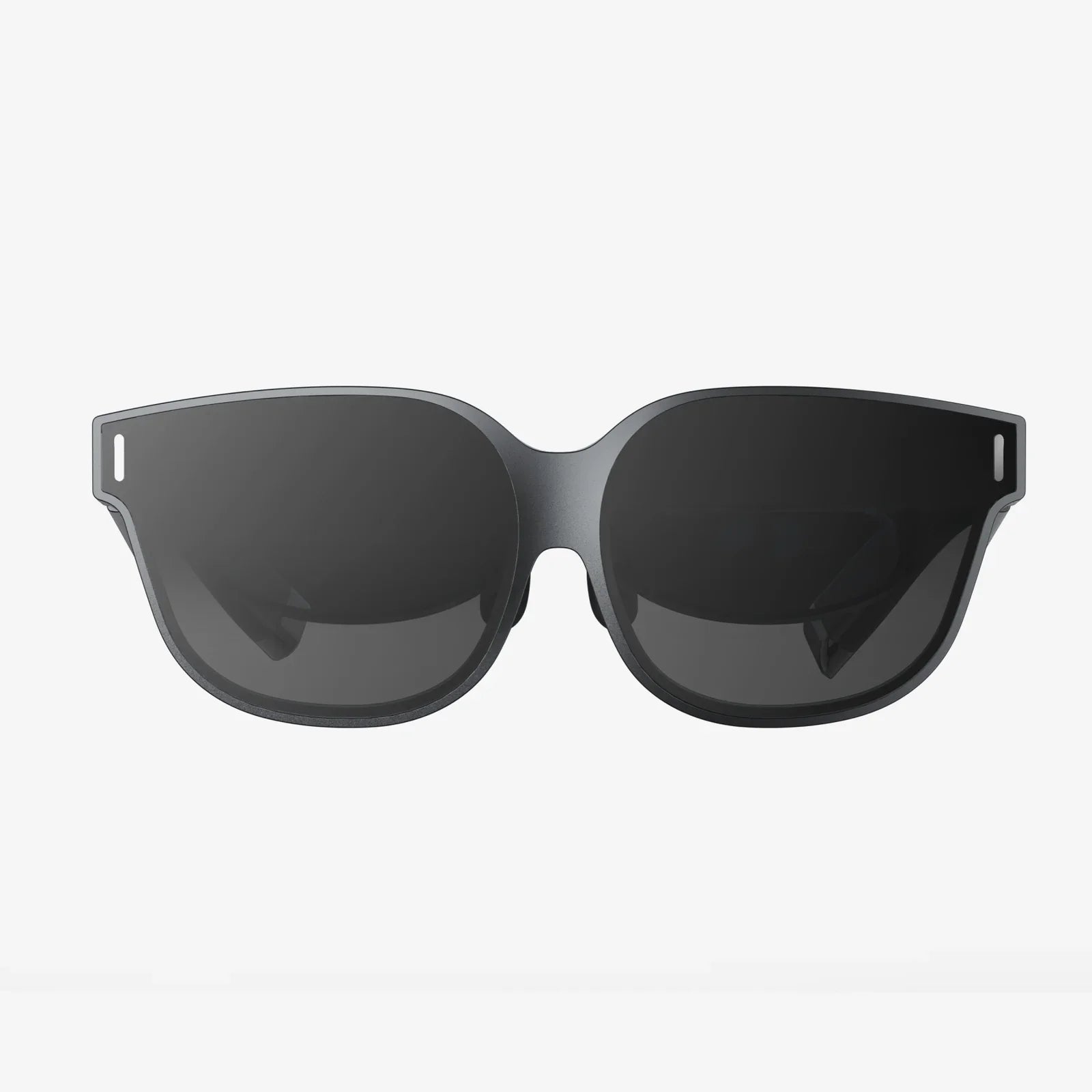
Amazing AR glass available right now is quietly reshaping how people work, play, and connect, and most buyers have no idea how much these lightweight headsets can already do. If you think augmented reality is just a gimmick for gamers, you may be stunned by how convincingly modern AR glasses layer navigation arrows on real streets, translate foreign text in front of your eyes, or turn your living room into a shared 3D workspace with colleagues across the world.
Augmented reality glasses are no longer science fiction prototypes. They are evolving into practical tools for productivity, remote collaboration, training, entertainment, and accessibility. Understanding how they work, what to look for, and where they make a real difference can help you decide whether now is the right time to explore the amazing AR glass available on the market.
What Are AR Glasses and How Do They Work?
AR glasses are wearable devices that place digital images, text, and 3D objects into your view of the real world. Instead of isolating you in a fully virtual environment, they blend digital content with your surroundings, so you can still see people, objects, and spaces while interacting with virtual overlays.
At a high level, most AR glasses combine three core elements:
- Optics: Transparent lenses or waveguides that project images into your field of view while allowing you to see through them.
- Sensors: Cameras, depth sensors, accelerometers, gyroscopes, and sometimes eye-tracking to understand your position, movement, and environment.
- Compute and connectivity: Onboard processors or a tethered phone/PC to render graphics, run apps, and connect to the internet.
When you look through AR glasses, tiny displays project light into the lenses, which redirect that light into your eyes. Software uses sensor data to anchor virtual objects in your environment so they appear stable even as you move. This is what allows a virtual monitor to stay “mounted” on your wall or a navigation arrow to stick to the road as you walk.
Key Types of Amazing AR Glass Available
The phrase “AR glasses” covers a wide range of designs. Understanding the main categories helps you match a device to your needs.
1. Smart Viewers and Tethered Glasses
These are relatively lightweight glasses that rely on a connected smartphone, tablet, or computer for most of the processing. The glasses act as a display and sensor hub, while the paired device runs the apps.
Typical traits:
- Thin frames and lighter weight.
- Good for media consumption, virtual monitors, and basic AR overlays.
- Longer battery life because heavy processing is offloaded.
- Often more affordable than fully self-contained headsets.
2. Standalone AR Headsets
These are self-contained devices with integrated processors, storage, and batteries. They do not require a tethered phone or PC to run most applications.
Typical traits:
- More powerful graphics and spatial mapping.
- Richer 3D experiences and advanced hand or gesture tracking.
- Heavier than viewer-style glasses, with bulkier frames or headbands.
- Often targeted at enterprise, training, and professional use.
3. Everyday Smart Glasses with AR Features
These look closer to regular eyewear and focus on lightweight notifications, audio, and simple overlays.
Typical traits:
- Discreet form factor suited for daily wear.
- Heads-up display for messages, directions, or basic info.
- Microphones and speakers for hands-free calls or voice assistants.
- Limited 3D graphics but strong on convenience and comfort.
Core Features to Look for in AR Glasses
With so many amazing AR glass available, choosing the right pair can feel overwhelming. Focusing on a few critical features simplifies the decision.
Display Quality and Field of View
The display determines how crisp and immersive your AR experience feels.
- Resolution: Higher resolution means sharper text and clearer 3D objects. If you plan to read documents, code, or spreadsheets, prioritize resolution.
- Field of view (FOV): Measured in degrees, FOV describes how much of your vision is covered by AR content. A wider FOV feels more immersive but often requires bulkier optics.
- Brightness: Bright displays are important for outdoor use. Look for glasses that can remain visible in sunlight without washing out.
Comfort, Weight, and Fit
Even the most advanced AR glasses are useless if you cannot wear them comfortably for more than a few minutes.
- Weight distribution: Balanced weight between front and back reduces pressure on your nose and ears.
- Adjustable nose pads and temples: Customization helps prevent slipping and discomfort.
- Prescription support: Some frames support prescription inserts or clip-on lenses, crucial for users who already wear glasses.
Tracking and Interaction
How you control AR content dramatically shapes the experience.
- Head tracking: Allows virtual objects to stay fixed in the environment as you move.
- Hand and gesture tracking: Lets you pinch, grab, and manipulate virtual items directly with your hands.
- Voice control: Useful for quick commands like “open browser” or “start recording.”
- Controllers or clickers: Provide precise input, especially for complex apps or games.
Battery Life and Power Management
Battery life varies widely depending on device type and usage.
- Lightweight viewers may last many hours when tethered to a phone that handles processing.
- Standalone headsets often provide a few hours of intensive AR use per charge.
- Low-power everyday smart glasses can often run all day with intermittent AR usage.
Check how the device handles power-hungry tasks like video recording, 3D rendering, or continuous spatial mapping. Some glasses offer quick charging or swappable batteries for extended sessions.
Software Ecosystem and App Support
The real value of amazing AR glass available today comes from the apps and services you can run on them.
- Compatibility: Does the device work with your existing smartphone or operating system?
- App library: Are there apps for your core needs, such as productivity, design, education, or fitness?
- Developer support: Strong development tools and active communities usually lead to more innovative apps over time.
How AR Glasses Are Transforming Work
One of the most powerful uses of AR glasses is in the workplace. Many organizations are already using them for tasks that benefit from hands-free information and spatial guidance.
Remote Collaboration and Virtual Meetings
AR glasses can turn remote meetings into shared spatial experiences. Instead of staring at a flat video grid, you can see 3D models, diagrams, and annotations anchored in your room.
- Design teams can walk around a virtual prototype together, even if they are in different countries.
- Engineers can point to specific parts of a machine and draw virtual arrows or notes that others see in the same place.
- Trainers can guide new employees through procedures with overlaid instructions and live feedback.
Field Service and Maintenance
Technicians wearing AR glasses can access manuals, checklists, and step-by-step instructions without taking their hands off their tools.
- Complex wiring diagrams can appear directly on top of equipment.
- Remote experts can see what the technician sees and provide guidance in real time.
- Automatic documentation can capture photos and notes as tasks are completed.
Manufacturing and Logistics
In factories and warehouses, AR glasses help workers navigate complex workflows more efficiently.
- Pickers can see arrows and shelf highlights showing where to find items.
- Assembly workers get visual cues showing which part goes where and in what order.
- Quality inspectors can compare real objects to digital reference models to spot deviations.
AR Glasses in Education and Training
Amazing AR glass available now can turn abstract concepts into tangible, interactive experiences that are easier to understand and remember.
Immersive Learning Experiences
Instead of reading a textbook description, students can:
- Walk around a 3D model of the solar system anchored in the classroom.
- Examine virtual cross-sections of the human body layered over mannequins.
- Observe historical scenes reconstructed at full scale in their own environment.
Because AR overlays sit in the real world, learners can move, collaborate, and manipulate digital objects together, making lessons more engaging and memorable.
Skill Training and Simulation
AR glasses are especially valuable for training in complex or high-risk fields.
- Medical trainees can practice procedures on physical dummies enhanced with AR anatomy and guidance.
- Industrial workers can rehearse dangerous tasks in a safe environment with realistic overlays.
- New employees can follow step-by-step instructions on real equipment without a trainer standing beside them at all times.
Entertainment, Gaming, and Media with AR Glasses
Beyond work and education, amazing AR glass available today offer new ways to relax and have fun.
Spatial Gaming
AR games transform your surroundings into interactive playgrounds.
- Enemies can hide behind your furniture or climb your walls.
- Puzzle pieces can appear on your coffee table, responding to your touch.
- Multiplayer games let friends share the same virtual objects in the same physical space.
Because you can still see your environment, AR games often feel less isolating than traditional VR experiences.
Immersive Movies and Virtual Screens
AR glasses can create virtual screens much larger than any physical monitor you own.
- Watch movies on a virtual cinema screen hovering in front of you.
- Place multiple virtual monitors around your workspace for multitasking.
- Adjust the size and position of screens with simple gestures or head movements.
For frequent travelers or people with limited space, virtual screens can be a major upgrade over small laptops or tablets.
Navigation, Travel, and Everyday Utility
Some of the most compelling uses of AR glasses are surprisingly simple: helping you navigate, translate, and manage daily tasks more smoothly.
Hands-Free Navigation
Instead of constantly checking your phone, AR glasses can show arrows, street names, and landmarks directly in your field of view.
- Walking directions can appear as glowing paths on the sidewalk.
- Public transit information can pop up as you approach a station.
- Points of interest can be highlighted with floating labels.
Live Translation and Accessibility
AR glasses can reduce language barriers and improve accessibility.
- Foreign text on signs or menus can be translated and overlaid in your preferred language.
- Speech-to-text captions can appear for people who are hard of hearing.
- Visual cues can help users with cognitive or memory challenges follow routines.
Productivity and Personal Organization
For many users, AR glasses become a subtle but powerful productivity aid.
- Calendar reminders can appear at the right time and place, not just on a phone screen.
- To-do lists can float near relevant objects, like a shopping list that appears in the grocery store.
- Voice notes and quick snapshots can be captured without reaching for a device.
Health, Safety, and Ergonomics
Wearing AR glasses for extended periods raises questions about eye strain, motion comfort, and overall health. Responsible use and good design are essential.
Eye Strain and Visual Comfort
AR glasses present images at a fixed focal distance, which can challenge your eyes if you constantly shift focus between real and virtual objects.
- Look for devices that offer adjustable brightness and contrast.
- Use scheduled breaks, especially during long sessions of reading or gaming.
- If you experience headaches or discomfort, shorten sessions and consult a professional if needed.
Motion and Balance
Because AR overlays are anchored to the real world, many users find them more comfortable than full VR. However, poorly calibrated tracking can still cause discomfort.
- Ensure the device is properly fitted and calibrated.
- Start with shorter experiences to gauge your tolerance.
- Avoid rapid head movements in apps with heavy motion until you adjust.
Physical Safety in Real Environments
AR glasses encourage you to move around while focusing on digital content, so situational awareness is critical.
- Use safety boundaries or passthrough modes when available.
- Avoid using AR glasses in hazardous environments unless specifically designed for that use.
- Stay mindful of stairs, traffic, and other people while immersed in AR content.
Privacy and Ethical Considerations
Amazing AR glass available today raise important questions about privacy, data usage, and social norms.
Camera and Microphone Concerns
Many AR glasses include cameras and microphones to support spatial mapping and voice commands. This can make people around you uncomfortable if they are unsure whether they are being recorded.
- Choose devices with clear recording indicators, such as lights or on-screen icons.
- Respect no-recording zones and obtain consent when appropriate.
- Review privacy settings to control what data is stored or uploaded.
Data Collection and Cloud Processing
AR apps often rely on cloud services for object recognition, translation, or collaboration, which can involve uploading images or sensor data.
- Read privacy policies and understand what information is being collected.
- Use local processing options when available for sensitive tasks.
- Consider separate profiles for work and personal use to manage data boundaries.
Social Etiquette and Public Perception
Wearing AR glasses in public is still relatively new, and social norms are evolving.
- Be transparent with friends and colleagues about when cameras are active.
- Remove or disable AR glasses in situations where phones would normally be put away.
- Use discretion when viewing sensitive information in public spaces.
How to Choose the Right AR Glasses for You
With so many amazing AR glass available, a structured decision process helps you avoid buyer’s remorse.
Step 1: Clarify Your Primary Use Cases
Start by listing your top three reasons for wanting AR glasses. For example:
- Productivity and virtual monitors for work.
- Immersive gaming and entertainment.
- Navigation, travel assistance, and translation.
- Hands-free workflows for field work or repairs.
Your top use cases will guide you toward either lightweight everyday glasses, powerful standalone headsets, or tethered viewers.
Step 2: Decide on Standalone vs. Tethered
Ask yourself how important portability and power are.
- If you want maximum mobility: Everyday smart glasses or tethered viewers paired with your phone may be best.
- If you need advanced 3D experiences: Standalone headsets with strong processors and sensors are more appropriate.
Step 3: Evaluate Comfort and Fit
Whenever possible, try on devices before buying, or carefully study measurements and weight.
- Check whether the frame suits your head size and shape.
- Verify prescription support if you need it.
- Look for user feedback specifically mentioning comfort during long sessions.
Step 4: Check App Ecosystem and Compatibility
Match the device to your existing hardware and software.
- Confirm that your phone or computer supports the required connection standards.
- Browse available apps to ensure your key needs are covered.
- Check whether the platform is actively updated and supported.
Step 5: Set a Realistic Budget
Prices for amazing AR glass available range from approachable to premium. Consider not only the device cost but also accessories such as prescription inserts, protective cases, or extra controllers.
- Decide what features are non-negotiable and where you can compromise.
- Factor in potential software subscriptions if required by certain apps.
Future Trends Shaping the Next Generation of AR Glasses
The AR glasses you can buy today are only the beginning. Several trends are shaping what the next wave of devices will look like.
Thinner, Lighter, More Stylish Designs
Advances in optics and battery technology are pushing AR glasses closer to the size and weight of regular eyewear.
- More compact waveguides and micro-displays reduce bulk.
- Novel materials improve durability without increasing weight.
- Fashion-forward frames make AR glasses more socially acceptable for daily wear.
Improved Hand, Eye, and Voice Interaction
Future AR glasses will rely less on physical controllers and more on natural interaction.
- Eye tracking will let you select items just by looking at them.
- More accurate hand tracking will enable precise manipulation of virtual objects.
- Smarter voice recognition will understand context and complex commands.
Smarter, More Context-Aware Experiences
As AR software improves, glasses will better understand your environment and intentions.
- Contextual overlays will appear when and where they are most useful.
- Personalized assistants will anticipate needs based on location and routine.
- Shared AR spaces will make collaboration more natural across distances.
Practical Tips for Getting the Most from AR Glasses
Once you own a pair of AR glasses, a few habits can dramatically improve your experience.
Start with Short, Focused Sessions
Give your eyes and brain time to adapt.
- Begin with 15 to 30 minute sessions and gradually increase duration.
- Use simple apps such as virtual screens or basic navigation before diving into complex games.
- Pay attention to any discomfort and adjust settings accordingly.
Customize Settings for Your Environment
Fine-tuning makes a big difference.
- Adjust brightness and contrast depending on whether you are indoors or outdoors.
- Reposition virtual screens to match your natural posture.
- Experiment with different interaction methods to find what feels most intuitive.
Integrate AR Gradually into Daily Routines
Instead of trying to use AR glasses for everything, identify specific tasks where they provide clear benefits.
- Use them as a second screen while working on a laptop.
- Rely on them for navigation in unfamiliar cities.
- Experiment with one or two productivity or fitness apps that genuinely help you.
By focusing on real improvements rather than novelty, you will get more lasting value from your device.
Why Exploring Amazing AR Glass Available Now Is Worth Your Time
The current generation of AR glasses is not perfect, but the gap between science fiction and reality has narrowed far faster than most people realize. Today’s devices can already replace bulky monitors with floating virtual screens, guide you through complex tasks with step-by-step overlays, and bring friends and coworkers into your space as if they were standing beside you.
If you are curious about where computing is heading, trying the amazing AR glass available today offers a front-row seat to that future. Whether you want a more flexible workspace, richer learning experiences, or new ways to explore cities and stories, modern AR glasses provide a surprisingly capable toolkit. With thoughtful selection and realistic expectations, they can shift from a novelty to an everyday companion that quietly upgrades how you see and interact with the world around you.
Aktie:
ai pro tools for creators, coders, and businesses in 2025
How Artificial Intelligence Is Quietly Rewriting the Rules of Everyday Life