


- von wangfred
Apps for AR Glasses That Are Quietly Transforming Daily Life
- von wangfred
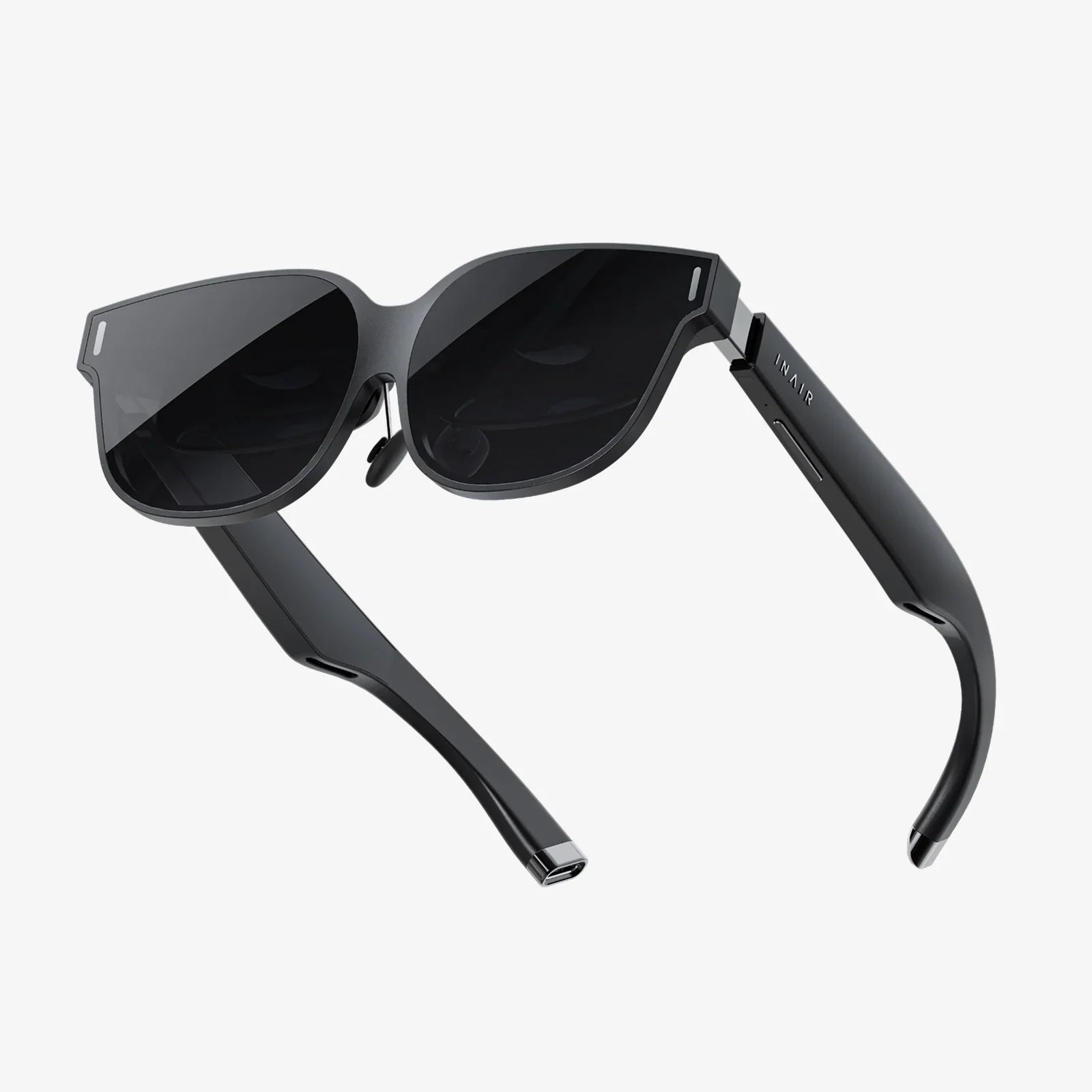
Apps for AR glasses are no longer a distant sci-fi dream; they are quietly reshaping how people work, learn, play, and navigate the world. What used to require a phone in your hand or a screen on your desk can now float in front of your eyes, hands-free and context-aware. If you have ever wished your world could come with live captions, step-by-step overlays, or game-like layers of information, the emerging ecosystem of apps for AR glasses is exactly where that future is being built.
As augmented reality eyewear becomes lighter, smarter, and more affordable, developers are racing to create the next generation of apps that feel less like gadgets and more like invisible assistants. From productivity to gaming, from health to travel, these apps are starting to blend into everyday routines. This article takes a deep dive into what is already possible, what’s coming next, and how apps for AR glasses might soon feel as essential as the smartphone in your pocket.
On the surface, apps for AR glasses might sound like just another way to run the same software you use on a phone or laptop. But the best AR glasses apps take advantage of three unique strengths: spatial awareness, hands-free interaction, and constant presence in your field of view.
AR glasses use cameras, sensors, and sometimes depth mapping to understand the surrounding environment. This allows apps to:
Instead of being trapped inside a rectangle, information can live in the physical space around you.
Most apps for AR glasses are designed to be used without constant tapping or swiping. Common input methods include:
This makes AR glasses apps ideal for situations where your hands are busy or where pulling out a phone is inconvenient or unsafe.
Instead of constantly checking a device, AR glasses can subtly display:
Good apps for AR glasses are designed to be glanceable, lightweight, and non-intrusive, augmenting your perception rather than blocking it.
The ecosystem is still evolving, but several categories of AR glasses apps are already emerging as foundational. Understanding these can help you see where the most value is being created today.
One of the strongest use cases for apps for AR glasses is productivity. These apps focus on helping people work smarter, especially in environments where laptops and phones are awkward to use.
Some apps allow you to project multiple virtual screens around you, turning any space into a portable workstation. You can:
These apps can be especially powerful for people who travel frequently or who work in flexible spaces.
Another major category is remote collaboration apps, which let experts see what you see and guide you in real time. Common features include:
These apps are particularly useful in fields like field service, manufacturing, healthcare, and construction, where it is expensive or impractical to bring experts on-site.
Apps for AR glasses are also changing how people learn new skills and absorb complex information.
Training apps can overlay instructions directly onto the objects you are working with. For example, when learning to assemble equipment, the app might:
This kind of just-in-time guidance can reduce errors and shorten training time dramatically.
Beyond procedural tasks, educational AR glasses apps can bring abstract concepts to life. Imagine:
These experiences can make learning more engaging and memorable, especially for visual and kinesthetic learners.
Navigation apps for AR glasses turn the world itself into the map. Instead of glancing down at a phone, you can see directions layered onto your surroundings.
Typical features include:
This is especially useful when exploring unfamiliar cities or complex campuses, where traditional maps can be confusing or distracting.
Travel apps for AR glasses can also enrich the experience of visiting new places by offering:
Instead of constantly taking out your phone, the information you need appears when and where it is most useful.
Health-focused apps for AR glasses are beginning to blend coaching, tracking, and motivation into everyday activities.
Fitness apps might provide:
For runners and cyclists, AR glasses can display pace, distance, heart rate, and route information, all without requiring you to look down at a watch or phone.
Some apps are exploring how to use AR for mental wellbeing by:
While this is still an emerging area, it hints at a future where AR glasses are not just about productivity and entertainment, but also about balance and mental health.
Gaming is one of the most exciting areas for apps for AR glasses because it transforms your environment into a playable space.
These games use your surroundings as part of the experience. Examples include:
Because the game world overlaps with the physical world, every play session can feel unique.
Beyond traditional games, entertainment apps for AR glasses can create:
These experiences blur the line between passive watching and active participation.
Some of the most impactful apps for AR glasses are designed to improve accessibility for people with disabilities or specific needs.
For users with low vision, AR glasses apps can:
Object recognition features can also help identify items, people, or obstacles, providing audio descriptions or visual cues.
For people who are deaf or hard of hearing, live captioning apps can transcribe speech and display it as text in the field of view. Language learners and travelers can benefit from:
These capabilities hint at a future where AR glasses serve as a universal accessibility layer for the world.
Behind every seamless AR experience is a stack of technologies and design decisions that developers must navigate.
Most apps for AR glasses depend on a combination of:
Developers often use cross-platform AR frameworks and engines that support both mobile and glasses-based AR, allowing them to reuse parts of their codebase.
Designing for AR glasses is very different from designing for flat screens. Successful apps usually follow these principles:
Human factors like weight, heat, and social acceptability also influence how long users are willing to wear AR glasses and what kinds of apps feel natural.
Despite the excitement, apps for AR glasses face several real-world constraints that developers and users need to understand.
Many AR glasses still struggle with:
Apps must be optimized to work within these constraints, using energy-efficient techniques and designing around the hardware’s strengths.
Because AR glasses often use cameras and sensors, privacy is a major concern. Users and bystanders may worry about:
Responsible apps for AR glasses need to be transparent about data use, provide clear indicators when recording or streaming, and give users control over what is captured and stored.
The AR glasses market is still young, with multiple hardware platforms, operating systems, and app stores. This fragmentation means:
Over time, standards and cross-platform tools are likely to improve, but for now, compatibility is a key consideration.
To understand the impact of apps for AR glasses, it helps to look at concrete scenarios where they are already making a difference.
In industries like energy, utilities, and manufacturing, technicians use AR glasses apps to:
This reduces downtime, cuts travel costs, and improves safety by keeping workers’ hands free and their eyes on the task.
Healthcare professionals are exploring apps for AR glasses that:
Strict regulations and privacy requirements mean adoption is careful and controlled, but the potential benefits are significant.
Designers and builders use AR glasses apps to:
This can speed up decision-making and reduce costly mistakes discovered late in the process.
Retailers are experimenting with apps for AR glasses that:
While still in early stages, these experiments hint at more personalized and efficient shopping experiences.
If you are exploring AR glasses, choosing the right apps can make the difference between a novelty and a daily tool.
Start by deciding what matters most to you:
Knowing your goals helps you filter the growing catalog more effectively.
Even the most powerful apps for AR glasses are useless if they are uncomfortable to use. Pay attention to:
Look for apps that offer customization of opacity, placement, and notification behavior.
Since AR glasses can see what you see, make sure apps:
Responsible data handling is essential for long-term trust in AR ecosystems.
The current generation of apps for AR glasses is just the beginning. As hardware and software mature, several trends are likely to shape the next wave.
Future apps will increasingly use on-device intelligence to:
Instead of manually launching apps, you might simply look at something or start a task and have the right tools appear automatically.
AR glasses will likely become part of a broader ecosystem that includes phones, laptops, wearables, and smart home devices. Apps may:
This convergence will make AR glasses feel less like a separate gadget and more like a natural extension of your digital life.
As more people adopt AR glasses, social apps will create shared layers of reality. Possibilities include:
These shared experiences will require careful design to balance fun, privacy, and safety.
To support this growth, new tools will make it easier to build apps for AR glasses, including:
As creation becomes more accessible, expect a surge of niche and experimental apps that explore new ways to augment reality.
While AR glasses have not yet reached the universal adoption of smartphones, the momentum behind them is accelerating. The most interesting apps for AR glasses are not trying to replace reality; they are trying to make it clearer, richer, and more responsive to your needs.
Whether you are a professional looking to streamline complex tasks, a learner eager for more immersive education, a traveler who wants frictionless navigation, or a gamer drawn to new forms of play, there is a growing ecosystem of apps designed to meet you where you are—literally. The shift from screens in your hand to information woven into your environment is already underway, and the apps built for AR glasses are the first glimpse of how that shift will feel in everyday life.
If you start exploring now, you will not just be trying out a new gadget; you will be getting an early seat in a transformation that could redefine how we see, understand, and interact with the world around us. The question is no longer whether apps for AR glasses will matter, but how quickly they will move from curiosity to necessity—and which ones will quietly become the tools you cannot imagine living without.