


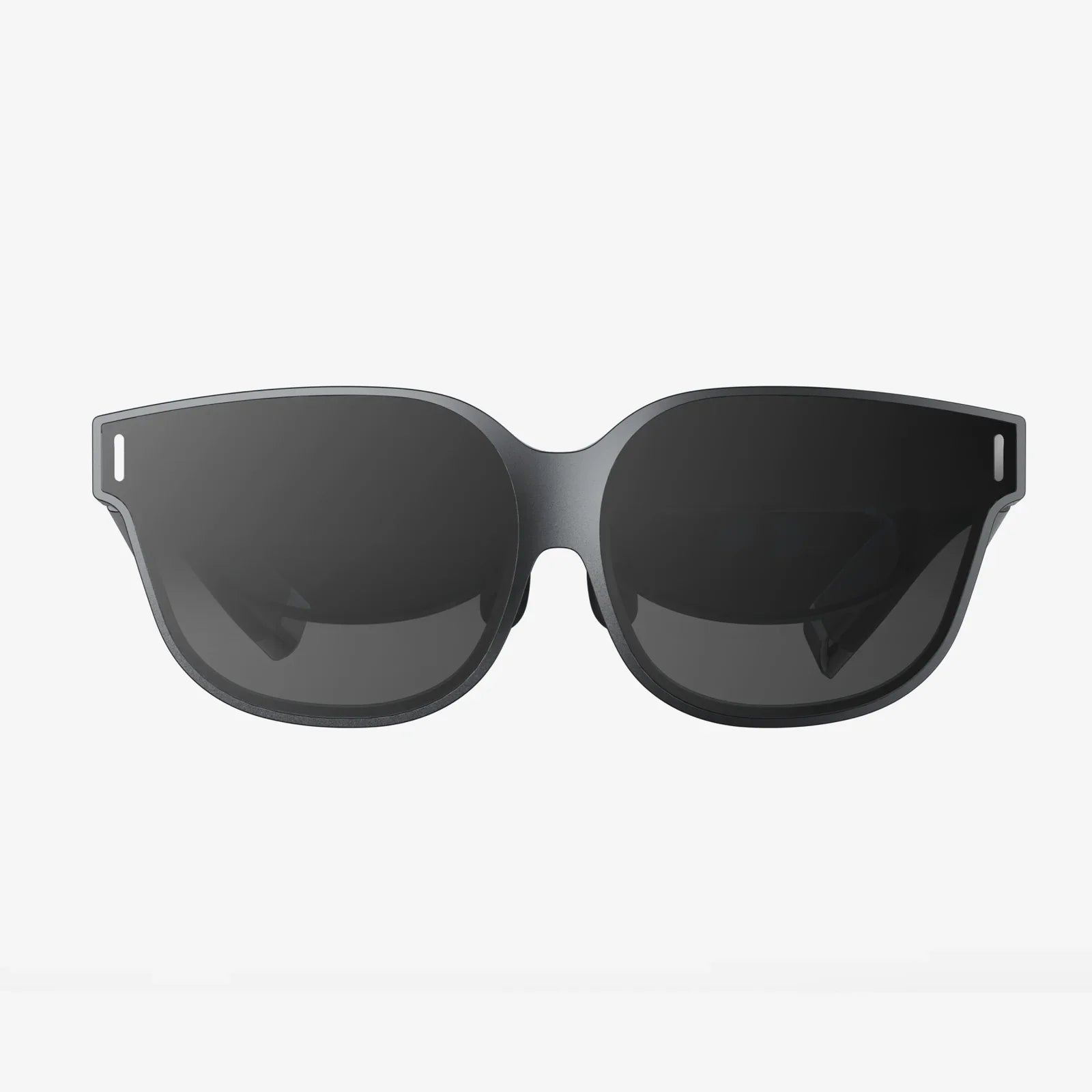
AR features are quietly turning ordinary screens into powerful lenses on a richer world, and the people who learn to use them now will be miles ahead when they become as common as web browsers. Whether you are curious about immersive shopping, smarter navigation, or entirely new ways to learn and work, understanding how these augmented reality capabilities fit together can open doors to careers, businesses, and experiences that barely existed a few years ago.
To unpack what is happening, this article walks through the main categories of AR features, explains how they work in everyday situations, and shows where they are heading next. You will see how they are reshaping retail, education, healthcare, manufacturing, and entertainment, and you will get practical ideas on how to start using and designing for them today.
What AR Features Actually Are
Augmented reality overlays digital content on top of the physical world in real time. AR features are the specific capabilities that make this possible: tracking, mapping, rendering, interaction, and integration with sensors and data. When combined, they allow a device to understand your surroundings and place digital objects in a way that feels natural and believable.
Instead of taking you into a fully virtual environment, AR features enhance what you already see. A phone camera can show you how a chair looks in your living room, smart glasses can display a translation above a sign, and a tablet can guide a technician through a repair by highlighting the right parts in their field of view.
Core Technical AR Features That Make The Magic Work
Behind every polished AR experience are a handful of foundational features. Understanding them helps you see what is possible and what is still difficult today.
1. Motion Tracking And Pose Estimation
Motion tracking allows an AR system to understand how the device moves in 3D space. Pose estimation refers to determining the position and orientation of the device relative to the environment.
Key aspects include:
- Inertial sensors: Accelerometers and gyroscopes track quick movements and orientation changes.
- Visual tracking: The camera detects features in the environment and tracks how they move from frame to frame.
- Sensor fusion: Combining visual and inertial data produces smooth, accurate tracking even when one source is noisy.
Without robust motion tracking, virtual objects would slide around or jitter, breaking the illusion and causing discomfort or motion sickness.
2. Environmental Understanding And Plane Detection
Environmental understanding is the AR feature that allows devices to recognize surfaces and structures in the real world. Plane detection is the most common example: recognizing horizontal and vertical surfaces such as floors, tables, or walls.
Typical capabilities include:
- Horizontal planes: Placing furniture on floors or objects on tables.
- Vertical planes: Hanging art on walls or displaying informational panels.
- Depth estimation: Understanding how far away surfaces and objects are to scale virtual content correctly.
More advanced systems can detect specific structures, such as doors, windows, or stairs, enabling context-aware experiences like indoor navigation or safety alerts.
3. Scene Reconstruction And Meshing
Scene reconstruction goes beyond simple planes and builds a 3D model (mesh) of the environment. This AR feature enables virtual objects to interact with complex geometry: wrapping around furniture, hiding behind real objects, or bouncing off surfaces.
Benefits of scene meshing include:
- Realistic occlusion: Virtual objects can pass behind real-world items instead of always appearing on top.
- Accurate physics: Simulated objects can collide with real surfaces and respond naturally.
- Better placement: Digital content can conform to curved or irregular surfaces.
4. Lighting Estimation And Shadows
Lighting estimation analyzes the real-world scene to approximate direction, color, and intensity of light. AR features that handle lighting make virtual objects appear as if they truly belong in the environment.
Key elements include:
- Ambient light estimation: Matching overall brightness and color temperature.
- Directional light: Approximating where the main light sources are.
- Shadows and reflections: Adding virtual shadows on real surfaces and reflections on shiny virtual objects.
Good lighting is one of the biggest contributors to realism. Even simple objects can look convincing when the lighting matches the real world.
5. Image, Object, And Marker Tracking
Another group of AR features focuses on recognizing and tracking specific items in the camera view.
Common types are:
- Image tracking: Recognizing posters, packaging, or printed cards and attaching digital content to them.
- Marker tracking: Using simple patterns like QR codes or custom markers as anchors for AR content.
- Object tracking: Recognizing 3D objects such as tools, machines, or models and augmenting them with labels or instructions.
These features are especially useful in marketing, education, and industrial training, where specific physical items trigger targeted information.
6. Face And Body Tracking
Face and body tracking AR features detect and follow facial landmarks and body joints. They enable effects such as filters, virtual makeup, digital clothing try-ons, and performance capture.
Important capabilities include:
- Facial landmarks: Eyes, nose, mouth, and jawline positions.
- Expression estimation: Smiles, frowns, eyebrow raises, and more.
- Body skeleton tracking: Joint positions for arms, legs, and torso.
These features are central to social AR and are increasingly used in online meetings, remote collaboration, and creative performance tools.
7. Spatial Anchors And Persistent Content
Spatial anchors are AR features that allow digital objects to stay fixed in a location over time, even if the app restarts or multiple users join. They are tied to the physical environment rather than to any single device session.
They enable experiences like:
- Shared AR: Multiple people seeing the same virtual object in the same place.
- Persistent notes: Leaving a virtual reminder on your fridge or desk that is still there tomorrow.
- Location-based content: AR art, games, or information that appears at specific real-world spots.
Everyday AR Features You Might Already Be Using
Many people use AR without realizing it. Several features have slipped into daily life because they solve simple, practical problems.
Smartphone Camera Enhancements
Modern camera apps use AR features for:
- Live filters and effects: Face filters, animated backgrounds, and stylized overlays.
- Automatic framing and guides: AR lines to help you level horizons or center subjects.
- Portrait effects: Simulated depth-of-field based on depth estimation.
These enhancements are driven by the same tracking and depth features that power more advanced AR applications.
Navigation And Local Discovery
AR features are increasingly used to overlay directions and information on top of the real world:
- Walking directions: Arrows and labels floating on streets and buildings.
- Points of interest: Restaurant names, transit stops, or landmarks annotated in the camera view.
- Indoor navigation: Pathways inside airports, malls, or campuses.
These experiences rely heavily on location data, mapping, and scene understanding to align digital directions with physical spaces.
Measurement And Utility Tools
Built-in AR measuring tools can estimate the length of a table, the height of a doorway, or the size of a box using depth and plane detection. Other utility features include:
- Level tools: Using the device as a digital spirit level.
- Virtual rulers: Measuring objects by marking points in the camera view.
- Layout planning: Drawing virtual lines and shapes on floors and walls.
While not perfect, these AR features are often accurate enough for everyday tasks and quick estimates.
AR Features Reshaping Shopping And Retail
One of the most visible uses of AR features is in shopping, where they reduce uncertainty and make online purchases feel more like in-person experiences.
Virtual Try-On Experiences
Face and body tracking allow customers to see how products might look on them:
- Eyewear and accessories: Glasses, hats, and jewelry positioned accurately on the face and body.
- Cosmetics: Lip color, eye shadow, and foundation visualized in real time.
- Clothing and shoes: Virtual garments and footwear overlaid on live video or full-body avatars.
These AR features help shoppers explore styles, compare options, and gain confidence before buying.
Place-In-Your-Space Product Visualization
Environmental understanding and lighting estimation enable customers to place virtual products in their own spaces:
- Furniture and decor: Checking size, color, and style in the actual room.
- Appliances and electronics: Visualizing how large items fit into kitchens or living areas.
- Home improvement items: Trying different paint colors, flooring, or fixtures.
By seeing products at true scale, customers can avoid misjudging dimensions and reduce returns.
Interactive Packaging And In-Store Experiences
Image and marker tracking AR features bring static packaging and displays to life:
- Animated labels: Product information, stories, or tutorials that appear when scanning packaging.
- Gamified promotions: Collectible AR items or mini-games triggered in-store.
- Guided shopping: AR navigation to specific aisles or recommended products.
These experiences turn shopping into a more engaging, interactive activity and help brands communicate complex information visually.
AR Features Enhancing Education And Training
Education and training benefit enormously from AR features because they make abstract concepts tangible and allow safe practice of complex tasks.
Interactive 3D Learning Objects
Students can explore virtual models in their real environment using tracking and scene understanding:
- Science and biology: Rotating molecules, dissecting virtual organs, or visualizing physics experiments.
- History and geography: Examining historical artifacts or 3D maps on a classroom table.
- Mathematics: Visualizing geometry, graphs, and spatial relationships in 3D.
These AR features encourage active exploration and can adapt to different learning styles.
Step-By-Step Guided Procedures
Object tracking and spatial anchors support guided instructions overlaid on real equipment:
- Technical training: Highlighting the next part to adjust on a machine.
- Medical training: Overlaying anatomical guides on mannequins or models.
- Home DIY: Walking users through repairs or installations with visual cues.
These AR features reduce the need to constantly look away at manuals, making training more intuitive and less error-prone.
Remote Mentoring And Collaboration
Combining AR with communication tools enables remote experts to guide on-site workers:
- Live annotations: Drawing arrows or circles that appear in the worker’s view.
- Shared perspective: Seeing what the on-site person sees in real time.
- Instruction recording: Saving AR-guided procedures for later reuse.
These features are particularly valuable for specialized maintenance, field service, and emergency response.
AR Features In Healthcare And Wellness
Healthcare is adopting AR features to improve patient outcomes, clinician training, and overall experience.
Preoperative Planning And Visualization
By overlaying imaging data on patient models, AR features help clinicians plan complex procedures. They can:
- Visualize anatomy: See structures in 3D relative to the patient’s body.
- Plan incisions: Map the safest route for surgery.
- Educate patients: Show them what will happen in an understandable way.
Rehabilitation And Physical Therapy
Motion tracking and gamified AR experiences support therapy and exercise adherence:
- Guided exercises: Visual prompts showing correct movement paths.
- Real-time feedback: Alerts when posture or range of motion is incorrect.
- Motivating challenges: Games that encourage completion of therapy routines.
These AR features can be used at home, extending care beyond clinical settings.
Industrial And Enterprise AR Features
In manufacturing, logistics, and field work, AR features are used to reduce errors, speed up tasks, and capture knowledge.
Assembly And Maintenance Guidance
Object tracking and spatial anchors allow AR systems to attach instructions directly to machines and components:
- Part identification: Highlighting exactly which component to work on.
- Step sequencing: Showing the next action in a complex procedure.
- Error prevention: Warning when a step is skipped or performed incorrectly.
These AR features are especially helpful for new workers or infrequent tasks.
Warehouse And Logistics Optimization
AR features enhance picking, packing, and inventory management:
- Visual picking paths: Optimal routes highlighted through the warehouse.
- Bin identification: AR labels showing where items are located.
- Hands-free scanning: Recognizing codes or labels via camera instead of handheld scanners.
By reducing cognitive load and search time, these features improve productivity and reduce mistakes.
Entertainment, Social, And Creative AR Features
Entertainment has been one of the earliest and most visible showcases for AR features, especially on mobile devices.
Location-Based Games And Experiences
Combining location services, mapping, and AR overlays enables games and experiences in the real world:
- Collectible hunts: Virtual items scattered around physical locations.
- Territory games: Competing over control of real-world areas.
- Story-driven walks: Narratives and characters appearing along city routes.
Spatial anchors and persistent content help maintain continuity across sessions and devices.
Social Filters, Effects, And Avatars
Face tracking and body tracking AR features power a wide range of social experiences:
- Face filters: Masks, makeup, and transformations for photos and video.
- Background replacement: Virtual environments in video calls and streams.
- Avatar puppeteering: Controlling digital characters with facial expressions and body movements.
These features are evolving into more expressive, persistent digital identities that can move across platforms.
Creative Tools And Storytelling
AR features enable new forms of creative expression:
- 3D drawing: Painting in mid-air or on real surfaces.
- AR theater and performances: Live shows that mix physical and digital actors.
- Interactive installations: Art that responds to visitors’ movements and presence.
By blending physical and digital media, creators can invite audiences into stories instead of just showing them.
Designing Great Experiences With AR Features
Having powerful AR features is not enough; they must be used in ways that feel natural and valuable. Thoughtful design is crucial.
Focus On Real Problems, Not Just Novelty
AR can quickly feel gimmicky if it does not solve a real problem. When designing experiences, consider:
- Is AR the best tool? Some tasks are faster with a simple list or video.
- Does it reduce friction? For example, quicker understanding, fewer steps, or less confusion.
- Is it comfortable? Avoid cluttered visuals and unnecessary movements.
Successful AR features usually make something easier, safer, or more delightful, not just more complex.
Respect Physical Safety And Comfort
Because AR overlays information on the real world, design choices can affect safety:
- Avoid distractions: Do not block critical real-world cues, especially when users are walking or working.
- Use stable content: Reduce jitter and sudden movements that can cause discomfort.
- Consider fatigue: Prolonged arm or head movements can be tiring; minimize unnecessary interaction.
Testing in realistic environments is essential to catch issues that do not appear in controlled settings.
Plan For Different Environments And Devices
AR features behave differently depending on lighting, space, and hardware. Good experiences:
- Handle low light: Offer fallbacks when tracking is unreliable.
- Adapt to small spaces: Scale content appropriately for tight environments.
- Support multiple input methods: Touch, gaze, voice, and controllers where appropriate.
By designing for variability, you can reach more users and avoid fragile experiences.
Privacy, Ethics, And Responsible Use Of AR Features
AR features often rely on sensitive data: camera feeds, location, faces, and surroundings. Responsible use is not optional.
Data Collection And Transparency
Key considerations include:
- Clear communication: Explain what is being captured and why.
- Local processing: When possible, process data on-device instead of sending it to servers.
- Minimal retention: Do not store more than is necessary for the feature to work.
Trust is easily lost if users feel watched or misled about how their data is used.
Bias, Accessibility, And Inclusion
AR features can behave differently across faces, bodies, and environments. To be inclusive:
- Test on diverse users: Different skin tones, facial shapes, and mobility levels.
- Support assistive uses: Consider how AR can help users with visual, hearing, or cognitive differences.
- Avoid harmful filters: Do not reinforce narrow beauty standards or stereotypes.
Inclusive AR does more than avoid harm; it actively broadens who can benefit from the technology.
The Future Direction Of AR Features
AR features are advancing along several fronts that will make experiences more immersive, more persistent, and more integrated into daily life.
More Natural Interaction
Expect to see richer combinations of input methods:
- Hand and finger tracking: Manipulating virtual objects directly without controllers.
- Eye tracking: Interfaces that respond to where you look.
- Voice and context: Systems that understand natural commands in specific situations.
These AR features aim to make digital content feel as responsive as physical objects.
Richer Environmental Understanding
As sensors and algorithms improve, AR systems will gain deeper awareness of the world:
- Semantic understanding: Recognizing not just surfaces, but what objects are and how they are used.
- Dynamic scene handling: Adapting to moving people, vehicles, and changing layouts.
- City-scale mapping: Persistent AR layers across entire neighborhoods or campuses.
This will enable more context-aware assistance, safety features, and entertainment.
Blending AR With AI And Other Technologies
AR features are increasingly intertwined with other technologies:
- AI vision: Recognizing objects, text, and scenes to provide instant information.
- Internet of Things: Visualizing data from connected devices in place.
- Cloud and edge computing: Sharing spatial maps and heavy processing for complex experiences.
As these integrations mature, AR will shift from isolated apps to a pervasive, ambient layer of information.
How To Start Taking Advantage Of AR Features Today
You do not need advanced hardware to begin exploring and benefiting from AR features. A modern smartphone or tablet is enough to get started.
For Everyday Users
Practical ways to experiment include:
- Use AR shopping tools: Try placing items in your space before buying.
- Explore educational AR apps: Look for interactive models in subjects that interest you.
- Leverage navigation AR: Use AR directions in unfamiliar cities or large indoor spaces.
- Experiment with creative tools: Draw in 3D, create AR scenes, or design simple effects.
For Professionals And Businesses
If you are considering AR for work or business, start by:
- Identifying high-friction tasks: Look for training, support, or visualization problems that AR could ease.
- Running small pilots: Prototype focused experiences for a single workflow or audience.
- Measuring outcomes: Track error reduction, time saved, or engagement increases.
- Building internal skills: Encourage teams to learn AR design, 3D content creation, and usability testing.
Starting small and iterating helps uncover where AR features truly add value, instead of forcing them into every process.
Why AR Features Matter More Than The Devices They Run On
It is easy to focus on headsets, glasses, or the latest phone, but the real shift comes from the AR features that are spreading across all of these devices. Motion tracking, environmental understanding, spatial anchoring, and intelligent overlays are turning every screen into a potential window onto a smarter world. As these capabilities mature, the line between "using AR" and "simply using your devices" will blur until they are effectively the same thing.
Now is the time to pay attention, experiment, and think creatively about how AR features can help you see more, do more, and explain more in every area of life. The people and organizations that learn to harness these tools early will not just keep up with change; they will help define what everyday reality looks like when it is augmented by design.
Aktie:
burger king north little rock ar: Local Guide, Menu Tips, And Drive-Thru Hacks
benton skate center benton ar Ultimate Guide for Families and Skaters