


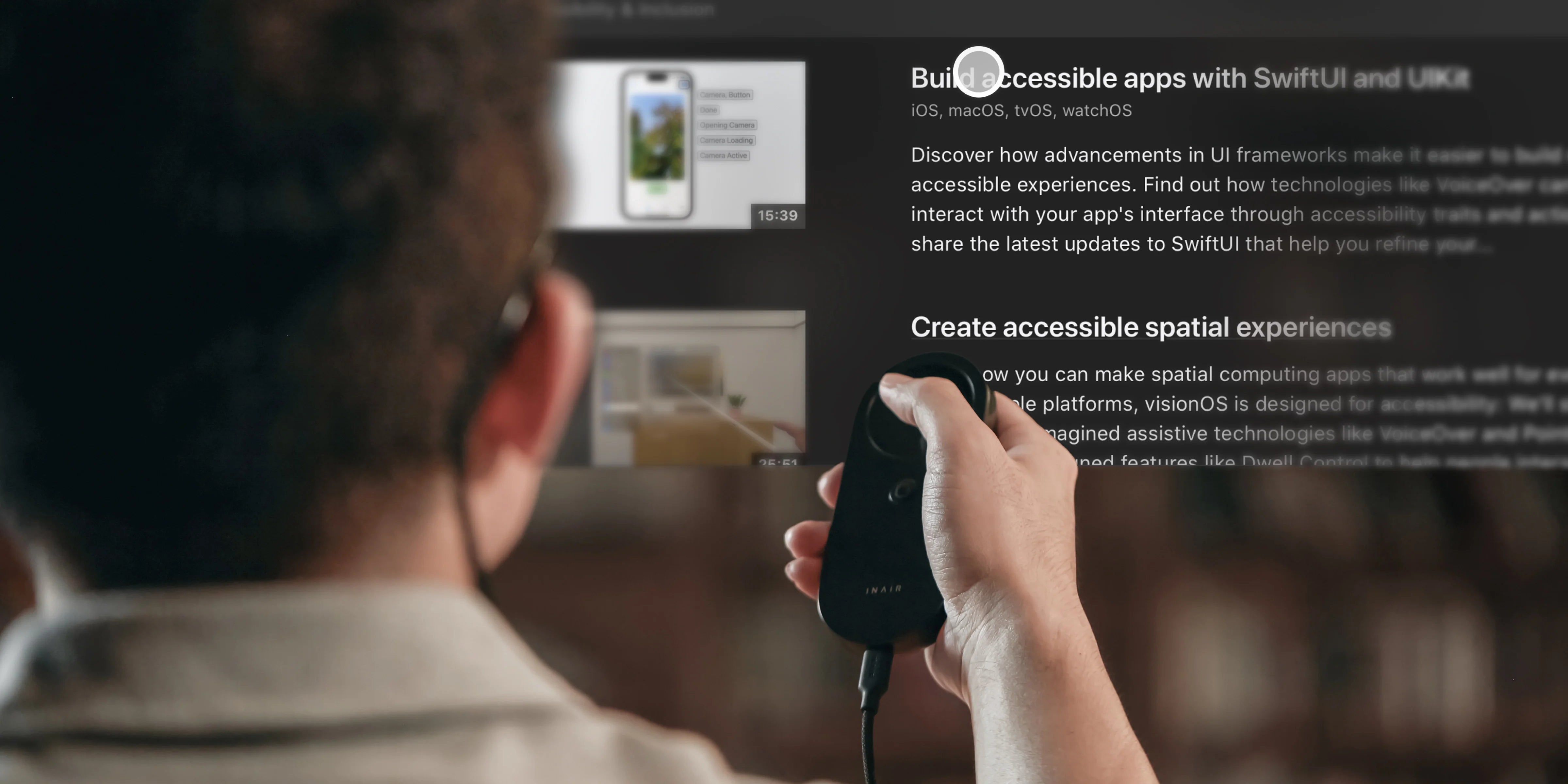
The Great Decoupling: Can AR Glasses Finally Replace Your Laptop Monitor in 2026?
-
The Historical Context: The Quest for the Infinite Screen
Since the dawn of the personal computer, humanity has been tethered to physical displays. From the bulky, flickering CRTs of the 1990s to the ultra-thin, high-refresh-rate OLEDs of the early 2020s, the "frame" has always defined the boundaries of our productivity. We have spent decades trying to fit infinite information into finite rectangles. For the professional, this usually meant the "desk bind"—being anchored to a specific physical location because that is where the monitors lived.
By April 22, 2026, the hardware has finally caught up with the dream. Light-weight AR glasses now offer the optical density to match traditional screens. However, history has shown us that hardware alone—no matter how impressive the glasses—cannot replace a monitor. To truly replace a physical workstation, one requires a robust, stable, and intelligent operating system that understands the physics of space.
INAIR OS v3.6 represents what we call "The Great Decoupling." It is the pivotal moment where software allows us to decouple professional output from physical plastic panels. Central to this vision is INAIR's unwavering strategic direction: we will always keep our platform open to third-party AR glasses. We believe that users should have the freedom to choose their hardware, and we are committed to supporting that choice.
However, it is essential to acknowledge an objective reality. Third-party glasses manufacturers each develop their own technical solutions and proprietary protocol interfaces. These are not unified or standardized across the AR industry. For any software platform attempting to support multiple brands, this fragmentation always presents a significant challenge to delivering a stable, reliable user experience. This is not a reflection of any particular software version's quality—it is simply the current state of the AR hardware ecosystem.
INAIR OS v3.6 directly confronts this challenge. While embracing our open strategy, we have focused engineering efforts on further elevating the stability of the spatial computing experience, working within the inherent complexities of multi-protocol compatibility.
-
The Multi-Window Spatial Architecture: Breaking the 14-Inch Barrier
The primary reason "laptop replacements" failed in the past was a lack of sophisticated window management combined with unstable head-tracking. INAIR OS v3.6 breaks this boundary by treating the entire room as a canvas, using 3DoF and 6DoF Multi-window modes that have been significantly stabilized.
2.1 The Spatial Canvas Logic
In v3.6, the multi-window experience has been refined to feel "physical" rather than "digital." When you open a window in INAIR Space, the OS assigns it a persistent coordinate in your 3D environment. This is achieved through a new spatial compositor that tracks with improved precision, even when the connected glasses use different IMU calibration standards.
• 3DoF Stabilization (Hover Mode): For the mobile professional—perhaps a consultant working on a high-speed train or a digital nomad in a bustling cafe—3DoF is essential. v3.6 has optimized the IMU (Inertial Measurement Unit) fusion to better handle the sensor data variances between different glasses brands. Even if the train tilts or the plane experiences turbulence, your virtual monitor stays consistently level with the horizon. This stability is now natively supported for the XREAL One series (One / One Pro / 1S), bringing a much closer experience to native INAIR glasses.
• 6DoF Exploration: For users of the VITURE Luma Ultra, v3.6 enables a full 6DoF experience with improved stability. This allows you to "walk through" your data. Imagine placing a 100-inch virtual spreadsheet in the center of your hotel room. With v3.6, you can physically walk to the "right side" of the air to inspect columns in column AZ, then lean in to see a specific data point. This "physicality" of data reduces the cognitive load of navigating complex documents.
2.2 Visual Clarity: The Text Legibility Standard
You cannot replace a laptop monitor if you cannot read fine text. One of the major improvements in v3.6 is Improved Visual Clarity. We have implemented a new sub-pixel rendering engine that maximizes the resolution of third-party glasses.
• Contrast Optimization: v3.6 introduces a specific "Office Mode." This rendering profile enhances the contrast of black text on white backgrounds and significantly reduces the "fringing" or "rainbow effect" common in earlier AR versions.
• Higher Resolution Support: By unlocking higher resolutions specifically for the VITURE LUMA series, INAIR OS v3.6 ensures that a virtual 27-inch monitor feels as sharp as a physical 4K display. This is critical for preventing eye strain during 8-hour workdays.
-
The Performance Engine: INAIR Space & Latency
To replace a physical monitor, there must be zero perceived "lag" between a mouse movement and the visual update. If the cursor feels "heavy," the brain rejects the experience.
3.1 Direct-to-GPU Pipeline
INAIR Space in v3.6 focuses on Lower Latency. Our engineers have bypassed several layers of the traditional Android and Windows display stacks. By creating a direct pipeline from the host PC's GPU to the glasses' displays, we have cut latency by crucial milliseconds. This makes the experience feel "local" rather than "streamed," even when using glasses with non-optimal transmission protocols.
3.2 Stability for the 8-Hour Workday
v3.6 is designed for "8-hour uptime" stability. The system optimization includes better thermal management and more resilient handling of protocol inconsistencies, ensuring that performance doesn't degrade over the course of a morning's work.
-
Integrating the AI Co-pilot: From Passive to Active
A physical monitor is passive; it just sits there. INAIR OS v3.6 is active. The enhanced AI Assistant with improved multilingual accuracy means that your "virtual monitor" is now smart.
• The ChatGPT Integration: Professionals who rely on AI for drafting, research, or coding can now stay entirely within the glasses. Reliable authentication ensures that your primary intelligence tool is always one voice command away.
• Contextual Intelligence: Because the OS understands the spatial layout, the AI can eventually assist in "organizing" your windows based on your current task—automatically pinning your "Communication" windows to the left and your "Deep Work" windows to the center.
It is worth noting that each version of INAIR OS has delivered features to users. The AI Assistant, the multi-window spatial environment, and the streaming engine have all evolved significantly across releases. v3.6 builds on this foundation by making the entire experience more stable, more reliable, and more professional-grade than ever before.
-
Professional Use Case: The Software Architect
Let's examine how a Senior Software Architect uses INAIR OS v3.6 to replace their desk in 2026.
The Setup: Using XREAL One Pro glasses, the architect opens four virtual windows.
• Window 1 (Center): The IDE (Integrated Development Environment). In v3.6, the "Improved visual clarity" means the architect can read code at a 10pt font without squinting.
• Window 2 (Right): A 3D architecture diagram. Using stable 3DoF, this window stays fixed even as the architect looks back and forth.
• Window 3 (Left): Documentation and Stack Overflow.
• Window 4 (Top): The AI Assistant window. Thanks to reliable authentication, the architect can query complex API structures and have the answer appear instantly in space.
Because of the Optimized startup performance in v3.6, this entire office is "up and running" in under 15 seconds, whether the architect is at a home office, a client site, or a transit hub.
-
Ergonomics: Why Spatial is Better for your Neck
Replacing a laptop monitor isn't just about efficiency; it's about health. Laptops force "the slouch"—looking down at a screen for hours. By decoupling the display from the keyboard, INAIR OS v3.6 allows you to look straight ahead or slightly up, maintaining a neutral spine. The stability improvements in v3.6 mean no more distracting flickering or drifting, which were primary causes of ocular fatigue in earlier cross-brand attempts.
-
Conclusion: The Monitor is Now Software
On April 22, 2026, the transition is accelerated. With INAIR OS v3.6, we have further proven that the most important part of your workstation isn't the glass on your desk, but the code in your glasses. We have delivered a platform where your productivity is limited only by your imagination, not by the size of your laptop. We will continue to maintain our open strategic direction, supporting third-party AR glasses in every release, and we will continue to bring users features with each new version. The "Great Decoupling" is here. Your monitors are now weightless, infinite, and entirely under your control.
Aktie:
The Architecture of Productivity: Building a Professional Mobile Spatial Workstation with INAIR OS v3.6
RayNeo Compatibility & INAIR OS v3.6: Understanding 3DoF Stability and the Path to Professional Precision