


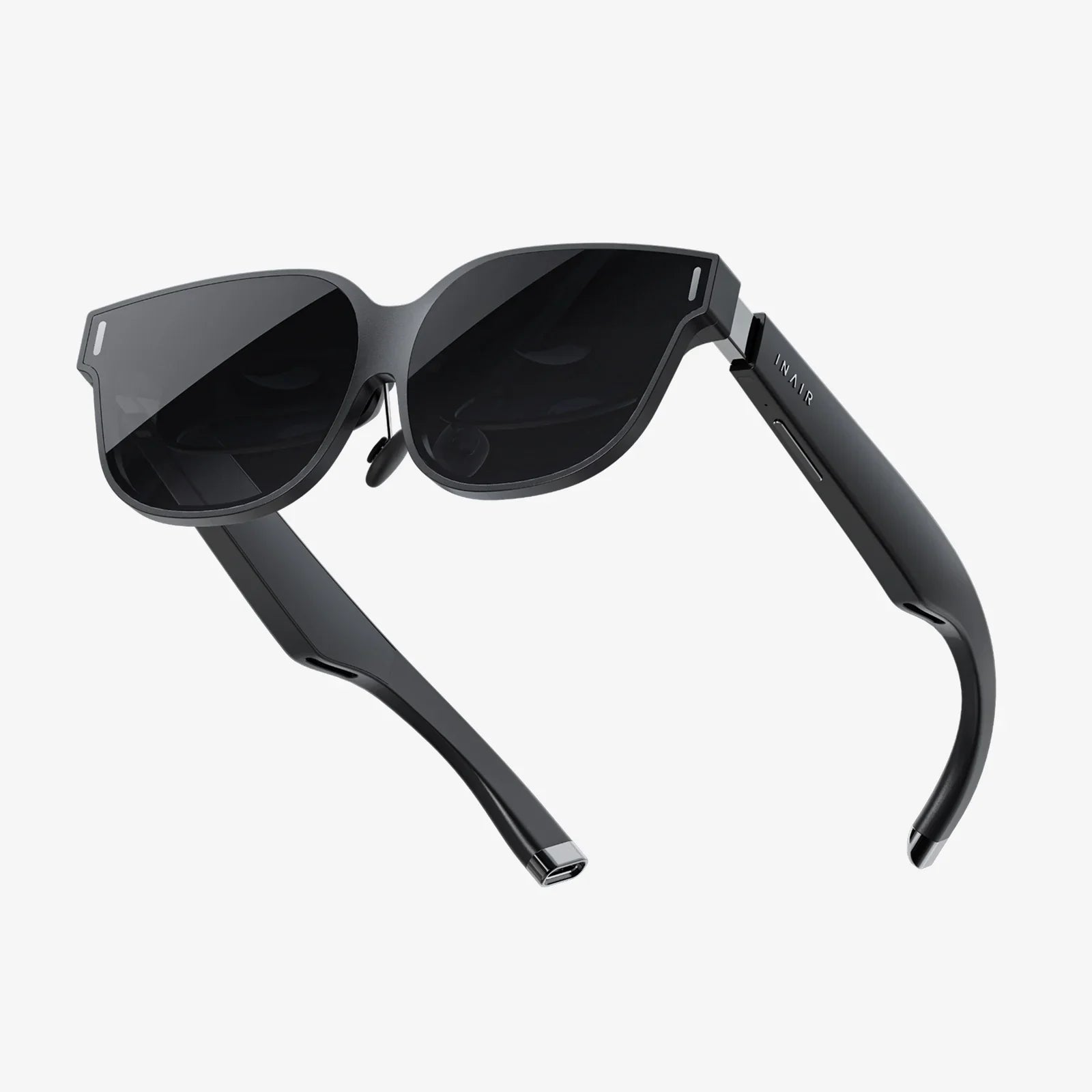
Imagine slipping on a lightweight pair of AR glasses two screens and seeing your world instantly expand into a layered digital playground. Two floating displays hover in your field of view, apps rearrange themselves around your real environment, and your desk, wall, and even the sky become canvases for information. This is not a distant sci‑fi fantasy anymore; it is the direction personal computing is moving right now, and understanding it early can give you a real advantage.
As augmented reality evolves, the idea of AR glasses two screens is emerging as a powerful design choice. Instead of a single virtual panel or a narrow overlay, two-screen configurations promise richer depth, more flexible layouts, and more natural multitasking. Whether you are a gamer, a remote worker, a designer, or simply a tech enthusiast, knowing how dual-screen AR works and what it can do will help you decide when and how to jump in.
What Does AR Glasses Two Screens Actually Mean?
When people talk about AR glasses two screens, they usually mean one of two related concepts:
- Two virtual displays visible through one pair of AR glasses, often arranged side by side or stacked.
- Two distinct optical paths or display engines inside the glasses, each feeding different content or perspectives to the wearer.
In both cases, the core idea is the same: you get more than one independent visual surface in your field of view, which can dramatically change how you work, play, and consume media.
Traditional AR devices often feel like a single floating monitor glued in front of you. AR glasses two screens, by contrast, let you treat your space like a multi-monitor workstation, but without the physical screens. You might place a chat window on your left, a browser in the center, and a data panel on your right, all anchored to the room around you.
How Dual-Screen AR Glasses Work Behind the Scenes
To understand the promise and limitations of AR glasses two screens, it helps to look under the hood. While designs vary, most systems share several core components:
Optical Engines and Waveguides
The heart of AR glasses is the optical system that projects digital images into your eyes while letting you see the real world. In dual-screen setups, there are typically:
- Two display regions within the optics that can show different content or windows.
- Waveguides or prisms that guide light from tiny displays near your temples into your field of view.
- Optical combiners that mix digital imagery with the real-world light passing through the lenses.
Some designs simulate two screens by splitting a wider field of view into two logical zones, each treated as a separate display by the software.
Sensors and Spatial Mapping
AR glasses two screens need to know where you are looking and how you are moving in order to anchor digital screens to your environment. To achieve this, they use:
- Inside-out tracking cameras that scan walls, desks, and objects to build a 3D map of the room.
- IMU sensors (accelerometers, gyroscopes, magnetometers) to track head orientation and motion.
- Sometimes eye-tracking to detect exactly where your gaze lands on each virtual screen.
By combining sensor data, the system can keep your two virtual screens stable in space as you move, walk, or turn your head.
Onboard Computing and Connectivity
To drive AR glasses two screens, you need enough processing power to render two high-resolution overlays in real time. This can be handled in several ways:
- Onboard processors built into the glasses, optimized for low power and heat.
- Tethered connections to a phone, laptop, or small compute pack that does the heavy lifting.
- Wireless streaming from nearby devices, using fast protocols to minimize latency.
Dual-screen AR is especially demanding, because the device must manage multiple windows, handle spatial anchoring, and maintain comfortable frame rates to avoid motion sickness.
Why Two Screens in AR Glasses Matter
It might seem like a small jump from one virtual screen to two, but this change has major implications for how you use AR in everyday life.
1. True Multitasking in a Wearable Form
One of the biggest draws of AR glasses two screens is the ability to multitask without cluttering your physical space. Consider these scenarios:
- Remote work: Keep a video call on one virtual screen floating above your laptop while another screen shows your notes or slides.
- Studying: Place a textbook scan or PDF on one side and a blank document or notepad on the other.
- Creative work: Use one screen for your main canvas and the other for tool palettes, references, or timelines.
Instead of constantly alt-tabbing or juggling windows on a cramped laptop display, you can spread out your digital workspace in mid-air.
2. Enhanced Immersion for Entertainment and Gaming
AR glasses two screens also open up new possibilities for games and media:
- Dual-view games: One screen shows your main action, while the other displays maps, inventory, or live chat with teammates.
- Interactive storytelling: Watch a video on one screen while the second shows character bios, timelines, or behind-the-scenes content anchored beside your couch.
- Sports and events: View the live match on one screen and real-time stats, replays, or alternate camera angles on the other.
This layered approach to entertainment can make experiences feel more cinematic and information-rich without overwhelming a single display.
3. Spatial Organization of Information
Human memory and attention are strongly tied to spatial cues. AR glasses two screens let you assign meaning to different parts of your environment:
- Place all your communication apps on a left-side virtual screen that always appears near your window.
- Keep productivity tools on a right-side screen near your desk lamp.
- Anchor a persistent reference panel above your monitor for quick glances.
Over time, your brain learns that certain types of information “live” in specific parts of your room, making it easier to recall and manage complex tasks.
4. More Natural Collaboration
When multiple people wear AR glasses two screens in the same space, they can share virtual screens anchored to the room. For example:
- One shared screen at the center of the table shows a design mockup.
- A second shared screen on the side shows notes, comments, or a task list.
Each participant can also have private overlays visible only to them, such as personal notes or alternate views, while still engaging with the shared content.
Key Technical Challenges of AR Glasses Two Screens
While the potential is huge, AR glasses two screens face several technical and ergonomic hurdles that designers and engineers are still working through.
Field of View and Screen Placement
One of the biggest constraints in AR is the field of view, often narrower than what you are used to with monitors or VR headsets. Fitting two usable screens into this limited area is not trivial. Designers must balance:
- Screen size: Too small and text becomes hard to read; too large and content gets cut off.
- Screen spacing: Place them too far apart and you constantly move your head; too close and they overlap visually.
- Depth placement: Virtual screens need to appear at a comfortable focal distance to reduce eye strain.
Some systems allow you to manually resize and reposition each screen to match your preferences and physical environment.
Comfort, Weight, and Heat
To make AR glasses two screens practical for everyday use, the device must remain comfortable for long sessions. This means:
- Lightweight frames that do not press too hard on your nose or ears.
- Balanced weight distribution so the front-heavy optics do not cause neck fatigue.
- Efficient cooling so the areas near your temples do not become uncomfortably warm.
Dual-screen rendering can increase processing load, which in turn can generate more heat and drain the battery faster. Smart power management and offloading tasks to external devices can help mitigate this.
Battery Life and Performance Trade-offs
Running AR glasses two screens at high brightness and resolution is demanding. Users want:
- Rich, detailed graphics and smooth animation.
- Several hours of use on a single charge.
- Minimal lag when moving windows or turning their head.
Manufacturers must balance these demands by optimizing software, using efficient displays, and sometimes limiting maximum brightness or resolution in certain modes. For heavy tasks like 3D modeling or high-end gaming, tethering to a more powerful device may still be necessary.
Visual Comfort and Eye Health
Spending long hours looking at AR overlays is different from using a traditional monitor. With AR glasses two screens, your eyes are focusing on virtual objects at a fixed optical distance while your brain interprets them as being at various depths. This mismatch can cause discomfort for some people.
To improve comfort:
- Systems try to place virtual screens at a natural viewing distance, often several feet away.
- Adjustable brightness and contrast help reduce strain in different lighting conditions.
- Some software includes reminders to take breaks or shift focus periodically.
As with any new display technology, moderation and good ergonomics are important.
Practical Use Cases for AR Glasses Two Screens
Beyond the technical details, the real question is how AR glasses two screens fit into everyday life. Here are some of the most compelling use cases emerging today.
Remote and Hybrid Work
As remote and hybrid work become standard, AR glasses two screens can act as a portable multi-monitor setup. Imagine working in a small apartment, a coffee shop, or a hotel room and still having:
- A main virtual screen above your laptop showing your primary app or document.
- A secondary virtual screen to the side with email, messaging, or project management tools.
This setup lets you maintain productivity without lugging around extra hardware. When you are done, you simply take off the glasses and your workspace disappears.
Education and Training
AR glasses two screens can transform how people learn technical and hands-on skills:
- Lab simulations: One screen displays step-by-step instructions, while another shows live sensor data or diagrams overlaid on equipment.
- Language learning: Watch a video on one screen while the second shows translations, grammar notes, or vocabulary flashcards anchored nearby.
- Professional training: Technicians can see assembly instructions on one screen and real-time remote guidance from an expert on the other.
This dual-channel approach helps learners connect theory and practice without constantly switching contexts.
Creative Professions and Design
For designers, artists, and engineers, AR glasses two screens offer a flexible workspace that can adapt to different tasks:
- Place a 3D model or illustration on one virtual screen at life-size scale.
- Keep reference images, mood boards, or specifications on a second screen for quick consultation.
- Walk around your work, resize it, and view it from different angles while still having access to tools and notes.
This can make early-stage ideation more fluid and reduce the friction of switching between applications on a single monitor.
Healthcare and Field Work
Professionals who need hands-free access to information stand to benefit significantly from AR glasses two screens:
- Healthcare: One screen might show patient data and vitals, while another displays imaging or procedural checklists.
- Field technicians: When servicing equipment, one screen can show schematics while the other shows a live remote expert view or error logs.
- Construction and inspection: Plans and annotations can be split across two screens, allowing quick comparison between current conditions and design intent.
By keeping crucial information in view without occupying hands, AR can streamline complex workflows and reduce errors.
Designing Interfaces for AR Glasses Two Screens
For developers and UX designers, AR glasses two screens present both opportunities and challenges. Traditional desktop paradigms do not always translate well into spatial computing.
Rethinking Window Management
On a laptop, window management is constrained by a flat rectangular display. With AR glasses two screens, you have:
- Three-dimensional space for placing windows at different depths and angles.
- The ability to anchor screens to physical objects or locations.
- Multiple input methods, from hand gestures to voice commands.
This calls for new interaction patterns, such as:
- Gaze-based selection, where looking at a screen highlights it for quick commands.
- Gesture-based resizing and repositioning of virtual displays.
- Context-aware layouts that rearrange screens depending on whether you are sitting, standing, or walking.
Reducing Cognitive Load
Two screens can quickly become overwhelming if not handled carefully. Good AR design for dual screens aims to:
- Limit unnecessary notifications and visual clutter.
- Use consistent spatial locations for recurring content categories.
- Provide simple ways to hide, minimize, or collapse secondary screens when focus is needed.
Designers must also consider accessibility, ensuring that text size, color contrast, and interaction methods work for a wide range of users.
Privacy and Social Acceptance
Wearing AR glasses two screens raises important questions about privacy and social norms. When a person is interacting with invisible displays, it is not always clear to others whether they are paying attention, recording, or accessing sensitive information.
Several strategies can help address these concerns:
- Visible indicators on the glasses when cameras or microphones are active.
- Clear cues showing when a user is in a private mode versus a shared mode.
- Configurable privacy settings that limit what apps can access sensors, location, or surroundings.
Social acceptance will likely grow as people become more familiar with AR in public spaces, but thoughtful design can accelerate that process and help avoid missteps.
What to Consider Before Adopting AR Glasses Two Screens
If you are thinking about integrating AR glasses two screens into your daily routine or your business, there are several practical factors to weigh.
Use Case Fit
Start by asking what problems you are trying to solve. AR glasses two screens may be a good fit if you:
- Frequently work with multiple windows and feel limited by your current display setup.
- Need portable multi-screen productivity in small or shared spaces.
- Benefit from hands-free access to instructions, data, or remote assistance.
If your tasks are simple, single-window workflows, the added complexity might not be worth it yet.
Environment and Mobility
AR glasses two screens shine in environments where you can safely move and look around. Consider:
- Do you work mainly at a desk, or are you often on the move?
- Is your lighting consistent, or do you work outdoors where bright sunlight could wash out overlays?
- Are you in settings where wearing glasses is socially acceptable and comfortable?
These factors will influence how much value you get from dual-screen AR.
Comfort and Wear Time
Before committing to heavy use of AR glasses two screens, it is wise to test how your body responds to extended wear. Pay attention to:
- Pressure points on your nose and ears.
- Neck fatigue from head-mounted weight.
- Eye strain, headaches, or dizziness after long sessions.
Short, focused sessions may be ideal at first, gradually increasing duration as you adapt.
Software Ecosystem and Compatibility
Finally, consider the software side. The value of AR glasses two screens depends heavily on:
- The availability of apps that support dual-screen layouts.
- Compatibility with your existing tools and platforms.
- Regular updates that improve performance and add features.
An impressive piece of hardware can feel underwhelming if the software ecosystem is not ready for your specific needs.
The Future of AR Glasses Two Screens
AR glasses two screens are still in the early stages of their evolution, but several trends suggest where the technology is headed.
Higher Resolution and Wider Fields of View
As display technology improves, we can expect:
- Sharper text and graphics that rival traditional monitors.
- Wider fields of view allowing more spacious dual-screen layouts.
- Better color accuracy and contrast for creative work and media consumption.
These improvements will make two-screen AR setups feel less like a compromise and more like a true upgrade.
Smaller, More Stylish Form Factors
Advances in optics, batteries, and chip design should enable AR glasses two screens to become:
- Thinner and lighter, closer to ordinary eyewear.
- More customizable in style to match personal preferences.
- Less conspicuous in public, improving social comfort.
When AR glasses look and feel like regular glasses, adoption in everyday life is likely to accelerate.
Smarter, More Context-Aware Experiences
Future AR glasses two screens will not just show more windows; they will understand your context better. This could include:
- Automatically arranging screens based on your current task or location.
- Switching to more minimal layouts during meetings or social interactions.
- Using AI to surface relevant information on a secondary screen at the right moment.
As context awareness improves, dual-screen AR can feel less like manual window management and more like a natural extension of your thinking.
Why AR Glasses Two Screens Could Change Your Relationship with Screens
For years, our digital lives have been locked inside rectangles: phones, laptops, tablets, and monitors. AR glasses two screens offer a way to break those boundaries and let information flow into the space around you. Instead of asking how many physical screens your desk can hold, you can ask how you want your entire environment to work for you.
Whether you crave a portable multi-monitor workstation, new forms of immersive entertainment, or hands-free access to critical data, AR glasses two screens are poised to become a powerful tool in the next wave of personal computing. Exploring them now, even just conceptually, puts you ahead of the curve and prepares you for a future where your most important screens are no longer sitting on your desk, but floating exactly where you need them to be.
Aktie:
Viture Luma Developer Mode: Unlock Advanced Features and Hidden Potential
Alternative to Xreal Air Mouse: Smarter Ways to Control Your AR Experience