


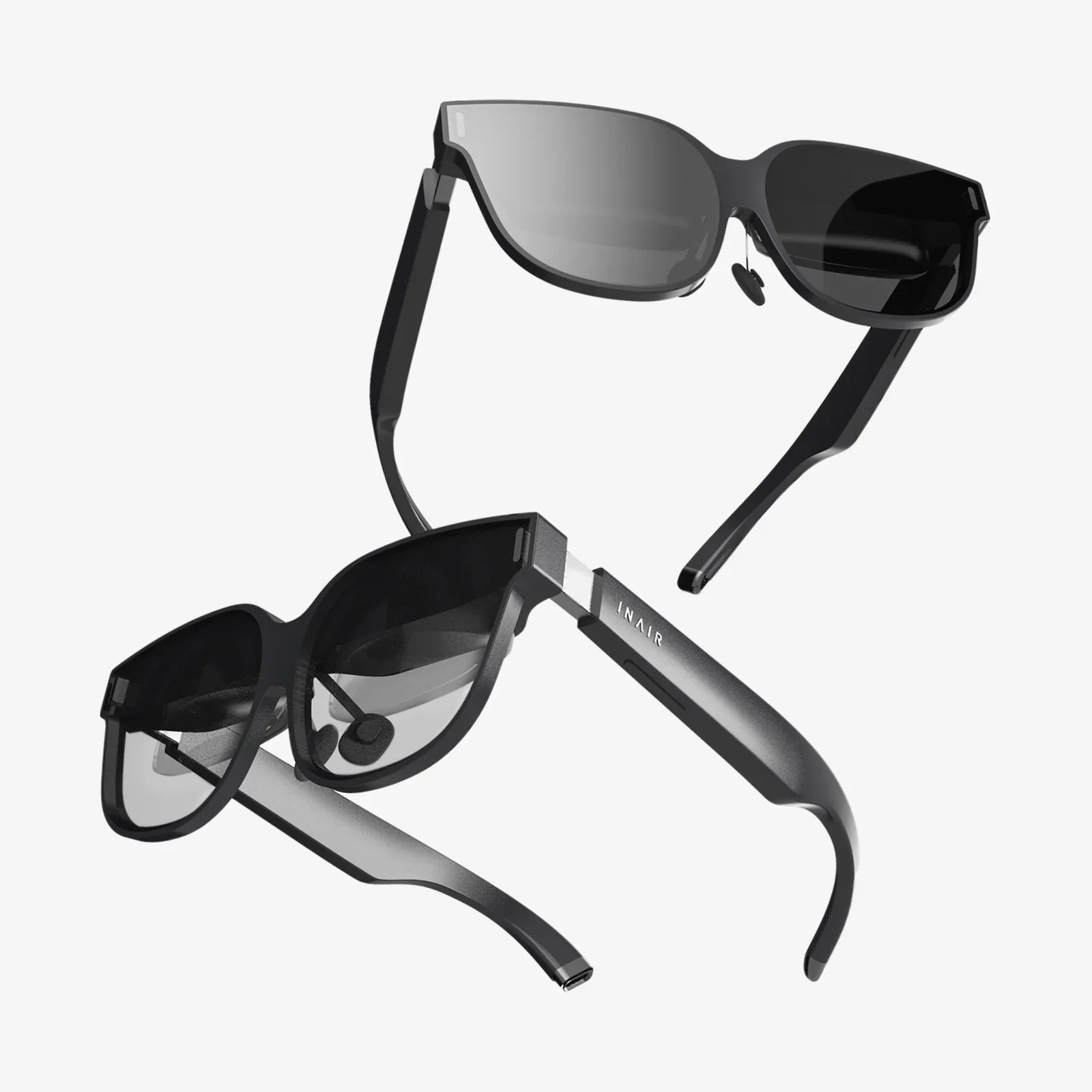
Ar vr developer roles are quietly becoming some of the most sought-after jobs in tech, and those who move early are positioning themselves for huge opportunities. If you have ever imagined building immersive worlds, layering digital information onto reality, or shaping how people will learn, work, and play in the next decade, this is the moment to take AR and VR development seriously.
Behind every convincing virtual world or seamless augmented overlay is a developer who understands far more than just code. They blend 3D art, interaction design, human psychology, and performance engineering into experiences that feel natural and unforgettable. Whether you are a beginner exploring your first interactive scene or an experienced engineer considering a pivot, understanding the modern AR VR developer landscape will help you make smarter decisions and build a career that stays relevant as the technology evolves.
What Does an AR VR Developer Actually Do?
At a high level, an AR VR developer designs, builds, tests, and optimizes immersive applications for headsets, mobile devices, and sometimes the web. Their daily work spans multiple disciplines, including programming, 3D content integration, user experience design, and system performance tuning.
Typical responsibilities include:
- Implementing interaction systems such as hand tracking, gaze controls, or controller input.
- Creating or integrating 3D models, animations, and environments.
- Working with spatial mapping and tracking to anchor digital objects in physical space.
- Optimizing rendering pipelines for high frame rates and low latency.
- Prototyping new features and testing them with real users.
- Collaborating with designers, artists, and product stakeholders to refine experiences.
In practice, the role can feel quite different depending on the context. A developer working on an industrial training tool might focus on precise simulations and data integration, while someone building a VR game might spend more time on physics, interaction feel, and narrative flow.
Core Technical Skills Every AR VR Developer Needs
While the ecosystem is broad, a few foundational skills appear across nearly every ar vr developer job description. Mastering these gives you a strong base to build on.
1. Strong Programming Fundamentals
Most immersive applications are built with object-oriented languages and game engines. The specific language matters less than your ability to think clearly about systems, performance, and maintainable code, but a few are especially common:
- C# for engine-based development and rapid prototyping of interactions.
- C++ for performance-critical modules, engine extensions, and native plugins.
- JavaScript or TypeScript for web-based AR/VR frameworks and browser experiences.
Key programming concepts that matter in AR and VR include:
- Event-driven architectures and input handling.
- Memory management and optimization for constrained devices.
- Multithreading and asynchronous operations to keep experiences smooth.
- Math for 3D transformations, vector operations, and quaternions.
2. 3D Math and Spatial Reasoning
Immersive development is fundamentally spatial. As an ar vr developer, you will constantly work with positions, rotations, scales, and coordinate systems. Understanding the underlying math helps you debug issues quickly and design more sophisticated interactions.
Important concepts include:
- Vectors and vector operations (dot product, cross product, normalization).
- Matrices and transformations for moving objects in space.
- Quaternions for smooth, gimbal-lock-free rotations.
- Raycasting for selecting, grabbing, and interacting with objects.
- Collision detection and basic physics principles.
3. Familiarity with Game Engines and Frameworks
Most AR and VR applications are built on top of real-time engines. These engines handle rendering, physics, input, and scene management, letting you focus on higher-level interactions and logic.
As a developer, you should be comfortable with:
- Scene hierarchies, prefabs, and asset management.
- Lighting, materials, and shaders at a conceptual level.
- Animation systems and state machines.
- Build pipelines for different platforms (mobile, desktop, standalone headsets).
Even if you later specialize in one engine, understanding how engines are structured generally will help you adapt to new tools as the ecosystem changes.
4. Understanding of 3D Assets and Pipelines
While you do not need to be a professional 3D artist, you must know how to work with 3D assets. This includes importing models, configuring materials, and ensuring assets are optimized for real-time rendering.
Key topics include:
- Common file formats such as FBX, OBJ, and glTF.
- Polygon counts and level of detail strategies.
- Texture resolution, compression, and atlasing.
- Rigging and animation basics for characters and objects.
The more you understand about the asset pipeline, the better you can collaborate with artists and avoid performance bottlenecks caused by heavy or poorly structured content.
5. Performance Optimization and Comfort
Unlike traditional apps, performance issues in AR and VR do not just look bad; they can make users physically uncomfortable. Low frame rates, tracking jitter, or latency can cause motion sickness and break immersion.
Essential performance considerations include:
- Maintaining high and stable frame rates appropriate to the device.
- Reducing draw calls with batching and instancing.
- Using level of detail models and culling techniques.
- Profiling CPU and GPU usage and eliminating bottlenecks.
- Minimizing input-to-photon latency.
Comfort also extends to interaction design: avoiding sudden camera movements, controlling acceleration, and giving users clear spatial cues.
Key Differences Between AR and VR Development
AR and VR share many tools and techniques, but the constraints and design priorities differ significantly. Understanding these differences helps you choose where to focus and how to approach each type of project.
Virtual Reality (VR)
VR places users inside a fully digital environment. The developer has almost total control over what the user sees and hears, but must ensure the virtual world behaves in ways that feel plausible and comfortable.
Unique VR considerations include:
- Locomotion systems: teleportation, smooth movement, arm-swing, and room-scale navigation.
- Embodiment: representing the user’s hands and body convincingly.
- Presence: convincing the user that the virtual world is coherent and responsive.
- Interaction feel: physics and haptic feedback that match user expectations.
VR is especially powerful for gaming, training simulations, therapy, and collaborative virtual workspaces.
Augmented Reality (AR)
AR overlays digital content onto the real world. Instead of replacing reality, it enhances it. This makes AR development uniquely challenging, because you must account for unpredictable environments, lighting conditions, and user movement.
Key AR-specific challenges include:
- Tracking and anchoring: keeping virtual objects locked to real-world surfaces or locations.
- Occlusion: determining when real objects should appear in front of or behind virtual ones.
- Environmental understanding: detecting planes, meshes, and sometimes semantics of the environment.
- Device variety: supporting phones, tablets, and head-worn displays with different capabilities.
AR shines in navigation, retail visualization, industrial maintenance, education, and context-aware information overlays.
Essential Tools and Platforms for AR VR Developers
Because the ecosystem evolves quickly, it is more important to understand tool categories and workflows than to memorize specific version numbers or niche utilities. A modern ar vr developer typically works with several layers of tools.
1. Engines and Frameworks
Engines provide the foundation for rendering, input, physics, and asset management. On top of these, AR and VR frameworks handle device-specific details like tracking, hand input, and platform integration.
When evaluating engines and frameworks, consider:
- Supported platforms (standalone headsets, mobile AR, desktop VR, web).
- Community size and learning resources.
- Performance characteristics and debugging tools.
- Licensing terms and long-term viability.
2. 3D Content Creation Tools
Even if you are not an artist, you will often touch 3D tools to tweak assets, adjust pivots, or fix minor issues. Common categories include:
- Modeling and sculpting tools for creating meshes.
- Texturing and material authoring tools for realistic surfaces.
- Rigging and animation tools for characters and complex objects.
Learning the basics of these tools helps you understand asset limitations and communicate more effectively with artists.
3. Collaboration and Version Control
AR and VR projects tend to involve large binary assets and multidisciplinary teams. As an ar vr developer, you should be comfortable with:
- Version control systems for managing code and assets.
- Branching strategies that support parallel feature development.
- Project organization practices that keep scenes, prefabs, and scripts manageable.
Immersive projects can become chaotic quickly without clear structure, so good collaboration habits are a competitive advantage.
4. Testing and Profiling Tools
Performance and comfort are so critical that robust testing is non-negotiable. You will likely use:
- Device-specific profiling tools to measure frame times and resource usage.
- Logging and crash reporting systems tuned for immersive apps.
- Automated build systems that target multiple devices and configurations.
Building a feedback loop that includes both technical metrics and user observations leads to more polished experiences.
Design Principles Every AR VR Developer Should Know
Technical skill alone is not enough to build compelling immersive experiences. The best developers internalize core design principles that shape how users perceive and interact with their creations.
1. Presence and Immersion
Presence is the feeling of “being there” in a virtual or augmented environment. It emerges from a combination of visual fidelity, interaction responsiveness, audio design, and narrative coherence.
To support presence, consider:
- Consistent physics and interaction rules.
- High-quality spatial audio that matches the environment.
- Responsive feedback for every user action.
- Minimizing visual breaks such as clipping or jitter.
2. Comfort and Safety
Comfort is not just about avoiding nausea. It also includes avoiding cognitive overload, visual clutter, and confusing interactions.
Practical tips include:
- Reducing or eliminating forced camera movement.
- Providing rest frames or stable references in the environment.
- Allowing users to control their movement and pace.
- Designing interfaces that are readable and reachable without strain.
3. Natural Interactions
One of the biggest advantages of AR and VR is the ability to use natural gestures and spatial interactions instead of flat screens and buttons. An ar vr developer should think beyond traditional UI patterns.
Examples of natural interactions include:
- Grabbing and manipulating objects with hands or controllers.
- Using gaze or head direction to target UI elements.
- Employing voice commands for complex or hands-busy tasks.
- Leveraging proximity and body position as input.
However, natural does not always mean obvious. Users may need subtle cues, tutorials, or affordances to understand what is possible.
4. Spatial User Interface Design
Traditional 2D interface patterns do not always translate well to 3D space. Menus, buttons, and panels must be placed where they are comfortable to reach and easy to read, without cluttering the user’s view.
Guidelines for spatial UI include:
- Positioning UI elements at comfortable viewing distances.
- Using depth and layering to separate foreground and background information.
- Keeping text sizes large enough for the target device resolution.
- Anchoring critical UI elements to the user or to stable world references.
Common AR VR Developer Workflows
Although every project is unique, most ar vr developer workflows follow a similar pattern. Understanding this lifecycle helps you plan your time and communicate with collaborators.
1. Ideation and Concept Validation
In the early stages, you define the problem, audience, and core interaction. You might sketch storyboards, write user scenarios, or build quick prototypes to test feasibility.
Questions to ask include:
- Why does this need to be AR or VR instead of a traditional app?
- What is the core interaction that makes this experience valuable?
- Who is the target user, and what constraints do they have?
2. Rapid Prototyping
Immersive experiences are hard to evaluate on paper. Prototyping quickly in an engine lets you test scale, interaction feel, and comfort early.
Prototype goals might include:
- Testing locomotion options for comfort and usability.
- Experimenting with different interaction metaphors.
- Validating that tracking and performance meet requirements.
3. Production and Content Integration
Once the core is validated, production ramps up. Developers, artists, and designers collaborate to build content, implement systems, and refine interactions.
Key activities:
- Creating reusable systems for input, UI, and interaction.
- Integrating 3D assets and optimizing them for performance.
- Implementing gameplay, training flows, or task sequences.
- Setting up analytics and logging where appropriate.
4. Testing, Optimization, and Polishing
As the project matures, testing moves from internal checks to user studies and broader device coverage. This is where subtle issues emerge, from motion sickness triggers to confusing interaction flows.
Focus areas include:
- Performance profiling on target hardware.
- Interaction tuning based on user feedback.
- Accessibility adjustments for different user needs.
- Stability and error-handling in edge cases.
Career Paths and Specializations for AR VR Developers
The ar vr developer label covers a wide range of roles. As the industry matures, specialization is becoming more common, and understanding these paths can help you position yourself strategically.
1. Immersive Gameplay or Interaction Developer
This role focuses on the feel of interactions and the moment-to-moment user experience. Responsibilities often include:
- Designing and implementing interaction systems.
- Working closely with designers to prototype new mechanics.
- Tuning physics, feedback, and timing for responsiveness.
It is a good fit if you enjoy seeing your code directly translate into user behavior and emotional reactions.
2. XR Systems and Tools Engineer
Systems engineers create the underlying infrastructure that other developers build on. They focus on:
- Core frameworks for input, networking, or spatial mapping.
- Performance-critical modules and engine extensions.
- Internal tools that speed up content creation and testing.
This path suits those who like solving deep technical problems and working closer to the hardware or engine internals.
3. AR VR UX and Prototyping Developer
Some developers specialize in early-stage exploration and user experience. They might:
- Build quick prototypes to validate concepts.
- Run user tests and interpret qualitative feedback.
- Collaborate closely with designers and researchers.
This role blends design and development and is ideal if you enjoy experimentation and iteration.
4. Enterprise and Industrial AR Developer
Beyond entertainment, many organizations use AR for training, maintenance, and data visualization. Developers in this space often:
- Integrate AR systems with existing enterprise software.
- Design workflows for technicians, operators, or field workers.
- Focus on reliability, security, and multi-device deployments.
This path is attractive if you want to work on practical, high-impact applications that directly affect productivity and safety.
How to Become an AR VR Developer: A Practical Roadmap
If you are starting from scratch or transitioning from another tech role, it can be hard to know where to begin. The following roadmap offers a structured approach.
Step 1: Strengthen Programming Foundations
Before diving deep into immersive tech, ensure you are comfortable with at least one modern programming language. Practice building small, interactive applications and learn core concepts like:
- Object-oriented design and patterns.
- Data structures and algorithms relevant to real-time systems.
- Debugging and profiling techniques.
Step 2: Learn a Real-Time Engine
Pick a widely used engine and commit to building several small projects. Focus on:
- Understanding the editor, scene system, and component model.
- Implementing basic interactions and UI.
- Importing and configuring 3D assets.
Step 3: Build Simple AR and VR Prototypes
Start with small, focused experiences rather than ambitious full applications. Examples include:
- A VR scene where you can grab and throw objects.
- An AR app that places furniture in your room and lets you resize it.
- A spatial menu system you can open and close with a gesture.
Each prototype should teach you something specific about tracking, interaction, or performance.
Step 4: Study Interaction and UX Patterns
Spend time using existing AR and VR apps critically. Ask yourself:
- How do they handle locomotion, selection, and manipulation?
- What makes them comfortable or uncomfortable?
- How do they introduce new users to their interaction models?
Try to recreate specific interaction patterns in your own projects to deepen your understanding.
Step 5: Build a Portfolio of Focused Projects
Employers and clients want to see what you can ship. A strong ar vr developer portfolio might include:
- A polished VR interaction demo with clear objectives and feedback.
- An AR utility app that solves a real problem, even if simple.
- A technical prototype showcasing a complex feature such as multiplayer or advanced tracking.
Document your work with videos, short write-ups, and source code where possible.
Step 6: Engage with the Community and Stay Current
Immersive technology changes quickly. To stay relevant:
- Follow developer blogs, talks, and technical papers.
- Participate in online communities focused on AR and VR.
- Join game jams or hackathons centered on immersive experiences.
Networking with other developers often leads to collaboration, feedback, and job opportunities.
Challenges AR VR Developers Face and How to Overcome Them
While the field is exciting, it is not without challenges. Being aware of them helps you plan your learning path and avoid frustration.
1. Rapidly Evolving Hardware and Platforms
Headsets, sensors, and AR-capable devices change quickly, and platform requirements can shift. To adapt:
- Focus on transferable skills like 3D math, interaction design, and optimization.
- Abstract platform-specific code where possible.
- Regularly update test devices and stay informed about deprecations.
2. Limited Best Practices and Standards
Compared to web or mobile development, AR and VR have fewer established patterns. You will often need to invent or adapt solutions.
To handle this:
- Prototype and test frequently with real users.
- Document what works and share knowledge with peers.
- Study successful apps and reverse-engineer their design choices.
3. Performance Constraints
Even as hardware improves, immersive applications remain demanding. Rendering high-resolution scenes at high frame rates requires careful engineering.
Strategies include:
- Designing for simplicity and clarity rather than visual excess.
- Profiling early and often instead of waiting until the end.
- Collaborating closely with artists to balance quality and performance.
4. Accessibility and Inclusivity
Not all users can or want to use headsets for long periods, and not all interaction methods are equally accessible. Thoughtful ar vr developer work includes:
- Offering multiple input modes where feasible.
- Providing comfort settings such as different locomotion options.
- Designing for different body sizes, abilities, and environments.
The Future of AR VR Development and Why It Matters Now
It is easy to dismiss immersive technology as a niche, but the momentum behind AR and VR is steadily growing. Enterprises are investing in training and remote collaboration, educators are experimenting with virtual classrooms, and creative studios are pushing the boundaries of storytelling and art. As more devices become lighter, more affordable, and more capable, demand for skilled ar vr developers will only increase.
By learning how to build convincing virtual worlds and meaningful augmented experiences today, you position yourself at the front of a wave that will reshape how people interact with information and each other. Whether you want to craft unforgettable games, solve real-world industrial problems, or pioneer new forms of communication, the skills you cultivate in AR and VR will make you valuable in ways that traditional development alone cannot match. The next generation of immersive experiences is being built right now, and the question is not whether there will be demand for ar vr developer talent, but whether you will be ready to claim your place in that future.
Aktie:
Projector Lens Glass: The Hidden Key to Stunning Visual Clarity
Computer Monitor Glasses: Essential Guide To Protecting Your Eyes At The Screen