


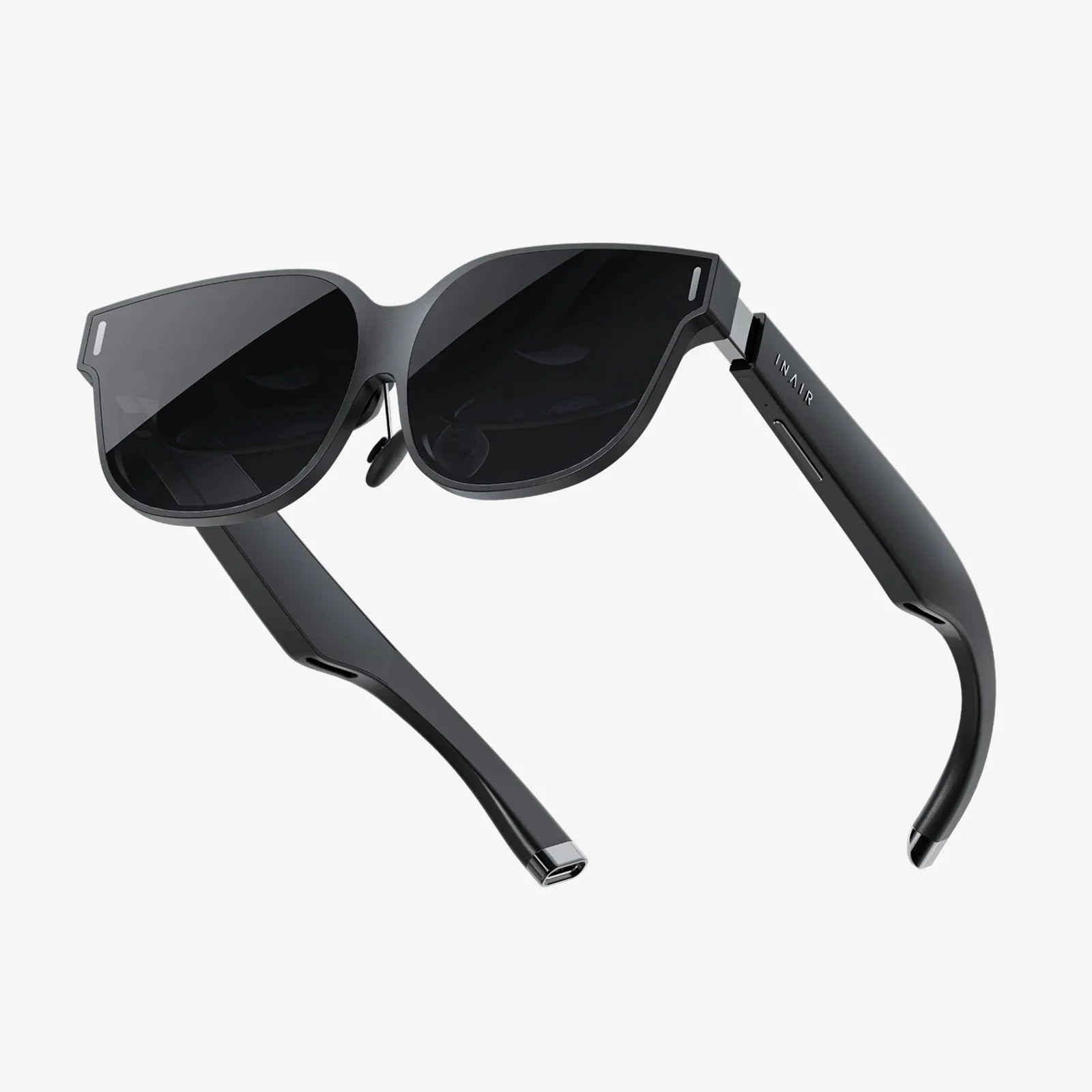
Augmented reality goggles are no longer just science fiction props; they are fast becoming the next big gateway to a blended digital and physical world. Imagine walking into a room where directions, data, and interactive 3D objects appear naturally in your field of view, responding to your gaze and gestures as if they truly exist in front of you. These devices promise to transform how we work, learn, play, and connect, and the race to define what that future looks like has already begun.
At their core, augmented reality goggles overlay digital information onto the real world, creating a mixed experience that keeps you grounded in your environment while enriching it with context and interactivity. Unlike traditional screens that demand your full attention and block out your surroundings, these goggles aim to make information feel like a seamless part of your everyday life. Understanding how they work, where they are useful, and what limitations they still face is essential for anyone curious about the next evolution of personal and professional computing.
What Are Augmented Reality Goggles?
Augmented reality goggles are wearable devices that project or display digital content into your field of vision while allowing you to see the real world. They differ from virtual reality headsets, which fully immerse you in a digital environment and typically block out your surroundings. With augmented reality, the physical world remains the stage; digital elements are simply layered on top of it.
Most augmented reality goggles are worn like glasses or a visor and include sensors, cameras, and small displays or waveguides that place images in front of your eyes. These devices track your head position, the direction of your gaze, and often your hand movements, enabling interaction with virtual objects as if they were physically present. The goal is to make digital content feel anchored to your environment rather than floating randomly in space.
Because they can keep users aware of their surroundings, augmented reality goggles are especially suited to tasks where real-world context matters: field maintenance, surgery, warehouse logistics, education, and collaborative design, to name just a few. They are not just another screen; they are an attempt to redefine how we perceive and engage with information.
Key Technologies Behind Augmented Reality Goggles
To understand the potential and limitations of augmented reality goggles, it helps to break down the major technologies that make them work. Each component contributes to how natural, accurate, and comfortable the experience feels.
Optics and Displays
The optical system is the heart of any augmented reality goggle. Common approaches include:
- Waveguide displays: Transparent layers within the lens that guide light from tiny projectors into your eyes, creating the illusion of images floating in front of you.
- Projection-based systems: Miniature projectors that reflect images off semi-transparent mirrors or lenses into your eyes.
- Microdisplays: Small screens placed near the eye, combined with lenses that focus the image at a comfortable distance.
The quality of the optics determines how bright, sharp, and realistic digital content appears. Field of view, or how much of your vision the augmentation covers, is particularly important. A narrow field of view can make virtual objects feel like they are constrained to a small window, while a wider field of view allows for more immersive overlays.
Tracking and Sensors
Augmented reality goggles must know exactly where you are looking and how you are moving in order to anchor digital content convincingly to the real world. To achieve this, they typically include:
- Inside-out tracking cameras that map the environment and track the movement of the headset in real time.
- Inertial measurement units (IMUs) that combine accelerometers and gyroscopes to sense motion and orientation.
- Depth sensors that detect surfaces and distances, enabling virtual objects to be placed on tables, floors, or walls with realistic occlusion.
- Eye tracking in more advanced models, which can determine exactly where your gaze is focused, improving interaction and rendering efficiency.
Accurate tracking is critical. If virtual objects appear to drift or lag behind your movements, the illusion breaks and discomfort can set in quickly.
Computing Power and Connectivity
Rendering 3D graphics, processing sensor data, and maintaining real-time tracking require significant computing power. Some augmented reality goggles house processors directly in the headset, while others offload heavy computation to a tethered device or to the cloud.
Connectivity also plays a major role. Wireless links to smartphones, computers, or remote servers enable more complex applications and multi-user experiences. Low-latency connections are essential to avoid delays that can cause motion sickness or break immersion.
User Input and Interaction
Interaction methods are a defining characteristic of augmented reality goggles. Common input techniques include:
- Hand and gesture tracking: Cameras detect your hands and interpret gestures like pinching, tapping, or grabbing to manipulate virtual objects.
- Voice commands: Built-in microphones allow you to control interfaces or trigger actions using natural speech.
- Gaze-based interaction: Eye tracking enables you to select or highlight objects simply by looking at them.
- Physical controllers or clickers: Some systems use handheld devices for precise input, particularly in professional settings.
The most successful augmented reality goggles will likely be those that make interaction feel intuitive and effortless, minimizing the learning curve for new users.
How Augmented Reality Goggles Differ From Other XR Devices
Augmented reality goggles are part of a broader family of technologies often referred to as extended reality, or XR. Understanding where they sit relative to other devices helps clarify their unique strengths.
- Virtual Reality (VR): Fully immerses you in a digital environment, blocking out the real world. Ideal for simulations and gaming but less suitable for tasks that require awareness of your surroundings.
- Mixed Reality (MR): Often used interchangeably with augmented reality, though some definitions reserve it for experiences where digital objects interact more realistically with the physical environment.
- Smart Glasses: Lightweight eyewear that can display basic information, such as notifications or simple overlays, but may not support full 3D augmented reality.
Augmented reality goggles typically aim for a richer, more interactive experience than simple smart glasses while still preserving your connection to the real world, unlike most virtual reality headsets.
Major Use Cases Transforming Industries
The promise of augmented reality goggles becomes most apparent when you look at how they are being applied across different sectors. Their ability to deliver context-aware, hands-free information is reshaping workflows and experiences in ways that traditional screens cannot easily match.
Workplace and Industrial Applications
In industrial settings, augmented reality goggles can act as intelligent assistants. Technicians can see step-by-step instructions overlaid directly onto machinery, reducing errors and speeding up complex repairs. Instead of flipping through manuals, they can follow visual cues that highlight the exact components to inspect or replace.
Remote collaboration is another powerful use case. An expert in a different location can see what a worker sees through the goggles and annotate the real-world view with arrows, highlights, or text. This reduces travel costs and enables faster problem resolution, especially in remote or hazardous environments.
In manufacturing and logistics, workers can use augmented reality goggles for pick-and-place operations, inventory management, and quality control. Visual indicators can guide them to the correct items, show optimal paths through warehouses, and flag potential defects in real time.
Healthcare and Medical Training
Healthcare is emerging as one of the most promising fields for augmented reality goggles. Surgeons can overlay imaging data, such as scans or 3D models, onto the patient during procedures, enhancing precision and reducing the need to look away at separate monitors. This heads-up approach can improve focus and potentially reduce errors.
Medical training can also be transformed. Students can observe procedures through the perspective of experienced practitioners wearing augmented reality goggles, complete with annotations and labels that explain each step. They can also practice on virtual models that respond realistically to their actions, gaining experience without risk to real patients.
Beyond hospitals, augmented reality goggles can support telemedicine and home care. Healthcare professionals can guide patients through exercises or monitor their environment, while patients receive clear visual instructions for treatments or medication schedules.
Education and Learning
Augmented reality goggles have the potential to make learning more immersive and engaging. Instead of reading about historical events or scientific concepts, students can see them unfold around them. A history lesson might place learners in a reconstructed ancient city, while a biology class could allow them to explore a 3D model of the human body layered over their classroom.
Interactive, spatial learning experiences can help students better understand complex concepts by visualizing them in context. Teachers can adapt lessons on the fly, highlighting key elements or posing challenges that encourage exploration and collaboration. The technology also supports differentiated learning, allowing each student to explore at their own pace while still participating in shared experiences.
Design, Architecture, and Engineering
For designers, architects, and engineers, augmented reality goggles provide a way to bring digital models into the real world at true scale. Instead of viewing a building or product on a flat screen, teams can walk around a full-size virtual prototype, inspect details, and evaluate how it fits into actual spaces.
This spatial understanding can reveal issues that might be missed in traditional design reviews, such as sightlines, ergonomics, or spatial conflicts. Changes can be made collaboratively, with stakeholders from different disciplines seeing and discussing the same augmented model in real time.
Client presentations also benefit. Rather than relying on static renderings, clients can experience designs as if they already exist, making feedback more concrete and reducing misunderstandings that lead to costly revisions.
Gaming and Entertainment
Gaming is often the first thing people think of when they imagine augmented reality goggles, and with good reason. Location-based and room-scale experiences can turn your living space or neighborhood into an interactive playground. Virtual characters can appear in your home, and game elements can be tied to real-world objects and locations.
Because augmented reality keeps players aware of their surroundings, it opens up possibilities for social experiences where multiple people share the same space and see the same virtual content. Cooperative puzzle solving, competitive sports overlays, and narrative experiences that unfold in familiar environments are just a few examples.
Beyond games, entertainment experiences such as interactive theater, concerts, and live events can be enhanced with augmented overlays that add narrative layers, visual effects, or real-time information, all synchronized with the physical performance.
Retail, Tourism, and Everyday Life
Augmented reality goggles can change how people shop and explore the world. In retail environments, customers might see product information, reviews, or customization options appear next to items on shelves. They could visualize how furniture looks in their home or how clothing fits their body before making a purchase.
In tourism, augmented reality goggles can act as intelligent guides. As you walk through a city, historical facts, directions, and recommendations can appear in context around you. Landmarks can be reconstructed as they looked in the past, and museum exhibits can come to life with animations and interactive content.
Even everyday tasks can benefit. Navigation overlays can guide you through busy streets, recipe instructions can appear in your kitchen as you cook, and home improvement projects can be planned with virtual models that show exactly where to drill, cut, or place new fixtures.
Benefits of Augmented Reality Goggles
The growing interest in augmented reality goggles is driven by several key advantages they offer over traditional screens and interfaces.
Hands-Free Access to Information
One of the most significant benefits is the ability to access information without using your hands. For professionals who need to interact with equipment, tools, or patients, this is invaluable. Instructions, data, and communications can remain visible while both hands are free to perform tasks.
Context-Aware Guidance
Because augmented reality goggles understand your environment, they can deliver information that is directly relevant to what you are looking at. This context-aware guidance reduces cognitive load, shortens learning curves, and helps prevent mistakes. Instead of interpreting abstract instructions, users see exactly what they need to do in their actual surroundings.
Improved Collaboration
Shared augmented environments enable new forms of collaboration. Team members in different locations can see the same virtual objects aligned with the real world, discuss changes, and annotate in real time. This can accelerate decision-making and reduce the need for travel, especially in specialized fields where expert input is critical.
Enhanced Training and Skill Development
Training experiences built for augmented reality goggles can be more engaging and effective than traditional methods. Trainees can practice procedures in realistic scenarios, receive immediate feedback, and repeat tasks until they achieve proficiency. The ability to overlay guidance and simulations onto real equipment further bridges the gap between training and actual work.
Potential for Reduced Screen Fatigue
While augmented reality goggles still rely on displays, they offer alternatives to staring at small, close-up screens for extended periods. By placing digital content at more natural focal distances and integrating it with the real world, they may reduce some types of eye strain and improve posture compared to constantly looking down at phones or laptops.
Challenges and Limitations
Despite their promise, augmented reality goggles face significant challenges that must be addressed before they can become truly mainstream. Understanding these limitations is essential for setting realistic expectations.
Comfort, Design, and Ergonomics
Wearing a device on your face for long periods can be uncomfortable, especially if it is heavy or poorly balanced. Heat, pressure points, and limited adjustability can quickly lead to fatigue. Designing goggles that are powerful yet lightweight and stylish enough for everyday use remains a major engineering and design challenge.
Battery Life and Performance
High-quality augmented reality requires substantial processing power, which in turn consumes energy. Balancing performance with battery life is difficult, particularly in compact form factors. Users expect all-day or at least multi-hour use, but many current devices struggle to deliver this without compromises in brightness, graphics, or connectivity.
Visual Quality and Field of View
Creating bright, high-resolution images that remain clear in different lighting conditions is technically demanding. Outdoor use in direct sunlight is especially challenging. In addition, many current augmented reality goggles have a relatively narrow field of view, which can make digital content feel constrained and less immersive.
Usability and Learning Curve
New interaction paradigms such as gesture and gaze control can feel unfamiliar at first. If interfaces are not carefully designed, users may find them frustrating or unintuitive. For the technology to reach a broad audience, it must become as easy and natural to use as smartphones have become.
Privacy and Security Concerns
Augmented reality goggles often include cameras and microphones that continuously capture the environment. This raises serious privacy concerns for both users and bystanders. People may not want to be recorded in public or private spaces, and organizations must consider how to manage and secure the data collected by these devices.
There are also cybersecurity risks. If a device is compromised, attackers could potentially see what the user sees, access sensitive information, or manipulate overlays in harmful ways. Robust security measures and clear policies are essential for building trust.
Social Acceptance and Etiquette
Wearing visible technology on your face changes social dynamics. Others may feel uncomfortable not knowing whether they are being recorded or whether the wearer is fully paying attention. Social norms and etiquette around augmented reality goggles are still evolving, and widespread adoption will depend in part on how these concerns are addressed.
Choosing Augmented Reality Goggles: What to Consider
If you are evaluating augmented reality goggles for personal use or for your organization, several factors should guide your decision. Matching the device to your specific needs is more important than chasing the most advanced specifications.
Primary Use Case
Start by clearly defining what you need the goggles for. Are you focusing on industrial workflows, remote collaboration, medical training, design visualization, or entertainment? Different devices are optimized for different scenarios, and a model designed for enterprise use may be overkill for casual home use, or vice versa.
Field of View and Visual Experience
Consider how important a wide field of view and high visual fidelity are for your applications. Tasks that require detailed visualization, such as design and surgery, benefit from better optics and resolution. Simpler workflows, like basic instructions or notifications, may not require the most advanced displays.
Comfort and Fit
Comfort can make or break the user experience, especially in professional settings where people may wear the goggles for hours. Look for adjustable straps, balanced weight distribution, and options for accommodating different head sizes and prescription lenses. Testing the device in realistic conditions is ideal.
Interaction Methods
Evaluate how the device handles input. Are hand gestures, voice commands, or physical controllers supported? Which methods make the most sense for your environment? For example, voice control may be impractical in noisy settings, while gesture recognition might not work well where users wear gloves.
Software Ecosystem and Integration
The value of augmented reality goggles depends heavily on the software that runs on them. Check whether the device supports the applications you need or can integrate with your existing systems. For organizations, developer tools and support for custom applications can be critical factors.
Security, Privacy, and Management
Particularly in enterprise and healthcare settings, security and privacy features matter. Look for options that support device management, data encryption, user authentication, and compliance with relevant regulations. Clear controls for cameras and microphones can help address privacy concerns among employees and clients.
The Future of Augmented Reality Goggles
While current augmented reality goggles already enable impressive experiences, they are still early in their evolution. Several trends suggest how they might develop over the coming years.
Smaller, Lighter, and More Stylish Designs
Advances in optics, batteries, and chip design are expected to produce devices that look and feel more like ordinary glasses. As the technology becomes less conspicuous, social acceptance is likely to grow, and people may feel more comfortable wearing them in public and professional settings.
Improved Visual Fidelity and Natural Interaction
Future goggles are likely to offer wider fields of view, higher resolutions, and better color and brightness. Combined with more precise tracking and eye-based interaction, this should make digital content feel increasingly indistinguishable from physical objects. Interacting with virtual elements may eventually feel as natural as handling real tools.
Deeper Integration With Everyday Computing
Augmented reality goggles may evolve into a primary interface for many computing tasks, replacing or complementing phones, tablets, and monitors. Notifications, messaging, browsing, and productivity tools could become spatial experiences that you access anywhere, without needing to pull out a separate device.
Richer Multi-User and Cross-Platform Experiences
As standards mature, it will become easier for multiple people to share the same augmented spaces, regardless of which devices they use. Workflows that span physical and remote participants will feel more natural, and collaborative experiences in education, design, and entertainment will become more common.
Ethical and Regulatory Frameworks
Society will need to develop norms and regulations around the use of augmented reality goggles. Questions about when and where it is appropriate to record, how data is stored and shared, and how to prevent misuse will become increasingly important. Thoughtful policies will help ensure that the technology benefits users without compromising rights or safety.
As augmented reality goggles move from experimental gadgets to everyday tools, they will change not only how we see information but how we see each other and the spaces we share. The potential is enormous: a world where guidance, knowledge, and creativity are always at hand, layered seamlessly over our surroundings. Whether you are planning to adopt them now or simply watching the trend, understanding their capabilities and implications will help you navigate a future in which the line between digital and physical is far more fluid than ever before.
Aktie:
AR Meeting Strategies to Transform Remote Collaboration and Productivity
Smart Spectacles And The Future Of Effortless Everyday Computing