


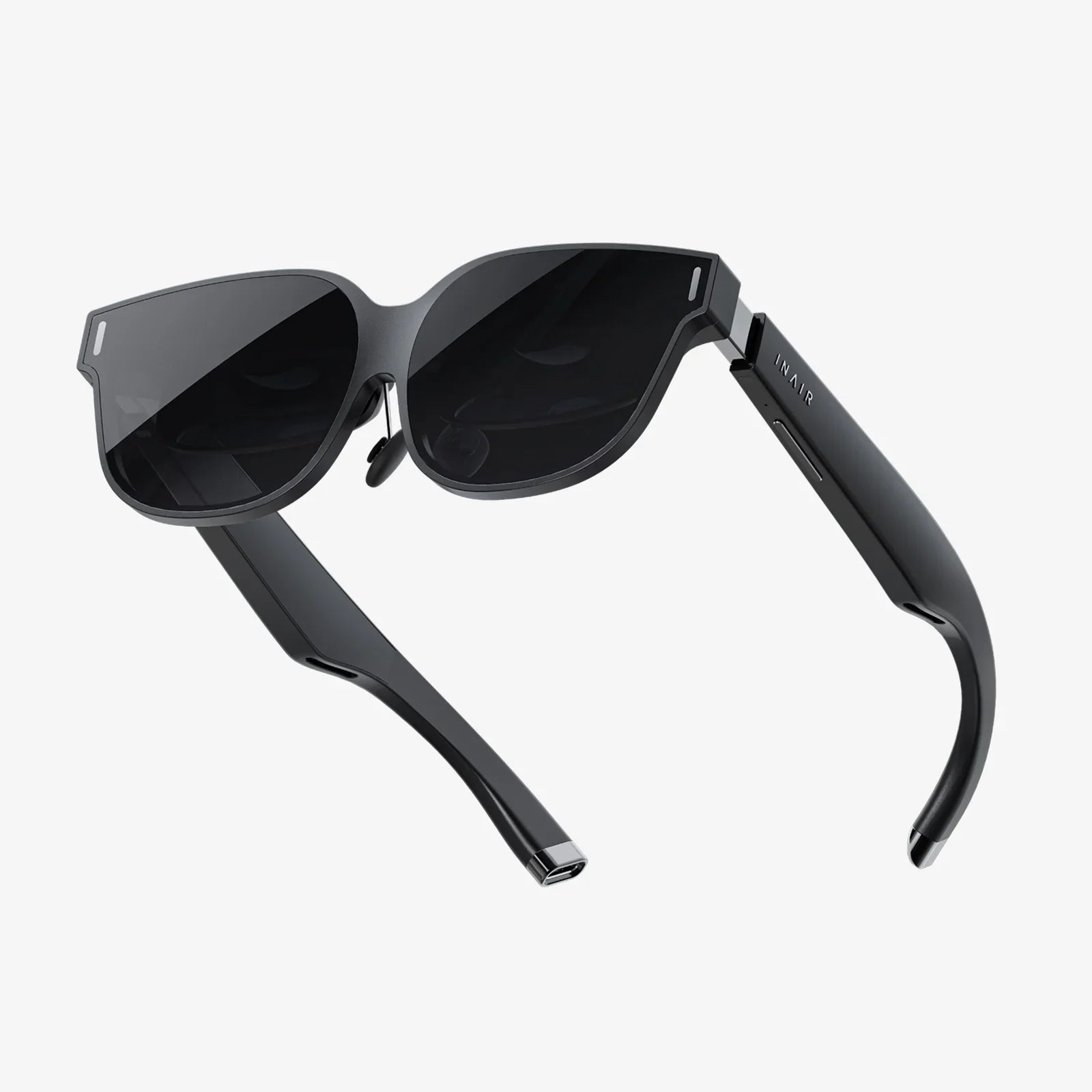
If you have ever dreamed of curling up with a book on a giant, crystal-clear screen that follows you anywhere without straining your eyes, finding the best AR glasses for reading might be the turning point in how you consume text forever. As augmented reality eyewear rapidly improves, more readers are discovering that these lightweight devices can replace bulky monitors, reduce neck strain from phones and laptops, and even make small fonts and complex documents easier to digest for hours at a time.
The challenge is that AR glasses are still a relatively new category, and most are marketed for gaming, entertainment, or industrial use rather than quiet reading sessions. That makes it hard to know which features actually matter when your main goal is to read books, articles, PDFs, or technical documents comfortably and safely. This guide breaks down exactly what to look for, how to compare options, and how to decide whether AR glasses are truly right for your reading habits.
Why AR Glasses Are Becoming a Powerful Reading Tool
AR glasses are no longer just futuristic gadgets for gamers or engineers. For readers, they offer a unique combination of portability, immersion, and ergonomics that traditional screens cannot match. Understanding these advantages will help you evaluate whether investing in AR glasses for reading makes sense for you.
1. A Virtual Big Screen Anywhere
One of the biggest benefits of the best AR glasses for reading is the ability to project a large virtual display in front of your eyes while using only a small, lightweight device. Instead of hunching over a phone or laptop, you can sit back and read text that appears as if it were on a large wall-mounted screen several feet away.
This can dramatically reduce neck and shoulder strain because you are no longer looking down at a device. You maintain a more natural posture while still enjoying large, easy-to-read text. For readers of dense PDFs, research papers, or technical manuals, this virtual big screen effect can be a game changer.
2. Reduced Clutter and Increased Portability
Traditional reading setups often involve multiple devices: a laptop, an e-reader, perhaps an external monitor. AR glasses can replace much of this hardware by acting as a flexible, movable display that pairs with a phone, tablet, or computer. You can carry your entire reading environment in a small case instead of lugging around multiple screens.
For frequent travelers or digital nomads, this means you can have a full-sized reading display in a cramped airplane seat, a hotel room, or a coffee shop without needing any extra desk space.
3. Better Focus and Fewer Distractions
AR glasses can make reading more immersive by placing the text directly in your field of view and dimming or blurring the surrounding environment. While not all models are fully immersive, many are good at helping you concentrate on the content in front of you.
Some readers find that this focused view reduces the temptation to constantly check other apps or devices. When your primary visual field is dominated by the text you are reading, it becomes easier to stay engaged with a book or article for longer periods.
4. Potential Accessibility Benefits
For people with mild visual impairments, AR glasses can offer helpful features such as adjustable text size, enhanced contrast, and the ability to position the virtual screen at an optimal distance. Some setups can also work with screen readers or text-to-speech software, creating a hybrid reading and listening experience.
While AR glasses are not a medical device and cannot replace professional vision care, they can sometimes make reading more comfortable for users who struggle with small screens or poor lighting conditions.
Key Features That Matter for Reading
Choosing the best AR glasses for reading means focusing on a different set of priorities than a gamer or industrial worker might have. Below are the most important features to evaluate, along with why they matter for reading comfort and clarity.
1. Display Resolution and Pixel Density
Text clarity is absolutely critical. Low-resolution displays or visible screen-door effects (where you can see the pixel grid) will make reading tiring and unpleasant. When comparing AR glasses, pay close attention to:
- Per-eye resolution: The higher the resolution, the sharper your text will appear. Look for high-definition or better per eye if you plan to read for long sessions.
- Pixel density: Measured in pixels per degree (PPD) or pixels per inch (PPI), this determines how fine the detail appears. Higher pixel density means smoother fonts and fewer jagged edges.
- Screen-door effect: Some reviews mention whether the pixel grid is noticeable. For reading, you want this effect to be minimal or unnoticeable.
When reading small fonts or dense documents, even small improvements in resolution can make a big difference in comfort.
2. Brightness and Contrast
AR glasses are used in various lighting conditions, from dim rooms to bright offices. For reading, you need a display that is bright enough to remain legible without washing out, and with good contrast so that black text stands out clearly against a light background.
- Brightness: Higher maximum brightness is useful in well-lit environments. However, for long reading sessions, you will often want to turn brightness down to reduce eye strain.
- Contrast ratio: A higher contrast ratio makes text appear crisper and easier to read. This is particularly important for grayscale documents, diagrams, and charts.
- Adjustability: Look for easy brightness controls so you can quickly adapt to different environments.
Some AR glasses also offer different color modes or reading modes that tweak contrast and background tones to be more comfortable on the eyes.
3. Field of View and Virtual Screen Size
The field of view (FOV) describes how large the virtual image appears relative to your natural vision. For reading, a wider FOV generally means you can see more text at once, making it feel more like reading on a large monitor instead of a small window.
- Field of view: A moderate to wide FOV is ideal for reading. Very narrow FOVs can make the text feel boxed in or cramped.
- Virtual screen size: Many AR glasses simulate a screen size measured in inches at a certain distance (for example, a 100-inch screen at several meters). For reading, a medium-sized virtual screen is often more comfortable than an extremely large one, because you want to minimize eye movement and head turning.
- Adjustable screen position: Being able to move, resize, or reposition the virtual screen can help you find a comfortable reading layout.
A well-balanced field of view and screen size will let you see an entire page or a large portion of a document without constant scrolling or head movement.
4. Comfort, Weight, and Fit
Even the sharpest display means little if the glasses are uncomfortable after 20 minutes. Reading often involves long sessions, so comfort is one of the most important criteria for the best AR glasses for reading.
- Weight: Lighter glasses are generally more comfortable, especially for extended use. However, weight distribution matters as much as the total weight.
- Nose pads and temples: Adjustable or soft nose pads can reduce pressure on the bridge of your nose. Flexible temples help ensure a secure but gentle fit.
- Balance: Glasses that are front-heavy can cause fatigue and discomfort. Good models balance the weight across the frame.
- Compatibility with prescription lenses: If you wear prescription glasses, check whether the AR device supports prescription inserts, fits over your existing glasses, or can be used with clip-on solutions.
Because everyone’s head shape and tolerance differ, user reviews that specifically mention comfort during long reading sessions are especially valuable.
5. Eye Strain and Health Considerations
Extended screen time can lead to digital eye strain, and AR glasses are no exception. However, they can sometimes be easier on the eyes than phones or laptops if used correctly. Key factors include:
- Refresh rate: Higher refresh rates generally result in smoother visuals and less flicker, which can reduce fatigue.
- Blue light: Some AR glasses offer blue light reduction modes to make evening reading more comfortable.
- Optical design: Good optical design can reduce distortion and ensure that the image is easy to focus on, minimizing eye strain.
- Adjustable focus or focal distance: Some devices simulate a screen at a fixed distance, often a few feet away. This can be more comfortable than focusing on a phone held close to your face.
Regardless of the device, following healthy habits like the 20-20-20 rule (every 20 minutes, look at something 20 feet away for 20 seconds) can help preserve eye comfort during long reading sessions.
6. Battery Life and Power Options
Reading can easily stretch into multi-hour sessions. The best AR glasses for reading should either have strong battery life or work conveniently with external power sources.
- Built-in battery life: Some glasses have internal batteries that last several hours. For reading, aim for at least a few hours of continuous use.
- Tethered power: Many AR glasses draw power from a connected phone, tablet, or computer via cable. In this case, your reading time depends on the host device’s battery.
- Power-saving modes: Features that dim the display or reduce processing load can extend reading time.
Consider how and where you plan to read most often. If you are usually near a power outlet or using a laptop, tethered solutions may be perfectly fine. For reading on the go, battery life matters more.
7. Connectivity and Compatibility
AR glasses often need a companion device to display content. For reading, compatibility with your preferred reading platforms is crucial.
- Device support: Check whether the glasses support smartphones, tablets, laptops, or dedicated media players.
- Operating systems: Ensure compatibility with your main OS, whether that is Windows, macOS, Android, or others.
- Connection type: Some glasses use wired connections (USB-C, HDMI), while others support wireless casting or streaming. Wired connections tend to be more stable and responsive, which is helpful for scrolling and page turning.
- App ecosystem: Consider whether you can easily access your favorite reading apps, such as ebook readers, PDF viewers, or note-taking tools.
The smoother the integration with your existing reading workflow, the more likely you are to use the AR glasses regularly instead of defaulting back to your phone or laptop screen.
Comparing AR Glasses to Other Reading Devices
Before committing to AR glasses, it helps to understand how they stack up against other common reading tools like e-readers, tablets, and laptops. Each has strengths and weaknesses, and the best choice depends on your priorities.
AR Glasses vs. E-Readers
E-readers with e-ink displays are still the gold standard for eye comfort and battery life. They are lightweight, highly readable in bright light, and can last weeks on a single charge. However, they are limited primarily to reading text and simple images, and they often struggle with complex PDFs or interactive documents.
AR glasses, by contrast, can display any content your host device can show, including rich PDFs, web pages, and multimedia documents. They also offer a larger virtual screen without increasing the physical size of the device.
Choose AR glasses over an e-reader if you:
- Read a lot of PDFs, research papers, or web-based content.
- Need to multitask between reading and other applications.
- Want a large, adjustable virtual screen for mixed reading and productivity.
Stick with an e-reader if your priority is maximum eye comfort for traditional ebooks in simple formats.
AR Glasses vs. Tablets
Tablets are versatile, bright, and familiar. They support almost any reading app and are excellent for colorful content like magazines, comics, and textbooks. However, holding a tablet for long periods can be tiring, and the screen size is fixed.
AR glasses can give you a much larger virtual display without the physical bulk. You can also maintain a more relaxed posture since you do not have to hold the device at a specific angle.
Choose AR glasses over a tablet if you:
- Experience arm or wrist fatigue from holding devices.
- Prefer a large-screen experience without carrying a big device.
- Want to combine reading with other tasks on a laptop or desktop.
Tablets may still be better for highly interactive content and for situations where sharing the screen with someone else is important.
AR Glasses vs. Laptops and External Monitors
Laptops and external monitors are staples of productivity and research work. They offer large screens and full keyboard access, which is ideal for note-taking and writing alongside reading. The downside is that they are less portable and often encourage a hunched posture.
AR glasses can act as a virtual external monitor, letting you keep your laptop on a desk while you recline in a chair or couch. This can be more ergonomic and flexible, especially in small spaces.
AR glasses are particularly appealing if you:
- Already do most of your reading on a laptop.
- Want a bigger or secondary screen without more physical hardware.
- Need to work in environments where setting up a monitor is impractical.
However, if you are sensitive to wearable devices or prefer a traditional desk setup, a good external monitor may still be the simpler solution.
Use Cases Where AR Glasses Shine for Reading
Not every reading scenario benefits equally from AR glasses. Understanding the best use cases will help you decide whether they are a good fit for your habits.
1. Long-Form Reading in Small Spaces
If you live in a small apartment, travel frequently, or work in shared environments, setting up a large monitor might not be practical. AR glasses let you enjoy a big-screen reading experience without occupying physical space.
You can read novels, non-fiction books, or long articles while reclining, sitting at a small table, or riding as a passenger in a vehicle. The virtual screen follows your gaze without needing a physical stand or mount.
2. Research and Academic Reading
Students and researchers often juggle multiple PDFs, note-taking apps, and reference materials at once. AR glasses can provide a large virtual workspace that lets you keep a main document front and center while having notes or reference material nearby.
This can reduce the constant window switching that happens on smaller laptops and make it easier to cross-reference sources. When combined with a keyboard and mouse, AR glasses can turn even a modest laptop into a powerful research station.
3. Technical Manuals and Documentation
Professionals who read technical manuals, engineering drawings, or code documentation can benefit from AR glasses by having detailed content displayed at a comfortable size. Zooming in on diagrams or code while maintaining overall context becomes easier with a large virtual screen.
Some AR setups also allow you to pin multiple windows in your field of view, such as a manual on one side and a live system or coding environment on the other, which can boost productivity.
4. Low-Light or Shared Environments
If you share a room or live with others, AR glasses can let you read comfortably without lighting up the entire space. Since the display is directed toward your eyes, you can keep ambient light low while still seeing the content clearly.
This is ideal for late-night reading when you do not want to disturb a partner or roommate with bright screens or lamps.
5. Accessibility and Visual Assistance
While AR glasses are not a replacement for assistive medical devices, they can sometimes help people who struggle with small text or poor contrast on traditional screens. Being able to enlarge text, adjust contrast, and position the virtual screen at an optimal distance can make reading more accessible.
Some users combine AR glasses with built-in accessibility features on their devices, such as text-to-speech, magnification, or high-contrast modes, to create a customized reading environment that suits their needs.
Practical Tips for Using AR Glasses for Reading
Once you have selected a pair of AR glasses, using them effectively for reading requires a few adjustments. These practical tips can help you get the most out of your new setup.
1. Optimize Text Size and Layout
Even with a sharp display, text that is too small will cause fatigue. Take time to adjust:
- Font size: Increase font size until you can read comfortably without leaning forward or squinting.
- Line spacing: Slightly increased line spacing can make text easier to track.
- Margins: Wider margins can reduce the amount of side-to-side eye movement needed.
- Reading mode: Many apps offer a distraction-free or reader mode that removes clutter and focuses on the text.
Experiment with different combinations to find a layout that feels natural for extended reading sessions.
2. Adjust the Virtual Screen Position
Most AR glasses allow you to move or resize the virtual display. For reading, aim to position the text slightly below your natural line of sight, similar to where you might place a monitor. This reduces neck strain and encourages a relaxed posture.
If you feel tension in your neck or shoulders, try lowering the virtual screen or reducing its size so that you do not need to move your head as much.
3. Manage Brightness and Color Temperature
High brightness can be useful in bright environments but tiring in dim rooms. For comfortable reading:
- Lower brightness in dark environments to avoid glare.
- Use warm color temperatures or night modes in the evening to reduce blue light exposure.
- Consider dark mode or sepia backgrounds if your reading app supports them.
Small adjustments in brightness and color can significantly improve comfort over long sessions.
4. Take Regular Breaks
Even with the best AR glasses for reading, your eyes and body need rest. Build in short breaks to look away from the screen, stretch, and change position. This not only protects your vision but can also improve comprehension and retention.
Many users find it helpful to set a timer or use apps that remind them to take breaks every 30 to 60 minutes.
5. Fine-Tune the Fit
Spend time adjusting the nose pads, temples, and any included straps or supports. A small tweak can make the difference between a device that feels heavy and one that disappears on your face.
If you wear prescription glasses, experiment with different combinations: wearing AR glasses over your frames, using prescription inserts if available, or using contact lenses. The goal is to achieve a clear image without pressure points.
How to Evaluate Options When Shopping
When you are ready to choose the best AR glasses for reading, it helps to approach the decision systematically. Since different models emphasize different strengths, use the following checklist to compare them:
- Display quality: Resolution, pixel density, and user feedback about text clarity.
- Comfort: Weight, balance, and reports of long-session comfort.
- Compatibility: Support for your main devices and reading apps.
- Battery and power: Whether the typical session length matches your reading habits.
- Adjustability: Options to change screen size, position, brightness, and color modes.
- Use-case fit: Whether the glasses are designed more for media consumption, productivity, or industrial use, and how that aligns with your reading needs.
- User reviews: Look specifically for comments about reading, not just gaming or video watching.
Because AR technology is evolving quickly, it is also wise to consider how often you plan to upgrade. Some readers may prefer a mid-range device now and plan to upgrade in a few years, while others may want a more premium model that will stay relevant longer.
Common Misconceptions About AR Glasses for Reading
As with any emerging technology, there are myths and misunderstandings about what AR glasses can and cannot do for reading. Clarifying these can help you set realistic expectations.
“AR glasses are just for games and videos.”
While early marketing focused heavily on entertainment, many users now adopt AR glasses primarily for productivity and reading. The ability to create a large, portable virtual screen is just as valuable for ebooks and PDFs as it is for movies.
“They will replace all my other reading devices.”
In practice, AR glasses often complement rather than fully replace other devices. You might use them for work-related reading and research, while still preferring a traditional e-reader for leisure reading in bright sunlight or at the beach.
“They are guaranteed to reduce eye strain.”
AR glasses can reduce certain types of strain, such as neck and posture-related discomfort, and can be easier on the eyes than small phone screens. However, they are still digital displays, and improper use or excessive sessions without breaks can cause fatigue.
“They are too complicated for everyday reading.”
Early AR setups could be clunky, but newer models are becoming more plug-and-play. Once connected to a familiar device like a phone or laptop, using AR glasses for reading can be as simple as opening your usual reading app and adjusting the virtual screen.
Who Should Consider AR Glasses for Reading?
Not everyone needs AR glasses, but certain readers stand to benefit significantly. You may be a strong candidate if you:
- Spend several hours a day reading digital content for work or study.
- Experience neck or back discomfort from traditional screen setups.
- Live or work in spaces where large physical monitors are impractical.
- Value the idea of a flexible, portable large-screen reading experience.
- Enjoy experimenting with new technology that can enhance productivity.
On the other hand, if most of your reading is casual, short-form content on your phone, or you strongly prefer paper books and dislike wearing devices on your head, AR glasses may feel like unnecessary complexity.
The Future of Reading with AR Glasses
The best AR glasses for reading today are just the beginning of a larger shift in how we interact with text and information. As displays become sharper, devices lighter, and software more reading-focused, AR has the potential to blend the comfort of a large physical library with the flexibility of digital content.
Imagine walking into any room and instantly having a wall of virtual bookshelves, a perfectly sized reading window hovering above your desk, or a research workspace that follows you from home to office to coffee shop. The foundations of that vision already exist in current AR glasses; they simply require thoughtful selection and setup to serve as powerful reading tools.
If you are ready to move beyond cramped phone screens and static monitors, exploring the best AR glasses for reading could open an entirely new chapter in how you absorb information. With the right device and a few smart habits, your next deep dive into a novel, research paper, or technical manual might feel less like staring at a screen and more like stepping into a limitless, portable reading room built just for you.
Aktie:
Best 3D Experience on Glasses: The Complete Practical Guide
How To Make AR Text Sharper For Clearer, More Readable Experiences