


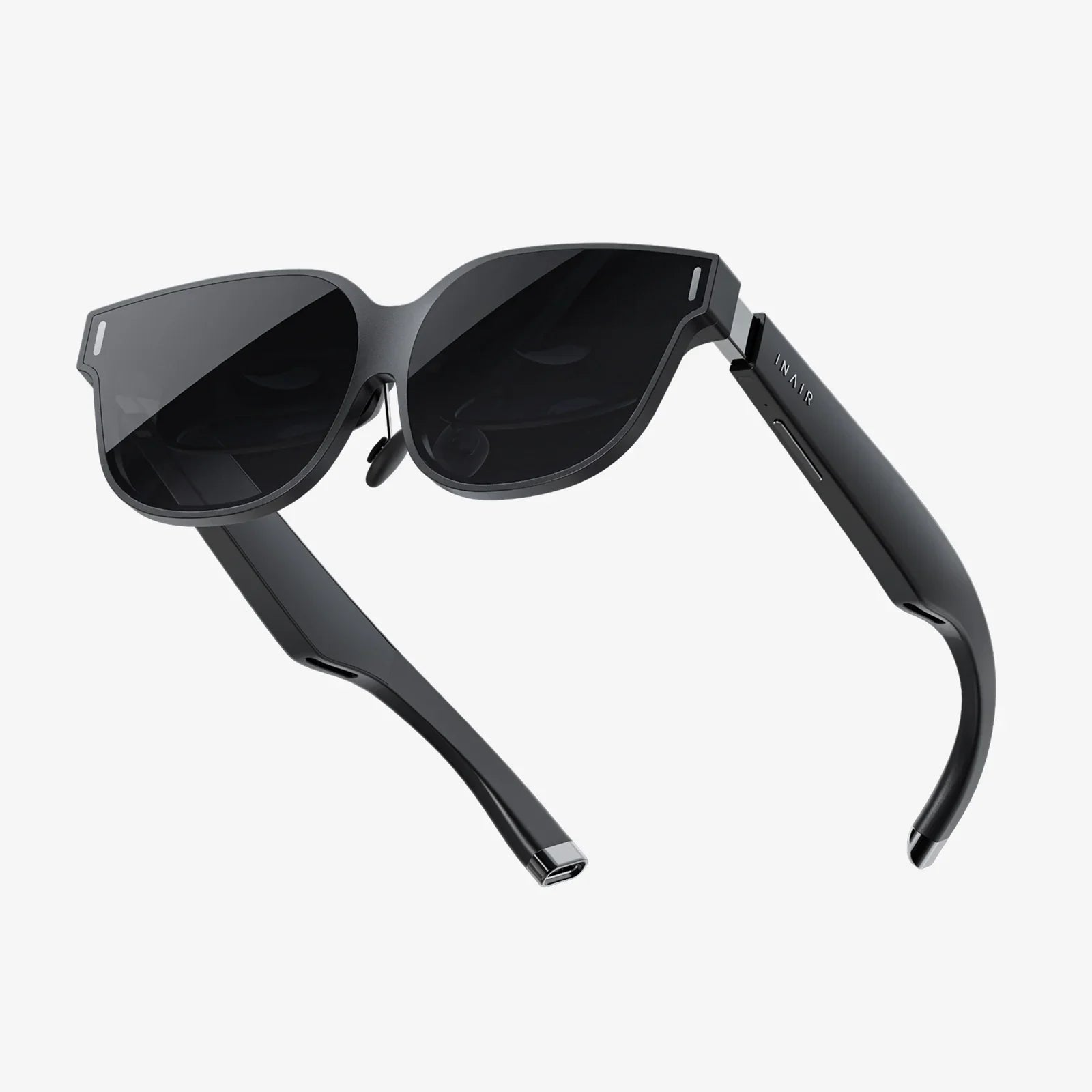
If you have ever wished your computer, phone, or smart devices could understand you as naturally as another person, the best voice command software is the closest thing you can get today. This technology is no longer a futuristic luxury; it is rapidly becoming a daily necessity for people who want to work faster, multitask more effectively, and access their devices without lifting a finger. Whether you are typing all day, juggling tasks while driving, or looking for better accessibility options, voice control can dramatically reshape how you interact with technology and give you a real edge in both productivity and comfort.
Understanding what makes the best voice command software stand out is essential before you commit your time and data to any tool. Under the hood, these platforms rely on powerful speech recognition engines, natural language processing, and machine learning models that constantly improve as they hear more voices and accents. But from a user perspective, what matters most is how accurately the software understands you, how quickly it responds, how well it integrates with your favorite devices and apps, and how easy it is to customize to your work style and daily routines.
What Is Voice Command Software?
Voice command software is a category of applications and systems that allow you to control digital devices and services using spoken language instead of physical input like typing or tapping. These tools listen to your voice through a microphone, convert your speech into text, interpret what you mean, and then trigger the appropriate actions. Common examples include dictating documents, opening applications, searching the web, sending messages, controlling smart home devices, and navigating interfaces without touching a keyboard or screen.
Modern voice command solutions are not limited to basic commands like "open browser" or "play music." They are increasingly capable of understanding natural, conversational instructions such as "Schedule a meeting with the design team next Tuesday at 3 PM" or "Summarize the last email I received." This shift from rigid commands to flexible conversational interaction is one of the reasons these tools are becoming so valuable in both personal and professional environments.
Core Technologies Behind the Best Voice Command Software
To appreciate why some tools feel smarter and more reliable than others, it helps to understand the core technologies that power them. The best voice command software typically incorporates several key components:
Automatic Speech Recognition (ASR)
ASR is responsible for transforming the audio of your voice into written text. High-quality ASR systems are trained on massive datasets of speech from different languages, dialects, and accents. The better the training data and underlying models, the more accurately the system can handle background noise, fast speech, and uncommon terminology.
Natural Language Understanding (NLU)
Once your speech has been converted to text, the software needs to interpret what you meant. NLU analyzes the text to identify intent (what you want to do) and entities (names, dates, places, and other details). For example, when you say, "Remind me to call Alex at 5 PM," NLU helps the system understand that you want to create a reminder, that "Alex" is a person, and that "5 PM" is the time.
Context Management and Dialogue
The best voice command software does not treat each command in isolation. Instead, it keeps track of context across multiple interactions. If you say, "Send an email to Sarah," followed by "Tell her I will be late," the system should understand that "her" refers to Sarah and that both commands relate to the same task. This contextual awareness is crucial for natural, multi-step conversations.
Machine Learning and Personalization
Over time, effective voice command tools learn from your behavior. They adapt to your accent, frequently used phrases, and preferred applications. This personalization can significantly improve accuracy and reduce the need to repeat or correct commands. In many cases, the more you use the software, the better it becomes.
Key Features to Look For in the Best Voice Command Software
Not all voice control tools are created equal. When evaluating your options, it is important to focus on the features that will have the greatest impact on your daily experience. Below are some of the most important characteristics to consider.
1. High Accuracy and Low Latency
The single most important factor is how accurately the software understands what you say. Even a small improvement in accuracy can dramatically reduce frustration and increase your willingness to rely on voice input. Look for tools that perform well with your accent, speech speed, and environment. Low latency is equally important; if there is a noticeable lag between speaking and seeing results, you will be less likely to use voice commands consistently.
2. Robust Noise Handling
Many people want to use voice commands in noisy environments such as offices, coffee shops, or while driving. The best voice command software includes advanced noise suppression and echo cancellation, allowing it to distinguish your voice from background sounds. Some tools also support wake words and beamforming with compatible microphones to focus on your voice even when you are not directly in front of the device.
3. Natural Language Flexibility
Rigid command structures can make voice control feel like programming rather than conversation. The better tools allow you to phrase requests in multiple ways and still get the right result. For instance, "Set an alarm for 7 AM," "Wake me up at seven tomorrow," and "Alarm, seven in the morning" should all trigger the same action. This flexibility makes the software feel more intuitive and less demanding.
4. Deep Integration with Apps and Operating Systems
Voice commands are only as useful as the actions they can trigger. Strong integration with your operating system and key applications is essential. Look for software that can:
- Open, close, and switch between applications
- Control system settings like volume, brightness, and network connections
- Compose, edit, and send emails or messages
- Interact with calendars, task managers, and note-taking tools
- Control media playback and manage files
The more tightly integrated the software is with your daily tools, the more value it will deliver.
5. Custom Commands and Macros
Advanced users often want to create their own voice shortcuts for complex workflows. The best voice command software allows you to define custom commands or macros that bundle multiple actions into a single phrase. For example, you might create a command like "Start writing session" that automatically opens your word processor, sets focus to a specific document, enables do-not-disturb mode, and starts a timer.
6. Cross-Device and Cross-Platform Support
Many people use a mix of devices: laptops, smartphones, tablets, smart speakers, and even smart TVs. Ideally, your voice command system should work across these platforms, providing a consistent experience whether you are at your desk, on the couch, or on the go. Consider whether the software supports your primary operating systems and whether it can sync preferences and data between them.
7. Strong Privacy and Security Options
Voice data is sensitive. When you speak to your devices, you may be sharing personal information, work details, or confidential conversations. The best voice command software offers clear privacy controls, including:
- Options to limit or disable cloud storage of voice recordings
- Transparent policies about how data is used and retained
- Local processing options where possible
- Easy ways to review and delete stored voice data
Before committing to any platform, take time to review its privacy practices and decide whether they align with your comfort level and regulatory requirements.
Popular Use Cases for Voice Command Software
Voice command tools are versatile and can enhance many aspects of daily life and work. Understanding common use cases can help you imagine how to apply them in your own routines.
Hands-Free Productivity for Professionals
Professionals who spend long hours at a computer can use voice commands to reduce repetitive typing and navigation. Typical tasks include:
- Dictating emails, reports, and meeting notes
- Launching and switching between productivity apps
- Scheduling meetings and setting reminders
- Searching internal documents or the web by voice
For people dealing with high volumes of written communication, voice dictation can significantly increase output while reducing physical strain.
Accessibility and Inclusive Design
Voice command software is a crucial accessibility tool for individuals with mobility impairments, repetitive strain injuries, or conditions that make traditional input devices challenging. With well-designed voice control, users can operate their computers, phones, and smart devices independently, from navigating interfaces to composing complex documents. This not only improves quality of life but also opens up more opportunities for remote work and online participation.
Driving and On-the-Go Use
Using devices while driving is both dangerous and often illegal without hands-free options. Voice command tools enable drivers to:
- Get navigation directions and traffic updates
- Send and receive messages without touching the phone
- Control music and calls by voice
- Create quick reminders or notes while ideas are fresh
This hands-free control helps maintain focus on the road while still allowing essential communication and information access.
Smart Home and IoT Control
Voice commands are becoming the central interface for smart homes. With compatible devices, users can:
- Adjust lighting, thermostats, and blinds
- Control smart locks and security systems
- Manage entertainment systems and speakers
- Trigger routines that combine multiple actions, such as "Good night" or "Movie time"
As more appliances and home systems become connected, voice control will continue to expand into new areas of daily life.
Creative Workflows and Content Creation
Writers, content creators, and students can leverage voice dictation to capture ideas quickly and avoid the bottleneck of typing speed. Speaking can be faster than typing for many people, especially when brainstorming or drafting early versions of content. Voice commands can also help control creative tools, manage timelines, and search through large libraries of media or notes.
Evaluating and Comparing Voice Command Solutions
Choosing the best voice command software for your needs involves more than just installing the most popular option. A structured evaluation process can help you make a better decision and avoid frustration later.
Step 1: Define Your Primary Goals
Start by clarifying what you want to achieve. Are you focused on:
- Reducing typing and wrist strain?
- Improving multitasking while driving?
- Creating a more accessible computing environment?
- Controlling a smart home setup?
- Boosting productivity in a specific profession, such as law or healthcare?
Your goals will determine which features matter most, such as dictation accuracy, offline support, or integration with specialized software.
Step 2: Check Platform Compatibility
Make a list of the devices and operating systems you use regularly. Ensure that any candidate software supports:
- Your main desktop or laptop operating system
- Your smartphone platform
- Any smart speakers or home devices you own
- Key productivity or industry-specific applications
Compatibility issues can quickly undermine the value of an otherwise powerful tool.
Step 3: Test Real-World Accuracy
Whenever possible, test the software using your own voice, accent, and environment. Prepare a set of typical commands and dictation samples, including:
- Short commands for navigation and control
- Longer dictation passages with punctuation
- Names, technical terms, or jargon you use frequently
- Commands issued in slightly noisy environments
Compare how different tools handle these scenarios. Pay attention not only to raw accuracy but also to how easily you can correct mistakes.
Step 4: Evaluate Ease of Use and Learning Curve
Even highly capable software can be frustrating if it is difficult to set up or requires memorizing complex command structures. Look for:
- Clear onboarding tutorials and documentation
- Intuitive settings and customization options
- Helpful feedback when commands are misunderstood
- Supportive communities, forums, or help centers
The best tools guide you toward effective usage rather than expecting you to figure everything out alone.
Step 5: Consider Cost and Licensing
Voice command software ranges from free, built-in options to premium subscription services. When evaluating cost, consider:
- Whether you pay once or on a recurring basis
- Limits on usage, such as monthly dictation hours
- Access to advanced features like custom commands or industry-specific vocabularies
- Licensing terms for business or team use
In professional settings, the time saved through efficient voice control can easily justify a paid solution, especially if it reduces physical strain or speeds up documentation.
Best Practices for Getting the Most from Voice Command Software
Once you choose a voice command tool, you will get the best results by using it strategically and consistently. The following practices can help you unlock its full potential.
Train the System to Your Voice
Many tools offer optional voice training or personalization steps. Taking the time to read sample passages or correct early mistakes helps the system adapt to your accent and speaking style. Regular use over the first few weeks is especially important, as the software gathers enough data to improve accuracy.
Develop Clear Speaking Habits
While modern systems are resilient, you can improve performance by:
- Speaking clearly and at a steady pace
- Pausing briefly between separate commands
- Using consistent phrasing for frequently repeated tasks
- Learning basic punctuation commands for dictation
With practice, these habits become natural and help reduce misinterpretations.
Start with a Small Set of Core Commands
Instead of trying to control everything by voice immediately, begin with a handful of commands that address your biggest pain points. For example:
- Opening your most-used applications
- Dictating emails and short messages
- Creating reminders and calendar events
- Controlling media playback and volume
As you become comfortable, gradually expand your repertoire and experiment with more advanced features like macros and custom phrases.
Combine Voice with Keyboard and Mouse Efficiently
Voice control does not have to replace other input methods entirely. Many users achieve the best results by combining voice commands with traditional input. For instance, you might dictate the body of an email but use the keyboard for quick corrections and the mouse for precise formatting. Finding the right balance for your workflow is key.
Regularly Review Privacy Settings
As you rely more heavily on voice commands, revisit your privacy settings to ensure they still match your preferences. Consider:
- Whether you want voice recordings stored for quality improvement
- Which devices are always listening for wake words
- Who has access to shared devices in your home or office
- Any regulatory requirements for handling sensitive information
Adjust settings as your usage evolves to maintain a comfortable balance between convenience and privacy.
Future Trends Shaping the Best Voice Command Software
Voice technology is advancing rapidly, and the capabilities of voice command software will continue to expand. Several emerging trends are particularly noteworthy for anyone considering long-term adoption.
More On-Device Processing
As hardware becomes more powerful, more voice processing can happen directly on your device rather than in the cloud. This shift improves privacy, reduces latency, and allows voice control even without an internet connection. Expect future tools to offer more robust offline capabilities and more transparent options for keeping your data local.
Deeper Context and Personalization
Future systems will increasingly understand not only what you say but also your history, preferences, and current situation. For example, when you say, "Schedule a quick catch-up with the team," the software may infer the likely participants, appropriate time slots, and preferred meeting tools based on past behavior. This deeper context will make voice commands feel more like interacting with a knowledgeable assistant than issuing isolated instructions.
Multimodal Interaction
Voice control will increasingly be combined with other input modalities such as touch, gesture, and text. You might start a task by voice, refine it with a stylus, and finalize it with keyboard shortcuts. The best voice command software will be designed to integrate smoothly into these blended workflows, rather than assuming voice is the only input method.
Domain-Specific Voice Assistants
General-purpose voice assistants are useful, but there is growing demand for specialized tools tailored to specific professions or industries. These domain-specific systems can understand technical vocabulary, workflows, and regulatory requirements in areas like healthcare, law, engineering, and customer support. Over time, you can expect more solutions optimized for particular professional contexts.
Expanded Accessibility and Inclusive Features
As awareness of accessibility grows, voice command tools will likely offer more features for users with diverse needs. This may include better support for speech differences, alternative activation methods, customized feedback modes, and tighter integration with other assistive technologies. The best voice command software will not only comply with accessibility guidelines but actively embrace inclusive design.
Strategic Benefits of Adopting Voice Command Software Now
Adopting voice control early can offer advantages beyond immediate convenience. For individuals and organizations, there are several strategic benefits to consider.
Productivity Gains and Time Savings
For many tasks, speaking is faster than typing, especially when drafting long-form content or issuing complex multi-step commands. Over weeks and months, these small time savings add up, freeing you to focus on higher-value work. Teams that standardize on effective voice workflows can streamline documentation, reporting, and communication processes.
Reduced Physical Strain
Heavy computer users often struggle with wrist, hand, and shoulder strain. Incorporating voice commands and dictation into daily routines can reduce reliance on repetitive keyboard and mouse movements, helping to prevent or alleviate discomfort. This is particularly valuable for professionals who type for many hours each day.
Improved Accessibility and Talent Inclusion
Organizations that support voice command tools make it easier for people with mobility or dexterity challenges to contribute fully. This not only aligns with inclusive values but also expands the pool of potential talent. By investing in accessible workflows now, businesses position themselves as more adaptable and future-ready.
Competitive Advantage Through Early Adoption
As voice command technology becomes more capable, those who are already comfortable with it will adapt faster to new features and tools. Individuals who master voice workflows can handle higher workloads with less effort, while organizations that build voice-friendly processes can respond more quickly to changing demands and technologies.
Taking Your Next Step Toward the Best Voice Command Software
If you are still relying entirely on keyboards, touchscreens, and trackpads, you are leaving a powerful layer of interaction unused. The best voice command software can turn your spoken words into a flexible, always-available control system that works across your devices, supports your productivity, and makes technology more accessible and comfortable to use. The shift does not require an overnight transformation; you can start small, experiment with a few core commands, and gradually build a voice-driven workflow that fits your life.
Begin by identifying a few high-impact scenarios where voice control would help you most, such as dictating daily emails, creating reminders on the go, or managing a smart home routine. Test a couple of leading tools on your devices, pay close attention to accuracy and comfort, and refine your setup until using your voice feels as natural as reaching for the keyboard. As you gain confidence, you will likely discover new uses you had not considered, from deeper integration with work software to creative brainstorming sessions that flow more freely when you are not tied to a screen.
The most compelling reason to explore the best voice command software today is simple: it lets you interact with technology on your terms, using the most human interface you have—your voice. By embracing this shift now, you equip yourself with a powerful advantage in a world where speed, accessibility, and adaptability matter more than ever. Your devices are ready to listen; the next move is up to you.
Share:
Remove Voice Command Android: A Complete Step-by-Step Privacy Guide
gopro capture voice command for hands free cinematic adventures