


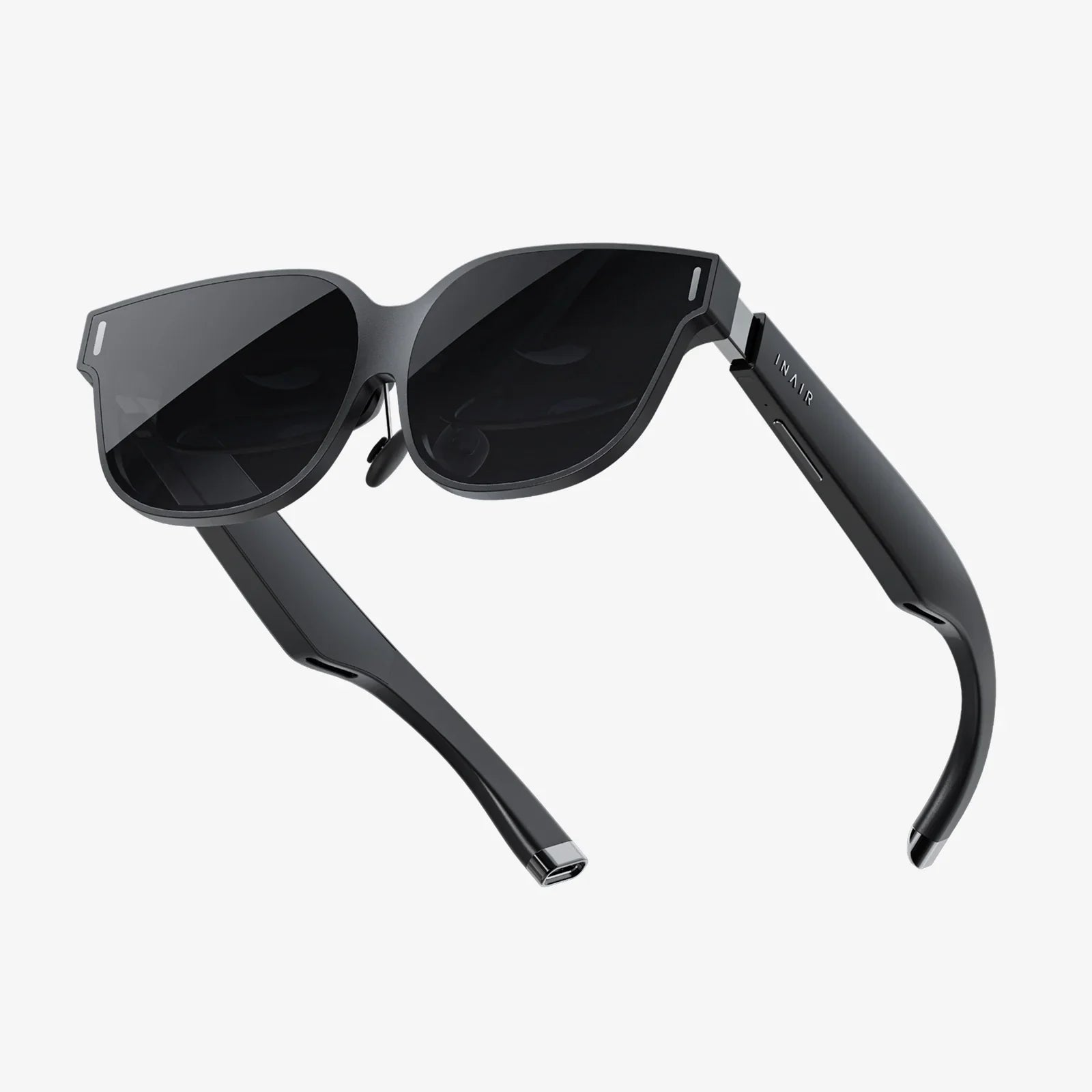
Budget-friendly VR headsets for employee training are no longer a futuristic fantasy reserved for tech giants with unlimited budgets. They are rapidly becoming the secret weapon of smart HR and L&D teams who want to boost performance, reduce training time, and keep employees engaged without spending a fortune. If your organization is still relying on thick manuals, dated slide decks, and awkward role-plays, you are leaving a massive opportunity on the table.
Used well, affordable VR can transform how your people learn: complex procedures become intuitive, safety drills become immersive, and soft skills scenarios feel real enough to make hearts race. The best part? You do not need a million-dollar budget or a team of VR engineers to get started. With a clear strategy and a practical understanding of the hardware and content options, you can implement a powerful VR training program that pays for itself quickly.
Why Budget-Friendly VR Headsets for Employee Training Are Worth Your Attention
Before comparing devices or platforms, it is essential to understand why VR training is such a strong fit for modern workplaces, especially when budgets are tight. The value comes from a combination of learning science and operational efficiency.
Immersion Drives Faster Skill Acquisition
Traditional training often struggles to replicate real-world conditions. VR changes that by placing employees inside realistic environments where they can interact, make decisions, and see immediate consequences. This immersion supports:
- Procedural memory: Repeating tasks in VR builds muscle memory and confidence.
- Contextual learning: Learners see how steps fit into the bigger workflow.
- Emotional engagement: Scenarios feel meaningful, which improves retention.
For example, a warehouse worker can practice operating equipment in a virtual environment that simulates noise, obstacles, and time pressure, all without any risk of damage or injury.
Safer Practice for High-Risk Scenarios
Many industries must train employees for dangerous or stressful situations that are hard to replicate in real life. VR allows you to simulate these events safely:
- Emergency response and evacuation
- Hazard recognition in industrial environments
- Healthcare procedures and patient interactions
- Conflict de-escalation and customer complaints
Instead of hoping employees will react correctly the first time they face a real incident, VR lets them practice repeatedly until correct responses become second nature.
Reduced Training Costs Over Time
Budget-friendly VR headsets for employee training can look expensive at first glance, especially when compared to a single workshop or one set of manuals. But the economics change when you consider:
- Reusability: The same headset can train hundreds of employees across multiple programs.
- Lower travel costs: VR can replace some in-person training events.
- Less downtime: Short, focused VR sessions can fit around work schedules.
- Fewer physical resources: No need to set up mock environments or use consumable materials.
When you spread the cost of headsets and content over several years and many learners, VR often becomes cheaper than traditional methods, especially for complex or high-risk training.
Stronger Engagement and Motivation
Many employees see training as a chore, especially when it is delivered through static slides or long lectures. VR training feels different. It is interactive, game-like, and often more enjoyable. This leads to:
- Higher completion rates
- Better attention during sessions
- More positive attitudes toward learning
When you combine engaging content with accessible, budget-friendly VR headsets for employee training, you create an environment where people actually want to learn.
Core Types of Budget-Friendly VR Headsets for Employee Training
Not all VR headsets are created equal, and you do not need the most powerful or expensive model to deliver effective training. Understanding the main categories will help you choose the right fit for your organization.
Standalone VR Headsets
Standalone headsets have all the computing power built into the device, so they do not require a PC or external sensors. They are currently the most popular option for workplace training because they are:
- Cost-effective: One device includes everything needed to run VR apps.
- Portable: Easy to share across locations or training rooms.
- Simple to set up: Minimal cables and no complex calibration.
For most organizations looking for budget-friendly VR headsets for employee training, standalone devices are the default choice, especially for soft skills, onboarding, safety awareness, and basic technical procedures.
PC-Tethered VR Headsets
PC-tethered headsets connect to a powerful computer via cable or wireless streaming. They offer higher graphical fidelity and more processing power, which can be useful for:
- Highly detailed engineering or design simulations
- Advanced 3D visualization for medical or technical fields
- Complex multi-user environments with rich graphics
However, they are usually less budget-friendly overall because you must factor in the cost of capable PCs and additional setup. They can still be a smart choice when ultra-high fidelity is critical to training outcomes, but they are rarely the first option for cost-conscious programs.
Mobile VR Solutions
Mobile VR uses a smartphone inserted into a basic headset shell. While this approach was more common in earlier years, it has become less dominant as standalone headsets have dropped in price. Still, mobile VR can be useful when:
- You already have a fleet of compatible smartphones.
- You need a very low-cost entry point for simple 360-degree video experiences.
- You want to run pilot projects with minimal hardware investment.
Mobile VR is best suited for passive experiences, such as guided tours, safety walkthroughs, or observational learning scenarios, rather than highly interactive training.
Key Criteria for Selecting Budget-Friendly VR Headsets for Employee Training
Choosing the right headset is not just about the price tag. To avoid expensive mistakes, evaluate devices against these practical criteria.
Total Cost of Ownership
Look beyond the purchase price. Consider:
- Licensing fees: Some devices require additional licenses for enterprise use.
- Accessories: Controllers, straps, protective cases, and charging stations.
- Maintenance: Replacement parts, cleaning supplies, and support costs.
- Content: Custom development or subscriptions to training libraries.
A slightly more expensive headset with lower ongoing costs may be more budget-friendly over three to five years than a cheaper device with high recurring fees.
Comfort and Ergonomics
Comfort is critical for training sessions that last 20 to 40 minutes or longer. When comparing headsets, pay attention to:
- Weight distribution and padding
- Adjustable straps for different head sizes
- Room for glasses or prescription lens inserts
- Ventilation to reduce heat and fogging
Uncomfortable headsets lead to shorter sessions, more breaks, and lower training quality.
Ease of Use for Non-Technical Staff
Many training programs fail because the hardware is too complicated for everyday use. Aim for devices that:
- Boot quickly and go straight into a training menu.
- Offer intuitive controllers or hand tracking.
- Require minimal setup and calibration.
- Allow remote management, such as pushing updates or content centrally.
The more self-service your VR training can be, the less you will spend on support and administration.
Content Compatibility
Budget-friendly VR headsets for employee training are only as useful as the content they can run. Check:
- Whether the headset supports your existing training apps or platforms.
- Availability of off-the-shelf training modules relevant to your industry.
- Options for custom content development if needed.
- Support for 360-degree videos, interactive simulations, and multi-user experiences.
It is often wise to choose content first, then select hardware that supports it, rather than the other way around.
Security and Device Management
For enterprise use, security and manageability matter. Look for:
- Device management tools for remote configuration and updates.
- User access controls and secure login options.
- Support for your organization’s network and Wi-Fi policies.
- Options to lock devices into a dedicated training mode to prevent misuse.
Strong management capabilities reduce the risk of devices being used for non-work activities and simplify scaling to multiple locations.
Durability and Hygiene
In shared environments, headsets must withstand frequent use and be easy to clean. Consider:
- Replaceable face gaskets with wipeable surfaces.
- Robust straps and connectors.
- Compatibility with disposable hygiene covers.
- Charging docks that keep devices organized and protected.
Durable, hygienic hardware protects your investment and keeps employees comfortable.
Use Cases Where Budget-Friendly VR Headsets for Employee Training Shine
To justify investment, it helps to focus on high-impact use cases where VR clearly outperforms traditional methods. Here are some of the most powerful applications.
Onboarding and Culture Immersion
New hires often feel overwhelmed by information and disconnected from company culture. VR can streamline onboarding by:
- Providing virtual tours of facilities, even for remote employees.
- Demonstrating key processes and workflows visually.
- Simulating interactions with colleagues and customers.
- Sharing stories and scenarios that illustrate company values.
This approach helps new employees feel more confident and connected from day one.
Safety and Compliance Training
Safety training is a perfect fit for budget-friendly VR headsets for employee training because it combines high stakes with complex environments. VR can simulate:
- Fire drills and evacuation routes.
- Lockout-tagout procedures.
- Hazard identification in manufacturing or construction sites.
- Personal protective equipment checks.
Employees can practice repeatedly without disrupting operations or exposing themselves to real danger.
Technical Skills and Equipment Operation
Hands-on practice with equipment is often limited by availability, cost, and safety concerns. VR training can replicate:
- Machine operation and troubleshooting.
- Assembly and disassembly procedures.
- Maintenance routines and inspections.
- Complex workflows that span multiple machines or stations.
By allowing learners to make mistakes in a virtual environment, you reduce the risk of damage and downtime while accelerating skill development.
Soft Skills, Leadership, and Customer Service
Soft skills can be difficult to train effectively through traditional role-play because participants often feel self-conscious. VR changes the dynamic by:
- Placing learners in realistic conversations with virtual characters.
- Simulating challenging customer interactions or performance reviews.
- Providing instant feedback on choices and behaviors.
- Allowing repeated practice without judgment from peers.
This makes VR especially powerful for leadership development, sales training, and customer service excellence programs.
Remote and Distributed Workforce Training
When employees are spread across multiple locations or work from home, standard training formats can feel disconnected. VR enables:
- Shared virtual classrooms where participants interact as avatars.
- Consistent training experiences regardless of location.
- Collaborative problem-solving exercises in simulated environments.
- Reduced travel costs for workshops and seminars.
Budget-friendly VR headsets for employee training help unify remote teams and ensure everyone receives the same high-quality learning experience.
Designing Effective VR Training Programs on a Budget
Hardware is only part of the equation. To maximize the value of budget-friendly VR headsets for employee training, you need a thoughtful program design that aligns with your learning goals and constraints.
Start with Clear Learning Objectives
VR is most effective when it targets specific, measurable outcomes. Define:
- Which skills or behaviors need improvement.
- How you will measure success (time to competence, error rates, satisfaction scores).
- Which parts of the learning journey truly benefit from immersion.
Use VR where it adds unique value, and rely on other formats (e-learning, coaching, job aids) for the rest.
Prioritize High-Impact Scenarios
Because content creation can be a major cost, focus on scenarios where VR’s strengths are essential:
- High-risk situations that cannot be easily practiced in real life.
- Complex procedures that require spatial awareness.
- Interpersonal interactions where body language and emotional cues matter.
By concentrating on a handful of high-impact modules, you can keep your program affordable while delivering strong results.
Leverage Off-the-Shelf Content When Possible
Many common training needs, such as basic safety, diversity and inclusion, or customer service fundamentals, are available as pre-built VR modules from content providers. These can significantly reduce costs compared to fully custom development. When assessing off-the-shelf options, check:
- Relevance to your industry and context.
- Customization options for branding or policy details.
- Data and analytics capabilities.
- Licensing models that fit your headcount and usage patterns.
Combining off-the-shelf modules with a few custom scenarios often yields the best balance of cost and impact.
Plan for Blended Learning
VR should rarely stand alone. The most effective programs blend VR with other methods:
- Pre-work to introduce concepts before VR sessions.
- Facilitated debriefs after VR experiences to reflect and discuss.
- Job aids or microlearning to reinforce skills on the job.
- Assessments to track progress over time.
This blended approach helps learners connect their virtual experiences to real-world performance and supports long-term retention.
Build a Scalable Deployment Plan
Even the best content will fail if employees cannot access it easily. When planning deployment, consider:
- How many headsets you need per location and per number of learners.
- Where devices will be stored, charged, and managed.
- Who will be responsible for scheduling, cleaning, and troubleshooting.
- How you will handle updates and new content releases.
Start with a pilot at one site or department, refine your processes, and then scale up based on real-world feedback.
Measuring ROI from Budget-Friendly VR Headsets for Employee Training
To secure buy-in and continued investment, you must demonstrate clear value. Fortunately, VR lends itself well to measurement because it can capture detailed user data.
Quantitative Metrics to Track
Focus on metrics that align with your business goals, such as:
- Training efficiency: Time to complete training compared to traditional methods.
- Performance improvement: Error rates, quality scores, or throughput before and after VR training.
- Safety outcomes: Incident rates, near misses, or compliance audit results.
- Cost savings: Reduced travel, materials, or equipment downtime.
VR platforms often provide granular data, such as how long learners spend on each step, where they struggle, and how many attempts they need to succeed.
Qualitative Feedback and Engagement
Numbers tell part of the story, but employee feedback is equally important. Collect:
- Post-session surveys on perceived usefulness and confidence.
- Manager observations of behavior changes on the job.
- Focus group insights on what works and what needs improvement.
Positive learner experiences not only justify the investment but also help you refine content and deployment strategies.
Building a Business Case for Expansion
Once you have pilot data, you can build a compelling case for scaling up. Highlight:
- Concrete cost savings and performance gains achieved so far.
- Projected benefits if VR training is expanded to additional teams or locations.
- How budget-friendly VR headsets for employee training compare to alternative investments.
Tie your case to strategic priorities such as safety, productivity, talent development, or customer satisfaction to win executive support.
Practical Tips for Managing Budget-Friendly VR Headsets for Employee Training
Successful programs pay attention to operational details that keep hardware in good condition and learners comfortable.
Hygiene and Health Considerations
Shared headsets require clear hygiene protocols. Put in place:
- Disposable face covers or easily cleaned face gaskets.
- Approved cleaning solutions and wipes for lenses and surfaces.
- Guidelines for use by employees who wear glasses or have motion sensitivity.
- Time buffers between sessions for cleaning and ventilation.
Communicate these measures to employees to build trust and encourage participation.
Scheduling and Access
To maximize utilization of budget-friendly VR headsets for employee training, implement a simple scheduling system:
- Online booking tools or shared calendars for time slots.
- Clear expectations for session length and frequency.
- Options for both guided sessions and self-paced practice.
Ensure that VR training does not become a bottleneck by aligning headset numbers with expected demand.
Training Facilitators and Local Champions
Even user-friendly headsets benefit from local champions who can:
- Help learners get comfortable with the hardware.
- Troubleshoot basic technical issues.
- Lead debrief discussions after VR experiences.
- Collect feedback and share best practices.
Investing a small amount of time in training facilitators pays off in smoother operations and better learning outcomes.
Common Pitfalls to Avoid When Adopting Budget-Friendly VR Headsets for Employee Training
Many organizations stumble in similar ways when they first introduce VR. Being aware of these pitfalls can save you time and money.
Over-Focusing on Hardware Specs
It is easy to get caught up in technical comparisons of resolution, field of view, or processor speed. While these factors matter, they are secondary to content quality and usability. A mid-range headset with excellent training modules will outperform a top-tier device with mediocre content in almost every business scenario.
Ignoring Change Management
VR can be intimidating for some employees, especially those who are less comfortable with technology. If you simply drop headsets into a training room without explanation or support, adoption will suffer. Address this by:
- Explaining the benefits clearly and linking them to personal development.
- Offering short orientation sessions before full training.
- Normalizing the learning curve and encouraging questions.
When employees feel supported, they are more likely to embrace VR training enthusiastically.
Underestimating Content Development Time
Even when using budget-friendly VR headsets for employee training, content still requires planning, scripting, and testing. Rushing this process can lead to confusing or ineffective experiences. Build realistic timelines that include:
- Needs analysis and scenario design.
- Prototype development and internal testing.
- Pilot sessions with a small group of learners.
- Iterations based on feedback before full rollout.
This disciplined approach ensures that your VR training delivers real value from day one.
The Future of Budget-Friendly VR Headsets for Employee Training
The landscape of VR training is evolving quickly, and staying aware of emerging trends will help you future-proof your investment.
Improved Hand Tracking and Haptics
Newer headsets are increasingly capable of tracking hand movements without controllers, making interactions more natural. Haptic feedback devices are also becoming more accessible, adding a sense of touch to virtual environments. These advances will make simulations even more realistic and intuitive.
AI-Driven Adaptive Learning
As VR platforms integrate more artificial intelligence, training experiences will adapt in real time based on learner performance. Scenarios may become more challenging or provide extra guidance depending on how an employee responds, creating personalized learning journeys within the headset.
Deeper Integration with HR and LMS Systems
Expect tighter integration between VR platforms and learning management systems, HR analytics, and performance tools. This will make it easier to:
- Assign VR modules as part of structured learning paths.
- Track completion and performance data in one place.
- Correlate VR training with business outcomes and career development.
Such integration strengthens the strategic role of VR in your overall talent strategy.
Taking the First Step with Budget-Friendly VR Headsets for Employee Training
Adopting VR can feel like a big leap, but it becomes manageable when you break it into practical steps. Identify one or two high-impact training challenges, explore available content, and run a small pilot with a handful of budget-friendly VR headsets for employee training. Use the results to refine your approach and build a roadmap for expansion.
The organizations that move early, even with modest investments, gain a significant advantage: more capable employees, safer workplaces, and a reputation for innovation that helps attract and retain talent. If you are ready to move beyond static slides and forgettable workshops, now is the time to explore how budget-friendly VR headsets for employee training can reshape learning in your organization and unlock performance gains that competitors will struggle to match.
Aktie:
Meta Mixed Reality Link: The Next Frontier of Immersive Interaction
ar ar news today October 16 2025: Trends, Breakthroughs and Future Risks