


- von wangfred
Computer Glasses: A Complete Guide to Protecting Your Eyes and Boosting Focus
- von wangfred
Computer glasses are quietly becoming one of the most powerful tools for anyone who spends hours in front of a screen, yet most people only discover them after years of headaches, blurry vision, and restless sleep. If your eyes feel tired long before your workday ends, or if your evening scrolling sessions leave you wired instead of relaxed, understanding how computer glasses work could be the eye-opening shift you did not realize you needed.
From office professionals and students to gamers and remote workers, more people are turning to computer glasses to fight digital eye strain and protect their long-term vision. But there is also plenty of confusion: Are they really necessary? Do they actually block blue light? Will they help with headaches? This guide breaks down everything you need to know in clear, practical terms, so you can decide whether computer glasses deserve a permanent place in your daily routine.
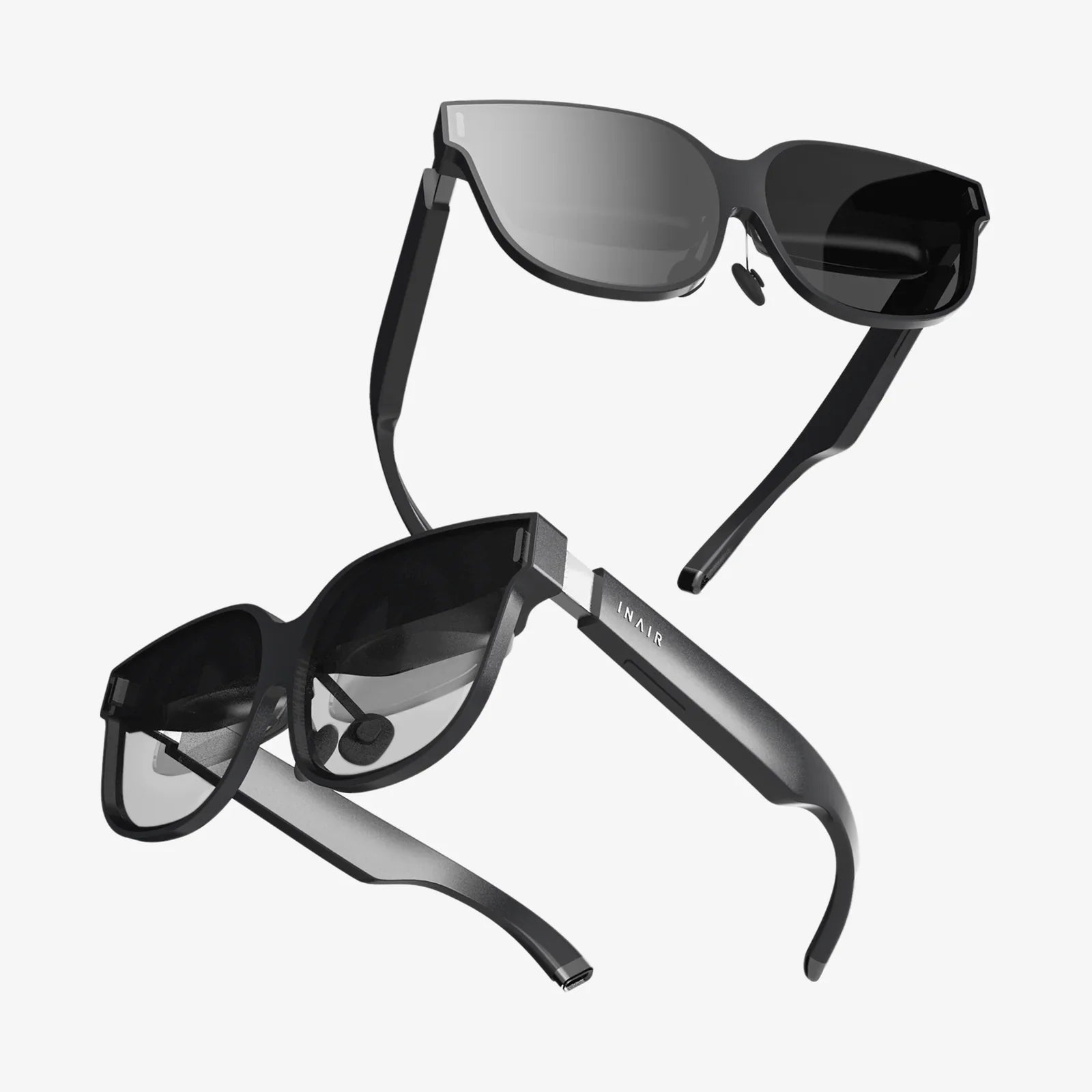
Computer glasses are specially designed eyewear intended for use with digital screens such as computers, laptops, tablets, and smartphones. Unlike regular prescription glasses, they are optimized for intermediate viewing distance and often include features that address the unique demands of screen use.
Most people sit about 20 to 28 inches away from their computer screen. This distance is different from the typical reading distance for books and also different from long-distance viewing. Computer glasses are designed to support this mid-range focus, reduce eye strain, and improve visual comfort during extended screen sessions.
Computer glasses can be non-prescription, single-vision prescription, or specialized progressive lenses, depending on your visual needs and daily habits.
Before deciding whether computer glasses are worth it, it helps to understand why screens can be so demanding on your eyes. The problem is not just brightness or the size of the text; it is a combination of factors that add up over hours and days.
Digital eye strain, often referred to as computer vision syndrome, is a group of symptoms that appear after prolonged screen use. These symptoms can include:
These symptoms are not usually a sign of permanent damage, but they can seriously affect comfort, productivity, and quality of life. Over time, chronic strain may also contribute to worsening vision and increased sensitivity to screens.
Digital screens emit blue light, a high-energy portion of the visible light spectrum. Blue light is not inherently bad; it is also present in natural daylight and plays a role in regulating our sleep-wake cycle. However, concentrated exposure to artificial blue light, especially in the evening, can disrupt sleep patterns and contribute to discomfort.
Potential effects of blue light exposure from screens include:
Computer glasses often incorporate blue light filtering technology to help manage these potential effects, particularly for people who use screens late into the night.
Your eyes constantly adjust focus when you work at a screen. Tiny muscles around the lens of your eye contract to maintain clear vision at a fixed distance. When you stare at a screen for long periods without breaks, these muscles can become fatigued, leading to:
Computer glasses can reduce the effort required to maintain focus at screen distance, giving these muscles some relief.
Computer glasses address multiple sources of visual strain at once. Their effectiveness comes from a combination of optical design, lens coatings, and color filtering.
For people who already wear glasses, computer lenses can be customized to provide the sharpest vision at intermediate distances. This might involve:
By matching the lens power to your typical working distance, computer glasses help your eyes relax instead of constantly struggling to maintain sharp focus.
Reflections from overhead lights, windows, and the screen itself can increase visual noise and make it harder to see clearly. Anti-reflective coatings on computer glasses:
This reduction in glare can significantly decrease eye fatigue, especially in offices with bright lighting or multiple screens.
Blue light filtering in computer glasses can be achieved through special coatings, lens materials, or tints. These filters are designed to selectively reduce specific wavelengths of blue light, particularly those most associated with sleep disruption and visual discomfort.
Types of blue light filtering include:
While not all blue light is harmful, reducing excessive exposure in the evening and during long screen sessions can support more comfortable vision and better sleep quality.
Not everyone needs dedicated computer glasses, but certain groups are especially likely to benefit from them. If you recognize yourself in any of the following descriptions, computer glasses may be worth serious consideration.
People who spend most of their workday at a computer are prime candidates for computer glasses. Common signs that office workers may benefit include:
Computer glasses tailored to your workstation setup can help you maintain better posture and reduce strain on both your eyes and musculoskeletal system.
Students at every level are increasingly dependent on digital devices for reading, research, and assignments. Long nights reviewing slides, reading online articles, and writing papers can take a toll. Computer glasses can help students:
For younger students, computer glasses should always be considered in consultation with an eye care professional, especially if there are existing vision issues.
Gaming and content creation often involve intense, focused screen time over extended periods. Rapid motion, bright colors, and dark environments can increase visual stress. Computer glasses can support gamers and creators by:
Those who stream or record content late into the night may also appreciate the potential sleep benefits of blue light filtering.
As people enter their 40s and beyond, the eye’s natural lens becomes less flexible, making it harder to focus at close and intermediate distances. This condition, known as presbyopia, can make computer work especially challenging.
Computer glasses designed for this age group often include:
For many, a dedicated pair of computer glasses can be far more comfortable than trying to use standard reading glasses or general progressives for screen work.
Computer glasses are not one-size-fits-all. Understanding the main types can help you choose the right option for your needs.
These are designed for people who do not normally wear glasses or who have very mild vision needs. Non-prescription computer glasses typically offer:
They can be a low-cost way to experiment with computer glasses, but they may not address underlying vision issues that require a customized prescription.
For those with existing vision correction needs, prescription computer glasses can be tailored precisely to their working distance and visual challenges. Options include:
These glasses are usually prescribed after a detailed eye exam and discussion about your work habits and daily screen use.
Some computer glasses offer more pronounced tints designed to reduce harsh blue tones and increase contrast. These may be particularly useful for:
However, strong tints can alter color perception, which may not be ideal for tasks such as design, photo editing, or color-critical work.
Choosing computer glasses is not just about picking a stylish frame. To get real benefits, you need to consider your vision, your workspace, and your lifestyle.
If you experience frequent eye strain, headaches, or blurred vision, an eye exam should be your first step. An eye care professional can:
Even if you plan to buy non-prescription computer glasses, knowing the state of your eye health is important before relying on any solution.
Different environments place different demands on your eyes. Ask yourself:
Your answers will help determine whether you need single-vision computer lenses, office lenses with multiple zones, or simple blue light filtering glasses.
Not everyone needs maximum blue light blocking. Consider the following when choosing a filter level:
If you are unsure, starting with a moderate level of filtering is often a balanced approach.
Since computer glasses are typically worn for long periods, comfort is crucial. Look for:
Even the best lenses will not help if you are constantly adjusting uncomfortable frames.
Many people report significant relief from digital eye strain after switching to computer glasses, but results can vary depending on the individual and the specific glasses used.
Studies on computer glasses and blue light filters have produced mixed results, partly because there are many different designs and levels of filtering. However, several consistent patterns emerge:
Computer glasses are not a miracle cure, but when properly chosen and used, they can be a powerful part of a broader strategy to manage digital eye strain.
There are also several myths surrounding computer glasses:
Understanding what computer glasses can and cannot do will help you set realistic expectations and choose wisely.
Owning computer glasses is only part of the equation. How you use them day to day will determine how much benefit you get.
Computer glasses should be worn whenever you are engaged in extended screen use, not just when your eyes already feel tired. This includes:
Consistent use helps prevent strain from building up in the first place.
Computer glasses work best alongside other eye-friendly habits. Consider integrating these practices into your routine:
These small adjustments can significantly enhance the benefits of your computer glasses.
If you experience discomfort when first using computer glasses, give yourself time to adapt, especially if the lenses include magnification or a new prescription. However, persistent discomfort, headaches, or dizziness may indicate:
In such cases, it is worth revisiting your eye care provider or adjusting your choice of glasses.
While computer glasses offer many benefits, they are not without limitations and considerations.
High-quality computer glasses, especially prescription versions with specialized coatings, can be more expensive than standard eyewear. When evaluating cost, consider:
For heavy screen users, the investment often pays off in reduced discomfort and improved performance.
Relying solely on computer glasses without addressing other factors can limit results. Poor posture, badly positioned monitors, and inadequate lighting can still cause problems even with the best lenses.
Think of computer glasses as one part of a comprehensive approach to digital wellness, not a substitute for healthy habits.
Computer glasses should not be used to ignore or mask serious eye problems. Persistent pain, sudden changes in vision, flashes of light, or other worrying symptoms should always be evaluated by an eye care professional.
To maximize the benefits of your computer glasses, try incorporating these practical strategies into your daily routine.
Your environment can either support or sabotage the effectiveness of your glasses. Aim for:
Most modern devices include settings that reduce blue light output in the evening or adjust color temperature throughout the day. Combined with computer glasses, these settings can:
Experiment with different levels to find a balance that feels natural and comfortable.
Computer glasses are most effective when your overall eye health is supported. Consider:
These habits help ensure that your eyes remain resilient, even in a digital-first world.
If you have ever ended a workday feeling like your eyes have run a marathon, or if your evenings are marked by a dull ache behind your eyes and a restless mind that refuses to wind down, computer glasses may be more than a trendy accessory. They can be a practical, science-backed tool for reclaiming comfort, clarity, and focus in front of your screens.
The key is to approach them thoughtfully: understand your visual needs, evaluate your screen habits, and choose lenses and frames that fit both your eyes and your lifestyle. Pair them with smart screen use, regular breaks, and a workspace designed with your eyes in mind, and you give yourself a tangible advantage in a world where digital strain is almost impossible to avoid.
As screens continue to dominate work, learning, and entertainment, your eyes will be asked to do more, not less. Computer glasses offer a way to meet that demand without sacrificing comfort or long-term eye health. If you are noticing the early warning signs of digital eye strain, or simply want to stay ahead of the curve, now is the time to explore whether a well-chosen pair of computer glasses could quietly become your most important everyday tool.