


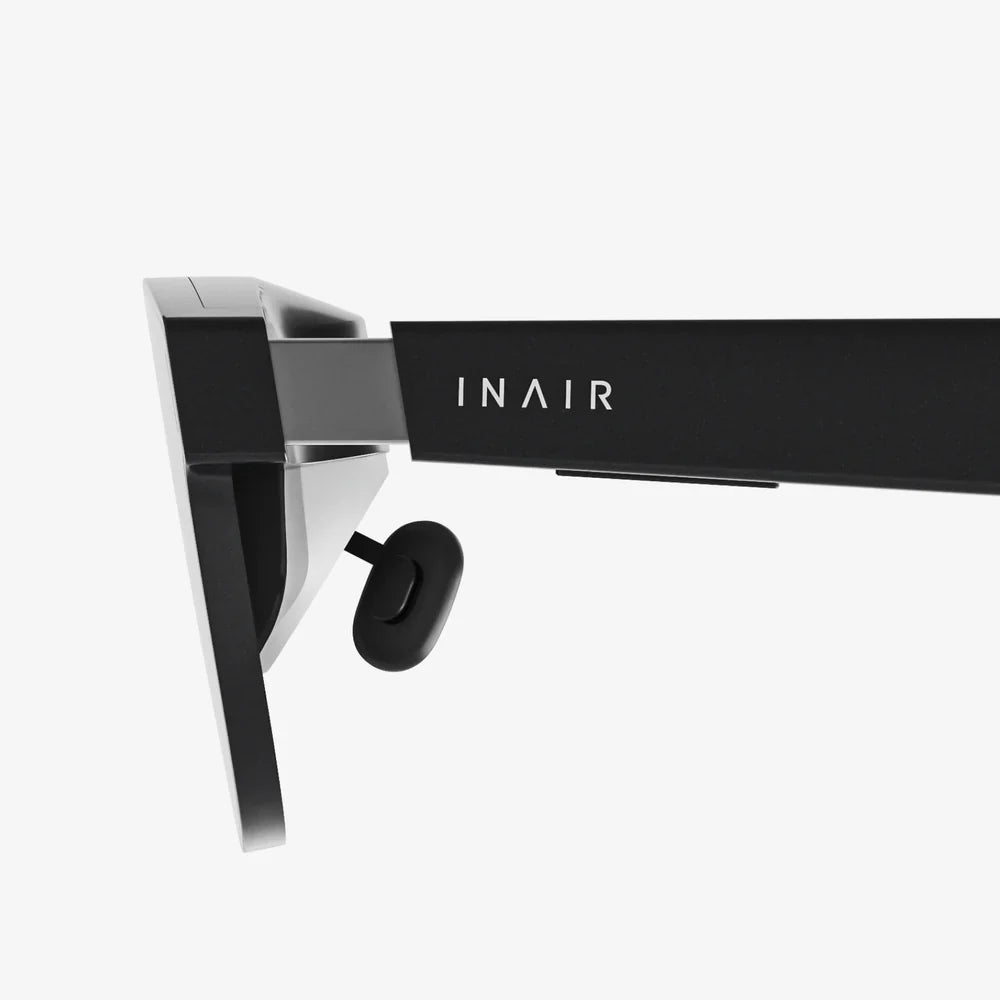
Imagine glancing up at the road and instantly seeing your speed, heart rate, navigation cues, and incoming calls floating in your field of view, without ever taking your hands off the bars. That is the promise of cycling computer glasses, and it is changing how riders train, commute, and explore. If you have ever fumbled with a handlebar-mounted screen or missed a turn while trying to read tiny numbers, this new category of gear is going to feel like a game changer.
What are cycling computer glasses?
Cycling computer glasses combine traditional sports eyewear with the functions of a cycling computer and, in some cases, a smartphone companion. Instead of mounting a device on your handlebars or stem, the information is projected or displayed within the lenses or on a small heads-up display (HUD) element you can see while riding.
At their core, these glasses are wearable heads-up cycling computers. They can show:
- Speed, distance, and ride time
- Heart rate, power, and cadence (when paired with sensors)
- Turn-by-turn navigation cues and maps
- Notifications for calls, messages, and app alerts
- Training prompts and interval targets
Some models go further with features like integrated cameras, voice control, and advanced safety alerts. But the defining trait is simple: cycling computer glasses keep your eyes on the road while delivering the data you care about most.
Why cycling computer glasses are changing the ride experience
For many riders, the appeal of cycling computer glasses goes beyond the cool factor. They directly address several pain points that traditional bike computers and smartphones mounted to the bars cannot solve as effectively.
Enhanced safety through heads-up visibility
One of the biggest advantages is safety. Looking down at a device for even a second or two at speed can be risky, especially in traffic or on technical descents. With cycling computer glasses, your data appears in your line of sight, so you can:
- Monitor speed and effort while watching the road
- Follow navigation prompts without glancing at your bars
- See alerts for hazards or upcoming turns sooner
This heads-up experience reduces the cognitive load of constantly switching focus between the road and your devices. Over long rides, that can make a noticeable difference in both safety and mental fatigue.
More efficient training and pacing
Training with power or heart rate demands consistent attention to your numbers. On a handlebar computer, this often means:
- Looking down repeatedly during intervals
- Overshooting targets because you react too slowly
- Breaking your aerodynamic position on the bike
Cycling computer glasses allow you to hold a steady position while seeing your key metrics in real time. Whether you are doing structured intervals, pacing a long climb, or staying within a specific heart rate zone, the instant feedback can help you ride more precisely and effectively.
Cleaner cockpit and reduced clutter
Many riders are tired of crowded handlebars. Between lights, bells, phone mounts, and cycling computers, the front of the bike can become cluttered. Cycling computer glasses give you the option to:
- Remove or downsize your handlebar computer
- Keep your phone in a pocket or bag
- Free up space for lights or accessories
For riders who value a minimalist setup or ride multiple bikes, cycling computer glasses can simplify your gear. You carry your display with you rather than moving mounts and devices from bike to bike.
Immersive navigation for exploring new routes
Navigation is one of the most compelling reasons many cyclists consider cycling computer glasses. Instead of trying to interpret small map screens or missing subtle turn prompts, you can see:
- Clear turn arrows overlaid in your field of view
- Distance to the next turn or climb
- Alerts for off-course deviations
This is particularly useful for:
- Gravel and adventure rides on unfamiliar roads
- Urban commuting with complex intersections
- Touring in new regions where you do not know the terrain
By removing the need to constantly check a handlebar screen, you can enjoy the scenery and focus on the ride while still following your route accurately.
Key features to look for in cycling computer glasses
Not all cycling computer glasses are built the same way. Before you invest, it is important to understand the core features and how they affect your experience. The right choice depends on how and where you ride.
Display type and visibility
The display is the heart of cycling computer glasses. There are several approaches:
- Projected HUD: A small transparent or semi-transparent display element appears in one corner of your vision. This is common and keeps most of your view unobstructed.
- Lens overlay: Data appears as if it is floating on the lens itself. This can feel more immersive but must be carefully designed to avoid blocking your view.
- Monocular vs. binocular: Some glasses show data in one eye only, others across both lenses. Single-eye displays can be less intrusive, while dual-eye displays can show more information.
Regardless of the technology, you want a display that is:
- Readable in bright sunlight and low light
- Adjustable in brightness and layout
- Positioned so it does not block critical parts of the road
If possible, consider whether you prefer data in the lower or upper part of your vision. Many riders like it tucked into a corner so it is easy to glance at but not distracting.
Data metrics and sensor compatibility
At minimum, cycling computer glasses should display basic ride data such as speed, distance, and time. More advanced options support:
- Heart rate monitors via Bluetooth or ANT+
- Power meters for training with watts
- Cadence and speed sensors on the bike
- GPS-based navigation and route guidance
Think about the metrics that matter most to you:
- Fitness-focused riders will want heart rate, power, and interval fields.
- Commuters may prioritize navigation, traffic alerts, and phone notifications.
- Adventure riders may want elevation, distance to next waypoint, and battery status.
Check that your preferred sensors and apps can connect to the glasses, and whether data can be recorded or if the glasses rely on your phone for logging the ride.
Battery life and power management
Battery life is a crucial factor. Cycling computer glasses must power both the display and any onboard electronics, and they often connect wirelessly to your phone or sensors. Typical ride scenarios include:
- Short training rides of 1 to 2 hours
- Weekend rides of 3 to 5 hours
- Endurance events or bikepacking days lasting 6 hours or more
When evaluating options, look for:
- Realistic battery life estimates with the display active
- Low-power modes that reduce brightness or limit features
- Fast charging or the ability to charge from a power bank
If you regularly ride long distances, aim for cycling computer glasses that can comfortably handle your longest typical ride with some margin for error.
Comfort, fit, and lens quality
Even the smartest technology is useless if the glasses are uncomfortable or impair your vision. Key comfort considerations include:
- Weight: Heavier electronics can create pressure on the nose or ears during long rides.
- Adjustable nose pads and temples: These help you achieve a stable fit that does not bounce or slip.
- Helmet compatibility: The arms of the glasses should not interfere with your helmet straps.
Lens quality is equally important:
- Good optical clarity with minimal distortion
- UV protection for sun safety
- Options for photochromic (light-adjusting) or interchangeable lenses
- Anti-fog and scratch-resistant coatings
If you ride in varied conditions, the ability to change lenses or use a lens that adapts to light can be a major advantage.
Controls and user interface
You will interact with your cycling computer glasses while riding, so the controls must be intuitive and safe. Common control methods include:
- Physical buttons on the frame for changing screens or starting/stopping rides
- Touch-sensitive areas on the arms for swipes and taps
- Voice commands for hands-free operation
- Companion apps for setup and customization off the bike
Think about how you will use the glasses in real conditions:
- Can you operate them with full-finger gloves?
- Are the buttons easy to find without looking?
- Does the interface present too much data at once, or is it clean and focused?
A well-designed interface will let you glance quickly at only the information you need, rather than forcing you to sift through cluttered screens.
Connectivity and app ecosystem
Cycling computer glasses rarely work in isolation. They typically connect to:
- Smartphones for GPS, notifications, and internet connectivity
- Training apps for route syncing and workout plans
- Cloud services for ride uploads and analysis
Before committing, consider:
- Which mobile platforms are supported
- Whether your favorite training or mapping apps integrate with the glasses
- How easy it is to sync routes and workouts
- Whether firmware updates are frequent and easy to apply
A strong app ecosystem can extend the life and usefulness of your cycling computer glasses, as new features and integrations can arrive via software updates.
Who benefits most from cycling computer glasses?
While almost any rider can enjoy the advantages of cycling computer glasses, some types of cyclists will see particularly strong benefits.
Performance-focused road cyclists
Riders who train with structure and metrics stand to gain a lot. For them, cycling computer glasses offer:
- Continuous visibility of power, heart rate, and cadence
- Precise pacing on climbs and time trials
- Interval prompts and lap timing in their field of view
For competitive riders, even small gains in pacing accuracy and focus can translate into better results on race day.
Triathletes and time trial specialists
Maintaining an aerodynamic position is critical in triathlon and time trial events. Looking down at a bike computer can break that position and disrupt rhythm. Cycling computer glasses let these riders:
- Stay tucked in the aero position
- Monitor power and pacing without moving their head much
- Follow race plans and nutrition reminders in real time
This combination of aerodynamics and data access is especially valuable over long distances where energy management is key.
Gravel and adventure cyclists
Gravel routes, forest roads, and mixed-terrain adventures often involve complex navigation in areas with limited signage. Cycling computer glasses can help by:
- Showing clear turn prompts even on unmarked paths
- Highlighting distance to key waypoints or resupply points
- Reducing the need to stop and check maps or phones
For riders exploring new regions, this can mean fewer wrong turns and more confidence to venture off the beaten path.
Urban commuters and everyday riders
Commuters face a different set of challenges: traffic, intersections, and time pressure. Cycling computer glasses can assist by:
- Providing navigation that keeps your eyes on cars and pedestrians
- Alerting you to calls and messages without pulling out your phone
- Tracking commute times and routes for optimization
For riders who use bikes as daily transportation, these glasses can blend safety, productivity, and fitness tracking into a single wearable.
Practical tips for using cycling computer glasses
Once you have a pair of cycling computer glasses, a few practical habits will help you get the most from them while staying safe and comfortable.
Start with a minimal data layout
It is tempting to fill the display with every metric available, but too much data can be distracting. A good rule of thumb is to start with:
- Current speed
- Distance or ride time
- One effort metric (heart rate or power)
- Navigation cues if needed
As you become comfortable, you can experiment with additional fields, but always prioritize readability and focus over sheer information density.
Adjust display brightness and position
Spend some time fine-tuning the display settings:
- Set brightness high enough for visibility in sunlight but low enough to avoid eye strain.
- Position the data so it sits just outside your primary focus area, allowing quick glances.
- Test in both daylight and low-light conditions to ensure comfort.
Proper adjustment can make the difference between a seamless experience and one that feels intrusive.
Practice off the road first
Before heading into traffic or technical terrain, practice using your cycling computer glasses in a safe environment:
- Ride in a quiet area or on a trainer while exploring menus and controls.
- Practice switching screens, starting and stopping rides, and responding to prompts.
- Get used to glancing at the display without losing focus on the road.
This initial familiarization period helps ensure that operating the glasses becomes second nature when it matters most.
Manage connectivity and notifications
While it can be useful to see calls and messages while riding, too many notifications can be distracting. Consider:
- Limiting notifications to only critical contacts or apps.
- Disabling social media alerts during training rides.
- Using do-not-disturb modes for races and focused sessions.
By curating what reaches your eyes mid-ride, you preserve the main benefit of cycling computer glasses: focused, relevant information.
Care, maintenance, and durability
Cycling computer glasses are more delicate than regular sunglasses due to their electronics. To keep them performing well:
- Store them in a protective case when not in use.
- Clean lenses with appropriate cloths and solutions to avoid scratches.
- Check for firmware updates regularly to maintain performance and security.
- Avoid leaving them in extremely hot environments, such as a closed car in direct sun.
With regular care, they can remain a reliable part of your setup across many seasons.
Potential drawbacks and how to address them
As with any emerging technology, cycling computer glasses are not perfect. Understanding potential drawbacks can help you decide whether they fit your needs and how to mitigate any downsides.
Cost and value considerations
Cycling computer glasses often cost significantly more than traditional cycling computers or sunglasses. To assess value, weigh:
- How often you ride and for how long.
- Whether you will use advanced features regularly.
- The possibility of replacing both a bike computer and high-end sunglasses.
If you ride frequently and make full use of the features, the investment can be easier to justify. Occasional riders may prefer to wait until prices decrease or features improve further.
Distraction risk and adaptation
There is a risk that cycling computer glasses could become a distraction if not used thoughtfully. To minimize this risk:
- Limit the number of data fields visible at once.
- Disable non-essential notifications, especially from social or entertainment apps.
- Use larger, clearer fonts and simple layouts.
Most riders adapt quickly and find that the heads-up format is less distracting than glancing down at a separate device, but it is important to be intentional about your setup.
Weather and environmental challenges
Cycling computer glasses must perform in varied weather conditions, including rain, cold, and heat. Potential issues include:
- Fogging lenses in humid or cold conditions.
- Reduced visibility in heavy rain.
- Shortened battery life in low temperatures.
You can mitigate these by:
- Using anti-fog treatments or lenses with anti-fog coatings.
- Carrying a soft cloth for quick cleaning during wet rides.
- Keeping the device warm before starting cold-weather rides and monitoring battery status.
For riders in extreme climates, it may still be wise to have a backup navigation or data solution on the bike.
How cycling computer glasses fit into the future of smart cycling
Cycling computer glasses are part of a broader trend toward connected, intelligent cycling gear. As sensors, connectivity, and software improve, these glasses are likely to become even more capable and integrated with the rest of your equipment.
Integration with smart bikes and sensors
Future generations of cycling computer glasses may connect more deeply with:
- Smart trainers for indoor sessions that mirror outdoor routes.
- Electronic shifting systems to show gear selection and battery status.
- Advanced safety sensors that detect vehicles or hazards.
As more components communicate wirelessly, your glasses could become the central hub for information, presenting a unified picture of your ride in real time.
Adaptive training and coaching
With access to rich data about your performance and environment, cycling computer glasses could support more adaptive training experiences. Imagine:
- Real-time coaching prompts based on your current effort and goals.
- Dynamic workout adjustments if you are fatigued or riding in unexpected conditions.
- Visual cues for technique, such as cadence targets or posture reminders.
This type of intelligent guidance could help riders of all levels train more effectively without constantly checking a separate device.
Augmented reality possibilities
While current cycling computer glasses focus on data and notifications, augmented reality features may expand in the future, such as:
- Highlighting the safest line through a corner based on road conditions.
- Overlaying elevation profiles of upcoming climbs on the landscape.
- Showing virtual pacers or competitors for solo training sessions.
These developments will need to balance immersion with safety, ensuring that visual enhancements do not obscure critical real-world information. But the potential for richer, more engaging ride experiences is significant.
Choosing the right cycling computer glasses for your needs
Picking the ideal pair of cycling computer glasses involves matching features to your riding style, goals, and budget. A structured approach can help you make a confident choice.
Clarify your primary use cases
Start by identifying your main reasons for wanting cycling computer glasses:
- Safety: You want a heads-up display to keep your eyes on the road.
- Training: You focus on structured workouts and performance metrics.
- Navigation: You regularly explore new routes and need clear guidance.
- Productivity: You want selective access to calls and messages while riding.
Your priorities will determine which features you cannot compromise on and where you can save money by avoiding unnecessary extras.
Set a realistic budget
Cycling computer glasses can range from relatively affordable to premium-priced. When setting a budget, consider:
- How much you already invest in cycling gear and technology.
- Whether the glasses will replace other devices, such as a bike computer or high-end sunglasses.
- How many years of use you expect before upgrading.
It may be worth spending more on a model that offers better comfort, battery life, and software support if you plan to use it heavily and for several seasons.
Evaluate comfort and try before you commit
Because fit and comfort are so personal, it is ideal to try cycling computer glasses in person if possible. When testing:
- Wear them with your usual helmet for at least several minutes.
- Check for pressure points on the nose and behind the ears.
- Move your head as you would while riding to see if the display remains stable.
If in-person testing is not possible, look for detailed fit descriptions, weight specifications, and return policies that allow you to test them on the bike.
Consider long-term support and updates
Cycling computer glasses are as much software as hardware. Over time, updates can improve performance, add features, and fix bugs. When comparing options, look for:
- A track record of frequent and meaningful firmware updates.
- Clear documentation and support resources.
- An active user community sharing tips and experiences.
Strong ongoing support can extend the useful life of your glasses and ensure they keep pace with changes in apps and sensors.
Are cycling computer glasses right for you?
Cycling computer glasses sit at the intersection of performance, safety, and cutting-edge technology. They are not essential for every rider, but for many, they offer a compelling upgrade that reshapes how information is delivered on the bike.
If you find yourself constantly glancing down at your bars, missing navigation cues, or wishing your training data could follow your gaze instead of your hands, cycling computer glasses may be exactly the tool you have been waiting for. They can streamline your cockpit, sharpen your focus, and open the door to new ways of experiencing familiar routes.
As the technology matures, the category will likely expand, bringing more choices, better displays, and deeper integrations with the rest of your cycling ecosystem. Getting familiar with cycling computer glasses now puts you ahead of the curve, ready to take advantage of what comes next. Your next ride could be not just faster or farther, but smarter, safer, and more immersive than anything you have experienced before.
Aktie:
Touch Light Control 60Hz Guide for Modern Home Lighting Systems
Clear Glass Computer Case Builds: Design, Cooling, and Cable Mastery