


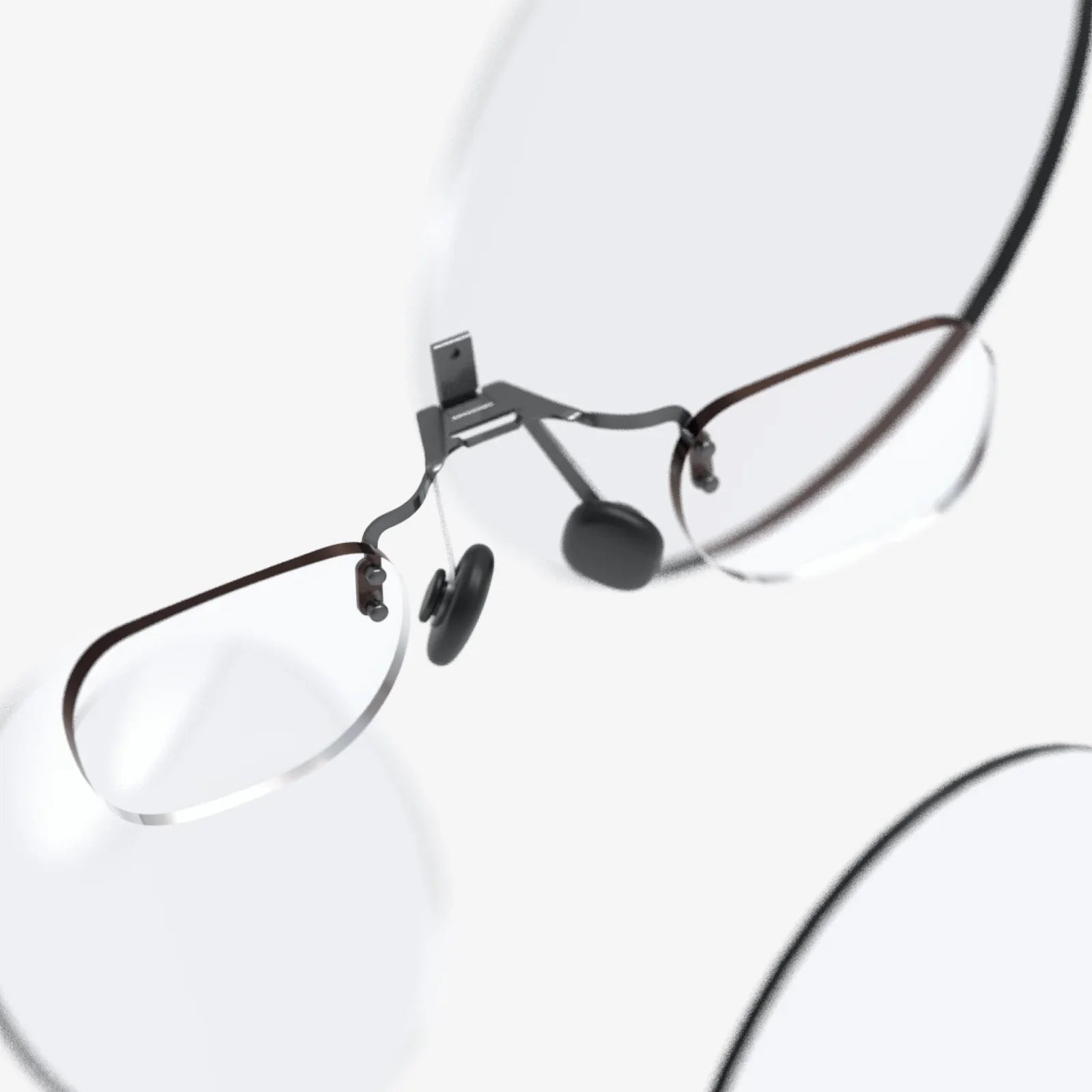
If you have ever ended a long day at the screen with tired eyes, a dull headache, or blurry vision, you have probably wondered about the difference between computer glasses and regular glasses and whether a special pair could finally give you relief. With more people working, learning, and relaxing in front of digital devices than ever before, understanding how these two types of eyewear compare is no longer a niche concern; it is a practical decision that can affect your comfort, productivity, and eye health every single day.
At first glance, computer glasses and regular glasses can look almost identical. The frames may be similar, and both pairs can be made with prescription lenses. Yet under the surface, there are crucial differences in lens design, coatings, and optical goals that change how your eyes interact with screens, text, and the world around you. Knowing these differences helps you avoid marketing hype, choose more intelligently, and even talk more confidently with your eye care professional.
Why the Difference Between Computer Glasses and Regular Glasses Matters
Before diving into technical details, it helps to understand why this distinction matters at all. For many people, regular glasses are designed primarily for distance vision, near vision, or both, depending on the prescription. They solve basic refractive errors such as nearsightedness, farsightedness, and astigmatism. Computer glasses, on the other hand, are optimized for a very specific visual task: viewing screens at an intermediate distance for extended periods.
Most computer monitors and laptops sit about 20 to 28 inches away from the eyes. This distance is neither strictly "near" (like reading a book at 14 inches) nor truly "far" (like looking across a room or driving). It is an intermediate zone that can strain the visual system, especially when combined with small text, glare, and prolonged focus. Computer glasses are designed to make this zone more comfortable, while regular glasses may or may not be well-tuned for it.
What Are Regular Glasses?
Regular glasses are the everyday eyewear prescribed to correct common refractive errors. Their main purpose is to sharpen vision, not necessarily to optimize comfort for specific tasks. While they can be used at the computer, they are not always tailored for long-term screen use.
Common Types of Regular Glasses
Regular glasses typically fall into several categories:
- Single-vision distance lenses – Designed primarily for seeing clearly at far distances, such as driving or watching a presentation across a room.
- Single-vision near lenses – Intended for close work, such as reading books, sewing, or other detailed tasks at a short distance.
- Bifocal lenses – Contain two distinct optical powers: one for distance and one for near, usually separated by a visible line.
- Progressive lenses – Provide a gradual change in power from distance at the top to near at the bottom, with intermediate viewing somewhere in between, all without a visible line.
These lens types focus on helping you see clearly in a range of daily situations. While progressive or bifocal lenses include an intermediate zone, that zone is not always positioned or sized specifically for computer use, which can lead to awkward head posture or eye strain when you spend hours at a screen.
Primary Goals of Regular Glasses
The main goals of regular glasses are:
- Correcting blurred vision due to refractive errors.
- Providing clear vision at the distances you use most often.
- Supporting safe activities such as driving, walking, and general daily tasks.
Any additional benefits, such as coatings or tints, are usually secondary. For example, some people add anti-reflective coatings or photochromic tints to regular glasses, but these are optional enhancements rather than the core design purpose.
What Are Computer Glasses?
Computer glasses are designed specifically to reduce visual stress and discomfort during extended computer or digital device use. They do not exist to replace all-purpose glasses but to act as task-specific tools, much like specialized shoes for running or hiking.
Key Characteristics of Computer Glasses
Several features distinguish computer glasses from regular glasses:
- Intermediate focus optimization – The lenses are calibrated for the typical distance between your eyes and a computer screen, making it easier to maintain clear focus for long periods.
- Enhanced viewing zone – Compared to regular progressives or bifocals, computer lenses often provide a wider intermediate area, so you do not have to tilt your head or move closer to see the screen clearly.
- Optional blue-light filtering – Many computer glasses include filters that reduce certain wavelengths of blue light emitted by screens, which some people find more comfortable, especially in the evening.
- Anti-reflective and anti-glare coatings – These coatings help reduce reflections from overhead lights, windows, and the screen itself, improving contrast and reducing eye strain.
Computer glasses can be made with or without a prescription. For those who already wear glasses, computer-specific lenses may be crafted using the existing prescription but optimized for the screen distance rather than for general use.
Lens Design: The Core Difference
At the heart of the difference between computer glasses and regular glasses lies lens design. The way a lens is shaped and powered determines how your eyes focus and how comfortable you feel during prolonged tasks.
Regular Glass Lens Design
Regular lenses are designed to provide clear vision at one or more distances:
- Distance single-vision lenses are shaped to focus light from far objects directly on the retina, improving clarity for driving, walking, and general environmental awareness.
- Near single-vision lenses are calibrated for close-up tasks, often at a distance of about 12 to 16 inches.
- Bifocal and progressive lenses combine multiple powers to cover distance, intermediate, and near, but the intermediate zone is often narrower and not perfectly matched to screen height and distance.
For someone who spends hours at a computer, using regular distance lenses can force the eyes to overwork at an intermediate distance. Using progressive lenses can lead to tilting the chin up or moving the screen lower to catch the intermediate power band, which can cause neck or shoulder discomfort.
Computer Glass Lens Design
Computer lenses are purpose-built for intermediate and near vision. Their design often includes:
- Dominant intermediate zone – The lens power is concentrated to provide clear vision at screen distance, often between 20 and 28 inches.
- Support for near tasks – Many computer lenses include a secondary zone for reading documents or mobile devices at closer range, without sacrificing the comfort of the primary screen zone.
- Reduced emphasis on distance – Unlike regular progressives, computer lenses may offer limited or no distance vision, because their purpose is to optimize the workspace, not driving or walking outside.
This design allows the eyes to relax into their natural focus range for screen work. Instead of constantly refocusing or adjusting posture, you can keep your head more neutral and maintain a clearer view of the screen and nearby materials.
Blue Light and Screen Comfort
One of the most heavily advertised differences between computer glasses and regular glasses is blue-light filtering. It is important to separate marketing claims from realistic expectations.
What Is Blue Light?
Blue light is a portion of the visible light spectrum with shorter wavelengths and higher energy. It is present in sunlight and also emitted by digital screens, LED lighting, and other artificial sources. Some concerns about blue light include:
- Potential disruption of sleep patterns when exposed to bright screens late at night.
- Perceived eye strain or discomfort for some individuals during prolonged screen use.
However, the amount of blue light from screens is much lower than that from natural daylight. The main issue for many people is not damage, but comfort and sleep quality.
Blue-Light Filtering in Computer Glasses
Computer glasses often include coatings or lens materials that selectively reduce certain blue wavelengths. This may result in:
- Slightly warmer or yellowish tint to the lenses.
- Reduced glare and improved visual comfort for some users.
- Potential help in maintaining better sleep patterns if used in the evening.
Regular glasses may or may not offer this type of filtering. Some people add blue-light coatings to their everyday lenses, while others prefer to keep their regular glasses clear and use a dedicated pair for screen-intensive tasks.
Anti-Reflective and Anti-Glare Coatings
Another key difference between computer glasses and regular glasses is the emphasis on reducing reflections and glare. Digital work environments often involve bright overhead lighting, reflective screens, and multiple light sources that can bounce off lenses and cause visual distractions.
Coatings on Regular Glasses
Regular glasses may include anti-reflective coatings, but not everyone chooses them. Without these coatings, reflections from car headlights, indoor lighting, and screens can be more noticeable, especially at night. While this affects comfort in many situations, it is not specifically targeted at computer use.
Coatings on Computer Glasses
Computer glasses almost always emphasize anti-reflective and anti-glare properties. Their coatings are chosen to:
- Reduce reflections from the front and back surfaces of the lenses.
- Increase contrast when viewing digital text and images.
- Minimize the halo effect around bright objects on the screen.
These coatings help reduce squinting and visual fatigue, which are common complaints among people who spend long hours at the computer.
Eye Strain and Digital Eye Syndrome
To fully understand the difference between computer glasses and regular glasses, it helps to look at the symptoms they are trying to address. Many modern workers and students experience what is often called digital eye strain or computer vision syndrome.
Common Symptoms of Digital Eye Strain
Typical complaints include:
- Tired or aching eyes after screen use.
- Blurry or fluctuating vision.
- Headaches, especially in the forehead or around the eyes.
- Dry or irritated eyes from reduced blinking.
- Neck and shoulder pain from leaning forward or tilting the head.
Regular glasses correct refractive error but are not always optimized to reduce these specific symptoms. Computer glasses, by contrast, are designed to minimize the visual effort required at screen distance, which can significantly reduce strain for many users.
How Computer Glasses Help
Computer glasses can help by:
- Providing a more relaxed focus at intermediate distances.
- Reducing the need to lean forward or adjust posture to see the screen clearly.
- Minimizing glare and reflections that make text harder to read.
- Supporting more natural eye movements across the screen.
They are not a cure-all, but when combined with good habits such as taking regular breaks, adjusting screen brightness, and positioning the monitor correctly, they can make digital work significantly more comfortable.
Who Benefits Most from Computer Glasses?
Not everyone needs a separate pair of computer glasses. Understanding who benefits most can help you decide whether they are worth considering.
Heavy Screen Users
People who spend several hours each day on computers, tablets, or other digital devices are prime candidates. This includes office professionals, programmers, designers, writers, students, and anyone whose job or studies revolve around screens.
People Over 40
As the eyes age, the ability to focus at near and intermediate distances gradually declines, a condition known as presbyopia. Individuals over 40 often notice that regular distance glasses do not provide comfortable vision at the computer, and progressives may require head tilting to find the right focus zone. Computer glasses tailored to the workspace can make a significant difference in comfort and clarity.
Individuals with Frequent Headaches or Eye Strain
If you regularly experience headaches or eye discomfort that worsens with screen time, you may benefit from lenses optimized for intermediate distance, even if your basic prescription is correct. Discussing these symptoms with an eye care professional can help determine whether computer-specific lenses are appropriate.
When Regular Glasses Are Enough
Not everyone needs a dedicated pair of computer glasses. In some cases, regular glasses are perfectly adequate.
Short or Occasional Screen Use
If you use a computer only briefly each day or mainly for casual browsing, your regular glasses may provide sufficient comfort. Occasional discomfort can often be managed with simple adjustments, such as:
- Increasing font size on your devices.
- Adjusting screen brightness and contrast.
- Following the 20-20-20 rule: every 20 minutes, look at something 20 feet away for 20 seconds.
Well-Designed Progressive Lenses
Some people wear progressive lenses that already provide a comfortable intermediate zone. If your progressives are specifically measured and fitted for your work setup, you may not need a separate pair of computer glasses. However, this depends heavily on lens design, frame fit, and monitor placement.
Cost and Practical Considerations
Another difference between computer glasses and regular glasses lies in cost and practicality. Since computer glasses are task-specific, they are usually an additional pair rather than a replacement for all-purpose eyewear.
Financial Considerations
When evaluating cost, consider:
- The price of specialized lenses and coatings.
- Whether your vision plan or insurance covers task-specific eyewear.
- How many hours per day you spend at the computer.
For someone who uses a screen for eight or more hours daily, the investment in computer glasses may be justified by improved comfort, fewer headaches, and better productivity. For lighter users, the benefits may not outweigh the cost.
Managing Multiple Pairs of Glasses
Owning both regular glasses and computer glasses means managing multiple pairs. You may need to switch between them when leaving your desk or moving between tasks. Some people find this inconvenient, while others appreciate having a dedicated tool for focused work.
How to Choose Between Computer Glasses and Regular Glasses
Choosing the right eyewear depends on your lifestyle, visual demands, and comfort preferences. A thoughtful approach can help you make a better decision.
Assess Your Screen Habits
Start by evaluating how you use digital devices:
- How many hours per day do you spend on a computer, tablet, or phone?
- Do you often work with multiple monitors or documents at once?
- Do you experience eye strain, headaches, or neck pain after screen use?
Heavy, daily screen use combined with frequent discomfort is a strong indicator that computer glasses may be worth exploring.
Measure Your Work Distance
One of the most practical steps is to measure the distance from your eyes to your primary screen while you sit in a comfortable, natural posture. Providing this measurement to your eye care provider helps them design computer lenses that are precisely tuned to your workspace, which is a key advantage over generic regular glasses.
Discuss Options with an Eye Care Professional
Bring your concerns and measurements to your eye exam. Ask specifically about:
- Whether your current prescription is ideal for computer use.
- The potential benefits of a dedicated pair of computer glasses.
- The pros and cons of blue-light filtering and specialized coatings.
An eye care professional can help you weigh the difference between computer glasses and regular glasses in the context of your unique visual needs.
Combining Good Habits with the Right Glasses
Even the best pair of computer glasses cannot replace healthy screen habits. To get the most from your eyewear, combine it with ergonomic and behavioral changes.
Ergonomic Adjustments
Consider the following adjustments to your workspace:
- Position your monitor so the top of the screen is at or slightly below eye level.
- Keep the screen about an arm's length away.
- Reduce glare by using blinds, repositioning lamps, or using a matte screen filter.
- Ensure your chair and desk height allow a neutral neck and shoulder posture.
Behavioral Habits
In addition to good ergonomics, adopt habits that support eye comfort:
- Blink consciously to combat dryness, especially during intense concentration.
- Take short breaks to look away from the screen and relax your focus.
- Adjust font size and contrast to reduce squinting.
When combined with lenses optimized for digital work, these practices can dramatically improve how you feel at the end of the day.
Summing Up the Difference Between Computer Glasses and Regular Glasses
The difference between computer glasses and regular glasses is more than a marketing label; it reflects two distinct design philosophies. Regular glasses aim to correct your overall vision, helping you see clearly in a broad range of everyday situations. Computer glasses, by contrast, are specialized tools crafted to make one very modern task—prolonged screen use—more comfortable and sustainable.
By understanding how lens design, blue-light filtering, anti-reflective coatings, and intermediate focus zones work together, you can make a more informed choice about what belongs on your nose when you sit down at your desk. For some, regular glasses with thoughtful adjustments will be enough. For others, especially those who live in front of screens, a dedicated pair of computer glasses can feel like switching from walking barefoot on gravel to wearing shoes made for the road ahead.
If you have been wondering whether your daily headaches, tired eyes, or stiff neck are simply the price of modern work, it may be time to look more closely at what you are wearing on your face. Understanding the true difference between computer glasses and regular glasses gives you the power to demand more from your eyewear—and to turn your screens from a daily strain into a clearer, more comfortable part of your life.
Aktie:
Glass Computer Mouse: The Future of Precision and Minimalist Design
vr capable Devices, PCs, and Experiences: A Complete 2025 Guide