


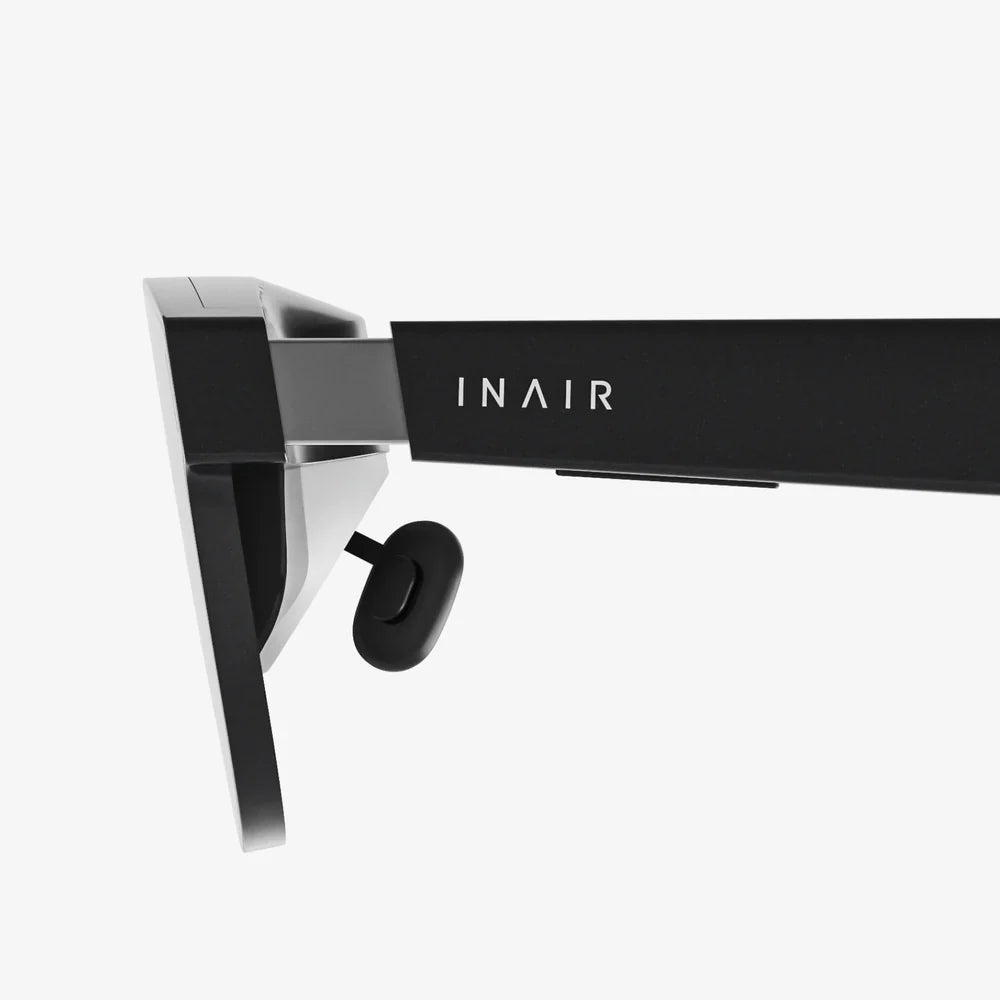
Imagine slipping on a pair of glasses computer and instantly seeing your messages, navigation, work tools, and entertainment floating in the air around you. No phone in your hand, no laptop on your desk, just a lightweight wearable that turns the world into your screen. This is no longer distant science fiction; it is the next major shift in personal computing, and it is moving faster than most people realize.
As computing devices have evolved from desktops to laptops to smartphones and watches, the glasses computer stands poised to become the next dominant interface. It promises a powerful blend of augmented reality, hands-free interaction, and ever-present connectivity. Yet this transformation raises big questions: How will it change the way we work, learn, and socialize? What new opportunities and risks will it introduce? And what will it take for glasses computers to become as normal as wearing sunglasses?
The Core Idea Behind a Glasses Computer
A glasses computer is a wearable device that looks similar to regular eyeglasses but includes integrated computing hardware, sensors, and displays. Instead of staring down at a handheld screen, users see digital information overlaid on the real world, or in some cases, displayed in a fully immersive virtual environment.
At its heart, a glasses computer combines three major elements:
- Display system that projects images into or onto the lenses.
- Onboard computing that processes data, runs apps, and connects to the internet.
- Input methods such as voice, gestures, eye tracking, or touch on the frame.
The goal is to deliver the power of a smartphone or laptop in a form factor that you can wear all day, without feeling like you are using a traditional device at all.
How a Glasses Computer Actually Works
To understand why glasses computers are so transformative, it helps to look at the technology inside them. Although designs vary, most share a common set of components working together in a compact, energy-efficient package.
Display and Optics
The display is the most visible part of any glasses computer. There are several approaches to delivering images to the wearer:
- Waveguide displays: Thin, transparent layers in the lens that guide light from a tiny projector into the eye, creating the illusion of floating images.
- Micro-OLED or micro-LED displays: Extremely small, bright screens that project high-resolution visuals into the lenses.
- Heads-up overlays: Simple text or icons projected into a corner of your field of view.
These systems must balance brightness, clarity, field of view, and battery efficiency, all while remaining discreet and comfortable enough for everyday wear.
Processing Power in a Tiny Frame
A glasses computer needs a processor capable of handling graphics, connectivity, and sensor data. This is typically a low-power chip similar to those found in smartphones or wearables. To keep heat and battery usage under control, many tasks are optimized for efficiency, and some processing may be offloaded to a paired phone or cloud service.
Key internal hardware often includes:
- CPU and GPU for running apps and rendering visuals.
- Memory and storage for operating systems, applications, and cached data.
- Wireless modules for Wi-Fi, Bluetooth, and sometimes cellular connectivity.
Sensors That Understand the World
To align digital content with the real environment, a glasses computer relies heavily on sensors:
- Cameras to capture the surroundings and enable computer vision.
- Depth sensors or LiDAR to map distances and surfaces.
- Accelerometer and gyroscope to track head movement and orientation.
- GPS (or phone-assisted location) for navigation and location-based experiences.
Combined, these sensors allow the device to understand where you are, what you are looking at, and how to anchor virtual objects in physical space.
Input: How You Control a Glasses Computer
Because there is no keyboard or mouse, glasses computers rely on alternative input methods:
- Voice commands for launching apps, dictation, and quick actions.
- Gesture recognition, such as pinching fingers in the air or tapping on the frame.
- Eye tracking to select objects simply by looking at them.
- Companion devices like phones or small controllers for more precise input.
Over time, the most natural and intuitive combination of these methods will likely become the default way we interact with digital content around us.
Why a Glasses Computer Is More Than Just a Tiny Screen
It is tempting to think of a glasses computer as simply a small display strapped to your face, but that view misses the deeper shift. What truly sets this device apart is how it changes the relationship between you, your information, and the physical world.
Instead of pulling a phone from your pocket, unlocking it, and opening an app, information can appear exactly when and where it is needed. The world becomes your interface: the street shows navigation arrows, a machine displays repair instructions, a person’s name appears when you look at them (assuming they consent to such features). This context-aware computing is what makes glasses computers so powerful.
Everyday Use Cases That Make Glasses Computers Compelling
To understand how a glasses computer could fit into daily life, imagine a typical day enhanced by such a device.
Morning: Productivity and Organization
You wake up, put on your glasses computer, and see a subtle dashboard hovering in your peripheral vision: today’s meetings, weather, commute time, and priority tasks. As you make coffee, you dictate quick responses to messages and emails without touching a phone or keyboard.
During your commute, your glasses highlight the fastest route, warn of delays, and display public transit information directly in your field of view. You are connected, informed, and organized, all without staring down at a separate device.
Work: Hands-Free Focus and Collaboration
At work, the glasses computer becomes a powerful productivity tool:
- Virtual monitors float above your desk, giving you multiple screens without physical hardware.
- Real-time collaboration allows colleagues to see what you see during remote support or brainstorming sessions.
- On-site instructions appear over machinery, tools, or documents, guiding you step by step.
For workers in fields like logistics, manufacturing, healthcare, or field service, this means critical information is always available without stopping to check a handheld device or paper manual.
Learning and Training
Education and training could be transformed by glasses computers. Imagine:
- Language learners seeing live translations hovering next to signs and menus.
- Medical students viewing 3D anatomy models aligned with real bodies.
- Technicians receiving interactive overlays on complex equipment.
By blending digital content with real-world context, learning becomes more immersive, visual, and memorable.
Health and Fitness
A glasses computer can act as a subtle health companion:
- Displaying heart rate, pace, and distance during a run without forcing you to look at a wrist.
- Guiding you through workouts with visual cues and posture feedback.
- Supporting mindfulness by showing breathing patterns or calming visuals during breaks.
For those managing chronic conditions, hands-free access to metrics and reminders could improve adherence and awareness without feeling intrusive.
Travel and Navigation
Travel is one of the most obvious beneficiaries of a glasses computer. Picture walking through an unfamiliar city while:
- Turn-by-turn directions appear as arrows on the ground.
- Landmarks are labeled with historical notes or opening hours.
- Restaurant ratings and menu highlights appear when you glance at a storefront.
Instead of constantly checking a phone and getting disoriented, you remain present in the environment while still benefiting from digital guidance.
Entertainment and Gaming
Entertainment will likely be one of the most popular uses of glasses computers. Possible experiences include:
- Watching movies on a giant virtual screen that follows you from room to room.
- Playing games where virtual characters interact with your actual furniture and surroundings.
- Attending live events remotely with a feeling of presence, seeing performers or sports as if you are on-site.
Because the display sits so close to the eyes, it can create a sense of immersion that traditional screens struggle to match.
Social Interaction and Communication
A glasses computer can change how you connect with others, for better or worse. Potential features include:
- Subtle notifications that do not require you to pull out a phone mid-conversation.
- Real-time captions for people who are hard of hearing or in noisy environments.
- Shared augmented experiences, such as seeing the same virtual objects during group games or meetings.
However, this also raises concerns about distraction and authenticity, which we will explore later.
Key Technologies Powering the Glasses Computer Era
The rise of glasses computers depends on several technological trends converging at once. Without these advances, the devices would be too heavy, too slow, or too limited.
Miniaturization and Power Efficiency
Modern glasses computers benefit from decades of progress in shrinking processors, sensors, and batteries. Low-power chips allow meaningful computing in a small frame, while improved battery chemistry and power management extend usage time without adding bulk.
Augmented Reality and Spatial Computing
Augmented reality (AR) is the practice of overlaying digital content on the real world. Spatial computing goes further, treating the physical environment as a canvas where digital objects can be placed, moved, and interacted with.
Glasses computers rely on these concepts to:
- Recognize surfaces, walls, and objects.
- Anchor virtual items so they appear stable and realistic.
- Provide depth-aware experiences, such as hiding objects behind real furniture.
Computer Vision and Machine Learning
Computer vision algorithms allow a glasses computer to interpret what its cameras see. Machine learning models can detect objects, recognize gestures, and even interpret context, such as whether you are driving, walking, or sitting at a desk.
This intelligence enables features like:
- Smart notifications that appear only when it is safe or appropriate.
- Automatic translation of signs or text in your field of view.
- Context-aware assistance, such as suggesting tools or documents based on what you are looking at.
Connectivity and Cloud Integration
A glasses computer gains much of its power from staying connected. High-speed wireless networks and cloud computing allow intensive tasks, like complex graphics rendering or large-scale data processing, to happen off-device. This keeps the glasses lighter and cooler while still delivering rich experiences.
Benefits That Make Glasses Computers So Attractive
Why are so many technologists convinced that glasses computers will be the next major platform? Several compelling advantages stand out.
Hands-Free Convenience
With a glasses computer, your hands remain free for other tasks. This is especially valuable in:
- Industrial and field work, where workers need to reference instructions without dropping tools.
- Healthcare, where clinicians can access records while maintaining sterility.
- Daily life, where you can cook, exercise, or commute while staying informed.
Contextual Information at a Glance
Because the device knows your location, orientation, and activities, it can present information that is relevant to your immediate situation. You do not have to search for it; it appears when and where it is useful.
Reduced Screen Addiction
Paradoxically, a glasses computer might reduce unhealthy screen habits. Instead of repeatedly checking a phone and getting pulled into endless scrolling, you receive lightweight, glanceable updates. The device can be designed to encourage short interactions rather than deep, distracting sessions.
New Creative and Professional Possibilities
From architecture and design to filmmaking and education, glasses computers open new creative frontiers. Professionals can visualize models at scale, overlay designs on real spaces, and collaborate in shared virtual environments that feel anchored in the physical world.
Challenges and Concerns Facing Glasses Computers
Despite the promise, the path to widespread adoption is not guaranteed. Glasses computers confront significant technical, social, and ethical challenges that must be addressed thoughtfully.
Privacy and Surveillance
One of the biggest concerns is privacy. A glasses computer with cameras and microphones could record people without their knowledge. This raises questions such as:
- How can bystanders know when they are being recorded?
- What limits should exist on facial recognition or data collection?
- Who owns and controls the captured data?
Society will need clear norms and regulations to prevent misuse and protect individual rights while still allowing beneficial applications.
Social Acceptance and Etiquette
Even if the technology is powerful, people must be comfortable around it. Early wearables sometimes faced backlash because others felt uneasy not knowing whether they were being filmed or observed.
New social etiquette will likely emerge, such as:
- Policies for wearing glasses computers in sensitive spaces like classrooms, restrooms, or meetings.
- Visual indicators that show when recording is active.
- Agreed norms about when to remove or disable certain features.
Distraction and Safety
While hands-free access can be helpful, it can also be dangerously distracting, especially while driving or operating machinery. Designers must ensure that:
- Critical safety contexts are recognized and respected.
- Notifications are limited or blocked when they could cause harm.
- Users retain clear control over attention and focus.
Comfort, Style, and Accessibility
No matter how powerful, a glasses computer will not succeed if it is uncomfortable or unattractive. Challenges include:
- Weight distribution so the device can be worn for many hours without strain.
- Designs that suit different face shapes, prescriptions, and personal styles.
- Accessibility features for people with visual or mobility impairments.
Making the device feel like normal eyewear, or even a fashion accessory, will be crucial to mainstream adoption.
Battery Life and Performance
Balancing battery life with performance remains a core technical hurdle. Users expect all-day usage, bright displays, and responsive apps, but batteries must remain small and light. Power-efficient chips, clever software optimization, and perhaps auxiliary power accessories will all play a role.
How Glasses Computers Could Transform Specific Industries
Beyond personal convenience, glasses computers have the potential to reshape entire sectors of the economy.
Healthcare
In healthcare, potential applications include:
- Surgeons viewing imaging data or patient vitals without looking away from the operative field.
- Nurses receiving real-time alerts and medication guidance.
- Remote specialists guiding on-site clinicians through complex procedures.
These capabilities can improve accuracy, reduce errors, and enhance training.
Manufacturing and Maintenance
In factories and field service environments, a glasses computer can:
- Overlay repair instructions on machinery.
- Highlight components that need attention.
- Allow experts to see what workers see and provide live guidance.
This reduces downtime, speeds up training, and helps standardize complex procedures.
Retail and Customer Experience
Retail environments could use glasses computers to:
- Provide staff with instant inventory data when they look at shelves.
- Offer customers personalized information, such as product details and recommendations.
- Enable immersive shopping experiences that blend physical and digital displays.
Education and Field Trips
Classrooms and educational programs can benefit from:
- Interactive field trips where historical or scientific overlays appear at real-world sites.
- Virtual lab simulations projected into the classroom.
- Adaptive learning content that responds to student engagement and focus.
Architecture, Construction, and Real Estate
For built environment professionals, a glasses computer can:
- Project 3D models onto construction sites to verify alignment.
- Reveal hidden infrastructure like pipes and wiring based on digital plans.
- Allow clients to walk through virtual designs at real scale before building begins.
Design Principles for Responsible Glasses Computer Experiences
To unlock the full potential of glasses computers while minimizing harm, designers and developers must follow thoughtful principles.
Human-Centered Interaction
Experiences should respect human attention and well-being. This means:
- Prioritizing clarity over visual clutter.
- Using subtle cues rather than intrusive alerts.
- Allowing users to easily pause, mute, or remove overlays.
Privacy by Design
Privacy considerations must be built in from the start, not added as an afterthought. Effective approaches include:
- Clear indicators when recording or analysis is active.
- Local processing of sensitive data whenever possible.
- Granular controls over what data is collected, stored, and shared.
Context Awareness and Safety
Glasses computers should be context-aware enough to protect users and bystanders. For example:
- Disabling distracting features during driving.
- Limiting overlays that might block critical real-world hazards.
- Offering safety modes for high-risk environments.
Inclusivity and Accessibility
Designs should accommodate a wide range of users, including those with disabilities. Features might include:
- Text-to-speech and speech-to-text for different communication needs.
- Adjustable font sizes, contrast, and color schemes.
- Compatibility with prescription lenses and assistive devices.
What to Consider Before Buying a Glasses Computer
As glasses computers become available to consumers, early adopters should evaluate several factors before committing.
Use Cases That Matter to You
Ask yourself which scenarios truly justify wearing a glasses computer. Do you want it for work, fitness, travel, entertainment, or accessibility? Identifying the primary use cases will help you choose a device that fits your needs rather than chasing novelty.
Comfort and Fit
Because this is a wearable device, comfort is critical. Consider:
- Weight and balance on your nose and ears.
- Compatibility with your prescription or ability to add corrective lenses.
- Whether the design feels natural to wear in public.
Battery Life and Charging
Look at realistic battery life in your preferred usage modes. Also consider:
- How quickly the device charges.
- Whether it supports portable charging accessories.
- How performance changes as the battery drains.
Privacy Controls and Policies
Review the device’s privacy features and data policies. Check whether you can:
- Disable cameras or microphones easily.
- Control what data is synced to the cloud.
- Manage permissions for apps that access sensors.
Software Ecosystem and Updates
The long-term value of a glasses computer depends on its software ecosystem. Consider:
- What apps and services are available today.
- How frequently the system receives updates and new features.
- Whether developers are actively building experiences for the platform.
The Future of Glasses Computers: From Novelty to Necessity
The journey of the glasses computer will likely mirror the history of other transformative technologies. Early versions may seem bulky, expensive, or limited in functionality. Over time, they will become lighter, more stylish, more powerful, and more integrated into everyday life.
We can expect several trends in the coming years:
- Improved displays offering wider fields of view and higher resolution.
- Better integration with existing devices and services, creating seamless multi-device experiences.
- Specialized models tailored for specific industries, hobbies, or accessibility needs.
- Evolving norms around etiquette, privacy, and acceptable use in public spaces.
As these devices mature, the question may shift from “Why would I wear a glasses computer?” to “Why would I limit myself to a flat screen in my pocket?”
If you are curious about where personal technology is heading, the glasses computer is one of the most important developments to watch. It promises a world where digital information is no longer confined to rectangles, but woven into the fabric of everyday life. Those who understand and experiment with this shift early will be better prepared for a future in which looking through your glasses means looking into a rich, responsive, and intelligent layer of reality itself.
Aktie:
mr eyewear Style Guide: Trends, Materials, and Smart Buying Tips
mr eyewear Style Guide: Trends, Materials, and Smart Buying Tips