


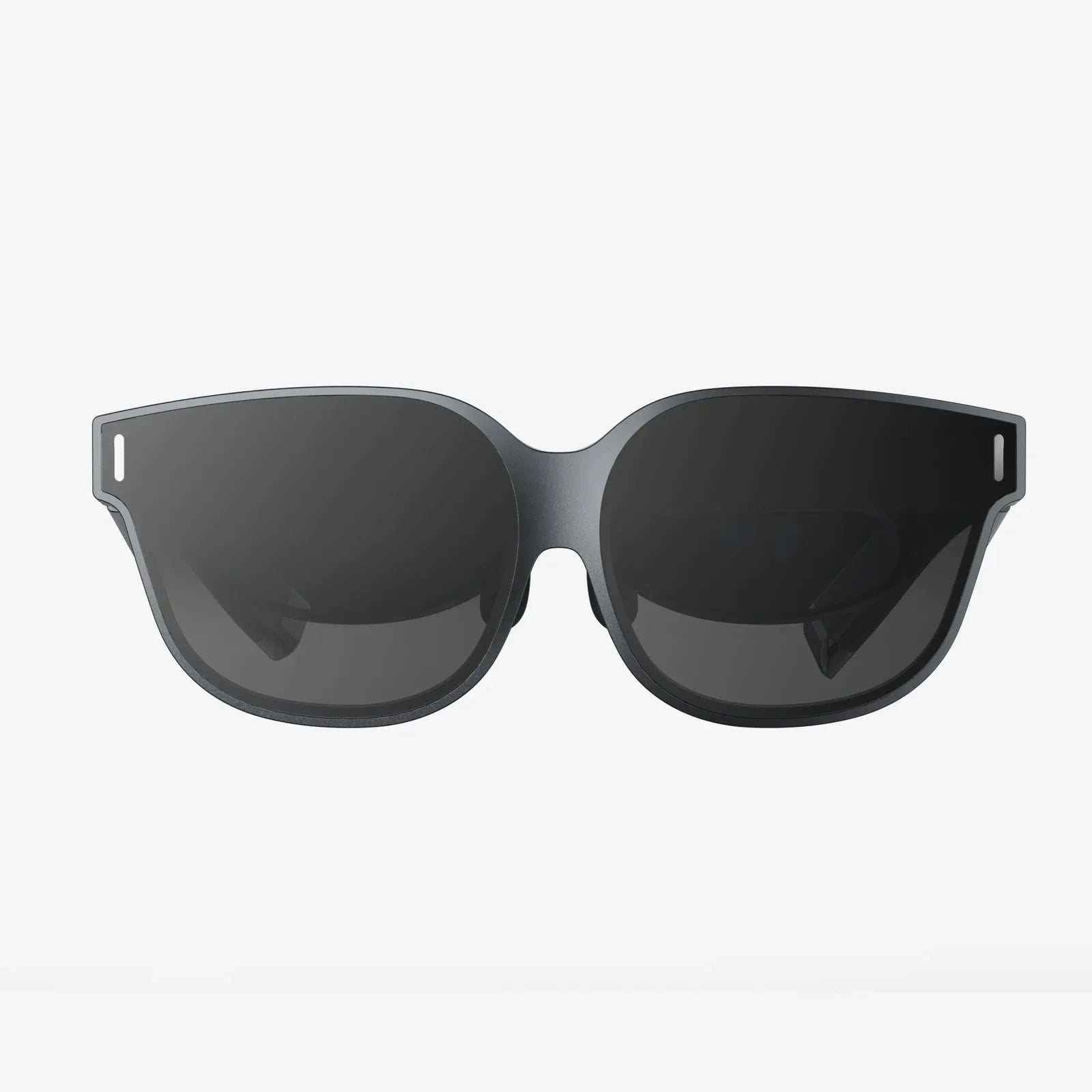
If you spend hours scrolling, streaming, or working online, glasses to protect eyes from phone and computer screen might be the quiet upgrade that completely changes how your eyes feel by the end of the day. Many people accept burning, dry, or tired eyes as the price of modern life, but the right lenses and a few smart habits can make your screen time far more comfortable and protect your vision over the long term.
This guide walks you through what these glasses actually do, how they differ from regular eyewear, who benefits most, and how to choose a pair that truly helps instead of just looking trendy. You will also find practical tips to use your phone, laptop, and tablet in ways that are kinder to your eyes without giving up the digital world you rely on.
Why Digital Screens Are So Hard On Your Eyes
Before deciding whether glasses to protect eyes from phone and computer screen are worth it, it helps to understand why screens cause so much discomfort. The problem is rarely just one thing; it is a combination of light, focus, posture, and habits.
Blue Light And Visual Discomfort
Digital screens emit a spectrum of visible light that includes a high proportion of short-wavelength blue light. This type of light:
- Scatters more inside the eye, which can reduce contrast and make focusing feel harder.
- Signals the brain to stay awake, which is helpful during the day but disruptive at night.
- May contribute to visual fatigue when exposure is intense and prolonged, especially in dim environments.
While the science is still evolving on how much blue light directly harms eye structures, there is stronger evidence that it affects comfort and sleep patterns. Glasses that filter specific wavelengths aim to reduce this visual noise and make screen viewing less taxing.
Constant Near Focus And Eye Strain
Human eyes are built to shift focus between near and far objects. Staring at a close screen for hours forces the focusing muscles to stay contracted. Over time, this can lead to:
- Headaches, especially around the eyes or forehead
- A feeling of heaviness or pressure in the eyes
- Blurred vision when shifting focus from near to far
- Neck and shoulder tension from leaning forward unconsciously
Glasses designed for computer use can ease this focusing effort, especially if they include a prescription optimized for the distance between your eyes and your screen.
Reduced Blinking And Dry Eyes
When people concentrate on screens, they blink less often and less completely. This means the tear film that protects and lubricates the surface of the eye is not refreshed as frequently. The result can be:
- Dryness or a gritty sensation
- Redness and irritation
- Temporary blurred vision that clears after blinking
Certain coatings on glasses to protect eyes from phone and computer screen can reduce reflections, making it easier to blink naturally and more frequently because you are not squinting or straining to see through glare.
Glare, Reflections, And Poor Contrast
Overhead lighting, daylight from windows, and reflections on glossy screens all add layers of glare that your eyes must work to ignore. This reduces contrast and makes text harder to read, which increases effort. Anti-reflective coatings on lenses can dramatically reduce this problem and are one of the most valuable features in computer eyewear.
What Glasses To Protect Eyes From Phone And Computer Screen Actually Do
Not all protective glasses are the same. Some are purely cosmetic, while others are carefully engineered to address specific issues caused by digital screens. Understanding their features helps you avoid paying for marketing instead of real benefits.
Blue Light Filtering
Blue light filtering lenses are designed to reduce the amount of short-wavelength blue light that reaches your eyes. They typically work in two ways:
- Selective filtering: The lens material or coating absorbs or reflects specific blue wavelengths while letting other colors pass through more freely.
- Tinting: Some lenses use a slight yellow or amber tint to balance the perceived color and improve contrast.
Depending on the strength of the filter, lenses may look almost clear or noticeably tinted. Strong filters tend to be more effective at night for reducing sleep disruption, while lighter filters are more suitable for daytime use when color accuracy matters.
Anti-Reflective Coating
Anti-reflective (AR) coatings reduce reflections on the front and back surfaces of the lens. This provides several advantages:
- Less glare from overhead lights and windows, making text and images appear clearer.
- Improved contrast, which reduces the effort your eyes need to make to distinguish details.
- Reduced ghost images and halos from bright objects on the screen.
For glasses to protect eyes from phone and computer screen, an AR coating is often more immediately noticeable in comfort than blue light filtering alone.
Optimized Prescription For Screen Distance
If you already wear prescription glasses, you might find that normal lenses are designed primarily for distance (driving, walking) or for reading very close objects. Computer screens usually sit at an intermediate distance, which can fall between these zones.
Specialized computer lenses can be tailored to this intermediate range, which can:
- Reduce the need to lean forward or tilt your head to find a clear zone in the lens
- Provide a larger area of sharp focus at screen distance
- Lower the strain on your focusing muscles over long work sessions
Some designs include a gentle progression of power from the top to the bottom of the lens to support both screen viewing and closer tasks like reading documents or using a phone.
Tints And Contrast Enhancement
Subtle tints can improve comfort and clarity, especially in environments with harsh lighting. Common options include:
- Light amber or yellow: Enhances contrast and reduces some blue light; popular for evening use.
- Soft gray: Reduces overall brightness without strongly altering colors.
- Rose or brown: Can be soothing and may enhance contrast for some users.
The best tint depends on your sensitivity, the type of work you do, and how important accurate color perception is for your tasks.
Who Benefits Most From Glasses For Phone And Computer Use
While almost anyone who uses screens regularly can experience more comfort with the right eyewear, some people benefit more than others.
Office Workers And Remote Professionals
People who spend most of their day in front of a computer are prime candidates. Common complaints include:
- End-of-day headaches and eye fatigue
- Difficulty focusing on distant objects after long work sessions
- Neck and shoulder pain from leaning toward the screen
Glasses to protect eyes from phone and computer screen that combine blue light filtering, anti-reflective coating, and an optimized intermediate prescription can significantly improve comfort and productivity.
Students And Lifelong Learners
Students of all ages now rely heavily on laptops, tablets, and phones for reading, research, and assignments. Long study sessions often mean:
- Studying in dim rooms late at night
- Switching constantly between printed material and screens
- Using smaller devices held close to the eyes
Protective glasses can help reduce strain during intense reading, particularly in the evening when blue light exposure can interfere with sleep quality and next-day alertness.
Gamers And Creative Professionals
Gamers, designers, editors, and other creative professionals frequently spend hours on visually demanding tasks. They often need:
- High contrast and sharp detail
- Accurate color reproduction
- Reduced glare from multiple screens and lighting setups
For these users, glasses to protect eyes from phone and computer screen should balance blue light filtering with minimal color distortion, and always include high-quality anti-reflective coatings.
People Sensitive To Light Or Prone To Migraines
Some individuals are especially sensitive to bright light, flicker, or certain color wavelengths. For them, even moderate screen time can trigger:
- Headaches or migraines
- Nausea or dizziness
- Extreme eye fatigue
Specialized tints and filters can help reduce these triggers. In these cases, it is wise to consult an eye care professional who can recommend specific lens characteristics based on your symptoms.
How To Choose Glasses To Protect Eyes From Phone And Computer Screen
With so many options available, choosing the right pair can be confusing. Focusing on a few key factors will help you find glasses that offer real protection and comfort.
1. Determine Whether You Need A Prescription
Start by asking yourself:
- Do you already wear glasses or contact lenses?
- Do you experience blurred vision at near or far distances?
- Have you noticed increasing difficulty reading small text on screens?
If the answer to any of these is yes, an eye examination is a smart first step. You may need a prescription updated or tailored specifically for screen distance. Non-prescription blue light glasses can help with glare and some discomfort, but they cannot correct underlying focusing issues.
2. Decide On The Level Of Blue Light Filtering
Blue light filtering is often advertised with percentages. Higher percentages mean more blue light is blocked, but this can come with more noticeable tinting. Consider your typical environment:
- Daytime office work: A moderate filter with minimal color change is usually enough.
- Evening use and late-night screen time: Stronger filtering can be beneficial for comfort and sleep.
- Color-critical tasks: Choose a lighter filter or lenses designed to maintain accurate color balance.
It can be helpful to have different pairs or lens options for work and evening relaxation if your budget allows.
3. Prioritize Anti-Reflective Coating
For most people, anti-reflective coating provides one of the biggest improvements in comfort. When comparing options, look for lenses that:
- Reduce reflections on both front and back surfaces
- Are described as smudge-resistant and easy to clean
- Offer scratch resistance to extend the life of the lenses
High-quality coatings are especially important if you work under bright overhead lights or near windows, or if you use multiple screens.
4. Choose The Right Frame Size And Fit
Comfort is not just about lenses. Poorly fitting frames can create their own problems, including:
- Pressure on the nose or behind the ears
- Frames sliding down, affecting where you look through the lens
- Restricted field of view if the lens area is too small
For dedicated computer glasses, look for frames that:
- Provide a wide viewing area to cover your entire screen
- Sit comfortably without pinching
- Stay stable when you move your head
Lightweight materials can reduce fatigue if you wear them for many hours at a time.
5. Consider Single-Vision vs. Multifocal Computer Lenses
Your age and visual needs influence the best lens design:
- Younger users often do well with single-vision lenses optimized for screen distance.
- People in their forties and beyond may benefit from specialized multifocal computer lenses that provide clear vision at both screen and reading distances.
Multifocal designs for computer use differ from standard progressive lenses because they give more space to intermediate and near zones, which are more relevant for screen work.
How To Use Glasses To Protect Eyes From Phone And Computer Screen Effectively
Even the best glasses cannot overcome poor habits or an unhealthy workspace. Combining protective eyewear with smart usage patterns yields the best results.
Follow The 20-20-20 Rule
A simple habit can significantly reduce eye strain: every 20 minutes, look at something at least 20 feet away for about 20 seconds. This allows your focusing muscles to relax and reduces fatigue.
To make this automatic, you can:
- Use a reminder app or timer
- Link breaks to natural pauses in your work, such as after sending an email
- Position your desk so you have a distant object to look at, like a window view
Optimize Screen Position And Distance
Your glasses are most effective when your screen is placed correctly. Aim for:
- Distance: About an arm's length from your eyes, often between 20 and 28 inches.
- Height: The top of the screen at or slightly below eye level.
- Angle: Slightly tilted back so you look down a bit, which is more natural and helps keep your eyes moist.
This position allows computer-specific lenses to work as intended and reduces neck and shoulder strain.
Adjust Brightness, Contrast, And Color Temperature
Even with glasses to protect eyes from phone and computer screen, an overly bright or harsh display can be uncomfortable. Consider these adjustments:
- Brightness: Match screen brightness to the surrounding environment; it should not be a glowing spotlight.
- Contrast: Increase contrast so text stands out clearly from the background.
- Color temperature: Use warmer tones in the evening to reduce blue light exposure.
Many devices include built-in settings or modes that automatically adjust these parameters based on time of day or ambient light.
Manage Ambient Lighting
Glasses can reduce glare, but they work best when combined with good lighting choices:
- Avoid placing screens directly in front of or behind bright windows.
- Use indirect lighting instead of harsh overhead lights when possible.
- Consider a desk lamp with a soft, adjustable beam that does not reflect off your screen.
Balanced lighting reduces the contrast between your screen and surroundings, easing the workload on your eyes.
Remember To Blink And Stay Hydrated
Make a conscious effort to blink fully and regularly, especially during intense tasks like editing, gaming, or reading dense text. You can also:
- Use a sticky note on your monitor as a reminder to blink
- Keep water nearby and drink regularly to support tear production
- Ask an eye care professional about lubricating eye drops if dryness persists
Glasses reduce strain but do not replace the need for a healthy tear film and good blinking habits.
Common Myths About Glasses For Digital Screens
As glasses to protect eyes from phone and computer screen have become more popular, several myths have spread. Clearing them up helps you set realistic expectations.
Myth 1: They Completely Prevent All Eye Problems From Screens
Protective glasses can reduce discomfort and help manage exposure to certain types of light, but they are not a magic shield. Poor posture, excessive screen time, lack of breaks, and uncorrected vision issues can still cause problems. Think of these glasses as one important tool in a larger eye-care strategy.
Myth 2: Blue Light From Screens Is The Only Cause Of Eye Strain
Blue light plays a role, especially in sleep disruption and visual comfort, but it is not the only factor. Constant near focus, poor lighting, glare, and reduced blinking are equally important contributors. This is why some people feel dramatically better with improved ergonomics and habits even without strong blue light filtering.
Myth 3: Any Cheap Pair Of Blue Light Glasses Will Work The Same
Quality matters. Differences in lens materials, coatings, and design can affect:
- How much blue light is actually filtered
- Whether the lens introduces distortion or blur
- How resistant the lenses are to scratches and smudges
- How comfortable the glasses are for long-term wear
While you do not need the most expensive option, it is worth choosing glasses from a reputable source and, when possible, consulting an eye care professional.
Myth 4: Children Do Not Need Screen Protection
Children often use screens at very close distances and for long periods, sometimes without breaks. Their visual systems are still developing, and habits formed early can last a lifetime. Glasses to protect eyes from phone and computer screen, combined with limits on screen time and plenty of outdoor play, can support healthier visual development.
How To Talk With An Eye Care Professional About Screen Glasses
If you decide to seek professional guidance, going into your appointment prepared will help you get the most value from it.
Track Your Symptoms And Habits
Before the visit, make notes about:
- How many hours per day you spend on screens
- Types of devices you use (phone, laptop, desktop, tablet)
- Typical working distances and setups
- Specific symptoms (headaches, dryness, blurred vision, neck pain)
- When symptoms are worst (morning, afternoon, late night)
This information helps the professional understand your visual demands and suggest appropriate lenses and coatings.
Ask Focused Questions
Consider asking:
- Would a dedicated pair of computer glasses help my specific symptoms?
- Do I need a different prescription for screen distance than for general use?
- What level of blue light filtering do you recommend for my routine?
- Which lens designs and coatings would best match my work environment?
Clear questions lead to clear recommendations, so you leave with a solution tailored to your needs instead of a generic option.
Building A Long-Term Eye Comfort Strategy
Glasses to protect eyes from phone and computer screen are most powerful when combined with a broader approach to eye health. Think beyond today and consider how your habits will affect your vision years from now.
Schedule Regular Eye Exams
Even if you feel your vision is fine, routine checkups can detect early signs of strain, prescription changes, or other conditions. Early intervention often means simpler solutions and better outcomes.
Balance Screen Time With Outdoor Activities
Spending time outdoors gives your eyes the chance to focus at long distances and experience more natural light. This is particularly important for children and teenagers, but adults benefit as well. Aim to:
- Take walks during breaks or after work
- Choose outdoor hobbies when possible
- Encourage children to play outside instead of always turning to screens
Design A Vision-Friendly Workspace
Small adjustments can have a large impact over years of daily use. Consider:
- A chair that supports good posture
- A desk height that keeps your arms and wrists comfortable
- Screen stands or monitor arms to position displays correctly
- Task lighting that reduces shadows and glare
When your body is aligned and supported, your eyes are not forced to compensate as much.
Your Next Step Toward More Comfortable Screen Time
Every day you look at screens is another day your eyes are working overtime, but that does not mean you have to accept constant strain, headaches, or restless nights. Glasses to protect eyes from phone and computer screen offer a practical, low-effort way to make your digital life more comfortable, and when paired with simple, lasting habits, they can transform how you feel at the end of every workday and late-night browsing session.
Take a moment to assess your current setup, your symptoms, and your daily routines. Then decide on one concrete step you can take today: maybe it is booking an eye exam, choosing a pair of dedicated computer glasses, or simply adjusting your screen height and following the 20-20-20 rule. Small, smart changes add up quickly, and your future self will thank you every time you close your laptop and realize your eyes still feel clear, relaxed, and ready for whatever comes next.
Aktie:
apple iphone glass screen replacement guide for a flawless diy repair
at&t tempered glass screen protector warranty explained for smart device owners