


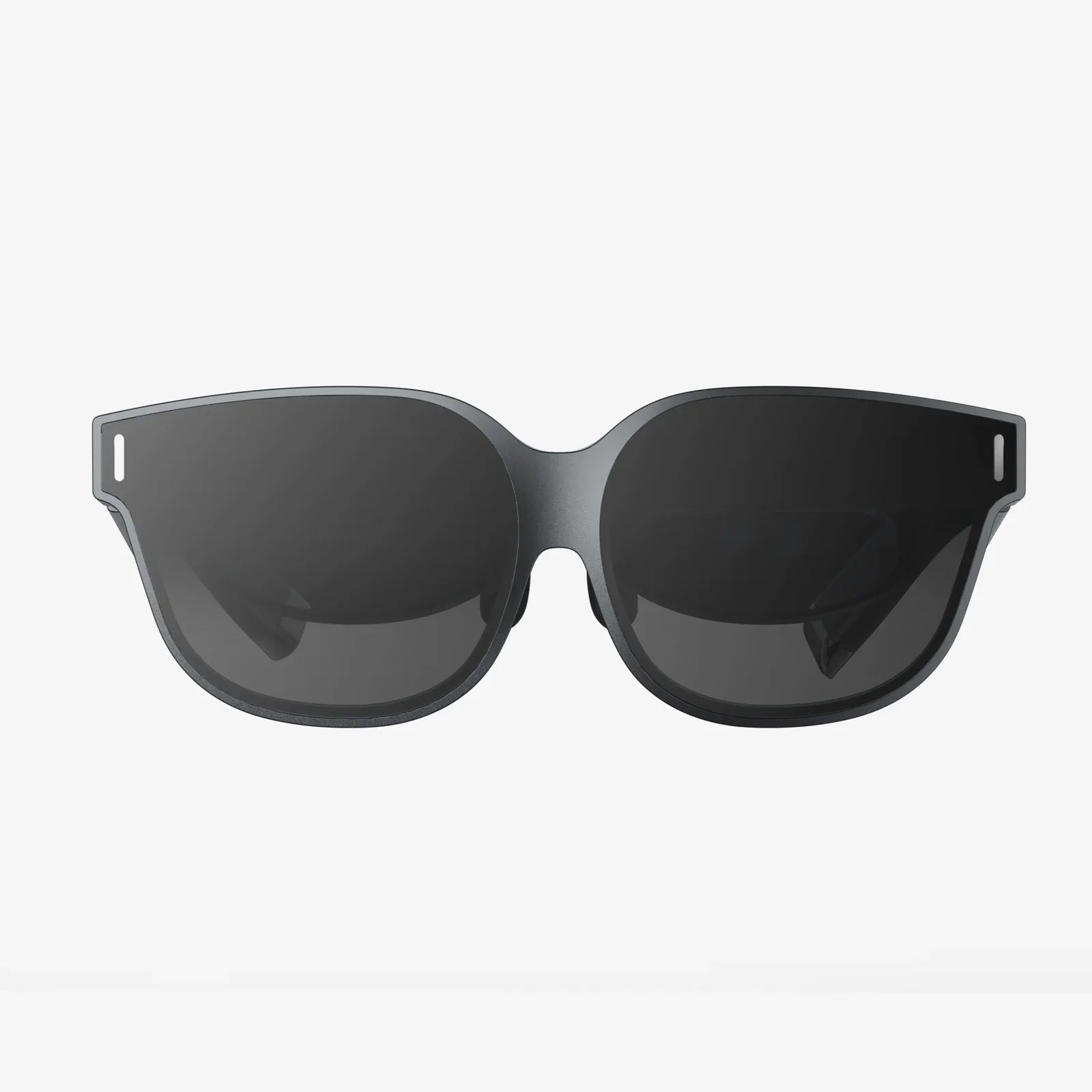
how are ar glasses made is one of those questions that sounds simple until you realize how many tiny miracles of engineering sit on your nose. If you have ever slipped on a pair of augmented reality glasses and watched digital objects blend seamlessly with the real world, you have already experienced the end result of years of design, prototyping, and precision manufacturing. What you have not seen is the complex journey from a rough concept sketch to a finished device that has to be light, safe, accurate, and powerful enough to project a digital layer over reality.
To understand how these devices are created, you need to look inside the full lifecycle: idea, design, optics, electronics, software integration, assembly, and testing. Each stage has its own challenges, from bending light in exactly the right way to fitting processors, batteries, and sensors into something that still looks and feels like eyewear. By the time you finish this guide, you will have a clear picture of what it really takes to build AR glasses that people actually want to wear.
The journey from idea to wearable device
The process of making AR glasses usually begins long before the first physical prototype exists. It starts with a vision of what the glasses should do and who they are for. Are they meant for industrial workers who need hands-free instructions, for gamers who want immersive experiences, or for everyday users who just want subtle notifications and navigation? The answers shape every decision that follows.
Teams of product managers, designers, and engineers map out the core goals: field of view, battery life, weight, comfort, display quality, connectivity, and price. They also decide what type of augmented reality they are targeting: simple heads-up overlays, more advanced spatial mapping, or fully interactive 3D content anchored to real-world surfaces. These early decisions determine the technologies, materials, and manufacturing methods that will be used later.
Once the basic requirements are defined, the project moves into a more formal product specification. This document becomes the blueprint for the entire development process. It describes expected performance, environmental conditions (indoor, outdoor, bright sunlight, dusty factories), and safety standards. From this point, multiple engineering disciplines work in parallel to turn the concept into something that can be manufactured at scale.
Industrial design and ergonomics
Before any circuit boards or lenses are made, industrial designers focus on how the glasses will look and feel. AR glasses have to balance style with function. If they are too bulky, people will not wear them. If they are too fragile, they will not survive daily use. Designers explore shapes, materials, and color schemes while keeping the internal components in mind.
Using 3D modeling software, they create digital models of frames, temples, and nose bridges. These models are refined to meet ergonomic needs: weight distribution across the nose and ears, adjustability for different head sizes, and compatibility with prescription lenses if required. Designers also think about how the glasses will sit alongside hair, hats, helmets, or safety gear, depending on the target user.
Physical mock-ups are often made with 3D printers or simple prototype materials like foam and plastic. Testers wear these mock-ups for extended periods to evaluate comfort, pressure points, and stability during movement. Feedback from these tests influences the final shape and materials of the frame, as well as where components like batteries and processors are placed to keep the device balanced.
Optical design: the heart of AR visualization
The optical system is one of the most critical and complex parts of AR glasses. It is responsible for projecting digital images into the user’s eyes in a way that appears natural and comfortable. This system usually includes a combination of micro-displays, lenses, waveguides, mirrors, and coatings.
Choosing the display technology
Engineers choose from several types of micro-displays, each with trade-offs:
- MicroLED displays offer high brightness, good efficiency, and long life, making them suitable for outdoor use.
- OLED micro-displays provide deep blacks and high contrast but may face brightness and longevity challenges at high intensities.
- LCOS (liquid crystal on silicon) displays can deliver sharp images but often require complex optics and may not be as compact.
The display must be small enough to fit into the frame yet bright enough to remain visible in a wide range of lighting conditions. It also has to support a resolution that feels crisp at the viewing distance within the optical system.
Waveguides and optics
Most modern AR glasses use waveguides or similar optical structures to route light from the micro-display to the user’s eyes. A waveguide is a transparent piece of glass or plastic that channels light through internal reflections and then directs it into the eye via gratings or mirrors. This allows the digital image to be overlaid on the real-world view without blocking it.
Designing waveguides is a highly specialized task. Optical engineers use simulation tools to model how light will travel, how much brightness will be lost, and how color and clarity will be affected. They must control distortions, minimize eye strain, and ensure that the image appears at a comfortable focal distance, often a few meters in front of the user rather than right on the lens surface.
Other optical components, such as collimating lenses and combiners, are used to shape the light and merge it with the real-world view. Anti-reflective coatings reduce unwanted glare, and polarization techniques may be used to manage reflections and image quality. All of these parts must be manufactured with extremely tight tolerances and aligned with high precision during assembly.
Electronics and core computing hardware
Inside the slim frame of AR glasses lies a full computing system. This system has to process sensor data, render graphics, manage wireless communication, and handle user input, all while consuming as little power as possible.
Processing units
The main processor is often a system-on-chip (SoC) that combines CPU, GPU, and sometimes specialized accelerators for tasks like computer vision or machine learning. The choice of chip depends on the intended complexity of AR applications. More advanced experiences require more powerful processing, but that also generates more heat and uses more battery.
Engineers design printed circuit boards (PCBs) that fit into the limited space available in the temples or bridge of the glasses. These boards hold the processor, memory, storage, and power management circuits. High-density interconnect techniques and multi-layer boards are often used to route signals in such a confined space.
Power system and batteries
Power is one of the biggest constraints in AR glasses. The device needs enough battery capacity to last through meaningful use, yet the battery must be small and light enough to keep the glasses comfortable. Common battery technologies include lithium-ion or lithium-polymer cells shaped to fit within the arms of the frame.
Power management circuits regulate voltage and current, protect against overcharging and overheating, and optimize energy use. Engineers carefully budget power across components, turning off or throttling parts of the system when not needed. Features like display brightness adjustment and sensor duty-cycling help extend battery life.
Connectivity and interfaces
AR glasses usually connect wirelessly to other devices or networks using technologies like Wi-Fi and Bluetooth. Antennas are integrated into the frame, often hidden within the plastic or composite material. Their placement is carefully engineered to maintain strong signals without being blocked by the user’s head or other components.
Some designs include physical interfaces, such as charging pins or USB connectors, often placed discreetly on the frame. The mechanical and electrical design must ensure these connectors are durable and meet safety standards, especially if used in harsh environments.
Sensors that make the world interactive
AR glasses rely on a suite of sensors to understand the user’s environment and movements. These sensors are what make it possible to anchor digital content to the real world and to interact with it naturally.
Motion and orientation sensors
At the core are inertial measurement units (IMUs), which typically include accelerometers, gyroscopes, and sometimes magnetometers. These sensors track head movements and orientation. The data they generate is processed through sensor fusion algorithms to create a stable, accurate view of where the user is looking.
High-quality IMUs are crucial for preventing motion sickness and ensuring that digital objects remain stable even when the user moves quickly. Engineers must filter and calibrate the sensor data to remove noise and drift.
Cameras and depth sensors
Many AR glasses include outward-facing cameras that capture the environment. These cameras can be used for:
- Mapping the surroundings for spatial awareness
- Recognizing surfaces, objects, and markers
- Tracking the user’s position in a room or outdoor space
In more advanced designs, depth sensors or stereo camera pairs provide 3D information about the environment. This allows the system to understand how far away objects are and to place virtual content at the correct depth. It also enables occlusion, where real objects can realistically block virtual ones.
Eye tracking and user input
Some AR glasses use inward-facing sensors to track eye movements. Eye tracking can help render images more efficiently by focusing detail where the user is looking, a technique known as foveated rendering. It can also provide a natural input method, allowing users to select items by looking at them.
Additional input methods may include touch-sensitive areas on the frame, gesture recognition using the cameras, voice commands via built-in microphones, or external controllers. Each input method requires both hardware and software integration to feel responsive and intuitive.
Software integration and operating environment
Hardware alone does not create an AR experience. The software stack ties all the components together, turning raw sensor data into stable virtual overlays and handling interactions with applications and services.
System software and drivers
At the lowest level, firmware and drivers manage communication with sensors, displays, and wireless modules. Real-time operating systems or lightweight platforms may be used to ensure that critical tasks like head tracking and display updates happen with minimal latency.
Engineers optimize these layers for performance and power efficiency. They must carefully schedule tasks, manage memory, and handle errors gracefully. Updates to this software are often delivered over the air, so the system is designed to support secure and reliable firmware upgrades.
AR engines and spatial mapping
On top of the system layer, AR engines handle spatial mapping, tracking, and rendering. These engines use computer vision algorithms to detect features in the environment, build 3D maps, and track the user’s position within those maps. They also manage how virtual objects are anchored to real-world locations.
Rendering engines draw the virtual content that appears in the user’s view. They must account for the unique characteristics of the optical system, including field of view, distortion, and brightness. Advanced techniques adjust color and contrast to ensure that virtual objects remain visible against varying real-world backgrounds.
User experience and applications
The top layer of the software stack consists of user interfaces and applications. Designers create interaction patterns that work well in a heads-up context, where users are moving and need to stay aware of their surroundings. This often means minimizing clutter, using subtle cues, and relying on natural gestures or voice commands.
Developers build applications for navigation, training, collaboration, entertainment, and more. They use software development kits and APIs provided by the AR platform to access sensors, spatial information, and rendering capabilities. The success of AR glasses in the market often depends on the richness and usefulness of these applications.
Materials and mechanical engineering
While the electronics and optics grab most of the attention, the choice of materials and mechanical design is just as important in making AR glasses practical and durable.
Frame materials
Frames can be made from plastics, metals, or composites. Each material has trade-offs in weight, strength, flexibility, and cost. Lightweight polymers can keep the glasses comfortable, while metal components may be used in areas that require extra strength or heat dissipation.
Mechanical engineers design the frame to protect internal components from shocks, drops, and daily wear. They also ensure that moving parts, such as hinges or adjustable nose pieces, can withstand repeated use. The design must allow for assembly and disassembly during manufacturing and repair without damaging delicate electronics or optics.
Thermal management
Processors, displays, and power electronics generate heat, which must be managed carefully in a device that sits on the user’s face. Engineers use heat spreaders, thermal interface materials, and the frame itself to dissipate heat away from sensitive areas.
Thermal simulations help predict hot spots and guide component placement. The goal is to keep surfaces that contact the skin within comfortable temperature ranges while ensuring that internal components operate within their specified limits.
Prototyping: turning designs into testable devices
Once the initial designs are complete, the project moves into prototyping. This stage involves building small batches of AR glasses to test their performance, comfort, and reliability.
Early prototypes may be larger and less refined, focusing on validating core technologies like optics or tracking. As the design matures, prototypes become closer to the intended final form factor. Engineers iterate quickly, using feedback from internal testers and sometimes external pilot users to refine both hardware and software.
Prototyping includes:
- Fabricating custom PCBs and assembling them with selected components
- Producing optical elements using pre-production processes
- 3D printing or machining frame parts for quick modifications
- Running performance, battery, and thermal tests under real-world conditions
Issues discovered during prototyping, such as unexpected glare, poor fit, or unreliable tracking, are fed back into the design process. This loop continues until the team is satisfied that the product meets its goals and is ready for mass production.
Scaling up: manufacturing AR glasses at volume
Moving from prototypes to mass production is a major step. It requires setting up manufacturing lines, qualifying suppliers, and establishing quality control processes. Every part of the glasses, from the smallest screw to the most advanced waveguide, must be produced consistently and assembled accurately.
Component sourcing and supply chain
Manufacturers work with specialized suppliers for displays, lenses, sensors, and chips. Each supplier must meet strict specifications and quality standards. Contracts and forecasts are used to ensure a steady supply of parts, and alternative suppliers may be qualified to reduce risk.
Supply chain planners coordinate the flow of components to assembly plants, balancing lead times, inventory levels, and demand forecasts. They also plan for potential disruptions and design the product to accommodate minor component changes when necessary.
Optical and electronic assembly
Assembly lines for AR glasses often combine automated and manual processes. Precision machines place tiny components onto PCBs, solder connections, and inspect them using optical systems. Cleanroom environments may be used for assembling optical components to prevent dust and contamination.
Optical modules, including waveguides and displays, are aligned using specialized jigs and measurement tools. Even small misalignments can cause eye strain or image artifacts, so quality control at this stage is critical. Technicians and robots work together to ensure consistent alignment across thousands of units.
Frames are molded, machined, or stamped from raw materials and then finished with coatings or paints. The internal electronics and optics are carefully installed into the frames, and cables or flex circuits are routed through narrow channels. Each step is documented and monitored to maintain traceability and consistency.
Testing, calibration, and quality assurance
Before AR glasses reach users, they undergo extensive testing and calibration. This ensures that each unit meets performance, safety, and reliability standards.
Functional testing
Automated test stations check that displays, sensors, microphones, speakers, and wireless connections are working correctly. Software scripts run through predefined test cases, such as verifying that the IMU reports accurate motion data or that the cameras capture images at the correct resolution.
Units that fail these tests are flagged for rework or rejected. Data from these tests is analyzed to identify trends and potential issues in the manufacturing process, allowing continuous improvement.
Optical calibration
Each pair of AR glasses may require calibration to account for small variations in components. Calibration procedures adjust the alignment of displays and optics, correct for distortions, and ensure that the image appears sharp and correctly positioned.
Some systems also calibrate for the user’s interpupillary distance (IPD), the distance between the centers of the eyes. This can be done through mechanical adjustment, software settings, or a combination of both. Proper calibration is essential for comfort and immersion.
Durability and environmental tests
To verify that AR glasses can withstand real-world use, manufacturers perform durability tests. These may include drop tests, bending tests, and repeated opening and closing of hinges. Environmental tests expose the glasses to temperature extremes, humidity, dust, and vibration.
Battery and safety tests ensure that the power system behaves correctly under stress and that there is no risk of overheating or electrical hazards. Regulatory compliance tests confirm that the glasses meet standards for wireless emissions, eye safety, and other relevant regulations.
Iterating after launch: feedback and continuous improvement
The story of how AR glasses are made does not end when the first batch ships. Real-world use reveals new insights that were not apparent in the lab. Users might report pressure points after hours of wear, unexpected reflections in certain lighting conditions, or software behaviors that feel awkward in daily life.
Manufacturers collect this feedback and use it to refine future production runs and next-generation designs. Software updates can improve tracking, add features, or optimize battery life. Hardware revisions may adjust frame geometry, update sensors, or improve thermal management based on what is learned from the field.
Over time, these cycles of feedback and improvement make AR glasses more comfortable, more capable, and more appealing. The manufacturing processes themselves also evolve, becoming more efficient and precise as experience grows.
The future of making AR glasses
Understanding how AR glasses are made today gives a glimpse of where the technology is heading. Advances in micro-displays, battery technology, and low-power processors are steadily shrinking components and improving performance. New optical approaches promise wider fields of view and more natural visuals in slimmer packages.
Manufacturing techniques are evolving as well. Additive manufacturing, advanced composites, and more integrated electronics could enable frames that are lighter, stronger, and more customizable. Mass personalization, such as tailoring fit and optics to individual users, may become more common as production methods become more flexible.
As these improvements accumulate, AR glasses will move closer to looking and feeling like ordinary eyewear, while delivering ever richer digital experiences. Knowing what goes into their creation adds a new layer of appreciation for the engineering behind that seemingly simple act of putting on a pair of glasses and watching the physical and digital worlds blend together before your eyes.
Aktie:
New AR Glasses in the Works and How They Will Change Daily Life
3D VR Music Video Experiences: The Future Of Immersive Sound And Vision