


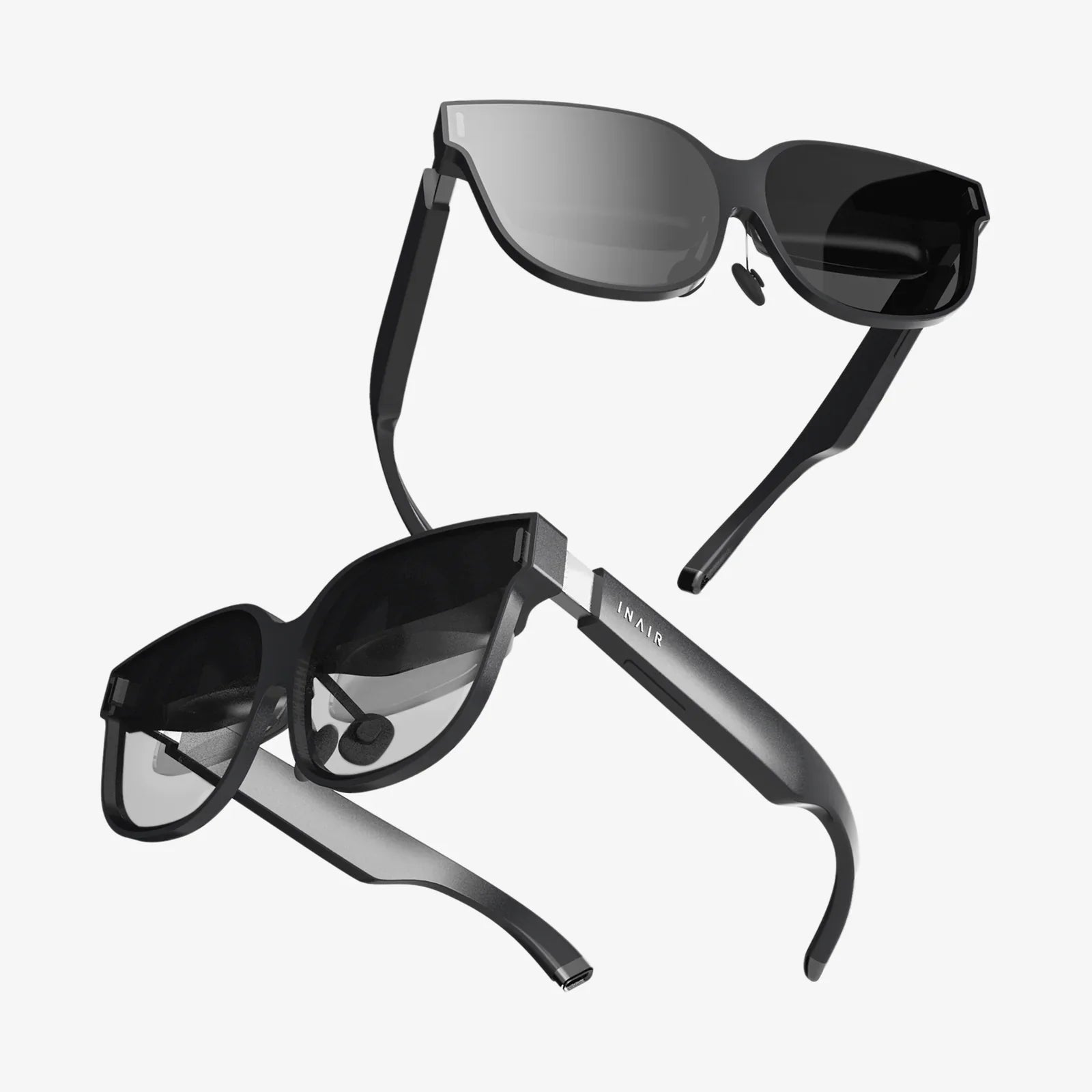
If you have ever wished you could step inside your favorite games, movies, or apps without buying an expensive headset, iphone vr might be the unexpected shortcut you have been waiting for. With the right setup, your iPhone can become the center of an immersive virtual reality experience that feels far more futuristic than the phone in your pocket suggests.
Most people assume VR requires a powerful gaming PC or a dedicated headset, but that is no longer the only path. Modern iPhones have fast processors, sharp screens, and advanced motion sensors, making them surprisingly capable VR engines. The key is understanding what iphone vr can realistically do, what it cannot, and how to configure everything so you get smooth, comfortable, and impressive results instead of blurry, motion-sickness-inducing disappointment.
What iphone vr Actually Means Today
When people talk about iphone vr, they are usually referring to one of three setups:
- Phone-in-headset experiences – You slide your iPhone into a simple VR viewer or headset, using the phone as both the display and the processor.
- Streaming PC or console VR to iPhone – Your iPhone acts as a wireless display and tracker for VR content rendered on a computer or console.
- Mixed reality and AR-style VR – Apps that blend virtual elements with the real world using the iPhone camera and sensors.
Each of these approaches has different strengths, limitations, and ideal use cases. Understanding the differences will help you choose how to build your own iphone vr setup without overspending or expecting features that are not realistic.
Hardware Requirements for a Good iPhone VR Experience
Before you get excited about apps and games, it is worth checking whether your hardware is up to the task. While even older iPhones can run basic VR apps, the quality of your experience depends heavily on a few key components.
Choosing the Right iPhone Model
Most recent iPhone models are capable of running VR apps, but you will get the best performance and comfort from devices that offer:
- High-resolution displays – A sharper screen means less visible pixelation when the phone is close to your eyes.
- High refresh rate – Some newer models support higher refresh rates, which can reduce motion blur and discomfort.
- Powerful processors – VR can be demanding, so newer chips handle complex scenes more smoothly.
- Advanced motion sensors – Accurate tracking of rotations is essential for a convincing VR experience.
If your iPhone is more than several generations old, you can still experiment with simple 360-degree videos and light apps, but you may notice more lag, heat, and battery drain during longer sessions.
Picking a VR Headset or Viewer for iPhone
To turn iphone vr into something immersive, you need a way to mount the phone in front of your eyes. This is where VR viewers and headsets designed for smartphones come in. When choosing one, focus on these factors:
- Lens quality – Good lenses reduce distortion, blur, and eye strain. Look for adjustable lenses with a clear, wide field of view.
- Comfort and fit – Soft padding, adjustable straps, and balanced weight are crucial for longer sessions.
- Phone compatibility – Ensure the headset supports your iPhone size and leaves room for a case if you use one.
- Ventilation – Poor airflow can cause your phone to overheat, especially during demanding VR apps.
You do not need a high-end or complicated device to get started. Even simple viewers can deliver surprisingly fun experiences if paired with well-optimized apps and content.
Optional Accessories That Improve iPhone VR
While not strictly required, a few accessories can dramatically improve iphone vr:
- Bluetooth gamepad or controller – Many VR games are easier and more immersive with physical controls instead of relying on gaze-based selection or basic taps.
- Wireless earbuds or headphones – Spatial audio or high-quality sound boosts immersion and helps you forget you are staring at a phone screen.
- External battery pack – VR can drain your battery quickly, so having extra power nearby allows longer sessions.
- Cleaning cloth – Keeping both the phone screen and VR lenses clean makes a bigger difference than you might expect.
Understanding the Types of iPhone VR Experiences
Not all VR content is created equal. When you first dive into iphone vr, you will encounter several distinct categories of experiences, each with different technical requirements and levels of immersion.
360-Degree Videos and Photos
360-degree content is the most accessible form of VR on iPhone. With these experiences, you are placed inside a panoramic video or image and can look around freely by turning your head.
Typical examples include:
- Nature documentaries that let you stand on a mountain or dive underwater.
- Travel experiences that put you in famous cities or landmarks.
- Concerts and live events filmed with 360-degree cameras.
This type of content is relatively light on processing, so it runs well even on older devices, making it a good starting point for exploring iphone vr.
Interactive VR Games and Apps
Interactive VR apps take things further by letting you interact with the virtual world. Instead of just looking around, you might:
- Shoot targets or enemies.
- Navigate mazes or obstacle courses.
- Explore virtual museums or educational environments.
- Practice skills such as public speaking or meditation in simulated spaces.
These apps demand more from your phone, especially in terms of graphics and motion tracking. As a result, the quality of your iphone vr experience here will depend heavily on your device’s performance and how well the app is optimized.
Streaming High-End VR to Your iPhone
One of the more advanced approaches to iphone vr involves streaming content from a powerful PC or console to your iPhone over Wi-Fi. In this setup:
- The PC or console does the heavy rendering work.
- Your iPhone receives the video stream and sends back motion data.
- A compatible headset holds the phone in front of your eyes.
This method can, in theory, bring more complex VR experiences to your iPhone than it could handle on its own. However, it also introduces new challenges, such as network latency, potential compression artifacts, and the need for specific software on both the iPhone and the host device.
Mixed Reality and AR-Style VR Hybrids
Some iphone vr experiences blend virtual objects with the real world. While technically closer to augmented reality, many users perceive them as a form of VR because they still feel immersive and interactive.
Examples include:
- Apps that place virtual furniture or art in your real room.
- Educational tools that overlay information on physical objects.
- Games that map virtual characters and obstacles onto your surroundings.
These experiences do not always require a headset; they may rely on holding the phone and viewing the world through the camera. However, as headsets and accessories evolve, the line between AR and VR on iPhone continues to blur.
Setting Up Your iPhone for VR
To get the best iphone vr experience, take a few minutes to prepare your device and environment. These steps can significantly reduce discomfort and technical issues.
Optimize Your iPhone Settings
Before launching a VR app or sliding your phone into a headset, consider these adjustments:
- Disable notifications – Turn on Do Not Disturb or Focus mode to avoid distracting pop-ups while in VR.
- Increase brightness – A brighter screen can improve clarity, though it may also increase battery use and heat.
- Close background apps – Freeing up memory can reduce stuttering and crashes.
- Check battery level – VR drains power quickly, so start with a high charge or plug into a power source if possible.
Adjust Your Headset Properly
Comfort and clarity depend heavily on how you wear your headset. For iphone vr, pay attention to:
- Lens alignment – Align the center of each lens with your pupils. Many headsets offer adjustable lens spacing.
- Focus and clarity – If your viewer allows focus adjustment, tweak it until text and edges are sharp.
- Strap tension – Tighten straps enough to keep the headset stable without causing pressure or headaches.
- Comfort padding – Ensure the foam or padding rests gently on your face without gaps that let in too much outside light.
Calibrate Motion and Orientation
Most VR apps will auto-calibrate, but you can improve tracking by:
- Holding the phone level and still when launching the app.
- Allowing the app to access motion sensors when prompted.
- Re-centering the view if you notice drifting or misalignment.
Some apps include a dedicated calibration or recenter button. Use it whenever your view feels off, especially after turning rapidly or moving your head a lot.
Finding and Evaluating iPhone VR Apps
Once your hardware is ready, the next step in building a satisfying iphone vr setup is choosing the right apps and experiences. With so many options available, it helps to know what to look for.
Where to Look for VR Content
Most iPhone VR apps can be found through standard app marketplaces and video platforms. Look for:
- Dedicated VR or 360-degree video categories.
- Apps that clearly mention VR mode or headset support.
- Video platforms that allow VR playback and 360-degree navigation.
Some VR apps are standalone, while others act as portals to large libraries of videos, games, and interactive experiences.
How to Judge App Quality Before Downloading
To avoid wasting time on low-quality or uncomfortable apps, pay attention to:
- User reviews – Look for comments about motion sickness, performance, and clarity.
- Last update date – Regularly updated apps are more likely to be compatible with newer iOS versions and devices.
- Clear VR instructions – Good apps explain how to use the headset, controls, and settings.
- Content type – Check whether the app focuses on videos, games, education, or social experiences.
Over time, you will develop a sense for which developers consistently deliver smooth, comfortable iphone vr content and which ones to avoid.
Dealing With Common iPhone VR Problems
Even with careful setup, iphone vr can occasionally present challenges. Knowing how to troubleshoot the most common issues will make your sessions more enjoyable and help you decide whether a given app or setup is worth your time.
Motion Sickness and Discomfort
VR can cause nausea or dizziness when what your eyes see does not match what your inner ear feels. To reduce this risk on iPhone:
- Start with short sessions, especially if you are new to VR.
- Avoid apps with rapid or artificial movement until you are more comfortable.
- Choose experiences where you mostly stand still or move slowly.
- Take breaks at the first sign of discomfort instead of pushing through.
Well-designed VR apps often include comfort settings, such as teleport-style movement or reduced motion effects, that can help sensitive users.
Overheating and Battery Drain
VR is demanding, and iPhones are compact devices with limited cooling. To minimize heat and power issues:
- Avoid using a thick case while in VR, as it can trap heat.
- Use VR in a cool room rather than in direct sunlight.
- Reduce screen brightness slightly if overheating becomes a problem.
- Limit long, continuous sessions and allow the phone to rest between them.
If your iPhone becomes uncomfortably hot, exit VR apps and give it time to cool before continuing.
Blurry Image and Focus Issues
Blurriness can ruin immersion and lead to eye strain. To improve clarity in iphone vr:
- Clean both the phone screen and the headset lenses.
- Ensure the phone is centered in the headset and tightly secured.
- Adjust lens spacing and focus if your viewer allows it.
- Check that the app is running in the correct VR mode for your headset type.
If text or edges remain fuzzy even after adjustments, the app itself may be rendering at a low resolution, or your headset’s lenses may limit clarity.
Maximizing Immersion With iPhone VR
Once you have a basic iphone vr setup working reliably, you can boost immersion by paying attention to audio, environment, and the way you interact with content.
Create the Right Physical Environment
Your real-world surroundings play a big role in how convincing VR feels. Before putting on your headset:
- Clear obstacles from the area where you will stand or sit.
- Choose a quiet space to avoid breaking immersion with outside noise.
- Use a comfortable chair for seated experiences, ideally one that swivels.
- Let others nearby know you will be in VR, so they do not accidentally startle you.
Being physically safe and comfortable allows you to relax and fully focus on the virtual world.
Use Quality Audio for Deeper Presence
Sound is often half of the VR experience. On iPhone, you can significantly improve immersion by:
- Using over-ear or in-ear headphones instead of the phone’s speakers.
- Choosing apps that support spatial or directional audio.
- Keeping volume at a level that is engaging but not harmful to your hearing.
When audio matches the direction and distance of virtual objects, your brain is more likely to accept the illusion of being inside the scene.
Experiment With Different Interaction Styles
iphone vr apps use a variety of interaction methods, including:
- Gaze-based selection, where you look at an object to interact with it.
- Tap-based controls using an on-headset button or the phone screen.
- Bluetooth controllers that provide more traditional game-style input.
Try several approaches to see which feels most natural for you. For many users, adding a controller is the single biggest upgrade they can make to their iphone vr experience.
Creative and Practical Uses of iPhone VR
While games and entertainment are the most obvious applications, iphone vr can also be a powerful tool for learning, creativity, and productivity.
Education and Skill Building
VR can make complex topics easier to understand by placing you inside interactive demonstrations. On iPhone, you can use VR to:
- Explore the solar system or microscopic worlds in 3D.
- Walk through historical events or ancient architecture.
- Practice public speaking in simulated conference rooms or classrooms.
- Learn anatomy by examining virtual models of the human body.
These experiences can be especially valuable for students, professionals, and anyone who learns better through visual and spatial representations.
Relaxation and Mental Wellness
Virtual reality is also a powerful tool for relaxation and mental health support. With iphone vr, you can:
- Visit calming virtual beaches, forests, or mountain retreats.
- Follow guided meditation sessions in immersive environments.
- Use breathing and mindfulness tools that respond to your gaze or interactions.
By temporarily stepping away from your physical surroundings, you may find it easier to disconnect from stress and focus on restorative practices.
Virtual Travel and Social Experiences
iphone vr can be a window to places and people you might never encounter otherwise. With the right apps and content, you can:
- Explore distant cities and landmarks in 360 degrees.
- Attend virtual events, meetups, or performances with other users.
- Share VR experiences with friends and family by taking turns or streaming your view.
While mobile VR may not yet match the full presence of high-end systems, it offers a surprisingly accessible way to experiment with virtual social spaces and global exploration.
How iPhone VR Compares to Dedicated VR Headsets
To set realistic expectations, it helps to compare iphone vr with dedicated VR systems. Each approach has unique strengths and trade-offs.
Advantages of iPhone-Based VR
Using your iPhone for VR offers several distinct benefits:
- Lower cost – You can get started with a relatively inexpensive viewer instead of a full VR rig.
- Portability – Your phone is always with you, so you can enjoy VR almost anywhere.
- Simplicity – No complex setup, cables, or tracking systems are required for basic experiences.
- Shared device – It is easy to hand the headset to a friend or family member to let them try an experience.
Limitations Compared to High-End VR
At the same time, iphone vr does have limitations when compared to dedicated systems:
- Tracking – Most iPhone VR relies on rotational tracking only, without full positional tracking of your head and hands.
- Performance – Mobile processors cannot match the graphics power of gaming PCs or specialized VR hardware.
- Comfort – Smartphone-based headsets may be heavier on the front and less ergonomic for long sessions.
- Content depth – Some of the most advanced VR games and simulations are not available on mobile platforms.
Recognizing these differences allows you to appreciate iphone vr for what it is: a highly accessible gateway into virtual reality, rather than a direct replacement for top-tier systems.
The Future of iPhone VR and What to Watch For
iphone vr is evolving quickly, driven by improvements in hardware, software, and network technology. As you explore what is possible today, it is worth keeping an eye on trends that may dramatically expand what your phone can do in VR over the next few years.
Better Displays and Processing Power
Each new iPhone generation tends to bring:
- Sharper, brighter displays with improved color and contrast.
- More powerful processors capable of rendering richer 3D environments.
- Improved motion sensors and camera systems for tracking.
These upgrades directly benefit VR, making experiences smoother, more detailed, and more comfortable, even within the constraints of mobile hardware.
Advances in Wireless Networking and Streaming
Faster and more reliable wireless connections open the door to cloud-rendered VR or low-latency streaming from other devices. As these technologies mature, your iPhone could become a flexible VR display for experiences far beyond its local processing capabilities.
Growing Ecosystems of Content and Tools
As more creators experiment with VR, the library of iphone vr content continues to grow. Expect to see:
- More specialized educational and training experiences.
- Creative tools that let you build or sculpt in 3D using VR interfaces.
- Social platforms that make it easier to meet and collaborate in virtual spaces.
These developments may gradually shift VR from a novelty into a regular part of how people learn, work, and connect using their phones.
Turning Your iPhone Into a VR Gateway Worth Using
iphone vr is no longer just a tech demo you try once and forget. With thoughtful setup, the right apps, and a realistic understanding of its strengths and limits, your iPhone can become a surprisingly capable gateway into virtual worlds. Whether you want to stand on a distant planet, walk through a museum that would normally require a plane ticket, or simply unwind in a peaceful virtual landscape after a long day, the tools to do it are already in your pocket.
The next step is simple: choose a comfortable headset, pick a handful of well-reviewed apps that match your interests, and give yourself permission to experiment. Start with short sessions, pay attention to comfort, and gradually expand into more interactive or demanding experiences. You may discover that iphone vr is not just a fun curiosity, but a new way to learn, relax, and explore that fits seamlessly into your everyday life.
Aktie:
AR Retail And The Future Of Immersive Shopping Experiences
ar devices Transforming Everyday Life, Work, and Play