


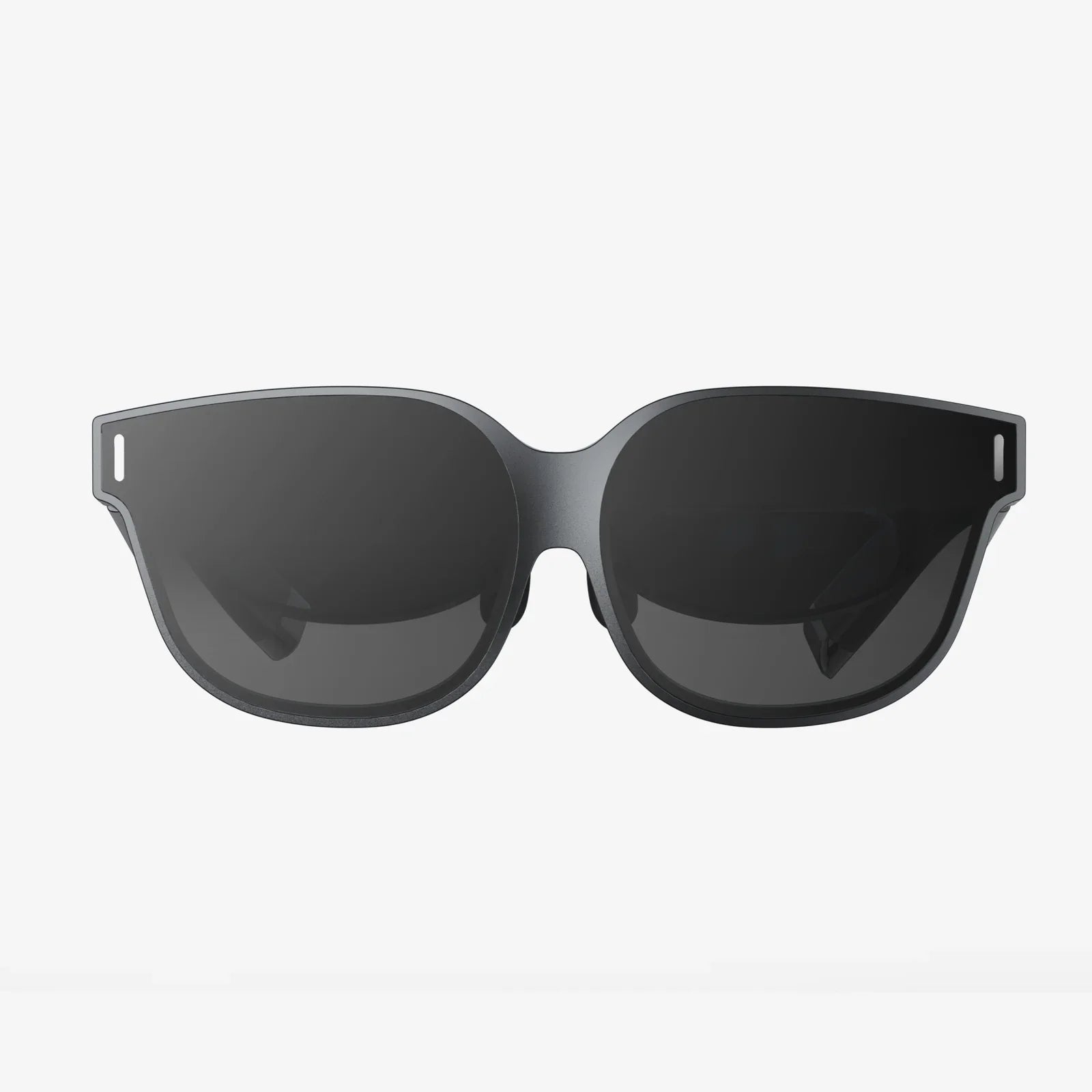
Should you wear special glasses while using computer screens all day, or are they just another overhyped accessory? If you spend hours staring at monitors, tablets, or phones, you have probably felt that familiar mix of tired eyes, headaches, and trouble focusing. It is easy to wonder whether a simple pair of “computer glasses” could solve the problem and make long workdays less exhausting. Before you spend money or change your habits, it is worth understanding what these glasses can actually do, what they cannot, and what eye experts really recommend.
Digital devices are now woven into nearly every part of daily life: work, entertainment, education, and communication. This constant screen exposure has created a new set of concerns about eye health, sleep, and productivity. Special glasses designed for computer use promise to reduce eye strain, block blue light, and make screen time safer and more comfortable. But not all claims are equally supported by evidence, and not everyone needs the same solution. This guide breaks down the science, the myths, and the practical steps so you can decide whether special glasses belong in your routine.
What Are “Special Glasses” for Computer Use?
When people ask whether they should wear special glasses while using a computer, they are usually referring to one or more of the following types of eyewear:
- Blue light filtering glasses that claim to block or reduce high-energy visible (HEV) blue light from screens.
- Computer glasses with a custom prescription optimized for the distance between your eyes and your monitor.
- Anti-reflective (AR) coated lenses designed to reduce glare and reflections from screens and overhead lighting.
- Tinted lenses (often yellow or amber) that aim to enhance contrast and reduce perceived brightness.
These categories can overlap. For example, you might find glasses that combine a mild prescription, blue light filtering, and an anti-reflective coating. Understanding what each feature does helps you decide which, if any, is worth considering for your specific situation.
How Computer Use Affects Your Eyes and Comfort
Before deciding on special glasses, it helps to understand what actually causes discomfort during computer use. Many people blame blue light alone, but the picture is more complex. Several factors contribute to what is often called digital eye strain or computer vision syndrome.
Reduced Blink Rate
When you concentrate on a screen, your blink rate can drop significantly. Blinking spreads tears across the eye surface, keeping it lubricated and clear. Fewer blinks mean your eyes can become dry, irritated, and tired. This dryness can cause burning, redness, and a gritty sensation.
Close Focusing for Long Periods
Your eyes constantly adjust their focus as you look at objects at different distances. Focusing up close, such as on a computer screen, requires sustained effort by the eye muscles. Over time, this can lead to fatigue, a feeling of heaviness around the eyes, and difficulty maintaining clear vision.
Glare and Reflections
Overhead lighting, windows, and glossy screens can create glare and reflections that make it harder to see clearly. Your eyes need to work harder to focus, and the constant brightness can be uncomfortable, especially in poorly arranged workspaces.
Poor Ergonomics
The position of your screen, chair, and keyboard affects more than your posture. If your monitor is too high, too low, or too far away, your eyes and neck need to work harder to maintain focus and alignment. This can lead to headaches, neck pain, and eye strain.
Blue Light Exposure
Screens emit blue light, which is part of the visible light spectrum. Blue light is naturally present in sunlight and helps regulate your sleep-wake cycle. However, heavy exposure to blue light at night from screens may interfere with sleep in some people. While blue light has been heavily marketed as the main villain, its role in eye discomfort during the day is more nuanced than many advertisements suggest.
What Do Blue Light Glasses Actually Do?
One of the most common reasons people consider special glasses while using a computer is blue light. To decide whether you need blue light filtering lenses, it helps to separate marketing claims from what is reasonably supported by research.
Blue Light and Eye Damage
There is ongoing research into how blue light affects the eyes, especially over a lifetime. Currently, everyday screen use has not been definitively proven to cause permanent eye damage solely due to blue light exposure at typical intensities. Most concerns about serious eye damage relate to much higher levels of light than those produced by common digital devices.
That said, some people find that reducing blue light makes their screens feel more comfortable, especially in dim environments. This may be due to changes in contrast, color perception, or personal sensitivity rather than direct prevention of long-term damage.
Blue Light and Sleep
Blue light plays a key role in regulating your internal clock, also known as your circadian rhythm. Bright blue-enriched light in the morning can help you feel alert, while exposure late at night may delay the release of melatonin, a hormone that helps you fall asleep.
If you often use computers or phones late into the evening, blue light filtering glasses may help reduce the impact on your sleep in some cases. However, changes in screen settings, limiting late-night screen time, and adjusting room lighting can also be effective strategies.
Blue Light and Eye Strain
Some people report less eye strain when they use blue light filtering glasses, but research results are mixed. It appears that factors like glare, screen brightness, and work habits may play a bigger role in eye discomfort than blue light alone. Still, if you personally feel better with blue light filtering lenses, that subjective improvement can be meaningful, even if the mechanism is not fully understood.
How Prescription Computer Glasses Can Help
For people who already wear glasses or contact lenses, or those over a certain age, prescription computer glasses can be very helpful. These glasses are designed specifically for the distance at which you typically view your screen, which is often closer than driving distance but farther than reading distance.
Single-Vision Computer Lenses
Single-vision lenses can be customized to your computer viewing distance. If you normally wear glasses for distance vision, you may find that those glasses are not ideal for a screen that is 20 to 28 inches away. A dedicated pair of computer glasses can reduce the effort your eyes must make to maintain focus at that specific distance, which may reduce fatigue and headaches.
Multifocal or Progressive Computer Lenses
As people age, the eye’s ability to change focus between near and far objects decreases, a condition known as presbyopia. Bifocals, trifocals, or progressive lenses are often used to address this. However, standard multifocal lenses are not always optimized for computer work. Specially designed computer multifocal lenses can provide a larger, more comfortable viewing zone for the intermediate distance typical of screens.
Anti-Reflective Coatings
Many prescription computer glasses include an anti-reflective coating. This thin treatment reduces reflections from the front and back surfaces of the lenses, making it easier to see and reducing glare. Less glare can lead to more comfortable vision, especially under artificial lighting or in offices with multiple screens.
Non-Prescription Computer Glasses
Even if you do not need corrective lenses for vision, you might consider non-prescription computer glasses. These typically provide blue light filtering, anti-reflective coatings, or subtle tints aimed at comfort rather than vision correction.
Who Might Benefit from Non-Prescription Computer Glasses?
- People who experience mild eye discomfort or headaches after long periods of screen use.
- Individuals who work under harsh lighting or with multiple monitors.
- Nighttime computer users who want to reduce blue light exposure in the evening.
- Those who are sensitive to glare or bright screens.
While these glasses will not correct refractive errors like nearsightedness or farsightedness, they may make screen viewing feel more comfortable for some users.
Evidence, Myths, and Misconceptions
Because special glasses for computer use have become popular, there are many claims that may not be fully supported by research. Understanding the current evidence helps you make a more informed decision.
Myth 1: Blue Light from Screens Will Definitely Damage Your Eyes
Current scientific understanding does not show that typical screen use causes direct, inevitable damage to the eyes due to blue light alone. Most eye discomfort from screens is related to strain, dryness, and ergonomics rather than permanent injury from blue light exposure at normal levels.
Myth 2: Special Glasses Are the Only Way to Protect Your Eyes
Special glasses can be helpful for some people, but they are not the only solution. Adjusting screen brightness, improving lighting, taking regular breaks, and optimizing your workspace can significantly reduce discomfort. In many cases, these changes are more important than any single pair of glasses.
Myth 3: If You Use a Computer, You Must Wear Special Glasses
Not everyone needs special glasses while using a computer. Some people can work for long periods with minimal discomfort simply by following healthy screen habits. Others may benefit greatly from customized eyewear. The decision should be based on your symptoms, work demands, and eye care professional’s advice rather than a one-size-fits-all rule.
What the Evidence Suggests
Research tends to support the idea that digital eye strain is real and common, but it is influenced by multiple factors. Studies on blue light filtering lenses show mixed results: some individuals report reduced symptoms, while others notice little difference. There is stronger support for strategies like regular breaks, proper screen distance, and good lighting to reduce strain.
For sleep, limiting bright screen use in the hours before bedtime appears helpful. Blue light reduction, whether through glasses or software settings, may assist some people in falling asleep more easily, especially if they are sensitive to light at night.
Practical Ways to Reduce Eye Strain with or without Special Glasses
Whether or not you decide to wear special glasses while using your computer, you can significantly improve your comfort by adjusting your habits and environment. These strategies are widely recommended by eye care professionals and can be implemented with minimal cost.
Follow the 20-20-20 Rule
A simple habit can make a big difference: every 20 minutes, look at something at least 20 feet away for about 20 seconds. This brief break allows your eye muscles to relax and helps reduce fatigue from continuous close focusing.
Adjust Screen Distance and Position
- Place your monitor about an arm’s length away from your eyes.
- Position the top of the screen at or slightly below eye level.
- Angle the screen so you look slightly downward, which can be more natural and comfortable.
These adjustments help your eyes maintain a more relaxed focus and reduce strain on the neck and shoulders.
Optimize Lighting and Reduce Glare
- Avoid having bright lights directly behind or in front of your monitor.
- Use curtains or blinds to control sunlight that hits your screen.
- Consider a matte screen filter if reflections are a persistent problem.
Reducing glare can be just as effective as using anti-reflective lenses, especially in environments with harsh lighting.
Adjust Screen Settings
- Lower screen brightness to a comfortable level that matches your surroundings.
- Increase text size and contrast to make reading easier.
- Use built-in night or comfort modes that shift the color temperature to warmer tones in the evening.
These changes reduce the effort required for reading and may lessen the impact of blue light at night.
Blink More Often and Consider Lubricating Drops
Make a conscious effort to blink regularly when working at a computer. If your eyes feel dry, artificial tear drops recommended by an eye care professional can help maintain moisture and comfort. Avoid drops that claim to reduce redness without addressing dryness, as they may not provide lasting relief.
Take Regular Breaks from the Screen
Beyond the 20-20-20 rule, it is helpful to take longer breaks away from the screen every hour or so. Stand up, stretch, and look around the room or out a window. These pauses give your eyes, neck, and shoulders a chance to rest.
Who Should Seriously Consider Special Computer Glasses?
While not everyone needs them, certain groups are more likely to benefit from special glasses while using a computer.
People with Existing Vision Problems
If you already wear glasses or contact lenses, and you still experience eye strain, headaches, or blurred vision when using a computer, it may be worth discussing computer-specific glasses with your eye care provider. Your current prescription might not be optimized for screen distance.
Older Adults Experiencing Presbyopia
As the eyes age, focusing on near and intermediate distances becomes more challenging. People in this situation often find that dedicated computer glasses make a noticeable difference in comfort and clarity during screen work.
Heavy Screen Users
Anyone who spends many hours each day on computers, especially for detailed or visually demanding tasks, may benefit from eyewear tailored to their work setup. This includes programmers, designers, writers, data analysts, and remote workers who rarely step away from their screens.
Individuals with Light Sensitivity or Migraine
Some people are particularly sensitive to bright or flickering light, and screens can trigger discomfort or headaches. For them, lenses that reduce glare, adjust color balance, or slightly dim overall brightness may provide noticeable relief.
How to Decide Whether You Need Special Glasses
Choosing whether to wear special glasses while using a computer is a personal decision. Consider the following steps to make an informed choice:
1. Evaluate Your Symptoms
Ask yourself:
- Do your eyes feel tired, dry, or sore after screen use?
- Do you experience frequent headaches during or after computer work?
- Is it difficult to maintain focus on the screen or read small text?
- Do you have trouble falling asleep after late-night screen time?
If you answer yes to several of these, it may be worth exploring both behavioral changes and special eyewear.
2. Improve Your Environment First
Before investing in glasses, try adjusting your workspace, lighting, and habits. Implement the 20-20-20 rule, modify screen settings, and reduce glare. If your symptoms improve significantly, you may find that you do not need glasses at all.
3. Consult an Eye Care Professional
An eye exam can rule out underlying vision problems and ensure your prescription is up to date. During the exam, explain how long you use screens, at what distances, and what symptoms you experience. Your provider can recommend whether computer-specific lenses, coatings, or tints make sense for you.
4. Consider a Trial Period
If you decide to try special glasses, treat the first few weeks as a trial. Pay attention to whether your symptoms improve, stay the same, or change in different environments. Keep in mind that it can take a short adjustment period to get used to new lenses, especially if they have a different prescription or tint.
5. Combine Glasses with Good Habits
Even the best computer glasses will not fully compensate for poor ergonomics, excessive screen time without breaks, or extremely bright displays. Use glasses as part of a broader strategy that includes healthy work habits and regular eye checkups.
Cost, Value, and Realistic Expectations
Another factor in deciding whether to wear special glasses while using a computer is cost. Prices can range from inexpensive non-prescription options to higher-priced custom lenses. To judge value, consider the following:
- Frequency of use: If you are on screens all day, even a modest improvement in comfort may be worth the investment.
- Severity of symptoms: People with significant discomfort may gain more benefit than those with mild, occasional strain.
- Alternative solutions: Many free or low-cost changes (like adjusting lighting and screen settings) can offer substantial relief.
- Long-term health: While special glasses may not be a magic shield, they can support healthier habits and more comfortable viewing, which may encourage better work routines over time.
Set realistic expectations: special glasses can help reduce symptoms for some people, but they are not guaranteed to eliminate every issue. Think of them as one tool among many rather than a complete solution on their own.
Key Takeaways: Should You Wear Special Glasses While Using Computer Screens?
Deciding whether to wear special glasses while using a computer comes down to your personal experience, work demands, and willingness to adjust your environment. For some, a well-chosen pair of computer glasses brings noticeable relief from eye strain, headaches, and late-night screen discomfort. For others, simple changes in habits and workspace design provide enough improvement that special glasses are optional rather than essential.
If you are curious about whether these glasses could help you, start by observing your symptoms and making basic adjustments to your setup. If discomfort persists, consult an eye care professional who can assess your vision, discuss your screen habits, and recommend whether specialized lenses are likely to benefit you. By combining thoughtful eyewear choices with smart screen habits, you can turn long hours at the computer from a source of constant strain into a more comfortable, sustainable part of your day.
Aktie:
Are Glass Screen Protectors Removable and How to Do It Safely
vdt computer glasses for healthier eyes and sharper digital focus