


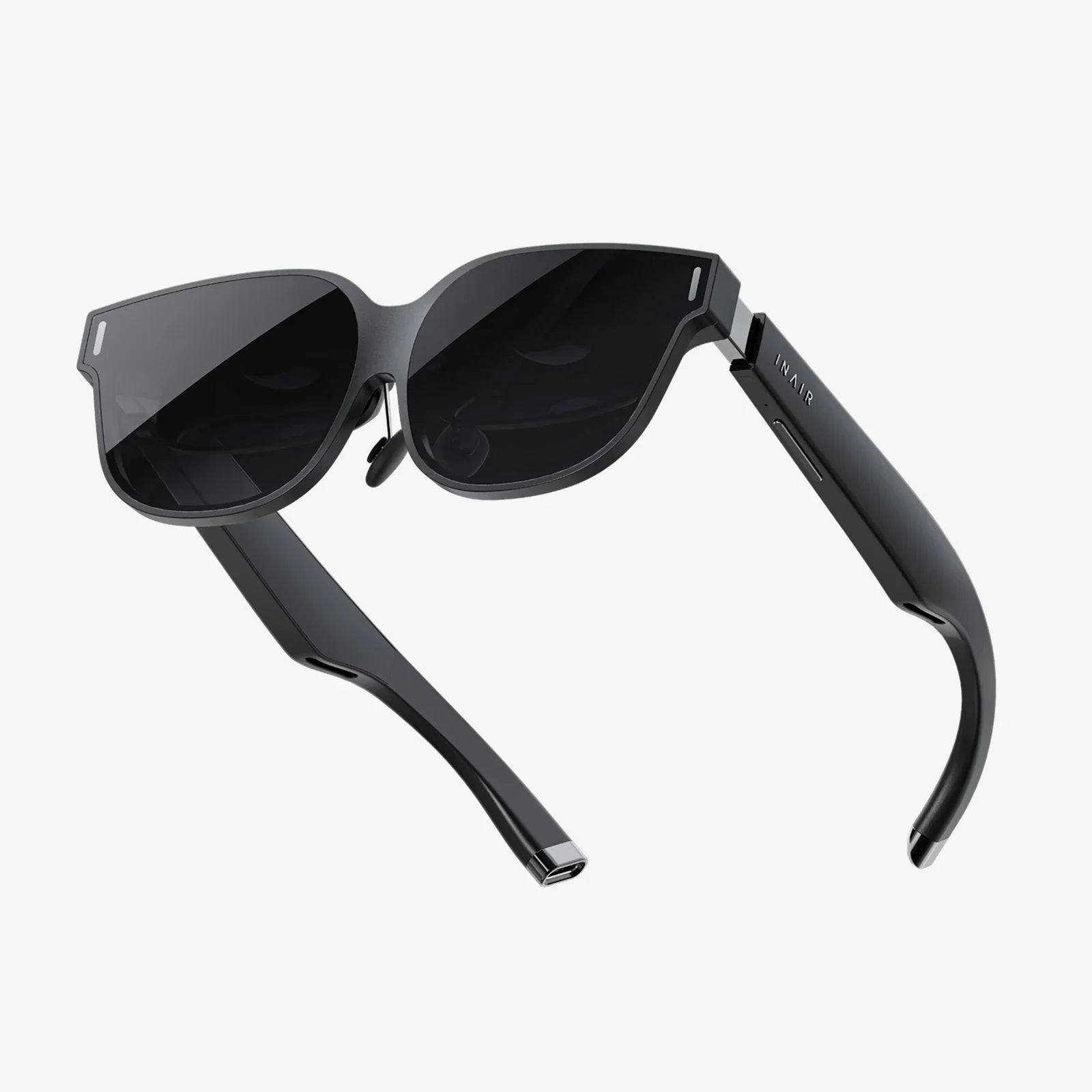
Imagine slipping on a pair of smartglasses that look just like ordinary eyewear, yet quietly upgrade everything you see and do. Directions float at the edge of your vision, translations appear over foreign text, notifications stay in your periphery instead of hijacking your attention, and your hands remain free the entire time. That future is arriving faster than most people realize, and understanding it now could change the way you work, learn, and live.
What Are Smartglasses, Really?
At their core, smartglasses are wearable devices shaped like traditional eyeglasses that integrate computing, sensors, and connectivity to overlay or deliver digital information in your field of view. They can range from simple audio-enabled glasses that pair with your phone to advanced augmented reality (AR) devices that project graphics onto transparent lenses.
While designs and features vary widely, most smartglasses share several common components:
- Frames and lenses – The physical structure that houses electronics and may include prescription or non‑prescription lenses.
- Display system – Transparent or semi‑transparent displays, micro‑projectors, or waveguides that place images in front of your eyes.
- Audio – Built‑in speakers or bone conduction units for calls, voice assistants, and media.
- Sensors – Cameras, microphones, accelerometers, gyroscopes, and sometimes depth sensors to understand motion and surroundings.
- Processor and storage – Onboard computing hardware to run software and process sensor data.
- Connectivity – Wireless connections such as Bluetooth or Wi‑Fi to communicate with phones, computers, or the cloud.
- Battery – Power source integrated into the arms or bridge of the glasses.
Some smartglasses operate as standalone devices, while others function as extensions of your smartphone or computer. The level of "smartness" ranges from simple notification mirroring to full 3D augmented reality experiences.
Key Types Of Smartglasses Emerging Today
Not all smartglasses are built for the same purpose. Understanding the main categories helps clarify what is possible now and what is still evolving.
1. Audio-First Smartglasses
These focus on sound rather than visuals. They look like regular glasses but include speakers and microphones. Typical features include:
- Hands‑free phone calls and messaging via voice assistants.
- Listening to music or podcasts without in‑ear headphones.
- Basic fitness or navigation prompts.
Because they lack complex displays, they often offer better battery life and more subtle styling. They serve as a gateway for people who want wearable convenience without full AR visuals.
2. Notification and HUD Smartglasses
These devices incorporate a small heads‑up display (HUD) that shows simple information such as:
- Text messages and calls.
- Navigation directions.
- Calendar reminders.
- Weather updates and quick alerts.
The display is usually modest and appears in a corner of your field of view. The goal is to reduce the need to check your phone constantly while keeping information accessible.
3. Full Augmented Reality Smartglasses
These are the most advanced type, capable of overlaying detailed digital content onto the real world. They may support:
- 3D holographic objects anchored in physical space.
- Interactive menus and virtual screens.
- Real‑time translation of text or speech.
- Complex training simulations and guided workflows.
Such smartglasses often include more powerful processors, advanced optics, and sophisticated tracking systems. They are currently used heavily in professional environments but are gradually moving toward mainstream consumer use as costs fall and designs become more compact.
How Smartglasses Actually Work
Smartglasses combine several technologies to deliver a seamless experience. Understanding the basics makes it easier to evaluate different devices and anticipate future improvements.
Display Technologies
The display is the heart of visual smartglasses. Common approaches include:
- Waveguide displays – Light from a tiny projector is guided through a transparent material and redirected into the eye, creating virtual images that appear to float in front of you.
- Micro‑projectors – Small projectors reflect images off a semi‑transparent mirror or prism in front of the eye.
- Micro‑LED or OLED displays – High‑brightness, energy‑efficient displays that can be miniaturized for near‑eye use.
These systems must balance brightness, clarity, color accuracy, and field of view while remaining thin and lightweight enough to fit in normal‑looking frames.
Tracking and Sensing
To place digital content correctly in the real world, smartglasses rely on sensors such as:
- Inertial measurement units (IMUs) – Accelerometers and gyroscopes that track head movement.
- Cameras – For capturing the environment, enabling computer vision, and sometimes supporting photography or video.
- Depth sensors – To understand distance and geometry of surroundings for more accurate AR placement.
- Eye tracking – In some advanced models, sensors monitor where you are looking to adjust focus or interface elements.
These inputs feed into algorithms that map your environment and keep virtual objects stable even as you move.
Connectivity and Computing
Depending on the design, computation may be handled:
- Onboard, using integrated processors and graphics units.
- On a paired smartphone or computer, with the glasses acting as a display and sensor hub.
- In the cloud, for heavy tasks like advanced computer vision or language processing.
Wireless connections such as Bluetooth and Wi‑Fi ensure that smartglasses can access apps, data, and online services. As mobile networks become faster and more reliable, more processing can be offloaded from the glasses themselves, making them lighter and more comfortable.
Everyday Uses Of Smartglasses You Can Picture Right Now
While some people still imagine smartglasses as futuristic novelties, many practical scenarios already exist. Here are some of the most compelling everyday uses.
Navigation That Follows Your Eyes, Not Your Hands
Instead of glancing down at a phone, smartglasses can display turn‑by‑turn directions at the edge of your vision. Arrows can appear on the sidewalk, street names can float above intersections, and subtle cues can guide you without blocking your view of traffic or pedestrians.
This is especially useful when:
- Walking in unfamiliar cities.
- Cycling or riding scooters.
- Driving, where distraction must be minimized.
By keeping your head up and your hands free, navigation becomes safer and more intuitive.
Quiet, Contextual Notifications
Constantly checking a smartphone can be draining. Smartglasses offer a more ambient way to stay informed. Instead of loud alerts, you might see a small icon appear when a message arrives, with the option to glance at it or ignore it.
Benefits include:
- Reduced compulsion to pick up your phone.
- Less social interruption during conversations.
- Better control over which alerts demand your attention.
For many people, this subtlety could be the difference between technology that controls them and technology that quietly supports them.
Hands-Free Communication and Voice Assistance
Smartglasses with microphones and speakers make it easy to answer calls, dictate messages, and use voice assistants without touching a device. This is particularly helpful when:
- Cooking or doing chores.
- Commuting or walking.
- Carrying bags or equipment.
Voice commands can trigger tasks like setting reminders, searching the web, or controlling smart home devices, all while you keep your hands on what matters.
Fitness, Sports, and Outdoor Activities
For active users, smartglasses can display real‑time stats such as pace, distance, heart rate, and route mapping. Cyclists might see speed and elevation changes, while runners can track intervals without checking a watch.
Additional possibilities include:
- Live coaching cues based on performance.
- Route suggestions for hiking or trail running.
- Weather and daylight warnings to keep activities safe.
By overlaying information directly in your line of sight, smartglasses reduce distractions and help you stay focused on the activity itself.
Professional And Industrial Uses Transforming Work
Beyond personal convenience, smartglasses are already reshaping how many industries operate. From factories to hospitals, they are becoming powerful tools for efficiency, training, and safety.
Manufacturing and Field Service
In industrial settings, smartglasses can display step‑by‑step instructions, diagrams, and safety warnings directly in a worker’s field of view. This reduces the need to flip through manuals or consult separate screens.
Practical applications include:
- Guided assembly processes with visual overlays showing where parts should go.
- Maintenance workflows that highlight components needing inspection or replacement.
- Remote expert support, where specialists see what the worker sees and offer real‑time guidance.
This not only speeds up tasks but also reduces errors and training time for new employees.
Healthcare and Telemedicine
In medical environments, smartglasses can help clinicians access patient data, imaging, and checklists without stepping away from the bedside. Surgeons can view vital signs or reference material while keeping their hands and focus on the procedure.
Some emerging uses include:
- Real‑time video sharing for remote consultations during examinations or procedures.
- Hands‑free documentation, where notes are dictated or automatically generated.
- Training scenarios where students observe procedures from the surgeon’s point of view.
While strict privacy and safety regulations apply, the potential for more efficient and informed care is significant.
Warehousing and Logistics
In warehouses, workers often need to locate items and verify orders quickly. Smartglasses can display pick lists, highlight shelf locations, and scan barcodes using built‑in cameras.
Benefits for logistics operations include:
- Faster order picking and reduced walking time.
- Lower error rates in shipments.
- Quicker onboarding of new staff with guided workflows.
When integrated with inventory systems, smartglasses can turn each worker into a mobile, hands‑free data terminal.
Remote Collaboration and Training
Smartglasses enable a new level of remote collaboration. Instead of screen sharing from a laptop, a worker in the field can stream exactly what they see to a colleague or expert. Instructions can be spoken, drawn as overlays, or displayed as text in the wearer’s view.
This model is particularly powerful for:
- Complex equipment installations.
- Emergency response and disaster assessment.
- On‑the‑job training for specialized tasks.
By merging real‑world context with remote expertise, smartglasses can reduce travel costs and speed up problem resolution.
Smartglasses In Education And Learning
Education is another area where smartglasses can have deep impact, moving learning beyond screens and textbooks into interactive, real‑world experiences.
Immersive, Contextual Learning Experiences
Imagine visiting a historical site while wearing smartglasses that reconstruct ancient buildings as they once stood, overlaying them on the ruins in front of you. Or studying biology while 3D models of cells and organs appear on your desk, manipulable with simple gestures.
Such experiences can make abstract concepts more tangible and memorable. Smartglasses can support:
- Field trips enhanced with contextual information and interactive challenges.
- Language learning with real‑time translations and pronunciation guidance.
- STEM education with virtual experiments and simulations layered onto physical tools.
Accessibility and Inclusive Learning
Smartglasses also hold promise for learners with disabilities. Potential features include:
- Real‑time captioning of spoken lectures for students with hearing impairments.
- Text‑to‑speech and magnification tools for those with visual challenges.
- Social cues training for individuals who benefit from prompts about expressions or tone.
By tailoring information delivery to individual needs, smartglasses can support more inclusive classrooms and training environments.
Entertainment, Creativity, And Social Experiences
Beyond productivity and education, smartglasses are poised to reshape how people relax, create, and connect.
Augmented Reality Gaming
Smartphone AR games have already shown how digital creatures and objects can appear in real environments. Smartglasses extend this idea by freeing your hands and providing more immersive visuals.
Possible experiences include:
- Games where virtual characters interact with your furniture and surroundings.
- Shared multiplayer experiences where friends see the same digital objects in the same physical space.
- Fitness‑driven games that encourage movement and exploration of your neighborhood.
Media Consumption And Virtual Screens
Smartglasses can create virtual screens that float in front of you, replacing or supplementing traditional monitors and televisions. This can be especially attractive for:
- Watching movies or shows privately without disturbing others.
- Working on multiple virtual monitors without a physical multi‑screen setup.
- Gaming with large, immersive displays even in small spaces.
As display quality improves, smartglasses could become a primary way to experience visual media on the go.
Creative Tools and Design
For artists, designers, and creators, smartglasses offer new ways to sketch, model, and prototype. Visual elements can be drawn directly into the environment, allowing creators to:
- Visualize furniture layouts or interior designs at true scale.
- Experiment with sculpture or architecture in 3D before building.
- Annotate real‑world objects with notes, ideas, and reference images.
The ability to blend physical and digital creativity opens up workflows that were previously impossible or cumbersome.
Privacy, Ethics, And Social Acceptance
With all their benefits, smartglasses also raise important questions about privacy, ethics, and how people feel around them.
Concerns About Cameras And Recording
One of the most sensitive issues is the presence of cameras in public spaces. People may worry about being recorded without consent or about facial recognition being used without their knowledge.
Responsible smartglasses design and usage should consider:
- Clear indicators when recording is active, such as lights or screen cues.
- Easy ways to disable or cover cameras when not needed.
- Restrictions on automatic identification of individuals in public spaces.
Social norms will likely evolve, but transparency will be crucial in building trust.
Data Security And Personal Information
Smartglasses collect sensitive data, including video, audio, location, and potentially biometric information. Protecting this data is essential.
Key considerations include:
- Strong encryption for stored and transmitted data.
- Clear user control over what is shared and with whom.
- Policies that limit data retention and secondary use.
Users should be able to understand and manage what their smartglasses know about them, rather than being surprised by hidden data practices.
Social Comfort And Design
For smartglasses to be widely accepted, they must feel socially comfortable to wear. Bulky, conspicuous designs can make people self‑conscious and draw unwanted attention, while discreet, stylish frames help them blend into everyday life.
Factors that influence social comfort include:
- Appearance that resembles regular eyewear.
- Subtle interaction methods that do not look awkward in public.
- Respectful behavior by users, such as removing glasses in sensitive situations.
As designs improve, smartglasses are likely to shift from "gadget" to "normal accessory" in the public mind.
Key Challenges Smartglasses Still Need To Overcome
Despite rapid progress, smartglasses face technical and practical challenges that must be addressed before they become as common as smartphones.
Battery Life And Performance
Running displays, sensors, and wireless connections in a compact frame consumes significant power. Many current devices must compromise between performance and battery life.
Improvements needed include:
- More efficient processors optimized for wearable use.
- Better battery technology that fits in thin arms.
- Smarter power management that adjusts performance dynamically.
Until these advances mature, users may need to charge their smartglasses daily or even more frequently with heavy use.
Optics, Comfort, And Fit
Fitting complex optics and electronics into a comfortable, lightweight frame is a major engineering challenge. Poorly balanced designs can cause discomfort on the nose and ears, while suboptimal optics may lead to eye strain or limited fields of view.
Future designs must refine:
- Weight distribution across the frame.
- Adjustability for different head shapes and interpupillary distances.
- Visual clarity across a wide area without distortion.
Because smartglasses are worn on the face, even small discomforts can quickly become deal‑breakers.
User Interfaces That Feel Natural
Unlike smartphones, smartglasses cannot rely on large touchscreens. Instead, they must use a combination of voice commands, gestures, eye tracking, and small physical controls.
Challenges include:
- Designing interfaces that do not overload the user with information.
- Ensuring voice commands work reliably in noisy environments.
- Creating gestures that are easy to perform but not socially awkward.
A truly successful smartglasses interface will feel like an extension of natural behavior, not a new language users must learn.
How To Decide If Smartglasses Are Right For You
With more models appearing, it helps to think carefully about whether and how smartglasses fit your life. Instead of focusing only on technical specs, consider your daily routines and pain points.
Clarify Your Primary Use Cases
Ask yourself what you want smartglasses to do for you:
- Reduce phone use and manage notifications more calmly?
- Improve productivity at work with hands‑free access to information?
- Enhance workouts, navigation, or outdoor adventures?
- Explore creative projects, gaming, or immersive media?
Your answers will guide whether you need simple audio‑first glasses, notification‑focused HUDs, or more advanced AR capabilities.
Consider Comfort, Style, And Lifestyle Fit
Even the smartest features are pointless if you dislike wearing the device. Pay attention to:
- Weight and how it feels after extended wear.
- Frame styles that match your personal look.
- Compatibility with prescription lenses if you need them.
Think about where you would realistically wear smartglasses—commuting, at home, in the office—and choose designs that feel appropriate in those contexts.
Evaluate Privacy And Control Options
Before adopting smartglasses, examine the privacy controls they offer:
- Can you easily disable cameras and microphones?
- Are there clear indicators when recording is active?
- What options exist for managing data sharing and storage?
Choosing devices that align with your comfort level on these issues will make long‑term use more sustainable.
The Road Ahead: Where Smartglasses Are Going Next
The trajectory of smartglasses suggests they will become more capable, more comfortable, and more affordable over the next several years. Several trends are likely to shape this evolution.
Miniaturization And Everyday Design
Advances in chip design, batteries, and optics will continue to shrink the hardware required for smartglasses. Over time, the difference between regular glasses and smartglasses may become almost invisible to casual observers.
This will encourage wider adoption, as people will no longer feel like they are wearing a gadget on their faces. Smart features will simply be another option when choosing eyewear, much like lens coatings or frame materials.
Smarter, More Context-Aware Experiences
As software improves, smartglasses will become better at understanding context—where you are, what you are doing, and what information would actually help. Instead of bombarding you with data, they will learn to:
- Stay quiet during conversations or focused work.
- Offer subtle guidance when you seem lost or confused.
- Suggest actions based on patterns in your behavior.
With careful design, this context awareness could feel supportive rather than intrusive, making technology more humane and less demanding.
Integration With Other Wearables And Devices
Smartglasses will not exist in isolation. They are likely to become part of a broader ecosystem that includes smartphones, watches, earbuds, and smart home devices. Each piece will handle what it does best:
- Glasses for visual overlays and ambient information.
- Watches or bands for health tracking and quick interactions.
- Earbuds for rich audio and private conversations.
This distributed approach can keep each device simple and comfortable while delivering a powerful combined experience.
Why Paying Attention To Smartglasses Now Matters
Smartglasses are on track to become one of the most transformative technologies of the coming decade, quietly reshaping how people interact with information. Whether you are a professional looking to streamline work, a learner seeking more engaging education, a creator exploring new mediums, or simply someone who wants to reclaim attention from constant phone checking, smartglasses offer a glimpse of a different relationship with technology.
By understanding how they work, where they shine, and where they still fall short, you can make informed choices about when and how to bring them into your life. The shift from screens in your hand to subtle overlays in your field of view may feel gradual at first, but the cumulative effect could be profound: less friction, more presence, and a digital world that finally adapts to you instead of the other way around. Exploring smartglasses today means stepping ahead of the curve and shaping how this next wave of augmented reality will fit into your everyday reality.
Aktie:
virtual meetings Strategies To Transform How Your Team Collaborates Online
Collaborative Space Design: How to Build Environments People Love to Work In