


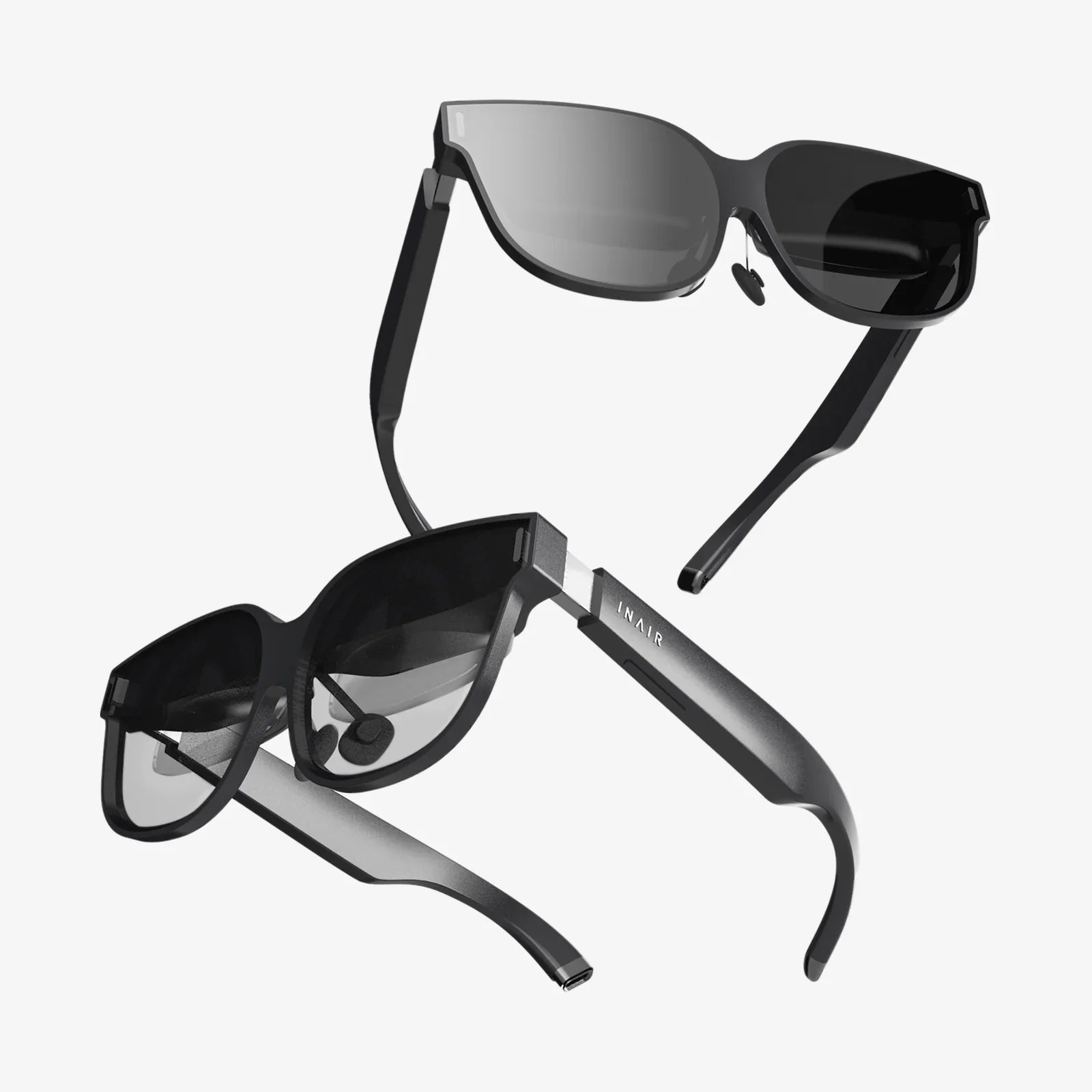
Imagine reaching for a device and feeling a surface so comfortable and intuitive that you instinctively know where to press, slide, or rotate, without even looking. That is the promise of a well-designed soft touch controller: a control interface that feels natural, reduces strain, and makes technology fade into the background. Whether it is a home appliance, a medical device, or an industrial panel, the way a controller feels in the hand can be the difference between frustration and effortless control.
Soft touch controllers are no longer niche features reserved for premium gadgets. They are rapidly becoming a standard expectation as users demand more comfort, safety, and precision from their interactions with machines. Behind that pleasant, slightly grippy surface lies a careful balance of materials science, ergonomics, and electronic design. This article dives deep into what makes a soft touch controller truly effective, how it is engineered, where it is used, and how you can approach designing one that people will actually enjoy using.
What Is A Soft Touch Controller?
A soft touch controller is any user interface component that combines a control mechanism (such as buttons, dials, sliders, or touch surfaces) with a tactilely soft, often slightly rubberized or cushioned outer layer. The goal is to improve grip, comfort, and perceived quality while maintaining precise, reliable control.
Unlike hard plastic or metal controls, a soft touch controller:
- Feels warmer and more comfortable to the skin
- Provides increased friction for better grip
- Can dampen vibrations and reduce noise
- Often looks more refined and premium
These controllers may still use traditional mechanical switches, capacitive sensors, or rotary encoders underneath, but the user interacts primarily with the soft outer interface. This separation between the tactile surface and the underlying electronics opens up many design possibilities.
Core Benefits Of Soft Touch Controllers
The popularity of the soft touch controller is not just aesthetic. There are practical reasons manufacturers and designers increasingly choose this approach.
Enhanced Comfort And Reduced Fatigue
Hard, sharp-edged controls can cause discomfort during prolonged use. A soft touch surface distributes pressure more evenly and offers slight cushioning, making repetitive motions less tiring. This is especially important for:
- Professional tools used for hours at a time
- Medical devices handled by clinicians throughout long shifts
- Gaming or entertainment controllers used in extended sessions
Improved Grip And Control Accuracy
Soft, textured surfaces increase friction between the hand and the controller. This reduces slippage, especially in environments where hands might be sweaty, gloved, or exposed to moisture. Improved grip directly translates to:
- More precise adjustment of dials and sliders
- Lower chance of accidental activation or mis-presses
- Better control in mobile or vibrating environments
Perceived Quality And User Trust
The way a control feels strongly influences how users perceive the quality and reliability of the entire device. A soft touch controller often feels more refined, deliberate, and thoughtfully designed than a bare plastic knob or button. This tactile feedback builds trust, which is critical in applications like automotive dashboards or medical equipment interfaces.
Noise And Vibration Damping
The soft layer of a controller can absorb some mechanical energy, reducing click noise and dampening vibrations. This is useful when:
- Quiet operation is important, such as in bedrooms, offices, or hospital rooms
- Devices operate in high-vibration environments, like vehicles or factory floors
Safety And Accessibility
Soft touch materials can make controllers safer and more accessible:
- Rounded, cushioned surfaces are less likely to cause injury on impact
- High-contrast, tactilely distinct controls help users with limited vision
- Textured zones can guide fingers to critical functions without looking
Key Design Principles For A Soft Touch Controller
Designing a successful soft touch controller is not just about adding a rubber coating. It involves a holistic approach that balances ergonomics, materials, electronics, and aesthetics.
Ergonomics And Human Factors
Ergonomics should guide every major decision in the design process. Important considerations include:
Hand Size And Reach
The controller should accommodate a wide range of hand sizes and grip styles. Designers often prototype multiple shapes and test them with real users to find a comfortable compromise.
Force Requirements
Soft touch surfaces can slightly change how force is transmitted to the underlying switch or sensor. The actuation force should be tuned so that:
- Buttons are easy to press but not so light that they cause accidental activation
- Dials and sliders offer enough resistance for precise control
Feedback And Confirmation
Users need clear confirmation that an action has been registered. This can be achieved through:
- Tactile feedback, such as a subtle click or detent
- Audible feedback from the mechanism or a generated sound
- Visual feedback via indicators or displays
Material Selection For The Soft Surface
The soft outer layer is usually made from elastomers, thermoplastic elastomers, silicone, or other polymers that can provide a pleasant tactile feel. Key material properties to evaluate include:
Hardness And Elasticity
Softness is measured in terms of hardness (for example, using Shore hardness scales). A soft touch controller typically uses materials in a range that feels cushioned yet durable. Too soft, and the surface may feel mushy or wear quickly. Too hard, and it loses the comfort advantage.
Surface Texture
Texture can be smooth, matte, patterned, or even micro-textured. Texture influences:
- Grip strength
- Resistance to fingerprints and smudging
- Perceived warmth and quality
Chemical Resistance And Durability
Controllers may be exposed to oils from skin, cleaning agents, sweat, or environmental contaminants. Materials should resist:
- Discoloration and staining
- Cracking or peeling over time
- Degradation from UV exposure if used outdoors
Environmental And Regulatory Requirements
Depending on the application, materials may need to meet specific standards related to:
- Flammability
- Biocompatibility (for medical or wearable devices)
- Restricted substances and environmental regulations
Mechanical Structure And Integration
A soft touch controller usually consists of an outer soft layer bonded or overmolded onto a rigid substrate that houses the mechanical or electronic components. Design challenges include:
- Bonding and adhesion: Ensuring the soft layer does not peel or bubble over time.
- Dimensional stability: Maintaining shape and tolerances despite the softness of the outer material.
- Protection of internals: Providing sealing against dust, moisture, and impact.
Techniques such as dual-shot molding, insert molding, and adhesive bonding are commonly used to integrate the soft and hard elements into a single robust assembly.
Electronic Interface And Sensing
Under the soft surface, the controller must reliably detect user input. Common sensing methods include:
- Mechanical switches: Traditional buttons or microswitches actuated through the soft layer.
- Capacitive touch sensors: Detecting changes in capacitance when a finger approaches or touches.
- Resistive sensors: Measuring pressure through changes in resistance between layers.
- Rotary encoders and potentiometers: For soft touch knobs and dials.
The softness of the outer layer can influence sensor performance, so careful calibration and mechanical tuning are required. For example, a thick soft layer over a capacitive sensor may reduce sensitivity, while a poorly supported area above a mechanical switch may cause inconsistent actuation.
Types Of Soft Touch Controllers
Soft touch design can be applied to many forms of controllers. Each type has its own design challenges and best practices.
Soft Touch Buttons
These are the most common form, used in everything from remote controls to industrial panels.
Characteristics of effective soft touch buttons include:
- Consistent tactile feedback across the button surface
- Clear differentiation between adjacent buttons through spacing and texture
- Durable legends or icons that do not wear off easily
Designers often use domes, scissor mechanisms, or rubber keypads beneath the soft surface to achieve a satisfying click and long life.
Soft Touch Dials And Knobs
Soft touch dials provide precise control for settings like volume, temperature, or speed. Their outer ring or entire body is covered with a soft grip material.
Key design elements:
- Textured patterns (ridges, knurling, or dimples) to improve grip
- Detents or steps for discrete settings, or smooth rotation for continuous control
- Clear visual indicators to show position
Soft Touch Sliders
Sliders allow users to adjust a value along a linear path. A soft touch slider may combine a cushioned thumb rest with a low-friction track.
Important considerations:
- Ensuring smooth travel without stick-slip behavior
- Providing enough friction to maintain position when released
- Designing tactile cues at the ends and key points along the range
Soft Touch Touchpads And Surfaces
In some designs, the entire control area is a soft touch surface with embedded touch sensors. Users can swipe, tap, or press on the surface to control functions.
Challenges include:
- Maintaining sensor sensitivity through the soft layer
- Providing haptic or audio feedback to replace mechanical clicks
- Defining clear interaction zones on an otherwise continuous surface
Applications Of Soft Touch Controllers
The soft touch controller has spread across many industries because it solves common user experience issues while enhancing perceived quality. Here are some prominent application areas.
Consumer Electronics And Home Devices
In the home, soft touch controllers appear on:
- Remote controls and handheld devices
- Audio systems and entertainment equipment
- Kitchen appliances and small household devices
Users appreciate comfortable, quiet controls that are pleasant to use daily. Soft touch surfaces also help devices blend more naturally into living spaces, both visually and tactilely.
Automotive And Transportation
Vehicle interiors are a prime environment for soft touch controllers. They are used for:
- Climate and audio control knobs
- Steering wheel buttons and paddles
- Center console controls and touch surfaces
In this context, soft touch controllers improve grip while driving, reduce rattling and noise, and contribute to a feeling of luxury and safety. They also need to withstand temperature extremes, UV exposure, and constant handling.
Industrial And Professional Equipment
In factories, workshops, and professional settings, soft touch controllers can improve both safety and productivity. They are particularly valuable when operators wear gloves or work in noisy, vibrating environments.
Examples include:
- Control panels on machinery
- Handheld tools and diagnostic devices
- Laboratory equipment interfaces
The added grip and cushioning help reduce errors and fatigue, while robust materials ensure long-term reliability.
Medical And Healthcare Devices
In medical environments, soft touch controllers must balance comfort, hygiene, and precision. They may be found on:
- Patient monitoring devices
- Diagnostic equipment
- Therapeutic and rehabilitation devices
Soft touch surfaces can make devices less intimidating to patients and more comfortable for clinicians who use them repeatedly. However, they must be compatible with cleaning protocols and resist harsh disinfectants.
Wearables And Personal Devices
Wearable devices and personal electronics often use soft touch controllers to enhance comfort against the skin and improve grip in active situations. These controllers must be lightweight, flexible, and resistant to sweat and movement.
Engineering Challenges And Solutions
Despite their benefits, soft touch controllers present unique engineering challenges. Addressing these proactively is essential for a successful design.
Durability And Longevity
Repeated use, environmental exposure, and cleaning can degrade soft materials. Common failure modes include:
- Surface wear and gloss changes
- Peeling or delamination from the substrate
- Stickiness or breakdown due to chemical reactions
Solutions include:
- Choosing materials with proven long-term stability in the intended environment
- Designing mechanical interlocks or textured substrates to improve bonding
- Applying protective coatings where appropriate
Manufacturing Complexity
Integrating soft and hard materials often requires more complex manufacturing processes, such as multi-shot molding or precise adhesive application. These processes must be tightly controlled to ensure consistent quality.
Designers can mitigate complexity by:
- Standardizing on a limited set of materials and processes
- Working closely with manufacturing partners early in the design phase
- Designing for ease of assembly and inspection
Contamination And Cleaning
Soft surfaces can sometimes trap dust or be more difficult to clean than hard, glossy surfaces. In hygiene-critical environments, this is a significant concern.
To address this, designers may:
- Use closed-cell materials that resist absorption
- Avoid deep grooves or patterns that trap contaminants
- Validate compatibility with cleaning agents and protocols
Consistency Of Tactile Feel
Users quickly notice variations in how buttons or controls feel across a device. Soft materials can introduce variability if not carefully controlled.
Maintaining consistency involves:
- Strict control of material formulations and curing processes
- Precise mold design and maintenance
- Quality checks focused on tactile properties, not just dimensions
User Experience And Soft Touch Controller Design
Beyond mechanical and material considerations, the success of a soft touch controller depends on the overall user experience. This includes how intuitive the controls are, how they communicate their function, and how they feel during real-world use.
Mapping Controls To Mental Models
Users bring expectations about how controls should behave. For instance:
- A large dial suggests continuous adjustment
- A prominent, soft button may signal a primary action
- A linear slider usually implies a range from minimum to maximum
Soft touch design should reinforce these mental models by aligning shape, texture, and placement with the intended function.
Visual And Tactile Hierarchy
Not all controls are equally important. A well-designed interface uses size, texture, and position to create a hierarchy:
- Primary controls may be larger, more cushioned, or more centrally located
- Secondary controls can be smaller or require more deliberate action
- Critical controls can be distinct in both feel and appearance
Soft touch materials allow designers to create subtle, tactile distinctions that guide the user without requiring constant visual attention.
Feedback And Multisensory Design
Soft touch controllers should communicate clearly when an action occurs. Combining several feedback channels is often most effective:
- Tactile: A click, bump, or change in resistance
- Visual: Lights, icons, or on-screen indications
- Auditory: A soft beep or mechanical sound
Because the surface itself is soft, designers sometimes add internal mechanisms or haptic actuators to ensure tactile feedback remains strong enough.
Prototyping And Testing Soft Touch Controllers
Creating an effective soft touch controller almost always involves iterative prototyping and user testing. This process helps refine both the feel and the function before committing to full-scale production.
Rapid Prototyping Methods
Design teams can use several methods to prototype soft touch controllers:
- 3D printing for hard components combined with off-the-shelf elastomer overlays
- Hand-built mockups using foam, silicone, or molded samples
- Low-volume molding or casting for near-production-quality samples
These prototypes allow teams to explore different textures, shapes, and force profiles quickly.
User Testing And Feedback
Real users should handle prototypes in contexts that mimic actual use as closely as possible. Testing should focus on:
- Comfort over time
- Ease of locating and distinguishing controls by touch
- Accuracy and speed of operation
- Perceived quality and trust in the device
Feedback from these sessions can lead to adjustments in material hardness, button travel, control spacing, and more.
Trends And Future Directions In Soft Touch Controllers
Soft touch controller design continues to evolve as new materials and technologies emerge. Several trends are shaping the future of these interfaces.
Integration With Smart And Connected Systems
Controllers are increasingly part of larger connected ecosystems. Soft touch interfaces can integrate with:
- Wireless communication modules
- Companion apps that customize control behavior
- Cloud-based monitoring and analytics
This integration allows dynamic control layouts, personalized settings, and adaptive feedback based on user behavior.
Advanced Haptics Under Soft Surfaces
As haptic technology improves, soft touch controllers can offer more nuanced feedback. For example, a single soft surface might simulate different button clicks or textures through controlled vibrations or localized force feedback.
This opens the door to:
- Virtual buttons and sliders that change based on mode
- Guided interactions where the controller subtly directs the user
- Richer, more informative tactile cues
New Materials And Sustainability
There is growing interest in sustainable, recyclable, or bio-based soft materials for controllers. Designers are exploring options that:
- Reduce environmental impact
- Maintain or improve tactile performance
- Comply with evolving regulatory standards
At the same time, new formulations promise better resistance to wear, chemicals, and UV, extending product life.
Customization And Personalization
Users increasingly expect products that reflect their preferences. Soft touch controllers can be customized in terms of:
- Color and finish
- Texture patterns
- Control layouts for different user groups
Modular designs and digital configuration tools may allow users to tailor their control experience without replacing entire devices.
Practical Guidelines For Designing A Soft Touch Controller
For engineers, designers, or product managers planning a new soft touch controller, several practical guidelines can help ensure success.
Start With The User, Not The Material
Define the primary tasks, contexts, and user groups before selecting materials and mechanisms. A controller for a quiet bedroom device will have different requirements than one for a noisy factory floor.
Prototype Early And Often
Do not wait for a perfect design before building physical samples. Early prototypes, even rough ones, can reveal ergonomic issues and unexpected user behaviors.
Balance Softness With Control
It is tempting to choose the softest material available, but excessive softness can reduce precision and durability. Aim for a balance where the controller feels comfortable yet still communicates a sense of control and responsiveness.
Test In Realistic Conditions
Laboratory tests are important, but real-world conditions can expose different issues. Test with:
- Different temperatures and humidity levels
- Users wearing gloves, if applicable
- Long-duration usage to evaluate fatigue and wear
Plan For Manufacturing And Quality Control
Work closely with manufacturing partners to understand process capabilities and limitations. Build quality checks that verify not only dimensions but also tactile properties, appearance, and adhesion.
Why Soft Touch Controllers Matter More Than Ever
As technology becomes more pervasive, the way people physically interact with devices has a profound impact on satisfaction, safety, and trust. The soft touch controller sits at the center of that interaction, turning abstract digital functions into tangible, human-friendly controls.
When a controller feels right in the hand, responds consistently, and quietly supports the user’s intentions, the entire product feels better. That impression can drive repeat use, positive recommendations, and long-term loyalty. Conversely, a poorly executed control can overshadow advanced features and powerful performance.
Investing in thoughtful soft touch controller design is not just a matter of aesthetics or comfort; it is a strategic decision that shapes the relationship between people and the technologies they rely on every day. Whether you are refining an existing device or planning a new one from scratch, paying close attention to the feel, function, and durability of your controllers can transform your product from merely usable to genuinely enjoyable.
Aktie:
MPC Touch MIDI Controller Mastery For Modern Music Producers
ps5 controller touch: Hidden Features, Pro Tips, and Creative Uses