


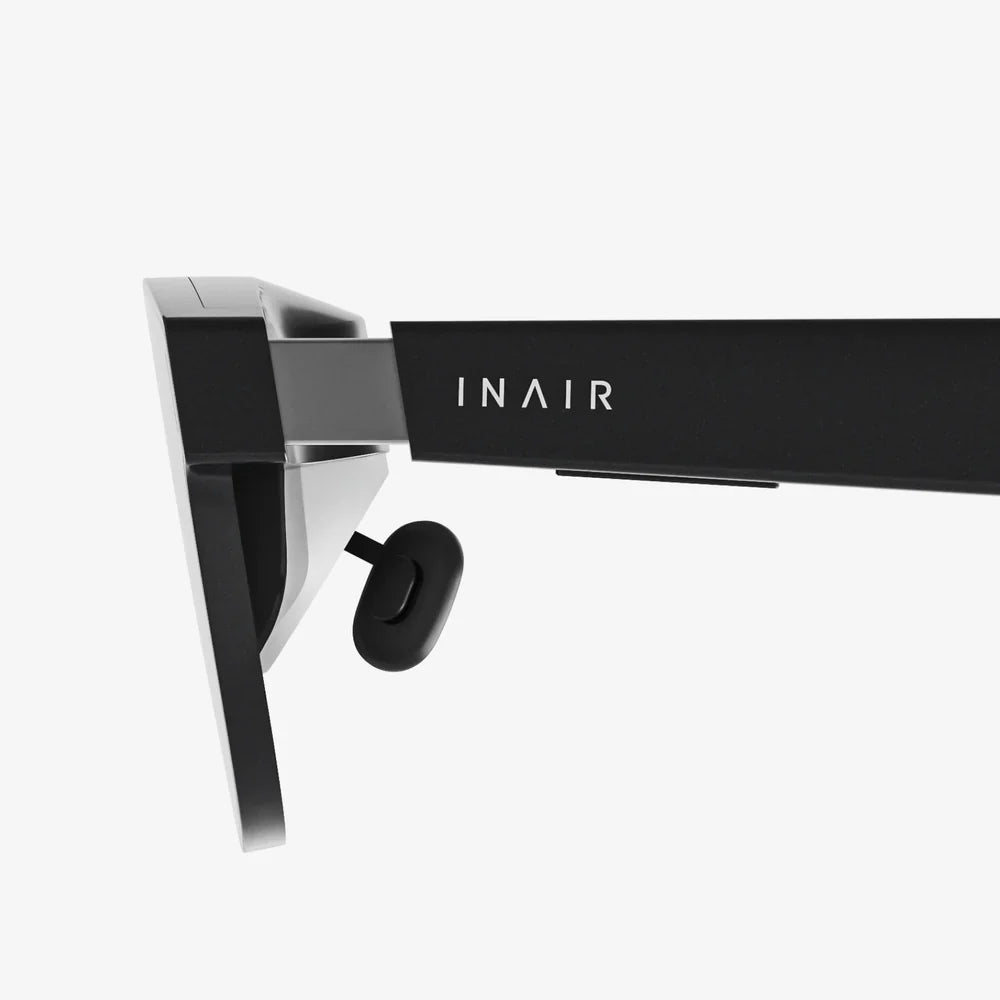
Tips for purchasing used VR headsets safely are more important now than ever, especially as virtual reality becomes more popular and prices for new devices stay relatively high. A used headset can be your ticket into immersive gaming, fitness, or virtual travel without draining your wallet, but only if you know how to avoid hidden damage, bad tracking, filthy gear, or outright scams. Before you click “buy now” on that tempting listing, there are crucial details you need to understand about hardware condition, seller behavior, and your own safety.
This guide walks you step by step through how to research, inspect, and test used VR headsets so you can enjoy a smooth, safe, and hygienic experience. You will learn how to spot warning signs in listings, what questions to ask sellers, what parts of the headset to examine closely, and how to protect yourself from both technical problems and health risks. By the end, you will be able to approach the used VR market with confidence instead of guesswork.
Why Buying Used VR Headsets Can Be Worth It
Before diving into safety tips, it helps to understand why buying used VR headsets is so common and where the main risks lie. Virtual reality hardware evolves quickly, and many enthusiasts upgrade to newer models regularly. That leaves a large supply of lightly used devices that can cost a fraction of their original price.
However, VR headsets are not like used books or simple gadgets. They involve lenses, sensors, cameras, straps, foam interfaces, and electronics that sit directly on your face and head. A poorly maintained or damaged device can cause eye strain, motion sickness, headaches, or simply a bad experience. In extreme cases, unsanitary gear can pose hygiene concerns if not cleaned correctly.
Knowing this, your goal is to capture the price advantage of the second-hand market while minimizing the risks. That starts with understanding the different ways used headsets are sold and what that means for your safety and protection.
Understand the Different Sources of Used VR Headsets
Where you buy your used VR headset significantly affects your level of risk and the protections available to you. Consider these common sources and what they mean for safety:
Online Marketplaces
Large online marketplaces are a popular place to find used VR headsets. They usually offer:
- A wide selection and competitive pricing.
- Buyer protection programs, such as dispute resolution and refund options.
- Seller ratings and reviews that can help you gauge trustworthiness.
The downside is that you cannot inspect the device in person before purchase. You must rely on photos, descriptions, and the seller’s honesty. This makes it crucial to read listings carefully and know what questions to ask before committing.
Local Classifieds and Face-to-Face Sales
Local classifieds and community platforms allow you to meet sellers in person. The advantages include:
- The ability to physically inspect and test the headset before paying.
- No shipping costs or shipping damage risks.
- Immediate access to the device.
However, face-to-face transactions come with their own safety considerations. You should always meet in a public place, preferably during the day, and never share unnecessary personal information. Bringing a friend is a sensible precaution, especially if you are carrying cash or expensive electronics.
Refurbishers and Specialty Shops
Some retailers or independent shops sell refurbished VR headsets. These devices typically:
- Undergo inspection and repairs by technicians.
- Include some form of limited warranty or return policy.
- May come with replaced foam or face pads for hygiene.
Prices may be higher than peer-to-peer sales, but the added security, testing, and after-sales support can be well worth it if you want a safer, more predictable experience.
Research the Model and Its Common Problems
One of the most important tips for purchasing used VR headsets safely is to research the specific model you are considering before contacting any seller. Different headsets have different strengths, weaknesses, and common failure points.
Check Compatibility and Requirements
Before anything else, make sure the headset will work with your existing hardware. Ask yourself:
- Does this headset require a powerful computer or gaming console?
- Does it support your operating system and hardware ports?
- Are there any known compatibility issues with newer software updates?
Buying a used headset that your system cannot run properly is a waste of money and effort. Look up the official specifications for the model and compare them with your setup.
Look Up Known Issues and Defects
Search for common problems associated with the headset model. Use phrases like “common issues,” “failure rate,” or “problems” combined with the model name. Pay attention to:
- Tracking problems or drift that may indicate sensor wear.
- Display issues such as dead pixels, mura (uneven brightness), or flickering.
- Weak or cracked head straps that fail over time.
- Overheating or frequent disconnects.
Once you know what typically goes wrong with that model, you can specifically ask the seller about those points and inspect them more carefully.
Check Software and Support Status
Some older VR headsets may no longer receive software updates or official support. This can affect:
- Access to the latest VR games and apps.
- Security patches and bug fixes.
- Compatibility with newer operating systems or hardware.
If a headset is no longer supported, it might still be usable, but you should factor that into the price and your expectations. A very cheap device that cannot run the experiences you want is not a good deal.
Evaluate the Listing Carefully Before Contacting the Seller
Whether you are browsing online listings or reading a local ad, the quality of the listing itself can reveal a lot about both the headset and the seller. Take time to analyze the details, not just the price.
Look for Clear, Detailed Photos
Photos should show the headset from multiple angles, including:
- Front, back, and sides of the headset.
- Close-ups of the lenses.
- Head straps and adjustment mechanisms.
- Controllers, cables, and any included accessories.
Blurry images, stock photos, or a single distant shot are warning signs. If the listing does not show the lenses or interior padding, ask the seller to provide additional images before proceeding.
Read the Description for Red Flags
A trustworthy listing usually includes:
- How long the headset has been used.
- Whether it was used heavily (e.g., daily gaming) or lightly.
- Any known defects or cosmetic damage.
- Reason for selling.
- What accessories are included and what might be missing.
Be cautious of vague phrases like “works great” without any details, or descriptions that emphasize urgency, such as “must sell today” or “price only valid for the next hour.” Also be wary of listings that completely ignore obvious questions like the condition of the lenses or the presence of controllers.
Compare Price Against Market Value
Search multiple platforms to get a sense of the typical price range for the same model in similar condition. If a headset is significantly cheaper than comparable listings, ask yourself why. While bargains do exist, unusually low prices can signal hidden damage, missing components, or scams.
On the other hand, a used headset priced very close to the cost of a new one may not be worth the risk unless it includes valuable extras or is in near-perfect condition with proof of recent purchase.
Questions You Should Always Ask the Seller
Once a listing passes your initial screening, it is time to contact the seller. Asking the right questions helps you confirm the condition of the headset and judge the seller’s honesty and responsiveness.
Usage and History
Key questions include:
- How long have you owned the headset?
- How often was it used (daily, weekly, rarely)?
- Was it used by a single person or multiple users?
- Has it ever been dropped or exposed to moisture?
- Has it been used in a smoking environment or around pets?
Frequent, heavy use is not necessarily a deal breaker, but it may increase wear on straps, padding, and internal components. Exposure to smoke can leave lingering odors and residue, while pet hair and dander can accumulate in padding and vents.
Condition and Repairs
Ask specifically about:
- Any scratches, marks, or cracks on the lenses or casing.
- Loose or frayed cables.
- Controller tracking issues or button failures.
- Any repairs or modifications that have been made.
If the seller mentions repairs, ask who performed them and what parts were replaced. Amateur repairs can sometimes cause more problems than they solve, especially if the casing was opened improperly or non-original parts were used.
Accessories and Original Packaging
Confirm exactly what is included:
- Headset and controllers.
- Cables, adapters, and power supplies.
- Tracking base stations or external sensors, if required.
- Face gasket, foam padding, and any spare parts.
- Original box and documentation, if available.
Missing components can quickly add to your costs if you need to buy replacements. Some headsets will not function at all without certain adapters or sensors, so make sure you understand what is essential for operation.
Proof of Purchase and Warranty Status
Ask whether the seller still has the original receipt or any proof of purchase. This can be useful if the headset is still under manufacturer warranty or if you ever need to prove ownership. In some regions, warranties may transfer to new owners if you have proper documentation.
Even if the warranty has expired, a seller who kept the receipt and packaging may have taken better care of the device, though this is not guaranteed.
How to Inspect a Used VR Headset in Person
If you have the chance to examine the headset before buying, use that opportunity thoroughly. A careful inspection can reveal issues that photos and descriptions might miss.
Visual Inspection of the Exterior
Start with the outside of the headset:
- Check for cracks, dents, or deep scratches on the plastic shell.
- Examine seams for signs of being pried open or poorly reassembled.
- Inspect the head strap for tears, overstretched elastic, or broken adjustment mechanisms.
- Look for discoloration or sticky residue that might indicate spills or exposure to extreme conditions.
Minor cosmetic wear is normal, but structural damage can affect comfort and durability.
Inspect the Lenses Carefully
The lenses are one of the most critical components. Hold the headset up to a bright, indirect light and look closely at each lens:
- Look for scratches, especially in the central area where your eyes focus.
- Check for smudges, haze, or cloudiness that does not wipe away easily.
- Inspect for chips or cracks at the edges.
Small hairline scratches near the edges may not be noticeable in use, but damage in the center can cause blur, glare, or eye strain. Deep scratches are difficult or impossible to fix and should significantly lower the price.
Check the Face Padding and Straps for Hygiene and Wear
Since VR headsets sit directly on the face, the condition of the padding is both a comfort and hygiene issue:
- Look for peeling, flaking, or compressed foam.
- Smell the padding for strong odors such as sweat, smoke, or mildew.
- Check for visible stains or discoloration.
Worn or dirty padding is not necessarily a deal breaker if you plan to replace it, but it should influence the price. If the headset smells strongly of smoke or mold, consider walking away entirely, as odors can persist even after cleaning.
Inspect Controllers and Cables
Controllers and cables affect usability just as much as the headset:
- Press every button and trigger to ensure they click and return properly.
- Move thumbsticks in all directions and check for sticking or drift.
- Examine cables for kinks, exposed wires, or fraying near connectors.
- Check charging ports for bent pins or debris.
Controllers with heavy wear may still function but are more likely to fail in the near future. Replacement controllers can be expensive, so factor their condition into your negotiation.
Testing the Headset: What to Check Before You Pay
Whenever possible, test the VR headset with a compatible device before completing the sale. This is one of the strongest tips for purchasing used VR headsets safely because it reveals hidden functional issues that visual inspection cannot catch.
Power and Connectivity
First, confirm that the headset powers on and connects properly:
- Plug in all required cables and adapters securely.
- Turn on the headset and controllers.
- Check that your computer, console, or standalone system recognizes the device.
If the device fails to connect or disconnects frequently, there may be cable issues, port damage, or internal faults. Occasional hiccups can sometimes be software-related, but repeated failures during a short test are a serious warning sign.
Display Quality
Once the headset is powered and connected, put it on and examine the display:
- Look for dead pixels (tiny dots that stay black or a single color).
- Check for flickering, lines, or color distortions.
- Notice any severe blur that does not improve with focus or IPD adjustments.
A few isolated minor defects might be acceptable at a low price, but large clusters of dead pixels or serious display issues will significantly affect your experience and should heavily influence your decision.
Tracking and Motion
Tracking is essential for an immersive VR experience. Test it by:
- Standing in your usual play space and slowly moving your head in different directions.
- Watching for jitter, drifting, or sudden jumps in the virtual environment.
- Moving controllers around your body, including above your head and behind your back.
Good tracking should feel smooth and natural. If the view drifts when you stand still, or if controllers lose tracking frequently, there may be issues with sensors, cameras, or lighting conditions. Some problems can be fixed with calibration, but persistent issues should lower your confidence in the purchase.
Comfort and Fit
Wear the headset for at least a few minutes to assess comfort:
- Adjust the straps and note whether they hold securely.
- Check if the headset feels balanced or front-heavy.
- Look for pressure points on your forehead, cheeks, or nose.
Comfort can be somewhat subjective, but an uncomfortable headset may discourage you from using it regularly. While you can sometimes improve comfort with aftermarket straps or padding, those are extra costs to consider.
Hygiene and Sanitation: Protecting Your Health
Because VR headsets are worn close to the eyes and skin, hygiene is a major part of purchasing used VR headsets safely. Even if a headset looks clean, you should assume it needs thorough sanitation before regular use.
Plan to Replace Face Padding
The foam or fabric that rests against your face absorbs sweat, skin oils, and makeup. For health and comfort, it is wise to replace this part with a new one once you buy the headset. Look for compatible replacement pads made of materials that are easy to clean, such as leather-like covers or washable fabric.
Budget for this replacement ahead of time. Even if the seller claims the padding is “like new,” treating it as a consumable item you will replace is the safer choice.
Clean All Contact Surfaces Safely
After purchase, clean the headset carefully:
- Use alcohol-free, lens-safe wipes for the lenses.
- Use mild, electronics-safe cleaning wipes or a slightly damp cloth for the plastic surfaces.
- Avoid getting moisture into ports, vents, or speaker openings.
Do not use harsh chemicals, abrasive materials, or excessive liquid. The goal is to remove surface dirt, oils, and germs without damaging sensitive components.
Consider Eye and Skin Sensitivity
If you have sensitive skin or eyes, be extra careful with cleaning agents and materials. Test any new face padding briefly to ensure it does not cause irritation. If multiple people will use the headset, consider using disposable covers or washable covers that can be cleaned between sessions.
Negotiating Price Based on Condition and Risk
Once you understand the condition of the headset and its accessories, you are in a strong position to negotiate a fair price. Be respectful but firm, and base your offer on specific observations rather than vague impressions.
Use Market Comparisons
Show the seller recent listings or sales of similar headsets in similar condition to justify your offer. If the headset you are considering has more wear, missing accessories, or no warranty, your price should reflect those differences.
Factor in Replacement Costs
If you need to buy new padding, cables, or controllers, estimate those costs and subtract them from what you are willing to pay. This gives you a realistic total cost of ownership rather than focusing solely on the initial purchase price.
Be Ready to Walk Away
One of the most powerful tools for purchasing used VR headsets safely is the willingness to walk away from a deal that does not feel right. If the seller refuses to answer reasonable questions, will not allow testing, or reacts defensively to concerns, it is better to move on. There will always be other headsets for sale, but you only have one set of eyes and one bank account to protect.
Protecting Yourself from Scams and Fraud
Unfortunately, high-demand electronics like VR headsets attract scammers. Staying alert can prevent costly mistakes.
Beware of Deals That Are Too Good to Be True
Extremely low prices, especially from new accounts with no history or reviews, should raise suspicion. Scammers often use stolen photos and descriptions to lure buyers into sending money for items that do not exist.
Use Secure Payment Methods
Avoid untraceable payment methods such as wire transfers, gift cards, or sending money as “friends and family” to strangers. Use payment methods that offer buyer protection, such as standard card payments or trusted payment services that support disputes and refunds.
Verify Identity and Ownership
For local sales, ask the seller to bring some proof that they own the device, such as a receipt or matching name on a user account shown on the device. While this is not always possible, it can deter thieves from trying to sell stolen hardware.
Watch for Serial Number Tampering
If you can access the headset’s serial number, compare it to any documentation the seller provides. Mismatched or removed serial numbers can indicate a stolen or tampered device. Some manufacturers allow you to check warranty status using the serial number, which can also confirm authenticity.
After the Purchase: Setup, Testing, and Return Windows
Your safety work is not finished once you hand over the money or confirm an online purchase. The first days after receiving the headset are crucial for thorough testing while any return or dispute window is still open.
Test All Features Intensively
As soon as you get the headset home:
- Set it up with your system according to official instructions.
- Update firmware and software to the latest versions.
- Test several different types of VR content: games, videos, and apps that use various features.
Pay attention to any crashes, overheating, audio problems, tracking issues, or display anomalies. If you notice serious problems, contact the seller or platform immediately while you still have options.
Monitor Comfort and Health Reactions
During your first few sessions, watch for unusual eye strain, headaches, or motion sickness that feels different from normal VR adjustment. While some discomfort is common for new users, severe or persistent issues could indicate misalignment, lens problems, or tracking flaws.
Document Everything
If you discover defects, take photos or record videos that clearly show the problem. Keep copies of your communications with the seller and any troubleshooting steps you have tried. This documentation can be vital if you need to request a return or file a dispute.
Balancing Savings with Safety and Peace of Mind
The most effective tips for purchasing used VR headsets safely come down to a balance: you want to save money without gambling on your health, comfort, or enjoyment. That means being methodical rather than impulsive. Carefully reading listings, asking pointed questions, inspecting and testing hardware, and prioritizing hygiene all add a bit of effort upfront, but they can save you from expensive regrets later.
When you approach the used VR market with a clear plan, you are far less likely to fall for flashy prices or rushed sales tactics. Instead, you can focus on finding a headset that truly fits your needs, works reliably with your setup, and feels good to use for extended sessions. Combine your new knowledge with patience, and you can land a second-hand VR headset that delivers immersive experiences at a fraction of the cost, without sacrificing safety or peace of mind.
Aktie:
Creature Commandos Victor Frankenstein Voice And The Future Of Monster Storytelling
Glass Project Experts And The Future Of Modern Transparent Design