


- von wangfred
Virtual Image Display Technologies Transforming Digital Experiences
- von wangfred
Virtual image display is quietly rewriting the rules of how we see, work, and play in the digital world, turning flat screens into immersive windows that feel almost indistinguishable from reality. Whether you are curious about augmented reality glasses, virtual reality headsets, holographic projections, or futuristic contact lenses that overlay data directly onto your vision, understanding this technology now can put you ahead of the curve as the next wave of digital experiences arrives.
At its core, a virtual image display is any system that creates the perception of an image existing in space, even though it does not physically reside on a traditional surface like a monitor or a wall. Instead of simply showing pixels on a flat panel, these systems project or direct light so that your eyes interpret the result as a floating image, a distant object, or a 3D scene you can almost reach out and touch.
This concept is not limited to one device type. It spans a spectrum of technologies, including:
What unites them is not the hardware form factor, but the experience: a digital image that feels present in space, often with depth, perspective, and interactivity that goes far beyond a static screen.
To understand why virtual image display feels so compelling, it helps to look at a few fundamental visual and optical principles that these systems manipulate.
Human depth perception relies on several cues, but one of the most important is binocular disparity: each eye sees a slightly different view of the world. When a virtual image display sends a tailored image to each eye, your brain fuses them into a single 3D scene with depth. This is the foundation of stereoscopic displays, commonly used in many head-mounted systems.
Virtual image displays can also simulate depth through:
The field of view describes how much of your visual surroundings are filled by the display. A narrow field of view feels like looking through a small window. A wide field of view, especially one that approaches natural human vision, can feel almost fully immersive. Many virtual image display systems strive to expand field of view while maintaining high image quality and comfort.
In the real world, your eyes change focus (accommodation) depending on how far away an object is. Traditional flat displays, even if they show 3D content, are at a fixed focal distance. Some advanced virtual image displays attempt to address this mismatch by using techniques such as:
These methods aim to reduce eye strain and make virtual content more comfortable for extended use.
Virtual image display is not a single technology but a family of approaches. Each type has specific strengths, limitations, and ideal use cases.
One of the most recognizable forms is the fully immersive head-mounted display for virtual reality. These devices typically cover the user's eyes and block out the external environment, replacing it with a fully synthetic 3D world.
Key characteristics include:
Virtual reality headsets are particularly effective for gaming, immersive storytelling, training simulations, and virtual tourism, where a fully enclosed experience enhances presence and engagement.
Augmented reality and mixed reality systems overlay digital images onto the real world rather than replacing it. They commonly use optical see-through or video see-through approaches.
These systems are especially powerful for tasks where situational awareness matters: industrial maintenance, navigation, medical procedures, design reviews, and collaborative work that blends digital and physical content.
Some virtual image displays attempt to create the illusion of 3D objects floating in the air, visible to multiple viewers without headsets. While many of these are not true holograms in the strict physical sense, they achieve similar effects using clever optics and projection techniques.
Common methods include:
These displays are attractive for retail installations, museums, medical visualization, and collaborative design, where multiple people need to view and discuss the same virtual object from different angles.
Projection-based systems use projectors to cast images onto surfaces in the environment, which can be walls, floors, physical objects, or specially designed screens. When combined with tracking and calibration, projections can appear tightly anchored to real-world objects, transforming them into interactive interfaces or 3D illusions.
Examples include:
While projection-based systems may not always provide the same personal immersion as head-mounted displays, they excel at shared experiences and large-scale visual environments.
At the cutting edge, some virtual image displays aim to project light directly into the eye or embed display elements into contact lenses. These approaches seek to minimize hardware bulk and make digital overlays feel seamlessly integrated with natural vision.
Retinal projection systems carefully scan low-power light onto the retina, forming images without the need for a traditional screen. Experimental contact lens displays embed micro-scale optics and electronics that can present simple visual cues or data. While these technologies are still evolving, they hint at a future where virtual image display becomes almost invisible as hardware shrinks and blends into everyday life.
Behind the magic of virtual images lies a collection of sophisticated components working together. Understanding these building blocks clarifies why certain devices look and feel the way they do.
Optics are central to virtual image display. Lenses, mirrors, and waveguides shape and direct light so that virtual images appear at the correct size, distance, and position.
The underlying image is typically generated by a display panel or light modulation system. Common options include:
To maintain the illusion that virtual objects are stable and responsive, virtual image display systems rely on sensors that track the user's position, head orientation, hand movements, and sometimes eye gaze.
Typical sensors include:
Virtual image display experiences require significant processing power to render 3D graphics, interpret sensor data, and maintain low latency. This can be handled by onboard processors, tethered computers, or cloud-based systems, depending on the device.
Efficient rendering techniques, such as foveated rendering (sharpening only the region you are looking at) and advanced compression, help balance visual quality with performance and power consumption.
The versatility of virtual image display is evident in the wide range of fields where it is being adopted and explored.
Entertainment is often the most visible driver of virtual image display adoption. Immersive games, interactive storytelling, and virtual concerts take advantage of the technology's ability to place users inside rich, responsive worlds.
Key benefits in this area include:
Virtual image display can transform how people learn complex concepts and practice real-world skills. Instead of reading about a system or watching a flat video, learners can interact with 3D models, simulations, and scenarios that respond to their actions.
Examples include:
These experiences can reduce training costs, enhance retention, and allow safe repetition of high-risk tasks.
In healthcare, virtual image display supports both professionals and patients. Surgeons can plan complex procedures using 3D visualizations of patient-specific anatomy. During operations, augmented reality overlays can highlight critical structures and guide instruments.
For patients, virtual image display enables rehabilitation exercises, pain distraction therapies, and educational tools that explain conditions and treatments in intuitive visual ways. The technology also helps researchers and clinicians collaborate across distances by sharing interactive 3D views of medical data.
Design disciplines benefit greatly from the ability to see and manipulate virtual objects at scale. Architects can walk clients through virtual buildings before construction begins. Product designers can explore full-scale prototypes without the cost and time of physical fabrication.
Virtual image display allows stakeholders to:
On the factory floor and in maintenance operations, virtual image display can overlay instructions, highlight components, and guide workflows. Technicians can see step-by-step procedures anchored to the equipment they are servicing, reducing errors and speeding up repairs.
In logistics and warehousing, virtual image display can assist with picking routes, inventory management, and equipment training. The ability to visualize data and instructions in context helps bridge the gap between digital systems and physical tasks.
Retailers and marketers are exploring virtual image display to create engaging customer experiences. Shoppers can visualize products in their own homes using augmented reality. Stores can deploy interactive displays that showcase products in dynamic ways, such as virtual try-ons or 3D previews.
These experiences can increase customer confidence, reduce returns, and differentiate brands in competitive markets. They also generate valuable insights into how customers interact with products and environments.
As remote work becomes more common, virtual image display offers new ways for teams to collaborate beyond video calls and shared documents. Virtual meeting spaces can host 3D content, whiteboards, and interactive tools that feel more natural than static screens.
Participants can gather around virtual models, annotate them in real time, and maintain a stronger sense of co-presence, even when geographically distributed. This can be particularly powerful for disciplines that rely heavily on spatial reasoning, such as engineering, architecture, and creative design.
Across these applications, several recurring advantages explain the growing interest in virtual image display.
By surrounding users with visual information that responds to their movements, virtual image display creates a sense of presence that flat screens rarely achieve. This heightened engagement can lead to deeper learning, stronger emotional impact, and more memorable experiences.
Many tasks involve understanding complex spatial relationships: how parts fit together, how spaces feel, or how systems behave in three dimensions. Virtual image display presents these relationships directly in 3D, making them easier to grasp and reason about.
Augmented and mixed reality systems excel at delivering information in context. Instead of switching between a manual and a piece of equipment, a user can see instructions anchored to the relevant parts. This reduces cognitive load and helps users stay focused on the task at hand.
Virtual simulations and prototypes can reduce the need for physical models, travel, and high-risk training scenarios. Organizations can test concepts, rehearse procedures, and explore options virtually before committing resources in the real world.
Virtual image display can support accessibility by adapting content to individual needs. For example, it can present enlarged visuals, provide spatial audio cues, or offer alternative interaction methods. This flexibility opens new possibilities for inclusive design and participation.
Despite its promise, virtual image display faces several technical, human, and societal challenges that must be addressed for broader adoption.
Extended use of head-mounted displays can cause eye strain, fatigue, or motion discomfort for some users. Factors contributing to this include mismatched focus cues, latency between head movement and image updates, and heavy or poorly balanced hardware.
Designers must carefully consider ergonomics, visual comfort, and session length. Ongoing research explores ways to minimize negative effects while preserving the benefits of immersion.
High-quality virtual image display systems require advanced optics, sensors, and processing power. Achieving wide field of view, high resolution, and low latency in a compact, lightweight form factor is a significant engineering challenge.
These requirements can increase development and manufacturing costs, which may limit access or slow adoption, especially in price-sensitive markets.
Compelling virtual image display experiences depend on rich, well-designed content. Creating 3D assets, interactive simulations, and spatial interfaces can be more complex than producing traditional 2D media.
Moreover, the ecosystem lacks universal standards for content formats, interaction patterns, and cross-platform compatibility. This fragmentation can make it harder for developers and organizations to invest confidently in large-scale deployments.
Many virtual image display systems rely on sensors that capture detailed information about users and their environments, including spatial layouts, movements, and sometimes biometric data. This raises important questions about data privacy, security, and ethical use.
There are also broader social considerations: how immersive technologies affect attention, social interactions, and perceptions of reality. Responsible design and governance will be crucial to ensuring that virtual image display enhances human capabilities without undermining trust or well-being.
The field of virtual image display is evolving rapidly, with several promising trends shaping its future trajectory.
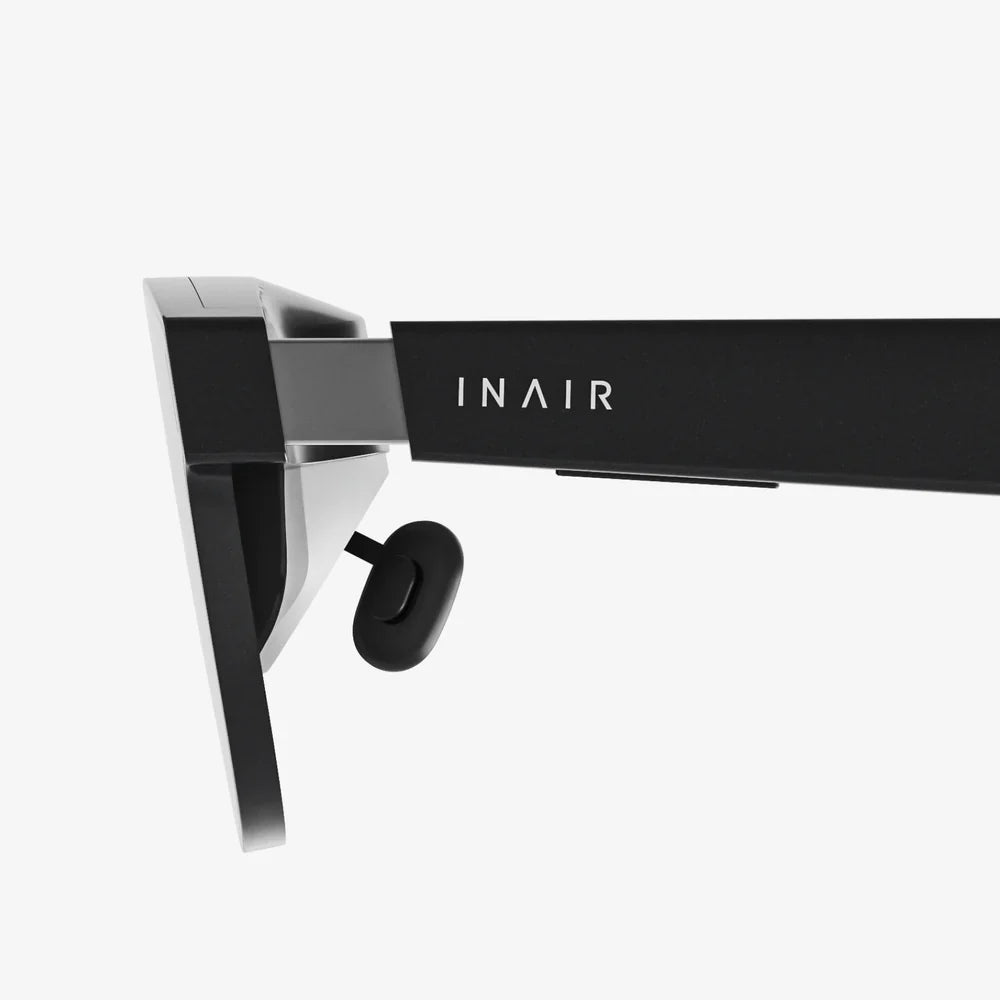
One major trend is toward lighter, more comfortable wearable displays that resemble everyday eyewear. Advances in waveguide optics, microdisplays, and power-efficient processing are enabling slimmer designs that can be worn for longer periods without fatigue.
As these devices become less obtrusive, virtual image display may shift from occasional use to continuous, context-aware assistance embedded in daily life.
Improved resolution, color accuracy, and dynamic range will make virtual images more lifelike and convincing. Combined with better lighting simulation, realistic materials, and sophisticated physics, these advancements will narrow the gap between virtual and physical experiences.
At the same time, more accurate tracking and lower latency will enhance stability and reduce discomfort, making virtual content feel firmly anchored in the world.
Virtual image display is increasingly intertwined with spatial computing, where devices understand the geometry and semantics of the environment. This allows virtual content to interact intelligently with real-world objects and spaces.
For example, virtual notes could stick to physical surfaces, digital interfaces could appear on any wall, and virtual companions could navigate around obstacles. As environments themselves become instrumented with sensors and connectivity, virtual image display will be part of a broader shift toward smart, responsive spaces.
Future virtual image display systems will place greater emphasis on shared experiences, where multiple users can see and interact with the same virtual objects from their own perspectives. This requires precise synchronization, spatial alignment, and communication infrastructure.
Such capabilities will unlock new modes of collaboration in design, education, entertainment, and remote work, blurring the lines between physical and virtual meeting spaces.
Visual immersion is powerful, but future systems will increasingly combine virtual image display with other modalities such as spatial audio, haptic feedback, and gesture recognition. This multimodal integration can deepen the sense of presence and expand the range of possible interactions.
For instance, users might not only see a virtual object but also hear it from the correct direction, feel its surface texture, and manipulate it with natural hand movements. Such rich interactions can make digital content feel less abstract and more tangible.
For organizations and individuals considering the adoption of virtual image display, a thoughtful approach can help maximize benefits while managing risks.
Before investing in hardware or content development, it is essential to define clear objectives. Are you aiming to improve training outcomes, enhance customer engagement, streamline workflows, or explore new creative possibilities?
Identifying specific use cases and success metrics helps guide technology selection, content design, and evaluation. It also ensures that virtual image display is deployed as a targeted solution rather than a novelty.
Effective experiences prioritize user needs, abilities, and limitations. This involves considering factors such as comfort, accessibility, cognitive load, and context of use. Interfaces should be intuitive, with clear feedback and minimal friction.
User testing is invaluable, especially when exploring new interaction paradigms. Observing how people actually use virtual image display systems often reveals insights that cannot be predicted from technical specifications alone.
Virtual image display content is rarely static. Training scenarios may need updates, product visualizations may change, and interactive experiences may evolve based on feedback. Planning for ongoing content maintenance and iteration is crucial.
Adopting modular content structures, reusable components, and flexible authoring tools can reduce long-term costs and keep experiences aligned with changing needs.
Any deployment that collects data about users or environments should include robust privacy and security measures. This involves clear policies about data collection, storage, and sharing, as well as technical safeguards such as encryption and access controls.
Transparent communication with users builds trust and helps ensure that the benefits of virtual image display are not overshadowed by concerns about surveillance or misuse.
The momentum behind virtual image display is accelerating as hardware improves, costs decline, and more people experience its potential firsthand. What was once confined to research labs and niche applications is moving into mainstream conversations about work, learning, and entertainment.
For individuals, understanding virtual image display means being better prepared for new forms of media, collaboration, and everyday tools that will likely enter homes and workplaces. For organizations, it offers a chance to rethink how information is presented, how people are trained, and how customers are engaged in an increasingly digital world.
As virtual image display continues to evolve, the line between physical and digital experiences will blur in ways that are both exciting and challenging. Those who take the time to grasp the principles, possibilities, and responsibilities of this technology today will be in the best position to shape how it is used tomorrow. Exploring virtual image display now is not just about following a trend; it is about understanding a foundational shift in how we see and interact with information itself.