


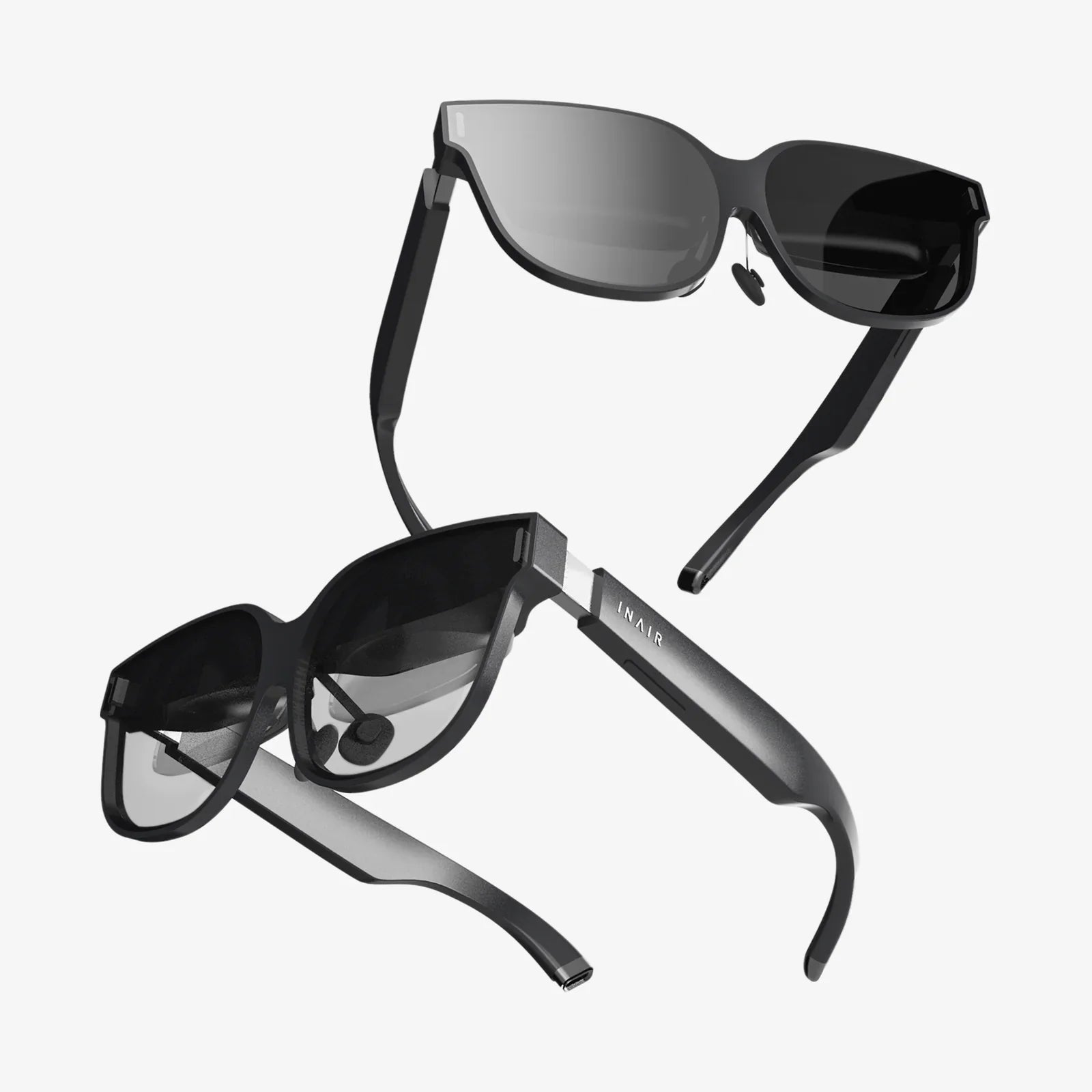
virtual reality explained in simple terms might sound like a big promise, especially when people often describe it with complex jargon, futuristic images, and confusing technology. Yet the truth is that virtual reality is much easier to understand than it first appears, and once you see how simple the core idea is, a whole new world of possibilities suddenly feels within reach.
This guide breaks down virtual reality using everyday language, familiar examples, and clear explanations. You will learn what virtual reality actually is, how it works behind the scenes, what equipment is involved, where it is used today, and how it may quietly reshape work, learning, health, and entertainment in the coming years. No technical background is required—just curiosity.
What Is Virtual Reality In Everyday Language?
At its heart, virtual reality (often shortened to VR) is a way for a computer to trick your senses into feeling like you are somewhere else. Instead of looking at a flat screen in front of you, VR surrounds your eyes and ears with digital sights and sounds so that your brain begins to accept the illusion as a place you are actually inside.
Think of it as the difference between:
- Watching a video of a forest on your phone, versus
- Feeling like you are standing in that forest, able to look around in every direction
Virtual reality creates that second experience. The computer generates a 3D world, and when you turn your head, the view changes naturally, as if you were turning your head in real life. Your brain reads this as “I am in this place,” even though your body is still standing in your living room.
Key Idea: Presence
One of the most important ideas in virtual reality is called “presence.” Presence is the feeling that you are inside the virtual world, not just looking at it. When VR works well, you temporarily forget that you are wearing a headset. You might reach out to touch something that is not really there or step back from a virtual edge, even though you know you are safe in your room. That moment of forgetting is presence.
Virtual Reality vs. Regular Screens
To keep things simple, imagine three levels of digital experience:
- Regular screen: You look at a flat image on a phone, tablet, or TV.
- 3D screen: The image pops out a bit, but you still sit in front of the screen.
- Virtual reality: The screen covers your eyes, the world surrounds you, and you feel inside it.
Virtual reality is different not because it shows better pictures, but because it changes your point of view. Instead of watching from the outside, you become part of the scene.
How Virtual Reality Works Without Technical Jargon
Under the surface, virtual reality uses advanced hardware and software, but the basic idea is surprisingly straightforward: show each eye a slightly different picture, adjust that picture when you move, and play sounds that match what you see. Your brain does the rest.
The Main Pieces Of A VR System
A typical virtual reality setup includes a few key parts:
- Headset: A device you wear on your head, with screens and lenses inside.
- Sensors: Tiny devices that track how you move your head and sometimes your body.
- Controllers: Handheld devices (or gloves) that let you interact with objects in the virtual world.
- Computer or built-in processor: The “brain” that creates the virtual world and sends images to the headset.
Let’s look at each one in simple terms.
The Headset: Your Window Into Another World
The VR headset is the most visible part of the system. It looks like a pair of bulky goggles that cover your eyes and often some of your face. Inside the headset are two small screens or a single screen split into two views—one for each eye.
Between your eyes and the screens are lenses. These lenses bend the light so that the images appear at the right distance and shape for your eyes, creating the illusion of depth. Because each eye sees a slightly different image, your brain combines them into a single 3D scene, just like it does in real life.
Sensors: How The System Knows Where You Are Looking
To feel real, the virtual world must respond instantly when you move. If you turn your head to the left, the view must shift left. If you look up, the virtual sky should appear. This is where sensors come in.
Inside the headset are small sensors that measure:
- Rotation: When you tilt, turn, or nod your head.
- Position: In more advanced systems, when you move around the room.
These sensors send constant updates to the computer or built-in processor, which then redraws the scene so that it matches your new point of view. This needs to happen very fast—many times per second—so that the experience feels smooth and natural.
Controllers: Your Hands Inside The Virtual World
Virtual reality becomes much more powerful when you can do more than just look. That is why many VR systems include hand controllers shaped to fit comfortably in your grip. These controllers usually include buttons, triggers, and sometimes touch-sensitive areas.
Sensors in the controllers track their position and movement. When you lift your hand, the virtual version of your hand moves too. You can pick up objects, press virtual buttons, or point at things. This makes the virtual space feel interactive, not just visual.
Sound: Completing The Illusion
Sound plays a huge role in making virtual reality feel real. Many headsets include built-in speakers or allow you to connect headphones. The system can adjust the sound depending on where you are looking. For example:
- If a virtual waterfall is on your right, you will hear it more in your right ear.
- If you turn toward it, the sound will move to the center.
This is called “spatial audio” and it helps your brain believe the world around you is real, even when it is entirely digital.
Types Of Virtual Reality Experiences
Not all VR experiences are the same. Some let you look around while standing still; others let you walk, run, or even use your entire body. To keep things simple, we can group VR into a few main types.
Seated Or Standing VR
In this type of VR, you stay mostly in one place—sitting in a chair or standing in a small area. You can turn your head and sometimes twist your body, but you do not walk around the room.
This is useful for:
- Watching immersive videos
- Sitting in a virtual theater
- Driving or flying simulations where you remain in a seat
Room-Scale VR
Room-scale VR lets you move around a defined space, such as a cleared area of your living room. Sensors or cameras track your position so that when you walk in the real world, your virtual body moves in the digital world.
This type of VR feels more natural and active because you can:
- Walk up to objects
- Duck behind virtual cover
- Lean in to inspect something closely
Full-Body Or Advanced VR
In more advanced setups, additional sensors or suits can track your arms, legs, and sometimes your entire body. While less common in homes, these setups are used in specialized centers, research labs, and training facilities.
They can help simulate:
- Sports movements
- Complex work tasks
- Emergency response situations
What You Can Do With Virtual Reality Today
Virtual reality is not just a toy for technology fans. It is already being used in many areas of daily life. When we look at virtual reality explained in simple terms, it helps to think in categories: fun, learning, work, health, and social connection.
Entertainment And Games
This is where many people first meet VR. Instead of playing a game on a flat screen, you step inside the game world. You can:
- Explore fantasy landscapes
- Play sports or rhythm games that make you move
- Walk through virtual museums or art galleries
Because VR responds to your body movements, these experiences often feel more active and engaging than traditional games.
Movies And Storytelling
Virtual reality can turn a film into a place you visit rather than a story you watch from a distance. You might stand in the middle of a scene, look around as events unfold, and feel like a silent character in the story.
This kind of storytelling is still developing, but it offers new ways to experience documentaries, travel videos, and short films.
Education And Training
Virtual reality is becoming a powerful tool for learning because it allows people to practice in safe, controlled environments. Examples include:
- Students exploring the inside of a cell or the surface of Mars
- Workers practicing how to operate complex machines
- Drivers or pilots training in realistic simulations
Instead of reading about something or watching a demonstration, learners can “do” the activity in a virtual space where mistakes do not cause real damage.
Health And Therapy
In healthcare, virtual reality is used for both patients and professionals. Some uses include:
- Helping patients manage pain through calming virtual environments
- Guiding people through exposure therapy for certain fears
- Training medical staff to handle difficult procedures or emergencies
Because VR can recreate stressful or complex situations safely, it allows repeated practice and gradual exposure, which can be very helpful in therapy and training.
Work And Collaboration
Virtual reality can also be used for remote meetings and teamwork. Instead of staring at a grid of faces on a screen, people can appear as virtual representations of themselves in a shared 3D space.
They might:
- Stand around a virtual table looking at a 3D model
- Walk through a digital version of a building before it is constructed
- Practice customer service conversations with virtual customers
This can create a stronger sense of presence and shared space than traditional video calls.
Common Questions About Virtual Reality Answered Simply
When people first hear about VR, they often have similar questions. Here are straightforward answers to some of the most common ones.
Does Virtual Reality Hurt Your Eyes?
Using VR is similar to looking at any digital screen for a long time. Short, moderate sessions are generally fine for most people, but spending hours in VR without breaks can cause eye strain, headaches, or fatigue.
To reduce discomfort:
- Take regular breaks
- Adjust the headset to fit your eyes properly
- Stop using it if you feel dizzy or uncomfortable
Why Do Some People Feel Sick In VR?
Some users feel motion sickness in virtual reality. This usually happens when what your eyes see does not match what your inner ear feels. For example, if the virtual world says you are moving quickly but your body is actually standing still, your brain gets conflicting signals.
To reduce this effect, many VR experiences are designed to:
- Limit sudden or unnatural movements
- Use teleport-style movement instead of smooth gliding
- Keep a stable frame of reference, like a virtual cockpit or room
People often adapt over time, but it is important to listen to your body and rest when needed.
Is Virtual Reality Just A Trend?
Virtual reality has gone through waves of excitement and disappointment over the years. Early versions were expensive, heavy, and limited. The difference now is that the technology has become more accessible, more comfortable, and more widely used in real-world situations like training and healthcare.
While the exact shape of VR’s future is uncertain, it is clear that the basic idea—immersive digital worlds you can step into—is here to stay and will likely continue to grow and improve.
How Virtual Reality Fits With Other Technologies
Virtual reality is often mentioned alongside other terms, which can be confusing. Understanding how they relate can make the whole topic feel much clearer.
Virtual Reality vs. Augmented Reality
Virtual reality (VR) and augmented reality (AR) are related but different:
- VR replaces your surroundings with a digital world.
- AR adds digital elements on top of the real world.
For example, in VR you might stand on a virtual mountain. In AR, you might see a digital arrow floating above your real street, guiding you where to walk.
Virtual Reality And The Idea Of Digital Worlds
There is also growing talk about shared digital spaces where people can meet, work, and play. Virtual reality can be one way to step into these spaces more fully, making them feel like places you visit instead of websites you click.
In practice, this might mean:
- Attending a virtual concert with friends
- Walking through a digital shopping area
- Joining a virtual classroom with classmates from around the world
These ideas are still evolving, but VR provides a natural doorway into them.
Benefits And Drawbacks Of Virtual Reality
Like any technology, virtual reality has both strengths and limitations. Understanding both sides helps you decide how and when it might be useful in your own life.
Benefits Of Virtual Reality
Some of the main advantages include:
- Immersive learning: You can practice skills and explore environments that would be hard or impossible to visit in real life.
- Safe simulations: Dangerous or expensive situations can be recreated safely for training.
- Stronger focus: The headset blocks out distractions, helping you concentrate on the task or experience.
- New forms of creativity: Artists, designers, and storytellers can build worlds instead of just images or pages.
Drawbacks And Challenges
On the other hand, there are real challenges:
- Comfort issues: Some people experience motion sickness, eye strain, or discomfort.
- Cost and access: While prices have dropped, not everyone can easily afford VR equipment.
- Physical space: You need a safe area to move without bumping into furniture or walls.
- Social concerns: Spending long periods in virtual worlds may affect how people relate to the real world and to each other.
Designers and researchers continue working to reduce these problems, but they are important to keep in mind when considering how VR fits into everyday life.
Simple Tips For A Better VR Experience
If you are curious about trying virtual reality or already have access to it, a few simple habits can make your experience more enjoyable and comfortable.
Set Up A Safe Space
Before you put on a headset, clear the area around you:
- Move chairs, tables, and other obstacles
- Check for pets or small objects on the floor
- Make sure you will not hit a wall if you reach out
Many VR systems include virtual boundaries that appear if you get too close to the edge of your safe zone. Take the time to set these up carefully.
Adjust The Headset Properly
A poorly adjusted headset can cause blurry images and discomfort. To improve clarity and comfort:
- Adjust the straps so the headset sits firmly but not tightly
- Position it so the image looks sharp and centered
- Use any available settings for eye distance or focus
Start With Short Sessions
If you are new to virtual reality, begin with short experiences and gradually increase the time. Give your eyes and brain a chance to adapt. If you feel dizzy, tired, or uncomfortable, take a break.
Choose Experiences That Match Your Comfort Level
Some VR experiences are gentle and relaxing, while others involve fast movement and intense action. If you are prone to motion sickness, look for experiences that:
- Keep you mostly in one place
- Use teleport-style movement
- Offer comfort settings like reduced motion effects
The Future Of Virtual Reality In Everyday Life
It can be exciting to imagine where virtual reality might go next, especially once you understand virtual reality explained in simple terms. As devices become lighter, cheaper, and more comfortable, VR may quietly blend into many parts of daily life without feeling like a science-fiction gadget.
More Natural Interaction
Future VR systems are likely to track hand and body movements more accurately, letting you interact without holding controllers. You may be able to reach, grab, and point using your natural gestures, making the experience feel less like operating a machine and more like simply being present.
Better Visual Quality
As display technology improves, virtual worlds will look sharper and more realistic. Higher resolution, richer colors, and smoother motion will reduce eye strain and make the illusion more convincing.
Integration With Daily Tasks
Instead of using VR only for special occasions, people may begin to use it for:
- Short focused work sessions in distraction-free virtual offices
- Quick training refreshers before performing a real-world task
- Virtual visits with friends and family who live far away
In these cases, VR becomes a tool, not a separate hobby.
Blending Physical And Virtual Worlds
Future systems may better combine real and virtual elements, allowing you to see parts of your actual surroundings while still being immersed. This could make it easier to stay aware of your environment and interact with real objects while enjoying the benefits of digital worlds.
Why Understanding Virtual Reality Matters Now
Virtual reality is moving from the edges of technology culture into schools, workplaces, medical centers, and homes. You do not need to become an expert, but having virtual reality explained in simple terms helps you make informed choices about how to use it and what role you want it to play in your life.
When you strip away the buzzwords, VR is simply a tool for creating convincing experiences in digital form. It can entertain, teach, heal, and connect people across distance. It can also raise new questions about how much time we spend in digital spaces and how we balance them with the physical world.
The next time you see someone wearing a VR headset, you will know that behind the strange-looking goggles is a simple idea: a computer is sending carefully crafted images and sounds to their senses, inviting their brain to accept a digital world as if it were real, at least for a little while. The real question is not whether virtual reality is complicated—it is whether you are ready to step inside and decide for yourself where it fits in your own story.
Aktie:
Best Available AR Glasses: How to Choose the Right Pair for You
what is portable computing and how it is quietly reshaping everyday life