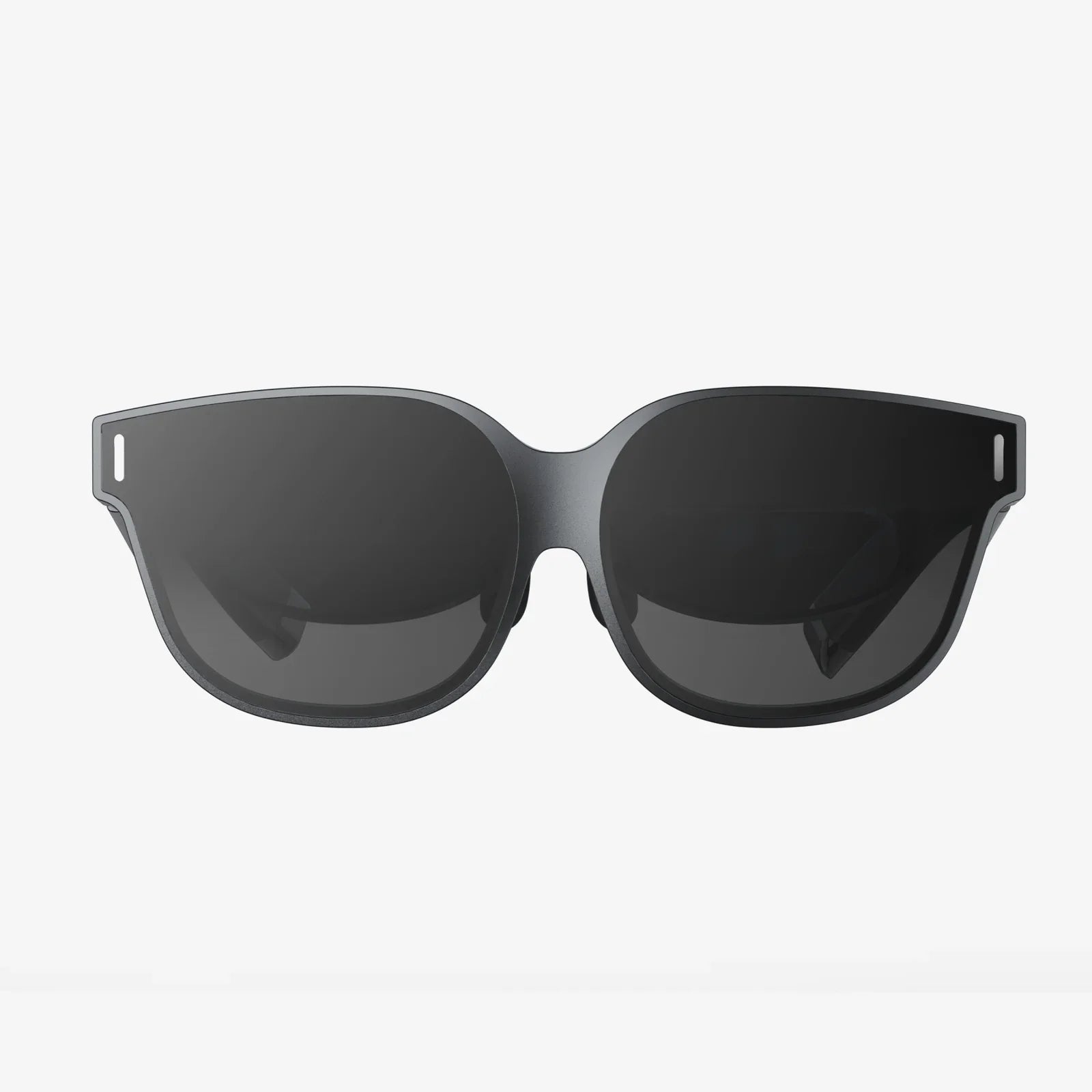
Imagine stepping into a world where your room disappears, your screen surrounds you, and every move you make feels real. That is the promise of a virtual reality vr set, and once you try it, ordinary screens never look the same again. Whether you want to explore epic fantasy worlds, sculpt 3D art with your hands, work in a virtual office, or stay fit with full-body workouts, the right vr set can completely transform how you play, learn, and create.
This guide walks you through everything you need to know about virtual reality: how vr sets work, what types exist, how to choose one, how to set it up correctly, and how to get the most out of it safely and comfortably. If you are curious, confused, or ready to upgrade, you are about to get a clear, practical roadmap into immersive VR.
What Is A Virtual Reality VR Set?
A virtual reality vr set is a collection of hardware and software that lets you experience and interact with a computer-generated 3D environment as if you were physically inside it. Instead of looking at a flat image on a monitor, you wear a headset that fills your field of view with a digital world and tracks your head and hand movements in real time.
At its core, a vr set typically includes:
-
Head-Mounted Display (HMD) – The headset you wear on your head, containing screens and lenses.
-
Tracking System – Sensors or cameras that track your head, hands, and sometimes your entire body.
-
Input Devices – Usually motion controllers, sometimes gloves, treadmills, or other accessories.
-
Processing Hardware – Either built into the headset or provided by a computer or console.
-
Software – Operating environment, apps, and games that create the virtual worlds you explore.
When all of these work together smoothly, your brain accepts the illusion that you are inside a different place. That sense of “being there” is called presence, and it is what makes VR so powerful compared to traditional screens.
How A Virtual Reality VR Set Works
To appreciate how to choose and use a vr set, it helps to understand the key technologies behind it. Several components work in sync to trick your senses into believing the virtual world is real.
Displays And Lenses
Inside the headset, there are usually two small displays or a single wide display split into two views, one for each eye. Lenses sit between your eyes and the screens to focus the image and provide a wide field of view.
Important display factors include:
-
Resolution – Higher resolution means clearer images and less visible pixelation.
-
Refresh Rate – Measured in hertz (Hz), higher refresh rates (like 90 Hz or more) make motion smoother and reduce discomfort.
-
Field of View (FOV) – A wider FOV increases immersion by filling more of your vision.
Head And Hand Tracking
Tracking is what makes VR feel responsive and believable. When you turn your head, the view must update instantly. When you move your hands, your virtual hands should follow.
There are two main tracking approaches:
-
Inside-out tracking – Cameras on the headset watch the environment and controllers to determine position and movement.
-
Outside-in tracking – External sensors or cameras in your room track the headset and controllers.
Good tracking is low-latency and accurate, which reduces motion sickness and increases the sense of presence.
Input And Interaction
Most vr sets use handheld motion controllers that track position and orientation and include buttons, triggers, and touch surfaces. These let you point, grab, throw, shoot, draw, or interact with objects naturally.
More advanced setups may support:
-
Hand tracking – Cameras detect your hands directly without controllers.
-
Body tracking – Additional trackers capture leg and hip movement for full-body avatars.
-
Haptic feedback – Vibration or force feedback that lets you feel virtual interactions.
Audio And Spatial Sound
Immersive audio is crucial. Many vr sets include built-in headphones or speakers that deliver spatial audio, meaning sounds come from specific directions in 3D space. This makes footsteps behind you, voices to your left, or distant explosions feel convincingly located.
Types Of Virtual Reality VR Sets
Not all vr sets are the same. They differ in portability, power, price, and complexity. Understanding the main categories will help you match a vr set to your needs and budget.
Standalone VR Headsets
Standalone vr sets have everything built into the headset: processor, storage, tracking, and battery. You do not need a separate computer or console.
Pros:
- Portable and wireless.
- Simple setup; great for beginners.
- No extra hardware required beyond the headset.
Cons:
- Less graphical power than high-end PC-based systems.
- Battery life limits long sessions.
- Content library may be more limited compared to PC platforms.
PC-Based VR Sets
PC VR sets connect to a computer that does the heavy processing. The headset acts as a display and tracking device, while the PC renders complex 3D graphics.
Pros:
- High visual fidelity and performance with a capable PC.
- Access to large libraries of advanced VR games and applications.
- More customization and upgrade options.
Cons:
- Requires a powerful computer.
- More cables and more complex setup.
- Less portable and less convenient than standalone headsets.
Console-Based VR Sets
Console VR systems connect to a gaming console instead of a PC. They are typically designed to work seamlessly with a specific console platform.
Pros:
- Optimized for a single hardware configuration.
- Simpler than PC VR, with curated content libraries.
- Good performance without needing to manage PC upgrades.
Cons:
- Locked to a specific console ecosystem.
- Less flexibility and customization.
- Still tethered to a console, limiting mobility.
Mobile Phone-Based VR
Some vr sets use a smartphone inserted into a headset shell as the display and processor. While this category is less prominent now, it helped introduce many people to basic VR.
Pros:
- Very affordable and simple.
- Easy to transport.
Cons:
- Limited tracking, often only rotational.
- Lower immersion and interactivity.
- Dependent on phone compatibility and performance.
How To Choose The Right Virtual Reality VR Set
Choosing a vr set can feel overwhelming, but a structured approach makes it manageable. Focus on your primary use cases, budget, and technical comfort level.
Step 1: Define Your Main Purpose
Ask yourself what you primarily want from VR:
-
Gaming – Fast action, multiplayer, and immersive worlds.
-
Fitness – Rhythm games, boxing, dance, and cardio workouts.
-
Productivity – Virtual monitors, collaboration tools, 3D design.
-
Education – Simulations, virtual labs, historical recreations.
-
Creative Work – Sculpting, painting, music creation, architecture visualization.
Your priority influences whether you should favor portability, graphics power, or comfort for long sessions.
Step 2: Evaluate Your Hardware Situation
Consider what you already own:
- If you have a high-end gaming PC, a PC VR set can deliver top-tier experiences.
- If you own a modern gaming console, a console-based system may be a natural fit.
- If you have no powerful hardware and do not plan to buy one, a standalone headset is likely best.
Step 3: Set A Realistic Budget
Costs vary widely. Think in terms of total cost of ownership, including any needed PC or console and accessories.
Typical cost tiers:
-
Entry-level – Affordable standalone headsets or basic PC-compatible systems.
-
Mid-range – Better displays, tracking, and comfort, suitable for most users.
-
High-end – Premium visuals and tracking, ideal for enthusiasts and professional use.
Step 4: Compare Key Specifications
When comparing options, pay attention to:
-
Resolution per eye – Higher is better for clarity.
-
Refresh rate – Aim for 90 Hz or higher for comfort.
-
Field of view – Wider FOV feels more natural.
-
Tracking quality – Smooth, accurate tracking is essential.
-
Weight and balance – Lighter and well-balanced headsets are more comfortable.
-
Adjustability – IPD adjustment, strap design, and padding matter for fit.
Step 5: Consider Comfort And Ergonomics
A powerful vr set that hurts to wear is not a good investment. Look for:
- Soft, breathable facial interfaces.
- Balanced weight distribution between front and back.
- Easy adjustments for different head sizes and glasses.
- Optional comfort accessories like replacement straps or face cushions.
Step 6: Check Content Libraries And Ecosystems
Different vr sets have access to different stores and apps. Make sure the games and experiences you care about are available on the platform you choose. Consider:
- Number and variety of games.
- Availability of fitness, productivity, and creative apps.
- Support for cross-platform multiplayer where relevant.
Setting Up Your Virtual Reality VR Set
Once you have chosen a vr set, proper setup makes a huge difference in comfort, safety, and performance. Take your time with this step; it pays off every time you put on the headset.
Prepare Your Play Area
Clear a space that is free of obstacles. For room-scale VR, you will want enough room to walk a few steps in each direction.
Guidelines for a safe play area:
- Remove chairs, small tables, and loose cables from the center of the space.
- Secure rugs that might slip.
- Keep pets and small children out of the immediate area when using VR.
- Ensure good lighting if your headset relies on inside-out tracking.
Connect And Configure Hardware
The exact steps depend on your vr set type, but generally you will:
- Connect the headset to your PC or console, or power on a standalone device.
- Install the required software or companion app.
- Update firmware and software to the latest versions.
- Pair controllers and confirm they are tracked correctly.
Draw Or Define Your Guardian Boundary
Most vr sets include a safety boundary system that warns you when you approach the edge of your safe area. During setup, you will be asked to trace or define this boundary.
Tips for effective boundaries:
- Make the boundary slightly inside your actual physical limits.
- Test walking toward the edges to ensure warnings appear in time.
- Update the boundary if you change rooms or rearrange furniture.
Adjust Fit And Lenses
Comfort and clarity depend on proper fit:
- Adjust the head strap so the headset is snug but not tight.
- Position the headset so the image is sharp and centered.
- Use the IPD (interpupillary distance) adjustment if available to match your eye spacing.
- If you wear glasses, check for enough space or consider lens inserts.
Staying Comfortable And Reducing Motion Sickness
Some people feel dizzy or nauseous when first using a virtual reality vr set. This usually improves over time, but you can take steps to reduce discomfort from the start.
Start With Short Sessions
Begin with 10–20 minute sessions and gradually increase as your body adapts. Avoid long marathons on your first day.
Choose Comfortable Experiences
Early on, focus on apps with:
- Teleport movement instead of smooth locomotion.
- Stable horizons and slower movement.
- Comfort options like vignetting during motion.
Optimize Performance
Low frame rates and stuttering increase discomfort. On PC VR, ensure your settings are not too demanding for your hardware. Close unnecessary background apps, and use recommended graphics settings.
Maintain Good Posture And Take Breaks
Stand or sit with neutral posture and avoid twisting your neck excessively. Take regular breaks to rest your eyes and reorient yourself to the real world.
What You Can Do With A Virtual Reality VR Set
VR is much more than just games. A modern vr set can become a multi-purpose tool for entertainment, learning, fitness, and work.
Gaming And Interactive Worlds
Games are still the most popular use for VR. You can:
- Wield swords, bows, or blasters with motion controllers.
- Explore vast fantasy and sci-fi worlds in first person.
- Experience horror games that feel intensely real.
- Join cooperative adventures or competitive matches with friends online.
Fitness And Health
VR can turn exercise into something you look forward to. With the right apps, you can:
- Burn calories with rhythm-based games and boxing.
- Follow guided workouts in virtual studios.
- Track performance and progress over time.
Because the focus is on fun and immersion, you often forget how hard you are working until you take off the headset.
Education And Training
VR is a powerful learning tool. With a virtual reality vr set, you can:
- Walk through historical events and locations.
- Explore the human body or the solar system in 3D.
- Practice complex skills in simulated environments.
For professional training, VR can simulate high-risk or expensive scenarios safely and repeatedly.
Productivity And Remote Work
Virtual desktops and collaboration spaces allow you to:
- Work with multiple large virtual monitors in a small physical space.
- Hold meetings in shared virtual rooms, complete with whiteboards and 3D models.
- Focus by blocking out physical distractions.
Creative Expression
Artists and creators use VR for:
- 3D painting and sculpting with intuitive gestures.
- Designing environments, architecture, and products in full scale.
- Composing music and soundscapes in immersive spaces.
Essential Tips For Maintaining Your Virtual Reality VR Set
A vr set is a sensitive piece of technology. Proper care extends its life and keeps your experience consistently good.
Protect The Lenses
Lenses are easily scratched and damaged by direct sunlight.
- Never leave the headset where sunlight can shine directly into the lenses.
- Use a soft microfiber cloth to clean them; avoid harsh chemicals.
- Store the headset in a case or on a stand when not in use.
Keep The Headset Clean
VR can make you sweat, especially during fitness sessions. To maintain hygiene:
- Use removable or wipeable face covers.
- Wipe down the facial interface after each session.
- Allow the headset to air out before storage.
Manage Cables And Accessories
If your virtual reality vr set uses cables, secure them to avoid tripping. Use cable management systems or ceiling hooks where appropriate. Keep controllers charged and store them in a consistent place so you do not lose them.
Common Mistakes New VR Users Make
Knowing what to avoid can save you frustration and protect your investment.
-
Ignoring comfort settings – Many apps include options to reduce motion sickness; explore them early.
-
Skipping guardian setup – Not defining a boundary increases the risk of collisions.
-
Playing for hours immediately – Long first sessions can cause headaches and nausea.
-
Leaving the headset in the sun – Sunlight through the lenses can permanently damage displays.
-
Underestimating PC requirements – For PC VR, ensure your computer meets or exceeds recommended specs.
The Future Of Virtual Reality VR Sets
VR technology is evolving rapidly. The virtual reality vr set you buy today may soon gain new capabilities through software updates and accessories, and future generations will push immersion even further.
Trends to watch include:
-
Higher resolution and wider FOV – Approaching human visual clarity.
-
Lighter, more comfortable designs – Headsets that feel more like glasses than helmets.
-
Improved hand and body tracking – More natural interaction without controllers.
-
Better mixed reality – Seamless blending of physical and virtual environments.
-
Deeper social integration – Persistent virtual spaces for work, play, and community.
As hardware improves and content libraries grow, VR is likely to become a mainstream tool for communication, learning, and productivity, not just entertainment.
Is A Virtual Reality VR Set Worth It For You?
Only you can decide whether a vr set fits your life, but several signs suggest it might be a great move:
- You crave more immersion than flat screens can provide.
- You want workouts that feel like play instead of chores.
- You enjoy learning by doing and exploring rather than just reading or watching.
- You are curious about the next era of computing and interaction.
With careful selection, proper setup, and a bit of patience as you adapt, a virtual reality vr set can become one of the most exciting and versatile devices you own. From heart-pounding adventures to deep focus work sessions, from creative breakthroughs to unforgettable shared experiences, VR opens doors that regular screens simply cannot. If you are ready to step through those doors, the best time to start building your immersive future might be right now.