


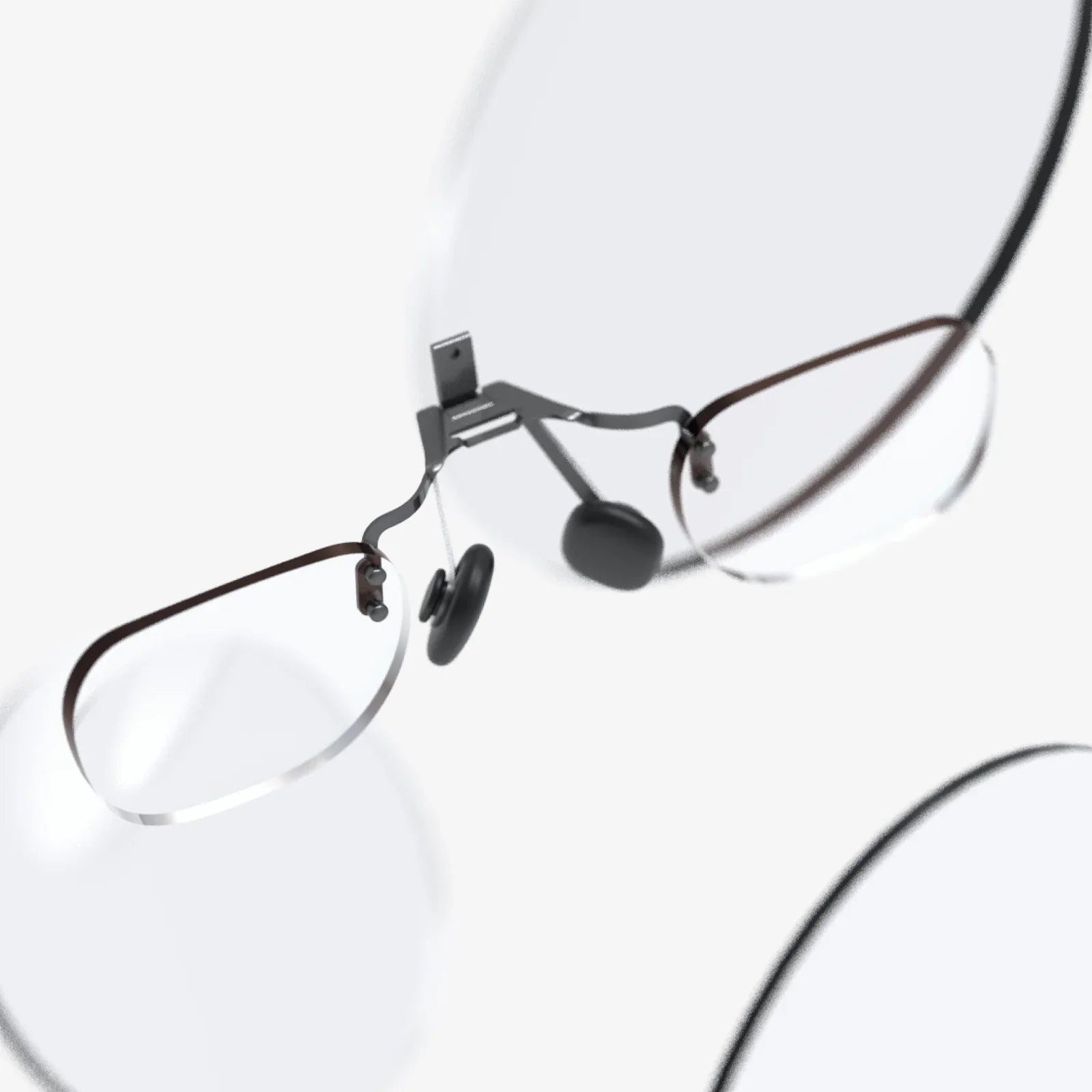
Virtual screen glasses are quietly rewriting the rules of how we look at screens, and the shift is happening much faster than most people realize. Imagine carrying a cinema-sized display, a multi-monitor workstation, and a private gaming setup everywhere you go, all hidden in something that looks like a regular pair of glasses. That is the promise of virtual screen glasses, and as the technology matures, the line between physical and digital displays is starting to blur in ways that are too compelling to ignore.
At their core, virtual screen glasses are wearable devices that project or render a digital display directly into your field of view. Instead of staring at a laptop, tablet, or TV, you see a floating virtual screen that can appear as large as a wall, yet exists only for you. Some models rely on tiny micro-displays and lenses to create a virtual image, while others use advanced optics and sensors to anchor digital content in your environment. The result is a highly personal, portable display that can follow you from the office to the couch to the airplane seat without taking up any physical space.
How Virtual Screen Glasses Work
To understand why virtual screen glasses are so revolutionary, it helps to break down the basic components that make them function. While designs vary, most devices share a few common elements that work together to create a convincing visual experience.
Micro-displays and Optics
Inside the frames are tiny displays, often based on technologies like micro-OLED, micro-LED, or liquid crystal on silicon. These miniature screens are only a fraction of an inch across, but they can pack in high resolutions and vivid color. Light from these displays is directed through a series of lenses, waveguides, or prisms that magnify and project the image so it appears as a large virtual screen floating in front of the user.
Waveguides are particularly important in many modern designs. They allow light to be guided through thin transparent materials, bending and redirecting it so that the user can still see the real world while also seeing the digital image. This is the core of see-through augmented experiences, where the virtual screen can coexist with your surroundings.
Sensors and Tracking
Many virtual screen glasses include sensors such as accelerometers, gyroscopes, and sometimes cameras. These components track head movement and orientation, allowing the device to stabilize the virtual screen so it appears fixed in space even as you move. In more advanced systems, eye tracking can be used to adjust focus, optimize rendering, or enable gaze-based interaction.
Head tracking is crucial for comfort. Without it, the screen would seem to move every time you turn your head, which would quickly become disorienting. By locking the virtual display to a stable position, the glasses create the illusion of a real monitor hanging in the air.
Connectivity and Processing
Virtual screen glasses typically connect to other devices to receive content. This can be done via wired connections such as USB-C or wireless technologies like Wi-Fi and Bluetooth. Some models include built-in processors capable of running apps and rendering graphics directly, while others act more like external monitors, streaming content from a laptop, smartphone, or gaming system.
The division of processing power has a big impact on battery life, weight, and heat. Glasses that offload most of the work to a paired device can be lighter and more comfortable, while fully self-contained units offer more independence but may be bulkier.
Key Benefits of Virtual Screen Glasses
The appeal of virtual screen glasses is not just about novelty. They address real pain points that traditional screens cannot solve easily, especially around portability, privacy, and immersion.
Massive Displays Without Physical Bulk
One of the most obvious benefits is the ability to enjoy a large display without carrying a large device. A thin laptop can only fit a screen so big; a phone is even more limited. Virtual screen glasses sidestep this constraint entirely by projecting a virtual display that can appear as big as a home theater screen, regardless of the actual size of the device on your face.
For people who rely on multiple monitors at work or crave a big screen for movies and games, this is transformative. A single pair of glasses can simulate an entire wall of displays, and those screens can be resized, repositioned, and customized at will.
Private, Personal Viewing
Privacy is another major advantage. When you use virtual screen glasses, the content is visible only to you. This makes them ideal for working with sensitive information in public spaces, watching personal content on a plane or train, or simply avoiding prying eyes in a crowded environment.
Unlike a laptop screen that anyone behind you can glance at, a virtual display is effectively invisible to others. This privacy extends to entertainment, productivity, and even communication, reducing the risk of shoulder surfing or accidental exposure of confidential material.
Portability and Flexibility
Virtual screen glasses are inherently portable. They can often fit in a small case, yet replace larger devices like external monitors or projectors in many situations. This makes them appealing for frequent travelers, remote workers, digital nomads, and anyone who needs a flexible workspace on the go.
Because the display is virtual, it is not limited by the physical environment. You do not need a blank wall for projection, a large desk for multiple monitors, or a dark room for a clear image. Whether you are in a cramped airplane seat, a hotel lobby, or a small apartment, the virtual screen can adapt to your surroundings.
Immersion and Focus
By placing the display directly in your field of view, virtual screen glasses can create a more immersive experience than a typical monitor. The screen can fill a large portion of your visual field, drawing your attention into the content and helping you tune out distractions.
This can be especially beneficial for deep work, gaming, or cinematic experiences. When the virtual display dominates your view, it becomes easier to focus on a task without being constantly tempted by other windows, notifications, or visual clutter in your physical environment.
Use Cases Transforming Daily Life
The versatility of virtual screen glasses becomes clear when you examine how they fit into different aspects of daily life. From work to entertainment to education, they offer new ways to interact with digital content.
Remote Work and Productivity
For remote workers and professionals, virtual screen glasses can act as a portable multi-monitor setup. Instead of being limited to a single laptop display while working away from a full desk setup, you can create multiple virtual screens around you. One might show a document, another a video call, another a web browser or code editor.
This virtual workspace can be arranged in three-dimensional space to suit your preferences. You might place reference materials off to the side, keep your main task front and center, and pin a chat window slightly below your main view. Once set up, the layout can follow you from location to location, allowing you to recreate a familiar workspace anywhere.
For professionals dealing with complex data, such as analysts, designers, or engineers, this ability to spread out information without physical monitors can be a significant productivity boost. It can also reduce the need to constantly alt-tab between windows, which can interrupt flow and concentration.
Entertainment and Gaming
Entertainment is one of the most compelling applications of virtual screen glasses. They can turn your living room, bed, or airplane seat into a private cinema. Movies and shows can be viewed on a virtual screen that appears much larger than any portable device could realistically offer.
For gaming, virtual screen glasses offer the feel of a giant monitor without the desk space. Players can enjoy immersive visuals while still using familiar input devices like controllers, keyboards, and mice. Some setups can even support high refresh rates and low-latency connections, making them suitable for fast-paced games.
Unlike full virtual reality headsets that completely block out the real world, many virtual screen glasses keep you partially aware of your surroundings. This can make them more comfortable for longer viewing sessions and more practical in shared spaces where total isolation is not desirable.
Travel and Commuting
Travelers stand to gain a lot from virtual screen glasses. Long flights, train rides, and bus trips can be transformed into productive or entertaining sessions. Instead of squinting at a phone or struggling with a laptop on a tiny tray table, you can relax and let a large virtual display float in front of you.
Because the screen is private, you can work on documents, watch personal content, or review sensitive information without worrying about the person in the next seat. This privacy can be particularly valuable for business travelers handling confidential materials.
Education and Training
Education is another area where virtual screen glasses can have a profound impact. Students can access large, clear displays for reading, lectures, and interactive content without needing a dedicated study space. Virtual screens can show diagrams, 3D models, or side-by-side comparisons that would be difficult on small devices.
For training, especially in technical or hands-on fields, virtual screen glasses can overlay instructions, diagrams, or real-time feedback onto the learner's environment. This can support step-by-step guidance, simulations, and remote mentorship, making complex tasks easier to learn and perform.
Virtual Screen Glasses Versus Traditional Displays
To appreciate the role virtual screen glasses are likely to play in the future, it is useful to compare them directly with existing display technologies such as monitors, projectors, and mobile screens.
Compared to Monitors and Laptops
Monitors offer stable, high-quality visuals and are ideal for stationary setups. However, they are not portable and require physical space. Laptops are portable but limited by their screen size and ergonomics. Virtual screen glasses combine the portability of a laptop with the expansive screen real estate of a multi-monitor desk.
Ergonomically, virtual screens can be positioned at an ideal distance and height regardless of your physical surroundings. This can potentially reduce neck strain from looking down at a laptop or hunching over a small screen. However, comfort also depends on the weight and fit of the glasses themselves, which is an area of ongoing improvement.
Compared to Projectors
Projectors can create large displays but require a suitable surface, controlled lighting, and careful placement. They also expose content to anyone in the room. Virtual screen glasses, by contrast, work in a wide range of lighting conditions and do not rely on walls or screens. They also preserve privacy and can be used in shared or public spaces without disturbing others.
While projectors are useful for group viewing, virtual screen glasses excel at personal viewing. In many cases, they can deliver a similar sense of scale without the setup complexity.
Compared to Mobile Devices
Mobile phones and tablets are ubiquitous but inherently constrained by their physical size. Reading long documents, working with multiple windows, or watching extended video content on a small screen can be tiring. Virtual screen glasses allow these same devices to act as powerful content sources while offloading the display to a large, comfortable virtual screen.
This synergy can extend the usefulness of mobile devices, turning them into portable computing hubs that power expansive visual experiences without requiring larger hardware.
Comfort, Health, and Safety Considerations
As with any display technology, virtual screen glasses raise questions about comfort, eye health, and safety. Understanding these factors is essential for responsible use and long-term adoption.
Eye Strain and Visual Fatigue
Virtual screen glasses place the display close to the eyes but use optics to create the impression of distance. This can be more comfortable than staring at a nearby phone, but extended use may still lead to eye strain if settings are not optimized or breaks are not taken.
Factors that influence visual comfort include brightness, contrast, font size, and the virtual distance of the screen. Many users find that setting the virtual display to appear a few feet away and adjusting brightness to match the ambient environment reduces fatigue. Regular breaks, blinking consciously, and following general screen time guidelines remain important.
Neck and Head Comfort
Weight distribution and fit are crucial. Early devices can be heavier than ordinary glasses, and prolonged use may cause discomfort on the nose, ears, or forehead. Newer designs aim to reduce weight and improve balance, but users should still pay attention to how long they wear the device continuously.
Adjustable straps, nose pads, and balanced battery placement can help. Over time, as components shrink and materials improve, virtual screen glasses are likely to become more comfortable for extended sessions.
Awareness of Surroundings
Because virtual screen glasses can occupy a large portion of your visual field, there is a risk of reduced awareness of your environment. This can be dangerous in situations that require full attention, such as walking in crowded areas or operating vehicles or machinery.
Responsible use means treating virtual screen glasses like other attention-demanding devices. They should not be used while driving or in any context where distraction could lead to harm. Some designs allow partial transparency or peripheral awareness, but users should still prioritize safety and situational awareness.
Privacy, Security, and Social Dynamics
Beyond technical and health considerations, virtual screen glasses influence how we interact with others and how our data is handled.
Data Privacy and Connectivity
Because virtual screen glasses often connect to other devices and networks, they can be subject to the same security risks as laptops and phones. Protecting data requires secure connections, updated software, and careful handling of sensitive content.
Some models may include cameras or microphones for interaction and tracking. Users should be aware of when these sensors are active and how data is stored or transmitted. Transparent privacy controls, clear indicators of sensor use, and robust security measures are essential for building trust.
Social Acceptance and Etiquette
Wearing a device on your face that others cannot see into raises social questions. People around you may not know whether you are paying attention to them, watching a video, or reading a document. Over time, social norms are likely to develop around when and where it is appropriate to wear virtual screen glasses, similar to how norms have evolved around smartphones.
In professional settings, it may be important to remove the glasses during certain conversations or meetings to signal full engagement. In public spaces, some venues may set policies about their use. Clear communication and respect for others will help smooth the integration of this technology into everyday life.
Future Directions for Virtual Screen Glasses
Virtual screen glasses are still evolving rapidly, and several trends suggest where they might be heading in the coming years.
Lighter, More Natural Designs
One major goal is to make virtual screen glasses look and feel as close as possible to regular eyewear. This involves miniaturizing components, improving battery efficiency, and refining optical systems. As these advances accumulate, the devices will become more comfortable, discreet, and socially acceptable.
Improved materials and manufacturing techniques will also play a role, enabling slimmer frames, better weight distribution, and more customizable fits for different users.
Higher Resolution and Visual Fidelity
Display technology is steadily improving, with higher pixel densities, better color reproduction, and increased brightness. For virtual screen glasses, this translates into sharper, more lifelike virtual screens that rival or surpass traditional monitors.
Reducing artifacts such as screen door effects, motion blur, or color fringing will further enhance immersion and comfort. Combined with advanced rendering techniques, future devices may deliver visuals that feel nearly indistinguishable from physical displays.
Smarter Integration with Software and Services
As virtual screen glasses become more common, software ecosystems will adapt. Applications may offer dedicated modes or layouts optimized for virtual screens, taking advantage of spatial arrangement and multiple virtual displays. Cloud services can enable seamless transitions between devices and locations, so your virtual workspace follows you wherever you go.
Voice control, gesture recognition, and eye tracking may also become more integrated, allowing more natural interaction with virtual content. Over time, this could reduce reliance on traditional input devices and open up new ways of working and playing.
Blending Virtual Screens with Augmented Reality
While many current virtual screen glasses focus on displaying flat screens in front of the user, future devices may increasingly blend these screens with richer augmented reality elements. Instead of a single floating rectangle, you might see context-aware windows that attach to physical objects, real-time translations hovering over text, or collaborative documents pinned to shared spaces in a room.
This convergence of virtual screens and augmented overlays could transform how we think about computing environments, turning any space into a dynamic, personalized interface.
Practical Tips for Getting the Most Out of Virtual Screen Glasses
For those considering adopting virtual screen glasses or already experimenting with them, a few practical habits can make the experience more productive and comfortable.
Optimize Your Virtual Workspace
Instead of treating the virtual screen as a simple replacement for a single monitor, take advantage of the ability to create multiple displays and arrange them spatially. You might set up a primary screen for active work, a side screen for reference materials, and a lower screen for communication tools.
Experiment with screen size and distance. A virtual display that is too large or too close can be overwhelming, while one that is too small defeats the purpose. Many users find a sweet spot where the main screen fills a comfortable portion of their field of view without forcing excessive eye or head movement.
Mind Your Posture and Breaks
Even though the virtual screen can be placed at an ideal height and distance, it is still important to maintain good posture. Adjust your seating, desk height, and keyboard position to avoid hunching or craning your neck. Take regular breaks to stand, stretch, and rest your eyes, just as you would with any other screen.
If you feel discomfort around your nose, ears, or forehead, adjust the fit or take a break. Over time, you may find settings and adjustments that allow longer sessions without strain.
Use Profiles for Different Contexts
Many virtual screen setups allow you to save different configurations or profiles. You might create one layout for focused work, another for entertainment, and a third for travel. Switching between profiles can help you adapt quickly to new environments and tasks without constantly reconfiguring your virtual screens.
Consider brightness and transparency settings for each context. A dimmer, less intrusive display might be better in low-light environments, while a brighter, more opaque display may be necessary in well-lit spaces.
Why Virtual Screen Glasses Are Hard to Ignore
The momentum behind virtual screen glasses is building because they solve real problems in ways that feel almost magical once experienced. They offer the freedom to carry a vast, customizable visual workspace everywhere, the privacy to view sensitive content in public spaces, and the immersion to turn everyday moments into focused work sessions or cinematic escapes.
As the technology becomes lighter, sharper, and more integrated with the tools people already use, virtual screen glasses are poised to move from niche curiosity to everyday companion. For anyone who spends significant time in front of screens, they represent not just another gadget, but a fundamentally different way to think about displays themselves. The question is no longer whether virtual screen glasses will reshape how we work and play, but how quickly each of us will decide to step behind those lenses and see what a truly portable, personal screen can do.
Aktie:
Inair Glass And The Future Of Seamless Mixed Reality Displays
Smart Glasses With Heads Up Display: The Future of Everyday Vision