


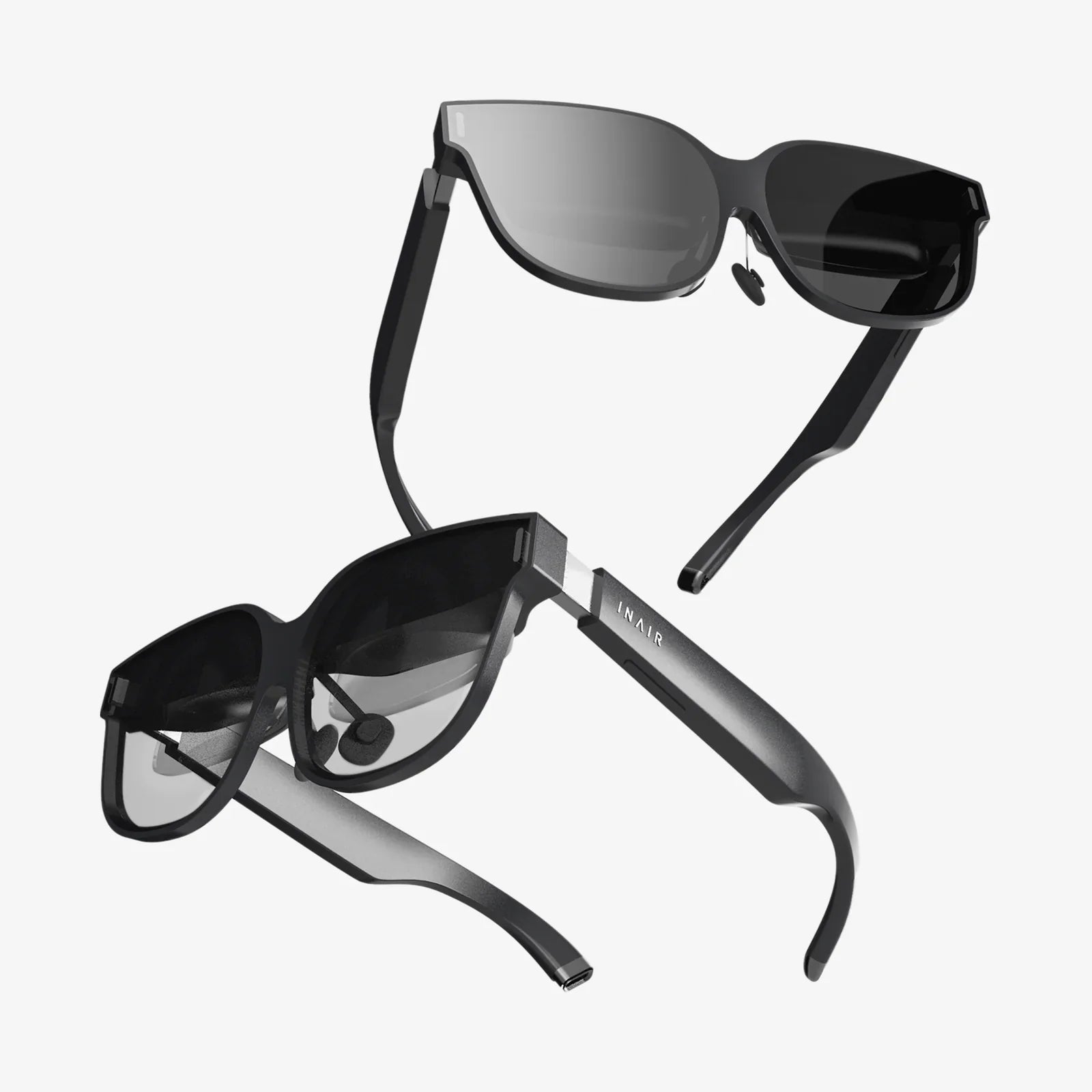
Imagine walking into your workspace, saying a single phrase, and watching your entire digital environment assemble itself: apps open, documents load, meetings join, and your preferred settings activate, all without lifting a finger. That is the promise driving the rapid rise of the voice command operating system—a computing experience where your voice is the primary interface, not the keyboard, mouse, or touchscreen. As microphones, algorithms, and networks get smarter, voice is evolving from a helpful add-on into the core of how we control our devices, access information, and orchestrate our digital lives.
A voice command operating system is more than a talking assistant layered on top of a traditional interface. It is a rethinking of the operating system itself around spoken language, context, and intent. This shift is changing how we work, how we learn, how we design software, and even how we think about privacy and control in a world where devices are always listening. Whether you are a developer, a business leader, or a curious user, understanding this transition will help you prepare for a future where speaking to your computer is as normal as typing on it—if not more so.
What Is a Voice Command Operating System?
A voice command operating system is a computing environment where voice is a primary method for issuing commands, navigating interfaces, and triggering system-level actions. Instead of relying mainly on graphical menus and manual input, the system is designed so that users can:
- Launch and close applications using spoken requests
- Control system settings (volume, connectivity, display, etc.) by voice
- Search files, data, and the web through natural language queries
- Automate workflows by describing tasks rather than clicking through menus
- Interact hands-free in contexts where touch is inconvenient or impossible
Unlike simple voice-controlled features bolted onto existing software, a true voice command operating system treats speech as a first-class input method. It integrates voice deeply into system services, permissions, accessibility features, and user profiles. The goal is not just to answer questions, but to orchestrate the entire device environment through conversation.
Core Technologies Behind Voice Command Operating Systems
Several layers of technology work together to make a voice command operating system feel natural and responsive. These layers must function in real time, often under limited computing resources, and in diverse acoustic environments.
1. Automatic Speech Recognition (ASR)
Automatic Speech Recognition converts spoken audio into text. The operating system relies on ASR to understand what the user said, even when there is background noise, accents, or imperfect pronunciation.
Key aspects include:
- Acoustic modeling: Mapping sound waves to phonemes (basic sound units).
- Language modeling: Predicting likely word sequences to reduce errors.
- Noise handling: Filtering out environmental sounds and echoes.
- Real-time processing: Delivering low-latency transcription to keep interactions fluid.
2. Natural Language Understanding (NLU)
Once speech is converted into text, the system must interpret what the user actually wants. Natural Language Understanding extracts intent and important details from sentences that may be phrased in many different ways.
For example, the phrases “turn down the music,” “lower the volume,” and “it’s too loud in here” should all map to a similar system-level action. NLU models handle:
- Intent detection: Identifying the user’s goal (e.g., open app, change setting).
- Entity extraction: Pulling out details like names, dates, and file titles.
- Context tracking: Remembering previous turns in the conversation.
- Disambiguation: Choosing between multiple possible interpretations.
3. Dialogue Management and Orchestration
A voice command operating system must manage multi-step interactions, not just single commands. Dialogue management decides how the system responds, what follow-up questions to ask, and when to confirm actions.
For instance, if you say, “Schedule a meeting with the design team tomorrow afternoon,” the system might need to ask:
- “What time tomorrow afternoon?”
- “Which calendar should I use?”
- “Do you want to add a video conferencing link?”
Orchestration then connects this conversational flow to the operating system’s services: calendar APIs, notification systems, communication apps, and more.
4. Text-to-Speech (TTS)
Text-to-Speech converts the operating system’s responses into natural-sounding audio. For a voice-based environment to feel comfortable and trustworthy, TTS must be clear, expressive, and fast.
Modern TTS systems use neural networks to produce speech that can vary tone, emphasis, and pacing. This allows the OS to, for example, emphasize warnings, read long messages, or summarize key points in a way that feels more human and less robotic.
5. System Integration and Permissions
What makes a voice command operating system powerful is not just understanding language, but having deep control over system functions. This requires:
- APIs for system services: Access to files, networking, hardware controls, and user settings.
- Permission models: Rules for what voice commands are allowed to do without explicit confirmation.
- User profiles: Personalized preferences, histories, and access controls.
- Security layers: Authentication for sensitive actions, such as payments or device unlocking.
Voice commands must be powerful enough to be useful, yet constrained enough to prevent accidental or malicious misuse.
Why Voice Command Operating Systems Are Gaining Momentum
The rise of a voice-centric operating system model is not happening by accident. Several trends are driving this shift, from hardware and connectivity to user behavior and accessibility needs.
Hands-Free Convenience
Voice is the ultimate hands-free interface. It shines in situations where touch or typing is inconvenient or unsafe, such as:
- Driving, where attention must stay on the road
- Cooking, when hands are messy or occupied
- Workshops and factories, where gloves or tools are involved
- Fitness and outdoor activities, where devices may be in pockets or bags
A voice command operating system makes it possible to control music, navigation, messaging, and system settings without stopping what you are doing. This level of convenience is particularly compelling in mobile and embedded devices.
Accessibility and Inclusion
For many people with disabilities, voice control is not just convenient—it is essential. A voice command operating system can dramatically improve accessibility for users who:
- Have limited or no use of their hands
- Experience chronic pain when typing or using a mouse
- Have visual impairments that make graphical interfaces difficult to navigate
- Benefit from auditory feedback, such as users with certain cognitive conditions
By treating voice as a first-class control method, operating systems can reduce barriers and provide more equitable access to digital tools. This also aligns with broader legal and ethical expectations around inclusive design.
Natural Interaction and Lower Learning Curves
Most people do not need a tutorial to speak. While advanced features may still require some learning, a voice command operating system can reduce onboarding friction by allowing users to simply describe what they want.
Instead of memorizing complex menu paths or keyboard shortcuts, users can say things like:
- “Summarize my unread emails from today.”
- “Show me the last document I edited for the marketing project.”
- “Set my laptop to battery saver mode until 5 p.m.”
This natural-language approach reduces cognitive load and can help less technical users achieve complex tasks more easily.
Proliferation of Microphones and Connected Devices
Microphones are now embedded everywhere: in phones, laptops, smart speakers, televisions, cars, wearables, and even appliances. Combined with always-on connectivity, this creates a fertile environment for voice-based operating systems that can run across many devices and contexts.
As hardware becomes cheaper and more capable, the incremental cost of adding high-quality voice capabilities drops. This encourages device makers and software platforms to integrate voice deeply into their core user experience.
How a Voice Command Operating System Changes Daily Computing
To understand the impact of this shift, it helps to imagine typical day-to-day scenarios where voice becomes the primary or dominant interface to the operating system.
Productivity and Knowledge Work
In a voice-centric environment, knowledge workers can offload routine tasks to the operating system simply by describing them. For example:
- “Create a new project folder called ‘Q3 Launch’ and move all my recent design files into it.”
- “Draft an email to the analytics team summarizing our last meeting notes and send it by 4 p.m.”
- “Start a 30-minute focus session, mute all notifications except from my manager, and open the code editor.”
The operating system becomes an active collaborator, not just a passive platform. It can manage windows, prioritize notifications, and coordinate apps based on spoken instructions and learned preferences.
Home and Personal Life
At home, a voice command operating system can span multiple devices and rooms, creating a unified control layer for entertainment, communication, and smart home functions.
Typical interactions might include:
- “Play the latest episode of my favorite podcast on the living room speakers.”
- “Set the lights to reading mode and lower the blinds halfway.”
- “Read my calendar for tomorrow and highlight any conflicts.”
- “Start a video call with my family on the big screen.”
Because the operating system understands user identity and context, it can tailor responses to the person speaking, even in shared environments.
Automotive and Mobility
In vehicles, a voice command operating system is more than a convenience; it is a safety feature. Drivers can interact with navigation, communication, and media without taking their eyes off the road.
Commands might include:
- “Find the nearest charging station with fast chargers and good reviews.”
- “Send a message that I will arrive 15 minutes late.”
- “Switch to a route that avoids toll roads.”
By integrating with vehicle sensors and operating systems, voice control can also adjust climate settings, seat positions, and driving modes.
Healthcare, Industry, and Specialized Environments
In professional settings like hospitals and factories, a voice command operating system can reduce friction, improve hygiene, and streamline workflows.
Examples include:
- Clinicians dictating notes, ordering tests, or retrieving charts without touching shared surfaces.
- Technicians calling up manuals, schematics, or checklists using voice while working with tools.
- Warehouse staff updating inventory or confirming shipments hands-free.
These environments often require robust noise handling, precise command execution, and strong security controls, pushing voice systems to be more specialized and resilient.
Design Principles for Voice-First Operating Systems
Building a voice command operating system is not just a technical challenge; it is a design challenge. Voice-first systems must be crafted thoughtfully to avoid frustration and ensure trust.
Clarity and Feedback
Users need to know when the system is listening, processing, or acting. Clear cues can include:
- Audible tones when the system starts and stops listening
- Visual indicators, such as lights or on-screen icons
- Concise spoken confirmations for important actions
Too little feedback leads to confusion; too much becomes annoying. The operating system must strike a balance based on context and user preferences.
Graceful Error Handling
Misunderstandings are inevitable in voice interactions. A well-designed voice command operating system handles errors gracefully by:
- Politely asking for clarification when needed
- Offering suggestions based on partial understanding
- Allowing users to easily cancel or undo actions
- Learning from repeated corrections over time
Rather than simply saying “I didn’t understand,” the system should guide users toward successful interactions.
Privacy and Security by Design
Because voice systems often operate in private spaces and may capture sensitive information, privacy must be a core design principle, not an afterthought.
Best practices include:
- Local processing for wake-word detection and, when possible, for full commands
- Clear controls for muting microphones and disabling voice features
- Transparent policies about data retention and usage
- Voice-based or multi-factor authentication for sensitive tasks
Users should feel confident that their voice data is handled responsibly and that they remain in control of what is captured and stored.
Multimodal Flexibility
Even in a voice-first operating system, voice should rarely be the only option. Multimodal design combines voice with touch, keyboard, mouse, and visual interfaces to create a more robust experience.
For example, the system might:
- Display options on screen while describing them aloud
- Allow users to refine voice commands with touch gestures
- Offer visual transcripts of voice interactions for review
This flexibility is crucial in noisy environments, shared spaces, or situations where speaking aloud is not desirable.
Challenges and Limitations of Voice Command Operating Systems
Despite their promise, voice command operating systems face significant challenges that must be addressed to reach their full potential.
Accuracy Across Languages, Accents, and Contexts
Speech recognition performance can vary widely depending on language, dialect, accent, and background noise. A system that works well in one region or demographic may perform poorly in another.
To be truly global and inclusive, voice command operating systems must:
- Support a wide range of languages and dialects
- Adapt to individual users over time
- Handle code-switching (mixing languages) where common
- Maintain high accuracy in everyday noisy environments
Context and Ambiguity
Human conversation is rich with implied context, pronouns, and references to shared knowledge. Computers struggle with this. For instance, “Open the last one” might refer to the last file, email, message, or app, depending on what the user was just doing.
Voice command operating systems must build robust models of context, including:
- Recent actions and open applications
- User habits and preferences
- Time, location, and device state
Even with this, there will be times when the system must ask clarifying questions to avoid mistakes.
Social and Environmental Constraints
Speaking to a device is not always socially comfortable or appropriate. In shared offices, public spaces, or quiet environments, users may be reluctant to issue voice commands, especially for private tasks.
This means voice command operating systems must:
- Support whisper-level recognition where feasible
- Offer quick ways to switch to silent input methods
- Respect social norms and user preferences about when to speak aloud
Voice is powerful, but it is not suitable for every situation.
Security Risks and Spoofing
Because voice commands can trigger powerful actions, they are attractive targets for attackers. Potential threats include:
- Recorded or synthesized voices issuing commands
- Unauthorized users in the same space triggering actions
- Accidental triggers from media, such as videos or advertisements
Mitigation strategies include voice biometrics, contextual checks, and requiring secondary confirmation for sensitive operations. Designing these safeguards without making the system frustrating is an ongoing challenge.
Opportunities for Developers and Businesses
The move toward voice command operating systems creates new opportunities for developers, product teams, and organizations that adapt early.
Voice-Optimized Applications and Workflows
Applications built with voice in mind can offer streamlined experiences that differ from traditional graphical interfaces. Developers can:
- Expose key actions through voice-accessible commands and shortcuts
- Design conversational flows for complex operations
- Integrate with system-level voice services to share context
- Provide summaries, status updates, and alerts via speech
Businesses that redesign workflows around voice can reduce friction, especially in mobile, field, and frontline roles.
Customization and Enterprise Integrations
Organizations often need voice commands tailored to their specific tools, jargon, and processes. Voice command operating systems can support this by offering:
- Custom vocabularies and domain-specific language models
- Integration with internal systems, such as CRM or ERP platforms
- Role-based access controls for voice-triggered actions
- Analytics to understand how teams use voice features
This enables enterprises to build voice-driven dashboards, reporting tools, and operational workflows that align with their unique needs.
New Business Models and Services
As voice becomes a primary interface, new business models emerge, such as:
- Subscription services that provide advanced voice capabilities or specialized skills
- Voice-enabled customer support and self-service experiences
- Training and consulting for voice-first design and development
- Voice analytics tools that help organizations optimize their interactions
Companies that understand how to leverage a voice command operating system can differentiate their offerings in increasingly crowded markets.
The Future of Voice Command Operating Systems
The current generation of voice command operating systems is only the beginning. Several emerging trends hint at where this technology is headed.
More Human-Like Conversations
Advances in language models and dialogue systems are making system responses more context-aware, nuanced, and adaptive. Future voice command operating systems may:
- Handle complex, multi-part instructions in a single request
- Proactively suggest actions based on observed patterns
- Negotiate and clarify preferences through natural dialogue
- Summarize long content, such as documents or meetings, on demand
As these systems become more conversational, they will feel less like tools and more like collaborators.
Cross-Device and Ambient Experiences
Instead of a voice assistant tied to a single device, the operating system will increasingly follow the user across environments. You might start a command on your phone, continue it on your laptop, and hear the result through a speaker, all seamlessly.
This ambient computing model requires:
- Consistent identity and authentication across devices
- Shared context and state between operating system instances
- Smart handoff of tasks based on proximity and capabilities
In such a world, the voice command operating system becomes the glue that binds your entire digital ecosystem together.
On-Device Intelligence and Edge Processing
To address privacy, latency, and reliability concerns, more voice processing will move onto devices themselves. This includes:
- Local wake-word detection and command recognition
- On-device language models for common tasks
- Selective cloud usage for heavy or specialized processing
As hardware improves, users can expect faster responses, better offline capabilities, and more control over where their voice data is processed.
Personalization and Adaptive Behavior
Future voice command operating systems will learn deeply from individual users, within the boundaries they set. Over time, the system may:
- Adapt to your speaking style and preferred phrases
- Prioritize the apps and workflows you use most often
- Anticipate needs based on time, location, and habits
- Offer configurable personalities and interaction styles
Personalization will make voice interactions feel more efficient and more comfortable, but it will also raise new questions about data ownership and transparency.
Preparing for a Voice-First Future
As voice command operating systems evolve, individuals and organizations can take concrete steps to prepare and benefit from this shift.
For Everyday Users
Users can start by:
- Exploring existing voice features on their devices and learning common commands
- Adjusting privacy and microphone settings to match their comfort level
- Using voice for low-risk tasks, such as timers, reminders, and media control
- Gradually incorporating voice into productivity workflows where it adds value
This incremental approach helps build familiarity and trust without requiring a sudden, all-or-nothing transition.
For Developers and Designers
Professionals building software can:
- Study principles of conversational design and voice user interfaces
- Expose key application functions through voice-friendly APIs
- Prototype voice flows alongside graphical interfaces
- Test with diverse users to ensure accessibility and inclusivity
By treating voice as a core interaction mode, not a secondary feature, teams can future-proof their products and uncover new user value.
For Organizations and Leaders
Businesses and institutions can:
- Identify workflows where hands-free interaction could boost efficiency or safety
- Develop guidelines for privacy, security, and acceptable use of voice tools
- Invest in training employees to use voice features effectively
- Collaborate with vendors and developers to create tailored voice solutions
Strategic planning around voice command operating systems can unlock advantages in customer experience, operations, and innovation.
A New Way to Think About Operating Systems
The shift toward a voice command operating system is not just a matter of adding another input method. It is a fundamental reimagining of how we tell computers what to do, how they respond, and how they fit into our daily lives. Instead of clicking through nested menus or memorizing shortcuts, we can increasingly describe our goals in plain language and let the system handle the details.
This transformation will not happen overnight, and it will not be perfect. There will be misheard commands, awkward interactions, and valid concerns about privacy and control. Yet the trajectory is clear: as speech recognition, language understanding, and system integration continue to advance, voice will move from the periphery of our devices to their core. The operating system of the near future will not just wait for input; it will listen, respond, and collaborate, turning our spoken words into powerful, seamless action.
If you want to be ready for that future, start paying attention to how often you already talk to your devices—and how much more you could accomplish if your entire computing environment was built from the ground up to understand your voice. The next big leap in computing is not another screen or another app; it is the moment your operating system truly starts to listen.
Aktie:
cintiq 24hd interactive pen display workflow guide for digital artists
Voice Command Options: A Complete Guide to Hands-Free Control