


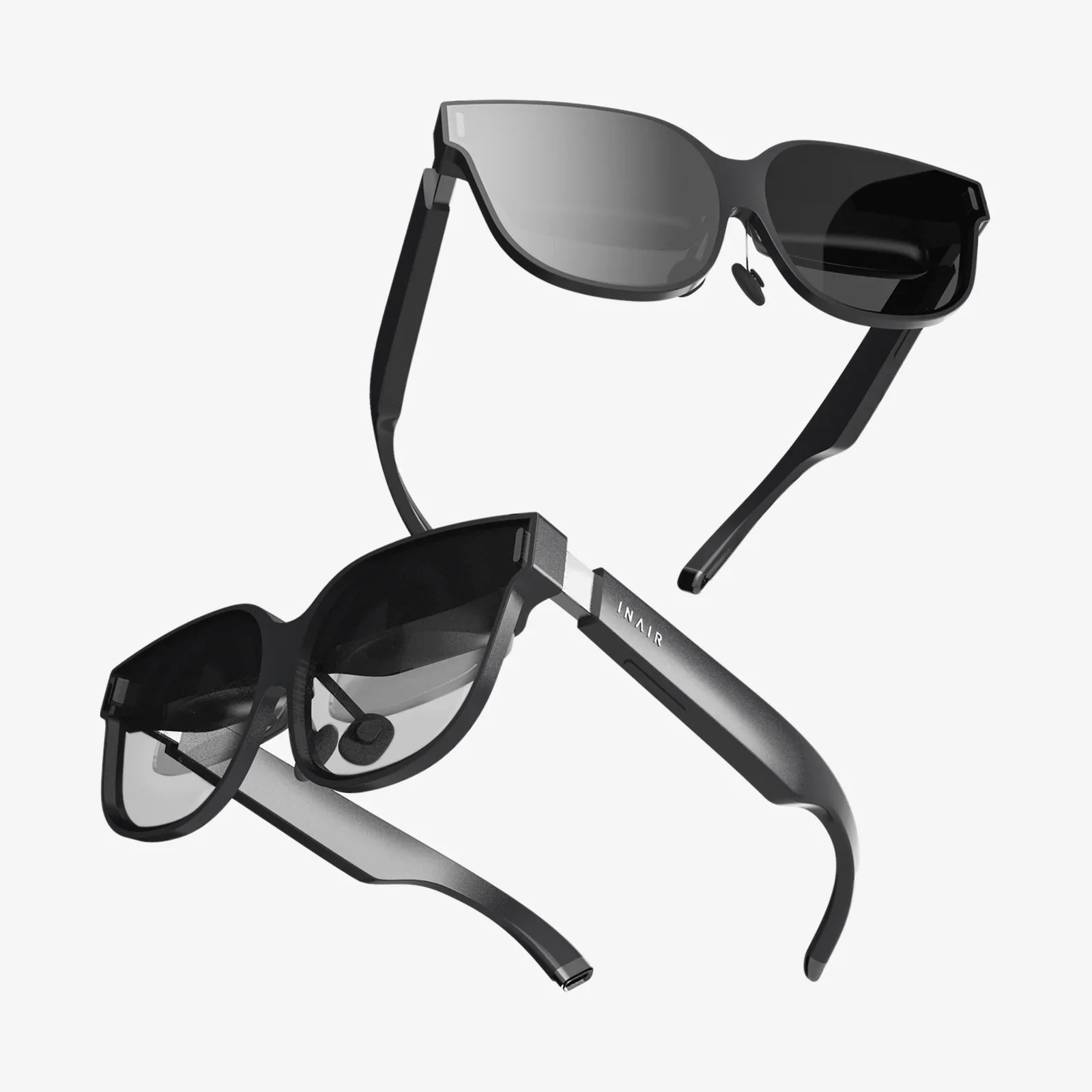
vr glasses for phone are quietly turning ordinary smartphones into powerful virtual reality machines, and if you are not using them yet, you may be missing one of the easiest and cheapest ways to experience VR. Whether you want to explore distant cities, watch giant-screen movies from your couch, or dive into immersive games, the right headset and setup can completely change how you use your phone.
This guide walks you through everything you need to know: how vr glasses for phone work, how to choose the right type, how to set them up correctly, what apps and experiences are worth your time, and how to avoid common comfort and motion sickness issues. By the end, you will know exactly what to look for and how to get the most out of your smartphone VR setup.
What Are vr glasses for phone and How Do They Work?
At their core, vr glasses for phone are headsets that hold your smartphone in front of your eyes and use lenses to create a wide, immersive view. The phone’s screen shows two slightly different images, one for each eye, which your brain combines into a single 3D scene. When you move your head, the phone’s sensors track the movement and update the view, making it feel like you are looking around inside a virtual world.
Most vr glasses for phone share these core components:
- Lens system: Typically a pair of convex lenses that magnify and reshape the phone’s display into a wide field of view.
- Phone mount: A tray or clamp that holds the smartphone securely at the correct distance from the lenses.
- Straps and padding: Head straps keep the headset in place, while foam or silicone padding rests on your face for comfort and light blocking.
- Adjustment mechanisms: Some models include lens distance adjustments, focus controls, and strap adjustments for a better fit.
- Control options: Basic headsets rely on head movement and a simple button; more advanced ones may support handheld controllers or Bluetooth gamepads.
Unlike dedicated VR systems that connect to a gaming PC or console, vr glasses for phone rely entirely on your smartphone’s display, sensors, and processing power. This makes them more affordable and portable, but it also means your experience depends heavily on the quality and performance of your phone.
Benefits of Using vr glasses for phone
Before diving into technical details, it helps to understand what makes vr glasses for phone worth considering in the first place. They offer several unique advantages:
- Low cost of entry: Compared to full VR systems, smartphone-based headsets are generally much cheaper. If you already have a capable phone, the headset is often the only extra hardware you need.
- Portability: These headsets are lightweight and easy to carry. You can enjoy VR in a small apartment, a dorm room, or even while traveling.
- Ease of setup: Most vr glasses for phone require no external sensors, no cables, and no complex calibration. You often just install apps, place your phone in the headset, and start exploring.
- Wide range of content: From 360-degree videos and virtual tours to immersive games and educational apps, there is a huge library of content designed for mobile VR.
- Great for first-time VR users: If you are curious about VR but not ready to invest in a high-end system, a smartphone headset is an ideal way to test the waters.
Because they are simple and affordable, vr glasses for phone are also popular in classrooms, training environments, and group experiences where multiple headsets may be needed.
Key Types of vr glasses for phone
Not all vr glasses for phone are the same. Understanding the main categories will help you narrow down your options quickly.
1. Basic Cardboard-Style Headsets
These are simple viewers made from lightweight materials such as cardboard or plastic. They usually have a slot for your phone and a pair of lenses.
- Pros: Very affordable, extremely lightweight, easy to store, good for quick demos.
- Cons: Limited comfort, minimal adjustments, usually no head straps, and less durable.
- Best for: Short VR experiences, educational demos, and first-time users who want to try VR with minimal investment.
2. Mid-Range Plastic Headsets with Straps
These vr glasses for phone are made from plastic and include adjustable head straps, better padding, and sometimes focus or lens distance adjustments.
- Pros: More comfortable, better fit, improved immersion with light blocking, more durable.
- Cons: Slightly heavier, cost more than basic viewers, quality varies widely between models.
- Best for: Regular VR users who want comfort and basic adjustability without spending too much.
3. Advanced Smartphone VR Headsets
These headsets often include features such as built-in headphones, more precise lens adjustments, improved padding, and sometimes dedicated control buttons or integrated sensors.
- Pros: Better comfort, improved audio immersion, more fine-tuned fit, often higher build quality.
- Cons: Higher price, sometimes bulkier, and still limited by the phone’s capabilities.
- Best for: Users who plan to spend long sessions in VR and care about comfort and immersion.
Is Your Phone Ready for vr glasses for phone?
Your smartphone is the engine behind the experience, so it needs to meet certain criteria for vr glasses for phone to be enjoyable rather than frustrating.
Screen Size and Resolution
The screen size and resolution have a huge impact on clarity and immersion:
- Screen size: Most vr glasses for phone are designed for screens between about 4.7 and 7 inches. Check the headset’s supported size range and compare it with your phone’s screen size.
- Resolution: Higher resolution means sharper images and less visible pixelation. Full HD is a practical minimum; higher resolutions provide a noticeably better experience.
Performance and Sensors
For smooth VR, your phone should have:
- Modern processor and GPU: A recent mid-range or high-end processor can handle most mobile VR apps.
- Gyroscope and accelerometer: These sensors track your head movements. Without a gyroscope, VR experiences will feel laggy or may not work at all.
- Sufficient memory: Enough RAM is needed to keep VR apps running smoothly without frequent stutters or crashes.
Battery and Heat Management
VR is demanding. Long sessions can drain your battery and heat up your phone. To manage this:
- Start with a fully charged battery.
- Close unnecessary background apps before launching VR content.
- Take breaks if the phone becomes uncomfortably warm.
How to Choose the Right vr glasses for phone
Once you know your phone can handle VR, it is time to choose a headset. Several factors matter more than flashy marketing claims.
Comfort and Fit
Comfort is crucial because even the best VR content feels terrible if the headset hurts your face. Consider:
- Padding quality: Look for soft, breathable padding that distributes pressure evenly around your eyes and nose.
- Head straps: Three-point straps (with a top strap) usually provide better weight distribution than simple two-point straps.
- Weight balance: A well-balanced headset feels lighter than an unbalanced one, even if the scale says otherwise.
Lens Adjustability
Lens adjustments help you get a clear image and reduce eye strain.
- Interpupillary distance (IPD) adjustment: This changes the distance between the lenses to match the distance between your pupils. Matching IPD reduces blur and discomfort.
- Focus adjustment: Some vr glasses for phone allow you to move the lenses closer or farther from your eyes to sharpen the image. This is especially important if you are near-sighted or far-sighted and do not wear glasses inside the headset.
Glasses Compatibility
If you wear prescription glasses, check whether the headset can accommodate them. Look for:
- Room inside the headset for frames.
- Soft padding that does not press your glasses uncomfortably into your face.
- Adjustable straps to fit over your glasses.
Field of View (FOV)
The field of view describes how wide the virtual world appears. A larger FOV feels more immersive, while a narrow FOV can feel like looking through binoculars.
- Many vr glasses for phone offer a FOV in the range of about 90 to 120 degrees.
- A higher FOV is generally better, but lens quality and comfort are equally important.
Build Quality and Durability
Because vr glasses for phone are handled frequently and may be used by multiple people, durability matters. Check:
- Sturdy plastic or other solid materials.
- Secure phone mounting mechanism that does not scratch your screen.
- Quality straps and hinges that will not wear out quickly.
Setting Up vr glasses for phone Step by Step
Once you have your headset and a compatible phone, follow these steps to get everything working smoothly.
1. Install VR-Ready Apps
Start by installing a VR launcher app or a few VR-ready apps and games. Look for categories such as “VR,” “360 video,” or “virtual reality” in your app store. Many video platforms offer VR modes, and there are dedicated apps for VR games, tours, and educational experiences.
2. Enable VR or Motion Settings
Some phones include special VR or motion-related settings. Check your phone’s settings for options related to:
- Motion and orientation.
- Screen rotation lock (this should usually be off for VR).
- Developer options that might affect sensor performance.
3. Adjust the Headset Before Inserting the Phone
Before you put your phone in the headset:
- Adjust the head straps to roughly fit your head.
- Set the lens distance and focus to a comfortable starting point.
- Clean the lenses with a microfiber cloth to remove dust and smudges.
4. Launch the VR App and Insert the Phone
Open your chosen VR app before placing the phone in the headset. Many apps display a split-screen view when VR mode is activated. Once you see this view:
- Align the phone so the center line of the split-screen is directly between the two lenses.
- Secure the phone using the headset’s clamps or tray, making sure it is stable and centered.
5. Fine-Tune the Fit
Put on the headset and carefully adjust:
- Straps: Tighten or loosen them until the headset feels secure but not too tight.
- Lens distance and focus: Adjust until the image appears sharp and comfortable. Take your time; small changes can make a big difference.
- Position on your face: Shift the headset slightly up or down to find the sweet spot where the lenses line up with your eyes.
Best Types of Content for vr glasses for phone
One of the joys of vr glasses for phone is the variety of experiences available. Here are some of the most popular content categories.
Immersive 360-Degree Videos
360-degree videos let you look around in all directions while watching. Many video platforms host these experiences, including travel tours, documentaries, music performances, and more.
- Use head movement to explore the scene while the video plays.
- Great for quick, low-effort VR sessions.
VR Games and Interactive Experiences
Games designed for vr glasses for phone range from simple puzzle environments to more intense action titles. Some can be controlled purely by head movement, while others require a handheld controller or gamepad.
- Look for games with “VR” or “cardboard” in the description.
- Start with slower-paced experiences if you are new to VR to avoid motion sickness.
Virtual Tours and Travel Experiences
Virtual tours can transport you to museums, historical sites, cities, and natural wonders around the world.
- Many educational institutions and tourism organizations offer free VR tours.
- These are ideal for classrooms, group learning, or planning real-world trips.
Educational and Training Apps
VR is increasingly used for learning and skill development. With vr glasses for phone, you can explore anatomy, chemistry, space, engineering, and more in interactive 3D environments.
- Search your app store for VR learning or training tools.
- Great for students and professionals who want to visualize complex concepts.
Virtual Big-Screen Video Watching
Some apps create a virtual theater or living room where you can watch traditional videos on a giant virtual screen. This can be especially appealing if your real-world screen is small.
- Ideal for watching movies, shows, or personal videos in a more immersive way.
- Pair with headphones for a more cinematic experience.
Reducing Motion Sickness and Eye Strain
While vr glasses for phone can be fun and engaging, some people experience motion sickness or eye strain, especially when starting out. Fortunately, there are practical ways to reduce these issues.
Start with Short Sessions
If you are new to VR:
- Limit your first few sessions to 10–15 minutes.
- Gradually increase session length as your body adjusts.
Choose Comfortable Experiences
Some types of content are more likely to cause discomfort:
- Fast-moving games or experiences with artificial movement (like flying) can be more intense.
- Static or slow-paced experiences, such as 360 videos or seated tours, are usually more comfortable for beginners.
Adjust the Headset Correctly
Improper fit is a major cause of discomfort:
- Ensure the image is sharp and not blurry.
- Check that the headset is not pressing too hard on your nose or forehead.
- Make sure the lenses are aligned with your eyes; misalignment can cause eye strain.
Take Regular Breaks
Even experienced users benefit from breaks. Every 20–30 minutes:
- Remove the headset.
- Look at distant objects to relax your eye muscles.
- Stretch your neck and shoulders.
Safety Tips When Using vr glasses for phone
Because VR blocks your view of the real world, it is important to use vr glasses for phone safely.
- Use in a safe area: Sit in a stable chair or stand in an open space free of obstacles.
- Stay aware of your surroundings: Even while immersed, remember that people, pets, or furniture may be nearby.
- Supervise children: If children use vr glasses for phone, supervise them closely and limit session length to protect their eyes and posture.
- Avoid using while walking or driving: VR should never be used while operating any vehicle or moving through public spaces.
Maintenance and Care for vr glasses for phone
Proper care will extend the life of your headset and keep the experience comfortable and clear.
Cleaning the Lenses
Lenses attract dust and smudges, which can cause blur and eye strain.
- Use a microfiber cloth to gently wipe the lenses.
- Avoid harsh chemicals; if necessary, use lens-safe cleaning solutions.
- Never use rough fabrics or paper towels that could scratch the lenses.
Keeping the Headset Hygienic
If multiple people use the same vr glasses for phone, hygiene becomes important.
- Wipe down the face padding with gentle disinfectant wipes that are safe for skin-contact surfaces.
- Consider using disposable face covers or silicone covers for the padding.
- Allow the headset to dry completely before the next use.
Storing the Headset
Proper storage protects your headset from dust and accidental damage.
- Store in a clean, dry place away from direct sunlight.
- Keep it in a case or box to protect lenses from scratches.
- Do not leave your phone inside the headset when not in use.
Troubleshooting Common Problems with vr glasses for phone
Even with careful setup, you may encounter issues. Here are some common problems and practical fixes.
Blurry Image
If the image is blurry:
- Adjust the focus control, if available.
- Reposition the headset slightly up or down on your face.
- Clean the lenses and the phone screen thoroughly.
- Check that your phone’s display resolution is set to its maximum.
Double Vision or Misalignment
Double images usually mean the lenses are not aligned with your eyes.
- Adjust the interpupillary distance if the headset supports it.
- Make sure the phone is centered in the holder.
- Recalibrate the VR app if it includes calibration options.
Lag or Stuttering
Lag can break immersion and cause motion sickness.
- Close background apps to free up processing power.
- Reduce graphics settings in VR apps if possible.
- Ensure your phone is not overheating; let it cool down between sessions.
Headset Uncomfortable or Slipping
If the headset feels uncomfortable or keeps sliding:
- Readjust the straps for a snug but not tight fit.
- Check whether the padding is properly positioned.
- Consider adding extra padding or using a different strap configuration if available.
Future Trends for vr glasses for phone
While standalone VR headsets are becoming more popular, vr glasses for phone continue to evolve as well. Several trends are shaping their future:
- Improved lenses: New lens designs aim to reduce distortion and increase clarity without adding weight.
- Better integration with apps: VR apps are getting smarter about automatically adjusting for different phone sizes and headsets.
- Mixed reality features: Some smartphone-based systems are experimenting with using phone cameras to blend virtual elements with the real world.
- Educational and enterprise growth: As training and education increasingly adopt VR, vr glasses for phone remain an accessible option for organizations that already rely on smartphones.
As mobile processors, displays, and sensors continue to improve, the gap between smartphone VR and higher-end systems is narrowing, especially for casual users and learners.
Making the Most of Your vr glasses for phone
Ultimately, the value of vr glasses for phone depends on how you use them. A simple plastic headset can either sit in a drawer or become a gateway to experiences you revisit again and again. The difference lies in choosing the right headset, setting it up carefully, and exploring content that genuinely interests you.
If you are ready to transform your phone into a window on virtual worlds, start by checking your device’s compatibility, pick a headset that fits comfortably, and install a handful of well-reviewed VR apps. Experiment with 360 videos, virtual tours, and a few gentle games to find what feels best. With a bit of setup and curiosity, vr glasses for phone can turn spare moments into immersive adventures, let you learn in entirely new ways, and give you a taste of the future of digital experiences without demanding a massive investment or a complex tech setup.
Aktie:
ios 26 lock screen liquid glass: The Next-Level iPhone Aesthetic
mr xr Technologies: The Future Of Immersive Digital Experiences