


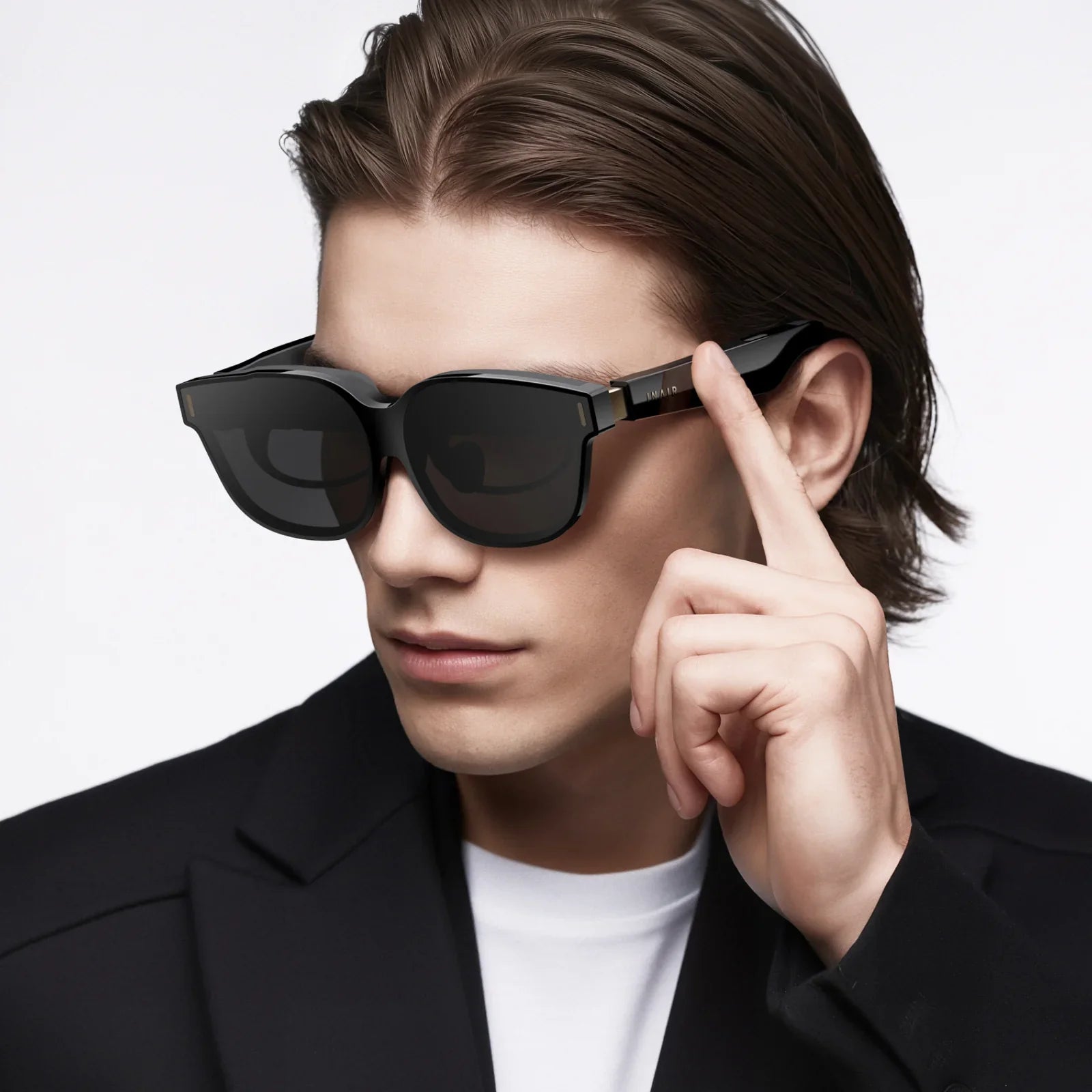
If you have ever imagined turning your living room into a mini cinema, a 3d tv with glasses might be the most intriguing upgrade you can make. Even though 3D hype has come and gone in waves, the right setup can still deliver a jaw-dropping, immersive experience that ordinary flat viewing simply cannot match. Before you spend your money or dig an old 3D screen out of storage, it is worth understanding how these systems work, what you really need, and how to avoid the common mistakes that leave some people disappointed with 3D at home.
The world of 3D at home can be confusing at first glance. You will see different types of 3D glasses, compatibility questions with content and players, and a lot of conflicting opinions about whether 3D is even “worth it” anymore. The reality is more nuanced: a 3d tv with glasses can be incredible for the right viewer in the right room, but it requires some planning and realistic expectations. This guide walks you through the technology, setup, pros and cons, and practical tips so you can decide if 3D is a smart choice for your home entertainment.
How a 3D TV With Glasses Actually Works
At the heart of a 3d tv with glasses is a simple idea: show a slightly different image to each eye so your brain can interpret depth. The TV, the glasses, and the content all work together to create this illusion. Without all three components aligned, you will not get a proper 3D effect.
The Two-Image Principle
In the real world, your left and right eyes see slightly different angles of the same scene. Your brain merges these images and constructs a sense of depth. A 3D TV reproduces this by delivering two separate images—one meant for the left eye and one for the right eye. The glasses then ensure that each eye only sees its intended image. When everything is synchronized, your brain is fooled into perceiving a three-dimensional scene.
To achieve this, the TV must either:
- Display both images at the same time using different polarization or color encoding, or
- Rapidly alternate between left-eye and right-eye frames at high speed.
The glasses are designed specifically to match whichever method the TV uses.
Types of 3D Glasses and How They Differ
Not all 3D glasses are the same. When you are considering a 3d tv with glasses, it is crucial to understand the main types, because they affect image quality, comfort, and cost. The three major categories are active shutter, passive polarized, and anaglyph.
Active Shutter Glasses
Active shutter glasses contain small liquid crystal lenses that alternately turn opaque and clear in sync with the TV. The TV shows a full-resolution image for the left eye, then for the right eye, switching back and forth many times per second. The glasses rapidly block one eye and then the other to match the frames being displayed.
Key characteristics include:
- Higher perceived resolution: Each eye can receive a full HD frame, depending on the TV model.
- Battery powered: These glasses require power, either via replaceable batteries or built-in rechargeable batteries.
- Heavier and more expensive: The electronics add weight and cost compared to simpler glasses.
- Potential flicker: Some viewers may notice flicker or experience more eye fatigue, especially in brightly lit rooms.
Passive Polarized Glasses
Passive polarized glasses use special filters that allow only certain light waves to pass through each lens. The 3D TV displays both images at the same time, but each is polarized differently. The left lens lets through only the left-eye image, and the right lens lets through only the right-eye image.
Key characteristics include:
- Lightweight and inexpensive: These glasses are similar to what you might get in a cinema.
- No batteries: They do not require power and are easy to replace.
- Possible resolution loss: Depending on the technology, each eye may receive only half the vertical or horizontal resolution.
- Less flicker: Many viewers find them more comfortable for longer sessions.
Anaglyph Glasses
Anaglyph glasses are the classic red-and-cyan lenses you may remember from older 3D experiences. The TV or content encodes left and right images in different color channels, and each lens filters out a portion of the image so each eye receives a different view.
Key characteristics include:
- Lowest image quality: Color reproduction suffers and the overall picture looks unnatural.
- Cheap and widely compatible: They can work with almost any display that shows an anaglyph image.
- Best for novelty, not serious viewing: They are not ideal for building a high-quality 3D home cinema.
For a modern 3d tv with glasses aimed at home cinema, active shutter and passive polarized systems are the primary options, with anaglyph mostly reserved for older content or simple experiments.
3D Formats and Content Compatibility
Owning a 3D TV and glasses is only half the story. You also need 3D content and a source device that can output the correct format. Several common 3D formats exist, and your TV may support one or more of them.
Frame Packing
Frame packing is a high-quality format where full-resolution images for each eye are stacked within a single frame and sent to the TV over HDMI. The TV then separates and displays them appropriately. This format is commonly used by dedicated 3D discs and some media players.
Side-by-Side (SBS)
Side-by-side formats place the left and right images next to each other in the same frame, each using half the horizontal resolution. The TV stretches and assigns each half to the correct eye. This is common in broadcast and some streaming content because it uses less bandwidth.
Top-and-Bottom (Over-Under)
Top-and-bottom formats place the left and right images one above the other, each using half the vertical resolution. The TV splits the frame horizontally and delivers each part to the correct eye. This format is also used in some streaming and broadcast cases.
2D-to-3D Conversion
Some 3D TVs offer a built-in feature to convert regular 2D content into simulated 3D. This works by analyzing depth cues in the image and creating a pseudo-3D effect.
Important points about 2D-to-3D conversion:
- It can add a bit of depth to certain content, especially sports and animation.
- It is rarely as convincing as native 3D content.
- Artifacts and unnatural depth layering can appear, especially in complex scenes.
Before investing in a 3d tv with glasses, it is wise to check what 3D formats it supports and how easily you can access compatible content from your preferred sources.
Setting Up a 3D TV With Glasses for the Best Experience
A 3d tv with glasses can look underwhelming if it is not set up properly. A few key adjustments and environmental tweaks make a big difference in depth perception, comfort, and overall picture quality.
Room Lighting and Environment
Ambient light affects both 3D effect and comfort. For active shutter systems, bright lights can enhance perceived flicker. For passive systems, reflections and glare can reduce contrast and depth.
Consider these tips:
- Use dim, indirect lighting instead of bright overhead lights.
- Minimize reflections on the screen by adjusting curtains or blinds.
- A neutral-colored room helps maintain accurate color perception.
Viewing Distance and Screen Size
3D relies on filling a substantial portion of your field of view. If you sit too far away from a small screen, the 3D effect feels weak. If you sit too close, you might notice pixel structure or feel overwhelmed.
A practical guideline:
- For a typical living room, aim for a viewing distance of around 1.5 to 2.5 times the screen diagonal.
- If you want a stronger 3D effect, lean toward the closer end of that range.
TV Settings for 3D Mode
Most 3D TVs have specific picture presets for 3D. These adjust brightness, contrast, and motion settings to compensate for the glasses and the way 3D is displayed.
Key settings to check:
- Brightness: 3D glasses, especially active shutter types, reduce brightness. You may need to raise the backlight and brightness levels.
- Motion smoothing: Some people find motion interpolation helpful in 3D to reduce judder, while others dislike the “soap opera effect.” Experiment to see which you prefer.
- Depth adjustment: Some TVs allow you to adjust perceived depth or “3D strength.” Start with moderate settings to avoid eye strain.
Glasses Synchronization and Comfort
For active shutter systems, the glasses must be properly synced with the TV. This usually involves pairing them via a wireless signal. If you notice ghosting (double images) or misalignment, re-syncing or moving closer to the TV can help.
Comfort tips:
- Ensure the glasses fit securely without pinching your nose or ears.
- If you wear prescription glasses, look for 3D glasses that fit comfortably over them.
- Keep the lenses clean; smudges and dust are more distracting in 3D than in 2D.
Advantages of a 3D TV With Glasses
Despite mixed public reception, a 3d tv with glasses still offers some unique benefits that regular 2D viewing cannot match. For certain types of content and viewers, these advantages can be compelling.
Immersive Storytelling
When done well, 3D adds a layer of immersion that pulls you deeper into the story. Depth can be used to:
- Emphasize foreground characters against a richly detailed background.
- Enhance the scale of landscapes and large structures.
- Make action sequences feel more dynamic and engaging.
Rather than relying only on objects “popping out” of the screen, many well-crafted 3D productions use depth more subtly to create a window-like view into another world.
Enhanced Gaming Experiences
Gaming on a 3d tv with glasses can be particularly compelling. Depth perception can help with:
- Judging distances in racing, platforming, or sports games.
- Adding realism to first-person or third-person adventures.
- Making environments feel more tangible and explorable.
Not all games support 3D modes, but those that do can feel surprisingly fresh when viewed in stereoscopic 3D, especially if the performance remains smooth.
Shared Social Experience
Watching 3D at home can be a fun social event. Putting on 3D glasses together and reacting to depth effects or dramatic scenes can make movie nights more memorable. For families and groups of friends, it can be a unique way to revisit favorite films or experience new releases.
Drawbacks and Limitations You Should Know
Before you commit to a 3d tv with glasses, it is important to understand the trade-offs. Some of these limitations are inherent to the technology, while others depend on your personal sensitivity and viewing habits.
Eye Strain and Fatigue
Some viewers experience eye strain, headaches, or nausea when watching 3D content. This can be caused by:
- Excessive depth or aggressive pop-out effects.
- Misalignment between the 3D content and your viewing position.
- Flicker from active shutter glasses, especially in bright rooms.
If you or someone in your household is sensitive to motion or has vision issues, plan to test 3D for shorter sessions before committing to longer marathons.
Reduced Brightness and Contrast
3D glasses always reduce the amount of light reaching your eyes. Even with the TV’s backlight turned up, the image may look dimmer than 2D. This is particularly noticeable in rooms with ambient light or on older displays that are not very bright to begin with.
Dark scenes in 3D can lose detail and appear washed out or muddy if the TV cannot compensate adequately.
Content Availability
The initial surge of 3D content has slowed, and not all new releases are available in 3D formats. While there is still a catalog of movies and some games that support 3D, the selection is more limited than standard 2D options.
Before investing heavily in a 3d tv with glasses, it is smart to check how easily you can access 3D content in your region and through your preferred services or physical media.
Cost and Complexity
Although prices have come down over time, building a complete 3D setup can still be more costly and complex than a standard 2D system. You may need:
- Additional pairs of glasses for family and guests.
- Compatible players or devices that support 3D output.
- High-quality cables and possibly firmware updates for older equipment.
Each extra component introduces more potential for compatibility issues and troubleshooting.
Who Should Consider a 3D TV With Glasses?
A 3d tv with glasses is not for everyone. However, certain types of viewers can get significant value from investing in 3D capabilities.
Home Cinema Enthusiasts
If you are already serious about picture quality, sound, and creating a cinema-like environment at home, adding 3D can be a logical next step. You are more likely to have:
- A controlled lighting environment.
- Comfortable seating at optimal viewing distances.
- Patience to tweak settings and experiment with different content.
In such a setup, 3D can become a special feature for certain films or events rather than something you use all the time.
Families With Kids or Teens
Children and teenagers often enjoy the novelty and excitement of 3D. Animated films and family-friendly adventures can be especially engaging in 3D, and the glasses can turn movie night into an event.
However, it is wise to monitor viewing duration and comfort, especially for younger children, and to keep sessions moderate to avoid eye fatigue.
Gamers Looking for a Different Perspective
For gamers who want a more immersive experience, a 3d tv with glasses can offer a fresh way to experience compatible titles. Depth perception can make environments feel more lifelike, and certain genres benefit from the added spatial awareness.
Just be sure to check that your console or PC and specific games support 3D output, and be prepared to balance visual quality with performance demands.
Practical Tips for Reducing Eye Strain and Discomfort
Comfort is critical for enjoying 3D. A few practical habits can significantly reduce the risk of headaches or nausea when watching a 3d tv with glasses.
Start With Short Sessions
If you are new to 3D, start with shorter viewing sessions of 30 to 45 minutes. Gradually increase the duration as you become accustomed to the experience. This allows your eyes and brain to adapt without being overwhelmed.
Use Moderate Depth Settings
Avoid cranking the depth or 3D strength to maximum. Extreme settings may look impressive at first but often lead to discomfort. A moderate depth setting usually provides a convincing 3D effect without straining your eyes.
Maintain a Straight-On Viewing Angle
Try to sit directly in front of the screen rather than off to the side. Angled viewing can cause imperfect separation of left and right images, leading to ghosting and eye strain. If multiple people are watching, arrange seating to keep everyone as centered as possible.
Take Regular Breaks
During long films or gaming sessions, pause every hour or so. Look at distant objects, stretch, and let your eyes rest. These short breaks can make extended 3D viewing much more comfortable.
Making the Most of Your 3D Library
Once you have a 3d tv with glasses set up, the next step is curating and managing your 3D content. A thoughtful approach helps you get more enjoyment from your library.
Choose Content That Truly Benefits From 3D
Not every title gains much from 3D. Look for content where depth enhances the experience, such as:
- Animated films with layered environments.
- Nature documentaries showcasing landscapes and wildlife.
- Action and adventure films with large-scale set pieces.
- Games that rely on spatial awareness and exploration.
By focusing on titles that use 3D thoughtfully rather than as a gimmick, you will better appreciate what your setup can do.
Organize 3D Content Separately
Consider organizing 3D content in a dedicated section of your library, whether physical or digital. Label cases or folders clearly and note which devices or settings you need to enable 3D properly. This makes it easier to switch into “3D mode” for special viewing sessions.
Experiment With Audio to Match the Visuals
3D visuals feel more convincing when paired with immersive sound. While you do not need a complex audio system, even a basic surround setup can enhance the sense of being inside the scene. Adjust volume and surround levels to complement the depth without overpowering dialogue.
Future-Proofing Your 3D Setup
The market for 3D displays has changed over the years, and not every new TV emphasizes 3D features. If you already own or are considering a 3d tv with glasses, you can still take steps to keep your setup useful for as long as possible.
Maintain Extra Glasses
Glasses can get lost or damaged over time. Keeping a few spare pairs ensures you can still host group viewings and that a broken pair does not end your 3D sessions prematurely. When you find compatible glasses at a reasonable price, consider picking up an extra set.
Back Up Critical Firmware and Settings
Some 3D features depend on specific firmware versions or settings profiles. If your TV or player allows it, back up configuration files or note down important settings such as supported 3D formats and preferred picture modes. This can be helpful after resets or updates.
Keep Cables and Players Up to Date
High-bandwidth 3D formats require reliable connections. Use quality HDMI cables that support the necessary bandwidth for 3D frame packing, and keep your players updated to ensure ongoing compatibility with modern content and formats.
Is a 3D TV With Glasses Still Worth It Today?
Whether a 3d tv with glasses is worth it for you depends on your priorities. If your primary goal is a simple, bright, and effortless viewing experience for everyday shows, standard 2D viewing on a good screen may be all you need. But if you enjoy experimenting with technology, love cinematic immersion, and appreciate unique visual experiences, 3D can still deliver something special that flat images cannot match.
Think of 3D as a specialized tool in your home entertainment toolkit. You may not use it every day, but when you do, it can transform the way you perceive certain films, games, and documentaries. With realistic expectations, careful setup, and attention to comfort, a 3d tv with glasses can turn selected viewing sessions into events you actually look forward to, rather than just another night in front of the screen.
共有:
Smart Glasses Price Guide: What You Really Pay For And Why It Matters
smart sun glasses And The Future Of Wearable Vision Technology