


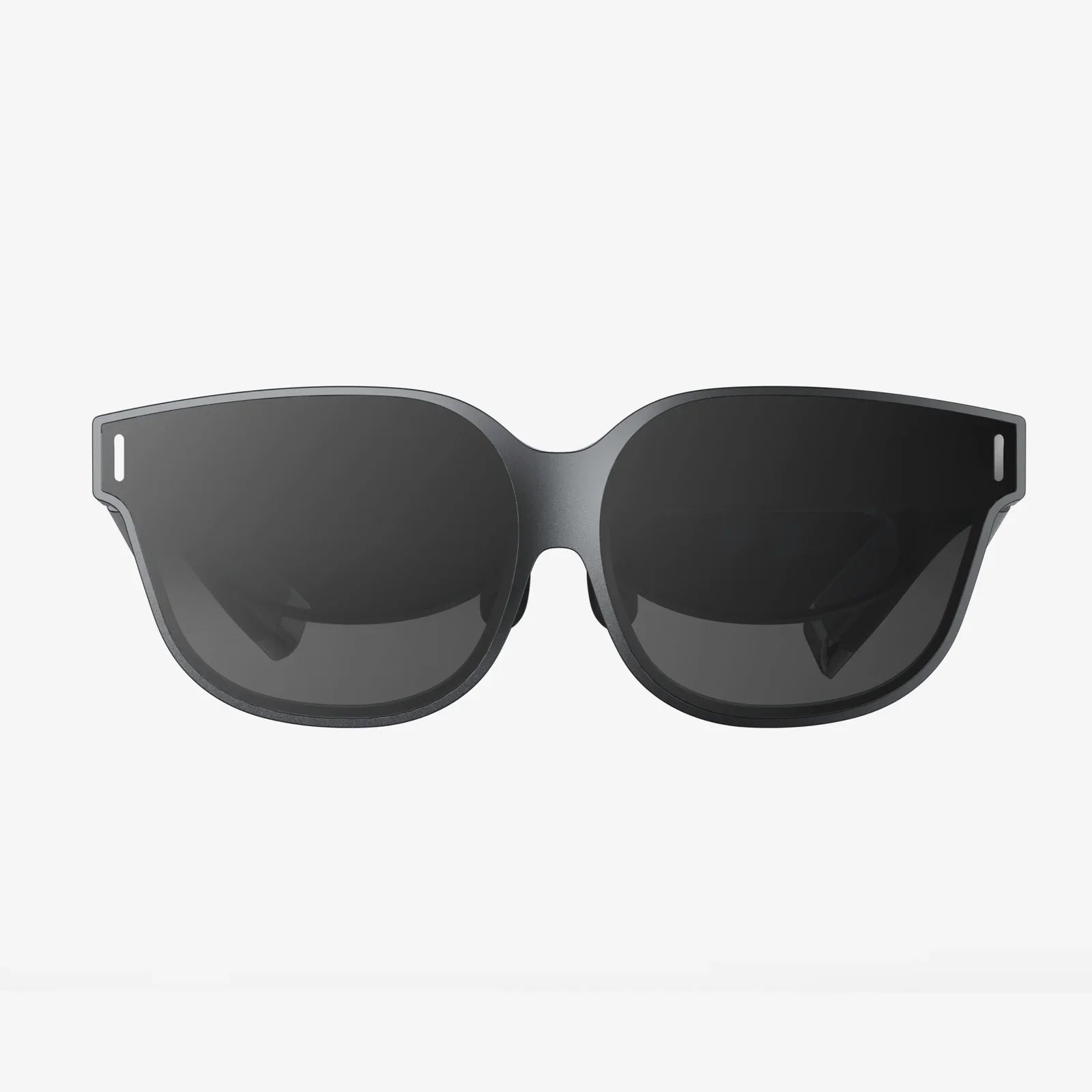
If you have ever ended a long workday with burning eyes, a pounding headache, and blurry vision, you are not alone. Many people are turning to 50 computer glasses tips and strategies to finally get relief from digital eye strain, but most still do not really know how these glasses work, how to choose them, or how to use them effectively. This guide breaks everything down in simple, practical steps so you can protect your eyes, stay focused longer, and feel better at the end of every screen-heavy day.
What Are Computer Glasses And Why Do They Matter?
Computer glasses are specialized eyewear designed to reduce eye strain and visual discomfort caused by digital screens. They typically include coatings, tints, and optical designs aimed at improving comfort when you stare at computers, tablets, or phones for extended periods.
Unlike regular reading glasses or standard prescription lenses, computer glasses are optimized for the intermediate distance between your eyes and a computer screen, usually around 20 to 26 inches. This distance is different from reading a book or looking across a room, so standard glasses are often not ideal for screen use.
Modern digital devices emit high-energy visible light, especially in the blue spectrum. While blue light is not inherently harmful at normal exposure levels, it can contribute to visual fatigue, interfere with sleep, and make it harder to focus for long sessions. Computer glasses aim to minimize these issues.
Key Benefits Of Using Computer Glasses Daily
Using computer glasses consistently can provide several noticeable benefits, especially if you work or study at a screen for many hours every day.
- Reduced eye strain: Less squinting, fewer dry or burning sensations, and more comfortable vision.
- Fewer headaches: By reducing visual stress and glare, many people experience fewer tension headaches.
- Improved focus: Clearer, more stable vision helps you concentrate on detailed work for longer.
- Better posture: Properly designed lenses let you sit at a natural distance instead of leaning in.
- More comfortable evenings: Blue-light control can make it easier to wind down after late screen use.
Understanding Blue Light And Digital Eye Strain
Digital eye strain is a collection of symptoms that appear after prolonged screen use. It is not a single disease but a combination of factors that overload your visual system.
Common symptoms include:
- Tired, sore, or burning eyes
- Blurred or fluctuating vision
- Headaches, especially around the eyes or temples
- Neck and shoulder pain
- Difficulty focusing from near to far
- Increased sensitivity to light
Blue light is part of the visible spectrum, with shorter wavelengths and higher energy. It plays a role in regulating your sleep-wake cycle by influencing melatonin production. Evening exposure to strong blue light can delay sleep, reduce sleep quality, and make it harder to feel rested.
Computer glasses often use specialized coatings or tints to selectively filter certain blue wavelengths, reduce glare, and improve contrast. This does not mean all blue light is blocked, but the intensity of the most irritating bands may be reduced.
How Computer Glasses Differ From Regular Glasses
Many people assume that any pair of glasses will work fine at a computer. However, there are several important differences between standard eyewear and lenses designed specifically for screen use.
- Optimized focal distance: Computer glasses are usually tuned for the intermediate distance of a monitor, not for close reading or far distance.
- Specialized coatings: They often include anti-reflective coatings and blue-light control layers to reduce glare and reflections.
- Lens design: Some computer lenses use specific designs that widen the clear viewing area at screen distance.
- Tints and contrast: Subtle tints can enhance contrast and comfort, especially in bright office environments.
These differences may seem small, but over eight or more hours a day, they can make a big impact on your comfort and productivity.
50 Computer Glasses Tips For Real-World Comfort
The following 50 computer glasses tips are grouped into categories so you can quickly find the advice that fits your situation. You do not need to adopt every tip at once; even a few changes can dramatically improve your daily comfort.
Choosing The Right Computer Glasses (Tips 1–10)
- Get a proper eye exam: Before buying any computer glasses, schedule a comprehensive eye exam to check your prescription and overall eye health.
- Discuss your screen distance: Tell your eye care professional how far your screen is from your eyes so they can tailor the lens power.
- Ask specifically for computer lenses: Do not assume regular lenses will be optimized for screen distance; request lenses designed for digital work.
- Consider your primary device: If you mostly use a desktop monitor, your needs differ from someone who mainly uses a laptop or tablet.
- Choose frames that fit comfortably: Look for frames that sit securely without pinching your nose or ears, even after long hours.
- Check frame size against your face: The lenses should cover your natural field of view without forcing you to tilt your head.
- Pick lightweight materials: Lightweight frames reduce pressure points and are more comfortable for extended wear.
- Test different styles: Try on several frame shapes to see which provides the widest, clearest view at your typical working posture.
- Confirm return or adjustment policies: Make sure you can adjust or exchange your glasses if the fit or optical setup is not right.
- Prioritize function over fashion: Stylish frames are nice, but comfort and clarity should come first when you spend hours wearing them.
Lens Coatings And Tints (Tips 11–20)
- Ask for anti-reflective coating: This reduces reflections from overhead lights and the screen itself, improving clarity.
- Consider blue-light control: Choose lenses that filter a portion of blue light without overly distorting colors.
- Avoid excessively dark tints for daytime work: Very dark lenses can force your eyes to work harder indoors.
- Use subtle amber or neutral tints: Light tints can enhance contrast and comfort without making everything look unnatural.
- Check color perception: If your work involves design or color accuracy, test how the lenses affect color rendering.
- Consider anti-smudge coatings: Smudges and fingerprints can cause eye strain by reducing clarity and contrast.
- Look for scratch-resistant coatings: Daily use around a computer means frequent cleaning; durable coatings help preserve clarity.
- Ask about UV protection: Even indoors, UV-blocking lenses are beneficial if you sit near windows or bright daylight.
- Use stronger blue-light filters in the evening: If you often work late, consider lenses with more noticeable blue-light control for night use.
- Keep a clear daytime pair: Many people benefit from a more neutral pair for daytime productivity and a stronger-filter pair for night.
Prescription And Visual Design (Tips 21–30)
- Be honest about symptoms: Tell your eye care professional about headaches, dryness, or blurred vision when using screens.
- Ask about single-vision computer lenses: These are optimized for a specific working distance and can be very comfortable for dedicated screen use.
- Consider occupational or office lenses: These lenses are designed to give a wide clear zone at screen and intermediate distances.
- Discuss progressive lens options carefully: Some progressives are tailored for office work, providing a larger intermediate zone.
- Check your posture with trial lenses: When trying new lenses, sit at a desk and mimic your typical working position.
- Ask for a dedicated computer prescription: If you already wear glasses, an additional pair optimized for screen distance can be a game changer.
- Clarify your work habits: If you frequently switch between screen, documents, and across-the-room views, mention this.
- Verify lens power at your actual screen distance: If possible, measure the distance from your eyes to your monitor before your appointment.
- Review your prescription after a trial period: If you still feel strain after a few weeks, schedule a follow-up to fine-tune the prescription.
- Do not ignore small discomforts: Minor visual irritation can build over time; adjustments can often solve these issues.
Using Computer Glasses Effectively (Tips 31–40)
- Wear them consistently for screen work: Do not just use them occasionally; consistency improves comfort.
- Start with shorter sessions: If you are new to computer glasses, wear them for a few hours at a time and gradually increase.
- Keep them near your workstation: Store your glasses where you sit down to work so you do not forget them.
- Clean lenses daily: Dust and smudges reduce clarity and force your eyes to work harder.
- Use proper cleaning tools: Clean with microfiber cloths and appropriate lens solution, not your shirt or paper towels.
- Adjust your monitor height: The top of your screen should be at or slightly below eye level when wearing your glasses.
- Check screen distance regularly: Aim for about an arm’s length between your eyes and the screen, adjusted for comfort.
- Reduce screen brightness: Match your screen brightness to the ambient light in the room to avoid glare.
- Increase text size: Do not strain to read small fonts; enlarge text or use zoom functions.
- Use night mode features: Combine computer glasses with built-in display settings that reduce blue light in the evening.
Healthy Screen Habits To Combine With Computer Glasses (Tips 41–50)
- Follow the 20-20-20 rule: Every 20 minutes, look at something 20 feet away for 20 seconds to relax your eyes.
- Blink more consciously: Screens reduce blink rate; remind yourself to blink fully to keep your eyes moist.
- Use artificial tears if needed: Lubricating drops can help combat dryness during long sessions.
- Adjust room lighting: Avoid harsh overhead lights and strong glare from windows behind or in front of your screen.
- Position your monitor correctly: Keep the screen slightly below eye level and directly in front of you, not off to the side.
- Take regular breaks: Stand up, stretch, and change your focus every hour to reduce overall strain.
- Maintain good posture: Sit with your back supported, feet flat, and shoulders relaxed to prevent neck and shoulder tension.
- Limit late-night screen exposure: Try to reduce intense screen use in the hour before bed whenever possible.
- Use multiple pairs strategically: Some people benefit from one pair for office use and another for mobile or evening use.
- Monitor your symptoms over time: Keep track of headaches, eye fatigue, and sleep quality to see how your habits and glasses affect you.
Common Myths About Computer Glasses
Because computer glasses have become more popular, a number of myths and misunderstandings have also spread. Clearing up these myths can help you make better decisions.
Myth 1: Computer glasses will permanently fix your vision.
Computer glasses are tools for comfort and clarity, not permanent vision correction. They do not stop natural age-related changes or underlying eye conditions. However, they can make daily tasks much more comfortable.
Myth 2: Any tinted glasses are automatically computer glasses.
A colored tint alone does not guarantee that lenses are optimized for digital work. Proper computer lenses combine the correct prescription, coatings, and design for the right distance.
Myth 3: Blue light is always harmful and must be completely blocked.
Blue light in normal doses is part of everyday life, including daylight. The goal is not to eliminate all blue light but to reduce excessive exposure at times when it causes discomfort or disrupts sleep.
Myth 4: You only need computer glasses if you already wear prescription lenses.
Even people with no prescription needs can benefit from non-prescription computer glasses that include anti-reflective and blue-light control features, especially if they spend many hours on screens.
Myth 5: If your eyes feel tired, you just need stronger glasses.
Stronger lenses are not always the answer. Poor ergonomics, inadequate lighting, and bad habits can cause strain even with a perfect prescription. Computer glasses work best when combined with healthy screen practices.
Who Should Consider Computer Glasses?
Not everyone needs dedicated computer glasses, but many people would benefit from them without realizing it. You may want to consider them if any of the following describe you:
- You spend more than four hours a day on a computer, tablet, or phone.
- You frequently experience headaches or eye discomfort after digital work.
- You notice blurred vision when shifting focus between near and far objects.
- You struggle with sleep after late-night screen use.
- You often lean forward or hunch your shoulders to see the screen clearly.
People who work in design, programming, writing, accounting, customer support, or any role that requires extended screen focus are especially likely to benefit from properly fitted computer glasses.
How To Talk To An Eye Care Professional About Computer Glasses
Many people feel unsure about how to bring up computer-related issues during an eye exam. A clear conversation can help you get the most appropriate solution for your needs.
Here are practical steps to guide that discussion:
- Describe your typical day: Explain how many hours you spend on screens and what kinds of tasks you perform.
- Share specific symptoms: Mention when headaches occur, how your eyes feel, and whether symptoms improve away from screens.
- Bring measurements: Measure the distance from your eyes to your main screen at home or work and share that number.
- Ask about different lens options: Request an explanation of single-vision, office, and progressive designs for computer use.
- Discuss blue-light and anti-reflective coatings: Ask which options best match your environment and habits.
- Clarify your budget: Let your provider know your budget range so they can prioritize features that matter most.
A good professional will not only test your vision but also help you understand how your work style and environment affect your eyes. This partnership can make your 50 computer glasses strategies much more effective.
Balancing Technology And Eye Health Long Term
Digital devices are not going away, and most careers now depend on them. Instead of fighting that reality, the smart approach is to build a sustainable system that protects your eyes while allowing you to perform at your best.
That system combines:
- Well-chosen computer glasses tailored to your screen distance and visual needs.
- Healthy daily habits like the 20-20-20 rule, regular breaks, and proper posture.
- Thoughtful workstation design with good lighting and monitor placement.
- Awareness of your own warning signs, such as headaches or sleep disruption.
When you apply the 50 computer glasses tips in this guide, you are not just buying another accessory; you are building a more comfortable, focused, and sustainable way to work and live with screens. Your eyes are working hard for you every day; now is the time to return the favor by giving them the support, protection, and smart habits they deserve.
共有:
xpt2046 touch controller pinout and wiring guide for reliable touchscreens
Found In Window Glass And Computer Chips: The Hidden Power Of Silicon