


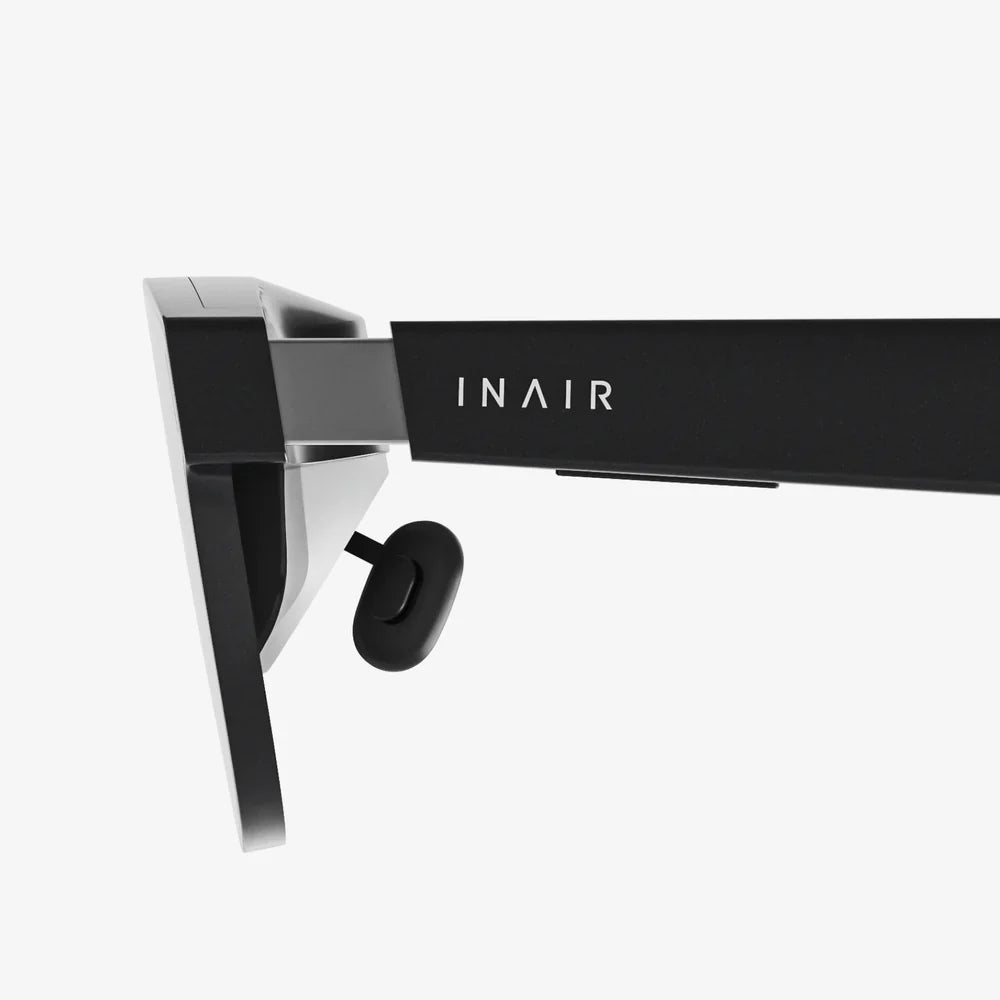
If you have ever dreamed of stepping into a richer digital world without the usual discomforts and hassles, an ar glasses adapter might be the single accessory that changes everything. From turning ordinary eyewear into a mixed reality portal to unlocking long-session comfort, the right adapter can make augmented reality feel less like a tech demo and more like a natural extension of your daily life.
Augmented reality has moved far beyond experimental gadgets, yet many users still struggle with poor fit, visual strain, and clumsy workarounds. That is where a thoughtfully designed ar glasses adapter comes in. It bridges the gap between your unique face, your existing eyewear, and the complex optics of AR headsets, enabling clearer visuals, more stable tracking, and a dramatically better overall experience.
What Is an ar glasses adapter?
An ar glasses adapter is a hardware accessory that helps AR glasses or headsets fit more comfortably, align correctly with your eyes, and integrate with prescription lenses or different face shapes. Instead of forcing you to compromise on comfort or vision, it creates a customized interface between your head and the AR device.
Depending on the design, an ar glasses adapter can serve several roles:
- Prescription interface: Holds prescription lenses or clips onto regular glasses.
- Fit and comfort enhancer: Adjusts distance, angle, and pressure points on the face.
- Stability and tracking aid: Keeps the device steady for consistent eye and head tracking.
- Compatibility bridge: Allows one AR device to be used with different users or eyewear styles.
In short, the ar glasses adapter is the crucial link that translates high-end AR optics into a comfortable, usable, everyday experience.
Why an ar glasses adapter matters more than you think
Many people assume that AR quality is mostly about display resolution and field of view. Those aspects are important, but they are only as good as the physical fit and optical alignment. An ar glasses adapter directly influences how well your eyes line up with the virtual image, how long you can wear the device, and how stable your view remains.
Here are key reasons this accessory is more important than it might appear at first glance:
- Clarity: Proper alignment reduces blur, ghosting, and eye strain.
- Comfort: Better weight distribution and padding reduce pressure on the nose and ears.
- Consistency: A stable fit keeps the virtual image in the correct position during rapid movements.
- Accessibility: Users with prescription glasses can enjoy AR without removing their everyday eyewear.
- Hygiene and sharing: Swappable adapters let multiple people use the same headset comfortably.
Key types of ar glasses adapter designs
An ar glasses adapter is not a single standardized object; it comes in several forms depending on the device and use case. Understanding these types helps you choose the right approach for your setup.
1. Clip-on adapters for existing glasses
Clip-on adapters attach AR modules or displays directly to your existing eyeglass frames. They are popular for lightweight AR experiences that do not require a full headset.
- Advantages: Uses your own frames, familiar fit, quick to put on and remove.
- Drawbacks: Stability depends on your frame rigidity; heavy modules can cause slipping.
2. Prescription insert adapters
Prescription insert adapters are frames or mounts that snap into the AR glasses and hold custom lenses. Instead of wearing your regular glasses underneath the headset, you have a dedicated set of lenses inside the device.
- Advantages: Cleaner fit, reduced reflections, better weight balance.
- Drawbacks: Requires ordering and installing prescription lenses; may not be easily shared.
3. Nose bridge and face gasket adapters
These adapters modify the contact points between the AR device and your face. They can change the angle, height, and distance of the display relative to your eyes.
- Advantages: Improved comfort, reduced light leakage, better alignment.
- Drawbacks: May require trial and error to find the ideal shape and thickness.
4. Head strap and harness adapters
Head strap adapters redistribute weight and keep the AR glasses firmly in place. They are especially valuable for long sessions or physical activities like training and simulation.
- Advantages: Increased stability, less pressure on the nose, better for dynamic movement.
- Drawbacks: Bulkier setup, may be less discreet for casual use.
5. Modular mounting adapters
Modular adapters allow AR modules to be mounted on different frames or helmets, such as safety helmets, industrial headgear, or sports equipment.
- Advantages: Highly flexible, ideal for industrial and professional environments.
- Drawbacks: More complex setup, may require specialized knowledge to install correctly.
Core features to look for in an ar glasses adapter
Choosing the right ar glasses adapter is about more than just finding something that fits. Several features determine how effectively it will support your AR experience.
Adjustability and fit
The adapter should offer fine-tuning options so you can align the lenses with your eyes:
- Adjustable nose pads or bridge height
- Tilting mechanisms to change display angle
- Inter-pupillary distance (IPD) adjustment, if supported by the device
- Multiple size options for different face shapes
Without proper adjustability, even the best optics can feel off, causing headaches or blurred visuals.
Material quality and durability
Since an ar glasses adapter bears the weight of the device and experiences repeated use, material choice is critical:
- Lightweight plastics: Reduce fatigue but must resist flexing.
- Reinforced joints: Prevent wobbling and misalignment over time.
- Soft-touch surfaces: Improve comfort and reduce slipping on the skin.
Durable materials ensure that the adapter maintains its geometry, which is vital for consistent visual alignment.
Comfort and ergonomics
Comfort is not a luxury; it is a requirement for long AR sessions. An effective ar glasses adapter will:
- Distribute weight across the forehead, nose, and back of the head
- Use breathable padding where the device contacts the skin
- Minimize pressure on sensitive areas like the bridge of the nose
- Reduce hotspots that can cause redness or pain over time
Optical alignment and lens support
For adapters that hold prescription lenses or integrate with existing glasses, optical alignment is crucial:
- Lens holders should be rigid and precisely positioned.
- The adapter must avoid introducing tilt or rotation in the lenses.
- Clearances should prevent lenses from touching the AR display or internal optics.
Misaligned lenses can amplify distortions, causing your brain to work harder to interpret the image, which leads to fatigue.
Ease of installation and removal
An ar glasses adapter should not require a toolkit and a technical manual to install. Look for designs that:
- Snap into place with clear tactile feedback
- Allow quick swapping between users
- Provide simple markings or guides for correct orientation
Easy installation is especially important in shared environments such as classrooms, labs, or training centers.
Compatibility and future-proofing
AR ecosystems evolve quickly. While no adapter can be fully future-proof, some design choices help extend its useful life:
- Modular components that can be replaced or upgraded
- Support for multiple frame shapes or head sizes
- Standardized mounting points where possible
Choosing a flexible ar glasses adapter means you are less likely to be locked into a single configuration as your needs change.
How an ar glasses adapter transforms different use cases
The impact of a well-chosen ar glasses adapter becomes obvious when you consider specific scenarios. Here is how it can change the experience across different domains.
Gaming and entertainment
For gaming, rapid head movements and long sessions are the norm. An ar glasses adapter:
- Keeps the display stable during sudden turns and gestures.
- Reduces fatigue so you can play longer without discomfort.
- Ensures consistent alignment, so virtual elements stay sharp and responsive.
Without a solid adapter, gamers often experience slipping headsets, shifting focus, and the need for constant readjustment, all of which break immersion.
Remote collaboration and productivity
In a work setting, AR is used for virtual meetings, design reviews, and information overlays. Here, an ar glasses adapter:
- Enables comfortable all-day wear during calls and collaborative sessions.
- Supports prescription lenses so professional users do not have to juggle multiple pairs of glasses.
- Maintains a professional appearance with streamlined, well-fitted hardware.
Comfort and visual clarity directly influence how willingly people adopt AR for everyday productivity tasks.
Education and training
In classrooms, labs, and training centers, AR brings complex topics to life. An ar glasses adapter is especially valuable because:
- Multiple learners can share the same AR hardware by swapping adapters.
- Students with different prescriptions or head sizes can all participate.
- Secure fit helps maintain focus on the lesson rather than on fiddling with the device.
This adaptability makes AR more inclusive, ensuring that physical differences do not become barriers to immersive learning.
Industrial and field work
Technicians, engineers, and field workers rely on AR for hands-free instructions and real-time data. For them, an ar glasses adapter is not just about comfort; it is about safety and reliability.
- Adapters can mount AR modules onto hard hats or protective eyewear.
- Stable alignment ensures that critical overlays appear in the right place.
- Rugged materials withstand demanding environments and frequent use.
In these contexts, a poorly fitted device can be more than an annoyance; it can interfere with situational awareness and productivity.
Healthcare and accessibility
In healthcare, AR assists with visualization, remote consultations, and patient education. For users with specific visual needs, an ar glasses adapter can:
- Accommodate specialized prescriptions or lens shapes.
- Provide secure fit for users with limited mobility or motor control.
- Help clinicians wear AR devices over existing protective gear.
By bridging the gap between medical requirements and AR hardware, the adapter becomes a quiet but essential part of the workflow.
Optimizing comfort with your ar glasses adapter
Even the best adapter requires proper setup to deliver its full potential. A few simple steps can dramatically improve your comfort and image quality.
Step 1: Adjust the nose bridge and padding
Start by ensuring the adapter sits comfortably on your nose and face:
- Adjust nose pads so the device rests securely without pinching.
- Check that the display is centered vertically relative to your eyes.
- If padding is removable, experiment with thickness to find a natural position.
Step 2: Align with your pupils
Alignment with your pupils is crucial for clarity:
- Look straight ahead and confirm that the virtual image appears centered.
- If the device supports IPD adjustment, use the adapter to keep the headset stable while you fine-tune the setting.
- Make small adjustments and give your eyes a moment to adapt before deciding if it is better or worse.
Step 3: Balance weight distribution
Next, consider how the weight feels over time:
- Use head straps or additional supports if your nose bears too much load.
- Ensure that the adapter does not create a forward-heavy feeling that strains your neck.
- For extended sessions, take short breaks to see if any pressure points emerge.
Step 4: Check for light leakage
External light leaking into your view can reduce contrast and immersion:
- Adjust the adapter and any face gaskets to minimize gaps around your cheeks and nose.
- Make sure the seal is comfortable and does not trap excessive heat.
Step 5: Test with your usual tasks
Finally, test the setup with real-world tasks:
- Launch the apps or experiences you use most often.
- Move naturally, including walking, turning, and looking up or down.
- Note any moments when the device shifts or the image loses clarity, then refine the fit.
Common problems and how an ar glasses adapter helps solve them
If you already use AR and feel something is off, the issue may be related to fit and alignment. Here are common problems and how an ar glasses adapter can address them.
Problem: Blurry or inconsistent image
When the image is sharp one moment and fuzzy the next, it is often due to misalignment. An ar glasses adapter with precise adjustability can keep the optics in the correct position relative to your eyes.
Problem: Headaches or eye strain
Eye strain often arises from subtle misalignment or constant micro-adjustments by your eye muscles. A stable adapter that holds lenses at the right angle and distance reduces this strain significantly.
Problem: Slipping or wobbling during movement
If your AR device shifts every time you look down or turn your head, a better adapter can add stability through improved nose support, straps, or frame integration.
Problem: Discomfort with prescription glasses
Wearing AR glasses over standard prescription frames can be painful and awkward. A prescription insert adapter or a clip-on design that integrates with your existing glasses can eliminate stacking and create a single, unified setup.
Problem: Limited sharing in multi-user environments
In schools, labs, or training centers, a single headset might serve many people. Swappable ar glasses adapters allow each user to have a personal fit profile, reducing setup time and improving hygiene.
Maintenance and care for your ar glasses adapter
To get the most from your adapter, treat it as a key part of your AR system, not just an accessory.
Cleaning
- Use a soft, lint-free cloth to wipe down surfaces that contact your skin.
- Avoid harsh chemicals; mild soap and water on a cloth are usually sufficient.
- If the adapter holds lenses, clean them with appropriate lens-cleaning solutions.
Storage
- Store the adapter in a case or compartment to prevent bending or scratching.
- Keep it away from extreme heat, which can warp plastic components.
Periodic inspection
- Check for cracks, loose joints, or worn padding.
- Confirm that mounting points still hold the device firmly.
- Replace worn parts promptly to prevent sudden failures during use.
How to choose the right ar glasses adapter for your needs
Selecting an ar glasses adapter is about balancing comfort, compatibility, and the specific demands of your use case.
Define your primary use
Ask yourself what you will be doing most with your AR setup:
- Fast-paced gaming requires high stability and secure straps.
- Office work emphasizes long-term comfort and discreet design.
- Industrial use calls for rugged materials and helmet compatibility.
Assess your visual needs
Consider whether you need prescription support:
- If you wear glasses daily, look for an adapter that supports inserts or integrates with your frames.
- If your prescription changes often, prioritize adapters that make it easy to swap lenses.
Evaluate adjustability and comfort
Look for:
- Multiple adjustment points for fine-tuning fit.
- Soft, breathable materials on contact surfaces.
- Designs that suit your head size and shape.
Consider who else will use it
If the AR device will be shared:
- Choose adapters that can be swapped quickly between users.
- Keep a set of adapters in different sizes or configurations.
The future of ar glasses adapter technology
As AR hardware advances, ar glasses adapter designs are evolving too. Several trends are emerging that will shape the next generation of adapters.
Custom-fit and 3D-printed adapters
With accessible 3D scanning and printing, it is becoming easier to create adapters tailored to an individual’s facial geometry. This promises:
- Perfect alignment for each user.
- Improved comfort with personalized padding and contours.
- Rapid iteration for specialized applications.
Smart adapters with sensors
Future ar glasses adapter designs may integrate sensors that:
- Monitor fit and alert you when alignment drifts.
- Track pressure points to prevent discomfort over time.
- Automatically adjust tension or position for optimal viewing.
Universal mounting standards
As AR becomes more widespread, there is growing interest in standardized mounting systems. A more universal ar glasses adapter ecosystem would allow:
- One set of adapters to work across multiple devices.
- Third-party manufacturers to innovate freely on comfort and fit.
- Organizations to mix and match hardware according to need.
Unlocking the full potential of AR with the right adapter
When people talk about augmented reality, they often focus on spectacular visuals and futuristic applications. Yet the difference between a forgettable demo and a life-changing tool often comes down to something far simpler: whether the device feels good to wear and delivers a clear, stable view. That is precisely what a well-chosen ar glasses adapter makes possible.
By taking the time to select and fine-tune the right adapter, you give yourself the chance to experience AR as it was meant to be: immersive, comfortable, and reliable enough to use for hours without thinking about the hardware on your face. Instead of wrestling with slipping frames, blurred overlays, and pressure on your nose, you can focus on what really matters—exploring new worlds, mastering new skills, and collaborating in ways that were impossible before.
If you are serious about getting the most from your AR setup, do not treat the adapter as an afterthought. Treat it as the foundation. The right ar glasses adapter turns impressive technology into a practical, everyday tool—and once you feel the difference, you will never want to go back.
共有:
Artificial Intelligence Classification: Types, Techniques, and Real-World Applications
Future of Digital Product Analytics 2025: Trends, Tools and Strategies to Win