


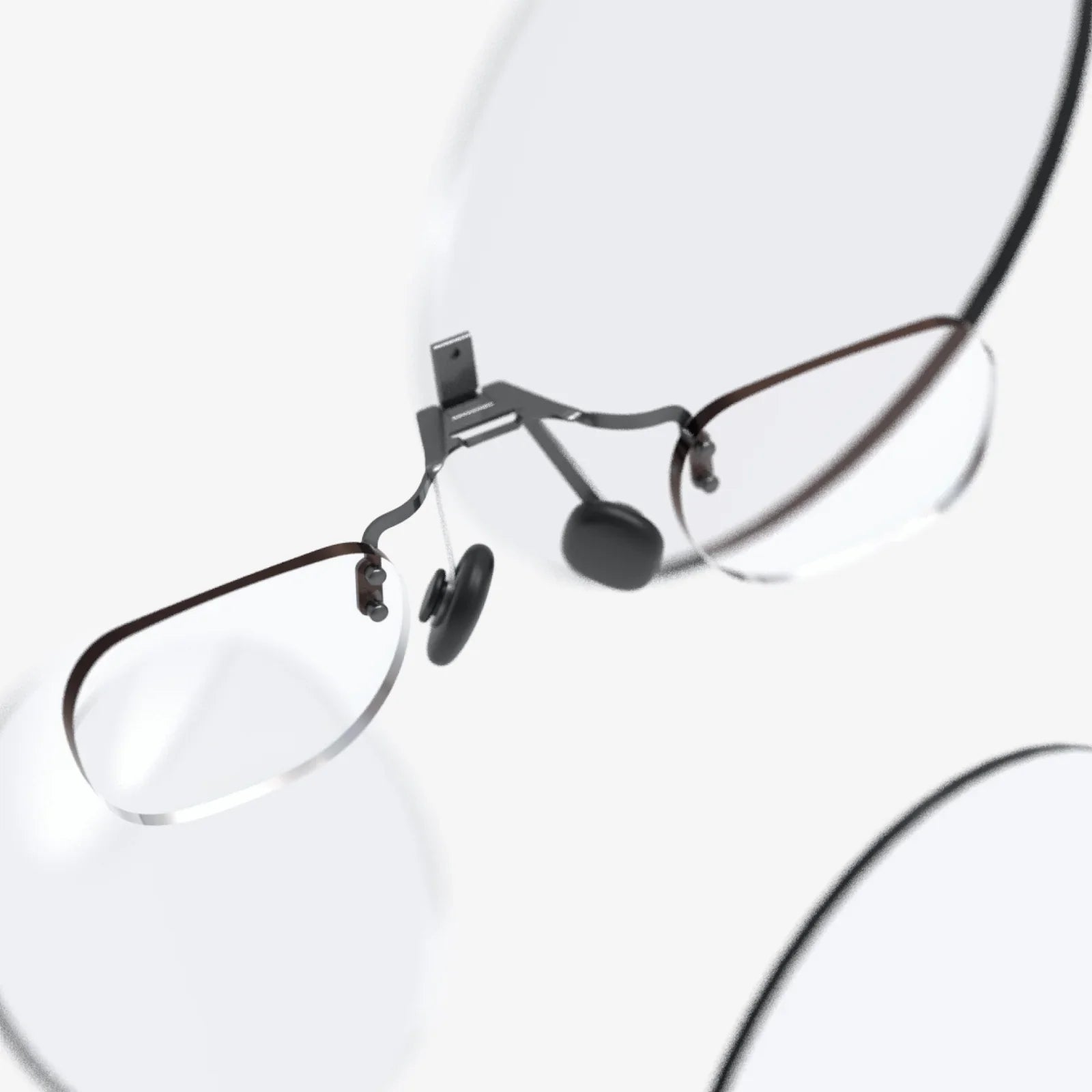
Imagine slipping on a stylish pair of frames that look just like your favorite everyday eyewear, only to discover they quietly overlay directions on the sidewalk, translate signs in real time, and show your messages without anyone around you noticing. That is the promise of ar glasses that look like normal glasses, and they are rapidly moving from science fiction to everyday reality. If you have ever wished for the power of your smartphone without the constant distraction of a screen in your hand, these discreet wearable displays may be the next big shift in how you live, work, and play.
What Are AR Glasses That Look Like Normal Glasses?
Augmented reality (AR) glasses are wearable devices that place digital information into your field of view. Instead of pulling out a phone or staring at a monitor, you see graphics, text, and icons layered on top of the real world. When these devices are designed to resemble everyday eyewear, they offer a unique blend of function and subtle style that avoids the bulky, sci-fi look many people associate with headsets.
At their core, these glasses typically combine:
- Transparent displays or micro-projectors that overlay images on your lenses
- Sensors such as cameras, microphones, accelerometers, and gyroscopes
- Connectivity through Bluetooth or Wi‑Fi to pair with your phone or network
- Onboard computing to process visuals, voice commands, and tracking
- Batteries and controls built into the temples or frame
Unlike bulky mixed-reality headsets, ar glasses that look like normal glasses aim for subtlety. They may use lightweight materials, thin frames, clear lenses, and hidden electronics to maintain the familiar silhouette of standard eyewear. The goal is simple: give you digital superpowers without making you look like you are wearing a gadget on your face.
Why Discreet Design Matters So Much
Design is not just about aesthetics; it directly affects whether people are willing to wear a device all day. If AR glasses look awkward or draw unwanted attention, they are more likely to sit in a drawer. When they blend in with everyday fashion, they become as natural as putting on regular glasses in the morning.
Several factors make discreet design especially important:
- Social comfort: People feel more at ease wearing something that looks familiar in public and in social settings.
- Professional acceptance: In offices, meetings, and client interactions, subtle glasses are more acceptable than bulky headsets.
- Fashion and self-expression: Eyewear is part of personal style. Users want frames that match their look, not define it.
- Continuous use: Lightweight, normal-looking glasses are easier to wear for long periods without fatigue or self-consciousness.
Ar glasses that look like normal glasses aim to cross the line from gadget to garment, becoming part of your wardrobe instead of a device you only use occasionally.
Key Technologies Hiding Inside Everyday-Looking Frames
Fitting advanced technology into something that looks like ordinary eyewear is a major engineering challenge. To appreciate what makes these glasses special, it helps to understand the core components and how they are miniaturized.
Display Systems and Optics
The display is the heart of AR glasses. In normal-looking frames, designers rely on compact optical systems such as:
- Waveguides: Ultra-thin transparent layers that channel light from a tiny projector to your eyes, making images appear as if they float in front of you.
- Micro-LED or micro-OLED projectors: Extremely small displays that can be embedded in the frame and project images onto the lens or a waveguide.
- Reflective or diffractive optics: Structures etched into the lens that reflect or bend light to form images while remaining mostly transparent.
The challenge is balancing brightness, clarity, and field of view without making the lenses thick or tinted. For everyday use, users need to clearly see both the real world and digital overlays under varying lighting conditions.
Sensors and Cameras
To understand your environment and respond to your movements, AR glasses often include:
- Inertial measurement units (IMUs): Combining accelerometers and gyroscopes to track head motion and orientation.
- Ambient light sensors: Adjusting display brightness automatically in bright daylight or dim indoor lighting.
- Microphones: Capturing voice commands and enabling calls or audio interaction.
- Cameras: Supporting photography, video capture, object recognition, or visual navigation features.
Because cameras raise privacy concerns, some designs minimize or clearly indicate when recording is happening. Others rely more on sensor data and smartphone cameras to reduce the need for visible lenses on the frames.
Onboard Computing and Connectivity
To keep frames slim, many ar glasses that look like normal glasses offload heavy processing to your smartphone or a companion device. However, they still need onboard chips for:
- Basic graphics rendering and display control
- Sensor fusion to combine motion data and maintain stable overlays
- Wireless communication via Bluetooth or Wi‑Fi
- Low-latency response for smooth interactions
Efficient processors and low-power wireless chips are essential to maintain battery life while keeping the glasses comfortable and cool.
Power Management and Battery Design
Batteries are one of the biggest constraints. The arms of the glasses must hold enough energy to power displays, sensors, and wireless connections without becoming thick or heavy. Designers use:
- Custom-shaped batteries that follow the curve of the temples
- Low-power displays and processors optimized for efficiency
- Smart power management that dims or disables features when not in use
While all-day continuous use at full brightness is still challenging, many designs aim for several hours of active use combined with low-power standby modes.
Core Features You Can Expect
The appeal of ar glasses that look like normal glasses is not just their appearance; it is the blend of features that quietly enhance everyday tasks. While specific capabilities vary, many models aim to provide some combination of the following.
Subtle Heads-Up Notifications
Instead of buzzing phones and constant screen-checking, AR glasses can display:
- Incoming call alerts and caller names
- Message previews and quick replies
- Calendar reminders and meeting prompts
- App notifications selectively filtered to avoid overload
These notifications appear in your peripheral vision or at the edge of your field of view, so you can glance at them without breaking eye contact or fully shifting attention.
Navigation and Wayfinding
One of the most compelling uses is navigation. Imagine walking through an unfamiliar city and seeing:
- Arrows overlaid on the street, guiding you turn by turn
- Street names and building numbers highlighted in your view
- Points of interest labeled as you look around
- Indoor navigation cues in large malls, airports, or campuses
Instead of repeatedly checking your phone, you keep your head up, stay aware of surroundings, and follow subtle visual cues in your glasses.
Real-Time Translation and Information
With the right software, AR glasses can provide real-time assistance such as:
- Translating foreign-language signs and subtitles into your preferred language
- Displaying quick facts about landmarks, artwork, or products when you look at them
- Showing definitions or related information when you highlight or focus on text
These features turn your glasses into a quiet, always-ready guide that enriches what you see without demanding your full attention.
Hands-Free Communication and Calls
Built-in microphones and speakers or bone-conduction audio allow you to:
- Take calls without pulling out your phone
- Use voice assistants to set reminders, check weather, or control smart home devices
- Dictate quick responses while walking or working
Because the glasses look like normal eyewear, you can communicate discreetly in many situations where holding a phone would be inconvenient or rude.
Productivity and Remote Collaboration
In professional settings, AR glasses can offer:
- Floating to-do lists or checklists that stay in view as you move
- Reference documents or schematics visible while you work with your hands
- Remote assistance, where an expert sees what you see and draws annotations in your view
- Subtle meeting cues, such as agenda items or speaking timers
Because they resemble normal glasses, you can wear them in meetings, workshops, or client visits without appearing to use a specialized headset.
Entertainment and Media
While ultra-immersive cinema-like experiences often require bulkier devices, everyday AR glasses can still enhance entertainment by:
- Showing song titles and controls while you listen to music
- Displaying live stats during sports events
- Overlaying subtle visual effects or contextual information during shows
- Supporting casual AR games that interact with your environment
The focus is less on replacing big screens and more on adding context and convenience to activities you already enjoy.
Benefits of AR Glasses That Look Like Normal Glasses
Beyond novelty, these devices promise tangible advantages across many aspects of daily life.
Less Screen Time, More Real-World Presence
One of the biggest benefits is reducing the need to constantly check your phone. Instead of diving into a screen for every notification, you glance at a subtle overlay and decide whether it truly needs attention. This can help you:
- Stay more present in conversations and social situations
- Reduce the habit of compulsive phone checking
- Maintain better posture and situational awareness
By integrating digital information into your natural field of view, AR glasses can help you balance connectivity with real-world engagement.
Hands-Free Convenience
When your hands are busy, AR glasses shine. Whether you are cooking, repairing equipment, cycling, or carrying bags, you can:
- Follow step-by-step instructions
- Check messages or directions
- Control music or answer calls
All without reaching for a device or taking your eyes off what you are doing.
Discreet Access to Information
Ar glasses that look like normal glasses allow you to access information without broadcasting it. In situations where pulling out a phone might be awkward, you can:
- Quietly check the time, schedule, or notes during a meeting
- Review talking points before a presentation
- Look up definitions or translations in real time
This discretion is especially useful in professional and social environments where attention and eye contact matter.
Potential Accessibility Advantages
For some users, AR glasses can support accessibility needs, such as:
- Displaying high-contrast overlays or larger text for visual assistance
- Providing audio descriptions synchronized with visual cues
- Offering real-time captioning for spoken conversations
When integrated thoughtfully, these features can make daily activities more manageable without drawing extra attention to the user.
Challenges and Limitations You Should Know
Despite the excitement, ar glasses that look like normal glasses are not perfect. Understanding their limitations helps set realistic expectations and informs smarter buying decisions.
Battery Life and Performance Trade-Offs
Compact frames mean limited battery capacity. While power-efficient components help, most designs face trade-offs between:
- Brightness: High brightness improves outdoor visibility but drains power faster.
- Feature richness: More sensors and continuous camera use reduce battery life.
- Size and weight: Larger batteries extend usage but make frames bulkier.
For now, many users should expect a mix of active usage and standby, rather than continuous heavy use all day.
Display Quality and Field of View
Fitting optics into normal-looking glasses often limits the field of view of AR content. Digital overlays may appear in a small portion of your vision rather than covering the entire scene. Challenges include:
- Small display areas that restrict how much information can be shown at once
- Potential color shifts or reflections in certain lighting conditions
- Difficulty reading text in bright sunlight if brightness is limited
For many everyday uses like notifications and navigation cues, this is acceptable, but it is different from fully immersive mixed-reality headsets.
Comfort, Fit, and Prescription Support
Because they are worn on the face, comfort is crucial. Some users may experience:
- Pressure on the nose or ears if the frames are heavier than typical glasses
- Misalignment of displays if the fit is not properly adjusted
- Limited options for prescription lenses or custom frames
Over time, more designs are supporting prescription lenses and multiple frame styles, but compatibility can still be a deciding factor.
Privacy and Social Acceptance
Whenever a device includes cameras and microphones, privacy concerns arise. People around you may worry about being recorded without consent. To address this, many AR glasses:
- Use visible indicators when cameras are active
- Limit or disable continuous video recording
- Offer clear privacy settings and controls
Even with safeguards, social norms are still evolving. Being transparent about how you use your glasses and respecting others’ comfort levels will be important.
App Ecosystems and Software Support
The value of AR glasses depends heavily on the apps and services they support. Challenges include:
- Limited specialized AR apps compared to smartphone app stores
- Inconsistent support across platforms and operating systems
- Early-stage interfaces that may feel experimental or less polished
As more developers create experiences tailored to wearable displays, the usefulness of these glasses is likely to grow significantly.
Real-World Use Cases Across Different Lifestyles
To understand how ar glasses that look like normal glasses might fit into your life, it helps to imagine specific scenarios in different contexts.
For Commuters and Travelers
Daily commuters and frequent travelers can benefit from:
- Turn-by-turn walking directions in busy city centers
- Real-time transit updates and platform information
- Gate changes and boarding times displayed at airports
- Instant translation of signage and menus abroad
Instead of juggling maps, tickets, and translation apps, your glasses quietly keep you on track.
For Professionals and Remote Workers
In office and remote work environments, AR glasses can support:
- Quick access to notes during presentations or video calls
- Subtle notifications that do not interrupt meetings
- Hands-free task management in labs, warehouses, or workshops
- Remote expert guidance for field technicians and engineers
Because they resemble normal eyewear, they fit naturally into professional dress codes and work cultures.
For Creators and Hobbyists
People who create and tinker can use AR overlays to:
- Follow step-by-step guides while assembling hardware or crafting
- View reference images or diagrams without leaving the workspace
- Capture first-person photos or short clips of projects and processes
These capabilities help keep creative flow uninterrupted and hands free.
For Fitness and Outdoor Activities
Ar glasses that look like normal glasses can enhance physical activities by providing:
- Pace, distance, and heart rate information during runs or rides
- Route guidance on trails or unfamiliar paths
- Safety alerts, such as approaching vehicles or weather changes
With lightweight, everyday-style frames, you can move comfortably while staying informed.
For Everyday Home Life
Even at home, AR glasses can quietly improve daily routines by:
- Showing recipes and timers while you cook
- Displaying reminders or shopping lists as you move around
- Controlling smart lights, thermostats, and media with glance or voice
- Providing quick access to messages without searching for your phone
Over time, these subtle conveniences can add up to a smoother, more organized day.
How to Evaluate AR Glasses That Look Like Normal Glasses
If you are considering adopting this technology, it helps to compare options based on criteria that matter in everyday use, not just technical specifications.
Design, Style, and Comfort
Because you will wear them on your face, prioritize:
- Frame style that matches your personal look and wardrobe
- Weight and balance that feel comfortable for extended wear
- Nose pads and temples that do not cause pressure points
- Options for different frame sizes and shapes
Whenever possible, try on similar styles or check detailed measurements to ensure a good fit.
Display Quality and Visibility
Key questions to consider include:
- Is the display bright enough for outdoor use?
- Is text crisp and readable at a comfortable focus distance?
- How large is the effective field of view for AR content?
- Do overlays remain stable when you move your head?
Reading reviews and real-world impressions can help you gauge whether the display meets your needs.
Battery Life and Charging Experience
Look for information about:
- Typical active use time for your expected tasks
- Standby time when not actively displaying content
- Charging methods, such as magnetic docks or standard cables
- How long a full charge takes
Consider whether your daily routine accommodates occasional charging breaks or overnight charging habits.
Software Features and Ecosystem
Software determines much of the value. Evaluate:
- Compatibility with your smartphone platform
- Availability of navigation, messaging, and productivity apps
- Support for voice assistants and hands-free interaction
- Frequency of software updates and new feature releases
Strong software support can significantly extend the lifespan and usefulness of your glasses.
Privacy Controls and Security
Given the sensitivity of camera and microphone data, check for:
- Clear indicators when recording or capturing images
- Easy-to-access privacy settings for sensors and data sharing
- Options to disable certain features in sensitive environments
- Transparency about data storage and encryption
Feeling confident about privacy makes it easier to wear your glasses in more situations.
Prescription and Customization Options
If you need vision correction or prefer specific styles, look into:
- Support for prescription lenses and lens replacement
- Availability of different frame shapes, colors, and materials
- Compatibility with blue-light filters or photochromic lenses
The closer the glasses match your ideal everyday eyewear, the more likely you are to use them consistently.
Future Directions for AR Glasses That Look Like Normal Glasses
Ar glasses that look like normal glasses are still in the early stages of a long evolution. Several trends are shaping where they may go next.
Improved Miniaturization and Comfort
Advances in micro-displays, chip design, and batteries will continue to shrink components, enabling:
- Thinner, lighter frames that are nearly indistinguishable from standard glasses
- Better weight distribution for all-day wear
- More subtle integration of cameras and sensors
As hardware fades further into the background, the glasses will feel less like gadgets and more like ordinary accessories.
Richer AR Experiences and Context Awareness
Future software improvements may bring:
- More context-aware overlays that adapt to what you are doing and where you are
- Smarter filtering of information to avoid overload
- Deeper integration with smart homes, vehicles, and workplaces
- More natural gesture and eye-tracking controls
These enhancements will help AR glasses feel intuitive and indispensable rather than experimental.
Stronger Integration with Other Devices
Instead of replacing phones or computers, AR glasses are likely to complement them. Expect:
- Tighter synchronization with smartphones, tablets, and laptops
- Seamless transitions of media and tasks between screens and glasses
- Cloud-based profiles that carry your settings across devices
This ecosystem approach can make AR glasses a natural extension of the devices you already use.
Evolving Social Norms and Etiquette
As more people adopt ar glasses that look like normal glasses, society will develop clearer expectations about:
- When it is appropriate to wear them
- How to signal that recording is not happening
- Guidelines for use in schools, workplaces, and public spaces
These norms will help balance innovation with respect for privacy and social comfort.
Are AR Glasses That Look Like Normal Glasses Right for You?
Whether these devices make sense for you depends on your habits, priorities, and openness to new technology. If you are curious, consider the following questions:
- Do you often feel tied to your phone and wish you could stay informed more discreetly?
- Would hands-free access to directions, messages, or notes improve your daily routines?
- Are you comfortable being an early adopter of technology that is still evolving?
- Do you wear glasses already, or would you be willing to start?
If the answers lean toward yes, ar glasses that look like normal glasses could be a compelling addition to your life, even in their current early forms. They will not replace every screen or solve every problem, but they can quietly smooth many of the small frictions that come with living a connected life.
The most interesting part is what happens next. As design improves and experiences become richer, these glasses may shift from a niche gadget to a standard accessory, much like smartphones did over the past decade. If you want to be ready for that shift, now is the time to learn how they work, what they can do, and how they might fit into your world. The next time you see someone wearing what looks like ordinary eyewear, you may wonder: are those just glasses, or a window into a more seamless, augmented everyday reality?
共有:
ar glasses that look like regular glasses are quietly reshaping daily life
ar glasses that look like regular glasses are quietly reshaping daily life