


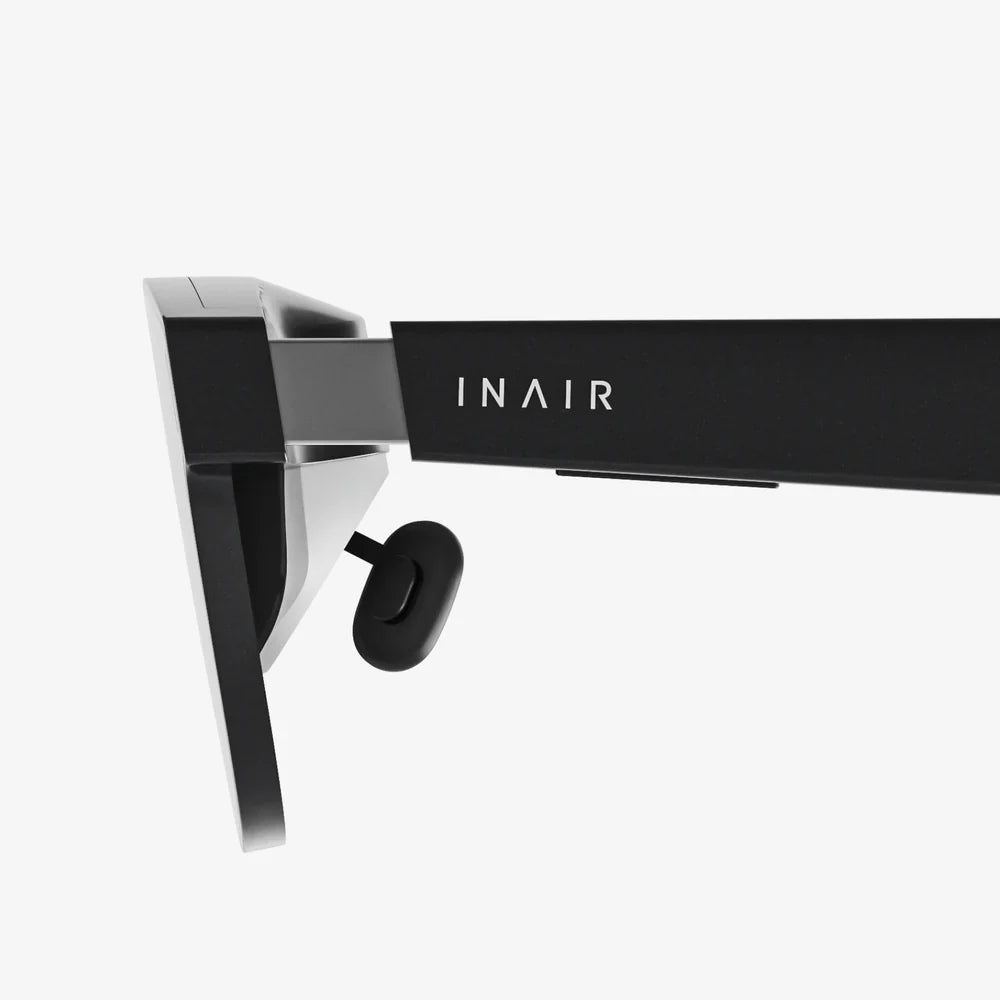
ar glasses under 200 are quietly becoming one of the most exciting shortcuts into the world of augmented reality, giving you a taste of next‑generation tech without wrecking your budget. Instead of waiting years for expensive headsets to drop in price, you can already explore heads-up displays, basic mixed reality, and hands-free information overlays for less than the cost of a mid-range phone accessory. If you have been curious about AR but hesitant to spend big, this price range might be the sweet spot where experimentation, practicality, and affordability finally meet.
Yet, budget AR is not magic. Devices in this category come with trade-offs: limited field of view, modest processing power, and fewer advanced features than premium headsets. The trick is understanding what ar glasses under 200 can realistically do, what they cannot, and how to choose a pair that actually matches your needs. With the right expectations and a bit of research, these glasses can turn from a novelty into a genuinely useful daily tool for work, study, and entertainment.
What “ar glasses under 200” Really Means Today
When people search for ar glasses under 200, they are usually looking for a wearable device that can overlay digital information onto the real world without the hefty price tag of flagship headsets. However, this price range covers several different device types, each with its own strengths and limitations.
Common Types of Budget AR Glasses
In the under-200 category, you will typically encounter:
- Smart viewer glasses – Lightweight glasses that connect to your phone or laptop and act as a secondary display. They usually mirror your device screen or show a simplified interface in your field of view.
- Heads-up display (HUD) glasses – Minimalist devices that show simple information like notifications, navigation prompts, or basic widgets in a small portion of your visual field.
- AR-compatible viewers – Glasses that rely heavily on your smartphone for processing and tracking, using lenses or a small screen to create the illusion of a floating display.
- Hybrid entertainment glasses – Designed mainly for watching movies or playing games on a virtual big screen, but sometimes marketed as AR because they can overlay content over your surroundings.
True, fully spatial AR with advanced hand tracking and 3D mapping is still mostly found in higher-end devices. Under 200, the focus is more on display convenience, simple overlays, and leveraging your existing phone or computer to do the heavy lifting.
Core Capabilities You Can Expect
Even with a modest budget, ar glasses under 200 can offer surprisingly useful features:
- Basic overlays – Text, icons, and simple graphics shown in your line of sight.
- Mirrored or extended display – Viewing your phone or laptop screen as if it were a floating monitor.
- Hands-free notifications – See incoming calls, messages, or alerts without pulling out your phone.
- Navigation hints – Turn-by-turn arrows or directions while walking or cycling.
- Media viewing – Watching videos or reading documents in a semi-immersive way.
These features may not feel like science fiction, but they can dramatically change how you multitask, consume content, and stay informed while on the move.
Key Features to Look For in ar glasses under 200
Because the budget is tight, every feature matters. Focusing on a few critical specs will help you avoid disappointment and pick the right device for your lifestyle.
1. Display Quality and Field of View
The display is the heart of any AR device. For ar glasses under 200, consider:
- Resolution – Look for at least HD-quality visuals if you plan to read text or watch media. Lower resolutions can make small fonts blurry and strain your eyes.
- Brightness – Sufficient brightness is crucial if you want to use the glasses outdoors or in bright rooms. Dim displays can make overlays nearly invisible in sunlight.
- Field of view (FOV) – Budget AR glasses usually have a relatively small FOV, meaning the virtual content appears in a restricted area rather than filling your entire vision. A wider FOV feels more immersive, but is rare under 200, so aim for the best you can find within the budget.
Ask yourself what you will do most: reading, navigation, or media consumption. Then prioritize resolution and FOV accordingly. For text-heavy tasks, clarity matters more than pure immersion.
2. Comfort, Weight, and Fit
Even the most powerful AR glasses are useless if they hurt to wear. Under 200, manufacturers often cut costs by using simpler materials, so pay close attention to comfort:
- Weight – Lighter glasses are easier on your nose and ears, especially during long sessions.
- Nose pads and temple arms – Adjustable components help you find a secure fit and reduce pressure points.
- Compatibility with prescription lenses – If you wear glasses, check whether the AR device fits over them or supports clip-in prescription inserts.
Try to imagine wearing the device for an entire commute or a two-hour movie. If comfort is questionable, you will likely stop using it after the initial novelty wears off.
3. Battery Life and Power Options
Budget AR glasses often depend on your smartphone or laptop for processing, which can help with battery life, but you still need to consider:
- Standalone battery life – How many hours of continuous use you get on a single charge.
- Charging method – USB-C is common and convenient; proprietary connectors can be inconvenient.
- Power draw from host device – If the glasses rely heavily on your phone, they may drain your phone battery faster than you expect.
For ar glasses under 200, a realistic expectation is a few hours of active use per charge. If you need all-day usage, consider whether you are willing to carry a power bank or charge during breaks.
4. Connectivity and Compatibility
Most budget AR glasses rely on other devices for content and processing. Before buying, verify:
- Smartphone compatibility – Check whether your phone’s operating system and hardware are supported.
- PC or laptop support – Some glasses can act as a portable monitor for computers, which is useful for productivity and media.
- Wireless vs. wired – Wired connections can be more stable and power-efficient, while wireless setups are more convenient but may introduce lag.
Compatibility issues are a common frustration. Make sure the glasses will actually work with your daily devices so you do not end up with an expensive toy that sits in a drawer.
5. Sensors and Interaction Methods
High-end AR headsets often include depth sensors, advanced cameras, and hand-tracking. Under 200, you are more likely to find simpler sensor setups, such as:
- Basic motion sensors – For head tracking and orientation.
- Touch controls on the frame – To navigate menus or adjust settings.
- Companion app controls – Using your phone as the main input device.
- Voice commands – Sometimes available through integration with your phone’s voice assistant.
Focus on interaction methods that feel natural for you. If you dislike talking to your devices in public, voice control may not be practical. If you prefer quick taps and swipes, make sure the touch controls are responsive and well-placed.
What You Should Not Expect From ar glasses under 200
To avoid disappointment, it is essential to recognize the limits of this price segment. ar glasses under 200 are best understood as an introduction to AR, not a full replacement for premium mixed reality systems.
Limited 3D Spatial Awareness
Most budget AR glasses do not scan your environment in 3D or anchor digital objects convincingly to real-world surfaces. Instead, they overlay content in a fixed position relative to your head, more like a floating screen than a true hologram anchored to your desk or wall.
Basic Graphics and Simple Apps
Do not expect highly detailed 3D models, advanced holographic games, or complex multi-window workspaces. Many apps in this range focus on simple tasks:
- Notifications and quick information.
- Streaming video from your phone or computer.
- Basic navigation and fitness data.
- Minimalist productivity tools like to-do lists or timers.
While these may sound modest, they can still be powerful when used consistently in daily life.
Compromises in Build and Materials
Under 200, you may see more plastic construction, fewer premium finishes, and sometimes less refined ergonomics. This does not necessarily mean poor durability, but it does mean you should treat the glasses carefully and avoid expecting luxury-level hardware.
Practical Use Cases for ar glasses under 200
Despite their limitations, budget AR glasses can shine in several real-world scenarios. Understanding these use cases helps you decide whether they fit your lifestyle and whether the investment is worth it.
1. Productivity and Remote Work
For students, freelancers, and remote workers, ar glasses under 200 can act as a portable, semi-private second screen. You can:
- View reference documents while typing on your laptop.
- Keep a to-do list or calendar visible without switching windows.
- Watch tutorials while you follow along on your main screen.
- Take video calls while still seeing what is in front of you.
This can be especially helpful if you work in tight spaces, travel frequently, or use a compact laptop with limited screen real estate.
2. Navigation and Outdoor Activities
When paired with your smartphone, AR glasses can show navigation directions, distance, or pace data while you walk, cycle, or run. This offers several advantages:
- Hands-free navigation without constantly checking your phone.
- Safer awareness of surroundings compared to staring at a handheld screen.
- Subtle prompts that do not dominate your vision.
Budget AR glasses may not be ideal for extreme sports, but they can be very useful for casual commuting, city exploration, or fitness tracking.
3. Learning and Skill Development
Because ar glasses under 200 often rely on your phone or computer, they can be used as a floating guide while you learn new skills:
- Follow step-by-step tutorials while your hands stay free.
- Keep instructions visible while you assemble furniture or repair gadgets.
- Use language learning apps that show vocabulary or subtitles in your field of view.
This kind of lightweight AR can make learning more efficient by reducing the need to switch between tools and instructions.
4. Entertainment and Media Consumption
Many buyers are drawn to ar glasses under 200 for the promise of a personal cinema or gaming display. While the experience will not match high-end VR headsets, you can still enjoy:
- Watching movies or shows on a virtual large screen.
- Playing games streamed from your phone or console.
- Listening to audio while occasionally glancing at visual overlays.
This is especially appealing if you live in a shared space and want a more private viewing experience without investing in a large physical monitor.
5. Accessibility and Assistive Uses
Although not always marketed this way, budget AR glasses can support accessibility in subtle ways:
- Displaying enlarged text for people who struggle with small screens.
- Providing visual cues or captions during conversations or media playback.
- Offering simple reminders or prompts for people who benefit from visual support.
These features depend heavily on the software ecosystem, but they highlight how AR can be more than just a tech novelty.
How to Evaluate and Compare ar glasses under 200
Choosing the right device in this price range can feel overwhelming. A structured evaluation process helps you cut through marketing and focus on what matters.
Step 1: Define Your Primary Use Case
Start by choosing one or two main goals:
- Do you want a portable second screen for work?
- Are you more interested in fitness and navigation?
- Is private media consumption your top priority?
- Do you want to experiment with AR development and simple apps?
Your answer will influence which specs to prioritize. For example, a media-focused user might care more about resolution and FOV, while a navigation user might prioritize brightness and comfort.
Step 2: Check Device Compatibility Thoroughly
Before you fall in love with any particular model, confirm:
- Supported operating systems for companion apps.
- Hardware requirements, such as specific ports or processors.
- Whether the glasses can work with both your phone and your computer, if you need that flexibility.
Reading user reviews and community discussions can reveal hidden compatibility issues that official specs do not always highlight.
Step 3: Compare Comfort and Design
Look for details in product descriptions and user feedback:
- Reported pressure on the nose or ears.
- Whether the glasses slip during movement.
- How they fit over regular eyeglasses, if you wear them.
If possible, choose retailers with generous return policies so you can test the fit in real life. Comfort is highly personal and difficult to judge from photos alone.
Step 4: Evaluate the Software Ecosystem
Hardware is only half the story. For ar glasses under 200, software often makes or breaks the experience:
- Is there a reliable companion app with regular updates?
- Are there multiple apps or modes for different use cases (work, fitness, media)?
- Does the device support common streaming or remote desktop solutions for productivity?
A simpler but stable ecosystem is usually better than a flashy one that rarely works as advertised.
Step 5: Look for Honest Limitations
Marketing materials may gloss over weaknesses, but user reviews often reveal:
- Issues with overheating or battery drain.
- Lag or stuttering in mirrored displays.
- Display artifacts such as ghosting or color fringing.
- Fragility of hinges, cables, or connectors.
When you see repeated complaints about the same issue, treat them as red flags and weigh them against your priorities.
Maximizing the Value of ar glasses under 200
Once you have chosen a pair of budget AR glasses, a few habits can help you get far more value from them than the price tag suggests.
Optimize Your Setup
Spend time tweaking settings and environment:
- Adjust brightness and contrast for your typical lighting conditions.
- Customize notification filters so you only see what truly matters.
- Experiment with different display modes (mirrored, extended, or dedicated AR views).
A well-tuned setup can transform the experience from “gimmick” to “tool” very quickly.
Integrate AR Into Daily Routines
Instead of using the glasses only as a party trick, deliberately integrate them into specific routines:
- Morning planning: keep your calendar and tasks visible while you prepare for the day.
- Study or work sessions: use the floating screen for reference materials or research tabs.
- Exercise: display pace, distance, or heart rate while you run or cycle.
The more consistently you use the glasses, the easier it becomes to justify the purchase and refine your setup.
Protect and Maintain Your Device
Even though ar glasses under 200 are relatively affordable compared to high-end headsets, they are still sophisticated electronics that benefit from good care:
- Use a protective case when traveling.
- Clean lenses with appropriate cloths to avoid scratches.
- Avoid exposing them to extreme heat, moisture, or dust.
Taking care of your glasses not only extends their lifespan but also maintains display clarity, which is crucial for a pleasant AR experience.
Who Should Consider ar glasses under 200?
Budget AR glasses are not for everyone, but they can be a smart purchase for certain users.
Great Candidates for Budget AR
- Curious early adopters on a budget – People who want to explore AR without committing to expensive hardware.
- Students and remote workers – Those who benefit from extra screen space and hands-free information access.
- Fitness and outdoor enthusiasts – Users who want subtle navigation and performance data overlays.
- Minimalist media consumers – Viewers who prefer a portable, personal screen instead of large physical displays.
Who Might Want to Wait or Invest More
- Developers building advanced mixed reality apps – They may need richer sensors and spatial mapping than budget devices provide.
- Professional designers and 3D artists – They might require higher fidelity visuals and more immersive environments.
- Users expecting full holographic experiences – If you want room-scale, highly interactive AR, you will likely need to look beyond the under-200 bracket.
If your expectations align with what budget AR can realistically deliver, these glasses can be a smart stepping stone into the augmented future.
Future Prospects for ar glasses under 200
The under-200 category is likely to become more exciting over the next few years. As components get cheaper and more efficient, features that are currently premium will gradually trickle down into budget devices.
Expected Improvements
Over time, you can anticipate:
- Better displays with higher resolution and wider FOV.
- Improved comfort and lighter materials.
- More refined software ecosystems with specialized apps.
- Enhanced integration with phones, wearables, and smart home devices.
This means that buying ar glasses under 200 today is not only a way to enjoy AR now, but also a way to understand your preferences before more advanced options become mainstream and affordable.
Turning a Modest Budget Into a Powerful AR Experiment
ar glasses under 200 occupy a fascinating middle ground: they are far more capable than cheap gimmicks, yet far more accessible than flagship mixed reality headsets. If you approach them with realistic expectations, they can transform everyday tasks, from working and studying to navigating and relaxing with your favorite shows.
By focusing on core features like display quality, comfort, compatibility, and software reliability, you can pick a device that feels tailored to your life instead of a random gadget purchase. Once you integrate these glasses into your routines, you may find that the most valuable part of the experience is not flashy holograms, but the subtle convenience of having the right information in front of your eyes at exactly the right moment.
If you have been waiting for the perfect time to test-drive augmented reality without overspending, ar glasses under 200 are a compelling invitation. With a bit of research, thoughtful setup, and daily use, they can give you a front-row seat to the future of computing at a price that feels surprisingly down to earth.
共有:
効果的な会議のためのAIツール:よりスマートなコラボレーションのための究極のガイド
AIを活用したアプリケーション:日常生活を変える静かな革命