


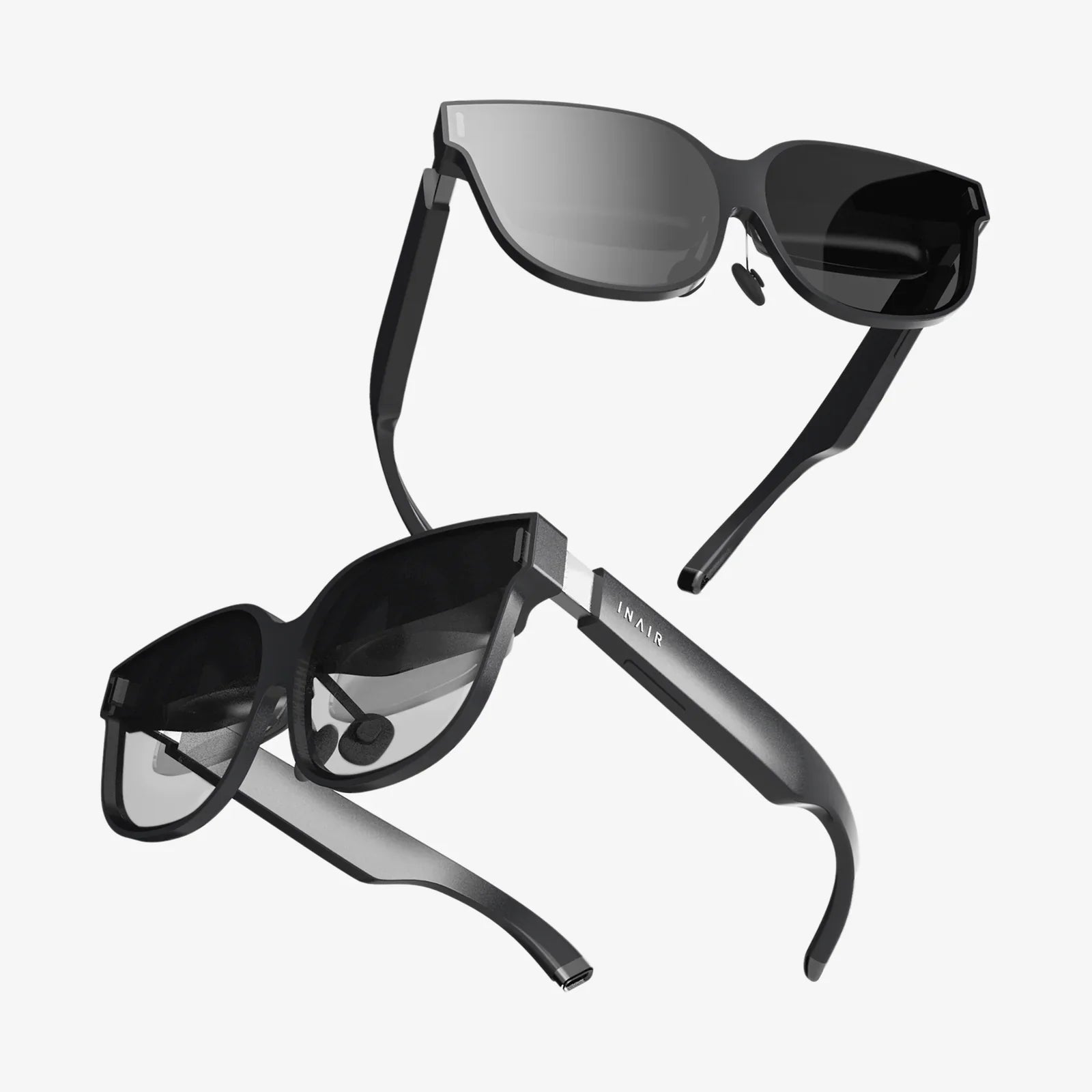
ar goggles are quietly becoming the next big leap in personal technology, promising to turn the entire world into your digital workspace, classroom, and playground. If you have ever wished your screen could follow you, your instructions could float in mid-air, or your games could spill into your living room, you are standing at the edge of a revolution that is moving from science fiction into your daily routine.
Unlike traditional screens that trap you in a rectangle, ar goggles layer digital information on top of your real surroundings. That means navigation arrows appearing on the street in front of you, real-time translations hovering over foreign text, or virtual tools anchored to your workbench. This blend of physical and digital worlds is known as augmented reality, and ar goggles are quickly becoming its most powerful gateway.
What Are ar goggles And How Do They Work?
ar goggles are wearable devices that overlay digital images, text, and interactive elements onto your view of the real world. They typically look like bulky glasses, ski goggles, or a compact visor. Unlike virtual reality headsets, which block out your surroundings, ar goggles keep you connected to your environment while enhancing it with digital content.
Most ar goggles rely on a combination of components working together:
- Optical system: Transparent or semi-transparent displays, waveguides, or tiny projectors that place digital content in your field of view.
- Sensors and cameras: Depth sensors, RGB cameras, and inertial measurement units that track your head, hands, and environment.
- Processor: A built-in computer or a connected device (like a phone or small compute pack) that runs applications and interprets sensor data.
- Audio system: Speakers or bone-conduction audio for spatial sound, alerts, and voice assistants.
- Controls: Hand tracking, eye tracking, voice commands, or physical controllers for interacting with virtual objects.
By continuously mapping your surroundings and tracking your movements, ar goggles can anchor digital objects to specific points in space. A virtual screen can stay pinned to a wall, a 3D model can sit on your desk, and a checklist can hover above your workbench, all responding naturally as you move around.
Key Features To Look For In Modern ar goggles
Not all ar goggles are created equal, and the experience can vary dramatically depending on hardware and software. When evaluating options, these features have the biggest impact on everyday use:
Field Of View
The field of view is the portion of your vision where digital content appears. A wider field of view feels more immersive and natural, letting virtual objects occupy more of your surroundings. A narrow field of view can feel like looking through a digital postage stamp. For productivity and entertainment, a larger field of view is usually more satisfying.
Display Quality
Clarity, brightness, contrast, and color accuracy all shape how convincing and comfortable the augmented experience is. High-resolution displays make text easier to read and 3D objects more realistic. Strong brightness is crucial for outdoor use, where sunlight can wash out dim overlays.
Comfort And Ergonomics
ar goggles are meant to be worn for extended periods, so comfort matters as much as performance. Consider:
- Weight distribution across the forehead and back of the head
- Adjustable straps and padding
- Compatibility with prescription lenses or built-in diopter adjustment
- Ventilation and heat management
Even the most powerful device will collect dust if it feels like a brick on your face.
Tracking And Interaction
High-quality tracking makes the difference between magical and frustrating. Precise head, hand, and eye tracking allow virtual objects to stay locked in place and respond intuitively. Good ar goggles should support natural gestures, responsive pointing, and reliable voice commands, reducing the need for physical controllers.
Battery Life
Battery life dictates how long you can stay in augmented reality before returning to a charger. For work scenarios, a few hours of continuous use may be enough, while field technicians, gamers, or travelers might want more. Some systems support external battery packs or hot-swapping to extend sessions.
Connectivity And Ecosystem
Connectivity options like Wi-Fi, Bluetooth, and sometimes cellular determine how well your ar goggles integrate with your other devices. Just as important is the software ecosystem: the range of applications, developer support, and updates that keep the experience evolving and secure.
How ar goggles Are Transforming Work And Productivity
ar goggles are poised to redefine how people work by bringing context-aware information directly into the line of sight. Instead of juggling between screens, manuals, and tools, workers can keep their hands free while digital instructions and data follow them.
Remote Assistance And Collaboration
One of the most powerful use cases is remote assistance. A field technician can wear ar goggles while an expert watches a live view from their perspective. The expert can then draw annotations that appear in the technician’s environment, highlight components, or place arrows and notes in real time. This reduces travel costs, speeds up problem resolution, and makes specialized knowledge accessible anywhere.
Step-By-Step Guidance
In manufacturing, logistics, and maintenance, ar goggles can display step-by-step instructions directly on the equipment or parts being handled. Visual overlays can indicate which component to remove, where to place a part, or which cable to connect. This reduces errors, shortens training time, and enables less experienced workers to perform complex tasks safely.
Data Visualization In Real Space
Professionals who work with data, design, or complex systems can benefit from seeing information anchored to real-world objects. For example:
- Engineers can see live sensor data hovering over machinery.
- Architects can walk through full-scale virtual models on a construction site.
- Warehouse staff can follow digital paths to items and see inventory details in front of each shelf.
By tying data to physical context, ar goggles help people understand and act faster.
Virtual Monitors And Infinite Desktops
Knowledge workers can use ar goggles to create multiple virtual screens that float around their workspace. Instead of being limited to a single monitor, they can arrange several large displays for documents, dashboards, and communication tools. These virtual monitors can remain in the same position relative to the room, so when you put on your ar goggles, your entire digital workspace appears exactly where you left it.
Learning, Training, And Education With ar goggles
Learning becomes far more engaging when information is presented in 3D and connected to the real world. ar goggles enable interactive experiences that can transform how students and trainees absorb information.
Immersive Classrooms
Students can explore historical sites reconstructed in 3D, view planets orbiting around them, or dissect virtual organisms without needing physical specimens. Complex concepts in physics, chemistry, and biology can be demonstrated as dynamic, manipulable models. This multi-sensory learning can improve comprehension and retention, especially for visual and kinesthetic learners.
Hands-On Technical Training
For medical, engineering, and vocational training, ar goggles offer realistic practice without the risk and cost of real-world mistakes. Trainees can perform virtual procedures with instant feedback, follow guided workflows on simulated equipment, and repeat difficult steps as many times as needed. This approach blends theory and practice, preparing learners for real environments more effectively.
Personalized Learning Paths
Because ar goggles can track progress and performance, training applications can adapt to each learner. If a user struggles with a particular step, the system can slow down, provide extra hints, or switch to a different explanation style. This personalization is difficult to achieve in traditional classroom settings but becomes natural in a digital, interactive environment.
Entertainment, Gaming, And Social Experiences
Entertainment is often the first glimpse many people get of new technology, and ar goggles are no exception. Their ability to merge digital content with real environments opens new types of games and social experiences.
Location-Based And Room-Scale Games
ar goggles can turn your living room, backyard, or city streets into interactive playgrounds. Virtual characters can hide behind real furniture, digital puzzles can be anchored to your walls, and cooperative games can involve multiple players seeing the same augmented scene. Because everyone still sees the real world, ar games can feel more social and less isolating than fully virtual experiences.
Interactive Storytelling
Movies and stories can become experiences you walk through. Characters might appear in your home, clues can be scattered throughout your environment, and scenes can unfold around you instead of on a flat screen. This blending of narrative and space can make storytelling more personal and memorable.
Shared Augmented Spaces
ar goggles also enable shared digital spaces layered on top of reality. Friends can decorate a room with virtual art, play board games using digital pieces on a real table, or attend live performances where digital stage effects appear in their own environment. These shared experiences can make distance feel smaller, and social interactions feel more vivid.
Everyday Life: Navigation, Shopping, And Home Use
Beyond specialized work and entertainment, ar goggles have the potential to subtly weave digital convenience into everyday tasks, making ordinary routines smoother and more informed.
Navigation And Travel
With ar goggles, navigation directions can appear directly on the streets and sidewalks in front of you. Arrows can float at intersections, landmarks can be highlighted, and public transport information can appear at stations and stops. Travelers in foreign countries can see translations of signs and menus overlaid in their own language, making exploration more confident and spontaneous.
Shopping And Product Visualization
ar goggles can help you preview items before you buy them. You can place virtual furniture in your living room to see if it fits, test different colors on your walls, or try on digital clothing to check style and fit. For complex purchases, detailed information, reviews, and comparisons can appear next to products as you browse in-store or at home.
Home Organization And Smart Devices
In a connected home, ar goggles can act as a visual control center. You might see the status of appliances, energy usage, and security cameras as overlays on walls or devices. Labels can appear on boxes in storage to show what is inside, and reminders can be pinned to specific locations, like a note hovering near your front door telling you not to forget your keys.
Health, Fitness, And Well-Being Applications
ar goggles can also support healthier lifestyles by making fitness and wellness more engaging and easier to track.
Guided Workouts And Coaching
During exercise, virtual trainers can appear in your environment, demonstrating proper form and giving real-time feedback. Running routes can include visual checkpoints and pace indicators, while indoor workouts can use gamified challenges to keep motivation high. By overlaying metrics like heart rate and distance directly in your field of view, ar goggles reduce the need to constantly check a watch or phone.
Rehabilitation And Therapy
In rehabilitation, ar goggles can guide patients through exercises with clear visual cues and track their movements for accuracy. Gamified therapy tasks can encourage consistency, while clinicians can monitor progress remotely. For mental well-being, calming environments, guided breathing sessions, and mindfulness exercises can be layered onto real spaces to create safe, soothing experiences.
Ethical, Social, And Privacy Considerations
As compelling as ar goggles are, they raise serious questions about privacy, social norms, and long-term effects. Addressing these concerns early is critical for responsible adoption.
Always-On Cameras And Data Collection
ar goggles often rely on cameras and sensors that continuously scan the environment. This can capture bystanders, private spaces, and sensitive information without explicit consent. There is also the issue of data storage and analysis: who owns the recorded information, how long it is kept, and how it might be used or shared.
Clear visual indicators when recording, robust privacy settings, and transparent policies are essential. Users should be able to control what is captured, processed, and transmitted, and bystanders should have reasonable expectations of when they are being recorded.
Social Interaction And Etiquette
Wearing ar goggles in public or social settings can affect how people perceive you and how comfortable they feel. Eye contact may be harder to maintain, and others may wonder whether they are being recorded or analyzed. Over time, new etiquette will likely emerge, such as removing ar goggles during sensitive conversations or when entering certain spaces.
Digital Overload And Dependence
Because ar goggles can place information everywhere, there is a risk of constant distraction and cognitive overload. Notifications and overlays, if not carefully managed, can fragment attention and reduce the quality of real-world interactions. Balancing the benefits of augmentation with the need for focus and presence will be a key design and usage challenge.
Practical Tips For Choosing Your First Pair Of ar goggles
If you are considering buying ar goggles, it helps to approach the decision with clear expectations and priorities. Here are practical guidelines to navigate the options:
Clarify Your Primary Use Cases
Start by identifying what you want to do most:
- Work and productivity: Focus on comfort, virtual monitor support, and collaboration tools.
- Gaming and entertainment: Look for strong tracking, wide field of view, and rich content libraries.
- Training and education: Prioritize content availability and ease of use.
- Outdoor and on-the-go use: Emphasize brightness, battery life, and portability.
Your top use cases will help you trade off between features, price, and form factor.
Try Before You Commit, If Possible
Comfort and visual experience are highly personal. Whenever possible, try a demo in person. Pay attention to how heavy the device feels after a few minutes, whether you experience eye strain, and how natural the interface feels. Small differences in fit and optics can have a big impact on long-term satisfaction.
Check Compatibility And Ecosystem
Make sure the ar goggles integrate well with your existing devices and software. Consider:
- Operating systems and app stores supported
- Compatibility with your phone or computer
- Availability of apps for your specific needs
- Frequency of software updates and security patches
A strong ecosystem means the device is more likely to improve over time rather than become obsolete quickly.
Balance Specs With Real-World Use
It is easy to get lost in technical specifications, but the real test is how the device feels in daily use. A slightly lower resolution may be acceptable if the device is much more comfortable, or a smaller field of view might be fine if the software is well-designed and responsive. Focus on overall experience rather than chasing the highest numbers in every category.
Consider Longevity And Support
ar goggles are still an emerging category, and models can evolve quickly. Look for signals that the platform is actively supported: developer activity, regular updates, and clear roadmaps. This can extend the useful life of your investment and ensure access to new features and content.
Making The Most Of ar goggles In Daily Life
Once you own ar goggles, a thoughtful approach to usage can help you unlock their potential without letting them dominate your attention.
Set Boundaries And Modes
Create different modes for different contexts, such as:
- A focused work mode with minimal notifications and only essential apps.
- A social mode that disables recording and reduces overlays.
- A relaxation mode with calming visuals and wellness tools.
Switching modes can help you stay intentional about how and why you use the device.
Start With A Few High-Value Apps
Instead of installing everything at once, begin with a small set of applications that clearly improve your life. This might be a virtual monitor app for work, a navigation tool for travel, or a guided workout experience. As you get comfortable, gradually explore more specialized tools.
Be Mindful Of Others
Explain to friends, family, and coworkers what your ar goggles can and cannot do, especially regarding recording and data. Develop habits like taking the device off during sensitive discussions, turning off cameras in private spaces, and respecting requests from others who prefer not to be around active sensors.
Where ar goggles Are Headed Next
The current generation of ar goggles is only the beginning. Future devices are likely to be lighter, more stylish, and more powerful, eventually resembling everyday eyewear. Advances in optics, batteries, and processors will make all-day wear more practical, and software will become smarter at understanding environments and intentions.
Over time, ar goggles could become as common as smartphones, serving as the primary way people access digital information. Instead of pulling a device from your pocket, you might simply glance at a corner of your vision, speak a command, or gesture subtly to interact with apps and services. Workplaces, schools, and homes may be designed with augmented experiences in mind, blending physical and digital infrastructure.
For now, ar goggles occupy an exciting middle ground: mature enough to deliver real value, but early enough that experimentation and creativity are still wide open. Whether you are curious about boosting productivity, transforming learning, or reimagining entertainment, exploring ar goggles today puts you ahead of a curve that is rapidly approaching. The sooner you understand how to live and work with digital layers on the world around you, the more prepared you will be for the moment when augmented reality stops being a novelty and becomes the default way we see information.
共有:
Mixed Reality Headset Guide: How Immersive Tech Is Changing Everyday Life
android xr The Next Frontier Of Immersive Mobile Experiences