


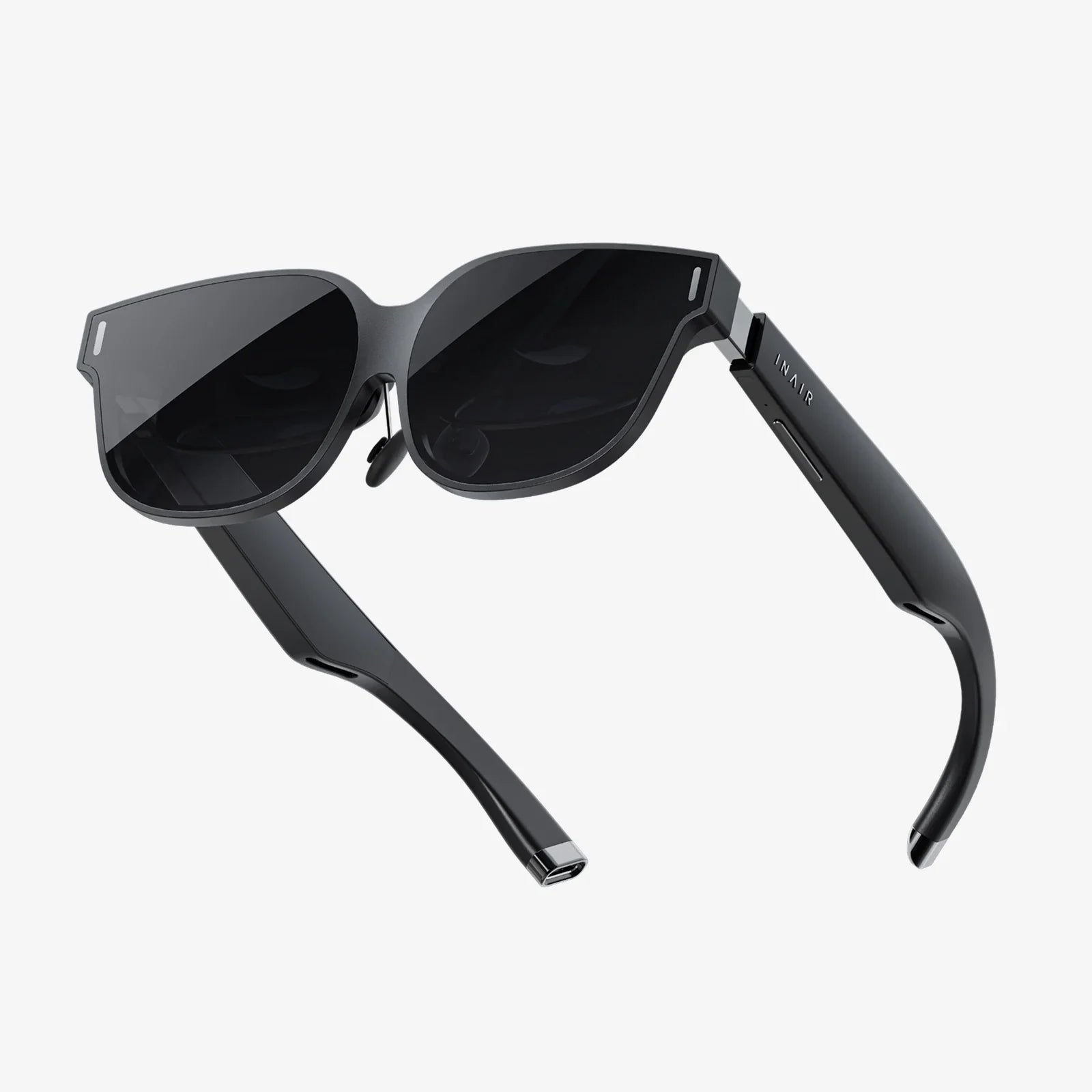
Imagine being able to drag, drop, and script an entire augmented reality experience in a single afternoon, then deploy it to phones, tablets, or headsets without writing thousands of lines of code. That is the promise of an ar scenario tool: turning complex AR development into a visual, story-driven process that almost anyone can learn. If you have ever wanted to create interactive training, immersive marketing, or guided walkthroughs in AR, understanding these tools is your shortcut to getting there.
What is an ar scenario tool and why does it matter?
An ar scenario tool is software that lets you design, organize, and control the flow of augmented reality experiences. Instead of focusing only on 3D models and code, it focuses on scenarios: sequences of events, interactions, and conditions that define how the user experiences the AR content.
Typically, an ar scenario tool includes:
- A visual editor for placing virtual objects in a scene
- Logic or flow controls to define what happens when users interact
- Support for triggers such as location, image markers, or object recognition
- Preview and testing capabilities on different devices
- Publishing or export options for deployment
Instead of thinking like a programmer, you think like a director or instructional designer: what should the user see first, what should they do next, and how should the system respond? This shift in perspective is what makes ar scenario tools so powerful and accessible.
Core components of a modern ar scenario tool
While different tools have different interfaces, most of them share a common set of building blocks that define how AR scenarios are created and controlled.
Scene and environment management
The scene is where your AR content lives. An ar scenario tool usually lets you:
- Place 3D objects in a virtual space anchored to the real world
- Define anchors such as surfaces, images, QR codes, or GPS locations
- Adjust lighting and shadows to match real-world conditions
- Organize layers and groups of objects for easier editing
Good scene management is essential for creating believable and comfortable AR experiences. If the virtual content floats, jitters, or appears in the wrong place, users will quickly lose trust in the experience.
Interaction and event logic
An AR scenario is not just about what users see; it is about what they can do. An ar scenario tool usually provides:
- Triggers such as taps, gaze, gestures, or proximity
- Events such as playing animations, showing text, or changing scenes
- Conditions based on time, user actions, or sensor data
- State management to track user progress or choices
Many tools offer node-based or flowchart-style editors where you connect triggers and actions like blocks. This makes it possible to build complex interactions without writing traditional code.
Asset management and media integration
AR scenarios rely on a mix of assets: 3D models, images, videos, audio, and text. An ar scenario tool helps you:
- Import and optimize 3D models for mobile performance
- Add 2D overlays such as labels, diagrams, and instructions
- Embed audio cues, voiceovers, and ambient sounds
- Manage file sizes and formats to keep experiences smooth
Because performance is critical in AR, many tools also include features for automatic optimization, level-of-detail adjustments, and compression.
Tracking, anchors, and spatial understanding
The magic of AR comes from aligning digital content with the physical world. An ar scenario tool usually supports one or more of the following:
- Plane detection to place objects on floors, tables, or walls
- Image tracking to attach content to posters, manuals, or packaging
- Object tracking to recognize and augment physical products or machines
- Location-based anchors using GPS and compass data
Choosing the right type of anchor is a key design decision. For example, training scenarios for machinery might use object tracking, while museum tours might rely on image markers next to exhibits.
Cross-platform deployment and runtime support
Modern ar scenario tools aim to deploy once and run everywhere. Common targets include:
- Smartphones and tablets (iOS and Android)
- AR headsets and smart glasses
- Web-based AR experiences running in a browser
Some tools export standalone applications, while others generate content that runs inside a host app or a web viewer. Understanding your deployment target early helps you design scenarios that feel natural on that device.
Key benefits of using an ar scenario tool
Adopting an ar scenario tool changes how teams think about AR. Instead of one-off experiments, you can build repeatable, scalable workflows for creating and updating experiences.
Lower barrier to entry
Visual scenario editing allows designers, educators, and subject matter experts to participate directly in the creation process. They do not have to wait for a developer to implement every idea. This makes AR more collaborative and reduces bottlenecks.
Faster prototyping and iteration
Because scenarios are defined in a high-level way, it is easier to:
- Test multiple versions of a learning path or marketing message
- Adjust pacing, difficulty, or narrative flow based on user feedback
- Fix usability issues without rewriting entire applications
Rapid iteration is especially important in AR, where comfort, clarity, and context are heavily influenced by subtle design decisions.
Consistency across multiple experiences
An ar scenario tool encourages reusable structures. You can:
- Create templates for tutorials, product demos, or safety procedures
- Reuse interaction patterns that users already understand
- Maintain a consistent look and feel across an entire AR portfolio
This consistency reduces user confusion and training time, especially in enterprise environments.
Better collaboration between roles
AR projects often involve diverse roles: designers, developers, trainers, marketers, and stakeholders. An ar scenario tool provides a common visual language that everyone can understand. This makes it easier to:
- Review scenario flows with non-technical stakeholders
- Gather feedback early before heavy development begins
- Document decisions and maintain a living specification of the experience
Scalability and maintainability
When AR experiences are defined as modular scenarios, they are easier to maintain and expand. You can:
- Add new chapters or modules without rebuilding from scratch
- Update content and logic in response to new requirements
- Manage multiple versions for different audiences or languages
This is particularly valuable for organizations that plan to use AR as an ongoing communication or training channel rather than a one-time experiment.
Use cases of ar scenario tools across industries
The versatility of an ar scenario tool becomes clear when you look at how different sectors apply it. The same underlying mechanics can support very different goals.
Education and training
In education, AR scenarios can transform abstract concepts into tangible experiences. Examples include:
- Interactive science experiments where students manipulate virtual molecules or circuits
- History lessons that overlay historical scenes on current locations
- Anatomy lessons where learners explore layered 3D models of the human body
For professional training, an ar scenario tool can structure step-by-step procedures, assessments, and branching paths based on performance. Trainees can practice complex tasks on virtual equipment before touching the real thing, reducing risk and cost.
Maintenance, repair, and operations
In industrial settings, AR scenarios guide technicians through inspections, repairs, and installations. An ar scenario tool can be used to:
- Overlay instructions directly on machinery
- Highlight components that need attention
- Enforce procedural steps, ensuring nothing is skipped
- Collect data on how long each step takes and where users struggle
Because scenarios are modular, they can be updated when equipment changes or new safety regulations are introduced.
Retail and product visualization
Retailers can use AR scenarios to let customers visualize products in their own environment, explore features, or configure options. An ar scenario tool can define:
- Guided tours of product features with interactive hotspots
- Comparison modes that show different models side by side
- Story-driven experiences that connect products to lifestyles or use cases
Because scenarios can track user choices, they can also provide insights into which features attract the most attention.
Marketing and experiential campaigns
Marketing teams often seek memorable experiences that stand out. An ar scenario tool enables:
- Location-based AR scavenger hunts
- Interactive posters or packaging that come to life when scanned
- Story-driven experiences that unfold over time or across different locations
These scenarios can be configured to encourage sharing, gather feedback, or lead users to specific calls to action.
Architecture, real estate, and urban planning
AR scenarios help stakeholders visualize buildings and spaces before they exist. Using an ar scenario tool, you can:
- Place virtual buildings on-site at their intended locations
- Guide viewers through different design options or phases
- Simulate lighting, materials, and occupancy over time
Scenario logic can also enable interactive feedback, allowing stakeholders to vote on design choices or flag concerns directly within the AR experience.
Designing effective AR scenarios: best practices
Owning an ar scenario tool is only half the story. The quality of your scenarios depends on thoughtful design choices that respect users, context, and constraints.
Start with clear objectives and user stories
Before opening any tool, define:
- Who your users are and what they need to achieve
- Where they will use the experience (home, classroom, factory floor)
- What success looks like (learning outcomes, conversions, reduced errors)
Translate these into user stories such as: "As a new technician, I want to learn how to replace a filter safely, so that I can perform maintenance without supervision." These stories guide the structure of your AR scenarios.
Keep interactions simple and discoverable
AR is still unfamiliar to many users. Overly complex gestures or hidden controls can cause frustration. Aim for:
- Simple actions like tap, move, rotate, and walk closer
- Clear visual cues such as highlights, arrows, and animated prompts
- Onboarding steps that teach basic interactions before the main scenario
An ar scenario tool can help by letting you reuse onboarding modules across multiple experiences, ensuring consistency.
Design for comfort and safety
AR experiences happen in real spaces, which introduces unique safety considerations. When using an ar scenario tool, consider:
- Limiting the need for rapid head movements or long periods of arm extension
- Avoiding cluttered visuals that obscure the real environment
- Providing breaks in longer scenarios to reduce fatigue
- Warning users if they need to move around or look away from the screen
Comfort directly affects how long users will engage with your scenarios and how they feel about AR overall.
Optimize for performance and reliability
Lag, tracking loss, or crashes can destroy immersion. Use your ar scenario tool to:
- Test on representative devices and environments
- Adjust asset quality to balance visuals and performance
- Implement fallback behaviors when tracking is lost
Scenario logic can also help here: for example, pausing certain interactions when tracking is unstable, or guiding users to move to a better-lit area.
Use feedback loops and analytics
Many ar scenario tools allow you to track user behavior and performance. This data is invaluable for improving scenarios over time. You can measure:
- Completion rates for training modules
- Time spent on each step or scene
- Common points of confusion or abandonment
Use these insights to refine instructions, adjust difficulty, or simplify interactions. Treat your AR scenarios as living products that evolve with user needs.
Choosing the right ar scenario tool for your needs
Not every ar scenario tool is suitable for every project. Selecting the right one requires a clear view of your technical capabilities, goals, and constraints.
Assess your team’s skills and workflow
Ask yourself:
- Do you have in-house developers, or do you rely on no-code workflows?
- Are your designers comfortable with 3D tools, or mainly 2D?
- How will content be updated over time, and by whom?
If your team is light on programming expertise, prioritize tools with strong visual editors, templates, and documentation. If you have developers, you may prefer tools that expose deeper APIs and scripting options.
Clarify your deployment targets
Different tools prioritize different platforms. Consider:
- Do you need smartphone-based AR, headset-based AR, or both?
- Is web-based AR important for easy access?
- Do you need offline capabilities for remote locations?
Your answers will narrow the field and prevent surprises later in the project.
Evaluate integration and data requirements
Many AR scenarios do not exist in isolation. They may need to connect to:
- Learning management systems for tracking training outcomes
- Customer relationship tools for marketing analytics
- Enterprise resource systems for maintenance schedules and parts data
When choosing an ar scenario tool, check whether it supports the data formats, APIs, or standards your organization relies on.
Consider licensing, scalability, and support
Cost structures vary widely. Think about:
- How many creators and end users you will have
- Whether you need enterprise features like single sign-on and role-based access
- The level of support, training, and documentation available
A tool that seems inexpensive for a single pilot may become costly at scale if licensing does not match your growth plans.
Workflow example: building a training scenario with an ar scenario tool
To make the process more concrete, consider a simple training use case: teaching new employees how to safely operate a piece of equipment using AR.
Step 1: Define learning objectives and constraints
Start by defining what learners must be able to do at the end of the scenario. For example:
- Identify key components of the machine
- Perform a pre-operation safety check
- Start and stop the machine safely
Note constraints such as session length, available devices, and safety regulations.
Step 2: Map out the scenario flow
Using the ar scenario tool, sketch a flow that might include:
- An introduction scene with objectives and basic controls
- A guided tour of components using labels and highlights
- An interactive checklist for the safety inspection
- A simulated operation sequence with branching paths based on user choices
- A final assessment that records performance
This flow becomes the backbone of your scenario graph or storyboard.
Step 3: Prepare and import assets
Next, gather the necessary content:
- 3D model of the equipment
- Icons and diagrams for labels
- Voiceover scripts and audio files
- Assessment questions and scoring rules
Import these into the ar scenario tool and organize them into reusable components.
Step 4: Configure tracking and anchors
Decide how the AR content will align with the real world. Options include:
- Object tracking if the real machine is present
- Image tracking using a poster or manual page if the machine is not available
- Plane detection for a fully virtual training mode
Set up anchors in the tool and test them in the actual environment where training will occur.
Step 5: Build interactions and logic
Using the visual logic editor, define:
- What happens when the learner taps a highlighted component
- How the checklist progresses when steps are completed
- What feedback is given for correct or incorrect actions
- How the assessment score is calculated and stored
Keep interactions consistent and clearly signposted to help learners focus on the content rather than the interface.
Step 6: Test, refine, and deploy
Run pilot sessions with a small group of learners. Observe:
- Where they hesitate or seem confused
- Whether tracking and anchors remain stable
- How long each section takes to complete
Use the ar scenario tool to adjust pacing, instructions, and visuals based on this feedback. Once refined, deploy the scenario to the target devices and integrate it with your existing training systems if needed.
Future directions for ar scenario tools
As AR technology matures, ar scenario tools are evolving to become more intelligent, collaborative, and context-aware.
AI-assisted authoring
Emerging tools are starting to use artificial intelligence to:
- Suggest scenario flows based on learning objectives or marketing goals
- Automatically generate variations of content for different audiences
- Analyze user behavior and recommend improvements
This could further reduce the barrier to entry and help non-experts create effective AR experiences more quickly.
Real-time adaptation and personalization
Future AR scenarios may adapt themselves in real time based on user performance, preferences, or environmental conditions. For example:
- Training scenarios that adjust difficulty based on learner accuracy
- Retail experiences that highlight products aligned with user interests
- Guided tours that change routes based on crowd density
An ar scenario tool that supports dynamic logic and data integration will be essential for building such adaptive experiences.
Deeper integration with physical spaces and IoT
As more devices and environments become connected, AR scenarios can tap into live data from sensors, machines, and building systems. This opens possibilities such as:
- Maintenance scenarios that show real-time equipment status
- Smart building tours that adapt to current energy use or occupancy
- Safety scenarios that respond to actual alerts or incidents
Ar scenario tools will need to provide robust ways to connect to these data sources while maintaining reliability and security.
Turning ideas into reality with an ar scenario tool
Every ambitious AR concept starts as a sketch, a story, or a business need. The difference between a fleeting idea and a working experience often comes down to the tools you use to shape and test it. An ar scenario tool gives you a structured, visual way to turn imagination into interactive reality, whether you are teaching complex skills, guiding customers, or bringing stories to life in the spaces people already inhabit.
If you want your next AR project to move beyond experimental demos and into real-world impact, investing time in the right ar scenario tool is one of the most leveraged decisions you can make. With clear objectives, thoughtful design, and a workflow built around scenarios rather than isolated features, you can create immersive experiences that users remember, talk about, and return to again and again.
共有:
indeed virtual reality Is Transforming How We Work, Learn, and Play
Mini Portable Computer Monitor Guide: Work, Play, and Create Anywhere