


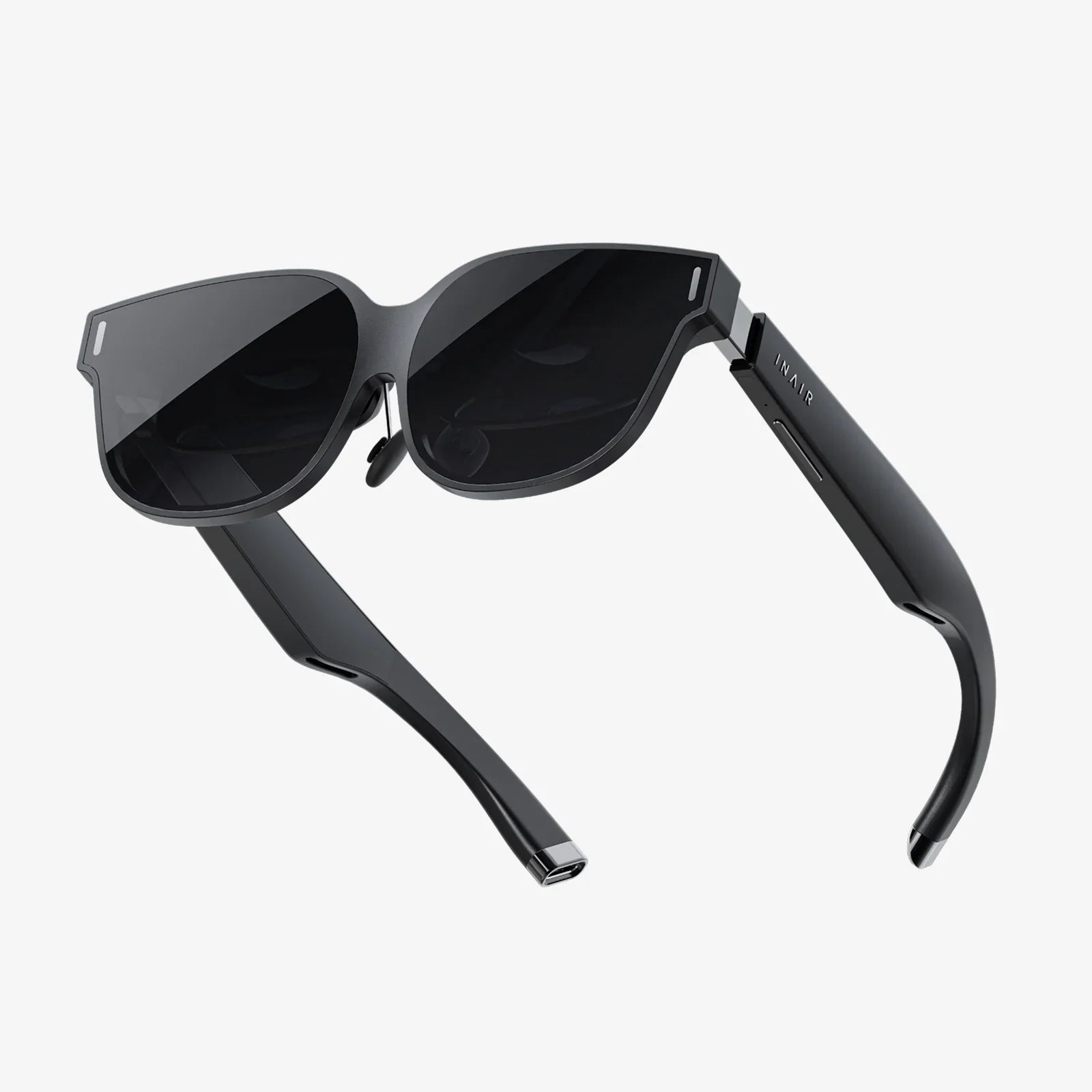
Assisted reality is no longer a futuristic concept reserved for tech labs and science fiction; it is quietly slipping into factories, hospitals, construction sites, and field service vans right now. The workers using it are solving problems faster, training in real time, and avoiding costly mistakes long before they happen. While many organizations are still debating whether immersive technologies are worth the hype, assisted reality is already delivering practical, measurable results with far less complexity than full virtual or augmented reality systems. If you have ever wondered how to bring digital information into the real world without overwhelming your team or budget, assisted reality may be the most underrated opportunity you are missing.
What Is Assisted Reality?
Assisted reality is a class of technology that displays digital information in a user’s field of view without fully overlaying or blending it with the physical environment. In simple terms, it lets you see the real world clearly while accessing relevant data, instructions, or communications at the same time. Unlike fully immersive virtual reality, you are not cut off from your surroundings. Unlike advanced augmented reality, the system does not need to precisely map or track every object in the environment.
Most assisted reality solutions rely on head-mounted or near-eye displays, wearable devices, or ruggedized tablets that present contextually relevant information. The key idea is that the technology assists the worker rather than replaces their natural perception of the real world. You still see your tools, your colleagues, and your environment directly; the device simply adds a layer of guidance, reference, or communication that you can glance at when needed.
This subtle distinction is important. Assisted reality is designed for real work in real environments, especially where safety, mobility, and hands-free operation matter. Because it does not attempt to fully reconstruct or augment the environment, it tends to be simpler to deploy, more reliable in harsh conditions, and easier for non-technical workers to adopt.
How Assisted Reality Differs From Augmented and Virtual Reality
Immersive technologies are often grouped together, but assisted reality, augmented reality, and virtual reality serve different purposes and come with different trade-offs. Understanding these differences helps organizations select the right tool for each use case.
Assisted Reality vs Virtual Reality
Virtual reality places the user in a fully digital environment, typically using a headset that blocks out the real world. This is powerful for simulations, training scenarios, or entertainment experiences where the real environment is irrelevant or even distracting. However, it is not ideal for frontline workers who must remain aware of their surroundings, such as technicians in a plant, nurses on a ward, or operators on a construction site.
Assisted reality, by contrast, keeps the real world front and center. The user can walk, work, and interact with physical objects while glancing at digital information when needed. This makes it far more practical for daily operations and safety-critical tasks, where situational awareness is non-negotiable.
Assisted Reality vs Augmented Reality
Augmented reality overlays digital content onto the real world, often anchored to specific objects or locations. This can enable advanced applications such as 3D models aligned with machinery, interactive labels floating over components, or navigation arrows on the floor. However, these capabilities require environmental mapping, object recognition, and precise tracking, which can be technically complex and resource intensive.
Assisted reality does not attempt to anchor content to physical objects. Instead, it presents information in a fixed position within the user’s field of view, like a floating display or a virtual tablet. This reduces the need for heavy processing, complex calibration, and constant environmental scanning. The result is a simpler, more robust experience that can run on lighter, more durable devices and function reliably in variable lighting, weather, or network conditions.
In many real-world scenarios, workers do not need digital arrows pointing to every bolt on a machine; they need clear instructions, quick access to checklists, and the ability to call an expert when something does not look right. Assisted reality focuses on these essentials.
Core Capabilities of Assisted Reality Systems
While implementations vary, most assisted reality solutions share several core capabilities that make them valuable in frontline environments.
Hands-Free Information Access
One of the most important features is hands-free access to information. Workers can view step-by-step instructions, checklists, diagrams, or status dashboards without holding a tablet or flipping through printed manuals. This is especially valuable in environments where both hands are needed for tools or where gloves, harnesses, or safety gear make traditional devices impractical.
Remote Expert Guidance
Assisted reality devices often include cameras, microphones, and speakers that allow a remote expert to see what the worker sees and provide live guidance. The expert can talk the worker through complex procedures, highlight areas of concern verbally, and confirm that tasks have been completed correctly. This reduces the need for travel, speeds up problem resolution, and helps less experienced workers handle advanced tasks with confidence.
Contextual Workflows and Checklists
Digital workflows and checklists can be presented step by step, ensuring that workers follow the correct sequence and do not skip critical steps. Each step can include images, short videos, or notes, and the system can require confirmation or data entry before moving on. This structured approach reduces errors and improves compliance with standard operating procedures.
Data Capture at the Point of Work
Assisted reality devices can capture photos, videos, voice notes, and sensor readings directly at the point of work. This information can be automatically linked to equipment records, maintenance logs, or quality reports. Instead of scribbling notes on paper and entering them later, workers can capture rich data in real time, improving accuracy and traceability.
Integration With Existing Systems
Because assisted reality focuses on presenting information rather than reconstructing environments, it can integrate relatively easily with existing enterprise systems. Work orders from maintenance platforms, training content from learning systems, and documentation from knowledge bases can be surfaced in the worker’s view. This turns existing data into actionable guidance without requiring a complete overhaul of backend infrastructure.
Key Benefits of Assisted Reality for Organizations
Organizations exploring assisted reality are typically looking for tangible, near-term value. Several benefits consistently emerge across industries and use cases.
Faster Training and Skill Transfer
Training new employees has become more challenging as experienced workers retire and processes become more complex. Assisted reality allows new workers to learn by doing, with guidance available in real time. Instead of memorizing procedures in a classroom and hoping they remember them on the job, trainees can follow on-device instructions while performing actual tasks under supervision.
This approach accelerates time to competency and reduces dependence on a small number of experts. It also supports continuous learning, allowing workers to tackle new tasks with confidence as they gain access to guided workflows and remote support.
Reduced Errors and Rework
Errors in maintenance, assembly, inspection, or clinical processes can be extremely costly. Assisted reality helps reduce errors by providing clear, step-by-step instructions and real-time verification. Digital checklists ensure that no steps are skipped, and remote experts can double-check work before equipment is restarted or products are released.
By catching issues early and guiding workers through complex procedures, organizations can reduce rework, scrap, downtime, and safety incidents. Even small reductions in error rates can translate into significant cost savings when scaled across a large workforce.
Improved Safety and Compliance
Safety protocols and regulatory requirements are often detailed and easy to overlook under pressure. Assisted reality can present safety prompts at the right moment, such as reminding a worker to lock out equipment, don specific protective gear, or verify environmental conditions before proceeding.
Because the system can log which steps were acknowledged and completed, it also provides an audit trail that supports compliance and incident investigations. Over time, organizations can analyze this data to identify patterns, refine procedures, and address recurring risks.
Higher Productivity and Reduced Downtime
When workers can access information instantly and get expert help without waiting for someone to travel to the site, tasks are completed faster and equipment returns to service sooner. Assisted reality reduces time spent searching for documents, calling multiple people for help, or repeating tasks due to misunderstandings.
In environments where downtime is extremely expensive, such as manufacturing plants, energy facilities, or transportation networks, even modest improvements in response time and task efficiency can deliver substantial financial benefits.
Better Use of Expert Resources
Highly skilled experts are often stretched thin, traveling between sites or constantly responding to urgent calls. Assisted reality allows them to support multiple locations remotely, focusing their time on diagnosis and guidance rather than travel. They can see exactly what the frontline worker sees, ask targeted questions, and direct specific actions.
This not only increases the impact of each expert but also makes their knowledge more accessible to the broader workforce. Over time, recorded sessions and annotated workflows can be turned into reusable training content, further amplifying their expertise.
Real-World Use Cases Across Industries
Assisted reality is versatile enough to support a wide range of industries and job roles. The following examples illustrate how different sectors are putting it to work.
Manufacturing and Industrial Operations
In manufacturing plants, assisted reality is used to guide assembly tasks, support preventive maintenance, and streamline changeovers on production lines. Workers can follow visual instructions for complex assemblies, verify torque settings, or confirm that components are installed correctly. Maintenance teams can access equipment histories, schematics, and troubleshooting guides while standing in front of the machine.
When unexpected issues arise, a remote engineer can join the session, view the machine through the worker’s camera, and suggest targeted tests or adjustments. This reduces reliance on paper manuals, minimizes delays, and helps maintain consistent quality across shifts and locations.
Field Service and Utilities
Technicians in the field often work alone, far from centralized support. Assisted reality enables them to access wiring diagrams, service bulletins, and installation procedures while climbing towers, inspecting pipelines, or repairing equipment in remote areas. If they encounter unfamiliar configurations, they can connect with a remote expert who sees the situation in real time.
This capability is especially valuable in utilities, telecommunications, and energy sectors where infrastructure is distributed over large geographic areas. By reducing repeat visits, travel time, and escalation to senior technicians, organizations can improve service levels and reduce operational costs.
Healthcare and Clinical Settings
In healthcare, assisted reality can support clinicians and technicians with procedure checklists, equipment setup guides, and access to patient information while maintaining focus on the patient. For example, during complex procedures, staff can reference step sequences or verify dosage calculations without turning away to consult paper charts or distant screens.
Remote specialists can also provide guidance to on-site teams, particularly in smaller facilities that lack certain expertise. By allowing experts to virtually join procedures or equipment setups, assisted reality helps extend advanced care and reduce the need for patient transfers.
Construction and Infrastructure Projects
Construction sites are dynamic environments where plans change frequently and coordination is critical. Assisted reality can provide workers with up-to-date drawings, installation sequences, and safety alerts directly on site. Supervisors can use wearable devices to conduct inspections, documenting issues with photos and voice notes while walking the site.
When discrepancies between plans and reality arise, stakeholders can connect remotely, view the site through the worker’s perspective, and make decisions faster. This reduces delays, rework, and misunderstandings that often occur when relying solely on static documents and delayed communication.
Logistics, Warehousing, and Retail Operations
In logistics and warehousing, assisted reality supports picking, packing, and inventory management. Workers can receive visual cues about which items to pick, where they are located, and how to pack them, all while keeping their hands free. This reduces errors in order fulfillment and helps new employees become productive more quickly.
Retail operations can use assisted reality for store audits, shelf resets, and equipment maintenance. Staff can follow visual instructions for rearranging displays, verifying planogram compliance, or servicing in-store systems without waiting for specialized technicians to arrive.
Designing Effective Assisted Reality Experiences
Deploying assisted reality successfully requires more than just choosing a device. Organizations need to design experiences that align with real workflows, respect the limitations of the environment, and support user comfort and safety.
Prioritizing Simplicity and Clarity
The most effective assisted reality applications are simple, focused, and easy to navigate. Workers should be able to understand what to do at a glance, without navigating complex menus or deciphering dense text. Clear icons, short instructions, and step-by-step flows are essential.
Because devices are often used in noisy, bright, or physically demanding environments, interfaces must be robust and forgiving. Large touch targets, voice commands, or gesture controls can help when fine motor control is limited by gloves or movement.
Aligning With Real Workflows
Before building content, organizations should map how work is actually performed, not just how procedures are documented. Observing frontline workers reveals shortcuts, common obstacles, and points of confusion that may not appear in official manuals. Assisted reality experiences should support these realities, guiding workers through tasks in the order and context they encounter them.
Involving frontline workers in the design process helps ensure that the solution feels like a helpful tool rather than a rigid, top-down mandate. Their feedback on content, navigation, and device comfort is invaluable.
Managing Cognitive Load
Assisted reality should reduce cognitive load, not increase it. Overloading the display with too much information, complex graphics, or constant notifications can distract workers and even create safety risks. Content should be organized so that only the most relevant information appears at each step, with options to access more detail when needed.
Breaking procedures into bite-sized steps, using visuals instead of long text, and minimizing the need for manual data entry all help keep mental effort manageable. Where possible, devices can automatically capture data in the background, such as timestamps or environmental readings.
Ensuring Comfort and Safety
Wearable assisted reality devices must be comfortable for extended use and compatible with existing safety gear. Weight, balance, heat, and adjustability all influence whether workers will accept the technology. Devices should not obstruct vision, interfere with helmets or protective eyewear, or create entanglement risks around machinery.
Organizations should conduct safety assessments to ensure that the devices do not introduce new hazards. This includes evaluating how they affect peripheral vision, hearing, and the ability to communicate with colleagues in noisy environments.
Overcoming Common Challenges in Assisted Reality Adoption
Even with strong potential benefits, assisted reality projects can stumble if certain challenges are not addressed upfront. Recognizing these obstacles helps organizations plan more effectively.
User Resistance and Change Management
Frontline workers may be skeptical of new devices, especially if they fear constant monitoring or increased pressure. Transparent communication about the goals of the deployment, how data will be used, and what benefits workers can expect is essential. Emphasizing that the technology is meant to assist, not replace, their expertise helps build trust.
Pilots should include volunteers and respected workers who can act as champions, sharing their experiences with peers. Early wins, such as faster problem resolution or reduced frustration with documentation, should be highlighted to build momentum.
Content Creation and Maintenance
Assisted reality is only as useful as the content it delivers. Creating clear, accurate workflows, checklists, and reference materials requires effort, especially when processes are complex or frequently changing. Organizations should identify owners for content, establish version control, and create processes for updating materials as procedures evolve.
Starting with high-impact, stable processes can help demonstrate value while keeping content workloads manageable. Over time, templates and best practices for content creation can speed up expansion to additional tasks and departments.
Connectivity and Infrastructure
Remote expert sessions and real-time data synchronization depend on reliable connectivity. In remote locations, underground facilities, or heavily shielded environments, network coverage may be limited. Organizations should assess connectivity early, explore options such as local caching or offline modes, and design workflows that can function even when connections are intermittent.
Security and privacy requirements must also be addressed, particularly in regulated industries. Devices should be configured to protect sensitive data, and policies should define where and how recordings, images, and logs are stored and accessed.
Scalability and Standardization
Many organizations begin with small pilots that work well but struggle to scale across sites and departments. To avoid fragmentation, it is important to define standards for devices, platforms, content formats, and integration approaches. Governance structures can help ensure consistency while allowing local teams to adapt solutions to their specific needs.
Monitoring metrics such as task completion times, error rates, training duration, and user satisfaction provides evidence of value and informs decisions about where to expand next.
Steps to Start With Assisted Reality in Your Organization
For organizations that see the potential of assisted reality but are unsure where to begin, a structured approach can reduce risk and accelerate results.
1. Identify High-Value Use Cases
Start by looking for processes that are:
- Complex or error-prone
- Performed by relatively inexperienced workers
- Dependent on a small number of experts
- Costly when mistakes or delays occur
- Challenging to support due to distance or limited connectivity
Examples might include equipment commissioning, critical maintenance procedures, quality inspections, or specialized clinical workflows.
2. Engage Frontline Stakeholders Early
Involve the people who will actually use the technology from the very beginning. Ask them where they struggle, what information they wish they had at the point of work, and what frustrates them about current tools. Their insights will help shape realistic, valuable applications and increase adoption.
3. Choose Devices and Platforms Based on Environment
Consider the physical conditions in which the devices will be used: temperature, dust, moisture, noise, lighting, and safety requirements. Devices should be rugged enough for the environment and comfortable for the expected duration of use. Evaluate whether head-mounted displays, smart glasses, or handheld devices best fit the tasks.
Select platforms that can integrate with existing systems, support secure connectivity, and scale beyond the pilot. Avoid locking into solutions that cannot evolve with your needs.
4. Build and Test Targeted Workflows
Rather than trying to digitize every procedure at once, focus on a small number of high-impact workflows. Create clear, visual instructions and test them with real users in real environments. Observe how they interact with the content, where they hesitate, and what feedback they provide.
Iterate quickly, adjusting content and interface elements based on actual usage. This agile approach helps refine both the technology and the underlying processes.
5. Measure Impact and Iterate
Define success metrics before launching pilots. These might include:
- Reduction in time to complete specific tasks
- Decrease in errors, rework, or safety incidents
- Shorter training periods for new employees
- Reduced travel time for experts
- User satisfaction and perceived usefulness
Collect data during the pilot and compare it to baseline performance. Use these insights to refine workflows, justify investment, and plan expansion.
The Future of Assisted Reality in the Workplace
As devices become lighter, displays sharper, and connectivity more reliable, assisted reality is poised to become a standard tool across many industries. Advances in voice recognition, computer vision, and artificial intelligence will further enhance its capabilities, allowing systems to anticipate user needs, suggest next steps, and detect anomalies automatically.
Imagine a maintenance technician whose device recognizes equipment, retrieves the correct procedure automatically, and highlights recent issues to watch for. Or a nurse whose display suggests next steps based on patient vitals and current protocols, while logging actions in the background. These scenarios are not distant fantasies; they are natural extensions of capabilities already emerging today.
Organizations that embrace assisted reality now gain more than a new gadget. They build a foundation for a more connected, resilient workforce where knowledge flows freely, expertise is amplified, and workers are empowered to handle complexity with confidence. As competition intensifies and skilled labor remains scarce, those advantages will matter more than ever.
If you are exploring ways to modernize operations without disrupting everything at once, assisted reality offers a pragmatic path forward. It fits into existing workflows, leverages the systems you already have, and delivers value where it counts most: in the hands, and in the field of view, of the people doing the work.
共有:
lentes ar: Complete Guide to Anti-Reflective Lenses for Clearer Vision
mr sunglasses style guide for modern men and women