


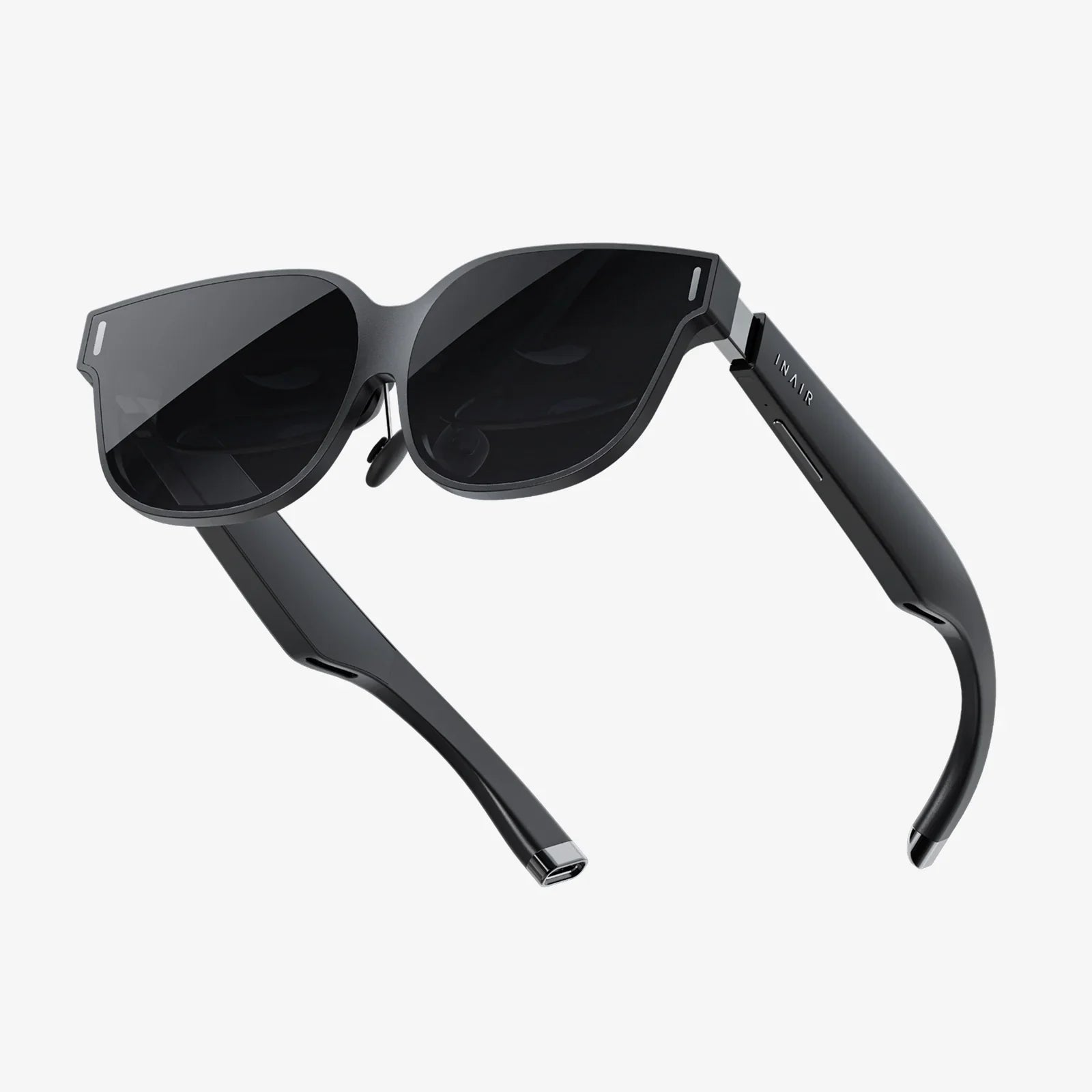
Imagine walking up to a perfectly clear glass surface that looks like an ordinary window, only to see it come alive the moment you touch it. Menus appear, images slide smoothly under your fingertips, and information responds instantly as if the glass itself were thinking. That is the promise of the clear glass touch screen: turning any transparent surface into an intelligent, interactive experience that captures attention and keeps users engaged.
What Is a Clear Glass Touch Screen?
A clear glass touch screen is a transparent panel that combines a glass substrate with a touch-sensitive layer, allowing users to control digital content directly on the glass surface. Unlike traditional opaque displays, it is designed to maintain visibility through the glass while still detecting touch input accurately.
These interfaces can be used as windows, partitions, counters, display cases, or even mirrors. They merge physical space with digital content, enabling interaction without blocking light or views. This makes them especially attractive for environments where aesthetics, openness, and user experience are all critical.
How Clear Glass Touch Screens Work
Behind the sleek look of a clear glass touch screen lies a combination of several technologies. Although implementations differ, most systems rely on three main elements:
- Glass substrate that provides structural support and optical clarity
- Touch sensing layer that detects user input
- Display or projection system that shows visual content
In some configurations, the display is embedded directly behind the glass, similar to conventional screens. In others, a projector or rear display shines content onto or through the glass, creating a transparent or semi-transparent image.
Common Touch Technologies Used
Several touch sensing methods are used in clear glass touch screens, each with its own trade-offs:
- Projected capacitive touch (PCAP) uses a grid of conductive traces laminated to the glass. When a finger approaches, it changes the local electric field, and the controller interprets this as a touch. It supports multi-touch, is highly responsive, and works well behind glass.
- Infrared touch uses a frame of infrared emitters and sensors around the glass. When a finger interrupts the light beams, the system detects the position. It can work with thick glass and gloves, but requires a bezel or frame.
- Optical or camera-based touch uses cameras or optical sensors to detect touch points on the glass surface. It can support large-format surfaces and irregular shapes but may be more sensitive to ambient lighting conditions.
- Resistive touch is less common for clear glass applications because it typically uses flexible layers that can reduce optical clarity and durability. However, it may appear in specialized setups where high pressure sensitivity is needed.
For most modern transparent and clear glass applications, projected capacitive and infrared technologies dominate due to their durability, responsiveness, and support for multi-touch gestures.
Key Benefits of Clear Glass Touch Screens
The appeal of a clear glass touch screen goes far beyond its futuristic look. It offers a combination of practical and experiential benefits that traditional displays struggle to match.
1. Seamless Aesthetics and Design Flexibility
Clear glass touch screens integrate naturally into architecture and interior design. They can function as:
- Storefront windows that double as interactive catalogs
- Office partitions that turn into collaborative whiteboards
- Restaurant windows that display menus and promotions
- Showroom cases that present product details on the glass
Because the glass remains transparent, designers can maintain open, light-filled spaces while still adding digital functionality. The result is a clean, minimalist look that enhances both form and function.
2. Engaging, Intuitive User Experiences
Touch interaction is instinctive. When people see digital content on a glass surface, they naturally reach out to swipe, scroll, and tap. This creates powerful opportunities to:
- Draw passersby into interactive experiences
- Encourage exploration of products or information
- Reduce friction in navigation and wayfinding
- Support multilingual or dynamic content without physical signage changes
Clear glass touch screens turn static surfaces into living interfaces, which can significantly increase dwell time, user satisfaction, and perceived innovation.
3. Space Efficiency and Dual-Purpose Surfaces
Traditional displays require dedicated space on walls, counters, or stands. By contrast, clear glass touch screens often repurpose surfaces that already exist, such as windows or partitions. This yields several advantages:
- More efficient use of floor and wall space
- Reduced clutter from separate screens and signboards
- Cleaner lines and improved sightlines in interior layouts
- Greater flexibility in how spaces are used over time
In compact environments like small retail stores, hotel lobbies, or vehicles, the ability to combine structure and display into a single element is especially valuable.
4. Hygiene and Easy Cleaning
Glass is non-porous and easy to clean, which is crucial in sectors such as healthcare, food service, and public transportation. A clear glass touch screen can be:
- Wiped down quickly with appropriate cleaning solutions
- Combined with antimicrobial coatings
- Integrated into sealed enclosures for sterile environments
This makes it more practical in shared spaces where many people interact with the same surface.
5. Durability and Safety
Modern clear glass touch screens often use tempered or laminated safety glass. This provides:
- High resistance to scratches and everyday wear
- Improved impact resistance compared to standard glass
- Safety features that prevent dangerous shards if the glass does break
In high-traffic or public environments, these durability features are essential for long-term reliability and user safety.
Core Components of a Clear Glass Touch Screen System
When planning or evaluating a clear glass touch screen, it helps to understand the main components and how they work together.
Glass and Coatings
The glass itself is more than just a window. Key considerations include:
- Glass type: Tempered, laminated, or chemically strengthened glass for safety and durability.
- Thickness: A balance between structural strength and touch sensitivity; thicker glass may require calibration or different touch technologies.
- Optical quality: Low-iron glass can reduce color tint and improve clarity.
- Coatings: Anti-glare, anti-reflective, anti-fingerprint, and hydrophobic coatings can all enhance usability and visibility.
Touch Sensor and Controller
The touch sensor is typically laminated or bonded to the glass. The controller electronics interpret signals from the sensor and translate them into precise touch coordinates. Factors to evaluate include:
- Touch accuracy and resolution for precise interaction
- Response time for smooth, real-time feedback
- Multi-touch support for gestures like pinch, zoom, rotate, and multi-finger drag
- Glove and stylus compatibility for industrial or medical use
- Environmental tolerance to temperature, humidity, and electromagnetic interference
Display or Projection Layer
Clear glass touch screens can use different display strategies:
- Transparent displays: Specialized panels that emit light while allowing some light to pass through.
- Rear projection: A projector shines onto a transparent or semi-transparent film on the glass, creating an image visible from the front.
- Standard displays behind glass: A conventional display is installed behind a glass panel that carries the touch layer.
Each approach affects brightness, transparency, viewing angles, and cost. The choice depends heavily on the intended environment and visual requirements.
Real-World Applications Across Industries
The versatility of clear glass touch screens has led to adoption in a wide range of sectors. Understanding these use cases can spark ideas for new projects and implementations.
Retail and Showrooms
Retailers and brand showrooms use clear glass touch screens to transform shopping into an immersive experience. Examples include:
- Interactive storefront windows: Customers can browse catalogs, check inventory, and view promotions by touching the glass from the sidewalk.
- Product display cases: Glass cases show physical products while digital overlays on the glass present specifications, pricing, and comparison tools.
- Virtual fitting or configuration tools: Users can customize colors, options, or accessories directly on a glass panel integrated into a mirror or wall.
These experiences not only attract attention but also provide data on customer behavior and preferences when connected to analytics systems.
Corporate Offices and Collaboration Spaces
In modern workplaces, clear glass touch screens can serve as collaborative tools and information hubs:
- Interactive meeting room walls: Glass partitions become digital whiteboards where teams sketch ideas, share content, and annotate in real time.
- Reception and lobby displays: Visitors can check in, view directories, and explore company information on glass panels that blend with the architecture.
- Project war rooms: Transparent boards allow teams to overlay data and diagrams while still seeing the room beyond, keeping spaces open and connected.
This approach supports agile workflows and visually rich collaboration without overwhelming the space with hardware.
Healthcare and Medical Environments
Hospitals and clinics benefit from clear glass touch screens due to their hygiene and flexibility:
- Isolation room windows: Staff can view patient data on the glass without entering the room, reducing contamination risks.
- Operating room controls: Surgeons can adjust imaging, lighting, and equipment settings via glass interfaces that are easy to sterilize.
- Wayfinding and patient check-in: Lobby glass panels guide visitors and streamline registration processes.
When integrated with healthcare information systems, these interfaces can improve both safety and efficiency.
Hospitality and Entertainment
Hotels, restaurants, and entertainment venues use clear glass touch screens to create memorable experiences:
- Interactive hotel windows or balcony doors: Guests can control room settings, view local information, or order services directly from the glass.
- Restaurant partitions: Glass dividers display menus, chef specials, and interactive games while remaining see-through.
- Museum exhibits: Display cases and glass walls show artifacts while digital overlays provide context, animations, and educational content.
These applications turn ordinary surfaces into signature features that differentiate venues and encourage repeat visits.
Transportation and Automotive
Clear glass touch screens are increasingly relevant in vehicles and public transit:
- Automotive dashboards and side windows: Transparent interfaces can present navigation, media, and safety information while preserving outward visibility.
- Train and bus windows: Passenger information, maps, and entertainment can appear on windows without blocking the view.
- Airport and station wayfinding: Glass walls and barriers become interactive guides for travelers.
While safety and regulatory requirements are strict in transportation, the potential for intuitive, glanceable information is significant.
Smart Homes and Residential Design
As smart homes evolve, clear glass touch screens are finding their way into residential settings:
- Smart mirrors: Bathroom or closet mirrors show weather, schedules, and notifications, responding to touch on the glass.
- Glass doors and partitions: Homeowners can control lighting, climate, and security systems through glass panels that match the interior design.
- Kitchen backsplashes: Glass surfaces above counters can display recipes, timers, and media, all controlled by touch.
These integrations allow technology to disappear into the background until needed, keeping homes warm and personal rather than screen-dominated.
Design Considerations for Clear Glass Touch Screen Interfaces
Creating an effective interface for a clear glass touch screen is not as simple as copying a standard tablet layout. Designers must account for transparency, lighting, and user context.
Visual Clarity and Readability
Because users can see through the glass, backgrounds may be visually complex. To maintain readability:
- Use high-contrast color schemes for text and icons.
- Apply semi-transparent or solid panels behind critical information.
- Limit the amount of small text and fine detail.
- Test designs against a variety of real-world backgrounds.
Handling Reflections and Glare
Reflections from ambient light can make content difficult to see. Strategies include:
- Using anti-reflective coatings on the glass.
- Positioning the screen to avoid direct light sources when possible.
- Designing with bold shapes and large touch targets that remain visible in less-than-ideal conditions.
Ergonomics and Reach
Unlike handheld devices, clear glass touch screens are often fixed in place. Designers should consider:
- User height ranges and reach distances.
- Comfortable touch zones that avoid excessive stretching.
- Angle of the glass surface to reduce fatigue and improve visibility.
In public installations, accessibility guidelines should be followed so that people with disabilities can use the interface effectively.
Gesture Design and Feedback
Gestures like tapping, swiping, and pinching are common, but they must be supported by clear feedback:
- Visual cues such as button animations, highlights, or ripples on touch.
- Audible cues in environments where sound is appropriate.
- Consistent gesture vocabulary across different parts of the interface.
Because the glass itself is rigid, haptic feedback is more challenging but can be simulated through sound and visual responses.
Technical Challenges and Limitations
Despite their advantages, clear glass touch screens are not a perfect fit for every application. Understanding limitations helps set realistic expectations.
Brightness and Contrast
Achieving high brightness and strong contrast on a transparent or semi-transparent surface is more difficult than on a traditional opaque display. Outdoor or brightly lit environments may require:
- High-brightness display or projection systems.
- Careful positioning to reduce direct sunlight.
- Use of tinted or partially reflective films that trade some transparency for better visibility.
Cost and Complexity
Clear glass touch screen installations can be more costly than standard displays due to:
- Custom glass fabrication and mounting structures.
- Specialized touch sensors and controllers.
- Integration with building systems, power, and networks.
- Custom software and content development.
However, for high-impact applications where user engagement and aesthetics are critical, the investment can be justified by increased attention and perceived value.
Maintenance and Reliability
While glass is durable, the overall system requires ongoing care:
- Regular cleaning to remove fingerprints and smudges.
- Monitoring of touch accuracy and calibration over time.
- Protection of electronics from moisture, dust, and physical damage.
Well-designed systems anticipate maintenance needs with easy access to components and robust environmental sealing.
Choosing the Right Clear Glass Touch Screen for Your Project
For organizations considering a clear glass touch screen, a structured evaluation process can help ensure a successful outcome.
Step 1: Define the Use Case and Environment
Start by clarifying:
- Primary purpose: information, entertainment, sales, collaboration, control, or a combination.
- Location: indoor, semi-outdoor, or fully outdoor.
- Lighting conditions: direct sun, ambient light, or controlled lighting.
- User profile: public users, employees, patients, guests, or residents.
These factors will influence technology choices, glass specifications, and content design.
Step 2: Determine Size and Form Factor
Consider both physical and digital requirements:
- Overall dimensions of the glass surface.
- Active touch area versus purely transparent areas.
- Orientation (portrait or landscape) and mounting method.
- Potential future expansion or modularity.
Step 3: Select Touch and Display Technologies
Match the technology to the application:
- Projected capacitive for sleek, responsive multi-touch behind glass.
- Infrared or optical for large-format walls and irregular shapes.
- Transparent display, rear projection, or standard display depending on transparency and brightness needs.
Step 4: Plan Integration and Connectivity
Clear glass touch screens rarely stand alone. Plan for:
- Connection to existing content management or control systems.
- Power routing and cable management hidden within frames or walls.
- Network connectivity for updates, analytics, and remote support.
- Security measures to prevent unauthorized access to underlying systems.
Step 5: Prototype and User-Test
Before committing to large-scale deployment, create a prototype installation:
- Test in the actual lighting and environmental conditions.
- Observe how real users interact with the interface.
- Gather feedback on clarity, responsiveness, and content layout.
Iterating at this stage can prevent costly redesigns later.
Future Trends for Clear Glass Touch Screen Technology
The field of clear glass touch screens is evolving rapidly, with several trends shaping the next generation of experiences.
Deeper Integration with Augmented Reality
As augmented reality becomes more common, clear glass touch screens can serve as fixed AR portals, blending physical and digital information on a single surface. For example:
- Storefronts where virtual products appear layered over real items.
- Factory windows that show live performance data over machinery.
- Educational exhibits where historical scenes overlay real environments.
Smarter, Context-Aware Interfaces
With sensors and data integration, clear glass touch screens can adapt to context:
- Adjusting brightness and content based on time of day or ambient light.
- Tailoring information to user proximity or identity where appropriate and permitted.
- Switching between transparent and more opaque modes depending on privacy needs.
Improved Materials and Sustainability
Advances in glass manufacturing and coatings are likely to yield:
- Better scratch resistance and self-healing surfaces.
- More effective anti-reflective and anti-smudge treatments.
- Materials and designs that are easier to recycle and more energy-efficient.
Expanded Use in Everyday Environments
As costs decrease and technologies mature, clear glass touch screens may become as common as traditional displays today. Potential everyday uses include:
- Apartment building lobbies with interactive glass directories.
- Neighborhood shops using glass for local announcements and services.
- Public information points integrated into bus shelters or park structures.
Practical Tips for Successful Implementation
To get the most from a clear glass touch screen project, consider a few practical best practices.
Prioritize Content Strategy
The technology may attract initial attention, but content keeps users engaged. Plan for:
- Clear, concise messaging and navigation.
- Regular updates to keep information fresh.
- Analytics to track which features users actually use.
Design for Quick, Simple Interactions
Many interactions on clear glass surfaces happen in passing. Optimize for:
- Tasks that can be completed in seconds, not minutes.
- Minimal steps to reach key information or actions.
- Large, obvious touch targets and clear call-to-action elements.
Ensure Robust Security and Privacy
Especially in public or semi-public environments, address:
- Data protection for any personal information collected.
- Secure communication between the touch screen and backend systems.
- Physical security to prevent tampering with hardware.
Plan for Long-Term Support
Clear glass touch screens are often part of a long-term infrastructure investment. Prepare for:
- Software updates and compatibility over several years.
- Replacement strategies for components nearing end of life.
- Training for staff who will manage content and basic troubleshooting.
Why Clear Glass Touch Screens Are Worth Your Attention Now
The line between the physical and digital worlds is getting thinner, and clear glass touch screens sit directly on that boundary. They transform everyday surfaces into intelligent, responsive interfaces that can inform, entertain, and empower users without overwhelming the spaces they inhabit. Whether you are shaping a flagship retail space, designing a next-generation workplace, modernizing a clinic, or envisioning a more intuitive home, this technology offers a way to make digital interaction feel natural, integrated, and visually striking.
As adoption grows and the underlying components become more accessible, the question is shifting from whether to use a clear glass touch screen to how creatively and effectively it can be deployed. Those who start exploring now will be better positioned to shape experiences that stand out, capture attention, and deliver real value on both sides of the glass.
共有:
fireplace glass cover screen safety, style, and installation guide
Do I Need a Screen Protector With Gorilla Glass? Honest Pros, Cons, and Myths