


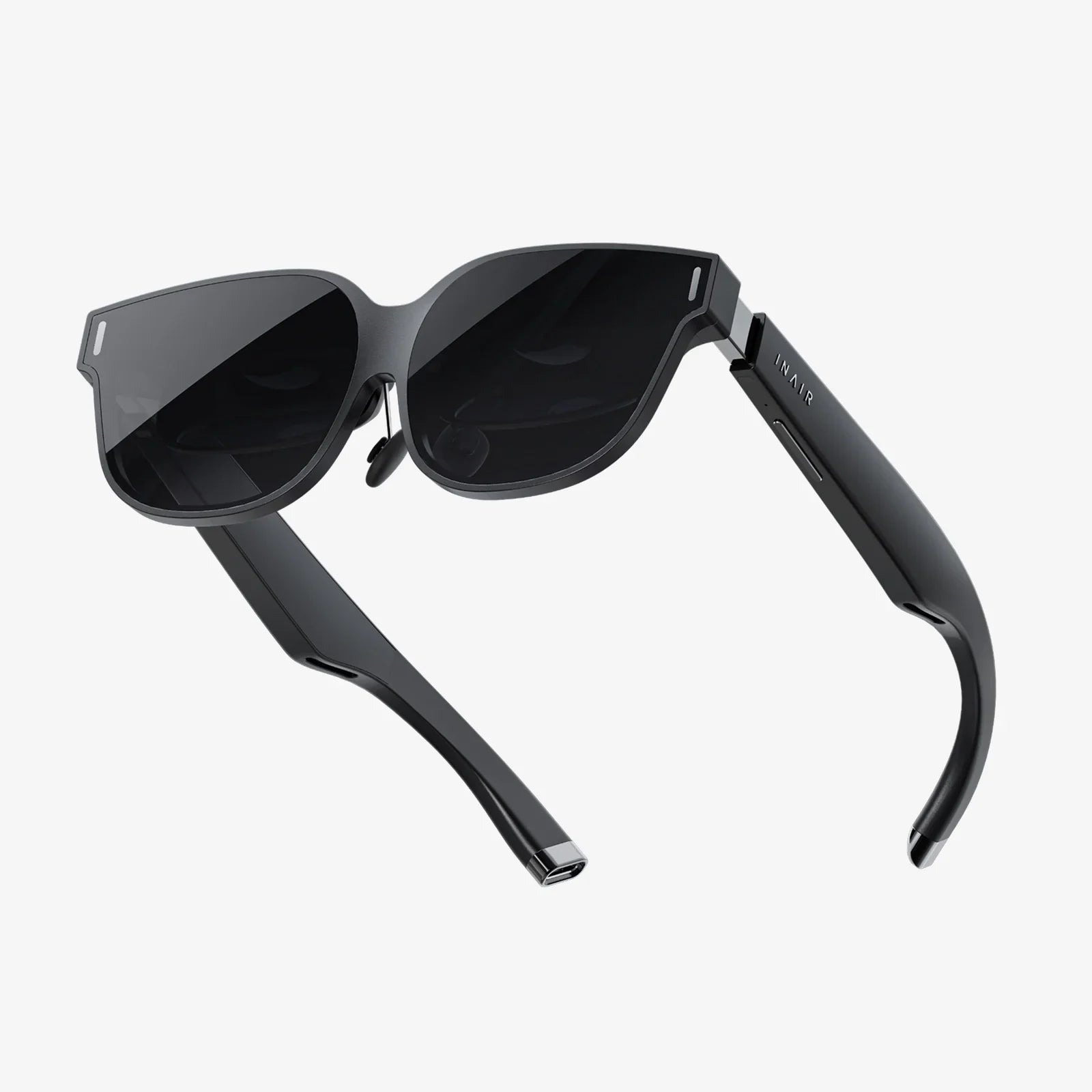
- by wangfred
Glasses to Relieve Eye Strain from Computers: A Complete Practical Guide
- by wangfred
If you stare at screens for hours and feel your eyes burning, blurring, or begging for a break, glasses to relieve eye strain from computers can sound like a miracle fix. Yet most people are unsure which lenses actually help, which features are just marketing, and how to use computer glasses alongside smart habits to keep their vision comfortable and clear. Understanding what really works can save you money, time, and a lot of eye fatigue.
Computer-related eye discomfort has become so common that it now has a name: digital eye strain or computer vision syndrome. Whether you work at a laptop all day, game late into the night, or scroll on your phone for hours, your visual system is doing intense close-up work. The right glasses can make that workload easier, but only if you know what to look for, how to wear them, and what expectations are realistic.
Before choosing glasses to relieve eye strain from computers, it helps to understand what is actually causing the discomfort. Digital eye strain is not one single problem, but a group of symptoms triggered by prolonged screen use.
People who spend long hours on computers often report:
These symptoms may appear after just a couple of hours of screen use and can worsen over time if nothing changes.
Several factors make computer work uniquely challenging for your visual system:
Glasses designed for computer use target several of these factors at once, especially focusing effort, glare, and blue light exposure.
Computer glasses are not magic, but they can significantly reduce strain when used correctly. Their benefits come from a combination of optical power, coatings, and lens design tailored to typical screen distances and lighting conditions.
Most computer screens sit at an intermediate distance, usually between 20 and 28 inches from your eyes. Standard distance glasses are optimized for far away, while reading glasses are tuned for much closer work, like a book or phone.
Computer glasses often use a prescription specifically calculated for this intermediate range. This can:
For people who already wear glasses, a dedicated pair for computer distance can be far more comfortable than relying on distance or reading lenses alone.
Some people need to see clearly at more than one distance during computer work. For example, you may need to view your screen, a document on your desk, and objects across the room.
Several lens designs can help:
The best design depends on your age, prescription, and how you use your workspace.
Reflections from room lights, windows, and the screen itself can create a hazy, washed-out view that strains the eyes. Anti-reflective (AR) coatings reduce these reflections, improving clarity and comfort.
Benefits of AR-coated computer glasses include:
For heavy screen users, AR coating is one of the most valuable features you can add to computer glasses.
Blue light from screens has received a lot of attention. Blue light filtering lenses are often marketed as essential for eye health, but the reality is more nuanced.
What blue light filters can help with:
What blue light filters do not guarantee:
Blue light filtering can be a useful part of a broader strategy but should not be the only reason you choose glasses to relieve eye strain from computers.
Some computer lenses include subtle tints designed to improve contrast and reduce harshness. These tints may be very light yellow, amber, or other soft hues.
Possible benefits include:
However, heavy tints can alter color perception, which may be a problem for design professionals, photographers, or anyone who needs accurate color rendering.
Not everyone needs specialized glasses, but many people underestimate how much they could help. Several groups are especially likely to benefit.
If you spend most of your workday at a computer, you are a prime candidate for glasses to relieve eye strain from computers. Even small improvements in comfort can make a big difference across eight or more hours.
Signs that you may benefit include:
Students now rely heavily on laptops, tablets, and digital textbooks. Long study sessions mean extended near work, which can be particularly demanding for developing eyes.
Computer glasses can help students:
Gamers often spend hours at a time intensely focused on screens, with bright colors, fast motion, and high contrast. Designers, editors, and other creatives also work at screens for long stretches.
For these users, computer glasses can:
Those who require accurate color may prefer lenses with minimal tint and a high-quality anti-reflective coating.
After about age 40, the eye’s natural lens gradually loses flexibility, making near focus harder. This condition, called presbyopia, makes computer work more challenging.
Computer glasses can be tailored to:
Occupational or office lenses are especially popular in this age group, offering a wide, comfortable viewing zone for both screen and near work.
When you start shopping for computer glasses, you will encounter many technical terms and marketing claims. Focusing on a few core features can help you choose wisely.
The most important step is ensuring your glasses match your visual needs. Consider the following:
A tailored prescription can significantly reduce focusing effort and strain.
Anti-reflective coating is highly recommended for computer use. When evaluating AR coatings, consider:
A good AR coating can make your lenses feel almost invisible, both to you and others.
When choosing blue light filtering, think about:
Some lenses offer a subtle, nearly clear filter that reduces short-wavelength light without heavily tinting the view. Others use more noticeable tints that may be better for late-night use but less ideal for color-critical tasks.
Lens material affects comfort and appearance:
Lightweight lenses are especially important for people who wear glasses all day, reducing pressure on the nose and ears.
Even the best lenses will not help if the frame is uncomfortable or poorly positioned. Pay attention to:
A properly adjusted frame ensures that you are looking through the optimal part of the lens at your usual working posture.
Owning glasses to relieve eye strain from computers is only half the solution. How you use them and how you set up your environment also matter.
Switching in and out of computer glasses can confuse your visual system and make it harder to adapt. For best results:
Glasses work best when the screen is positioned properly. Aim for:
If you find yourself tilting your head or leaning in to see clearly, your setup may need adjustment or your prescription may need revisiting.
Even with anti-reflective lenses, poor lighting can cause strain. Try these tips:
Reducing glare makes it easier for your eyes to maintain focus and reduces the need to squint.
Glasses help with focus, but your eyes still need breaks. A simple rule can make a big difference:
This brief pause relaxes your focusing muscles and can prevent the buildup of strain over the day.
Dryness is a major contributor to discomfort. To combat it:
Your computer glasses will feel more comfortable if your eyes are well-lubricated and not irritated.
There is a lot of confusion around glasses to relieve eye strain from computers. Clearing up a few myths can help you set realistic expectations.
Computer glasses can significantly reduce strain, but they do not override basic human biology. Your eyes are not designed to focus at one distance for endless hours without rest.
Even with excellent glasses, you still need:
Think of computer glasses as a powerful tool, not a total cure.
Blue light filtering alone does not address focusing issues, uncorrected prescriptions, or poor ergonomics. Some people notice a big difference with blue light filters; others feel little change.
Do not rely solely on blue light marketing claims. A full eye examination and a well-designed lens are far more important.
Even people with no refractive error can experience digital eye strain. For them, computer glasses may use very mild focusing support, anti-reflective coatings, and blue light management to improve comfort.
If you are experiencing symptoms despite having “perfect” vision, it is worth discussing computer-specific options with an eye care professional.
There is no evidence that wearing correctly prescribed computer glasses weakens your eyes. In fact, reducing strain may help you work more comfortably and avoid habits like squinting or leaning in that can cause other problems.
Your prescription may change over time due to natural aging or other factors, but computer glasses are not the cause.
While many people can improve comfort with simple changes and well-chosen glasses, there are times when professional evaluation is essential.
Schedule an eye examination if you notice:
A professional can rule out underlying conditions, update your prescription, and recommend specific lens designs for your needs.
To get the most out of your visit, consider asking:
The more your eye care professional understands your work and lifestyle, the better they can tailor a solution for you.
Glasses to relieve eye strain from computers are most effective when they are part of a broader, long-term strategy. Instead of chasing quick fixes, think about building sustainable habits that protect your eyes and productivity.
A strong approach includes:
Each of these steps contributes a piece of the comfort puzzle.
Pay attention to how your eyes feel throughout the day. Notice:
Use this information to fine-tune your setup, lens features, and daily habits.
Your overall health influences how resilient your eyes feel. Factors like sleep quality, hydration, and general fitness can affect how well you tolerate long periods of near work.
Supporting your body with adequate rest, movement, and nutrition can indirectly support your visual comfort as well.
Spending hours at a computer no longer has to mean ending the day with burning eyes, stubborn headaches, and a desperate need to look away. By choosing glasses to relieve eye strain from computers that match your actual working distance, adding features like anti-reflective coatings and appropriate blue light management, and pairing them with simple daily habits, you can transform how it feels to work and play on screens. The next time you sit down at your keyboard, imagine what it would be like to finish your day with eyes that still feel fresh and focused—and then take the steps that move you in that direction, one thoughtful choice at a time.