


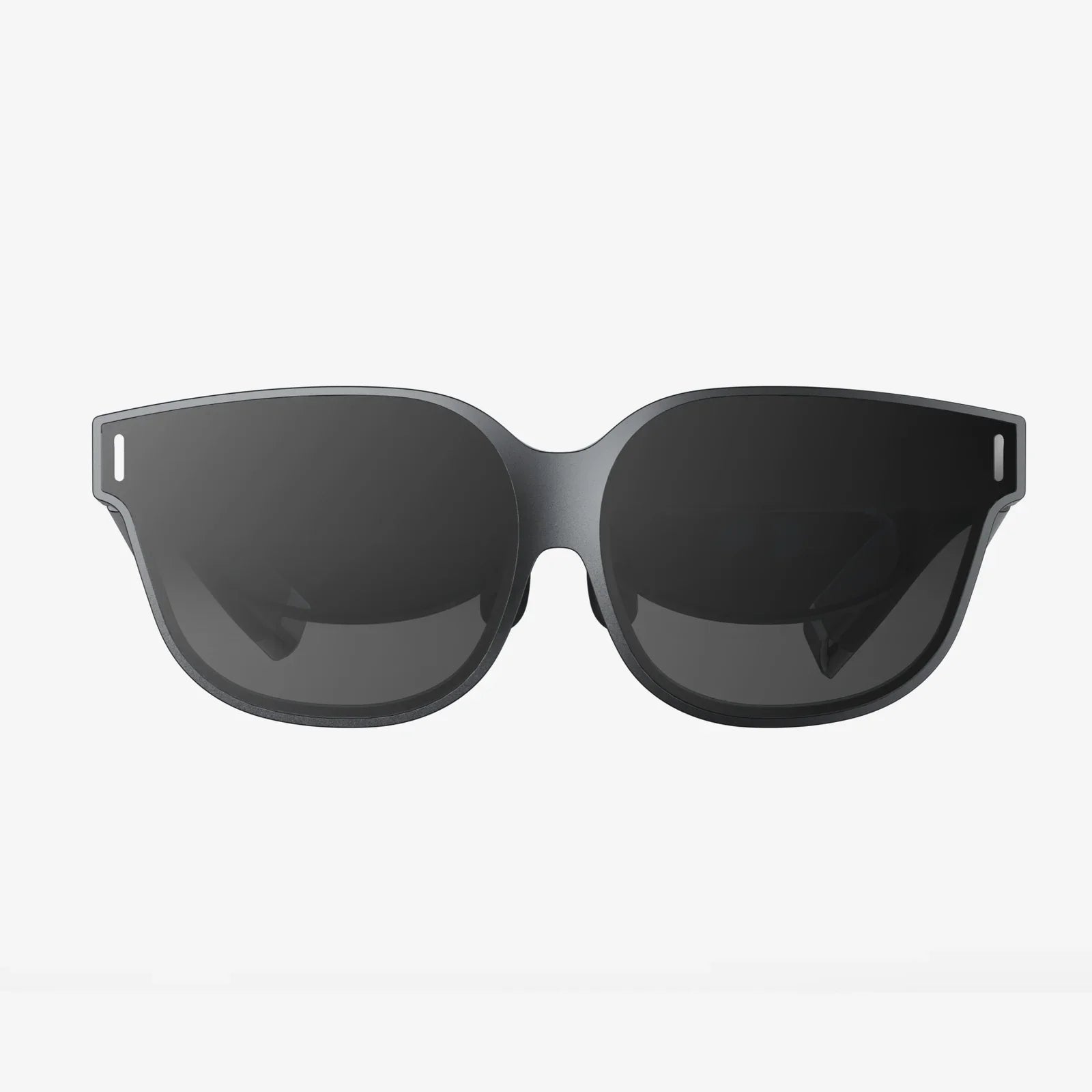
Glasses with screen are no longer science fiction. They are quietly moving from experimental gadgets to everyday tools that can change how you work, play, travel, and even take care of your health. If you have ever wished your notifications, maps, or work dashboards could float in front of your eyes without you holding a phone or sitting in front of a monitor, this emerging category of wearables is about to become very relevant to you.
What makes these devices so compelling is not just the cool factor. It is the promise of freeing your hands, decluttering your desk, and blending digital information seamlessly into your real-world view. Whether you are a remote worker, a gamer, a frequent traveler, or simply curious about the future of personal tech, understanding how glasses with screen work and how to choose them now can give you a real advantage as this trend accelerates.
What Are Glasses With Screen?
Glasses with screen are wearable devices that look similar to regular eyeglasses but include a built-in display system. Instead of you looking down at a phone or sitting in front of a laptop screen, digital content appears in or near your field of vision. Depending on the design, this can look like a small floating window in the corner of your view or a large virtual screen that seems to hang in space several feet in front of you.
These devices sit at the intersection of several technologies:
- Optics to project images into your eyes without blocking your entire view.
- Display panels (often micro displays) that generate the visual content.
- Sensors like accelerometers and gyroscopes to track head movement.
- Connectivity to pair with phones, computers, or other devices.
- Onboard computing to process input and render visuals.
Some models are fully standalone, with their own processors and storage. Others act more like a secondary screen for your phone or laptop, streaming content from a host device.
Key Types Of Glasses With Screen
Not all glasses with screen use the same approach. Understanding the main categories will help you match the right style to your needs.
Augmented Reality (AR) Glasses
Augmented reality glasses overlay digital information onto the real world. You can still see your surroundings, but extra data appears on top, such as:
- Navigation arrows on the street as you walk.
- Floating captions or notes while you look at objects.
- Real-time translation text near someone speaking another language.
These are well suited for people who want to stay aware of their environment while still accessing digital information. They are particularly useful for navigation, field work, logistics, and hands-on tasks where you cannot be distracted by looking down at a phone.
Mixed Reality (MR) And Spatial Computing Glasses
Mixed reality glasses go further by anchoring digital objects in the physical space around you. Instead of a flat overlay, you might see:
- Virtual monitors that stay fixed in place on your wall.
- 3D models you can walk around and inspect.
- Interactive dashboards that respond to your hand gestures.
This style of glasses with screen is aimed at more advanced use cases, such as design, engineering, training simulations, and immersive productivity. They often require more processing power and more sophisticated sensors.
Heads-Up Display (HUD) Glasses
Heads-up display glasses focus on providing a small, usually non-intrusive screen in your peripheral vision. The display might show:
- Notifications, messages, and call alerts.
- Fitness metrics like heart rate and pace.
- Turn-by-turn navigation directions.
HUD-style glasses with screen tend to prioritize simplicity, battery life, and comfort. They are often more discreet and closer in appearance to regular eyewear, making them easier to wear in public or in professional settings.
Immersive Display Glasses For Media And Gaming
Some glasses with screen are designed primarily as portable personal theaters. Instead of overlaying content on reality, they create a virtual screen that appears large and cinematic. Use cases include:
- Watching movies while traveling without disturbing others.
- Playing games on a massive virtual display.
- Using a virtual multi-monitor setup for work.
These devices may block more of your peripheral vision to create an immersive experience, which can be ideal for entertainment but less suitable for tasks that require awareness of your surroundings.
How Do Glasses With Screen Work?
The core idea is simple: a tiny display generates an image, optics guide that image into your eyes, and sensors and software adjust the content according to your movement and context. The implementation, however, can be quite complex.
Display Technologies
Several types of micro displays are used in glasses with screen:
- Micro OLED for high contrast, deep blacks, and vivid colors.
- Micro LED for high brightness and energy efficiency.
- LCOS (Liquid Crystal on Silicon) for compact, cost-effective projection.
The choice of display affects brightness, color accuracy, battery life, and how crisp text appears. For reading and productivity, clarity and contrast are particularly important. For outdoor use, brightness becomes a critical factor.
Optical Systems
To get the image from the display into your eyes, glasses with screen rely on optical systems such as:
- Waveguides that channel light through transparent glass or plastic and direct it into your eyes.
- Reflective mirrors that bounce the image into your field of view.
- Lens-based projection that magnifies a small display into a larger virtual image.
The goal is to create a clear, comfortable image without making the glasses bulky or heavy. The optics also influence the size of the virtual screen, the portion of your view that is covered, and how natural the image feels.
Sensors And Tracking
Even relatively simple glasses with screen often include sensors such as:
- Gyroscopes and accelerometers to detect head movement and orientation.
- Ambient light sensors to adjust brightness automatically.
- Touch or gesture sensors on the frame or in the air for control.
More advanced models may also include cameras and depth sensors to map the environment, track hand motions, or recognize objects. This allows digital content to stay anchored in place as you move and enables more natural interaction.
Connectivity And Processing
Most glasses with screen connect to other devices via:
- Wireless connections like Wi-Fi or Bluetooth.
- Wired connections such as USB-C or other video-capable ports.
Some run apps directly on the glasses using built-in processors and storage. Others act as external displays for laptops, tablets, or phones, streaming content from those devices. The architecture you choose affects performance, battery life, and how flexible the glasses will be in your daily workflow.
Everyday Use Cases For Glasses With Screen
The value of glasses with screen becomes clear when you start imagining concrete situations where they can replace or enhance existing tools. Here are some of the most compelling scenarios.
Productivity And Remote Work
For remote workers, freelancers, and professionals, glasses with screen can offer:
- Virtual multi-monitor setups without physical screens.
- Portable workspaces you can use in cafes, trains, or shared offices.
- Discreet access to notes during presentations or calls.
Imagine sitting in a small apartment or hotel room and still having multiple large monitors floating in front of you, visible only to you. You can keep your main document in the center, communication tools on one side, and reference material on the other, all without carrying any extra hardware beyond your glasses and a laptop or phone.
Field Work, Maintenance, And Training
Hands-on professionals can benefit from glasses with screen in powerful ways:
- Technicians can see step-by-step instructions while working on equipment.
- Inspectors can overlay checklists and notes directly on what they are examining.
- New employees can receive guided, visual training without constantly checking a manual.
By keeping both hands free and providing context-aware information, these devices can reduce errors, speed up training, and improve safety in complex environments.
Navigation And Travel
For travelers and commuters, glasses with screen can act as a highly personalized guide:
- Turn-by-turn directions appear in your field of view as you walk or cycle.
- Public transit information pops up when you enter a station.
- Language translations show up near signs or conversations.
This reduces the need to constantly pull out your phone, which can be particularly useful in crowded or unfamiliar places. It also helps keep your attention on your surroundings, improving awareness and safety.
Fitness And Outdoor Activities
Glasses with screen can be valuable companions for active lifestyles:
- Runners and cyclists can view pace, distance, and heart rate in real time.
- Hikers can see trail maps and elevation profiles without stopping.
- Outdoor enthusiasts can access weather updates and safety alerts on the go.
Because the information is always visible without requiring hand interaction, you can stay focused on your activity while still making data-driven decisions.
Entertainment And Gaming
For leisure and entertainment, glasses with screen open up new possibilities:
- Watch movies on a large virtual screen while on a plane or train.
- Play games with immersive visuals without setting up a full home theater.
- Enjoy privacy in public spaces, since others cannot see what you are viewing.
Gamers can benefit from heads-up information like health bars, maps, and chat overlays appearing in their peripheral vision, potentially improving reaction time and situational awareness.
Accessibility And Assistive Uses
Glasses with screen can also serve as powerful assistive tools:
- Real-time captioning for people with hearing challenges.
- Magnified text or high-contrast overlays for low-vision users.
- Visual cues and reminders for people managing cognitive load.
By integrating with accessibility software and services, these devices can provide more inclusive ways to interact with both digital content and the physical world.
Benefits Of Glasses With Screen
While the specific advantages depend on the model and use case, several benefits show up repeatedly across different types of glasses with screen.
Hands-Free Information Access
Perhaps the most obvious advantage is the ability to see information without holding anything. This can improve:
- Efficiency, since you do not need to switch between tools constantly.
- Safety, especially when walking, cycling, or working with equipment.
- Comfort, as your hands stay free for more natural movement.
Space Saving And Portability
Instead of filling your desk with multiple monitors, you can effectively carry them on your face. This is especially attractive if you:
- Work in small living spaces or shared offices.
- Travel frequently and want a consistent workspace.
- Prefer minimalistic setups with fewer physical devices.
Glasses with screen can turn almost any location into a functional workstation or entertainment zone.
Personalized And Private Viewing
Because the display is visible only to you, glasses with screen offer a high degree of privacy. This matters when you:
- Handle sensitive documents in public spaces.
- Watch content without disturbing others nearby.
- Review personal messages or notifications discreetly.
This privacy-by-design aspect can be more secure than traditional monitors, which are easily visible to anyone walking by.
Context-Aware Assistance
When combined with sensors and intelligent software, glasses with screen can provide information that responds to your context:
- Instructions that adapt to the step you are currently performing.
- Navigation that updates as you change direction.
- Reminders that appear when you enter specific locations.
This context awareness helps reduce cognitive load and makes digital tools feel more like a natural extension of your environment.
Challenges And Limitations To Consider
Despite their promise, glasses with screen are not perfect. Understanding their limitations will help you make a more realistic decision.
Comfort, Weight, And Style
Because you wear them on your face, comfort is crucial. Potential issues include:
- Frames that are too heavy, causing nose or ear fatigue.
- Bulkiness that makes you self-conscious in public.
- Limited adjustment options for different head shapes.
Style also matters. If the glasses look too futuristic or unusual, you may hesitate to wear them regularly, limiting their usefulness. Lightweight, discreet designs tend to be easier to integrate into daily life.
Battery Life And Heat
Running displays, sensors, and wireless connections consumes power. If battery life is short, you may find yourself constantly recharging or restricting use. Additionally, some devices can generate noticeable warmth near the temples, which may become uncomfortable over long sessions.
Visual Fatigue And Eye Strain
Extended use of any near-eye display can lead to:
- Tired or dry eyes.
- Headaches or mild dizziness in some users.
- Difficulty refocusing between virtual and real objects.
Quality optics and proper calibration can reduce these effects, but it is wise to take regular breaks and adjust brightness and positioning for comfort.
Privacy And Social Norms
Wearing glasses with screen raises questions about:
- Whether others know if you are recording or capturing images.
- How coworkers or strangers interpret you wearing a display on your face.
- Etiquette in meetings, classrooms, or social gatherings.
Transparent communication and responsible use are important to avoid misunderstandings. Devices that clearly indicate when cameras are active and that make it obvious when you are viewing content can help maintain trust.
Software Ecosystem And Compatibility
The usefulness of glasses with screen depends heavily on the software that runs on them or connects to them. Limitations may include:
- Restricted app support.
- Compatibility issues with certain operating systems or devices.
- Limited customization of layouts and controls.
Before committing, it is important to confirm that your essential apps and workflows will function smoothly with the glasses you choose.
How To Choose Glasses With Screen
With more models entering the market, choosing the right glasses with screen requires careful consideration of your specific needs. Here are key factors to evaluate.
Primary Use Case
Start by defining what you want most:
- Productivity: Look for high-resolution displays, comfortable wear, and strong connectivity to laptops and desktops.
- Outdoor and fitness: Prioritize brightness, battery life, and secure fit.
- Entertainment: Focus on screen size, color quality, and immersive design.
- Navigation and everyday assistance: Choose lightweight, discreet models with good notification handling.
Being honest about your main goal will prevent you from paying for features you rarely use.
Display Quality And Field Of View
Key display-related aspects include:
- Resolution for crisp text and detailed images.
- Brightness for outdoor visibility.
- Field of view to determine how large the virtual screen appears.
For serious work or reading, higher resolution and good contrast are crucial. For immersive entertainment, a wider field of view can make the experience more engaging.
Comfort, Fit, And Prescription Support
Because these devices rest on your face, you should pay close attention to:
- The weight of the frames.
- Adjustable nose pads and temples.
- Compatibility with prescription lenses or inserts.
If you already wear glasses, check whether the device can accommodate your prescription or if it can be worn comfortably over your existing pair. Some models offer interchangeable frames or lens options to better match your vision needs.
Battery Life And Charging
Consider how long you need the glasses to run between charges:
- For workdays, aim for several hours of mixed use without recharging.
- For travel, look for fast-charging options or external battery support.
- For short workouts, lighter devices with modest battery life may be enough.
Also check how the device charges. A convenient, robust charging method will make it easier to integrate the glasses into your daily routine.
Controls And Interaction
Different models use different control schemes, such as:
- Touch-sensitive temples for swipes and taps.
- Voice commands for hands-free operation.
- Gesture recognition using cameras and sensors.
- Companion apps on phones or computers.
Think about where you will use the glasses. In noisy environments, voice control may be less effective. In professional settings, subtle touch or app-based controls may be more appropriate.
Software Features And Ecosystem
Before choosing glasses with screen, evaluate the software side:
- Which apps are supported natively?
- How well does the device mirror or extend your existing screens?
- Can you customize layouts, notifications, and shortcuts?
A flexible software ecosystem can extend the life and value of your glasses, allowing them to adapt as your needs and tools evolve.
Security And Privacy Options
Because glasses with screen can potentially capture and display sensitive information, security matters. Look for:
- Clear indicators for camera or microphone use.
- Strong pairing and encryption protocols.
- Controls for what data is stored locally versus in the cloud.
These features help protect both your privacy and the comfort of people around you.
Best Practices For Using Glasses With Screen
Once you have chosen a device, using it effectively and comfortably requires a few practical habits.
Optimize Your Display Settings
Spend time tuning:
- Brightness to match your environment.
- Text size for easy reading without strain.
- Color and contrast for your personal comfort.
Many users overlook these settings, but small adjustments can significantly reduce fatigue and improve clarity.
Set Healthy Usage Limits
Even if the glasses feel comfortable, it is wise to:
- Take short breaks every 20 to 30 minutes.
- Blink consciously to avoid dry eyes.
- Alternate between virtual content and distant real-world objects to relax your focus.
These habits mirror good practices for traditional screens but are especially important for near-eye displays.
Customize Notifications And Distractions
Because glasses with screen put information directly in your view, too many alerts can quickly become overwhelming. To keep them helpful rather than distracting:
- Limit notifications to essential apps.
- Use different modes for work, travel, and leisure.
- Mute non-urgent alerts during focused tasks.
Thoughtful notification management turns the glasses from a potential distraction into a productivity booster.
Respect Social And Professional Contexts
To avoid misunderstandings and maintain trust:
- Inform people if cameras or recording features are enabled.
- Remove or disable the display during sensitive meetings when appropriate.
- Follow any workplace or venue policies concerning wearable devices.
These steps help normalize the use of glasses with screen and ensure they are seen as tools rather than intrusive gadgets.
The Future Outlook For Glasses With Screen
Glasses with screen are still evolving, but several trends suggest where the technology is heading.
Smaller, Lighter, And More Stylish Designs
As components shrink and become more efficient, future models are likely to:
- Look almost indistinguishable from regular eyeglasses.
- Offer more frame styles to match personal fashion preferences.
- Provide better weight distribution for all-day wear.
This will make adoption easier for people who are currently hesitant about the appearance of early devices.
Improved Displays And Optics
Advances in micro displays and optics will likely bring:
- Higher resolutions and sharper text.
- Wider fields of view for more immersive experiences.
- Better outdoor visibility without excessive battery use.
These improvements will make glasses with screen more comfortable and versatile for both work and play.
Deeper Integration With Everyday Apps
As software ecosystems mature, you can expect:
- More productivity suites optimized for wearable displays.
- Enhanced collaboration tools that use spatial layouts and shared virtual spaces.
- Smarter assistants that anticipate what you need to see and when.
This deeper integration will shift glasses with screen from being a novelty to being a natural part of daily digital workflows.
Expanded Accessibility And Health Applications
Future developments may include:
- More robust assistive features for various disabilities.
- Real-time health monitoring with subtle visual cues.
- Therapeutic applications, such as guided relaxation or vision training.
These applications could make glasses with screen valuable not just as gadgets but as tools that meaningfully improve quality of life.
Why Now Is A Smart Time To Pay Attention
Glasses with screen are at an inflection point. They are no longer just prototypes for tech enthusiasts, yet they have not fully saturated the mainstream market. This creates a unique window of opportunity for early adopters and thoughtful buyers.
If you explore the options now, you can:
- Experiment with new ways of working and learning before they become standard.
- Shape your own digital habits around more natural, heads-up interaction.
- Position yourself ahead of trends in remote work, spatial computing, and wearable tech.
Most importantly, you can decide where glasses with screen fit into your life, rather than waiting for the technology to arrive fully formed and trying to adapt later. Whether you are aiming to supercharge your productivity, unlock new creative workflows, or simply enjoy media in a more flexible way, exploring this category today can give you a clearer view of your own digital future.
共有:
Technology Eyewear: How Smart Glasses Are Transforming Daily Life
6DoF Tracking And The New Era Of Immersive Digital Experiences