


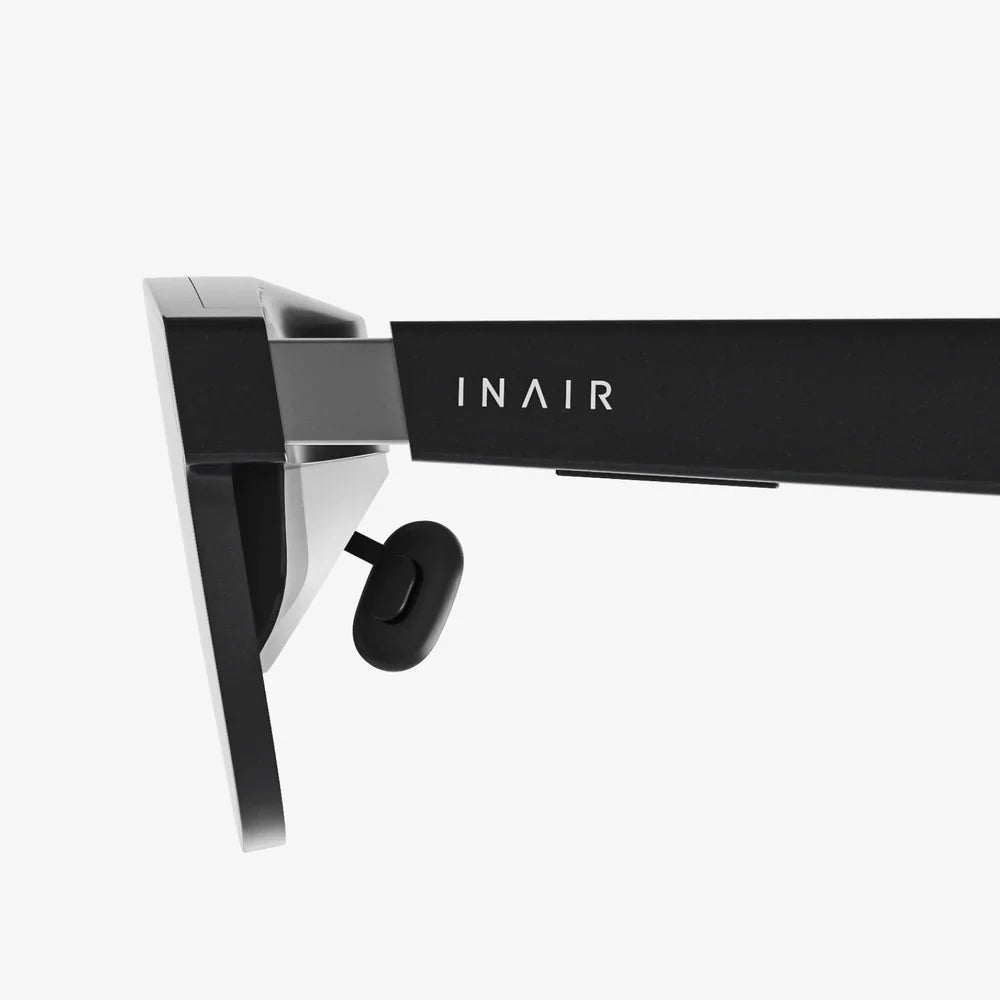
Immersive interface experiences are no longer science fiction; they are quietly reshaping how we work, learn, shop, and play. From virtual workspaces that surround you with data to augmented overlays that guide your every step, these interfaces promise something the flat screen never could: the feeling of truly being inside the digital world. If you have ever wondered what it would be like to step through your display and interact with information as if it were part of your physical environment, the emerging landscape of immersive interfaces is the doorway you have been waiting for.
At its core, an immersive interface is any interaction layer that makes digital content feel present, spatial, and responsive to the user’s body and surroundings. This can happen through virtual reality headsets, augmented reality on mobile devices or glasses, large-scale projection systems, spatial audio, haptic feedback, or a combination of all of these. The goal is not just visual spectacle; it is to create a more natural and intuitive way to perceive and manipulate information. Instead of tapping icons on a flat panel, users can reach, look, move, speak, and gesture in ways that mimic real-world behavior.
To understand why immersive interfaces matter, it helps to contrast them with traditional graphical user interfaces. Conventional interfaces rely on windows, menus, and icons arranged on a two-dimensional screen. They are powerful and efficient but demand a layer of abstraction: users must mentally translate real-world intentions into mouse movements and keyboard input. Immersive interfaces reduce that cognitive distance by blending digital elements into the user’s physical or virtual surroundings. When done well, the technology recedes into the background and the experience feels almost like interacting with reality itself.
This shift is driven by advances in several technologies coming together at once. High-resolution displays, low-latency tracking, computer vision, spatial mapping, natural language processing, and real-time 3D graphics all contribute to making immersive experiences believable and responsive. As these technologies mature and become more accessible, designers and developers gain new tools to craft interfaces that are not just seen but inhabited. The result is a new design frontier where space, movement, and presence are core ingredients of the user experience.
The Building Blocks of an Immersive Interface
Immersive interfaces are built from a combination of sensory channels and interaction methods that work together to create a coherent experience. Understanding these building blocks is essential for anyone designing or evaluating immersive systems.
Visual immersion and spatial context
Visual immersion is the most obvious component. In virtual reality, this means surrounding the user with a fully digital environment that updates in real time as they move their head and body. In augmented reality, digital objects are anchored to the real world, appearing to exist in the same space as physical objects. In both cases, the interface is no longer confined to a frame; it wraps around the user or extends into their environment.
Spatial context is the key difference from conventional displays. Instead of a flat layout of buttons and panels, designers must think in three dimensions. Where should a notification appear in the user’s field of view? How close should a virtual object be for comfortable viewing? How does the interface adapt when the user walks around a room or changes lighting conditions? These questions require a new mental model that treats space as part of the interaction canvas.
Audio immersion and spatial sound
Sound plays a crucial role in making immersive interfaces feel convincing. Spatial audio can simulate the direction, distance, and environment of sounds, helping users locate virtual objects or understand events happening outside their field of view. For example, a subtle chime behind the user can indicate an alert, prompting them to turn their head instead of glancing at a corner of a screen.
Audio cues also reduce visual overload. In complex environments, not every piece of information needs to be rendered visually. Short tones, environmental sounds, and voice prompts can convey context, confirm actions, and guide navigation, freeing the user’s eyes to focus on what matters most.
Haptics and tactile feedback
While visuals and audio create most of the illusion, touch completes the sense of presence. Haptic feedback can range from simple vibrations to complex patterns that simulate texture, impact, or resistance. Even basic haptics can dramatically improve an immersive interface by confirming interactions: a slight vibration when grabbing a virtual object or pressing a floating button reinforces the feeling that the action is real.
More advanced systems can provide force feedback, making virtual objects feel solid or heavy. Although such hardware is still evolving, the principle is clear: the more the body is involved in the interaction, the stronger the sense of immersion.
Natural input: gesture, gaze, and voice
Immersive interfaces rely heavily on natural input methods that map closely to human behavior. These include:
- Gesture input: Hand tracking and body movement recognition allow users to reach out, grab, swipe, and point. Gestures can replace or complement controllers, reducing the learning curve and making interactions feel intuitive.
- Gaze input: Eye tracking enables interfaces to respond to where the user is looking. Gaze can be used to highlight objects, aim tools, or select items, often combined with a confirmation gesture.
- Voice input: Spoken commands and conversational interaction provide a hands-free way to control the environment, search for information, or trigger actions. Voice is especially powerful when the user’s hands are occupied or when visual menus would clutter the space.
These input methods must be carefully balanced. Overreliance on any one channel can lead to fatigue or frustration, but when combined thoughtfully, they create a fluid, multimodal interaction style that feels closer to everyday life than to traditional computing.
Core Principles of Immersive Interface Design
Designing for immersion is not just about adding 3D graphics or fancy effects. It requires a shift in perspective from controlling a screen to orchestrating an environment. Several principles help guide this process.
Presence over spectacle
An immersive interface should prioritize presence: the feeling of truly being in the environment and able to act within it. Spectacular visuals can be impressive, but if they overwhelm the user or make interaction confusing, they undermine the experience. Presence comes from coherence, responsiveness, and clarity. The world should behave in predictable ways, with consistent physics, lighting, and interaction patterns.
For example, if a virtual object appears solid, users will expect to be able to walk around it, pick it up, or at least collide with it. If the object behaves inconsistently, immersion breaks. Designers must constantly ask whether each element contributes to the sense of being there, not just to visual appeal.
Embodied interaction
Immersive interfaces involve the whole body, not just the hands and eyes. This opens up rich possibilities but also introduces new responsibilities. Movements should be comfortable and sustainable; interactions should not demand constant arm lifting or awkward postures. The interface should respect human ergonomics, allowing users to rest their arms, sit down, or switch between standing and seated use without losing functionality.
Embodied interaction also means leveraging the user’s physical intuition. People know how to walk around an object, look behind something, or lean in for a closer view. Interfaces that align with these instincts feel natural and require less instruction. Instead of teaching users a new set of abstract gestures, designers can map actions to familiar physical metaphors.
Spatial organization and hierarchy
In a three-dimensional environment, layout becomes a spatial problem. Information must be organized not just on a plane but around the user. Key questions include:
- What information should always be visible and within easy reach?
- What can be placed in the periphery or summoned on demand?
- How should virtual objects relate to physical surfaces and boundaries?
One effective approach is to establish zones around the user. Critical status indicators might live in a fixed “heads-up” region, while reference materials appear on virtual panels anchored to walls or tables. Interactive tools can be attached to the user’s hands or body, accessible with minimal movement. This spatial hierarchy reduces clutter and helps users build a mental map of where things are.
Context awareness and adaptation
Immersive interfaces exist in real spaces, with real lighting, obstacles, and people. Context awareness is therefore essential. The system should understand room boundaries, furniture, and user position, adapting content to avoid placing objects where they cannot be reached or seen. It should also respect social context, such as whether the user is alone, in a shared workspace, or in public.
Adaptation can take many forms: adjusting brightness based on ambient light, scaling objects to fit the available space, or switching to more discreet interaction modes when others are nearby. By responding to context, the interface feels less like a rigid system and more like a responsive environment.
Comfort, safety, and accessibility
Immersive experiences can be intense. Designers must protect users from motion sickness, eye strain, and physical fatigue. This includes maintaining low latency between head movement and visual updates, avoiding sudden camera movements, and providing stable reference points in the environment. Text should be large and clear enough to read comfortably, with high contrast and adjustable brightness.
Safety is equally important. In mixed reality, users move through real spaces while focusing on virtual content. Clear boundaries, guardian systems, and awareness cues help prevent collisions. Accessibility should be considered from the start: support for different body types, mobility levels, and sensory abilities ensures that immersive interfaces do not exclude large segments of the population.
Key Technologies Enabling Immersive Interfaces
Behind every immersive interface lies a stack of technologies working in concert. While end users may never see these components, understanding them helps explain what is possible today and what is on the horizon.
Spatial tracking and mapping
To make digital content appear stable in space, the system must track the user’s position and orientation with high precision. This is accomplished through sensors such as cameras, inertial measurement units, and depth sensors. Software then fuses this data to estimate where the user is and how they are moving.
Spatial mapping extends this concept to the environment. By analyzing camera feeds and depth information, the system builds a 3D model of the room, including walls, floors, tables, and other surfaces. Virtual objects can then be placed realistically on these surfaces, behind obstacles, or anchored to specific locations.
Real-time 3D rendering
Immersive interfaces rely on real-time 3D graphics to draw environments and objects from the user’s perspective at high frame rates. Rendering engines must handle lighting, shadows, reflections, and materials while maintaining smooth performance. Any lag or stuttering can break immersion and cause discomfort.
Optimizing for performance is a major challenge. Designers must balance visual fidelity with responsiveness, using techniques such as level-of-detail management, foveated rendering that focuses detail where the user is looking, and efficient shading algorithms. The better the rendering pipeline, the more convincing the environment feels.
Computer vision and object recognition
Computer vision enables immersive interfaces to understand what the cameras see. This includes detecting surfaces, recognizing objects, tracking hands, and identifying markers or images. By interpreting the physical world, the system can align virtual elements with real objects, such as placing labels over devices or enabling interactions with physical tools.
Hand tracking is a particularly important application. By following the position and shape of the user’s hands, the interface can support direct manipulation of virtual objects without controllers. This reduces hardware complexity and makes interactions feel more natural, though it requires sophisticated algorithms to handle occlusion, lighting changes, and diverse hand shapes.
Speech recognition and conversational interaction
Voice interaction plays a growing role in immersive interfaces. Speech recognition and natural language understanding allow users to issue commands, ask questions, and control the environment without relying on menus and buttons. This is especially useful when the user’s hands are busy or when visual clutter must be kept to a minimum.
Conversational agents can also act as guides, tutors, or collaborators within immersive spaces. They can explain controls, suggest actions, or provide context-sensitive help. When combined with spatial audio, these agents can appear to occupy specific locations in the environment, further enhancing the sense of presence.
Practical Applications of Immersive Interfaces
Immersive interfaces are already transforming a wide range of industries and activities. While the technology is still evolving, real-world use cases demonstrate its potential to change how we interact with information and with each other.
Education and training
In education, immersive interfaces enable learners to step inside complex subjects rather than just reading about them. Students can explore historical environments, dissect virtual organisms, or walk through molecular structures. These experiences can make abstract concepts more concrete and memorable, particularly for visual and kinesthetic learners.
For professional training, immersive simulations provide safe environments to practice high-risk or high-cost procedures. Trainees can rehearse emergency responses, surgical techniques, industrial maintenance tasks, or piloting procedures without endangering people or equipment. The interface can track performance, provide immediate feedback, and adapt scenarios to match skill levels.
Design, engineering, and architecture
Designers and engineers benefit from immersive interfaces by being able to visualize and manipulate 3D models at full scale. Instead of examining a product on a monitor, they can walk around it, inspect it from any angle, and test how components fit together. Changes can be made in real time, with immediate visual feedback.
Architects and urban planners can place clients inside proposed buildings or public spaces before construction begins. This allows stakeholders to experience scale, lighting, and flow in a way that flat drawings cannot convey. Potential issues can be identified and resolved earlier in the process, saving time and resources.
Healthcare and therapy
Healthcare applications of immersive interfaces extend beyond training. Patients can benefit from virtual environments designed to reduce pain, anxiety, or phobias. For example, immersive distraction techniques can help manage discomfort during medical procedures, while controlled exposure scenarios can support therapy for fears or post-traumatic stress.
Rehabilitation programs can incorporate immersive exercises that encourage movement and engagement. Patients recovering from injuries or neurological conditions can perform guided tasks in virtual environments that adjust difficulty based on their progress. The system can track motion and provide detailed feedback to clinicians.
Workplaces and collaboration
Immersive interfaces are redefining remote collaboration by creating shared virtual spaces where participants feel physically co-present. Instead of staring at a grid of video windows, team members can gather around virtual whiteboards, examine 3D models together, or work in simulated control rooms. Spatial audio and embodied avatars enhance communication by restoring many of the cues that are lost in traditional video calls.
Virtual workspaces can also serve as personal productivity environments. Users can arrange multiple virtual screens around them, pin reference materials to virtual walls, and create custom layouts that would be impossible with physical monitors alone. This flexibility allows individuals to tailor their workspace to their tasks and preferences.
Retail, marketing, and entertainment
In retail, immersive interfaces enable customers to try products virtually, visualize items in their own homes, or explore interactive showrooms. This can reduce uncertainty and returns while making shopping more engaging. Marketing experiences can transport users into narrative environments where they interact with stories rather than passively viewing advertisements.
Entertainment remains one of the most visible domains for immersive interfaces. Games, narrative experiences, and live events can be staged in virtual or mixed reality, offering levels of presence and interactivity that traditional media cannot match. Audiences can move from being observers to participants, influencing outcomes and exploring worlds at their own pace.
Challenges and Ethical Considerations
As immersive interfaces spread, they bring not only opportunities but also significant challenges. Designers, developers, and policymakers must confront these issues to ensure that the technology benefits users rather than exploiting or harming them.
Privacy and data collection
Immersive systems collect vast amounts of data about users, including head and hand movements, gaze patterns, voice recordings, and sometimes physiological signals. This data can reveal sensitive information about behavior, preferences, and even emotional states. If mishandled, it poses serious privacy risks.
Responsible design requires transparency about what data is collected, how it is used, and how long it is stored. Users should have control over their data and the ability to opt out of non-essential tracking. Strong security practices are essential to protect against unauthorized access and misuse.
Psychological impact and addiction
Highly immersive experiences can be emotionally powerful. While this can be beneficial in therapeutic or educational contexts, it also raises concerns about overuse and psychological dependence. Prolonged exposure to virtual environments may affect perception, mood, or social behavior, especially for younger users.
Designers should consider mechanisms that encourage healthy usage patterns, such as session time indicators, gentle reminders to take breaks, and clear transitions between virtual and physical contexts. Content that deliberately exploits psychological vulnerabilities to maximize engagement deserves careful scrutiny.
Bias, representation, and inclusivity
Immersive interfaces can either reinforce or challenge existing biases. Avatars, environments, and interaction patterns all communicate messages about who is welcome and who is valued. If these systems are designed without diverse input, they may exclude or misrepresent certain groups.
Inclusive design practices are essential. This includes offering diverse avatar options, accommodating different cultural norms, and ensuring that interaction methods do not assume a narrow range of physical abilities. Testing with varied user groups can reveal issues that might otherwise go unnoticed.
Physical health and ergonomics
Extended use of immersive interfaces can strain the eyes, neck, and shoulders. Poorly designed interactions that require constant reaching, twisting, or standing can lead to discomfort or injury. Systems that block peripheral vision or obscure the physical environment may increase the risk of accidents.
Ergonomic guidelines should inform every stage of design. Comfortable default postures, adjustable settings, and options for seated use can mitigate many issues. Clear safety boundaries and unobtrusive alerts help users remain aware of their physical surroundings.
Design Strategies for Effective Immersive Interfaces
Creating a compelling immersive interface involves practical strategies that translate high-level principles into concrete decisions. Several strategies have emerged as especially effective.
Start with user goals, not technology
It is tempting to begin by asking what the technology can do, but successful immersive experiences start with user goals. What problem needs to be solved? What task should be easier, faster, or more engaging? Only after clarifying these goals should designers decide how immersion can help.
Sometimes, a traditional interface is still the best solution. Immersion should be used where it adds clear value, such as by leveraging spatial understanding, embodied interaction, or presence. Otherwise, it risks becoming an unnecessary complication.
Prototype early and often in 3D
Paper sketches and flat mockups are useful, but they cannot fully capture the feel of an immersive interface. Prototyping directly in 3D, even with simple shapes and placeholder graphics, reveals issues with scale, comfort, and spatial layout that would be invisible on a 2D screen.
Rapid iteration is crucial. Designers should test how it feels to reach for objects, how readable text is at different distances, and how users move through the environment. Feedback from real users in real spaces is invaluable for refining the experience.
Use familiar metaphors and gradual onboarding
Immersive interfaces introduce many new possibilities, but users still rely on familiar mental models. Metaphors from the physical world can ease the learning curve: virtual desks, shelves, tools, and doors provide intuitive cues about function. However, these metaphors should not be copied blindly; they must be adapted to the strengths and limitations of the medium.
Onboarding should be gradual and experiential. Instead of lengthy tutorials, interfaces can teach through guided actions, contextual hints, and progressive disclosure of advanced features. The goal is to let users feel competent quickly while leaving room for discovery.
Design for failure and recovery
In complex immersive systems, errors and misunderstandings are inevitable. Users may perform unexpected gestures, speak ambiguous commands, or move in ways the system cannot track. Robust design anticipates these situations and provides graceful recovery paths.
Clear feedback is essential. If the system misinterprets an action, it should indicate what it understood and offer ways to correct it. Undo options, confirmation prompts for critical actions, and visible system status indicators help maintain trust and prevent frustration.
Balance immersion with control
More immersion is not always better. There are times when users need to step back, access high-level controls, or focus on a specific task without distraction. Interfaces should provide mechanisms to adjust the level of immersion, such as switching between full virtual environments and lightweight overlays.
Control also involves giving users agency over their environment. They should be able to customize layout, scale, and interaction modes to fit their preferences and context. An immersive interface that adapts to the user, rather than forcing the user to adapt to it, will feel more empowering and sustainable.
The Future of Immersive Interfaces
The evolution of immersive interfaces is still in its early chapters, but several trends suggest where the story is heading. As hardware becomes lighter, more comfortable, and more affordable, immersive experiences will move from specialized settings into everyday life. Spatial computing could become as common as mobile computing, with digital content anchored throughout homes, offices, and public spaces.
One likely development is the blending of physical and digital objects into seamless hybrid environments. Smart furniture, interactive surfaces, and ambient displays may work together with wearable devices to create interfaces that are everywhere yet unobtrusive. Instead of thinking of “using VR” or “using AR,” people may simply interact with their surroundings, which happen to be augmented by digital intelligence.
Another trend is the rise of shared immersive spaces that persist over time. These spaces could serve as virtual offices, classrooms, social hubs, or creative studios, accessible from anywhere. They may host digital artifacts, tools, and memories that multiple people can revisit and modify. Identity and presence in these spaces will become increasingly important, raising new questions about representation, ownership, and governance.
As artificial intelligence advances, immersive interfaces will gain more adaptive and anticipatory capabilities. Systems will be able to infer user intent, personalize layouts, and offer proactive assistance based on context and history. This convergence of immersion and intelligence promises powerful experiences but also heightens the need for ethical design, transparency, and user control.
For designers, developers, and decision-makers, the message is clear: immersive interfaces are not a passing trend but a fundamental shift in how humans and computers relate. Those who learn to think spatially, design for bodies instead of cursors, and respect the psychological and social dimensions of immersion will shape the next generation of digital experiences. For everyone else, the invitation is simple: step beyond the flat screen and explore how it feels when information surrounds you, responds to you, and becomes part of the world you inhabit.
共有:
vr goggles for pc: The Complete 2026 Buyer’s and Setup Guide
Tempered Glass Screen Protector for Nintendo Switch 2: Complete Buyer’s Guide