


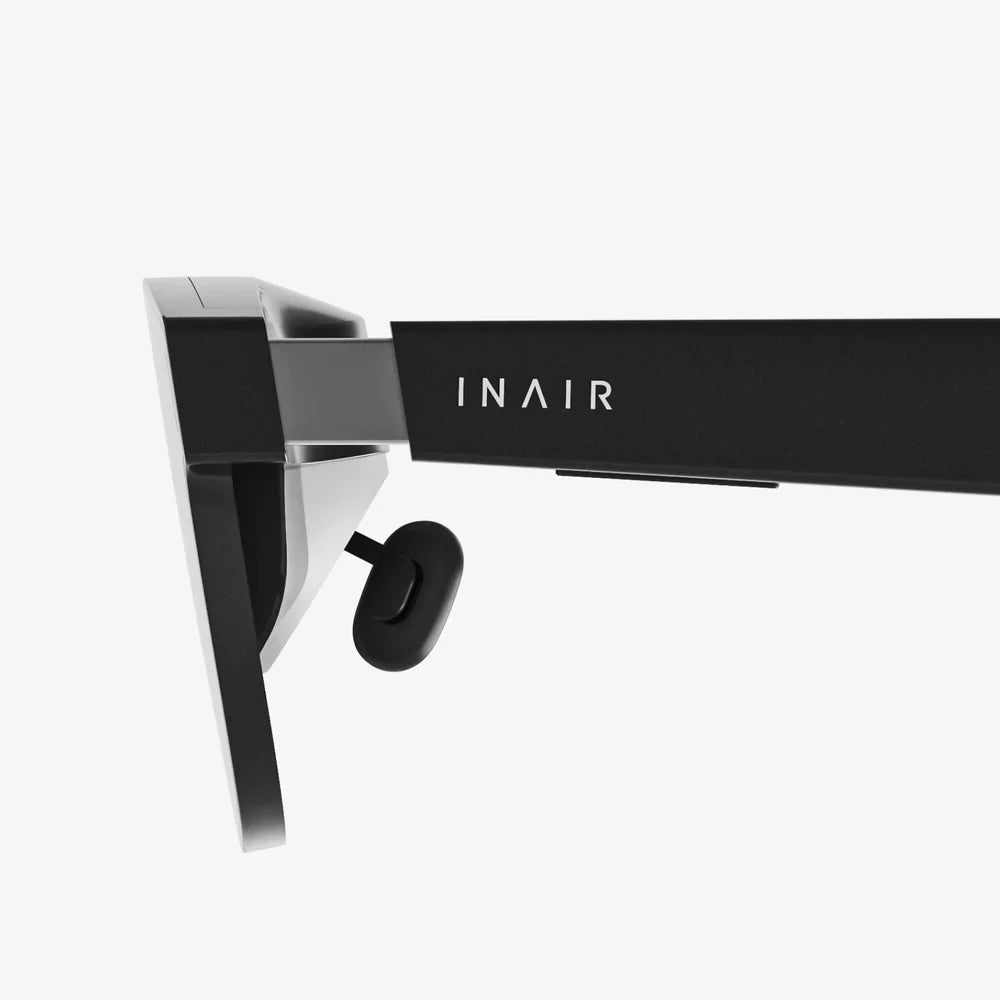
Lentes realidad virtual are no longer futuristic gadgets reserved for tech enthusiasts; they are becoming the gateway to entire digital worlds that anyone can step into today. Whether you want to feel inside your favorite game, explore distant cities from your sofa, or train for a new career, VR lenses can transform a simple screen into a fully immersive experience that grabs your attention and refuses to let go.
Understanding how these devices work, what types exist, and which features really matter will help you avoid expensive mistakes and choose a headset that actually fits your needs. This guide walks you through everything from the basics of VR optics to advanced use cases, so by the end you will know exactly how to turn lentes realidad virtual into your personal portal to new realities.
What Are lentes realidad virtual and How Do They Work?
At their core, lentes realidad virtual (VR lenses or VR headsets) are wearable devices that place small screens directly in front of your eyes and use lenses to create a sense of depth and immersion. Instead of looking at a flat monitor, you wear a headset that fills your field of view with a 3D world that responds when you move your head.
To understand them, it helps to break down the main components:
- Displays: Tiny high-resolution screens (often one per eye) show slightly different images to each eye, mimicking how real-world depth works.
- Lenses: Special lenses sit between your eyes and the screens, focusing the image and creating a wide field of view so the virtual environment surrounds you.
- Sensors: Gyroscopes, accelerometers, and sometimes external cameras or base stations track how you move your head and body.
- Processor: Either a built-in chip or an external computer/console renders the 3D graphics in real time.
- Audio: Integrated speakers or headphones provide spatial sound so you can hear where sounds are coming from in the virtual space.
When you turn your head, the sensors detect the motion and the image updates instantly to match your new viewpoint. This combination of stereoscopic 3D, wide field of view, and real-time tracking tricks your brain into feeling like you are inside the virtual environment instead of just watching it.
Main Types of lentes realidad virtual
Not all VR headsets are created equal. Before you invest, it is crucial to understand the main categories of lentes realidad virtual and what each one is best suited for.
1. Standalone VR Headsets
Standalone headsets have everything built in: processor, display, battery, and sensors. You do not need a PC, console, or phone to use them.
Advantages:
- Easy to set up and use; no cables to a computer.
- Portable; you can use them in different rooms or even outside (with caution).
- Usually more affordable than high-end PC-based systems.
Limitations:
- Less powerful hardware compared to gaming PCs.
- Graphics are good but not as detailed as on premium PC VR.
- Battery life limits long sessions.
Standalone lentes realidad virtual are ideal for casual gaming, fitness apps, social VR, and watching 360-degree videos without the complexity of a full computer setup.
2. PC-Based VR Headsets
PC-based VR headsets connect to a computer with a cable or wireless adapter. The computer handles the graphics and processing, allowing for more demanding applications.
Advantages:
- Highest visual quality and performance when paired with a powerful PC.
- Access to advanced simulation, racing, flight, and creative apps.
- Often better tracking accuracy and customization options.
Limitations:
- Requires a capable gaming PC, which increases total cost.
- Cables can limit movement unless you use wireless solutions.
- Setup can be more complex, especially with external base stations.
PC-based lentes realidad virtual are best for enthusiasts, sim racers, flight sim fans, developers, and professionals who need high fidelity and flexibility.
3. Console-Based VR Headsets
Console VR headsets connect to a game console and use it as the processing unit. They sit between standalone and PC VR in terms of complexity and power.
Advantages:
- Simpler than PC VR but more powerful than most standalone systems.
- Optimized games and experiences designed specifically for the console.
- Plug-and-play setup for living rooms.
Limitations:
- Limited to the console’s ecosystem and app store.
- Less flexible for productivity or custom applications.
- Requires owning the compatible console.
Console-based lentes realidad virtual are perfect for gamers who already have a console and want immersive experiences without building a PC.
4. Smartphone VR Headsets
Smartphone VR uses a mobile phone slotted into a headset shell that provides lenses. The phone’s screen and sensors do the work.
Advantages:
- Very low cost; uses a device you already own.
- Good for basic 360-degree videos and simple experiences.
- Portable and easy to share with friends.
Limitations:
- Limited performance and tracking capabilities.
- Often lacks proper motion controllers.
- Not ideal for advanced gaming or long sessions.
Smartphone-based lentes realidad virtual are an entry-level option for casual exploration but not a long-term solution for serious VR users.
Key Technical Specs That Matter
When you compare diferentes lentes realidad virtual, you will see many technical terms. Understanding the most important ones helps you judge whether a headset will feel comfortable and immersive.
Resolution and Screen Type
Resolution is measured in pixels per eye (for example, 1832 x 1920 per eye). The higher the resolution, the sharper the image and the less noticeable the “screen door effect” (visible lines between pixels).
Screen types:
- LCD: Often sharper text, can reduce screen door effect, but blacks are not as deep.
- OLED: Better contrast and deeper blacks, which enhances immersion, especially in dark scenes.
If you plan to read a lot of text in VR (productivity, coding, browsing) or play games with detailed graphics, prioritize higher resolution.
Field of View (FOV)
Field of view describes how much of your vision is filled by the virtual world, usually measured in degrees. A wider FOV makes VR feel more natural and less like looking through binoculars.
While numbers vary, anything around 90–100 degrees or higher is acceptable for most users. Enthusiast headsets may offer more, but comfort and clarity are just as important as raw FOV numbers.
Refresh Rate
Refresh rate (measured in Hz) is how many times per second the display updates. Common values are 72 Hz, 90 Hz, 120 Hz, and above.
Higher refresh rates provide smoother motion and can reduce motion sickness for sensitive users. If you are prone to discomfort in VR, look for headsets that support at least 90 Hz.
Tracking System
Tracking determines how accurately the headset and controllers know where they are in 3D space.
- Inside-out tracking: Cameras on the headset watch the room and controllers. Easier setup, no external sensors.
- Outside-in tracking: External base stations or cameras track the headset and controllers. Often more precise but requires more setup.
For most home users, inside-out tracking is sufficient and far more convenient. For professional simulations or VR arcades, outside-in tracking can provide extra precision.
Comfort and Ergonomics
Even the best specs are useless if you cannot wear the headset for more than 20 minutes. Comfort factors include:
- Weight distribution: Balanced headsets feel lighter even if the actual weight is similar.
- Strap design: Halo-style or rigid straps often provide better stability than simple elastic bands.
- Padding: Soft, breathable padding reduces pressure on your face and forehead.
- Adjustability: IPD (interpupillary distance) adjustment, strap length, and angle adjustments are crucial for a good fit.
If possible, try a headset before buying or read user feedback specifically about long-session comfort.
How to Choose the Right lentes realidad virtual for You
The best VR headset for one person may be a poor choice for another. Start by clarifying how you plan to use your lentes realidad virtual.
For Gaming
If your priority is gaming, consider these points:
- Platform: Do you have a gaming PC or console, or do you prefer standalone simplicity?
- Game library: Check which platform has the titles you care about most.
- Controllers: Look for ergonomic motion controllers with precise tracking and intuitive button layouts.
- Multiplayer: If you want social VR or co-op games, check how easy it is to connect with friends on that platform.
Fast-paced shooters, rhythm games, and competitive titles benefit from high refresh rates, accurate tracking, and comfortable controllers.
For Movies and Media Consumption
If you want to use lentes realidad virtual as a personal cinema:
- Resolution and screen quality matter more than raw tracking precision.
- Comfort is critical for long movie sessions.
- Audio quality and support for spatial sound can dramatically improve immersion.
- Streaming apps availability is important; check which services are supported.
Some headsets allow you to watch traditional 2D content on a giant virtual screen or enjoy 3D and 360-degree videos that make you feel inside the scene.
For Education and Training
VR is increasingly used in schools, universities, and corporate training. If you want lentes realidad virtual for learning:
- Ensure the headset supports the educational apps or platforms you plan to use.
- Look for easy management features if multiple people will share the device.
- Durability and hygiene are important in shared environments; removable face pads help.
- Comfort and adjustable fit are crucial if users have different head sizes.
From virtual science labs to language practice in simulated cities, VR can make abstract concepts tangible and memorable.
For Fitness and Wellness
VR fitness apps turn exercise into an engaging game, but they also demand specific features:
- Standalone design is ideal so you are not tethered by cables while moving.
- Good ventilation or sweat-resistant materials help during intense workouts.
- Secure fit ensures the headset stays in place while you jump or duck.
- Tracking accuracy matters for boxing, dancing, and rhythm games.
With the right lentes realidad virtual, you can burn calories while exploring futuristic arenas or scenic landscapes instead of staring at a wall on a treadmill.
For Productivity and Professional Use
Some people use VR for work: 3D design, virtual meetings, data visualization, or even writing and coding in virtual workspaces.
- Prioritize high resolution and clear optics for reading text.
- Check compatibility with your professional software or remote desktop tools.
- Look for comfortable, lightweight designs suitable for extended sessions.
- Consider accessories like prescription lens inserts if you wear glasses.
For architecture, engineering, and design, VR can offer true-to-scale models and immersive presentations that impress clients and improve collaboration.
Setting Up Your lentes realidad virtual for the First Time
Once you have chosen your headset, proper setup will make a big difference in comfort and performance.
1. Prepare Your Play Area
- Clear a space free of obstacles like chairs, cables, and low tables.
- Ensure the floor is not slippery; consider a rug to help you feel boundaries.
- Check ceiling height if you will be raising your arms or using motion controllers.
Most headsets let you define a virtual boundary. Take time to set this accurately so you get a warning before you bump into real-world objects.
2. Adjust Fit and IPD
Proper fit affects both comfort and image clarity:
- Place the headset on your head and tighten straps until it feels secure but not painful.
- Adjust the angle so the lenses align with your eyes, not too high or low.
- Use the IPD adjustment (physical or software) to match the distance between your pupils.
If the image looks blurry, distorted, or causes eye strain, your IPD or headset position may be off. Small adjustments can make a huge difference.
3. Configure Software and Safety Settings
- Update the headset firmware and any required companion apps.
- Set up user profiles if multiple people will use the device.
- Enable safety features like boundaries, pass-through view, and rest reminders.
- Adjust comfort settings such as turning on comfort mode for locomotion if you are new to VR.
Taking time to configure these options ensures a smoother, safer first experience for you and anyone else who tries your lentes realidad virtual.
Reducing Motion Sickness and Discomfort
Some people feel discomfort or motion sickness in VR, especially at the beginning. Fortunately, there are ways to minimize these issues.
Start Slowly
- Begin with short sessions of 10–15 minutes.
- Choose experiences where you stand still or teleport instead of walking with a joystick.
- Avoid intense roller coaster or flying simulations until you are more accustomed.
Optimize Comfort Settings
- Increase refresh rate if your headset allows it.
- Use comfort options like vignetting (darkened edges) during movement.
- Lower in-game movement speed to reduce disorientation.
Physical Factors
- Make sure the headset is not too tight; pressure can cause headaches.
- Stay hydrated and avoid heavy meals right before VR sessions.
- If you wear glasses, ensure they fit comfortably inside the headset or use prescription inserts.
Most users adapt over time. With careful settings and gradual exposure, many people who initially feel discomfort can eventually enjoy long sessions with their lentes realidad virtual.
Maintaining and Cleaning Your VR Lenses
Proper care extends the life of your headset and keeps the image clear.
Cleaning the Lenses
- Use a microfiber cloth designed for glasses or camera lenses.
- Wipe gently in a circular motion; avoid pressing too hard.
- Do not use alcohol or harsh chemicals; they can damage coatings.
- If needed, use lens cleaning solution recommended for optical glass.
Never use paper towels or clothing, as they can scratch the lenses.
Cleaning the Face Interface
- For foam interfaces, use antibacterial wipes that are safe for electronics.
- For synthetic leather or silicone, you can use a damp cloth with mild soap, then dry thoroughly.
- Consider removable or washable covers if multiple people use the headset.
Storage Tips
- Store the headset in a cool, dry place away from direct sunlight.
- Never leave the lenses exposed to sunlight; it can focus light and damage the screens.
- Use a protective case if you transport the headset frequently.
With simple regular maintenance, your lentes realidad virtual will stay clear, hygienic, and ready for your next adventure.
Popular Use Cases That Show the Power of lentes realidad virtual
Beyond gaming, VR is reshaping how people learn, work, and connect. Here are some compelling ways users are taking advantage of lentes realidad virtual today.
Immersive Storytelling and Virtual Tourism
VR experiences can place you in the middle of historical events, natural wonders, or fictional worlds. Instead of passively watching, you can look around, interact with objects, and feel like a participant rather than an observer.
- Explore famous landmarks from around the globe without leaving your home.
- Experience documentaries that place you inside remote forests, oceans, or space missions.
- Walk through museum exhibits and art galleries in virtual form.
Language Learning and Cultural Exchange
Practicing a new language is more effective when you can immerse yourself in realistic contexts. VR enables:
- Simulated conversations with virtual characters in cafes, markets, or offices.
- Virtual trips to cities where the language is spoken, complete with signs and ambient dialogue.
- Interactive exercises that make vocabulary and grammar feel more natural.
Lentes realidad virtual can turn language practice from a textbook chore into a dynamic and memorable experience.
Professional Training and Simulation
Industries from healthcare to manufacturing are using VR to train employees safely and efficiently:
- Medical students practice procedures in realistic virtual operating rooms.
- Technicians learn how to operate complex machinery without risking damage.
- Emergency responders rehearse crisis scenarios in controlled virtual environments.
Because VR simulations can be repeated as often as needed, they provide a cost-effective way to build skills and confidence.
Social VR and Remote Collaboration
Social platforms in VR allow you to meet friends, attend events, or collaborate with colleagues as avatars in shared spaces. Compared to video calls, VR can create a stronger sense of presence.
- Hold team meetings around virtual whiteboards and 3D models.
- Attend live concerts, stand-up shows, or conferences in virtual venues.
- Play cooperative games or simply hang out in virtual lounges and environments.
As remote work and global collaboration grow, lentes realidad virtual provide a way to feel “in the same room” even when you are thousands of kilometers apart.
Future Trends in VR Lenses and Headsets
VR technology is evolving quickly, and the next generation of lentes realidad virtual promises even more compelling experiences.
Improved Optics and Pancake Lenses
New optical designs, such as pancake lenses, allow for thinner, lighter headsets with clearer images and less distortion. As these lenses become more common, expect VR devices to feel more like regular glasses than bulky helmets.
Higher Resolution and Wider FOV
Display technology continues to advance, bringing higher pixel density and faster refresh rates. This will reduce visual artifacts and make virtual environments almost indistinguishable from reality in certain scenarios.
Eye Tracking and Foveated Rendering
Eye tracking allows headsets to know exactly where you are looking. Combined with foveated rendering, the system can render high detail only where your eyes focus, saving computing power while improving visual quality.
Eye tracking also enables more natural interactions, such as selecting menu items by looking at them or conveying eye contact in social VR.
Mixed Reality and Passthrough
Many headsets are evolving into mixed reality devices that blend virtual objects with your real environment using high-quality passthrough cameras. This opens up new possibilities:
- Productivity apps that place virtual monitors on your real desk.
- Games that use your actual room as part of the level design.
- Design tools that let you preview virtual furniture or decor in your home.
As mixed reality improves, lentes realidad virtual will become versatile everyday tools, not just entertainment devices.
Practical Tips to Get the Most Out of Your lentes realidad virtual
To maximize the value of your investment, keep these practical tips in mind:
- Experiment with different apps: Try gaming, fitness, education, and social experiences to discover what you enjoy most.
- Take regular breaks: Short breaks every 30–45 minutes help prevent eye strain and fatigue.
- Customize your environment: Many headsets allow you to change home environments, adjust guardian boundaries, and tweak comfort options.
- Use accessories wisely: Consider comfort straps, replacement face interfaces, or cable management systems if they improve your experience.
- Share responsibly: When friends or family try VR, supervise them, explain boundaries, and start with comfortable experiences.
With a bit of experimentation and care, your lentes realidad virtual can become a long-term source of entertainment, learning, and productivity rather than a gadget that gathers dust.
Lentes realidad virtual open doors to experiences that simply are not possible on a flat screen, from standing on the edge of a volcano to collaborating with colleagues in a shared virtual office. By understanding the different types of headsets, the technical specs that really matter, and the best practices for comfort and safety, you are ready to choose a device that fits your life and unlocks the full potential of immersive technology. The next step is simple: put on a headset, look around, and let your first virtual world convince you that this is more than a trend—it is a new way to see, play, and work.
共有:
Glasses With Display Are Quietly Redefining How We See the World
AR entertainment and the Future of Immersive Digital Experiences