


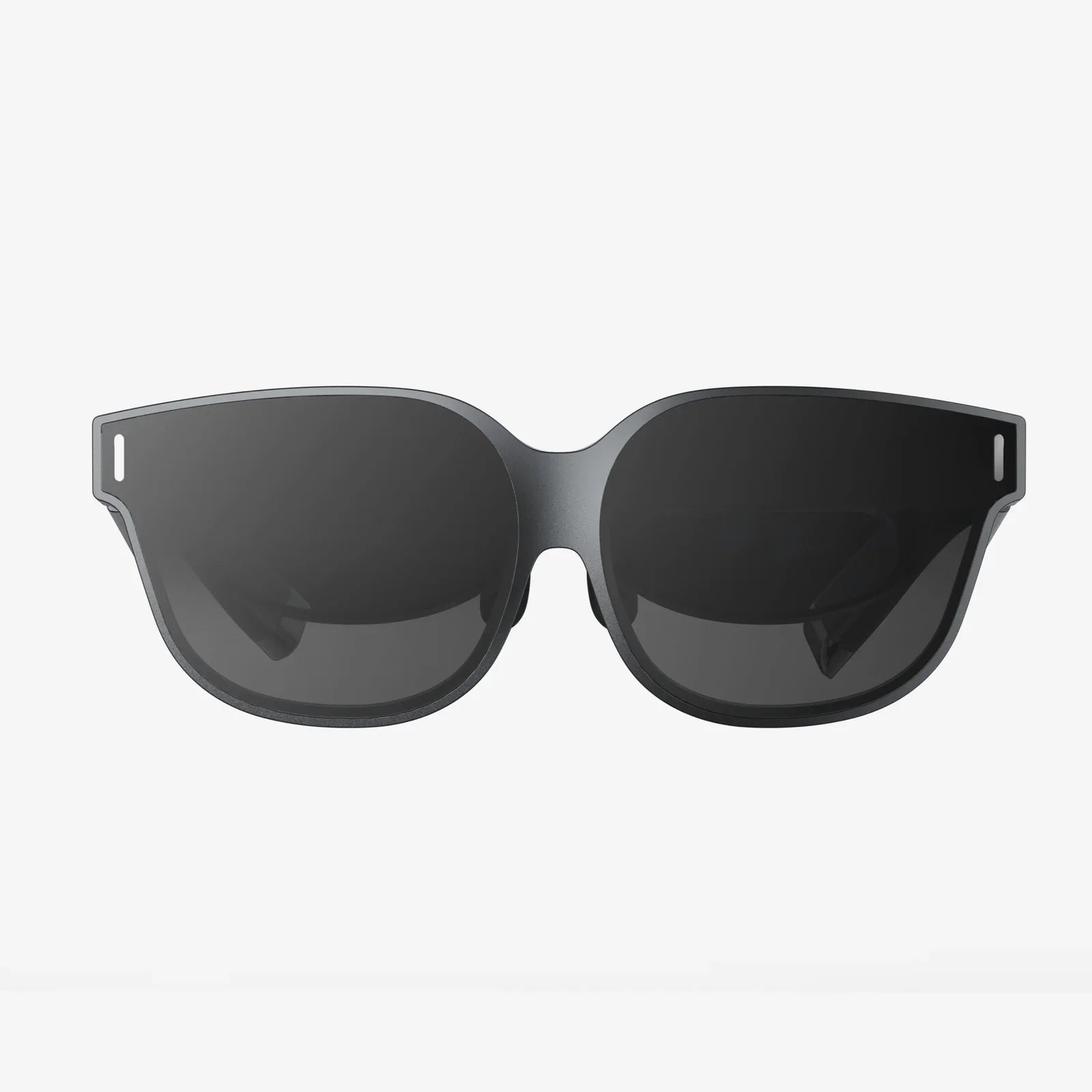
- by wangfred
Micro Portable Computer and Heads Up Display: The Next Screenless Revolution
- by wangfred
Imagine walking through a busy city with no phone in your hand, no laptop in your bag, yet every message, map, and document you need appears right in front of your eyes. That is the promise of combining a micro portable computer and heads up display into a single, seamless experience. This emerging fusion is quietly rewriting the rules of personal computing, shifting us away from rectangles in our pockets and onto interfaces that float in our field of view.
As these two technologies converge, they are not just shrinking hardware; they are reshaping how we think, work, and interact with information. If you have ever wished your devices would get out of the way so you could stay in the moment while still being connected, the marriage of micro portable computers and heads up displays may be the shift you have been waiting for.
A micro portable computer is a fully capable computing device condensed into an extremely small, often pocket-sized or wearable form factor. Unlike traditional laptops or tablets, these devices prioritize minimal size and low power consumption while still offering enough performance for everyday tasks.
The central idea is to separate the core computing brain from the user interface. Instead of having everything in a single bulky device, the micro portable computer becomes a hidden, always-available engine that can drive multiple displays and input methods.
A heads up display (HUD) is a transparent or semi-transparent display that presents information within the user’s line of sight, allowing them to access data without looking down at a traditional screen. Originally developed for aviation, HUDs now appear in vehicles, industrial equipment, and increasingly in wearable devices.
When a heads up display is paired with a micro portable computer, the HUD becomes the user’s primary window into the digital world, while the computer remains hidden in a pocket, on a belt, or integrated into clothing.
On their own, micro portable computers are powerful but invisible, and heads up displays are visible but often underpowered. Together, they complement each other perfectly. The micro portable computer provides the processing muscle and connectivity, while the heads up display delivers an immersive, always-available interface.
This pairing turns the concept of a traditional personal computer inside out. Instead of a box with a screen attached, you have a wearable computing core and a floating interface that appears only when needed.
To understand where the technology is heading, it helps to break down the main building blocks of a complete system.
The micro portable computer typically houses:
Wireless links are essential for keeping the computing unit separate from the display:
The HUD component defines how the user sees information:
Without a traditional touchscreen, input becomes more creative:
The combination of micro portable computer and heads up display is not just a futuristic experiment. It is already reshaping how people work and play in specific scenarios, and these examples hint at how mainstream adoption might look.
Knowledge workers, field technicians, and remote teams can benefit from HUD-driven workflows powered by micro portable computers:
Learning becomes more immersive when information can be layered onto the real world:
Travelers and commuters stand to gain significantly from heads up navigation linked to a micro portable computer:
When the micro portable computer handles the processing and the HUD provides the view, entertainment becomes more immersive and mobile:
Healthcare professionals and patients can both benefit from the combination of micro portable computers and heads up displays:
Despite the promise, merging a micro portable computer and heads up display into a practical everyday system involves difficult engineering and design trade-offs.
The smaller the micro portable computer, the harder it becomes to balance processing power, heat management, and battery life. Designers must decide whether to prioritize raw performance, long battery life, or minimal size. Different use cases may demand different balances.
Heads up displays need to be light and comfortable enough for extended wear. At the same time, users want a wide field of view and bright imagery. Increasing immersion often means larger or more complex optics, which can add weight and bulk. Achieving a natural, all-day wearable design remains a central challenge.
HUDs can easily become overwhelming if they constantly display information. Designers must find ways to show relevant data without cluttering the user’s view or causing cognitive overload. Intelligent filtering, subtle animations, and context-aware content are crucial to preventing distraction.
When a person wears a display that others cannot see, social dynamics change. People may worry about being recorded or analyzed. Successful systems will need clear indicators, privacy safeguards, and social norms that make their use comfortable for both wearers and bystanders.
For this technology to move beyond early adopters, the user experience must feel natural, safe, and genuinely helpful. Several principles stand out.
Less is often more. A well-designed HUD should show only what is necessary at the moment, fading or hiding secondary information. Designers can use peripheral placement, translucency, and adaptive opacity to keep the real world in focus.
The system should understand what the user is doing and adjust accordingly. For example:
Voice, gesture, and physical controls should work together seamlessly. Users should be able to switch between them without thinking. For instance, voice might be ideal for launching apps, while a subtle finger gesture could dismiss a notification, and a small wearable controller could handle precise cursor movement.
Because the micro portable computer may be hidden, users need clear cues about what the system is doing. Discreet visual indicators, audio cues, and haptic feedback can communicate recording status, connectivity, and active modes without requiring a separate screen.
Any always-on, wearable computing system raises important security and privacy questions that must be addressed from the start.
The micro portable computer will often handle sensitive information: messages, documents, location data, and potentially biometric readings. Strong encryption, secure authentication, and robust access controls are essential to protect this data both on the device and in transit.
Because HUD content is visible only to the wearer, it can be easier to work with confidential information in public spaces. However, this also means that sensitive content might be displayed in situations where it is not appropriate. Configurable privacy modes and context-aware display rules can help prevent accidental exposure.
If the system includes cameras or sensors, clear and visible recording indicators can help build trust. Device makers and developers must be transparent about what is captured, how it is stored, and who can access it. Limiting always-on recording and offering local-only processing options can reduce surveillance risks.
Even if you are not ready to adopt this technology today, there are practical steps you can take to be ready for its arrival.
Consider which parts of your work or daily routines could benefit from hands-free access to information. Examples include:
By mapping these scenarios now, you will be better positioned to adopt HUD-based workflows when the hardware becomes more accessible.
If you create digital content or tools, think about how they might appear in a heads up display. Shorter text, clear icons, and context-specific information will be easier to read and act on in a limited field of view. Investing in responsive and adaptable interfaces today will pay off as new display types emerge.
Many people still feel self-conscious using voice commands or gestures in public. As micro portable computers and heads up displays spread, these interaction styles will become more common. Practicing with existing voice assistants or simple gesture-based apps can help ease the transition.
The evolution of micro portable computers and heads up displays is far from complete. Several trends suggest where the technology might go next.
Instead of a separate device in your pocket, the micro portable computer could be woven into clothing, belts, or everyday accessories. Power and connectivity could be distributed across garments, reducing weight in any one place and making the technology feel almost invisible.
Advances in optics may enable wider fields of view, better color reproduction, and more natural depth perception. This would make it possible to place virtual objects in the real world with convincing realism, allowing for more sophisticated training, design, and entertainment applications.
As micro portable computers gain more powerful AI capabilities, they will be able to interpret context, predict needs, and adapt interfaces on the fly without relying heavily on remote servers. This can reduce latency, improve privacy, and support more personalized experiences.
Today, different devices and platforms often have their own interaction styles. Over time, common standards for gestures, voice commands, and display conventions are likely to emerge. This will make it easier for users to move between devices and for developers to design consistent experiences.
If you are considering being an early adopter of micro portable computer and heads up display systems, a few practical strategies can help you get the most out of the technology.
Instead of trying to replace every device at once, identify one or two high-value scenarios, such as navigation, note-taking, or field documentation. Use the system intensively in those areas to understand its strengths and limitations before expanding your use.
Adjust lighting, seating, and work surfaces to complement HUD use. For example, ensure that your primary working area has minimal glare and visual clutter, making it easier to distinguish overlays from the background.
Pay attention to eye strain, neck posture, and mental fatigue when using a heads up display for extended periods. Take regular breaks and adjust display settings, such as brightness and content density, to maintain comfort.
Because the field is evolving rapidly, software updates can significantly change performance, battery life, and features. Keeping devices updated and following best practices from the developer community will help you avoid common pitfalls.
The transition to a world where a micro portable computer and heads up display form the core of personal computing is not just about convenience or style. It represents a fundamental change in our relationship with digital information. Instead of bending our posture and attention toward screens, screens adapt to us, appearing only when and where we need them.
This shift opens the door to more humane technology use. It can reduce the time we spend hunched over devices, lower the friction of accessing critical information, and allow us to stay more present in physical environments while still benefiting from digital tools. It also challenges designers, developers, and policymakers to think carefully about how to introduce powerful, always-available interfaces without overwhelming or isolating users.
As micro portable computers become more capable and heads up displays become lighter and more natural to wear, the line between the physical and digital worlds will blur in ways that feel less like escapism and more like augmentation. Those who understand and shape this convergence today will influence how billions of people work, learn, travel, and play tomorrow. The next time you pull out a phone or open a laptop, consider how different that moment might feel when your primary computer is invisible and your screen floats quietly in your line of sight, ready whenever you are.