


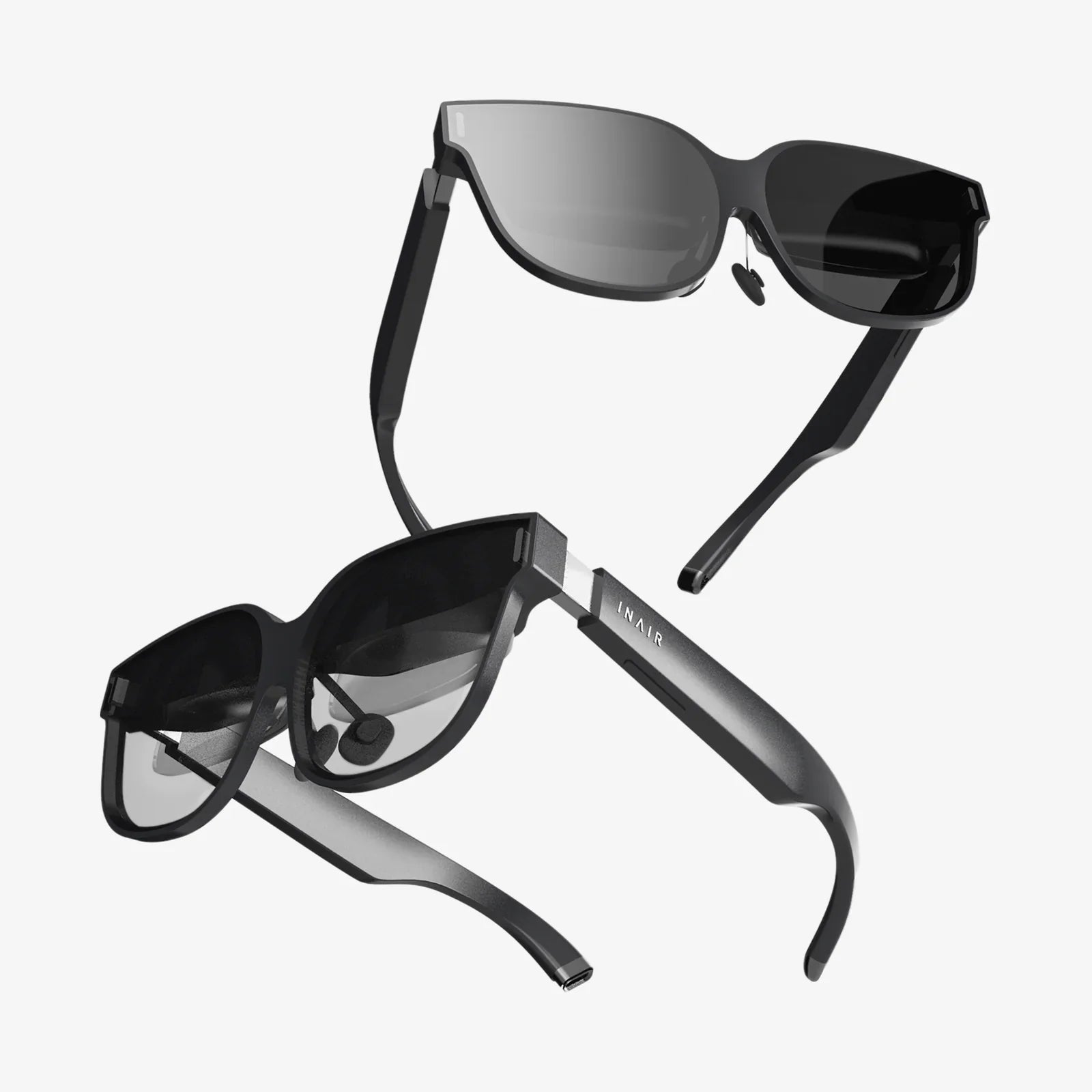
Rokid Max 3D viewing is rapidly becoming one of the most intriguing ways to enjoy movies, games, and work on the go, and if you have ever wished you could carry a private cinema in your pocket, this technology comes surprisingly close. Instead of being tied to a TV or monitor, you can slip on a lightweight pair of AR glasses and suddenly see a massive virtual screen floating in front of you, complete with depth, immersion, and a sense of presence that flat displays simply cannot match.
As more people look for flexible, portable entertainment and productivity tools, Rokid Max 3D viewing stands out as a compelling alternative to traditional screens. Whether you want to watch 3D films on a virtual theater-sized display, play games with an immersive sense of scale, or extend your laptop workspace into a private multi-screen environment, these AR glasses offer a versatile, future-facing solution that fits into everyday life.
What Is Rokid Max 3D Viewing?
Rokid Max 3D viewing refers to using AR glasses to project a large, virtual 3D screen in front of your eyes while keeping the hardware itself compact and lightweight. Instead of a bulky headset, you get something closer to regular glasses that can plug into phones, laptops, gaming consoles, and other devices to display content in both 2D and 3D modes.
The experience combines several key elements:
- Virtual big screen: The glasses simulate a large display, often equivalent to a cinema-sized screen at a perceived distance of several meters.
- 3D depth perception: With compatible content, each eye receives a slightly different image, creating a stereoscopic 3D effect that adds depth and realism.
- Portability: The glasses are designed to be lightweight and easy to carry, making them ideal for commuting, travel, and small living spaces.
- Privacy: The screen is visible only to the wearer, which is useful for watching personal content or working with sensitive information in public places.
When people talk about Rokid Max 3D viewing, they are usually referring to using these AR glasses as a personal cinema, a gaming display, or an extended monitor for productivity, all driven by a phone, computer, or media device.
How Rokid Max 3D Viewing Works
Understanding how Rokid Max 3D viewing works helps you get the most out of it. At a high level, the glasses act as an external display, but the optics and sensors inside create the illusion of a large, floating screen.
Optical System and Virtual Screen
Inside the glasses, tiny displays project images through lenses that magnify and direct them toward your eyes. The optics are tuned so that the virtual screen appears at a comfortable viewing distance, often several meters away, reducing eye strain compared to staring at a small phone screen up close.
Key aspects of the optical system include:
- Field of view: Determines how large the virtual screen appears in your vision.
- Resolution: Affects clarity and sharpness, especially noticeable when reading text or working on documents.
- Brightness: Enables visibility in various environments, from dim airplane cabins to moderately lit rooms.
3D Stereoscopic Rendering
Rokid Max 3D viewing relies on stereoscopic rendering for depth perception. When you play 3D content, the source device sends two slightly different images: one for the left eye and one for the right. Your brain fuses these images into a single scene with perceived depth, making objects appear closer or farther away.
This can be applied to:
- 3D movies: Films mastered in 3D can display scenes with layered depth, making action sequences and landscapes more immersive.
- 3D games: Games that support stereoscopic output can look more lifelike, especially in first-person or third-person views.
- 3D apps and experiences: Some applications use depth to create virtual environments, interactive scenes, or educational simulations.
Connectivity and Power
Most of the heavy lifting in Rokid Max 3D viewing is done by the connected device. The glasses typically plug in via a wired connection, such as USB-C or an adapter that converts other outputs to a compatible format. This cable delivers both power and video signal.
Common connection setups include:
- Direct connection to a smartphone with video output support.
- Connection to a laptop or desktop as an external monitor.
- Use with portable game consoles or streaming devices through an appropriate adapter.
Because the glasses draw power from the connected device, battery life will depend on that device, not the glasses themselves. This makes it important to plan for power management during long sessions.
Setting Up Rokid Max 3D Viewing for the First Time
Getting started with Rokid Max 3D viewing is straightforward, but a few setup steps can dramatically improve comfort and image quality.
Check Device Compatibility
Before you begin, confirm that your phone, tablet, laptop, or console supports video output over the port you intend to use. Many modern devices support display output via USB-C or through adapters, but not all do.
To verify compatibility:
- Look for video output capabilities in your device specifications.
- Ensure your operating system supports external displays.
- If using adapters, make sure they are specifically designed for video, not just charging.
Connect and Configure Display Settings
Once connected, your device should detect the glasses as an external display. From there, you can adjust settings:
- Display mode: Choose between mirroring your screen or extending the desktop.
- Resolution and scaling: Set resolution to match the glasses’ capabilities and adjust scaling for readable text.
- Refresh rate: Use the highest supported refresh rate for smoother motion, especially in games.
For 3D content, you may need to enable specific modes in the playback software or game settings, such as side-by-side or frame-packed 3D, depending on how the content is encoded.
Fit, Comfort, and Focus
Comfort is essential for enjoying Rokid Max 3D viewing for extended sessions. A few adjustments can make a big difference:
- Nose pads and temples: Adjust the nose pads and arms so the glasses sit securely without pressing too hard.
- Viewing angle: Tilt the glasses slightly up or down until the virtual screen appears centered and clear.
- Focus adjustments: If the glasses offer diopter or IPD (interpupillary distance) adjustments, fine-tune these so text and edges appear sharp.
- Prescription inserts: If you wear glasses, check whether prescription inserts or spacers are available to improve clarity.
Take a few minutes during your first use to experiment with these settings. Once dialed in, you will likely find the experience much more comfortable and immersive.
Rokid Max 3D Viewing for Movies and TV
One of the most popular uses of Rokid Max 3D viewing is turning ordinary movie nights into a personal theater experience. Instead of being limited by the size of a TV or laptop screen, you can enjoy a virtual cinema that feels far larger than most living room displays.
Watching 2D Movies on a Virtual Big Screen
Even standard 2D content benefits from the large virtual screen. With the glasses connected to your streaming device, you can:
- Watch films and shows in bed without propping up a tablet.
- Enjoy private viewing on a plane or train without disturbing others.
- Turn a small apartment or dorm room into a comfortable movie space.
The sense of immersion comes from both the size of the virtual screen and the fact that your field of view is dominated by the content, reducing distractions from the environment.
Experiencing 3D Movies with Depth and Presence
Rokid Max 3D viewing truly shines with 3D movies. When you play compatible content, the glasses can display separate images to each eye, creating depth that makes scenes feel more lifelike.
To get the best 3D movie experience:
- Use high-quality 3D video files or discs converted through a compatible device.
- Select the correct 3D mode (such as side-by-side) in your playback software.
- Watch in a dim or dark environment to enhance contrast and immersion.
Action films, animated features, and nature documentaries tend to benefit the most from 3D, with objects appearing to pop off the screen or recede into the distance.
Audio Options for a Cinematic Feel
Visual immersion is only half of the experience. Pairing Rokid Max 3D viewing with good audio makes a significant difference. You can:
- Use wired or wireless headphones for private, high-quality sound.
- Connect to portable speakers when watching at home.
- Adjust audio delay settings if you notice lip-sync issues.
Because the glasses do not block your ears by default, you can choose between full isolation with in-ear headphones or a more open experience with on-ear or bone conduction options, depending on your surroundings.
Rokid Max 3D Viewing for Gaming
Gamers are increasingly drawn to Rokid Max 3D viewing because it offers a large, responsive display without the bulk of traditional VR headsets. Whether you are playing on a console, PC, or mobile device, the glasses can provide an immersive, low-latency screen that travels with you.
Console and PC Gaming
When connected to a console or PC, the glasses function as an external display. This is ideal if you do not have space for a large TV or want a private gaming setup.
Benefits include:
- Big-screen feel: The virtual display can make open-world games, racing titles, and cinematic adventures feel more expansive.
- Reduced distractions: With most of your view filled by the game, it is easier to focus and become absorbed in the experience.
- Flexible posture: You can play while reclining, sitting, or even lying down, as long as the cable is managed safely.
For the best results, ensure your PC or console is set to output at the glasses’ native resolution and refresh rate, and consider enabling game modes that reduce input lag.
3D Gaming Experiences
Some games support stereoscopic 3D, which pairs perfectly with Rokid Max 3D viewing. With depth cues, environments feel more layered, and object placement becomes more intuitive.
In 3D-optimized games, you may notice:
- Improved sense of distance for platforming or racing.
- More immersive environments in first-person or third-person adventures.
- Enhanced visual impact in action-heavy scenes.
Not all games support 3D, but even standard 2D titles benefit from the large, high-resolution virtual screen.
Cloud Gaming and Mobile Play
Paired with a smartphone or streaming device, Rokid Max 3D viewing can become a portable cloud gaming station. You can stream games from the cloud or from your home PC to your phone, then view them on the glasses.
This setup is particularly attractive for:
- Travelers who want console-quality gaming without carrying a full system.
- Players with limited space at home.
- People who prefer a private, on-the-go gaming screen.
To maintain smooth gameplay, use a fast, stable internet connection for cloud gaming and ensure your controller is properly paired with low latency.
Productivity and Work with Rokid Max 3D Viewing
Rokid Max 3D viewing is not just about entertainment. It can also be a powerful tool for productivity, especially if you frequently work on the go or in shared environments.
Virtual Second Monitor for Laptops
One of the most practical uses is turning the glasses into a virtual second monitor. When connected to a laptop, the glasses can extend your desktop, giving you more space for multitasking.
For example, you can:
- Keep your main document or code editor on the laptop screen while placing reference materials or communication apps on the virtual display.
- Use the glasses as your primary screen when working in tight spaces, such as on a plane tray table.
- Review presentations or spreadsheets privately while others around you cannot see your work.
Because the virtual screen can appear quite large, it becomes easier to manage multiple windows without constantly switching tabs.
Private Workspaces in Public Places
Working in cafes, coworking spaces, or transit hubs often raises privacy concerns. With Rokid Max 3D viewing, your screen is visible only to you, which is ideal for handling sensitive documents, emails, or research.
To make the most of this:
- Use secure connections and VPNs for network safety.
- Keep your laptop keyboard and trackpad accessible for comfortable input.
- Adjust screen brightness to balance comfort and visibility in bright environments.
This setup allows you to build a virtual office anywhere without lugging around large monitors.
Creative and Professional Applications
Beyond standard office work, Rokid Max 3D viewing can support creative and professional workflows:
- Video editing: Use the virtual screen to preview footage at a larger size while keeping timelines and tools on the laptop.
- Design and illustration: Display reference images or client briefs on the virtual display while drawing or modeling on a tablet.
- Data analysis: View large spreadsheets or dashboards more comfortably on a big, crisp virtual screen.
Professionals who travel frequently may find that these glasses reduce the need for portable monitors, simplifying their gear while maintaining productivity.
Comfort, Health, and Safety Considerations
While Rokid Max 3D viewing can be comfortable and enjoyable, it is important to be mindful of health and safety factors, especially during longer sessions.
Managing Eye Strain
Any extended screen use can cause eye fatigue, and AR glasses are no exception. To reduce strain:
- Follow the 20-20-20 rule: every 20 minutes, look at something 20 feet away for at least 20 seconds.
- Adjust brightness so the image is comfortable, not overly bright.
- Ensure focus and IPD are properly set so text and edges appear sharp.
- Take regular breaks, especially during long gaming or movie marathons.
If you experience persistent discomfort, headaches, or dizziness, reduce session length and consult a professional if needed.
Neck and Posture
Because Rokid Max 3D viewing allows flexible body positions, it is easy to slip into awkward postures without noticing. Over time, this can cause neck or back discomfort.
To maintain comfort:
- Use a chair with proper back support when possible.
- Keep your neck in a neutral position rather than constantly looking down.
- Reposition the cable so it does not pull on the glasses or restrict movement.
Short stretching breaks can help prevent stiffness during longer sessions.
Motion and Spatial Awareness
Although Rokid Max 3D viewing does not completely block your surroundings, the large virtual screen can narrow your awareness of the environment.
For safety:
- Avoid walking around while wearing the glasses, especially in unfamiliar or crowded places.
- Do not use them while driving or operating machinery.
- Be aware of cables to prevent tripping or pulling connected devices off surfaces.
Using the glasses in stable, seated positions is generally the safest and most comfortable approach.
Travel and On-the-Go Use Cases
One of the most compelling reasons people explore Rokid Max 3D viewing is its potential as a travel companion. When space is limited and screens are small, the ability to unfold a virtual cinema or workspace becomes especially valuable.
Long Flights and Train Rides
On long journeys, traditional in-flight screens and mobile devices can feel cramped. With AR glasses, you can watch movies, play games, or work on a large virtual display without disturbing your seatmates.
Tips for travel use:
- Carry a compact case for the glasses and cables.
- Use a power bank to extend your device’s battery life.
- Download movies, shows, or games in advance to avoid relying on unstable connections.
- Use noise-isolating headphones if you want a more theater-like experience.
The privacy aspect is also valuable during travel, allowing you to comfortably watch or work on sensitive content without worrying about prying eyes.
Hotels, Rentals, and Small Living Spaces
Whether you are staying in a hotel, a short-term rental, or a small apartment, Rokid Max 3D viewing makes it easy to enjoy large-screen entertainment without installing or carrying bulky hardware.
You can:
- Turn any room into a temporary home theater.
- Avoid dealing with unfamiliar TV interfaces or limited channel selections.
- Use your own streaming services, game library, and files on your personal devices.
This flexibility is particularly appealing for digital nomads, frequent business travelers, and students living in shared spaces.
Optimizing Your Rokid Max 3D Viewing Experience
Once you have the basics down, a few optimizations can elevate your Rokid Max 3D viewing from good to exceptional.
Calibrating Picture Quality
Most devices allow you to adjust display settings that affect how content looks on the glasses. Consider tuning:
- Brightness and contrast: Lower brightness in dark rooms and increase it in bright environments; adjust contrast for richer blacks and clearer highlights.
- Color temperature: Warmer tones can be easier on the eyes at night, while cooler tones may look crisper during the day.
- Sharpness: Avoid excessive sharpness, which can introduce artifacts; aim for a natural, clean image.
Some media players and games also include advanced graphics settings that can further refine the visual experience.
Content Selection for Maximum Impact
Certain types of content showcase Rokid Max 3D viewing better than others. For impressive demonstrations and personal enjoyment, try:
- Cinematic films with sweeping landscapes and detailed environments.
- Animated features, which often translate beautifully to 3D.
- Games with rich visuals, expansive worlds, or fast-paced action.
- Documentaries that use depth and scale, such as space or nature programs.
Mixing high-quality 2D and 3D content will help you appreciate the strengths of the virtual screen in different scenarios.
Managing Cables and Accessories
A tidy setup makes Rokid Max 3D viewing more enjoyable and less frustrating. Consider:
- Using short, flexible cables to avoid tangles.
- Securing cables with clips or ties so they do not pull on the glasses.
- Keeping adapters, power banks, and headphones in a dedicated pouch.
This is especially important if you plan to use the glasses regularly during travel or commuting.
Who Benefits Most from Rokid Max 3D Viewing?
Rokid Max 3D viewing is versatile, but certain groups may find it particularly transformative.
Entertainment Enthusiasts
If you love movies, series, and games, and you value immersion, these glasses offer a way to enjoy content almost anywhere without sacrificing screen size. They are especially appealing if you do not have space for a large TV or want a personal theater experience.
Frequent Travelers and Commuters
People who spend a lot of time on planes, trains, or buses can use Rokid Max 3D viewing to turn otherwise idle hours into engaging entertainment or productive work sessions. The combination of portability and privacy makes them ideal for travel-heavy lifestyles.
Remote Workers and Students
For remote workers and students, the glasses can serve as a portable second monitor, a private workspace in shared environments, and a flexible tool for presentations, research, and study. This can be especially helpful in small apartments or shared accommodations.
Tech Early Adopters and Creators
Those who enjoy exploring new interfaces and display technologies will find Rokid Max 3D viewing an intriguing platform for experimenting with immersive content, creative workflows, and future-forward ways of interacting with digital media.
The Future Potential of Rokid Max 3D Viewing
Rokid Max 3D viewing sits at the intersection of AR, portable displays, and immersive media, and its potential is likely to grow as software and content ecosystems evolve.
Possible future directions include:
- More 3D-native content: As demand increases, more films, games, and apps may be designed with stereoscopic viewing in mind.
- Enhanced AR interactions: Beyond flat screens, future experiences could blend virtual elements with your real environment more seamlessly.
- Improved comfort and ergonomics: Lighter frames, better weight distribution, and enhanced optical systems could make extended use even more comfortable.
- Deeper productivity integration: Operating systems and productivity suites may increasingly support multi-window AR workflows tailored to glasses-based displays.
As these developments unfold, owning AR glasses that already deliver high-quality 3D viewing can position you to take advantage of new experiences as they arrive.
Rokid Max 3D viewing offers a rare combination of portability, immersion, and versatility that is difficult to match with traditional screens. Whether you want to transform cramped travel into cinematic escapes, turn any desk into a dual-monitor workstation, or dive into games on a giant virtual display without filling your living room with hardware, these glasses open the door to a new way of seeing your digital world. If you have been curious about what it feels like to carry a private cinema and workspace wherever you go, exploring Rokid Max 3D viewing may be the most compelling step you can take toward that future today.
共有:
Use Smart Glasses Without a Phone: The Complete Practical Guide
Use Smart Glasses Without a Phone: The Complete Practical Guide