


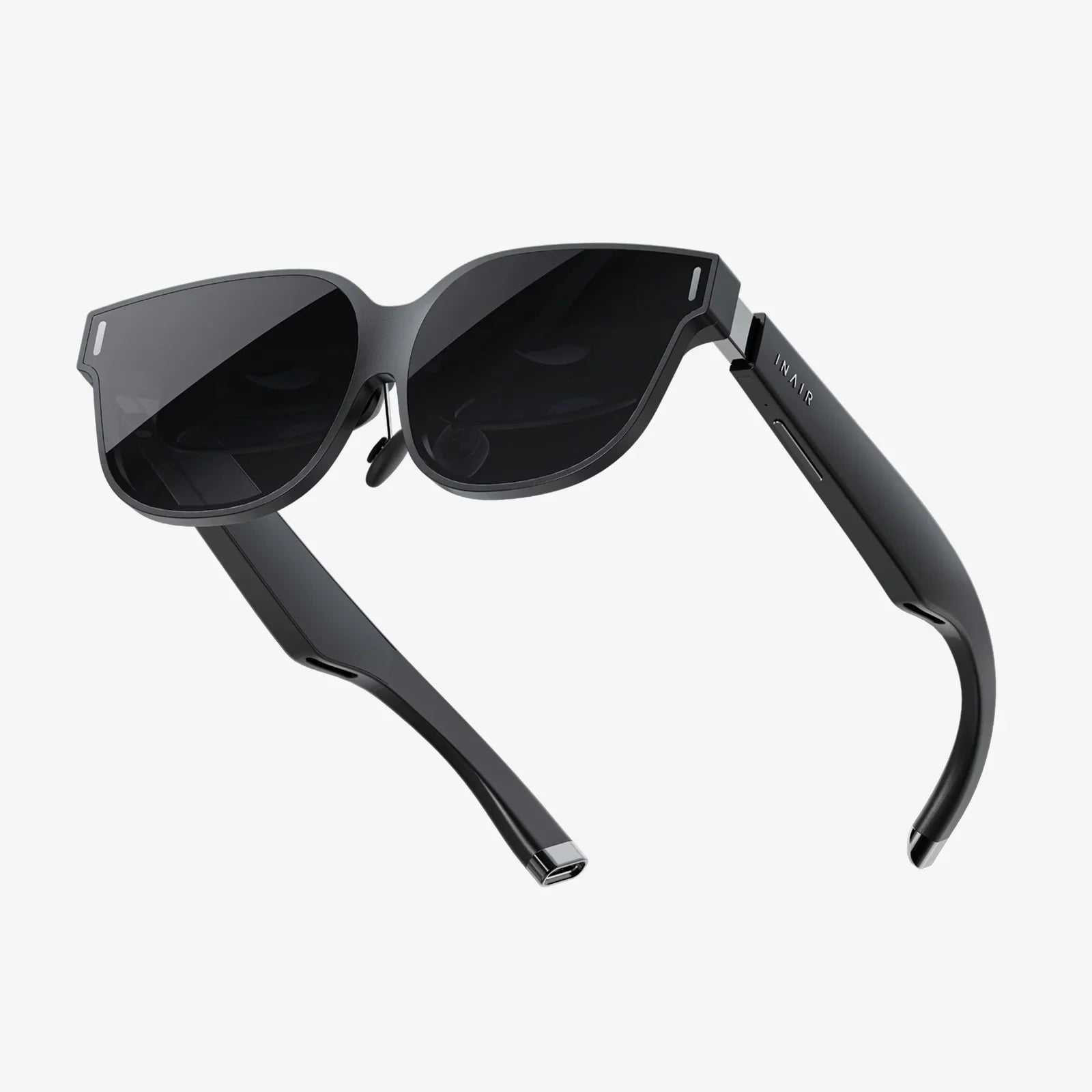
Virtual Interface technology is quietly turning screens into worlds, clicks into gestures, and data into experiences so real that people forget where the physical ends and the digital begins. If you have ever waved your hand to control a device, slipped on a headset to step into another reality, or watched digital objects float over your living room through your phone, you have already touched the edge of this revolution. What is now a curiosity for some is rapidly becoming the foundation of how humans will work, learn, play, and connect.
At its core, a virtual interface is any system that lets humans interact with digital environments in ways that feel more natural than typing on a keyboard or tapping on a flat screen. That might mean turning your head to look around a virtual office, using your eyes as a cursor, or speaking to an intelligent agent that responds as if it were in the room with you. The shift is not only technical; it is psychological. Virtual interfaces do not simply show information; they surround you with it.
What Is a Virtual Interface?
A virtual interface is a layer between a human and a digital system that simulates or enhances reality, allowing interaction through natural behaviors such as movement, speech, gaze, or even neural activity. Unlike traditional interfaces that rely heavily on keyboards, mice, and flat displays, virtual interfaces aim to create a sense of presence, immersion, or seamless integration with the physical world.
These interfaces can be fully immersive, partly overlaid on the real world, or invisible yet responsive. They may involve wearable devices, environmental sensors, or software that interprets gestures and voice commands. The central goal is the same: reduce friction between human intention and digital response.
Key Types of Virtual Interface
Virtual interfaces span a spectrum from fully virtual environments to subtle overlays on everyday life. Understanding the main categories helps clarify how they are used and where they are headed.
1. Virtual Reality Interfaces
Virtual reality (VR) interfaces immerse users in entirely digital environments. A headset blocks out the physical world and replaces it with a computer-generated space that can be explored and manipulated.
- Visual immersion: Stereoscopic displays and wide fields of view create depth and presence.
- Motion tracking: Sensors capture head, hand, and body movements to update the virtual scene in real time.
- Interactive controllers: Handheld or glove-like devices let users grab, point, or press virtual objects.
These interfaces are used for gaming, simulation, training, and virtual collaboration. They excel when full focus and immersion are desired, but they also raise questions about comfort, motion sickness, and how long people can or should remain in such environments.
2. Augmented Reality Interfaces
Augmented reality (AR) interfaces blend digital elements into the real world. Instead of replacing reality, they enhance it by overlaying graphics, text, or interactive objects on what you see.
- Mobile AR: Smartphones or tablets use cameras to show the real world with digital overlays.
- Wearable AR: Glasses or headsets project information into your field of view while keeping the environment visible.
- Spatial AR: Projectors and sensors transform physical spaces into interactive surfaces.
AR interfaces are powerful for navigation, maintenance, education, and design, because they keep users grounded in reality while adding context and guidance. They must, however, be carefully designed to avoid distraction and visual overload.
3. Mixed Reality and Spatial Computing Interfaces
Mixed reality (MR) interfaces allow digital objects to interact with the physical environment as if they have a real presence. This often involves spatial mapping, where the system understands surfaces, walls, and objects in the room.
- Environmental awareness: Sensors build a 3D map of the space to anchor virtual content.
- Occlusion and physics: Digital objects can hide behind real ones, bounce off surfaces, or obey gravity.
- Hand and body tracking: Users can reach out and manipulate virtual items as if they are tangible.
These interfaces blur the line between digital and physical. They are especially promising for design, architecture, remote collaboration, and complex training scenarios where context matters.
4. Gesture and Motion-Based Interfaces
Gesture-based interfaces interpret physical movements as commands. Cameras, depth sensors, wearables, or radar-like systems track hands, arms, and bodies to control digital systems.
- Touchless control: Swipe, pinch, push, or rotate in midair to interact with content.
- Body as controller: Whole-body motion can control avatars or manipulate large displays.
- Sign language interpretation: Systems can translate signed communication into text or speech.
These interfaces are valuable in environments where touch is inconvenient or unsanitary, such as operating rooms or industrial sites. They must be robust against false positives and fatigue, and they require clear visual or auditory feedback so users know when a gesture is recognized.
5. Voice and Conversational Interfaces
Voice-based virtual interfaces allow users to interact through spoken language. Speech recognition, natural language understanding, and synthetic voices work together to create conversational experiences.
- Hands-free operation: Users can control devices while driving, cooking, or working with tools.
- Natural communication: People can ask questions, give commands, or hold multi-step dialogues.
- Accessibility: Voice interfaces support users who find traditional input methods difficult.
These interfaces are increasingly embedded in homes, vehicles, and workplaces. However, they must handle accents, noise, and privacy concerns, and they should be transparent about when they are listening and what is recorded.
6. Brain-Computer and Neural Interfaces
At the frontier of virtual interface research are systems that connect directly to neural activity. Brain-computer interfaces (BCIs) interpret patterns in brain signals to control digital systems without physical movement.
- Non-invasive BCIs: Sensors placed on the scalp detect electrical activity.
- Invasive BCIs: Implanted devices read signals from within the brain.
- Neurofeedback: Users learn to modulate their brain activity to control interfaces.
These interfaces hold immense promise for restoring communication and movement to people with severe disabilities and for enabling entirely new forms of interaction. They also raise some of the most profound ethical questions about privacy, consent, and identity.
Core Technologies Behind Virtual Interfaces
Virtual interfaces are not magic; they are the result of multiple technologies working together. Understanding the building blocks helps demystify how they function and where their limitations lie.
1. Sensors and Tracking Systems
Sensors are the eyes, ears, and skin of virtual interfaces. They capture information about the user and environment.
- Motion sensors: Accelerometers, gyroscopes, and magnetometers track orientation and movement.
- Cameras and depth sensors: Visual data is used for tracking hands, faces, and spatial layouts.
- Eye tracking: Infrared or camera-based systems detect where a user is looking.
- Biometric sensors: Heart rate, skin conductance, and brain signals can adjust experiences in real time.
Accurate tracking is crucial. Even small delays or errors can break immersion or cause discomfort. Much of the engineering effort in virtual interfaces goes into reducing latency and improving reliability.
2. Rendering and Display Technologies
Once the system knows where a user is and what they are doing, it must render appropriate visuals and feedback.
- High-refresh displays: Fast updates keep motion smooth and reduce motion sickness.
- Stereoscopic rendering: Separate images for each eye create depth perception.
- Foveated rendering: Eye tracking allows detailed rendering only where the user is looking, saving processing power.
- Holographic and light-field techniques: Emerging methods aim to provide more natural depth cues.
The display layer extends beyond visuals. Haptic actuators, spatial audio, and even temperature or scent systems are being explored to broaden the sensory palette of virtual interfaces.
3. Interaction Engines and Input Processing
Virtual interfaces must interpret input and translate it into meaningful actions.
- Gesture recognition algorithms: Machine learning models classify movements and poses.
- Speech and language processing: Systems convert audio into text and interpret intent.
- Collision and physics engines: Virtual objects respond realistically to user actions.
- Context models: The system infers what the user is trying to do based on history and environment.
This is where intelligence lives. Good interaction engines make interfaces feel intuitive, forgiving, and responsive. Poor ones make them frustrating and unpredictable.
4. Networking and Cloud Infrastructure
Many virtual interfaces rely on remote processing and shared environments.
- Low-latency networking: Real-time collaboration and streaming require fast, stable connections.
- Edge computing: Processing closer to the user reduces lag and offloads devices.
- Synchronization: Multi-user environments must stay consistent across participants.
As interfaces become more complex and collaborative, the underlying infrastructure becomes as important as the device itself.
Real-World Applications of Virtual Interfaces
Virtual interfaces are no longer confined to research labs or entertainment. They are reshaping work, education, healthcare, and more, often in ways that are subtle but profound.
1. Work and Collaboration
Virtual interfaces are transforming how teams meet, design, and solve problems.
- Virtual meeting spaces: Colleagues gather as avatars in shared virtual rooms, surrounded by documents, models, and whiteboards.
- Remote design reviews: Engineers and designers manipulate 3D models in real time from different locations.
- Data visualization: Complex data sets are explored in immersive environments, where patterns are easier to see.
These interfaces can reduce travel, increase engagement, and allow people to collaborate across distances as if they were in the same room. They also introduce new etiquette and norms around presence, attention, and privacy.
2. Training and Simulation
Training is one of the most mature and impactful uses of virtual interfaces.
- High-risk environments: Pilots, drivers, and operators practice dangerous scenarios in safe virtual contexts.
- Medical training: Students rehearse procedures on virtual patients with realistic feedback.
- Soft skills: Simulated conversations and social situations help build communication and leadership skills.
Virtual interfaces offer repeatability, controlled difficulty, and detailed performance tracking. They let learners fail safely, reflect, and try again, building confidence before facing real-world stakes.
3. Education and Learning
Classrooms are gradually incorporating virtual interfaces to make learning more interactive and experiential.
- Virtual field trips: Students explore historical sites, ecosystems, or the solar system without leaving the classroom.
- Interactive labs: Science experiments are simulated for schools without access to physical equipment.
- Personalized learning paths: Interfaces adapt content based on student progress and engagement.
When thoughtfully implemented, these tools can deepen understanding and reach students with diverse learning styles. However, they must complement, not replace, human teachers and social learning.
4. Healthcare and Therapy
Healthcare is another area where virtual interfaces are making a tangible difference.
- Pain management: Immersive environments distract patients during painful procedures or chronic pain episodes.
- Physical rehabilitation: Gamified exercises in virtual environments motivate and guide recovery.
- Mental health: Exposure therapy in controlled virtual settings helps treat phobias and anxiety disorders.
These interfaces can increase access to care, personalize treatment, and provide detailed data on patient progress. They must be designed with clinical input and evaluated rigorously to ensure safety and effectiveness.
5. Retail, Tourism, and Customer Experience
Virtual interfaces are changing how people discover products, destinations, and services.
- Virtual showrooms: Customers explore and customize products in 3D before purchasing.
- Try-before-you-buy experiences: Clothing, furniture, or decor is visualized in context using AR.
- Virtual tourism: People preview destinations or experience places they may never physically visit.
By turning browsing into an experience, these interfaces can deepen engagement and help customers make more informed decisions.
6. Entertainment and Social Spaces
Entertainment remains a powerful driver of virtual interface adoption.
- Immersive games: Players physically move, dodge, and interact in virtual worlds.
- Virtual events: Concerts, festivals, and performances take place in shared digital venues.
- Social hubs: People meet, chat, and build communities in persistent virtual spaces.
These experiences are not just diversions; they are becoming part of how people socialize, express identity, and build friendships across borders.
Design Principles for Effective Virtual Interfaces
Creating a virtual interface that feels magical rather than frustrating requires careful design. Technology alone is not enough; human psychology and ergonomics must be at the center.
1. Comfort and Safety
Physical and cognitive comfort are non-negotiable.
- Minimize motion sickness: Align movement with user input, reduce latency, and avoid unnatural motion.
- Ergonomic interactions: Avoid forcing users to hold their arms up for long periods or make awkward gestures.
- Clear boundaries: Provide visual cues when users approach physical obstacles.
Ignoring comfort leads to short sessions, negative word-of-mouth, and, in some cases, health risks.
2. Intuitiveness and Learnability
Good virtual interfaces feel familiar even when they are entirely new.
- Use real-world metaphors: Buttons, levers, and grab-and-move interactions mirror physical experiences.
- Progressive disclosure: Introduce complexity gradually as users gain confidence.
- Immediate feedback: Visual, audio, or haptic responses confirm actions.
When users do not need a manual, the interface is on the right track.
3. Accessibility and Inclusion
Virtual interfaces can either widen or narrow access depending on how they are designed.
- Multiple input modes: Support voice, gaze, controllers, and alternative devices.
- Adjustable visuals and audio: Allow customization of text size, contrast, and volume.
- Assistive features: Provide captions, audio descriptions, and adaptable interaction speeds.
Designing for accessibility not only serves people with disabilities; it improves usability for everyone.
4. Presence and Emotional Engagement
One of the greatest strengths of virtual interfaces is their ability to create a sense of presence.
- Consistent physics and behavior: Objects should behave in ways that match expectations.
- Responsive avatars: Facial expressions, gestures, and eye contact enhance social presence.
- Environmental cues: Lighting, sound, and subtle motion make spaces feel alive.
When presence is strong, users feel emotionally invested and are more likely to return.
5. Privacy and Ethical Transparency
Virtual interfaces often collect sensitive data, from location and voice to gaze and biometrics.
- Clear consent: Explain what is collected, why, and how it is used in understandable language.
- Data minimization: Collect only what is necessary for the experience.
- User control: Provide easy ways to review, delete, or export personal data.
Ethical design builds trust and reduces the risk of backlash or misuse.
Challenges and Risks of Virtual Interfaces
Despite their promise, virtual interfaces come with real challenges that must be addressed thoughtfully.
1. Health and Well-Being
Extended use of immersive interfaces can affect physical and mental health.
- Eye strain: Close-focus displays and prolonged sessions can cause discomfort.
- Posture and movement: Poor ergonomics may lead to strain or injury.
- Psychological impact: Highly immersive experiences may blur boundaries or intensify emotional responses.
Guidelines, breaks, and thoughtful content design are essential to mitigate these risks.
2. Social and Behavioral Shifts
As people spend more time in virtual environments, social norms and behaviors evolve.
- Identity and anonymity: Avatars can empower or enable harmful behavior, depending on context.
- Harassment and safety: Virtual spaces need moderation, reporting tools, and personal boundaries.
- Balance with offline life: Designers and users alike must consider how virtual time affects real-world relationships.
Healthy virtual communities require governance, culture, and tools that prioritize respect and safety.
3. Equity and Access
Advanced virtual interfaces can be expensive or require high-end hardware and connectivity.
- Cost barriers: Devices and infrastructure may be out of reach for many communities.
- Digital divides: Unequal access can deepen existing inequalities in education and work.
- Content localization: Interfaces must adapt to different languages and cultural contexts.
Policymakers, educators, and industry leaders need to ensure that the benefits of virtual interfaces are widely shared.
4. Security and Data Protection
Virtual interfaces expand the attack surface for malicious actors.
- Biometric data theft: Stolen gaze patterns, voices, or neural signals could have long-term consequences.
- Impersonation: Deepfakes and avatar hijacking can undermine trust.
- Environment mapping: Spatial scans of homes and offices reveal sensitive information.
Robust security practices, encryption, and authentication are non-negotiable in this new interaction layer.
The Future of Virtual Interface: Trends to Watch
The next decade will likely see virtual interfaces move from specialized tools to everyday infrastructure. Several trends hint at what is coming.
1. Lighter, More Seamless Devices
Hardware is steadily becoming smaller, more comfortable, and more integrated into everyday objects.
- All-day wearables: Glasses and earbuds with persistent virtual interface capabilities.
- Invisible interfaces: Projectors, sensors, and speakers embedded in environments rather than worn.
- Energy efficiency: Longer battery life and smarter power management.
As devices fade into the background, the interface becomes less about the gadget and more about the experience.
2. AI-Enhanced Personalization
Artificial intelligence will make virtual interfaces more adaptive and context-aware.
- Predictive assistance: Systems anticipate needs based on behavior and environment.
- Adaptive difficulty and content: Experiences adjust to skill level, mood, and goals.
- Natural conversation: More fluid, human-like dialogue with virtual agents.
Handled responsibly, this personalization can make interfaces feel like trusted companions rather than tools.
3. Convergence of Physical and Digital Commerce
Virtual interfaces will further blur the lines between online and offline commerce.
- Persistent digital layers: Stores, cities, and venues will have invisible digital twins accessible through AR.
- Contextual offers and information: Interfaces will provide real-time guidance, reviews, and alternatives.
- Hybrid experiences: Physical events augmented with virtual participation and content.
Businesses that understand this convergence will create experiences that feel less like transactions and more like journeys.
4. More Natural Multimodal Interaction
The future of virtual interfaces is not about choosing between voice, gesture, or gaze; it is about blending them.
- Multimodal understanding: Systems interpret combined signals from speech, movement, and expression.
- Contextual disambiguation: The same gesture can mean different things depending on what is being said.
- Fluid handoffs: Users move seamlessly between input methods without thinking.
When interfaces understand humans as whole beings rather than isolated inputs, interaction becomes truly natural.
5. Ethical Frameworks and Regulation
As virtual interfaces become central to daily life, societies will grapple with how to govern them.
- Standards for safety and comfort: Guidelines on usage, content, and health impacts.
- Data and biometric protections: Laws addressing ownership and use of intimate behavioral data.
- Rights in virtual spaces: Questions about freedom of expression, property, and identity.
The decisions made in the coming years will shape whether virtual interfaces empower or exploit their users.
Preparing Yourself and Your Organization for Virtual Interfaces
Whether you are an individual professional, an educator, a healthcare provider, or a business leader, the rise of virtual interfaces will affect how you operate. Preparing now can turn disruption into opportunity.
1. Build Literacy and Experiment
Start by understanding the basics and gaining hands-on experience.
- Try different interfaces: Explore VR, AR, voice assistants, and gesture-based systems.
- Observe reactions: Notice what feels intuitive, confusing, or uncomfortable.
- Stay informed: Follow developments in hardware, software, and policy.
Literacy reduces fear and helps identify where virtual interfaces can add real value.
2. Identify High-Impact Use Cases
Not every task benefits from a virtual interface. Focus on areas where immersion, simulation, or spatial context matter.
- Complex training: Situations where mistakes are costly or dangerous in the real world.
- Remote collaboration: Teams that need to interact with 3D information or spatial layouts.
- Customer engagement: Experiences where visualization and interaction can clarify choices.
Piloting targeted projects helps build internal expertise without overwhelming resources.
3. Develop Ethical and Accessibility Guidelines
From the start, commit to responsible use.
- Define data practices: Decide what will be collected, how it will be stored, and who can access it.
- Include diverse users: Test interfaces with people of different ages, abilities, and backgrounds.
- Plan for well-being: Encourage healthy usage patterns and provide clear information on risks.
Ethical foundations are easier to build early than to retrofit later.
4. Invest in Skills and Cross-Disciplinary Teams
Virtual interfaces sit at the intersection of design, psychology, engineering, and storytelling.
- Upskill existing teams: Provide training in interaction design, 3D thinking, and immersive storytelling.
- Encourage collaboration: Bring together designers, developers, subject-matter experts, and end users.
- Foster experimentation: Create space for prototypes and user testing.
The most successful virtual interface projects often come from teams that blend technical and human perspectives.
Why Virtual Interface Matters Now
The race to define the next generation of human-computer interaction is well underway, and virtual interfaces are at the center of it. They are not just novelties for enthusiasts; they are becoming the new default for how people will see information, control systems, and connect across distance. The organizations and individuals who learn to harness these interfaces thoughtfully will be the ones shaping that future rather than reacting to it.
Virtual interfaces invite a fundamental question: if any environment, object, or relationship can be extended or transformed through digital layers, what do we want that to look and feel like? The answer is not prewritten. It will emerge from millions of design decisions, policy choices, and personal experiments. By approaching virtual interfaces with curiosity, responsibility, and creativity, you can help ensure that the worlds we build are not only more immersive, but also more humane, equitable, and deeply worth inhabiting.
共有:
Meta Quest Touch Pro Controllers Guide To Precision VR Interaction
Meta Quest Touch Pro Controllers Guide To Precision VR Interaction