


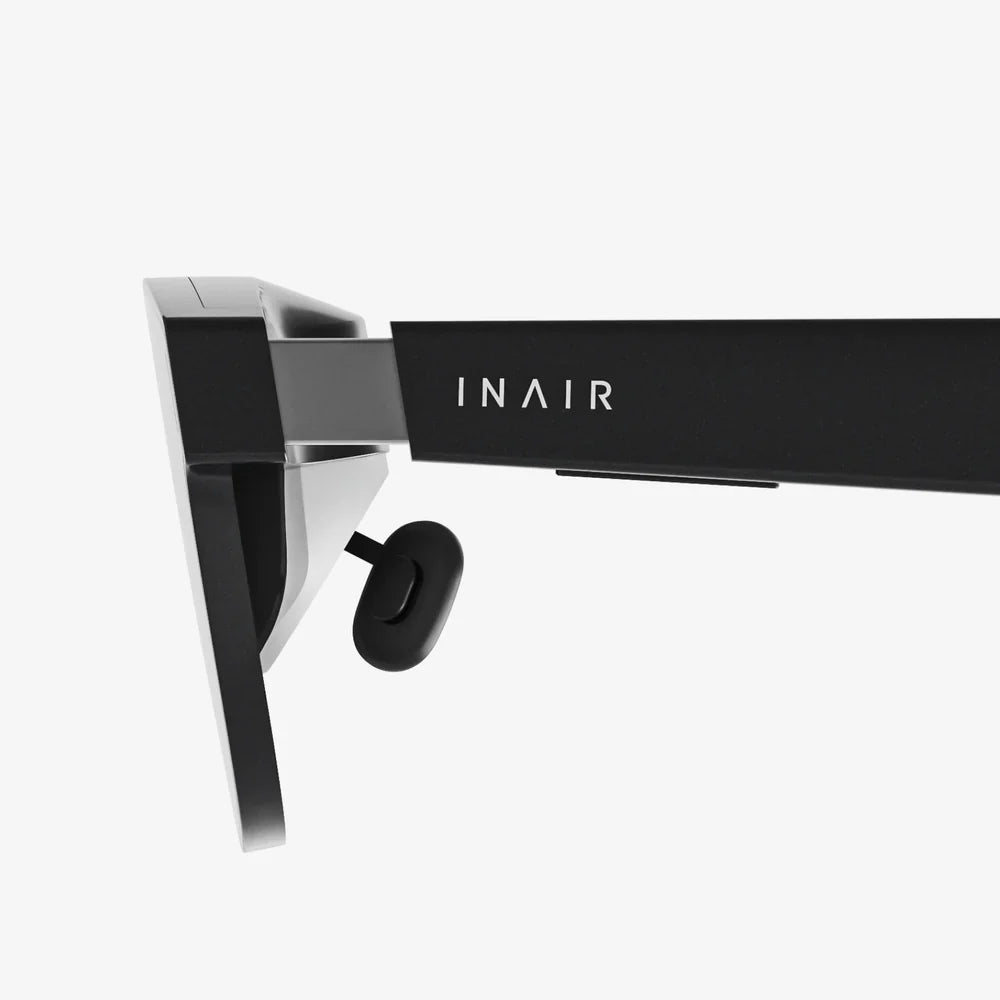
virtual reality display devices are no longer science fiction; they are portals to entire worlds that feel close enough to touch. Whether you want to stand on the surface of Mars, walk through a dream home before it is built, or train for a high‑stakes surgery, these head‑mounted gateways are redefining how we see, learn, and play. As prices fall and quality rises, the question is shifting from "Should I try VR?" to "How will VR change my daily life?"
This article dives deep into how virtual reality display devices work, what makes one headset better than another, where they are used today, and how they might reshape the future of entertainment, work, and human connection. If you have ever wondered what all the hype is about or how to choose the right device, you are in the right place.
What Are Virtual Reality Display Devices?
Virtual reality display devices are hardware systems that place screens directly in front of your eyes and track your head movements to simulate a three‑dimensional, interactive environment. Instead of looking at a scene on a flat monitor, you are placed inside it. The display fills most of your field of view, and motion sensors update the scene in real time as you look around.
Typical virtual reality display devices include several core components:
- Head‑mounted display (HMD) that houses screens and lenses
- Optical system to focus and shape images for each eye
- Motion tracking sensors to follow head, hand, and body movements
- Input controllers such as handheld controllers, gloves, or full‑body trackers
- Audio system with spatial sound to match the visuals
The goal is presence: the psychological sensation of "being there" in a virtual environment rather than simply observing it.
Key Types of Virtual Reality Display Devices
Not all virtual reality display devices are built the same. Different designs target different use cases, budgets, and levels of immersion.
PC‑Tethered VR Headsets
PC‑tethered headsets connect to a desktop or laptop computer through cables or high‑bandwidth wireless links. The external computer performs heavy graphics processing, enabling high‑resolution visuals and complex environments.
Typical characteristics include:
- High refresh rates and resolutions
- Support for demanding games and professional applications
- Room‑scale tracking with external sensors or advanced inside‑out tracking
- Greater setup complexity and limited mobility due to cables
Standalone VR Headsets
Standalone virtual reality display devices have all necessary computing components built into the headset. They do not require a PC or console.
They usually offer:
- Ease of use and quick setup
- Wireless freedom and portability
- Moderate graphics performance compared to high‑end PCs
- On‑board app stores and content libraries
Console‑Based VR Systems
Some VR headsets connect to a gaming console instead of a PC. The console handles rendering, while the headset focuses on display and tracking.
These systems typically provide:
- Optimized performance for specific hardware
- Curated content ecosystems
- Living‑room‑friendly setup
Mobile VR Solutions
Early consumer VR experiences often used smartphones inserted into simple headsets. While this category has become less prominent, it laid the groundwork for modern devices.
Characteristics include:
- Low cost and easy access
- Limited tracking (usually rotational only)
- Lower visual fidelity and immersion
Specialized and Enterprise‑Grade Devices
In professional settings, virtual reality display devices may be tailored for specific tasks, such as medical training, industrial design, or flight simulation. These can include:
- Ultra‑high‑resolution displays
- Advanced eye tracking and facial tracking
- Integration with motion platforms or haptic suits
Core Technologies Behind Virtual Reality Display Devices
The magic of VR comes from a combination of visual, sensory, and computational technologies working in harmony. Understanding these helps explain why some experiences feel more convincing than others.
Display Panels and Resolution
Most virtual reality display devices use either LCD or OLED panels. Each eye receives a separate image to create stereoscopic depth.
Key display metrics include:
- Resolution per eye: Higher resolution reduces the screen‑door effect, where you see the gaps between pixels.
- Pixel density: Measured in pixels per degree, indicating how sharp the image appears at a given field of view.
- Color reproduction and contrast: Important for realism and comfort.
Field of View (FOV)
Field of view describes how much of your visual field is covered by the display. Wider FOV increases immersion by filling more of your natural vision and reducing the sense of looking through binoculars.
Refresh Rate and Motion Smoothness
Refresh rate measures how many times per second the display updates. Common values are 72 Hz, 90 Hz, 120 Hz, or higher.
Higher refresh rates:
- Reduce motion blur and flicker
- Lower the risk of motion sickness
- Make fast‑paced content feel more natural
Optics and Lenses
Lenses sit between your eyes and the screens, bending light to create a comfortable focal distance and a wide field of view. However, lenses introduce challenges:
- Distortion: Must be corrected in software so straight lines appear straight.
- Chromatic aberration: Color fringing at the edges, also corrected digitally.
- Sweet spot: The area of maximum clarity; users must adjust headset position and lens spacing to align with their eyes.
Tracking Systems: Inside‑Out vs Outside‑In
Tracking determines how accurately the system knows where your head and hands are in space.
- Outside‑in tracking: Uses external cameras or base stations placed around the room to track markers on the headset and controllers.
- Inside‑out tracking: Uses cameras mounted on the headset to observe the environment and calculate movement without external sensors.
Modern virtual reality display devices increasingly rely on inside‑out tracking for convenience, though high‑end systems may combine multiple approaches for precision.
Eye Tracking and Foveated Rendering
Some advanced headsets include eye‑tracking sensors that detect where you are looking. This enables:
- Foveated rendering: Rendering full resolution only where your gaze is focused, saving processing power.
- More natural interactions: Interfaces that respond to eye movements and blinks.
- Better analytics: Understanding user attention in training or research contexts.
Audio and Spatial Sound
Sound is crucial for immersion. Virtual reality display devices typically use built‑in speakers or headphone outputs to deliver spatial audio, where sounds are positioned in 3D space around the user.
Accurate spatial sound helps you:
- Locate virtual objects and characters
- Feel present in an environment
- React to events behind or above you
Haptics and Tactile Feedback
While not strictly part of the display, haptic feedback devices such as handheld controllers, gloves, or vests complement visual immersion by simulating touch, impact, or texture. Combined with visuals and audio, haptics can make virtual actions feel more real.
Major Use Cases for Virtual Reality Display Devices
Virtual reality display devices are not just for games. They are reshaping many industries by offering safe, cost‑effective, and engaging ways to interact with digital content.
Immersive Gaming and Entertainment
Gaming remains one of the most visible applications. VR games place you inside the action, whether you are wielding a virtual sword, piloting a spacecraft, or solving puzzles in a surreal landscape.
Beyond games, entertainment experiences include:
- Virtual concerts and live events
- Immersive cinema and narrative experiences
- Virtual theme park rides
Education and Training
Virtual reality display devices enable learners to practice skills in realistic simulations without real‑world risk.
Examples include:
- Medical students performing virtual surgeries
- Engineers assembling complex machinery in simulated factories
- Language learners practicing conversations in virtual cities
- History classes exploring ancient civilizations in 3D
Professional Design and Engineering
Architects, product designers, and engineers use VR to visualize and manipulate 3D models at full scale. This allows teams to:
- Walk through buildings before construction
- Inspect ergonomics and aesthetics of products
- Collaborate remotely in shared virtual workspaces
Healthcare and Therapy
In healthcare, virtual reality display devices support:
- Pain distraction for patients undergoing procedures
- Exposure therapy for phobias and anxiety disorders
- Rehabilitation exercises for physical therapy
- Training for emergency response and surgery
Remote Collaboration and Virtual Offices
As remote work grows, VR is emerging as a way to recreate the sense of presence found in physical offices. With virtual reality display devices, colleagues can meet in shared virtual rooms, manipulate 3D data, and communicate using avatars that mirror head and hand movements.
Tourism, Real Estate, and Cultural Heritage
Virtual tours allow people to explore destinations without traveling. Real estate agents use VR to show properties to remote buyers, while museums and cultural institutions create immersive exhibits that bring artifacts and historical sites to life.
Benefits of Virtual Reality Display Devices
The rapid adoption of virtual reality display devices is driven by a set of compelling advantages.
Deep Immersion and Presence
VR creates a sense of presence that traditional screens cannot match. This level of immersion improves engagement and emotional impact, making experiences more memorable.
Safe and Controlled Environments
Training in VR allows people to practice high‑risk tasks, such as operating heavy machinery or responding to emergencies, without endangering themselves or others.
Cost and Resource Efficiency
While high‑end systems can be expensive, VR can still save money by reducing travel, material costs, and downtime. For example, virtual prototypes can replace multiple physical iterations.
Accessibility and Inclusion
Virtual reality display devices can make experiences accessible to people who might otherwise be excluded due to physical, geographic, or financial barriers. For instance, someone unable to travel can still tour museums or attend events in VR.
Enhanced Learning Outcomes
Interactive, immersive environments support experiential learning. Studies often show improved retention and understanding when learners can actively explore, manipulate, and visualize concepts in 3D.
Challenges and Limitations
Despite their promise, virtual reality display devices face several challenges that designers and users must consider.
Motion Sickness and Discomfort
Motion sickness in VR arises when your eyes report movement that your inner ear does not feel. Factors that influence discomfort include:
- Low or unstable frame rates
- High latency between head movement and visual updates
- Artificial locomotion that moves the user without physical motion
Developers mitigate these issues with careful design, higher refresh rates, and comfort settings.
Ergonomics and Fit
Weight distribution, strap design, and padding affect how long a headset can be worn comfortably. Poor ergonomics can cause neck strain, pressure points, and fatigue.
Visual Strain and Eye Health
Extended use of virtual reality display devices can lead to eye strain, especially if the headset is poorly adjusted. Users should:
- Take regular breaks
- Adjust interpupillary distance (IPD) correctly
- Ensure clarity and focus are properly set
Hardware Requirements and Cost
High‑end experiences may require powerful computers and additional accessories. While prices are falling, cost remains a barrier for some users and organizations.
Content Quality and Variety
The value of virtual reality display devices depends heavily on available content. Poorly designed experiences can undermine immersion, while a lack of variety can limit long‑term engagement.
Privacy and Data Concerns
VR systems can collect detailed data about user movements, gaze patterns, and physical environments. This raises questions about data storage, consent, and potential misuse. Clear privacy policies and user controls are essential.
How to Choose Virtual Reality Display Devices
Selecting the right device involves balancing budget, performance, comfort, and intended use. Consider the following factors before you buy or deploy VR hardware.
Intended Use and Applications
Ask what you want to do with VR:
- Casual gaming and media consumption
- Professional design and engineering
- Training and education programs
- Remote collaboration and meetings
Your primary use will determine whether you need a standalone headset, a PC‑tethered system, or specialized enterprise equipment.
Comfort and Ergonomics
Comfort is critical for long sessions. Evaluate:
- Headset weight and balance
- Adjustability of straps and padding
- Support for glasses or prescription inserts
- Ventilation to reduce heat and lens fogging
Visual Quality
For clear, comfortable visuals, look at:
- Resolution per eye and pixel density
- Field of view
- Refresh rate
- Lens quality and clarity
Tracking Performance
Accurate tracking is essential for immersion. Consider:
- Inside‑out vs outside‑in tracking systems
- Controller tracking reliability
- Support for room‑scale experiences
Content Ecosystem
Different platforms offer different app libraries and development tools. Investigate:
- Availability of games and experiences you care about
- Support for professional software if needed
- Frequency of updates and new releases
Budget and Total Cost of Ownership
Beyond the headset price, factor in:
- Potential PC or console upgrades
- Additional controllers or tracking accessories
- Licensing costs for professional software
Best Practices for Using Virtual Reality Display Devices Safely
To get the most from VR while protecting your comfort and health, adopt some simple habits.
Set Up a Safe Play Area
Clear enough space to move freely without hitting furniture or walls. Use boundary systems offered by the headset to define safe zones, and ensure pets or children do not wander into the area during use.
Adjust the Headset Properly
Correct fit and optical alignment reduce strain. Take time to:
- Adjust straps for a snug but comfortable fit
- Set interpupillary distance to match your eyes
- Fine‑tune focus and lens position
Take Regular Breaks
Even if you feel comfortable, short breaks help prevent fatigue. A common guideline is a 5 to 10 minute break every 30 to 60 minutes of use.
Monitor Motion Sickness
If you feel dizzy, nauseous, or disoriented, stop immediately. Gradually build up tolerance with shorter sessions and choose experiences with minimal artificial movement.
Maintain Hygiene
Headsets come into direct contact with skin and hair. For shared devices, use hygiene covers and clean facial interfaces regularly with appropriate wipes. This is especially important in schools, labs, or training centers.
The Future of Virtual Reality Display Devices
Virtual reality display devices are evolving rapidly, with several trends poised to reshape what is possible over the next few years.
Higher Resolution and Wider FOV
New display technologies aim to approach or exceed the resolution of human vision, eliminating visible pixels. Wider fields of view will further enhance immersion and reduce the feeling of wearing goggles.
Lighter, More Comfortable Designs
Advances in optics and materials are enabling thinner lenses, smaller form factors, and lighter headsets. This will make long‑term wear more practical for work and education.
Blending VR with Augmented Reality
Some devices already blur the line between virtual and physical worlds, allowing users to see their surroundings while overlaying digital objects. Future headsets may seamlessly switch between fully immersive VR and mixed reality modes for productivity and social interaction.
Richer Social and Collaborative Experiences
Virtual reality display devices will power more sophisticated social platforms where avatars capture facial expressions, eye movements, and body language. This will make remote collaboration feel more natural and emotionally engaging.
Integration with Artificial Intelligence
AI will play a growing role in generating realistic environments, intelligent virtual characters, and adaptive training scenarios. Personalized learning paths, dynamic game worlds, and real‑time language translation could all be powered by AI within VR.
Expanded Enterprise and Industrial Adoption
As hardware becomes more affordable and software ecosystems mature, more industries will integrate VR into their workflows. From construction and logistics to retail and hospitality, virtual reality display devices will become standard tools for visualization, training, and remote operations.
Getting Started with Virtual Reality Display Devices
If you are curious about VR but have not yet taken the plunge, a practical approach can help you decide what level of investment makes sense.
Try Before You Buy
Whenever possible, test different devices at demo centers, events, or friends households. Pay attention to comfort, visual clarity, and how you feel after a session.
Start with Clear Goals
Define what you want to achieve: entertainment, skill development, collaboration, or research. Clear goals make it easier to choose the right hardware and software.
Plan for Growth
Consider how your needs might evolve. You may start with casual experiences and later expand into professional applications or multi‑user setups. Choose a platform that can grow with you through accessories, software updates, and ecosystem support.
virtual reality display devices are rapidly turning the internet into a place you can step inside, not just look at. Whether you are a gamer chasing new thrills, a professional seeking better tools, or an educator exploring new ways to reach learners, the door to immersive worlds is wide open. The next step is simple: decide what you want from VR, choose a device that fits your needs, and take your first step into a reality where the only real limit is your imagination.
共有:
ar glasses nz: A Complete Guide to New Zealand’s Augmented Reality Future
ar glasses overview and the Future of Everyday Augmented Reality