


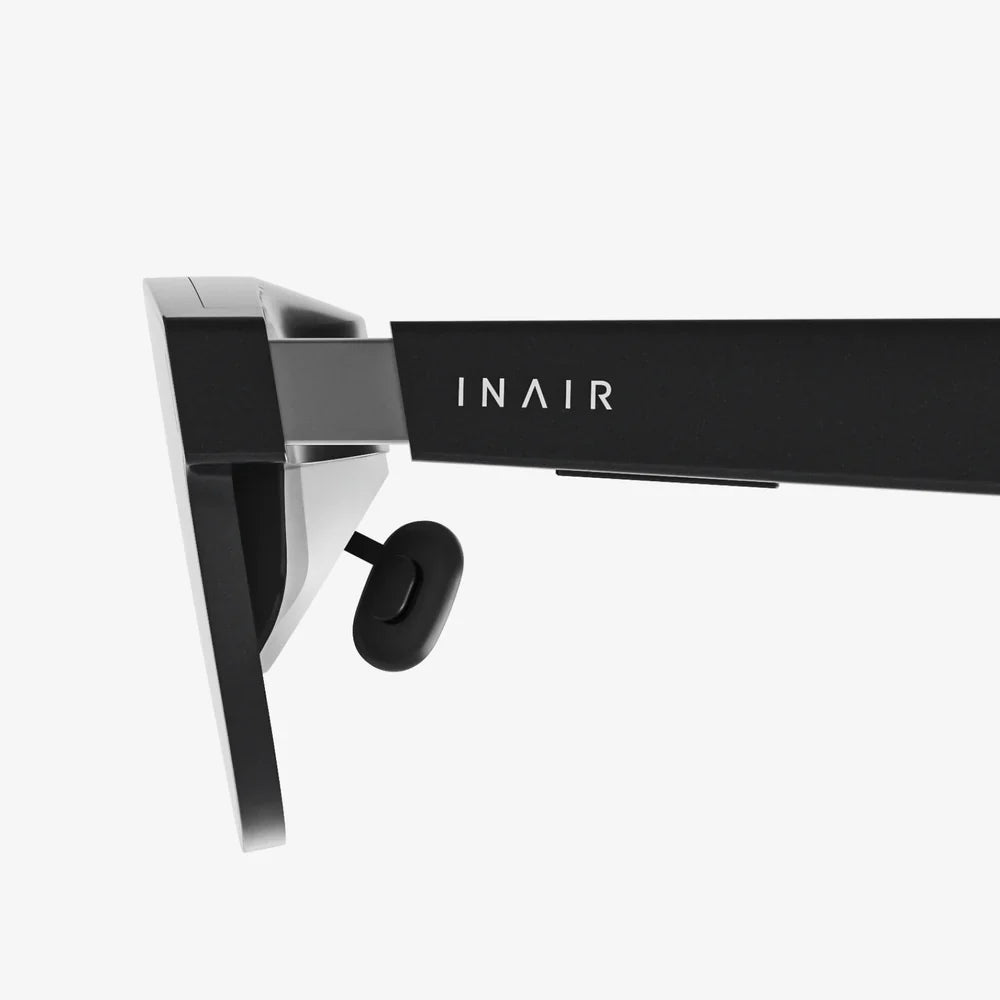
Imagine powering on your laptop and seeing not one, but five giant monitors floating in front of you, perfectly arranged, following you as you move, and disappearing with a gesture. That is the promise of the virtual screen: a limitless digital display that detaches your work, games, and media from physical hardware. As this technology rapidly matures, the way we think about computers, offices, and even living spaces is about to change in dramatic and surprising ways.
What Is a Virtual Screen?
A virtual screen is a digitally generated display that appears to the user as if it were a physical screen, even though it does not exist as a traditional monitor. Instead of being limited by the size and number of physical displays on a desk, virtual screens are rendered by software and experienced through devices such as head-mounted displays, AR glasses, VR headsets, or projection systems.
Virtual screens can simulate:
- Large desktop monitors for productivity
- Giant cinema-style displays for entertainment
- Interactive dashboards and control panels for professional use
- Shared collaborative canvases for meetings and teamwork
The core idea is simple: instead of buying more or bigger screens, you create them virtually, anywhere, anytime.
How Virtual Screen Technologies Work
Virtual screen systems combine several technologies to produce the illusion of a real display:
- Rendering engine: Software generates a 2D or 3D representation of screens in a virtual space.
- Display device: A headset, AR glasses, projector, or similar device presents the virtual screen to your eyes.
- Tracking system: Sensors track head, eye, and sometimes hand movements to adjust the image in real time.
- Input methods: Keyboards, mice, controllers, gestures, and voice commands allow interaction with the virtual screen.
When these components are synchronized, your brain interprets the rendered image as a stable, spatially anchored display, even though no physical monitor exists in that location.
Types of Virtual Screen Experiences
Not all virtual screens are created equal. The experience varies depending on the platform and context.
Desktop-Extended Virtual Screens
One common approach is to extend a computer desktop into a virtual environment. Instead of being limited to one or two physical monitors, users can create multiple floating windows and screens around them. These might be pinned in 3D space so they remain in place as the user turns their head, just like real monitors.
Immersive Cinema-Style Screens
Entertainment-focused virtual screens create the effect of sitting in front of a massive cinema screen or inside a virtual theater. This is ideal for watching movies, playing games, or viewing high-resolution content without needing a large physical TV or projector.
Augmented Reality Overlays
Augmented reality virtual screens overlay digital displays onto the real world. For example, a user could see a floating spreadsheet above their desk, a chat window to the side, and a video call anchored near a wall. These screens coexist with physical objects, enabling mixed-reality workflows.
Shared and Collaborative Virtual Displays
In collaborative setups, several users can see and interact with the same virtual screen, whether they are in the same room or scattered around the globe. This allows teams to sketch diagrams, review designs, or analyze data together on a shared canvas that exists entirely in software.
Core Advantages of Virtual Screen Technology
The appeal of virtual screens comes from a combination of flexibility, cost efficiency, and new interaction possibilities.
1. Unlimited Screen Real Estate
Physical monitors are constrained by desk space, budget, and ergonomics. A virtual screen environment can simulate an entire wall of displays or even a 360-degree workspace. Users can:
- Open dozens of windows without cluttering a single small monitor
- Dedicate entire virtual screens to specific tasks or projects
- Resize, reposition, and reorient screens instantly
This is particularly valuable for users working with complex data, large codebases, creative projects, or multitasking-heavy workflows.
2. Portability and Mobility
With virtual screens, your multi-monitor setup can travel with you. A laptop plus a compatible headset or AR device can reproduce a full office-like display environment in a coffee shop, train, hotel room, or airplane seat. The ability to carry a virtual multi-screen workstation in a backpack fundamentally changes remote work possibilities.
3. Cost and Space Savings
Buying, mounting, and maintaining several high-resolution monitors can be expensive and space-consuming. Virtual screens consolidate that hardware into software and a single display device. While there is still an upfront cost for the enabling device, the marginal cost of adding more virtual screens is effectively zero, and there is no need for extra desks, mounts, or cables.
4. Personalized and Adaptive Environments
Virtual screen layouts can be tailored to individual preferences and tasks. Users can create different virtual workspaces for coding, design, writing, finance, or entertainment, each with predefined arrangements of windows and tools. These environments can be saved, recalled, and adapted on the fly, creating a level of personalization that is difficult to achieve with physical monitors.
5. Enhanced Focus and Immersion
By surrounding the user with task-focused virtual screens, distractions from the physical environment can be reduced. Immersive virtual workspaces can help some people concentrate better, especially when paired with noise reduction and intentional layout design. For entertainment, a virtual cinema or gaming environment can be far more absorbing than a small physical screen.
Challenges and Limitations of Virtual Screens
Despite the potential, virtual screen technology faces real challenges that must be addressed for widespread adoption.
Visual Comfort and Eye Strain
Extended use of head-mounted displays or AR glasses can cause eye fatigue, discomfort, or motion sickness in some users. Factors include:
- Display resolution and pixel density
- Refresh rate and latency
- Field of view and optical quality
- Weight and fit of the device
As hardware improves, these issues are gradually being reduced, but comfort remains a key barrier for all-day use.
Ergonomics and Posture
Virtual screens can be placed anywhere in 3D space, which is a blessing and a risk. Poorly positioned screens might encourage awkward neck or eye angles, leading to strain. Designing ergonomic virtual layouts—keeping screens at eye level, at appropriate virtual distances, and within comfortable viewing angles—is essential for long-term use.
Input and Interaction Limitations
Traditional keyboards and mice still work well with virtual screens, but more advanced interactions (such as manipulating 3D content or using mid-air gestures) are still evolving. Gesture tracking, hand presence, and haptic feedback are improving, yet they are not always as precise or comfortable as physical inputs.
Privacy and Security Concerns
With virtual screens, sensitive information can be visible in places where it might be inappropriate, such as public transport or shared spaces. Although others cannot see the virtual display without the device, shoulder-surfing becomes less obvious to the user. Additionally, devices that track head and eye movements generate data that must be handled responsibly to protect user privacy.
Hardware Requirements and Accessibility
High-quality virtual screen experiences often require powerful hardware and specialized devices. This can limit accessibility for users who cannot afford or comfortably wear such equipment. For some people, headsets may be uncomfortable due to weight, fit, or existing medical conditions, making alternative solutions or lighter AR options important.
Key Use Cases of Virtual Screen Technology
Virtual screens are not just a novelty; they are already reshaping workflows and experiences across multiple industries.
Remote Work and Digital Nomadism
For remote workers and digital nomads, a virtual screen setup offers a portable, high-productivity environment. Consider the following scenarios:
- A software developer working from a small apartment uses virtual screens to simulate a triple-monitor setup without needing extra furniture.
- A consultant traveling between clients carries a laptop and a compact headset, instantly recreating a familiar multi-screen workspace in each location.
- A writer switches between different virtual rooms: one for research with multiple reference windows, another for distraction-free drafting with a single large document.
Virtual screens make it possible to separate "mental rooms" for different tasks, regardless of the physical environment.
Creative Workflows: Design, Media, and Content Creation
Designers, video editors, and content creators often juggle many panels and tools at once. Virtual screens can provide:
- A massive timeline view for video editing
- Dedicated screens for color grading, effects, and previews
- Reference boards and mood boards floating around the main canvas
By organizing tools spatially, creative professionals can keep everything visible without constantly switching windows or buying additional monitors.
Software Development and Data Analysis
Developers and analysts benefit from seeing multiple data streams and tools simultaneously. Common virtual screen layouts include:
- Code editor on one large central screen
- Documentation and reference materials to the side
- Terminal windows and log output below
- Dashboards and monitoring tools on peripheral screens
Data analysts can arrange multiple charts, tables, and dashboards around them for holistic analysis, reducing context switching and improving situational awareness.
Education and Training
Virtual screens open new possibilities for learning:
- Students can attend virtual lectures while keeping notes, textbooks, and interactive simulations arranged around them.
- Language learners can pin vocabulary lists, subtitles, and practice exercises in their environment.
- Technical training can combine virtual screens with 3D simulations for hands-on learning experiences.
Educators can design virtual classrooms where each student sees the same shared screen but can also customize their personal layout for better understanding.
Healthcare, Engineering, and Specialized Professions
Professionals who work with complex information can benefit significantly from virtual screens:
- Healthcare professionals may view patient data, imaging, and reference materials simultaneously.
- Engineers can inspect 3D models while keeping schematics, calculations, and documentation visible.
- Traders and financial analysts can monitor multiple markets, news feeds, and analytics dashboards at once.
In each case, the ability to arrange information spatially supports faster decision-making and better situational awareness.
Entertainment and Gaming
For entertainment, virtual screens offer cinematic experiences without dedicated home theater spaces. Users can:
- Watch movies on a virtual giant screen that fills their field of view.
- Play games on curved virtual displays that enhance immersion.
- Create themed virtual rooms for different genres, from sci-fi to cozy home theaters.
Because the display is virtual, the same physical room can transform into any kind of viewing environment with a few clicks.
Designing Effective Virtual Screen Workspaces
To get the most out of virtual screens, thoughtful workspace design is critical. A poorly arranged virtual environment can be as distracting as a messy desk.
1. Start with a Clear Purpose
Before creating a complex layout, define the primary goal of the workspace. Ask:
- Is this environment for deep focus, quick multitasking, or collaboration?
- What are the core applications or windows that must always be visible?
- Which tools can remain in the periphery and be accessed as needed?
Design the virtual screen arrangement around these answers instead of randomly placing windows.
2. Use Spatial Grouping
Group related windows in specific regions of your virtual space. For example:
- Place communication tools (chat, email, calendar) together on one side.
- Keep reference materials (documentation, research, notes) on another side.
- Reserve the central area for your primary task (writing, coding, editing).
Over time, your brain will associate each region with a specific type of work, making it easier to navigate and stay organized.
3. Respect Ergonomic Principles
Even in a virtual environment, ergonomics matter. Consider:
- Keeping your main virtual screen at eye level and at a comfortable virtual distance.
- Avoiding extreme head rotations for frequently used screens.
- Minimizing the need for constant vertical gaze shifts, which can strain the neck.
Try to mimic the ergonomics of a well-designed physical workstation, adapted to the flexibility of virtual space.
4. Limit Visual Clutter
Unlimited screen space can tempt users to open far too many windows. To maintain focus:
- Hide or minimize windows that are not immediately needed.
- Use virtual rooms or scenes for different tasks instead of crowding everything into one environment.
- Adopt minimalist themes or backgrounds that reduce distraction.
Virtual abundance should be balanced with intentional simplicity.
5. Create Repeatable Layouts
Save and reuse virtual layouts for recurring tasks. For example:
- A "focus mode" with a single large document and subtle ambient lighting.
- A "research mode" with multiple reference screens and a smaller main window.
- A "meeting mode" with video conferencing front and center, shared documents to the side, and notes below.
Switching between these presets can be faster and more effective than rearranging windows manually every time.
Human Factors: Adapting to Virtual Screens
Virtual screen technology is as much about human adaptation as it is about hardware and software. Understanding how people perceive and interact with virtual displays is crucial.
Perception and Depth Cues
Virtual screens can be placed at different apparent depths in a 3D environment. However, the actual focus distance of the display device may remain fixed. This mismatch can lead to visual fatigue. Designers and users should:
- Avoid placing important screens too close or too far in virtual space.
- Use subtle depth differences rather than extreme layering.
- Leverage size and position rather than depth alone to indicate priority.
As display technologies evolve, solutions that support more natural focus cues may further reduce strain.
Cognitive Load and Multitasking
More screens do not always mean better productivity. Having too many virtual displays can overwhelm attention and increase cognitive load. Users should be mindful of:
- How many streams of information they can realistically monitor at once.
- The risk of constant context switching reducing deep work quality.
- The value of dedicated focus environments with limited visible information.
Virtual screens are powerful tools, but they must be used with intention to support, not sabotage, concentration.
Habits and Learning Curve
Adopting virtual screens involves a learning curve. Users must get used to:
- Navigating 3D space with head and eye movements.
- Remembering where virtual windows are placed.
- Using new input methods such as gestures or spatial shortcuts.
With consistent use, these actions become more natural, much like learning keyboard shortcuts or touch gestures on a smartphone.
Security and Privacy in a Virtual Screen World
As virtual screen usage grows, so do the stakes for security and privacy.
Protecting Sensitive Content
To secure virtual screen environments, users and organizations should consider:
- Strong authentication for devices that render virtual screens.
- Automatic screen lock when the device is removed or idle.
- Policies for where and how virtual screens can be used with confidential data.
Because virtual screens can be used in public spaces, awareness of surroundings and device security settings becomes critical.
Data from Sensors and Tracking
Virtual screen devices often track head movements, eye gaze, and sometimes hand gestures. This data can reveal patterns about attention, behavior, and even health. Responsible handling of this information includes:
- Transparency about what data is collected and why.
- Options to limit or anonymize tracking where possible.
- Robust data protection and clear retention policies.
Trust in virtual screen platforms will depend heavily on how seriously privacy is taken.
Future Directions of Virtual Screen Technology
The virtual screen of today is just an early glimpse of what is coming.
Lightweight AR Glasses and Everyday Use
As devices become lighter, more stylish, and more power-efficient, virtual screens are likely to move from niche use to everyday wear. Lightweight AR glasses could project personal screens into the world around you, replacing many situations where people currently rely on phones or laptops.
Higher Resolution and Natural Vision
Advances in display resolution, pixel density, and optics will make virtual screens sharper and more comfortable. Future systems may approach or surpass the clarity of high-end physical monitors, making text and detailed graphics easier to work with for long periods.
Eye-Tracking and Intelligent Layouts
Eye-tracking can enable virtual screens that respond intelligently to where you look. Potential applications include:
- Automatically enlarging or enhancing the screen you are focusing on.
- Dimming non-essential screens to reduce distraction.
- Predictive rearrangement of windows based on usage patterns.
These features could make virtual workspaces feel more like living environments that adapt to the user in real time.
Integration with Physical Environments
Future virtual screen systems may integrate more deeply with smart homes and offices:
- Virtual displays anchored to real walls and surfaces.
- Context-aware layouts that change based on location or time of day.
- Shared mixed-reality spaces where physical and virtual screens coexist seamlessly.
This blending of physical and digital worlds will redefine what it means to "set up" a workspace.
Collaborative Mixed-Reality Workplaces
As virtual screens become common, teams may collaborate in mixed-reality environments where everyone sees shared virtual displays aligned in the same space, even if they are physically apart. This could transform meetings, brainstorming sessions, and project reviews into highly visual, interactive experiences that transcend traditional video calls and slide decks.
Practical Steps to Get Ready for Virtual Screens
Whether you adopt virtual screens now or in the near future, there are practical steps you can take to prepare.
1. Clarify Your Use Cases
Identify where virtual screens would add the most value in your life or organization:
- Do you need more screen space for work, creative projects, or study?
- Are you looking for portable productivity, enhanced entertainment, or better collaboration?
- Which current frustrations could virtual screens realistically solve?
A clear understanding of needs helps you evaluate when and how to adopt these technologies.
2. Optimize Your Current Digital Workflows
Many habits that improve traditional screen use also apply to virtual environments:
- Learn keyboard shortcuts and window management techniques.
- Organize files, projects, and tools logically.
- Adopt productivity methods that reduce unnecessary multitasking.
These foundations make the transition to virtual screens smoother and more effective.
3. Experiment with Early Solutions
If possible, experiment with basic virtual screen setups through devices you already have access to, or through trial experiences. Even short sessions can reveal:
- How comfortable you are with head-mounted displays or AR overlays.
- Which types of tasks feel better in virtual space and which do not.
- What ergonomic adjustments you might need.
These experiments provide practical insight beyond theoretical expectations.
4. Plan for Ergonomics and Breaks
When using virtual screens, build healthy habits from the start:
- Take regular breaks to rest your eyes and move your body.
- Adjust virtual screen placement to maintain good posture.
- Monitor how you feel after extended sessions and adjust accordingly.
Comfort and sustainability are essential for making virtual screens a long-term asset rather than a short-lived novelty.
5. Consider Policies for Teams and Organizations
For organizations, early planning around virtual screens can prevent confusion later. Topics to consider include:
- Guidelines for using virtual screens with sensitive information.
- Support for employees who choose virtual setups, including ergonomics and training.
- Strategies for integrating virtual collaboration tools into existing workflows.
Thoughtful policies can help virtual screen adoption enhance productivity while managing risk.
The Coming Shift in How We See Our Digital World
The rise of the virtual screen signals a fundamental shift in how we relate to digital information. For decades, screens have been physical objects: glowing rectangles on desks, walls, and in our hands. Virtual screens break that connection, turning displays into flexible, spatial experiences that can follow us anywhere and reshape themselves on demand.
This shift will not happen overnight, and it will not be without challenges. Comfort, accessibility, privacy, and thoughtful design all matter. Yet the direction is clear: as virtual screen technology matures, the limits of physical monitors will matter less, and the possibilities of personalized, adaptive digital environments will matter more.
If you have ever wished for just one more monitor, a cleaner desk, a portable office, or a more immersive way to work and play, virtual screens are pointing toward that future. The question is not whether they will become part of everyday life, but how quickly you choose to step into a world where your display is no longer bound by plastic and glass, but by your imagination and the space around you.
共有:
batesville ar to little rock ar: Routes, Stops, and Travel Guide
ars call: Mastering Modern Communication in a Hyperconnected World