


- by wangfred
Viture One Multiple Displays: Transforming How You Work, Game, And Travel
- by wangfred
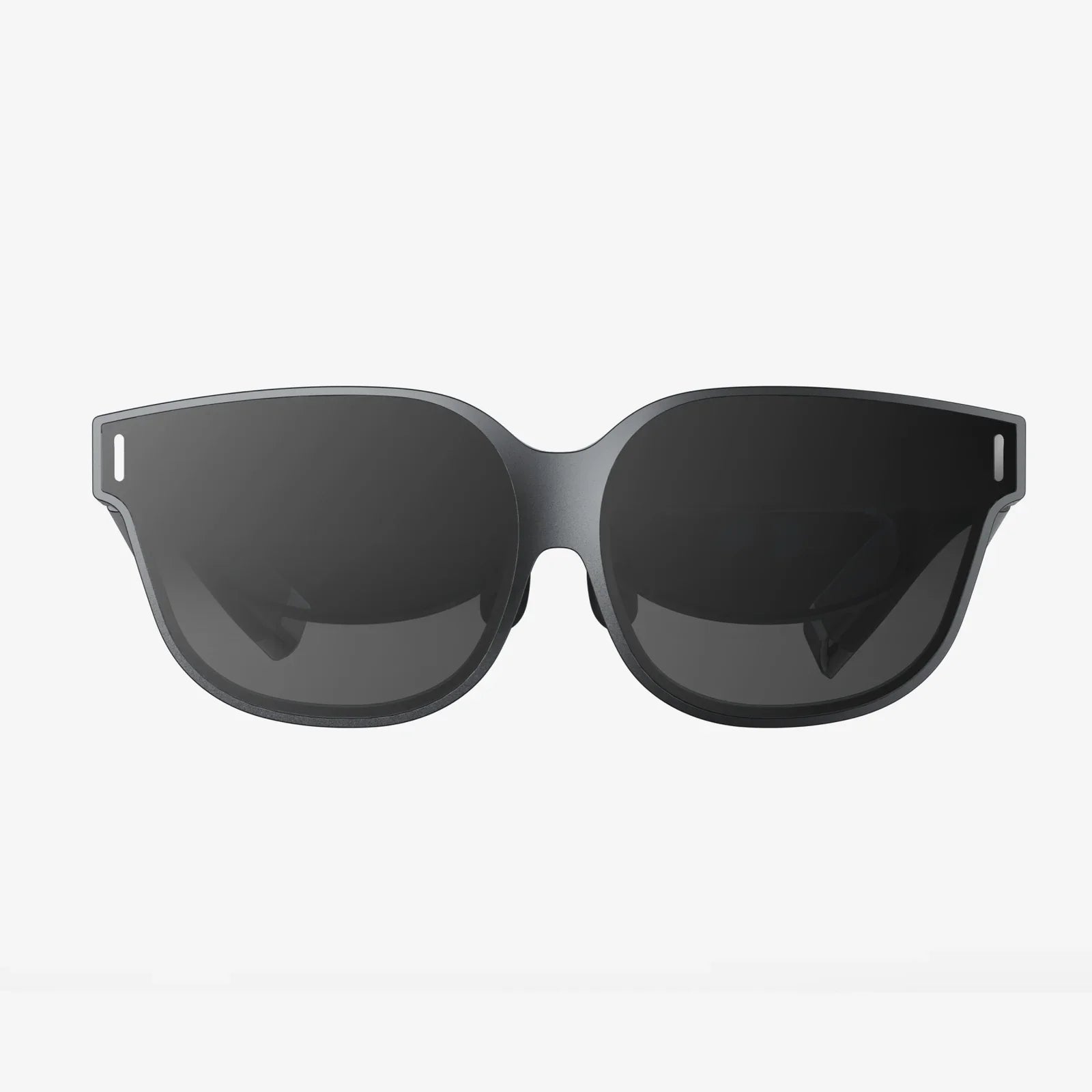
Imagine slipping on a lightweight pair of glasses and instantly having a multi-monitor workstation, a giant cinema screen, and a portable gaming hub wherever you are. That is the promise behind Viture One multiple displays: turning any place into a personal command center without dragging around heavy hardware or being chained to a desk.
As remote work, mobile gaming, and digital nomad lifestyles grow, the demand for flexible, powerful display solutions is exploding. Traditional monitors, projectors, and TVs are no longer enough; they are bulky, fragile, and far from travel friendly. Wearable displays that support multiple virtual screens aim to solve this, offering a new way to work, play, and create on the move. If you have ever wished you could carry a full triple-monitor setup in your pocket, the world of Viture One multiple displays is exactly what you have been waiting for.
When people hear the phrase "Viture One multiple displays," they often imagine a single giant floating screen. In reality, the concept is much more powerful: it is about having several independent virtual screens that you can arrange, resize, and interact with as if you were sitting in front of a multi-monitor desktop setup.
Instead of mounting physical monitors on a desk, multiple displays are rendered virtually inside the glasses. You still use your usual input devices and content sources, but the screens exist only in your field of view, not on your table. This gives you:
The magic is not just the size of the display, but the ability to have several of them at once, arranged in a way that matches your workflow or playstyle.
One of the biggest use cases for Viture One multiple displays is work. Knowledge workers, coders, designers, analysts, and students often rely on two or three monitors to stay efficient. Reproducing that on a laptop screen alone can feel impossible. Wearable multi-display setups solve this in surprising ways.
With Viture One multiple displays, your laptop can remain physically small while your virtual workspace becomes enormous. Picture this layout:
Instead of constantly alt-tabbing or resizing windows, you simply glance from one virtual screen to another, just as you would with physical monitors. This can dramatically reduce context switching friction and boost productivity, especially for complex tasks that require juggling multiple apps.
Working in public spaces often means compromising on privacy and concentration. With Viture One multiple displays, your screens are visible only to you, which offers several advantages:
This makes Viture One multiple displays especially appealing to professionals who travel frequently, consultants who work on client sites, or anyone who prefers to work outside a traditional office without sacrificing multi-monitor efficiency.
Students and researchers often juggle textbooks, PDFs, lecture videos, and writing tools. Viture One multiple displays can turn even a simple tablet or compact laptop into a powerful study hub:
Because the displays are virtual, you can study in tight dorm rooms, libraries, or shared spaces without needing a large desk or multiple physical screens. The ability to keep everything visible at once helps with comprehension and reduces the mental overhead of switching between apps.
Beyond work, Viture One multiple displays can fundamentally change how you game and consume media. Gamers, streamers, and movie lovers get a portable cinema and control center rolled into one wearable device.
Traditional gaming setups rely on a TV or monitor, which limits where and how you can play. With Viture One multiple displays, you can turn a small handheld or compact console into a big-screen experience almost anywhere. Picture this scenario:
Instead of constantly pausing to check a guide on your phone or alt-tabbing on a PC, you can keep everything visible at once, just by glancing between virtual displays. This makes complex games more manageable and enhances both solo and cooperative play.
For content creators and streamers, Viture One multiple displays can simulate a full streaming studio layout without a dedicated room or multiple monitors. You can have:
This kind of setup used to require a desk full of hardware. Now, it can be done from a couch, a hotel room, or even a train seat, as long as you have your source device and connectivity.
Watching movies or shows on a phone or small tablet during travel is rarely satisfying. With Viture One multiple displays, you can create your own virtual cinema. You might choose:
This makes long flights, train rides, and hotel stays far more enjoyable. Because the displays are private, you can watch whatever you like without worrying about others seeing your screen.
Creative professionals often need expansive workspace: multiple tool panels, reference images, timelines, and preview windows. Viture One multiple displays can provide that space without the cost and bulk of large physical monitors.
Graphic designers, illustrators, and UX designers benefit from being able to layout their tools and references across multiple displays:
This arrangement keeps the main canvas uncluttered while still giving quick access to the tools and references needed to work quickly and accurately. The ability to resize and reposition virtual displays also makes it easy to adapt the workspace to different projects.
Video editing and content creation workflows often involve a timeline, preview window, media library, and effects controls. With Viture One multiple displays, you can dedicate each virtual screen to a part of your workflow:
This can make editing on a laptop feel closer to working in a dedicated studio with multiple monitors. For creators who travel or work on location, that is a major advantage.
To understand why Viture One multiple displays are so compelling, it helps to look at the underlying technology in simple terms. Several key elements work together to create the multi-display experience.
At the core of the glasses are tiny displays that project images into your field of view. These microdisplays are designed to be bright and sharp enough to simulate a large screen even though they sit very close to your eyes. Their resolution and clarity determine how comfortable it is to read text, view fine details, and use multiple virtual screens for long periods.
Special lenses and optical elements project the image from the microdisplays so that it appears as if it is floating at a comfortable distance in front of you. This creates the illusion of a large monitor or multiple monitors without your eyes having to focus on something right at your face. The optics also help define the perceived size and position of each virtual display.
In some multi-display setups, head tracking is used to anchor virtual screens in space. That means when you turn your head, the displays appear to stay in fixed positions, much like physical monitors on a desk. This can make the experience feel more natural and reduce motion discomfort.
Even when spatial anchoring is not fully implemented, the system still needs to manage where each virtual display appears in your field of view and how you switch between them. A well-designed interface is critical to making Viture One multiple displays feel intuitive rather than confusing.
Viture One multiple displays rely on being connected to a source device that actually runs your apps and games. Common sources include:
Depending on the exact setup, connection can be wired or wireless. The key is that the glasses act as a multi-display output, while the source device provides the content. For the best experience, you want a device with enough processing power to handle multiple windows or high-quality video output smoothly.
Knowing what is possible is one thing; understanding how to set it up in real life is another. Here are some practical configurations to help you get the most from Viture One multiple displays.
If you are a professional who works on the go, try this layout:
Use a compact keyboard and mouse or trackpad to keep input comfortable. This setup allows you to work from a coffee shop, airport gate, or hotel desk while maintaining the same multi-monitor workflow you might have in a traditional office.
For gamers who travel often, Viture One multiple displays can replace a bulky monitor or TV:
This setup shines in hotel rooms and small apartments where space is limited. Pack your source device, the glasses, and a controller, and you have a complete gaming station that fits into a small bag.
Content creators can build a mobile studio using Viture One multiple displays:
This allows you to edit on location, in transit, or in small living spaces without sacrificing the multi-screen layout that makes creative work efficient.
While Viture One multiple displays bring enormous flexibility, it is important to think about comfort and health. Spending long hours with any display close to your eyes requires some good habits.
Even though the virtual displays are projected to appear at a comfortable distance, your eyes are still focusing on a digital source. To reduce strain:
Because the glasses rest on your nose and ears, proper fit is crucial. If the device is adjustable, spend time fine-tuning:
Take regular breaks to stretch your neck and shoulders, just as you would with traditional monitor setups. This helps prevent stiffness and discomfort during long work or gaming sessions.
Switching from physical monitors to Viture One multiple displays may feel strange at first. Here are a few adaptation tips:
After a short adjustment period, many users find that virtual multi-display layouts are as natural as physical monitors, with the added bonus of portability.
While almost anyone can appreciate portable big screens, some groups gain especially large benefits from Viture One multiple displays.
For people who live and work on the road, carrying multiple monitors is impractical. Viture One multiple displays let them maintain a high-productivity workspace without sacrificing mobility. Whether working from a hostel, a co-working space, or a short-term rental, they can recreate their ideal multi-screen setup in seconds.
Remote and hybrid workers often split time between home, office, and third spaces. With Viture One multiple displays, they are no longer limited by whatever screens happen to be available in each location. Instead, they carry a consistent, personalized workspace that feels the same everywhere.
Students and researchers can use Viture One multiple displays to manage complex study setups without needing a large desk or quiet private office. They can combine lecture videos, readings, notes, and communication tools in one immersive environment, making it easier to stay organized and engaged.
Gamers benefit from large, immersive screens and the ability to run guides, chats, and streaming tools alongside their main game. Content creators gain a portable editing and production suite that can travel with them, opening new possibilities for on-location work and spontaneous creation.
Despite their advantages, Viture One multiple displays are not a perfect fit for every situation. Understanding the limitations helps you decide where they shine and where traditional setups may still be better.
Because Viture One multiple displays rely on a source device, your overall usage time can be limited by the battery of your laptop, tablet, or handheld. Running multiple windows, high-resolution output, and network-intensive apps can drain power faster. It is wise to:
Some people prefer the feel of physical monitors and may find virtual screens less intuitive at first. There can also be a learning curve in managing window placement, adjusting virtual display positions, and adapting to the sensation of wearing a display on your face. Giving yourself time to adjust is important before deciding whether this is the right solution for you.
While Viture One multiple displays are ideal for privacy and focus, they can also isolate you from your surroundings if you are not careful. In social or collaborative environments, you may want to:
Balancing immersion with awareness ensures that Viture One multiple displays enhance your life rather than creating friction in social situations.
Viture One multiple displays are part of a broader shift toward wearable computing and spatial interfaces. As hardware and software continue to evolve, the possibilities are likely to expand in several directions.
Future iterations may incorporate more advanced gesture control, voice commands, and eye tracking to make managing multiple displays smoother. Imagine simply looking at a virtual screen to bring it to the foreground, or using subtle hand movements to resize windows in midair.
As cloud computing becomes even more central, Viture One multiple displays could become a window into always-available workspaces. You might:
In the future, multiple users wearing compatible displays could share virtual screens in the same room, seeing the same content anchored in space. This would open new possibilities for group work, design reviews, and collaborative gaming, blending the benefits of private displays with shared experiences.
To fully unlock the power of Viture One multiple displays, it helps to approach them not just as a gadget, but as a new way of thinking about screens. Instead of being limited by physical panels on your desk or walls, you can design your ideal workspace or entertainment hub and carry it with you.
Start by mapping your current workflows: what do you usually keep on each monitor, and why? Then recreate that layout virtually, making adjustments where the new flexibility allows improvements. Experiment with different arrangements for work, gaming, studying, and creative projects. Over time, you will discover which configurations make you more efficient, more focused, and more inspired.
If you have ever felt constrained by a single screen, or frustrated by the logistics of carrying multiple monitors between locations, Viture One multiple displays offer a compelling alternative. They let you step into a world where your screens are as portable as your ideas, where your office fits in your pocket, and where your entertainment and creativity can follow you anywhere. The next time you open your laptop in a cramped airplane seat or a noisy cafe, imagine slipping on a pair of glasses and watching your workspace expand into a full multi-display command center. That is the moment when Viture One multiple displays stop being a futuristic concept and become an everyday advantage you will never want to give up.